-
-
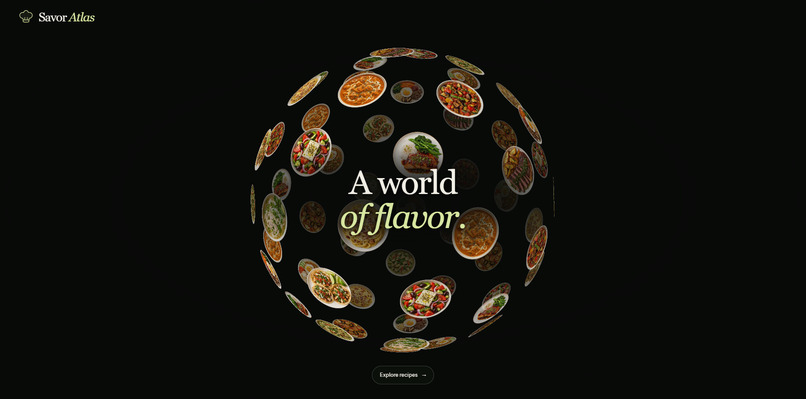
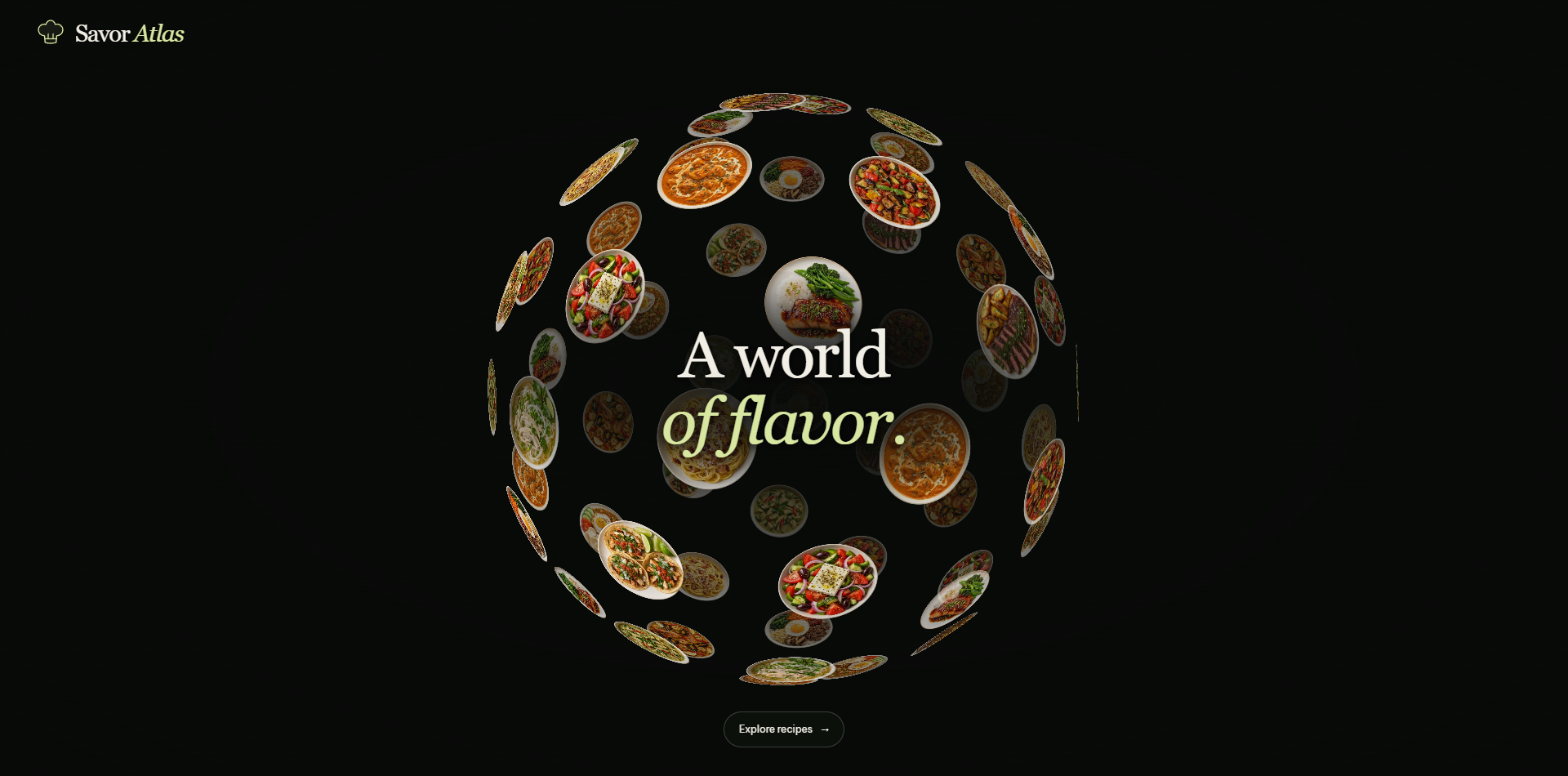
Explore a world of flavor through an interactive food globe featuring 12 signature dishes from 12 countries.
-
-
Inspiration
Food is one of the most approachable ways to discover another culture. But browsing recipes often feels like searching through a long list.
Savor Atlas started with a simple question: what if choosing your next meal felt like exploring the world?
The goal was to turn that curiosity into a practical cooking experience, combining visual discovery with clear instructions.
What it does
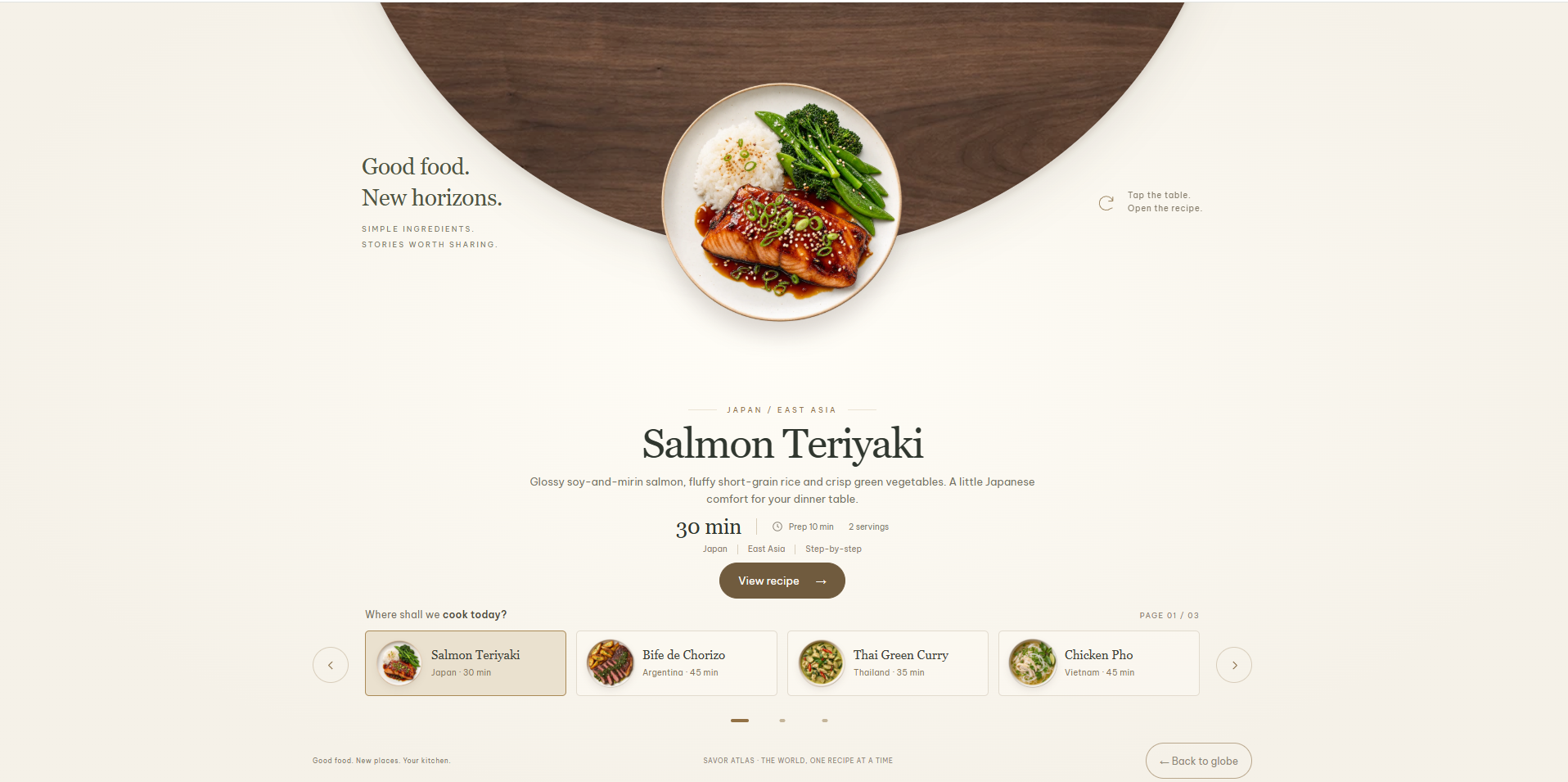
Savor Atlas introduces 12 signature dishes from 12 countries through an interactive food globe.
Visitors can:
- Rotate the globe with mouse movement or touch.
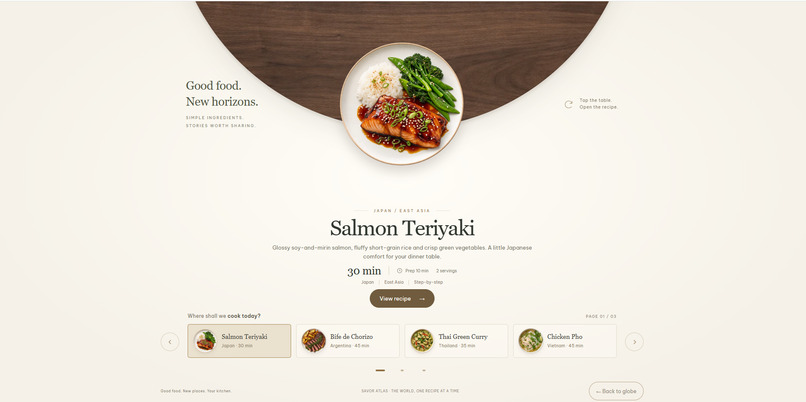
- Browse dishes with their country of origin, preparation time, and cooking time.
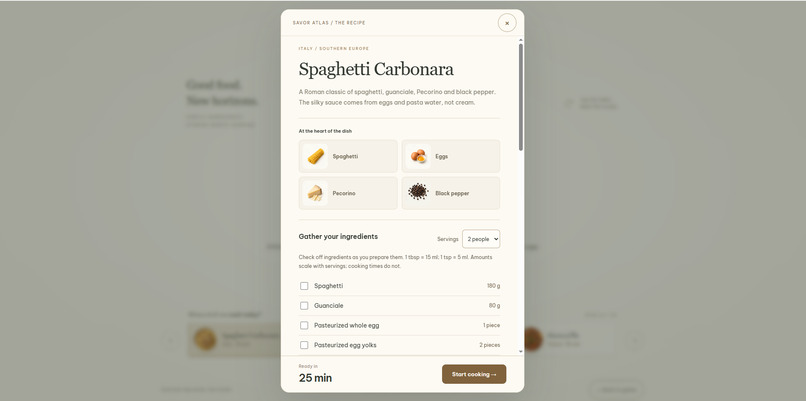
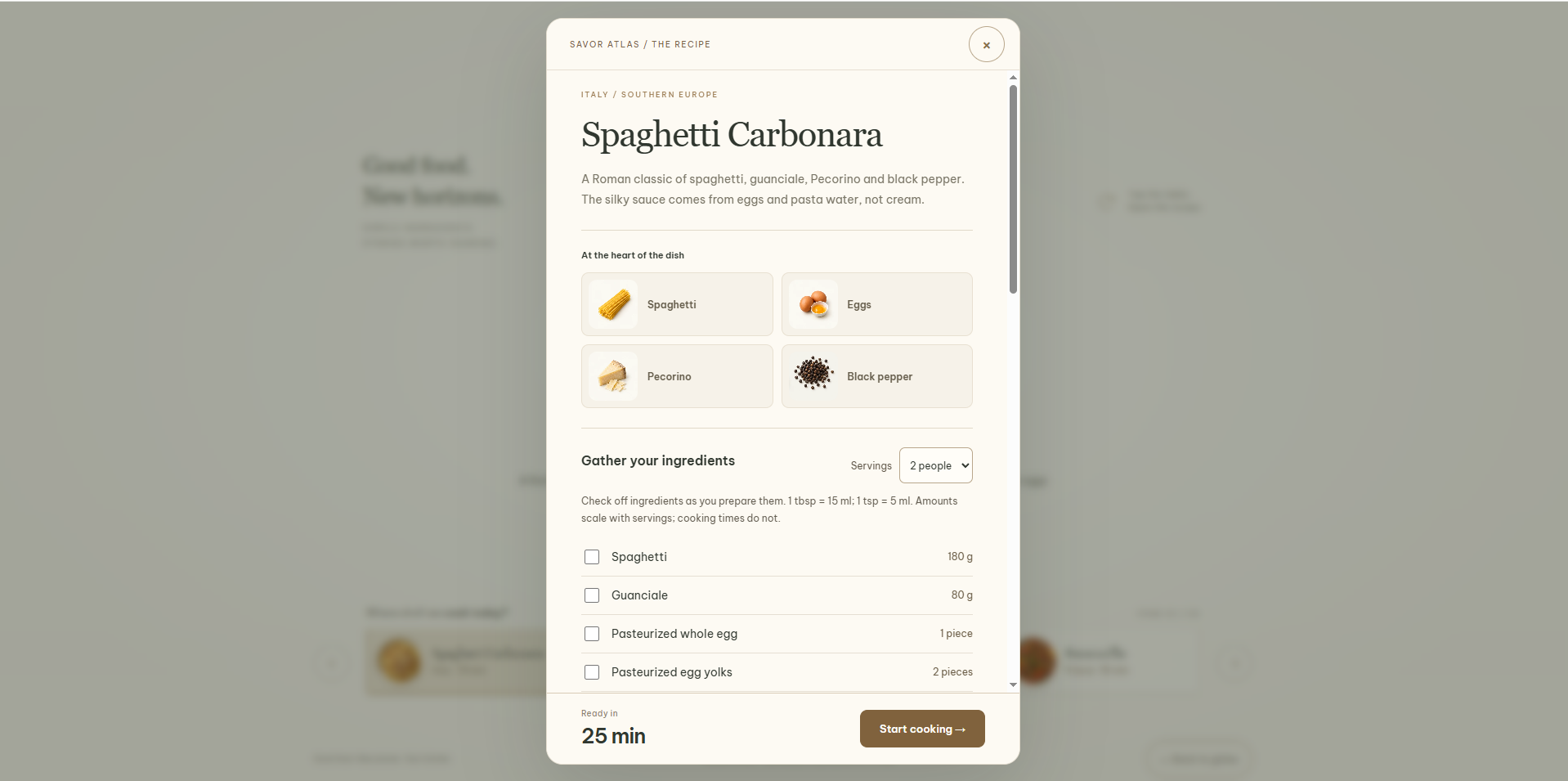
- Open recipes with illustrated ingredients.
- Choose between 1, 2, or 4 servings, with ingredient quantities updating automatically.
- Check off ingredients while preparing.
- Follow a cooking guide with highlighted steps and previous/next controls.
The recipe browser fits within one screen, while longer instructions have a dedicated scrolling area.
How it was built
The website uses HTML, CSS, and vanilla JavaScript without a frontend framework.
CSS 3D transforms position the dishes around the globe. JavaScript handles pointer interaction, smooth movement, recipe navigation, ingredient scaling, and cooking progress.
An existing table-based interface provided a starting point for the kitchen presentation. Its layout and animations were adapted into the current international recipe experience.
The international dish images and supplementary ingredient illustrations were generated with ImageGen and optimized as WebP assets. Python assembles the source templates into static pages.
The project is hosted on Vercel, with source code on GitHub. Playwright checks cover recipe navigation, ingredient images, motion, and responsive layouts.
Challenges
The biggest challenge was making the visual effects support the cooking experience.
Early versions had too many controls and food images that cropped important parts of the dishes. Refinements included transparent plate images, smoother globe movement, simpler navigation, and layouts that work across desktop and mobile screens.
Another challenge was keeping the ingredient checklist, serving quantities, selected recipe, and cooking steps consistent as visitors moved through the interface.
Accomplishments
- A complete journey from discovering a dish to following its cooking instructions.
- Twelve countries represented with matching dish images and illustrated ingredients.
- Smooth transitions between browsing and cooking.
- A lightweight static deployment with no backend required for the core experience.
What I learned
Small interaction details have a large impact on usability. Image framing, motion timing, clear navigation, and readable ingredient quantities mattered as much as the visual concept.
Testing across different screen sizes also helped reveal problems that were easy to miss on a single desktop display.
What's next
Next steps include expanding the recipe collection, adding dietary filters and search, introducing saved favorites, and refining the experience through feedback from home cooks.
Try it: https://savor-atlas.vercel.app/
Source code: https://github.com/duclucky/savor-atlas
Built With
- css3
- github
- html5
- javascript
- playwright
- python
- vercel

Log in or sign up for Devpost to join the conversation.