-
-
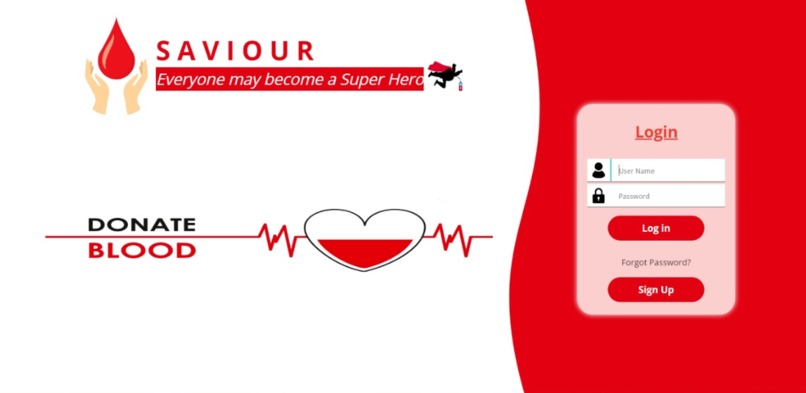
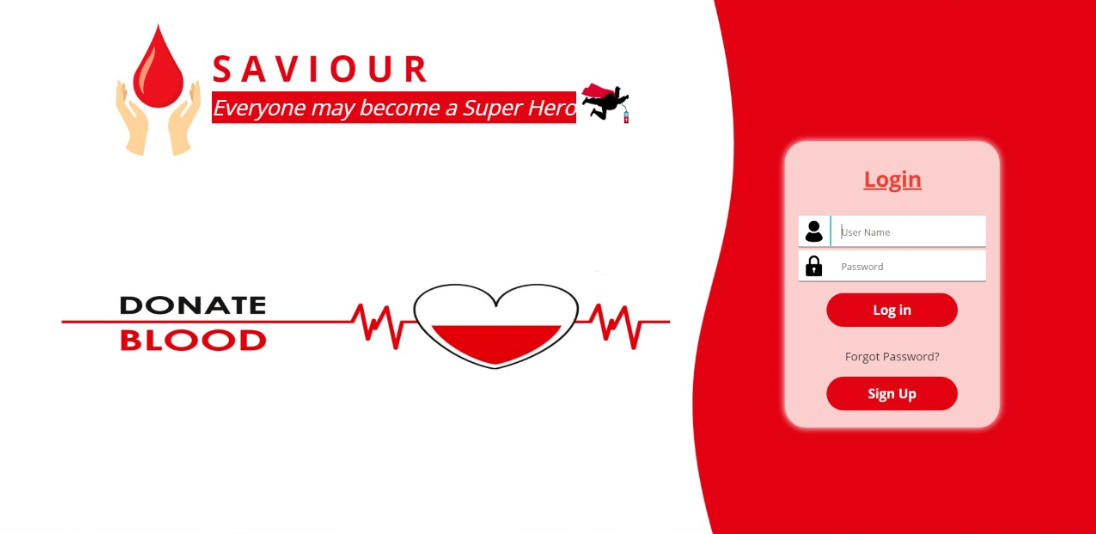
Signup Screen
-
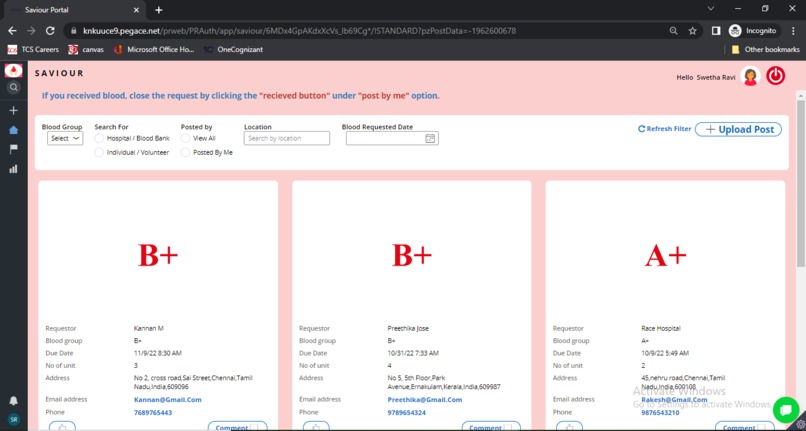
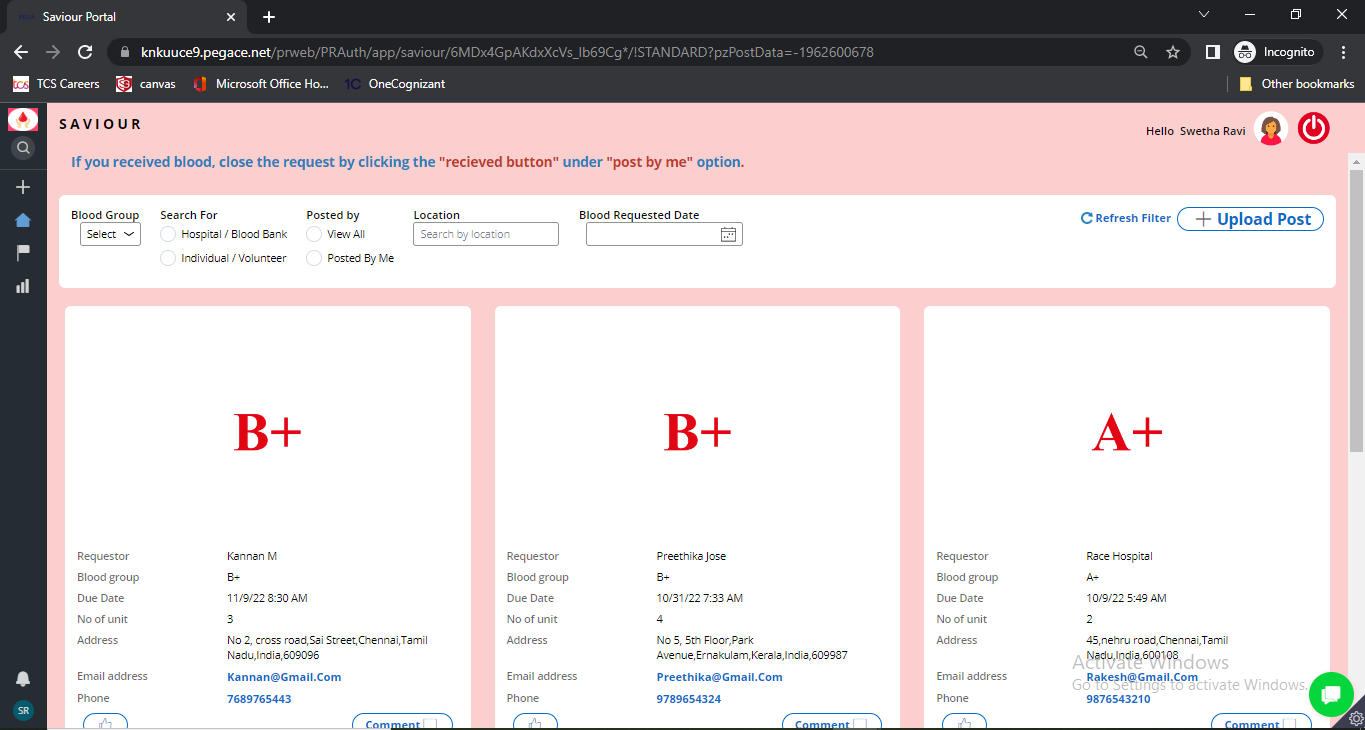
Saviour's Home Screen
-
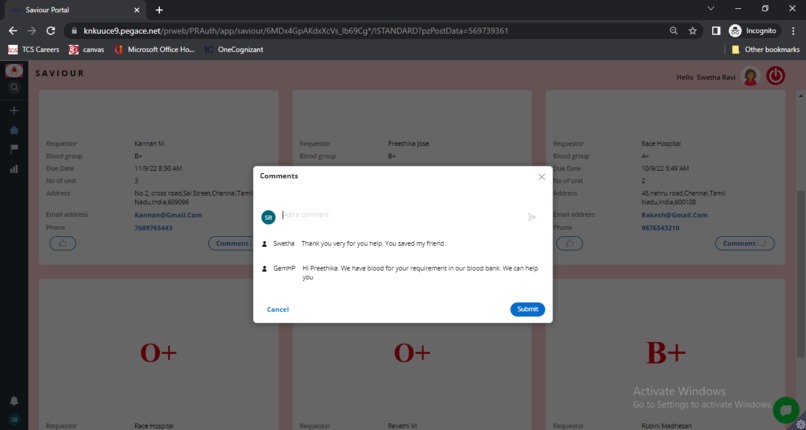
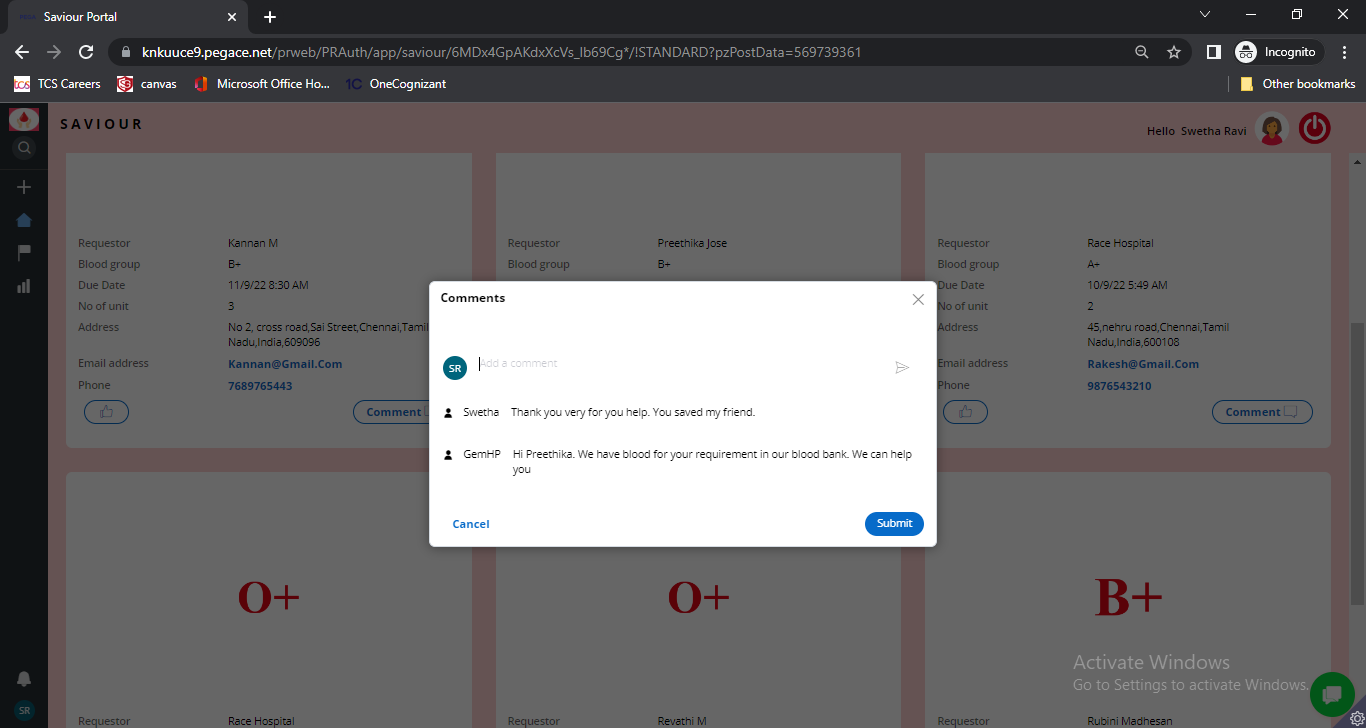
Saviour's Comment Screen
-
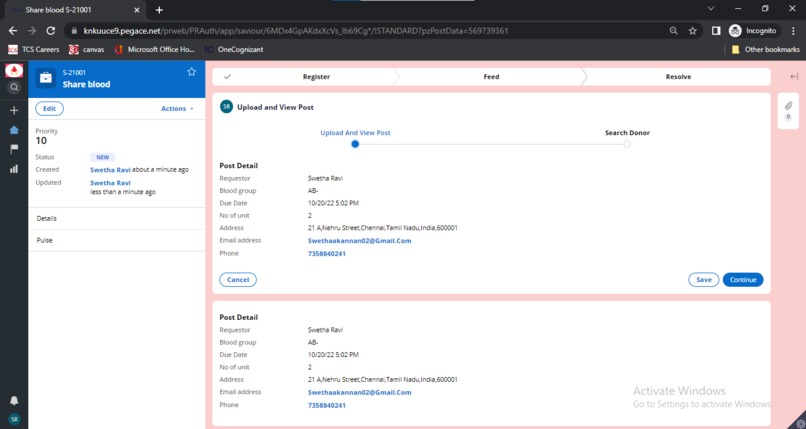
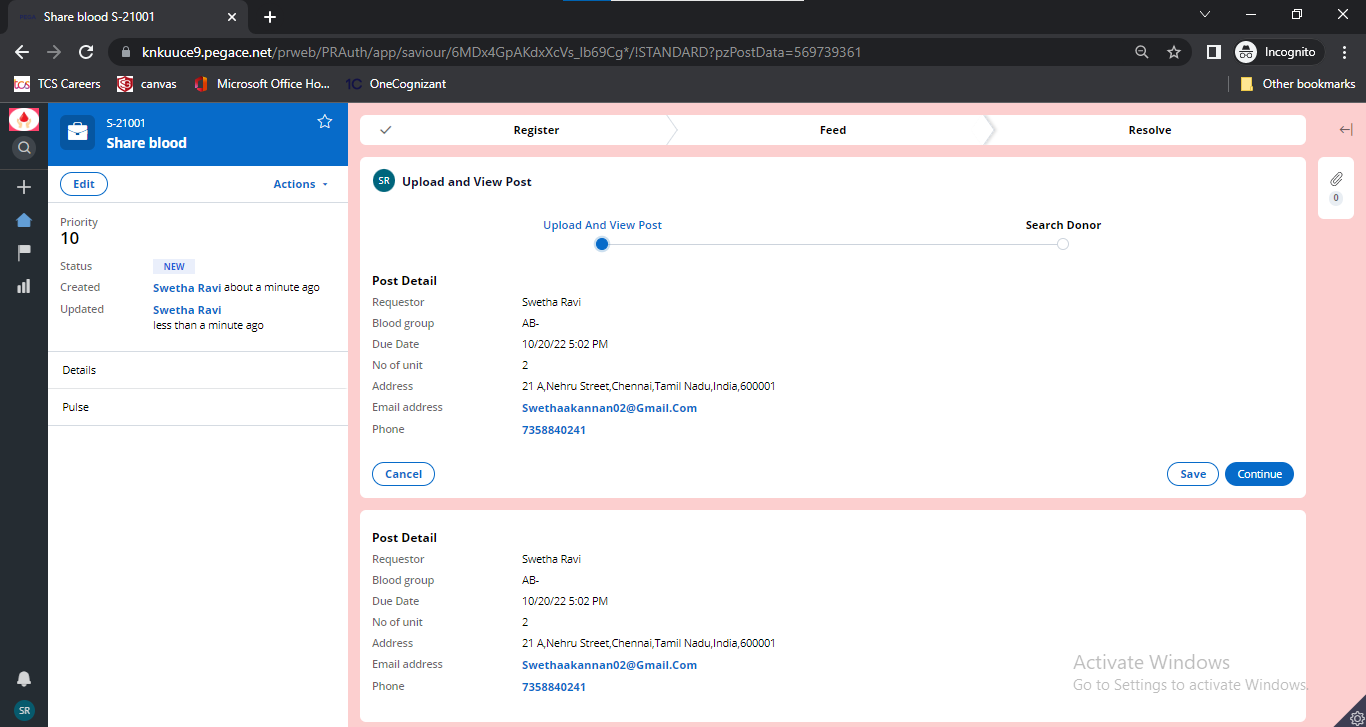
Blood Request Detail
-
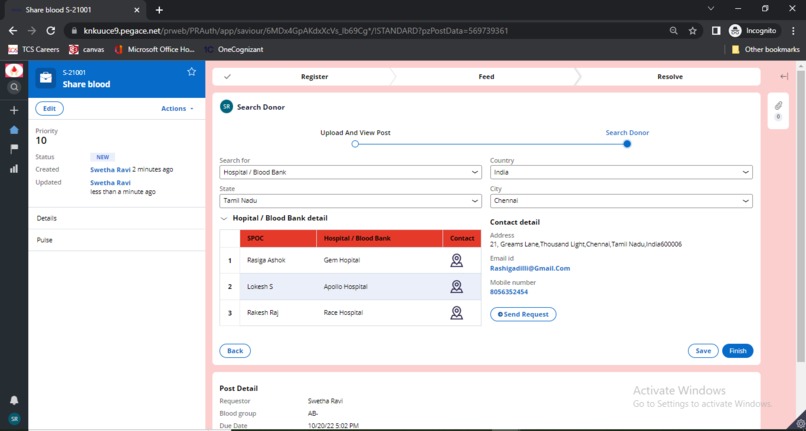
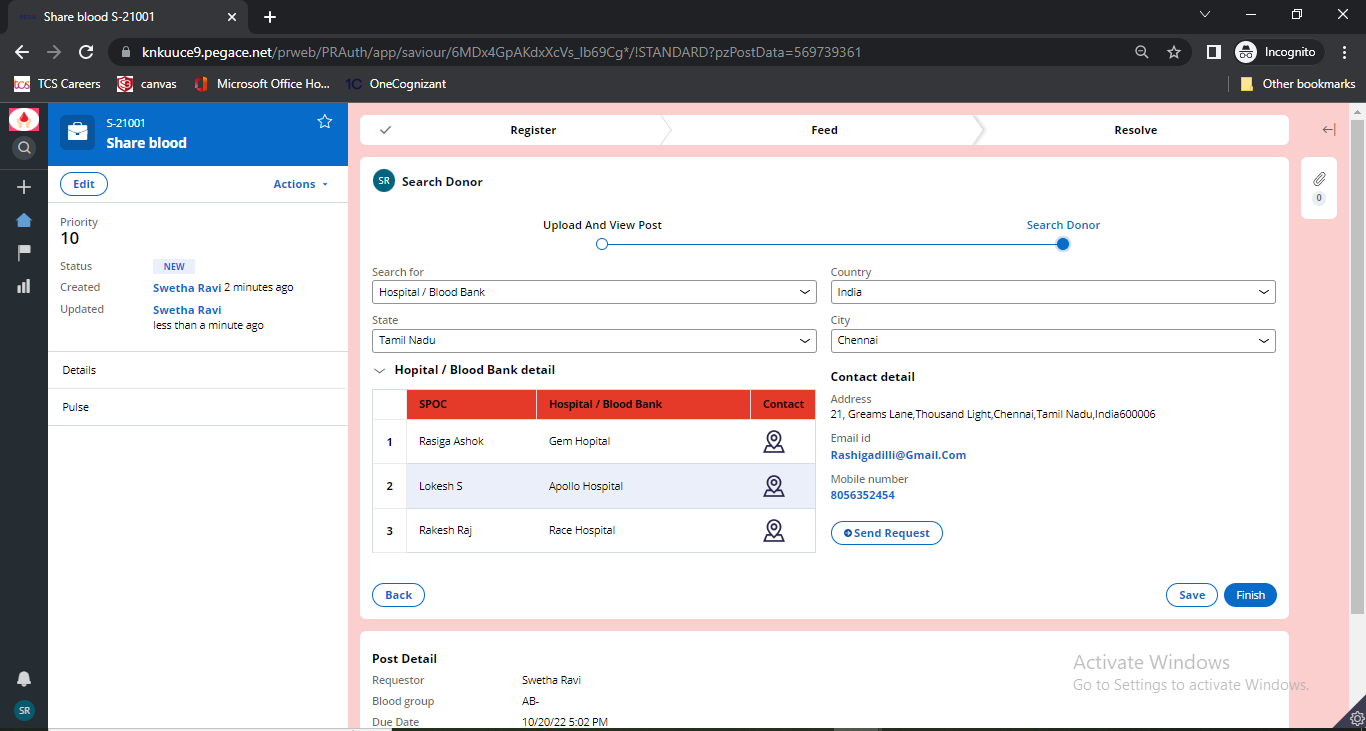
Search Donor Features
-
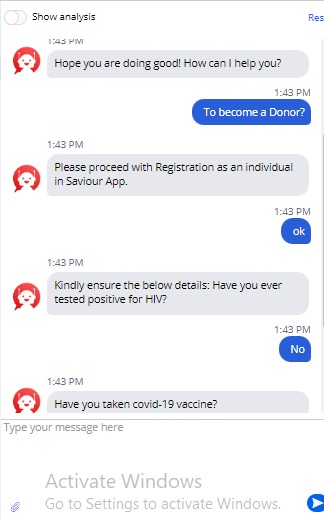
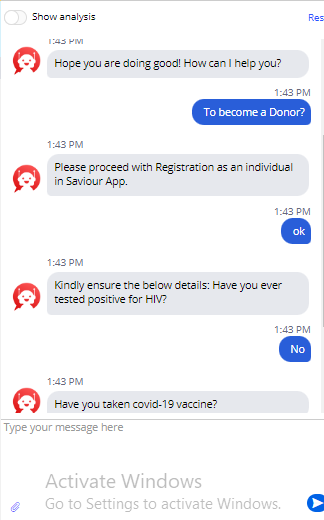
Saviour's chatbot
-
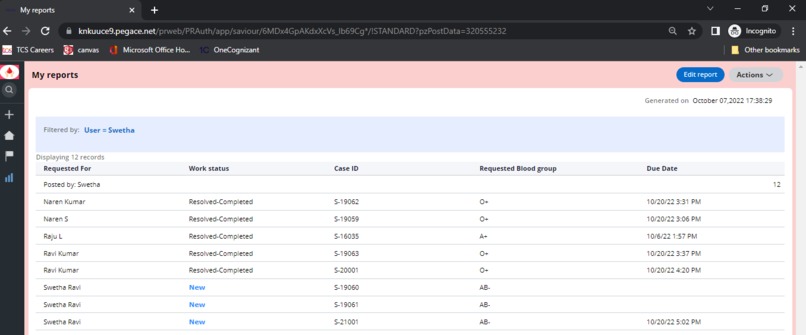
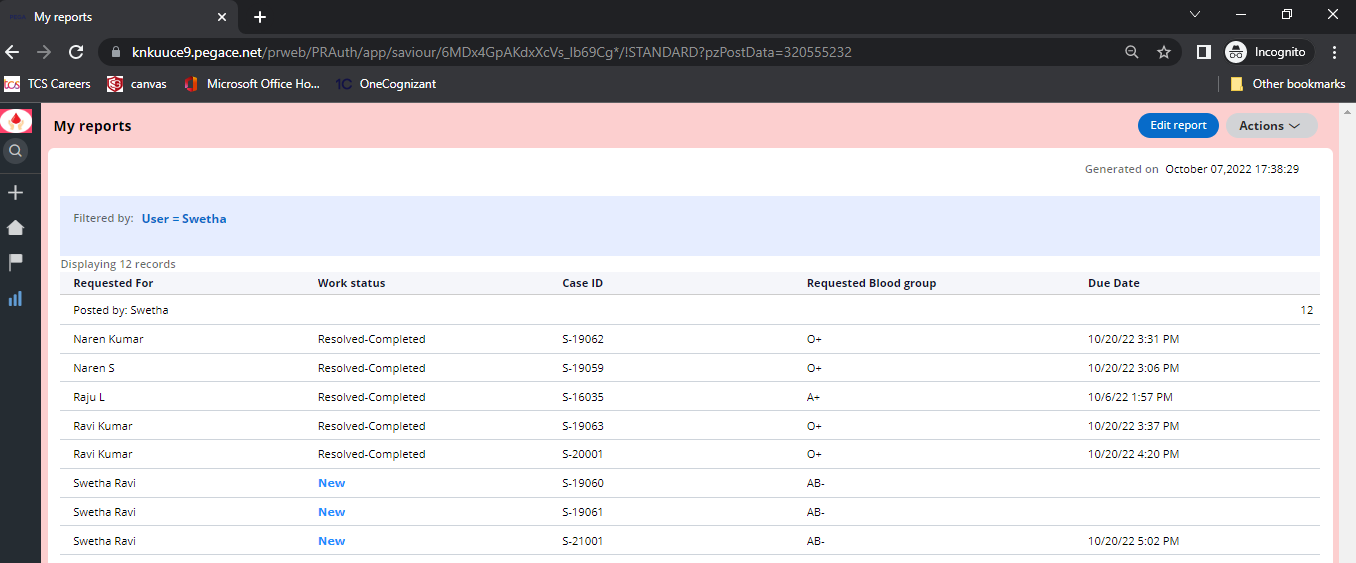
Saviour user engagement report
-
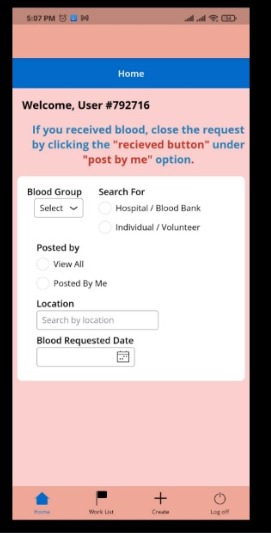
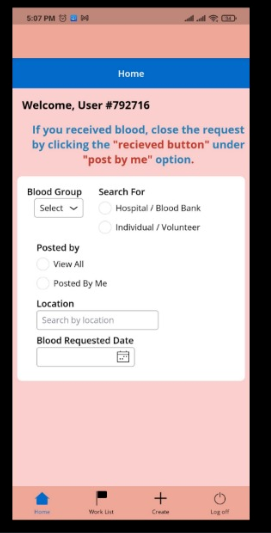
Saviour's Mobile App - Home Screen
-
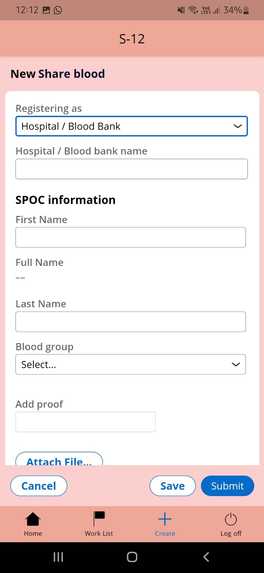
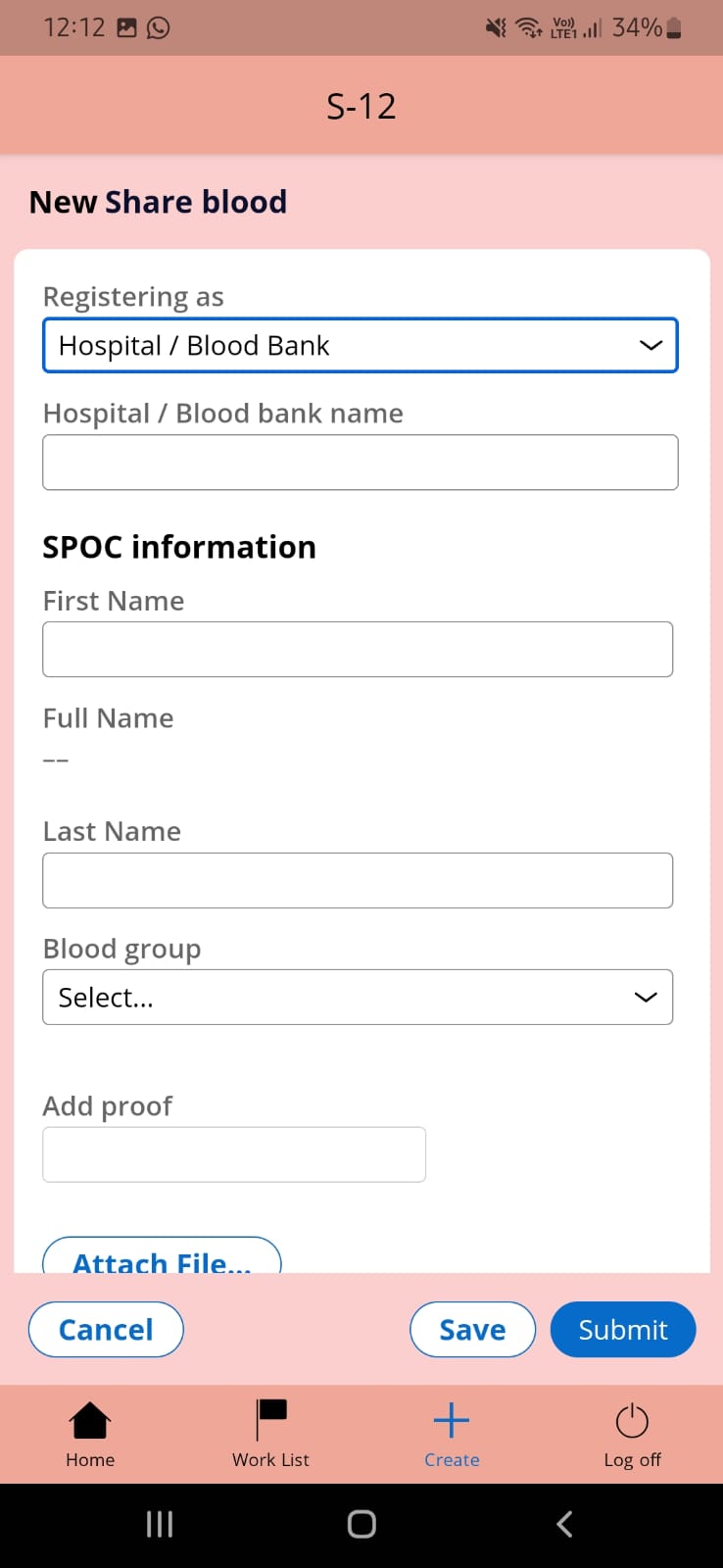
Saviour's Mobile App - Registration
Content Overview
- Inspiration
- What it does
- How we built it
- Challenges we ran into
- Accomplishments that we're proud of
- What we learnt
- What's next for Saviour
- Research
Inspiration
"Best return gift you may give to someone is returning their life"!!
In our daily life, we would have come across millions of news, whatsapp shares, and post requesting for someone who is in need of blood. Many times we just pass by, but some times our inner instinct provokes to come forward and help. Unfortunately we will not be able to approach them due to incorrect contact information. Even if we reach them successfully, the blood requested timeline would have breached and our efforts will be in vain. Sometimes, the shared post or news might be a false information. On the other hand, it is a sad thing to know that, there are still several countries that do not have enough of a supply of blood or a higher number of blood donors. Few countries rely on blood from people who ask money in turn for donations, which is very alarming and heartbreaking.
To overcome the lack of access to blood, to enhance the coordination between blood banks, hospitals, commoner we are the team of six members put forth our idea in to solution and made this real time application called "SAVIOUR" in PEGA platform 8.7 using App studio.
SAVIOUR ---SHARE BLOOD TO SAVE LIFE. YOU MAY BECOME A SUPERHERO
What it does
"Saviour" is an application that serves as a platform which helps the people in need of blood to search and contact various donors of the relevant blood type around the world with in the expected timeline. It aims at saving the life of people by being a traverser between blood bank, hospital and commoner. Requestor can upload the blood requirement through Saviour post so that registered donors from different sources step ahead as a Saviour to donate the blood.
The features of the application are listed below,
1. Registration: User can enroll in to Saviour application as hospital/Blood bank and Individual/Volunteer.
- User registering as hospital/blood bank submits the required hospital/blood bank detail along with respective SPOC information for better communication.
- User registering as commoner provides the required personal and medical history along with contact information.
2. Privacy over piracy: Saviour's OTP feature via Email ensures the safe and authorized registration.
3. Saviour's Post: Registered personas of Saviour application can request blood using Saviour Upload post functionality. Authorized user can create "N" number of posts holding following details: Patient Name, Blood Group, Due date, Number of unit, Contact details. Once requestor uploads the post, registered donors irrespective of blood type can view the post on their home screen and respond to it through like or comment feature. For every comment on the post user is notified via email.
4. Saviour's Home Screen: Application's reliability is measured based on how effectively and efficiently the end user gets everything at one go! Saviour keeps it's promise of reliability by displaying all blood request posts which has not breached the timeline.
- Donor/Recipient can filter the post based on blood group, location, Due date.
- Donor/Recipient can track his own post by selecting "posted by me" option
- Donor/Recipient can view his basic info at any time by hovering his profile icon
- "Search donor" feature helps the recipient to shortlist donors of relevant blood type
5. Explore Donors: Requestor has privilege to search donor by filtering on nearby location and blood group. When they finds the relevant donors, Saviour application auto notify the donor via Email holding the requestor detail. *If recipient didn't receive blood and deadline passed, the saviour application will remove the post automatically. Also, if recipient received blood on time , Saviour provides an option to close the request manually by requestor which avoid unnecessary chaos. *
6. Reports: We have used PEGA Reporting feature to analyze the user engagement in SAVIOUR Application. User can track the number of posts he posted and status of his post.
How we built it
We mainly focused to built the application using Pega App Studio based on Pega Express Methodology.
The reason for using app studio is to get the applications operating quickly and it helps the low code users to build an application easily as a no-code visual interface. we also built the following core features such as
- Case design,
- Data management,
- User Interface
- Channels and
- User management using app studio
Designing Case types, Configuring Data objects and Creating Personas are achieved using Pega express methodology
We are a team of six members. Each one of us decided to play a role as follows:
- Royal as Scrum master, who is responsible for conducting daily stand ups
- Swetha as Business Architect, who conveys the requirement to team
- Rubini as Tech Lead, who converts business requirement to technical requirements
- Rehaana, Hema and Rashiga are the core Developers.
In discover phase , the Tech lead and Business Architect work together to identify the customer journey and further we identified our end user outcome and then we understood how this related to our business outcome. The customer outcome we found is, they need an application where a hospital or blood bank or a volunteer can create their account and donate their blood to the people in need and they can upload the post with required details so other volunteer can donate.
Micro Journey: We split the project(Journey) into smaller pieces that make up the logic and behavior of an application, to make it center-out. We decided to build a Micro journey which allows a user to register and to post requirements or to search for donors. Then we broke down our Micro journey into the following processes,
- Process to capture data from user
- Process to save data provided by user
- Process to create an account for an user in application
- Process to enable user to upload a post
- Process to enable a user to search for a donor
- Process to enable user to add comment for a post
- Process to resolve a case.
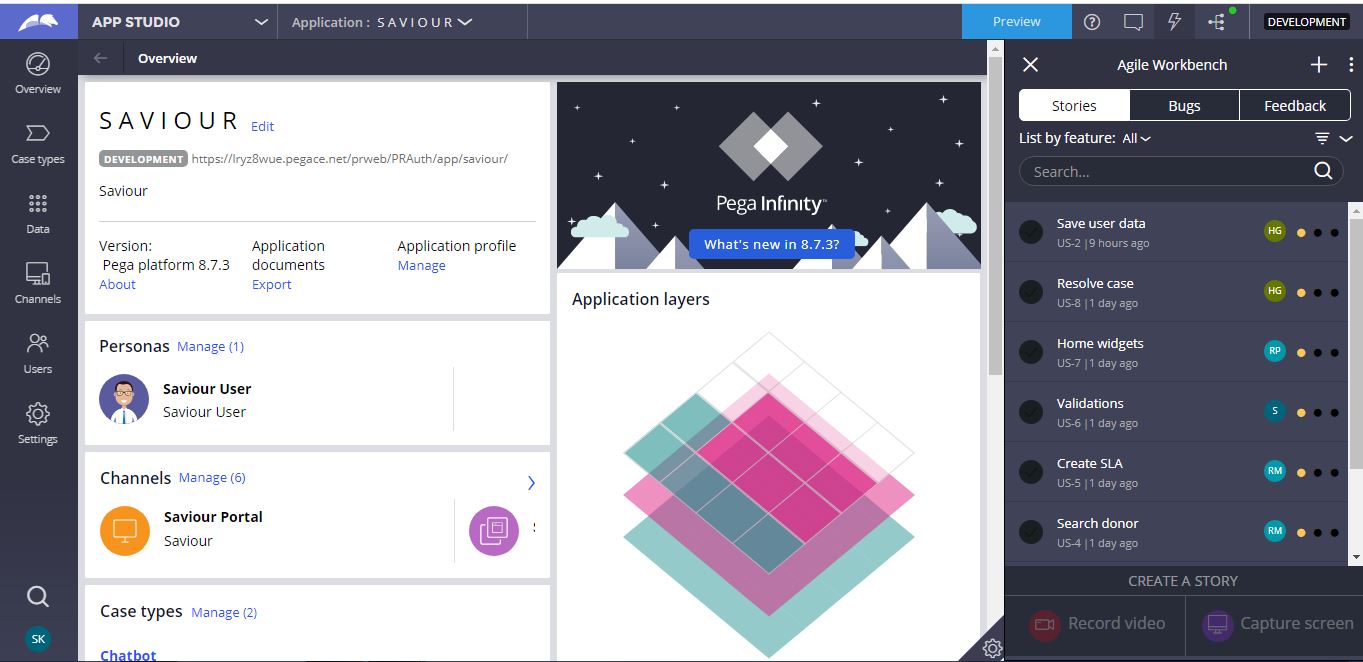
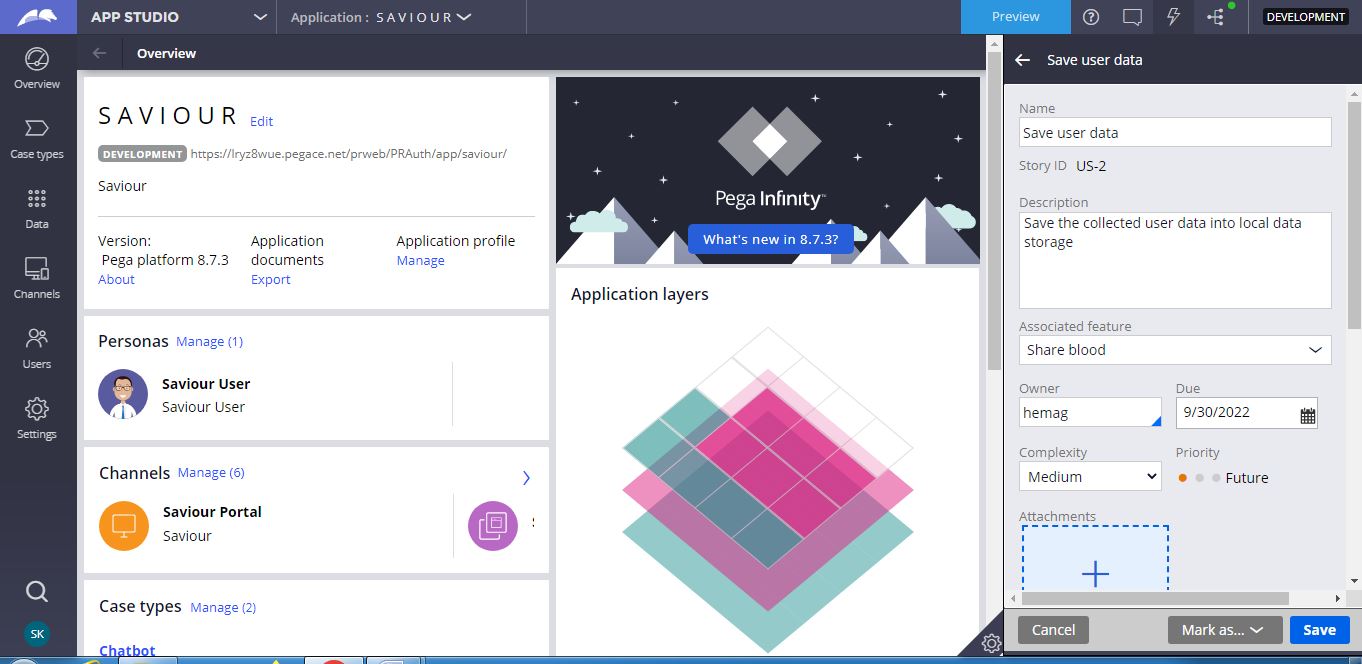
Capturing Stories: We captured the User Stories in the Agile workbench which is available in app studio.Below Image depicts the user stories worked on.
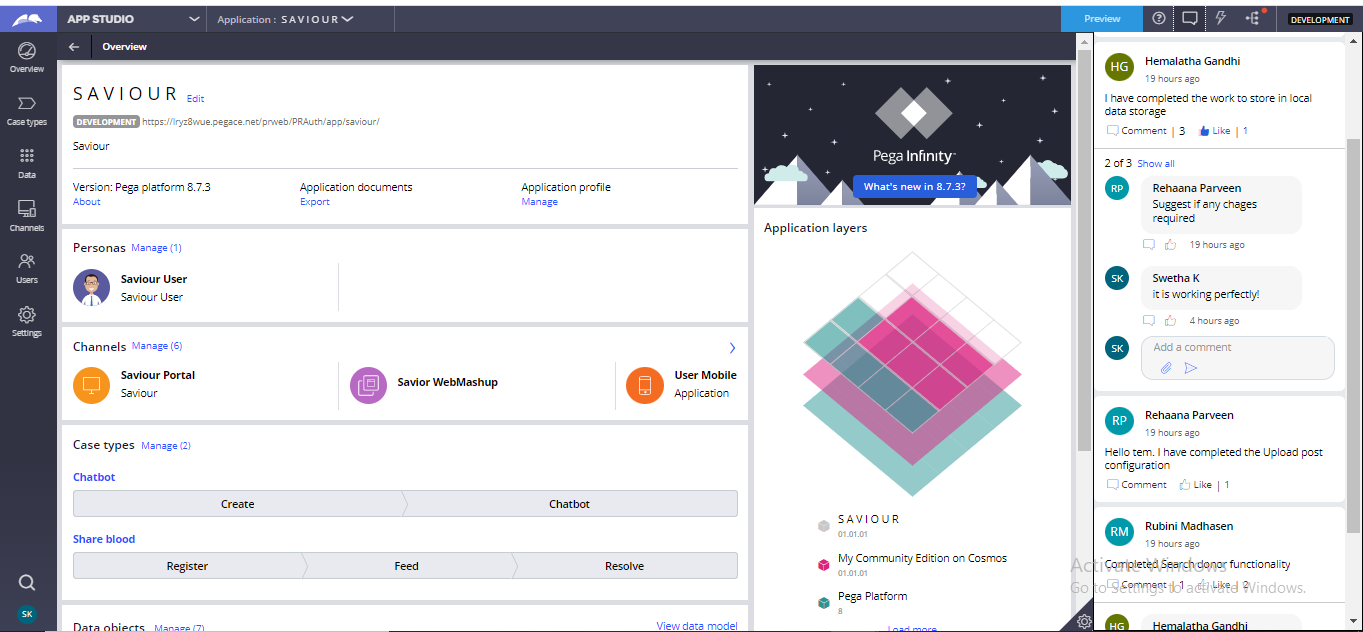
Collaboration: For collaboration among developers and to make sure each and every team members are aware of current happening with application we used Developer Collaboration feature which is available in App Studio.
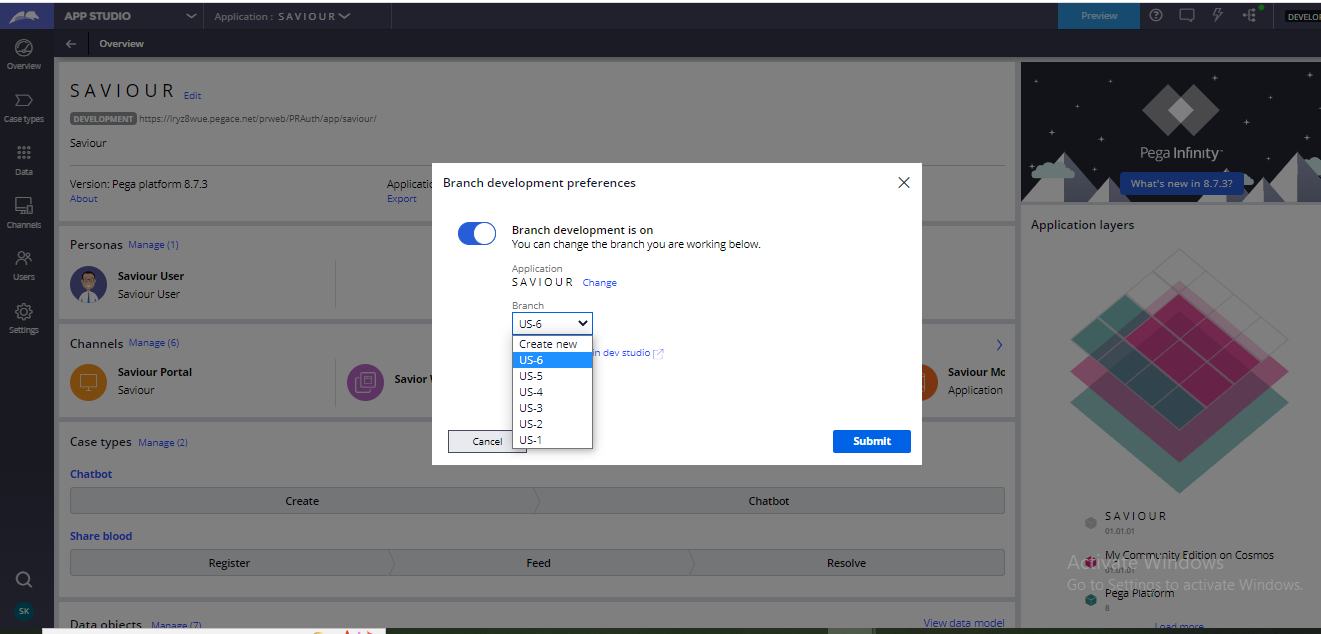
Branch: As we worked from different regions and different timeline we created Branches to achieve parallel code development without impacting main application.
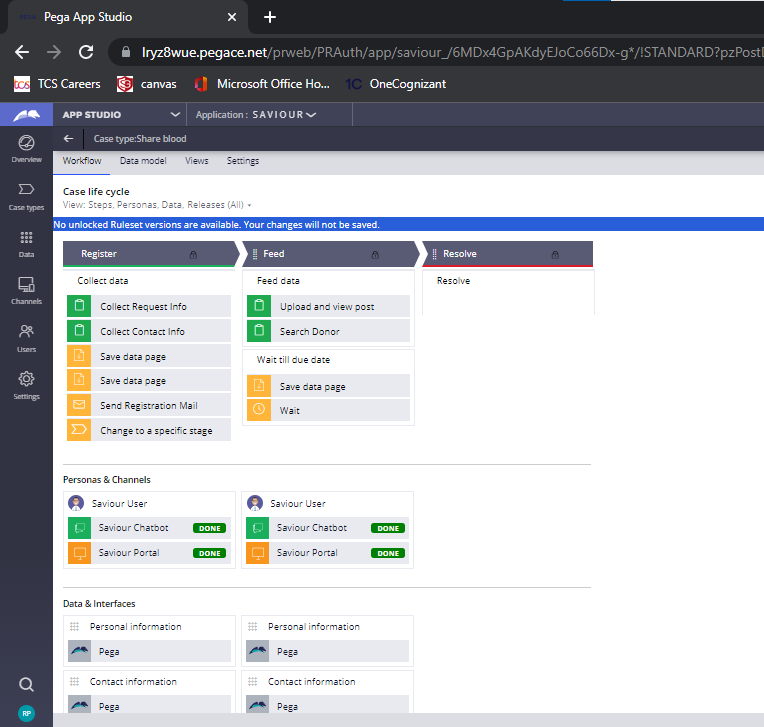
Case type: We designed our case type using Case explorer feature available in app studio. Below picture depicts the image of our Casetype called Share Blood.
Share blood enables a user to register, either to request or donate the blood. It consists of three stages.
- Register - In this stage users have to provide their personal info and their contact info. Then confirmation mail will be sent to the user.
- Feed - In this stage users can post their request and they can also search for a donor. Then this case will wait until it reaches the due date.
- Resolve - In this stage the case will be resolved.
Here the view of the case type workflow with associated persona and channels.
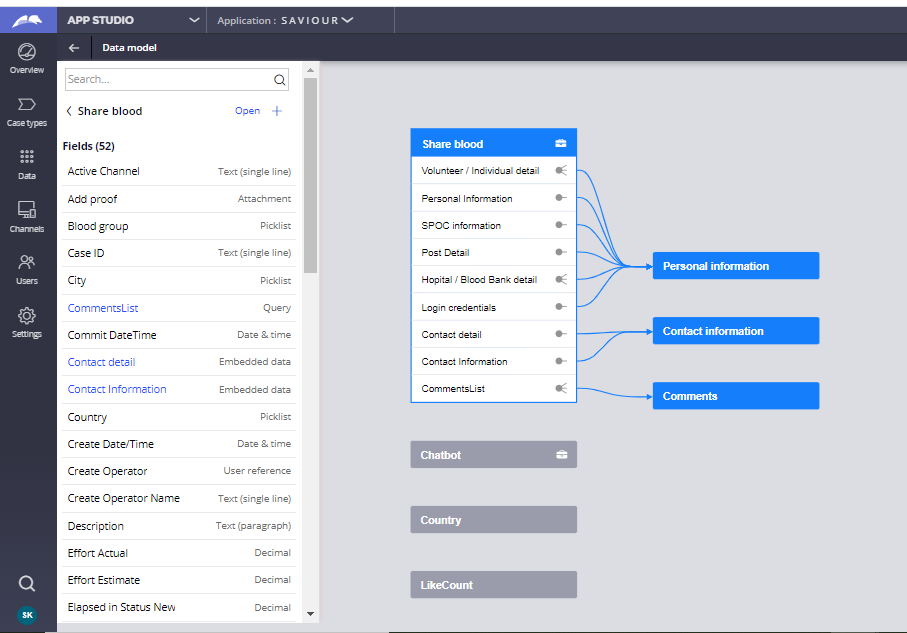
Data Model: We used 7 data objects in our application. We designed all these data objects using App Studio only.
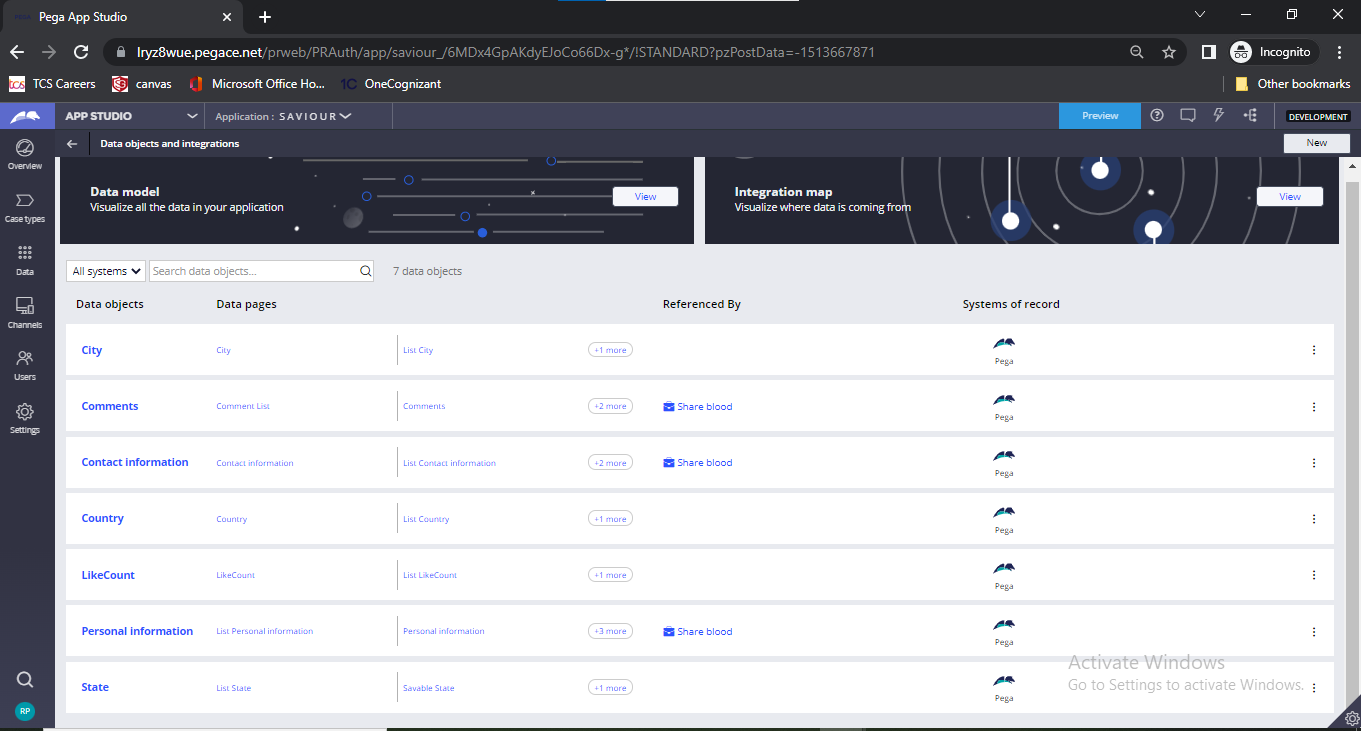
Visualization of data in our application
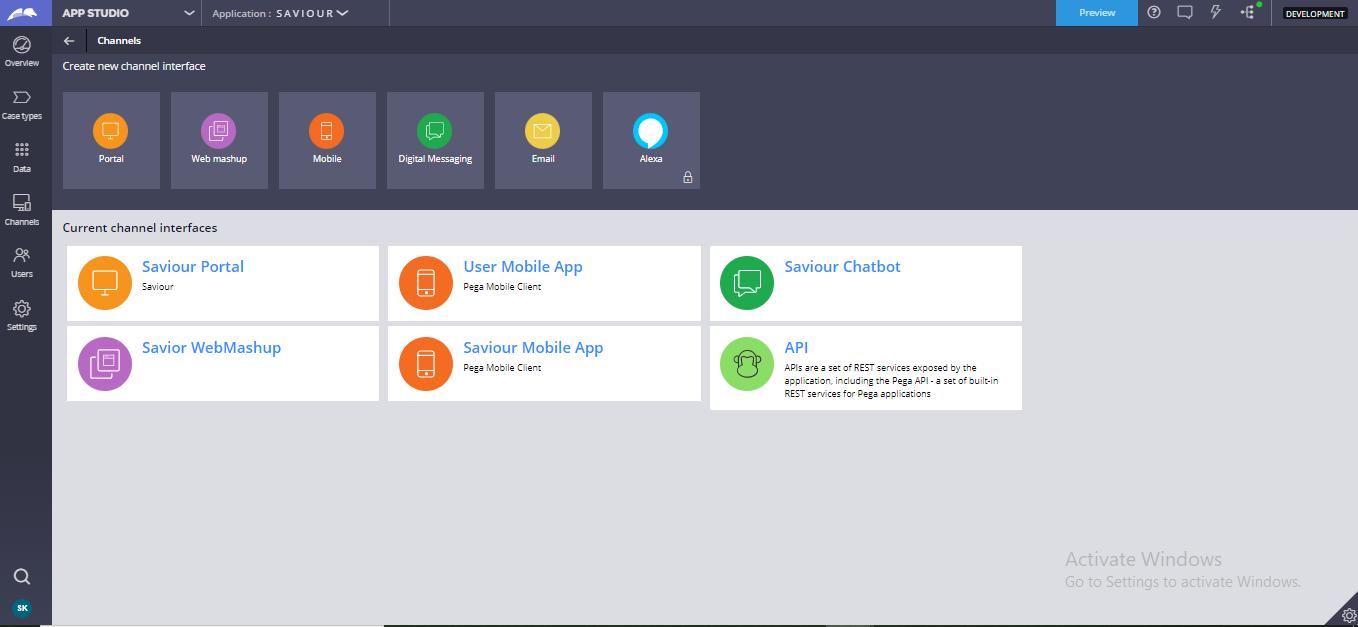
Channels In our application we created Saviour portal, Saviour Mobile application and Saviour Web mashup for efficient user experience using channels interface in App studio.
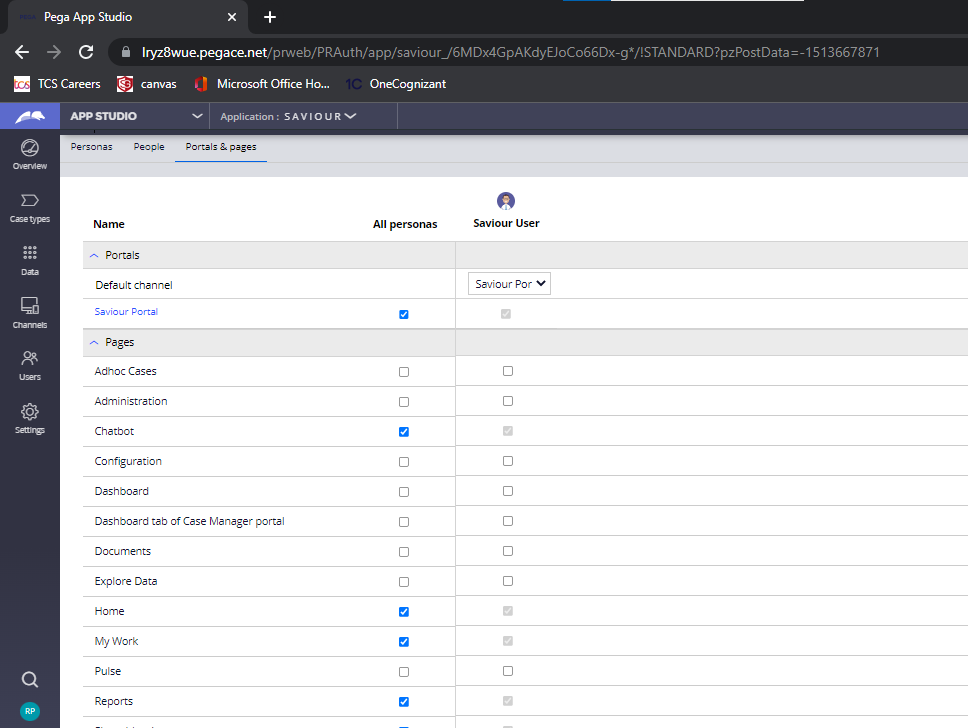
Users We used the user management option of App studio to create persona, to add people and to manage the user access.
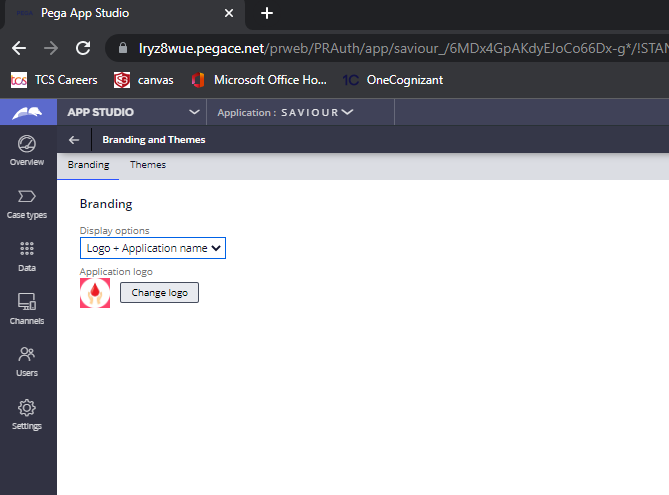
Settings We updated our application logo and display option and we set our application themes using branding themes menu which are available in settings of app studio.

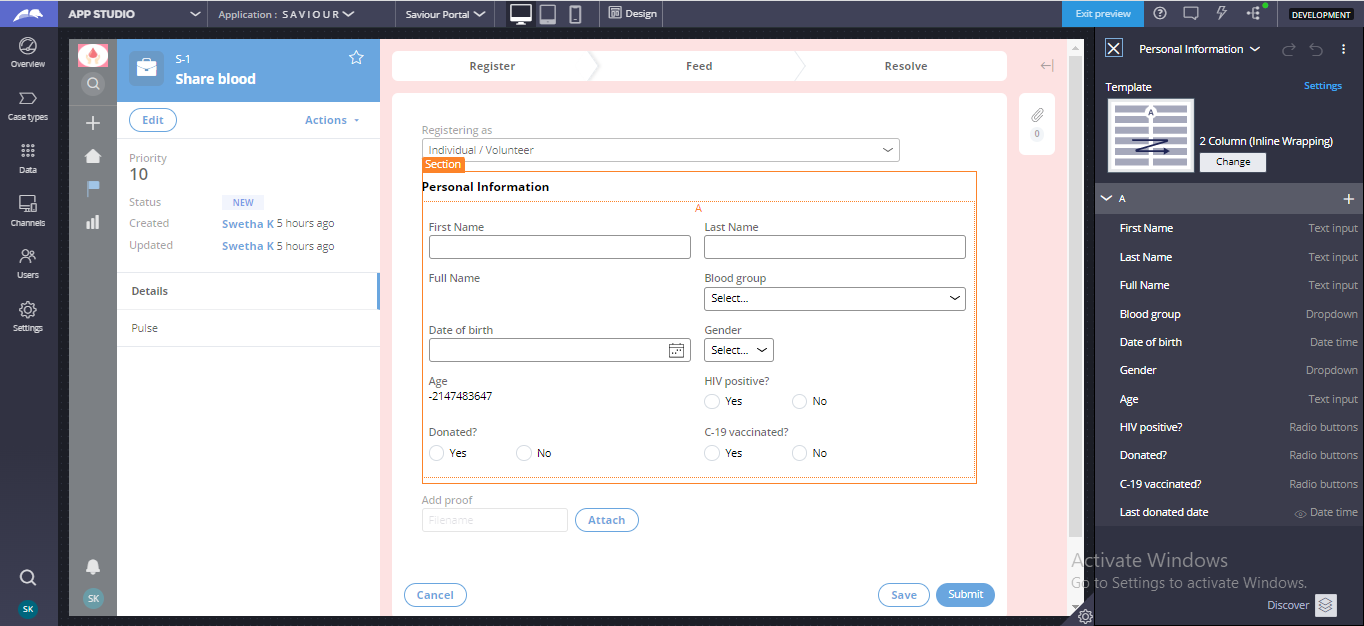
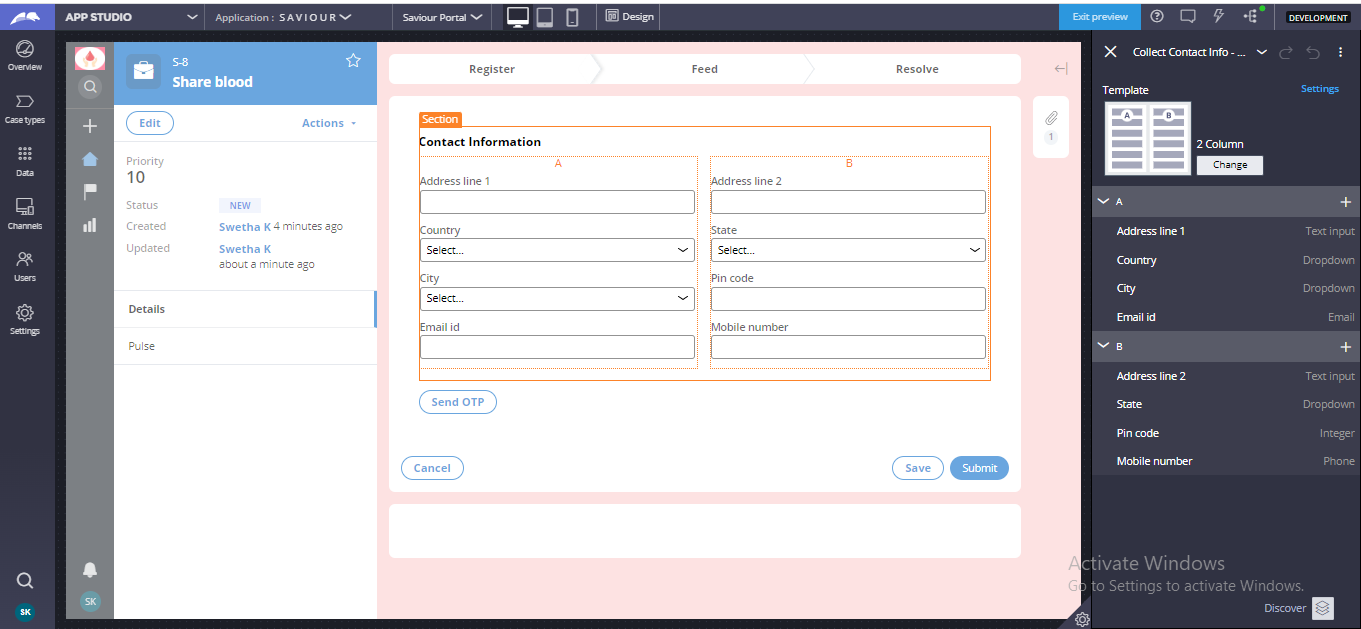
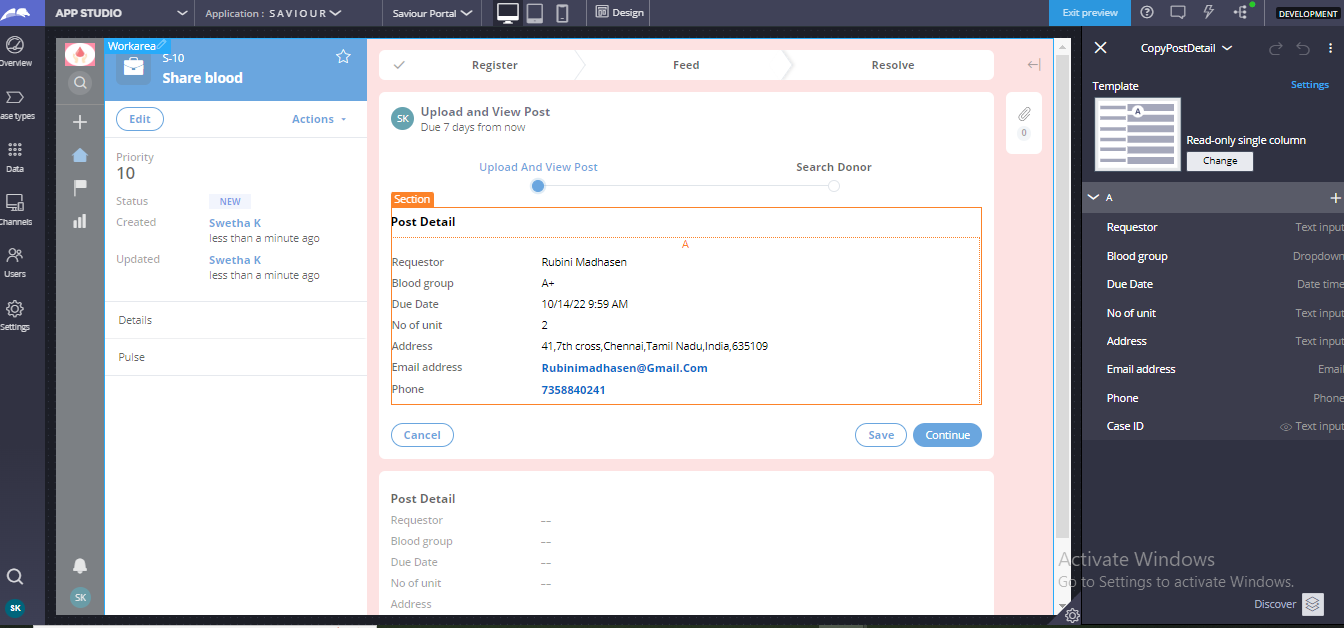
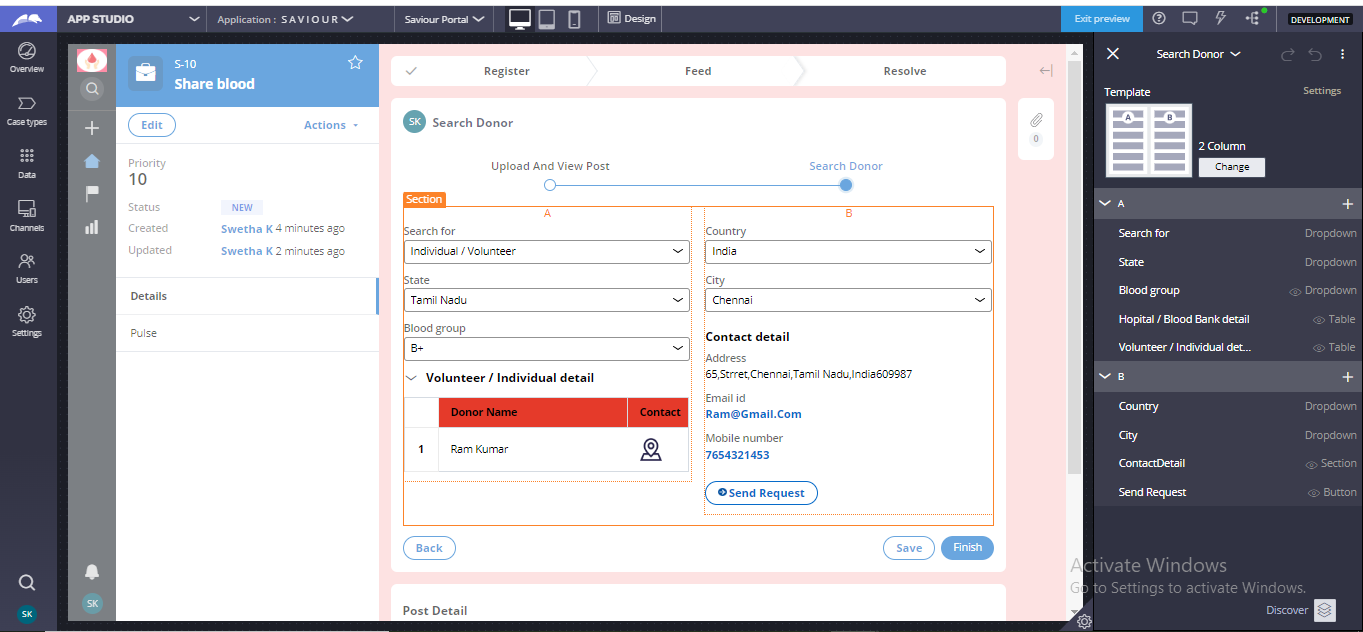
Section Configuration In Saviour application we configured each and every sections using the configure view option which is available only in App Studio. **Below mentioned images confirms that each section is built with App Studio
1. Collect Request Data
2. Collect Contact Detail
3. Upload Post
4. Search Donor
Challenges we ran into
Our key challenge lies in building most of the features of Saviour app using APP Studio. Because as developer we are very familiar in working with DEV studio compare to APP studio. But we planned efficiently and executed our solution effectively.
We faced challenge while implementing the Mobile App channel via Pega App studio, exporting apk file. JDK Certificate set is mandatory for exporting the mobile app. We created the certificate set using the Java Developer Kit.
It was bit challenging to find the OOTB rule which integrate Chat bot in the Portal screen but as a team we achieved it.
Accomplishments that we're proud of
Through working on this project, we have explored a lot in Pega 8.7 UI architecture and designed the application with robust interface that remains responsive, intuitive to meet the optimized outcome. We have achieved here by developing all the features and functionalities by using App studio (which is known for no code visual interface) and feeling grateful to learn all agile-development model and to implement the capabilities of an application through app studio. We are proud to build this application which is embedded with functionalities similar to the social media applications like Facebook, LinkedIn.
The following functionalities we have implemented through App studio (Low code development)
1. Chatbot - conversational Agent(Luna) : For the Saviour Application, to mentor and to spell out the queries of the end users we have developed a Luna(Chatbot) which will respond based on the users queries and guides for the procedures which are to be done to experience the application. Using the combination of pre-defined and configurable system responses, response commands, and text analysis, the AI-powered Web Chatbot interprets the customer conversation and sends appropriate automated responses. The Web Chatbot channel's training data quickly answer customer inquiries without any intervention.
2. Saviour Mobile app To provide Intuitive and seamless user experience to the end users ,Our application also deployed into a mobile app to respond as quickly and efficiently to ever-evolving needs as is demanded and to enable to get help from-anywhere
3. Web mashup For easily accessing the Saviour application and to get benefited with all the features, it is embedded within web application so that it can be utilized by anyone through web and can be get availed with the app by donating and receiving blood.
4. Saviour Web Portal The Portal and the persona what we have configured in this application is also through app studio which helped in learning the low code features.
5. Comment functionality We have developed the comment functionality to enhance the collaboration between donors and separators.
What we learnt
As we worked in Pega 8.7 for the first time provides us great opportunity to learn many new features.
- To learn how Pega helps us to use the pega App studio features to build the entire application.
- Learnt the module named Low code App Builder in PEGA academy which help us to identify the value of low code with pega and main navigational element of app studio.
- To understand the importance of Pega express delivery methodology that uses Pega's low code experience
- To learn how to accelerate our workflow with Theme Cosmos UI
- To learn how to integrate Chatbot in pega
What's next for Saviour
Get Direction via G-map Integration: In MLP2 we are planning to integrate SAVIOUR with G-map to guide the requestors and donors to reach other's location with minimal distance and time.
Enhance the collaboration among Users: Users with similar blood group and location will be tagged under same group. Saviour triggers notification to corresponding group if the requested post matches with them.
Generating Kudos points for donors: After every donation, Saviour appreciates the donor by crediting Kudos point. Based on this points Saviour voucher gets generated and he can redeem it and get benefitted. He can also acquire this points by sharing the SAVIOUR mobile application with his fellow mates.
Research
“A lot of people are dying in the world due to the Lack of Blood and lack of Access to Blood” said by Bisimwa Ruhana(WHO). Every Two seconds someone in the world needs blood, which means more than 38000 blood donations are needed per day – stated by Newyork Blood center Blood Donations are used to save about 12000 lives a day – Stated by Guardian Each unit of donated whole blood can help save up to Three Lives – stated by World Health Organization
WHO: https://www.who.int/news-room/fact-sheets/detail/bloodsafety-and-availability
The New Humanitarian: https://www.thenewhumanitarian.org/feature/2012/01/04/blood-shortages-causing-deaths-west
Donor Day 2022: https://www.who.int/news-room/events/detail/2022/06/14/default-calendar/world-blood-donor-day-2022
Times of India: https://timesofindia.indiatimes.com/city/hyderabad/man-quits-job-walks-across-india-for-awareness-on-blood-donation/articleshow/94466346.cms
Guardian: https://guardian.co.tt/article/donating-blood-is-an-act-of-solidarity-6.2.1441357.98c9e1ab31
JOIN HANDS WITH SAVIOUR TO SAVE THE SOCIETY!!
Built With
- cosmos
- pega
- pega-chatbot
- pega8.7
- webmashup





Log in or sign up for Devpost to join the conversation.