Inspiration
Millions of older people a year are sent to the ER due to fall injuries. Because of the high prevalence of fall injuries, Save The Fallen is designed to send an alert when a fall is detected. CDC Source
What it does
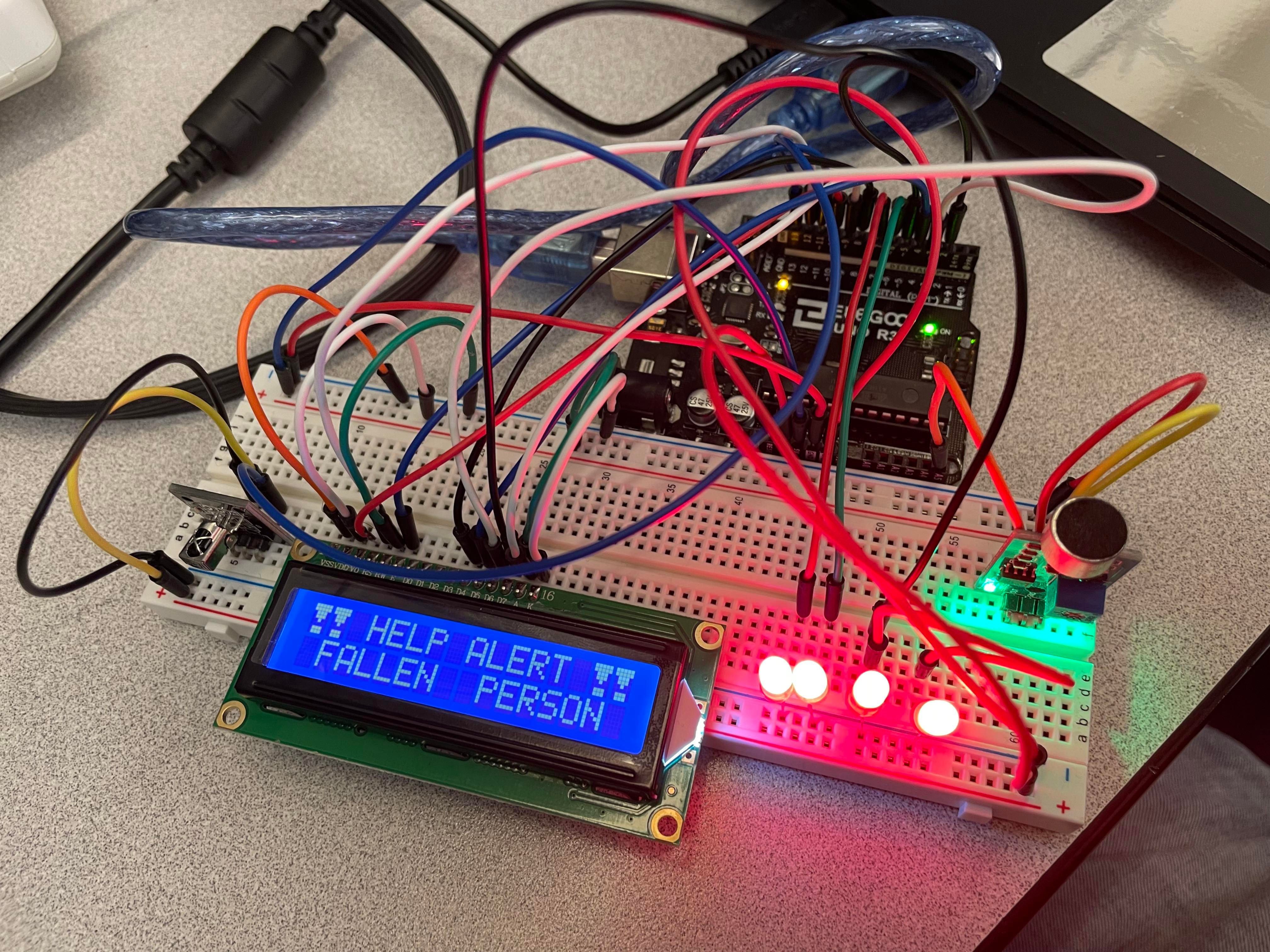
The Save The Fallen device can be set to two different modes: Standby and Manual. In Standby mode, if there is a loud sound indicative of a fall, the alert will trigger with a message and flashing lights. In this mode, the manual remote buttons are still functional. In Manual mode, the alert triggered by sounds is deactivated and the alerts can only be activated via wireless remote button presses.
How we built it
Save The Fallen is built using parts from an Arduino Uno, LCD display, LED lights, IR sensor, IR remote, and sound sensor module. Using the Arduino program, I programmed functionality into the buttons, text to display on the LCD screen, as well as the flashing LED lights.
Challenges we ran into
The wiring of the Arduino was a bit challenging at the beginning as this is the first time I have used an Arduino.
Accomplishments that we're proud of
As a Biology major doing their first Hackathon, I was proud of being able to attach multiple sensors and getting them to work together.
What we learned
I learned how to wire an Arduino, code on the Arduino software, and how to use Arduino sensors.
What's next for Save The Fallen
Future directions that could be taken with Save The Fallen is the addition of Gyro sensors. Instead of just the remote or the sound sensor, a device could be attached to the person and will automatically alert if the Gyro sensor detects a falling motion.


Log in or sign up for Devpost to join the conversation.