-
-
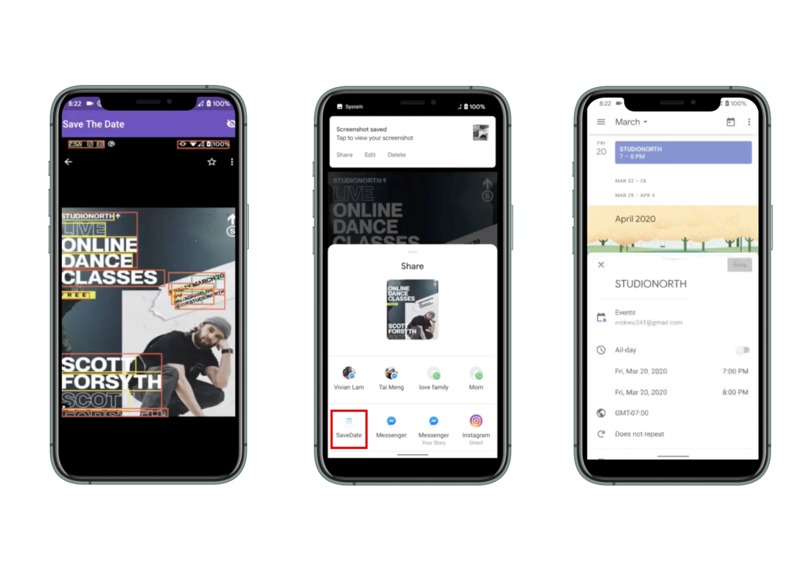
User Flow
-
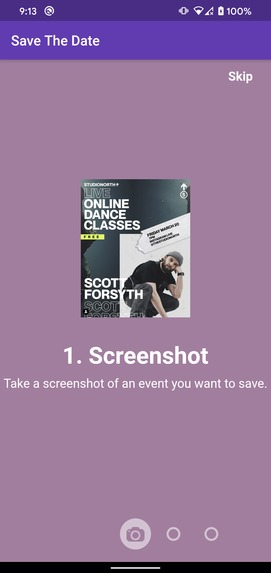
Onboarding Screen 1
-
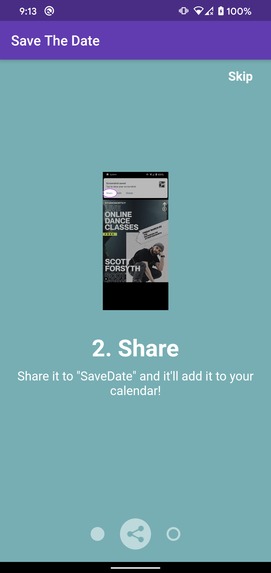
Onboarding Screen 2
-
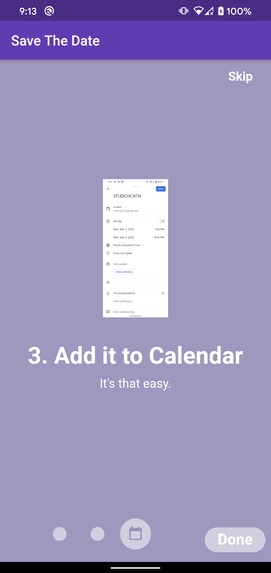
Onboarding Screen 3
Inspiration
Problem: When I see a cool event on Instagram/online, it takes a lot of effort to add it into my calendar as a reminder. :(
Solution: It's smoother to just take a screenshot and have the event added to your calendar, and that's what we did! ^_^
Created by: Vivian Lam (vivian.lam#0493) and Nick Wu (nickwu241#5482)
What it does
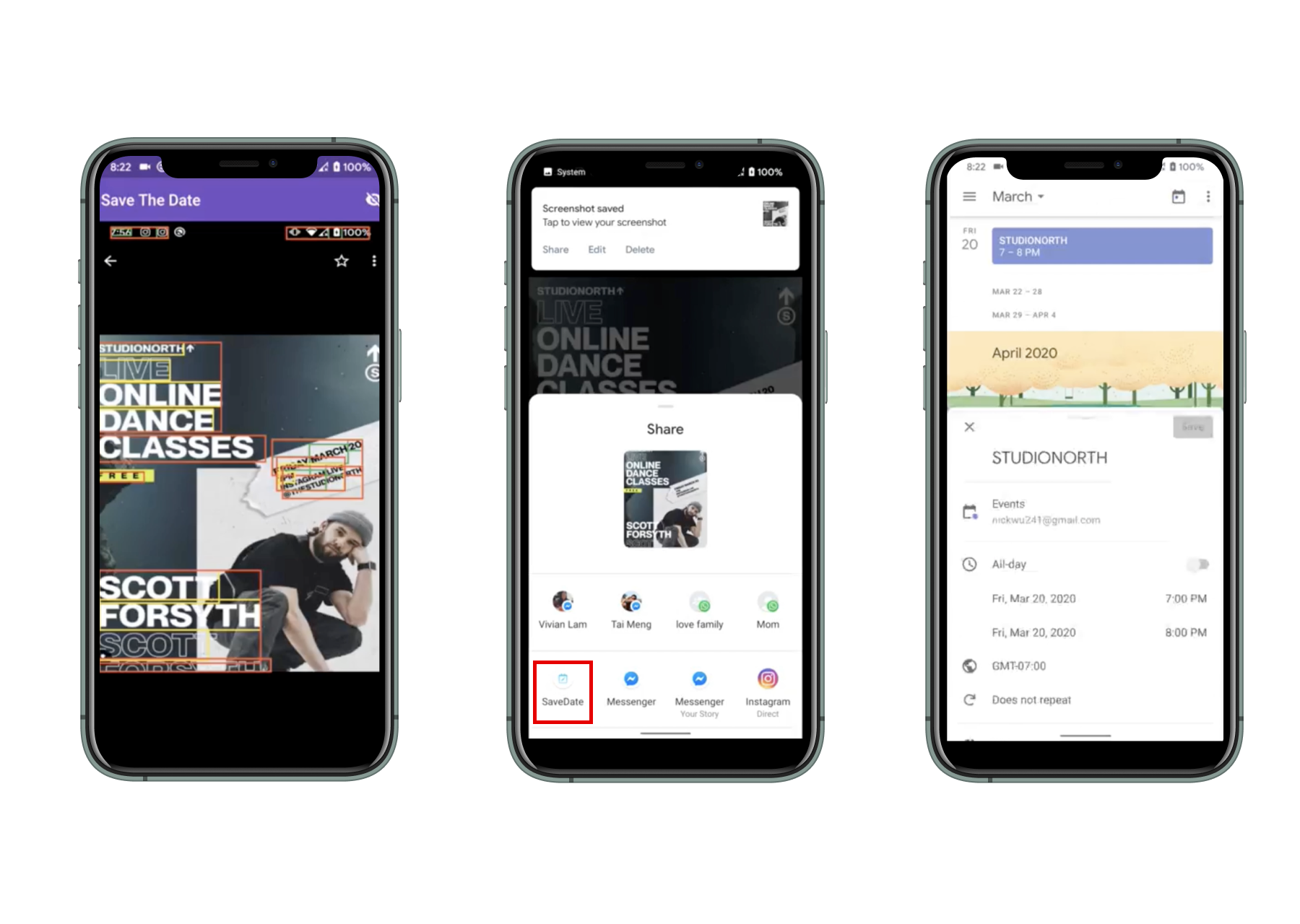
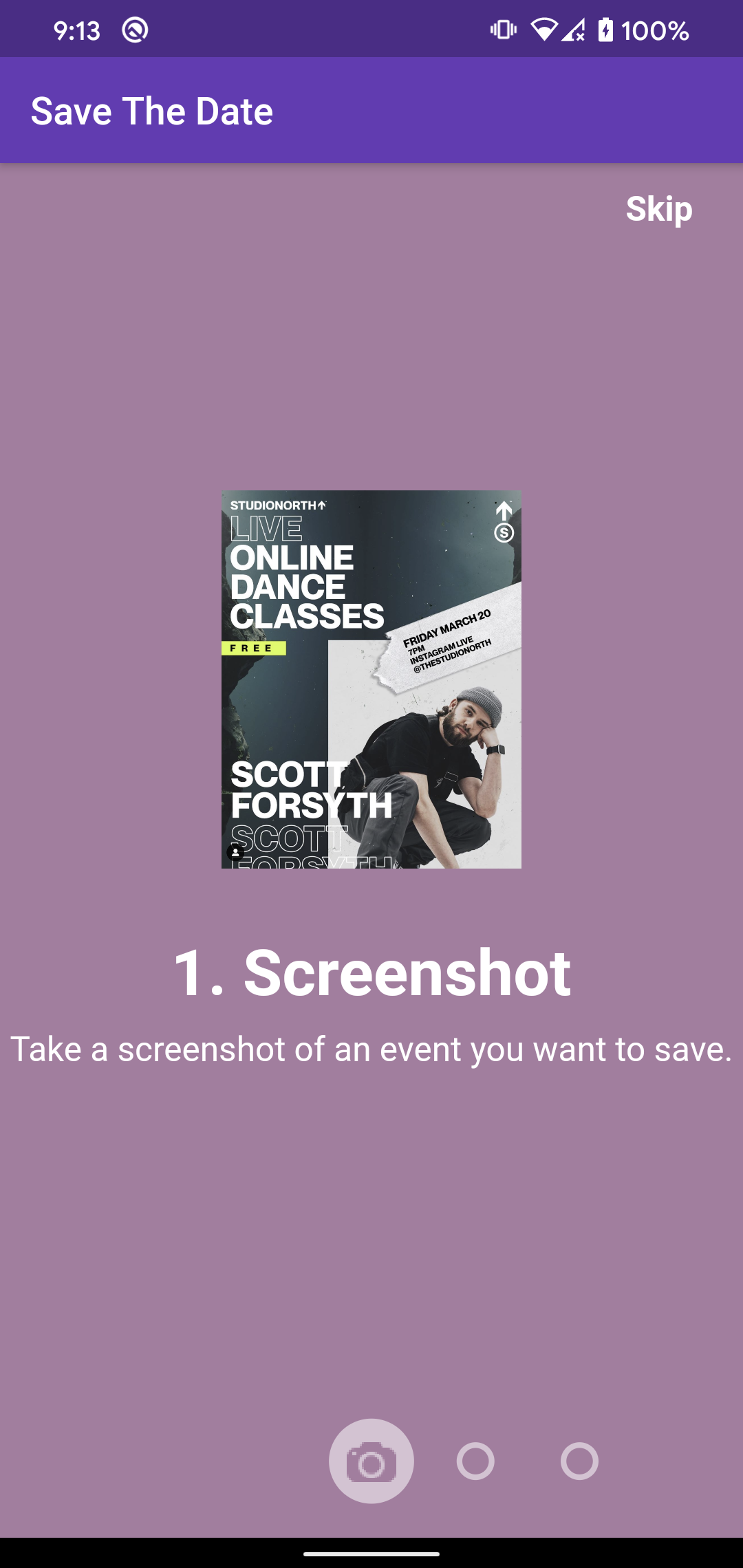
- User sees an event / message on phone or poster
- Take a screenshot or photo
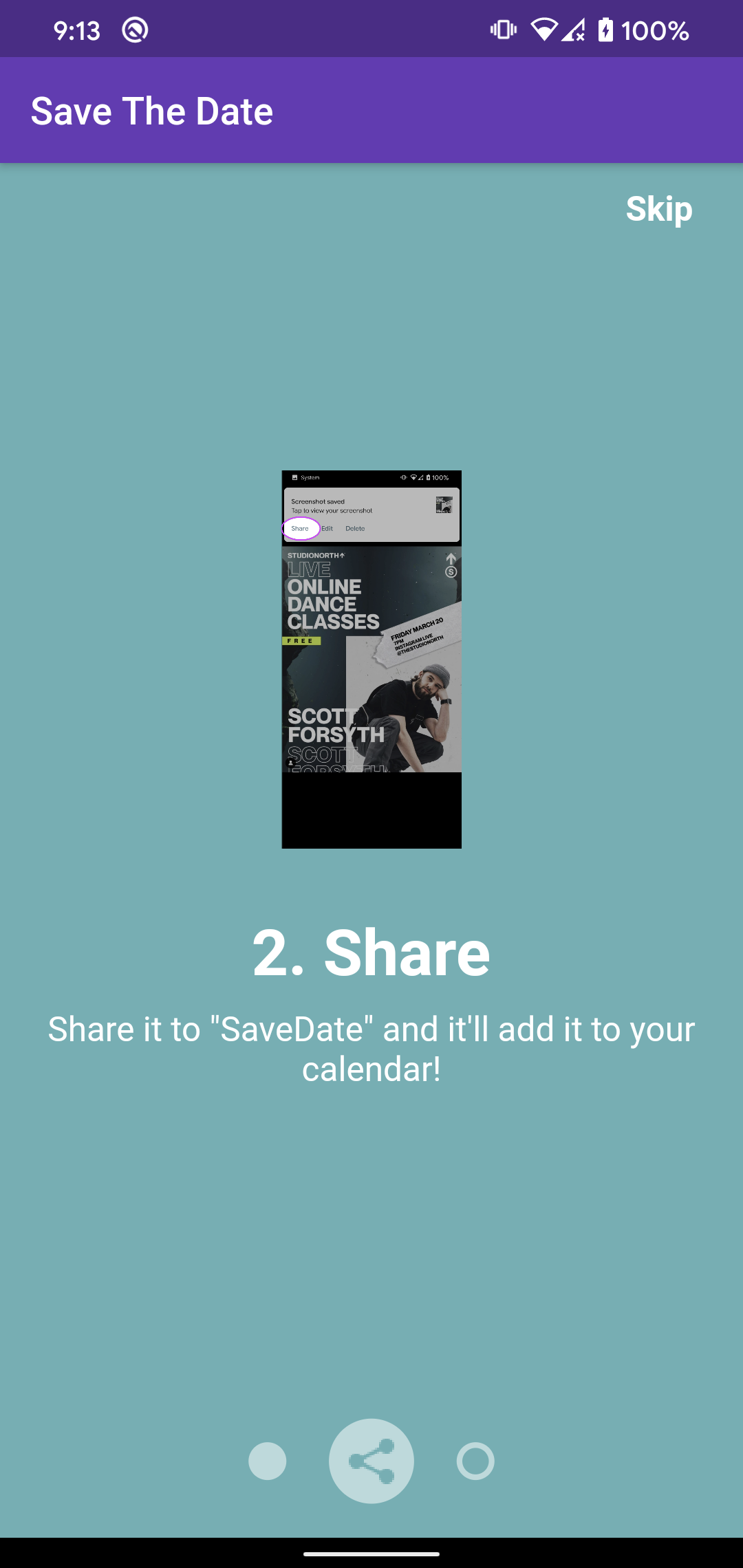
- Share that photo with our app Save The Date
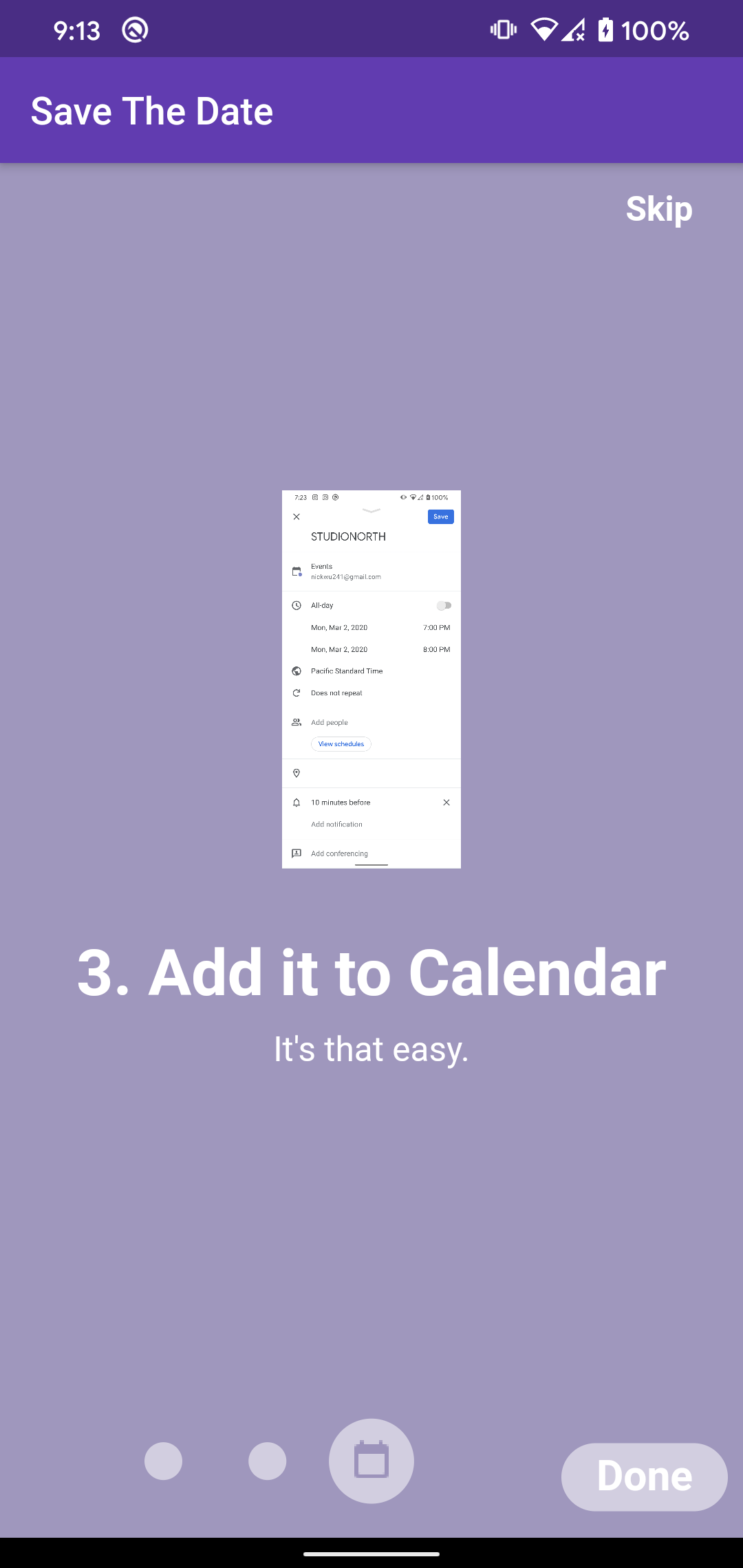
- Event gets added to your calendar!
Check out the demo to see it in action :)
Behind the scenes...
When the user takes a screenshot, they can send a "Share Intent" to our app. Our app handles it by downloading the image as a file and running an on-device machine learning model created by Google Cloud Vision OCR.
The model will output a response including various bounding boxes and their corresponding text.
We go through the text and apply NLP Natural Language Processing (regex for now tbh) to figure out what should be the title of event, the start time, and the end time.
Once we have that information, we create a CalendarEvent and ask the operating system to access the device calendar to create the event.
Finally the operating system takes over and the user can save the event or edit the event if they want to add more information.
How I built it
Google Products:
- Flutter: https://flutter.dev/
- Google Cloud Vision: https://cloud.google.com/vision/docs/ocr
- Firebase ML Kit: https://firebase.google.com/docs/ml-kit
- Google Calendar
- Looked at using Google Cloud NLP for analyzing text but this wasn't good enough to make it into our demo so we cut that out :(
The app is built using Flutter for a nice development experience and allowing us to ship to both Android and iOS users at the same time. Google Cloud / Firebase has so many ML features (text labelling, face detection, text recognition, etc) so we leveraged their ML ecosystem and made use of their Text Recognition.
Challenges I ran into
- There were a lot of unknowns to what interfaces were available to achieve what we need and we had to spend a lot of time researching on this (e.g. share intents, running app in background, how good are the text recognition models, how clean is the text returned back, what NLP solutions can we implement, how do we access the device calendar and provide the best UX).
- Language processing portion was tough to get the start date and end date of all the text on a photo, hopefully we can leverage existing models out there similar to how we used Text Recognition from GCP.
Accomplishments that I'm proud of & What I learned
- Vivian's first time using Flutter and Nick's first time dealing with a lot of these interfaces.
- We learned a lot more about how Flutter communicates with the underlying OS (Android or iOS) through method channels.
- Learned about all these interfaces that I've never touched before (such as Share Intents, Text Recognition, NLP)
- It was a super fun time creating this and we'll definitely continue after the hackathon to improve the text recognition and add new features. E.g. more robust Datetime parsing, automatically creating the Calendar event and adding an "edit / undo" button to quicken the experience (less clicks) even more!
Built With
- android-share-intents
- calendar-api
- firebase-ml-kit
- flutter
- google-cloud-vision
- natural-language-processing


Log in or sign up for Devpost to join the conversation.