Inspiration
I was hungry and I want to cook better. Sometimes cooking multiple recipes is tricky and sorting through bloated recipe sites is annoying.
What it does
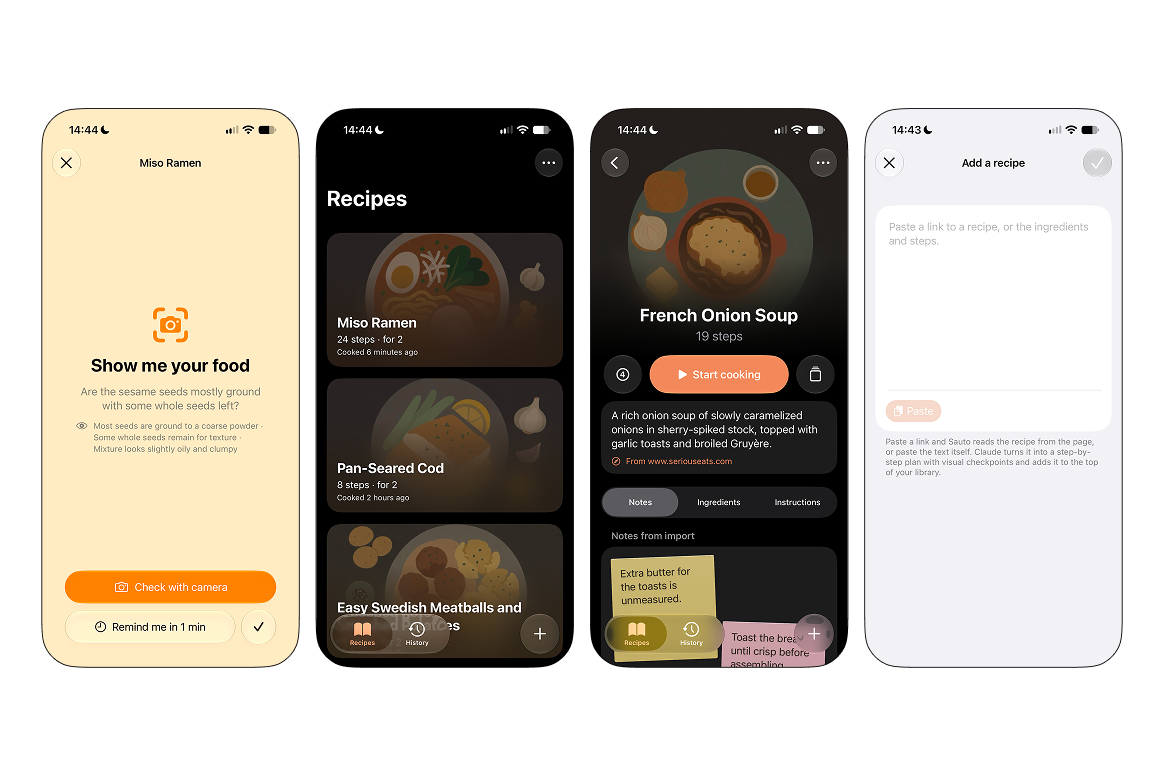
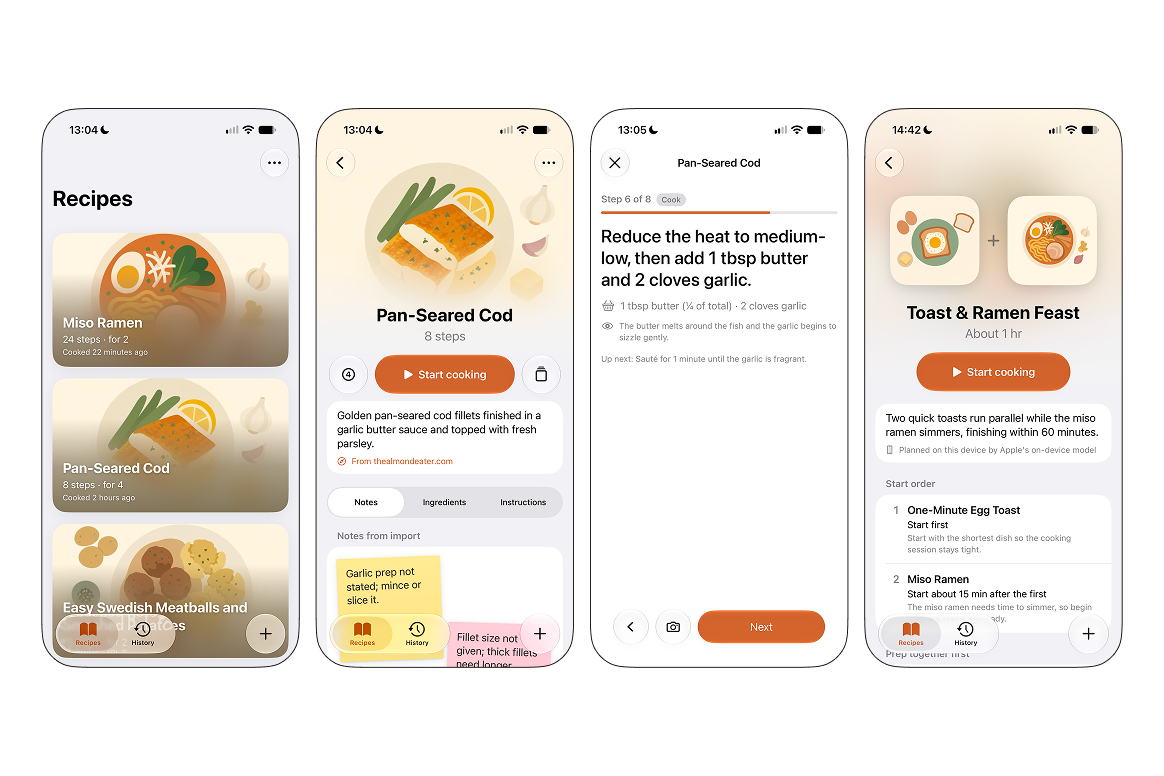
Sauto turns any recipe into a guided cook on your iPhone. Paste a recipe or a link to one, and Claude Opus rebuilds it into clear steps with exact amounts, timers, and visual checkpoints that say what the food should look like before you move on. Each recipe gets a flat illustrated cover, with a night version for dark mode.
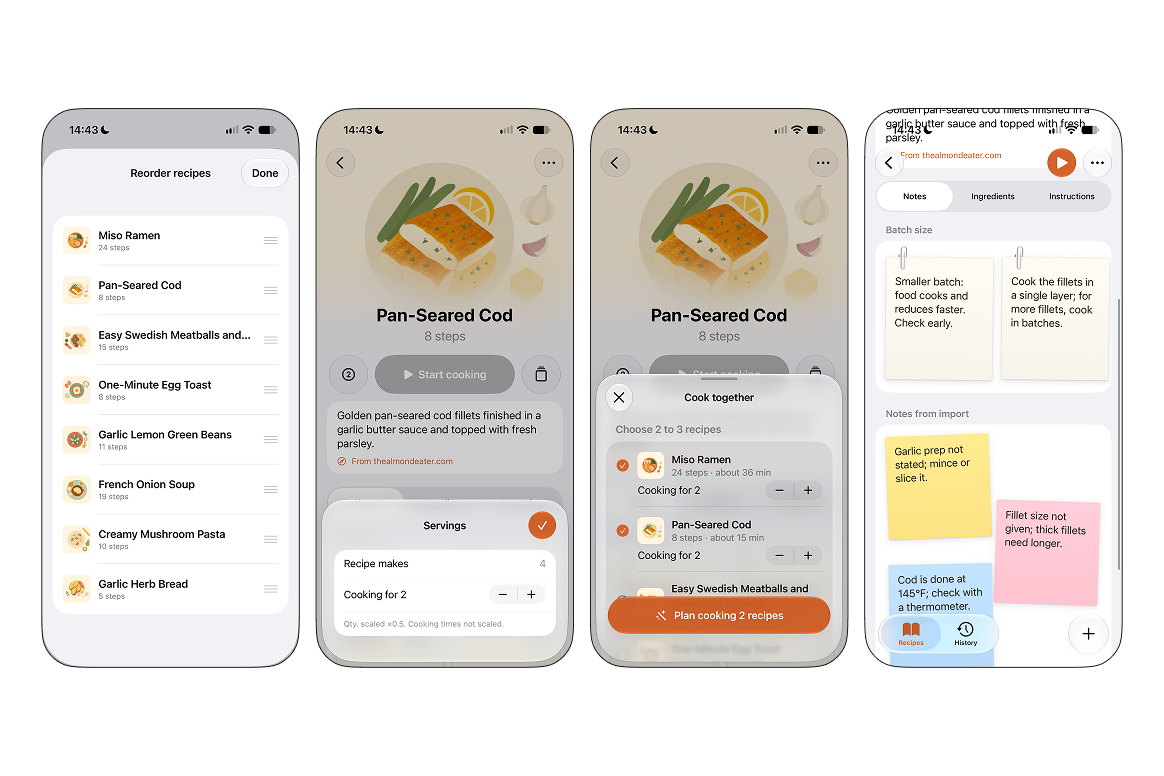
The recipe page scales servings instantly: quantities change, cooking times don't. Ingredients are grouped by grocery category by Apple's on-device model. Sauto also points out what usually goes wrong: batch-size advice clipped on like paper notes, and short sticky notes about gaps in the original recipe, such as a missing oven temperature.
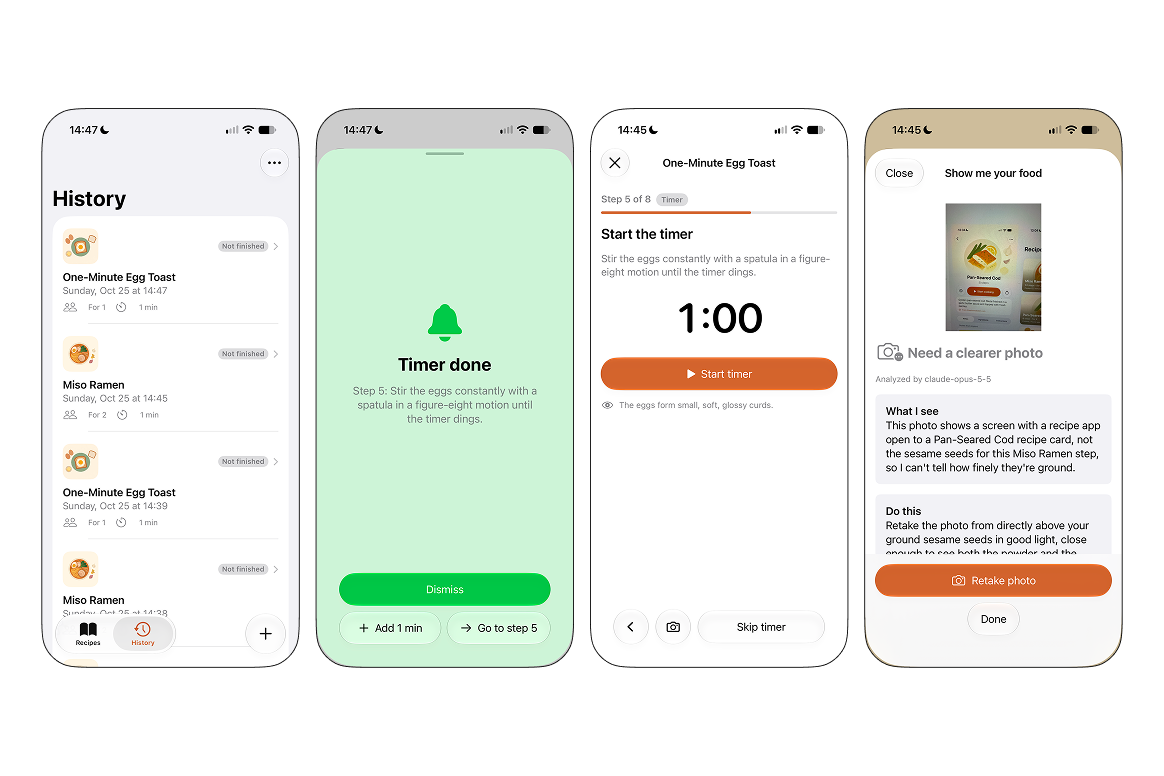
In cooking mode, Sauto walks you through one moment at a time: do the step, run its timer, then check the pan. Timers keep running while you move ahead and call you back with a chime when they finish. At a checkpoint Sauto asks you to show it your food. Snap a photo and Claude's vision tells you whether the onions are really golden or need two more minutes, then reminds you to check again.
Cooking a whole meal? Pick two or three recipes and Sauto plans them together. It works out which dish starts first and when the others begin so everything finishes at the same time, and it combines prep the dishes share, like dicing all the onions at once. Planning runs on Apple Intelligence on the device when it's available, with Claude Haiku as the fallback. You get a named meal, an estimated total time, and a cooking screen where each dish's card pops open the moment its timer ends or its food needs a look.
Every cook is saved in History. Tap one to cook it again: meal plans are kept for 30 days and made fresh after that.
How we built it
Sauto is a native SwiftUI app designed for iOS 26's Liquid Glass. Designed in Figma. Claude Opus structures recipes and judges photos using structured JSON output. Claude Haiku and Apple's Foundation Models handle the smaller text tasks, like meal plans and sorting ingredients. OpenAI's image model draws the covers. A built-in planner and a demo mode with sample photo results let the bundled recipes run with no API key or network.
Challenges we ran into
Making a small on-device model reliable. Apple's on-device model is fast and private but loose with structure. When I asked it for one category per ingredient, it skipped a line and shifted every later answer by one while keeping the count right, so a simple count check didn't catch it. Each answer now names its ingredient and is matched by name, and anything that doesn't line up hands over to Claude. Its meal plans were rougher too, so the app only lets a plan replace safe prep steps and never a cooking or serving step.
Getting AI art to stay flat. The image model kept drifting toward glossy, photo-like food. It took a strict style prompt to keep covers minimal, and dark mode was its own problem: generating a second image gave a different layout, so the night version recolours the original image instead.
Freezes I couldn't see in the code. The app hung on long presses. The causes were the chime setting up audio on the main thread and photos being resized on it, both now moved off it. A dialog that never appeared turned out to be the camera sheet asking for it before it had finished closing.
Accomplishments that we're proud of
It looks nice and it is useful.
What we learned
Learned more about SwiftUI and Apple Foundation Models.
What's next for Sauto - Guided Cooking
Publish to App Store. Maybe Android version too.


