SatQuery AI — Interactive Satellite Image Analysis
Inspiration
Satellite imagery contains valuable information about our planet, but extracting meaningful insights from it often requires specialized tools, technical expertise, and computational resources. We wanted to make remote-sensing image analysis more accessible through an interactive platform that helps users explore satellite imagery, investigate geographical changes, and understand visual patterns.
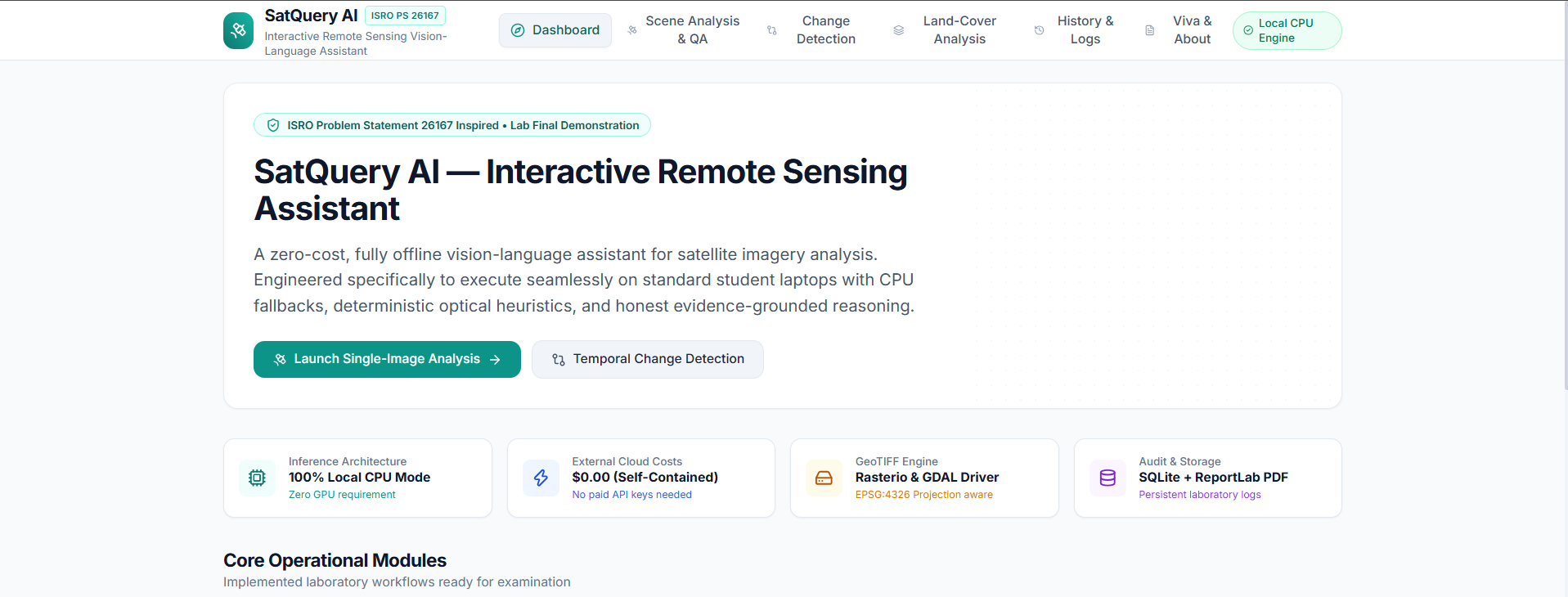
Inspired by ISRO Problem Statement 26167, SatQuery AI aims to simplify satellite image interpretation through an integrated, locally runnable web application.
What It Does
SatQuery AI combines multiple remote-sensing analysis capabilities in a single interface.
1. Single-Scene Analysis
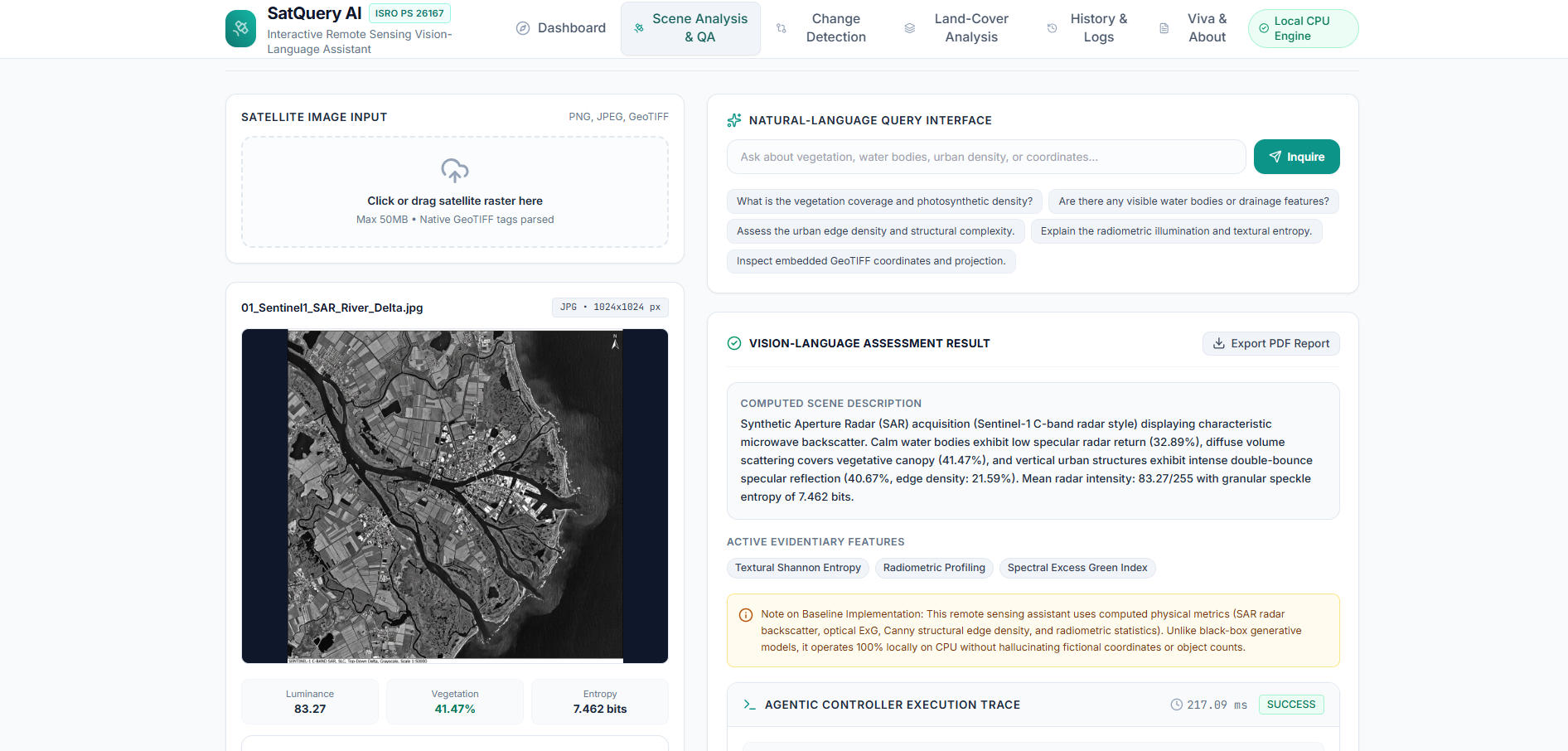
Users can upload or select satellite imagery and examine visual and statistical characteristics, including luminance, Shannon entropy, edge density, and radiometric histograms. The question-answering interface allows users to ask questions about a scene and explore evidence-based insights.
2. Satellite Image Change Detection
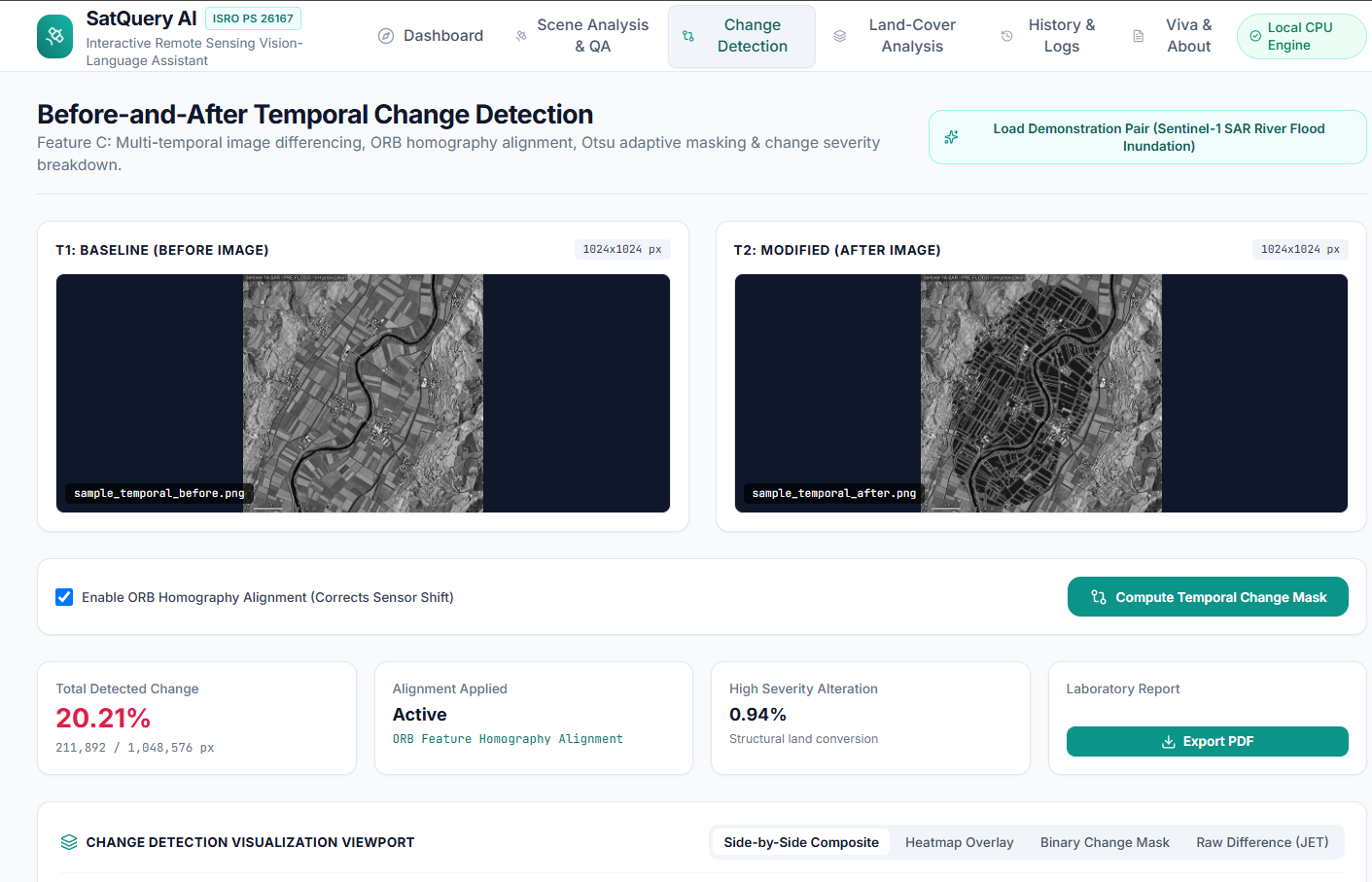
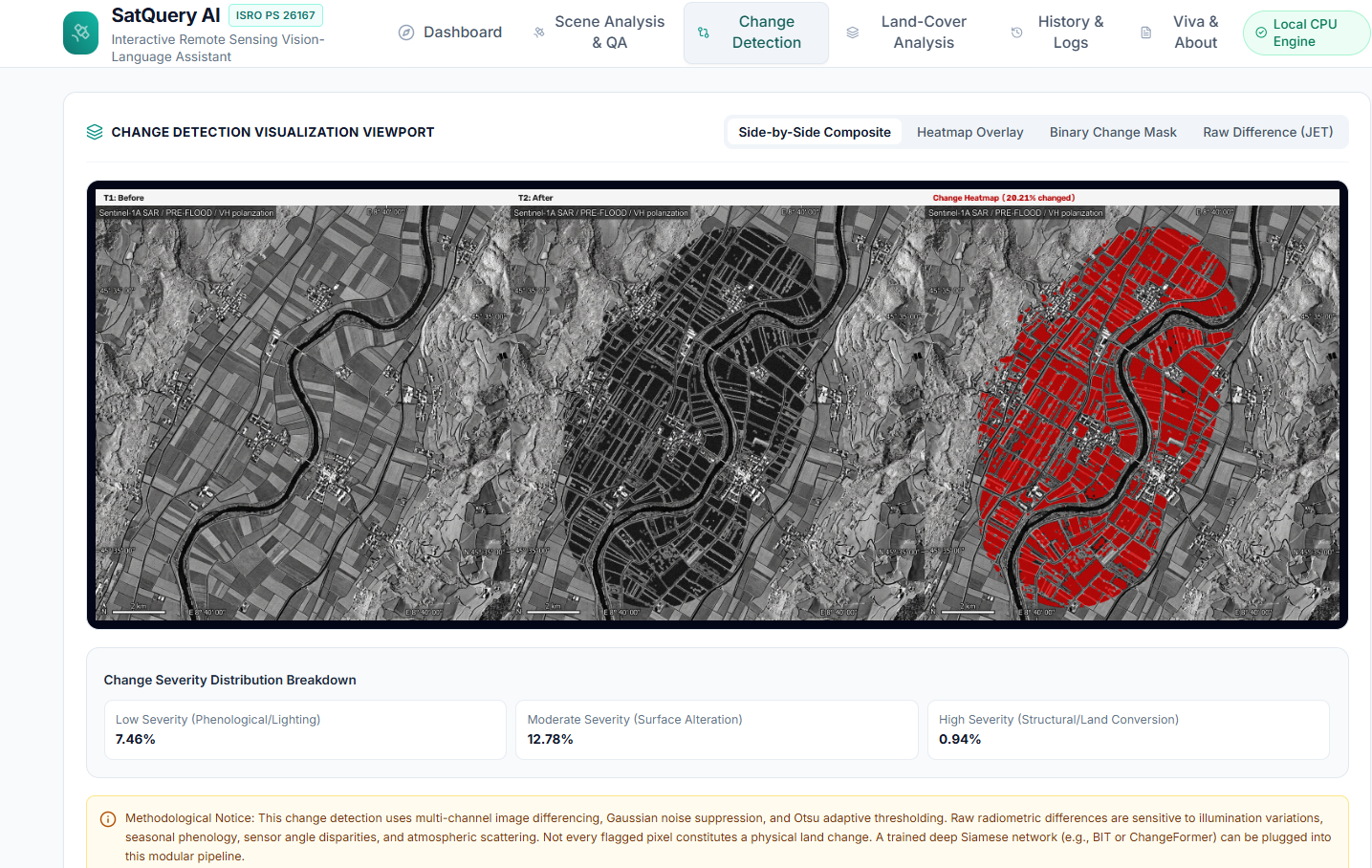
The platform compares images captured at different times to identify potential changes across a geographical area. It uses ORB feature matching and RANSAC-based image registration, followed by image differencing and thresholding techniques to generate change visualizations.
The results include visual overlays, heatmaps, binary change masks, and quantitative summaries to help users investigate differences between scenes.
3. Land-Cover Exploration
SatQuery AI explores broad land-cover categories, including water, dense vegetation, crops or grassland, built-up areas, and bare soil. This provides an initial overview of the landscape represented in the imagery.
4. Automated PDF Reports
Analysis results can be exported into PDF reports, making findings easier to document, review, and share.
5. Execution History and Logs
The platform maintains activity records using SQLite and provides execution traces that help users inspect analysis operations and their outcomes.
How We Built It
SatQuery AI was developed as a full-stack web application with a React and TypeScript frontend and a FastAPI backend.
The frontend uses Vite and Tailwind CSS to provide an interactive interface. The backend uses Python libraries such as Rasterio, OpenCV, and NumPy for raster handling, image processing, and analytical operations.
SQLite stores application history and execution records, while ReportLab supports PDF report generation.
The platform is designed to run locally using CPU-based processing, with sample imagery available for demonstration. This reduces reliance on cloud infrastructure and external inference APIs.
Challenges We Faced
One of the main challenges was combining different image-analysis workflows into a unified application while keeping the results understandable to users.
Image comparison also requires careful alignment because differences in image positioning can affect the detected changes. We addressed this through feature matching and geometric registration before comparing the images.
Another challenge was presenting technical analysis outputs in a way that users could explore through visualizations, quantitative summaries, reports, and execution logs.
What We Learned
Building SatQuery AI helped us explore the practical application of computer vision, geospatial data processing, image registration, statistical analysis, and full-stack development.
We also learned how to integrate multiple analytical workflows into one application and make their outputs accessible through an interactive interface.
What's Next
Future improvements could include more robust satellite-image preprocessing, expanded geospatial dataset support, improved validation of change-detection results, and more advanced remote-sensing question answering.
Our goal is to make satellite image analysis more accessible while keeping the platform practical to run and easier to inspect.
Built With
- api
- cpu-based
- css
- data
- fastapi
- generation
- intelligence
- opencv
- python
- react
- rest
- tailwind
- typescript
- visualization
- vite

Log in or sign up for Devpost to join the conversation.