-
-
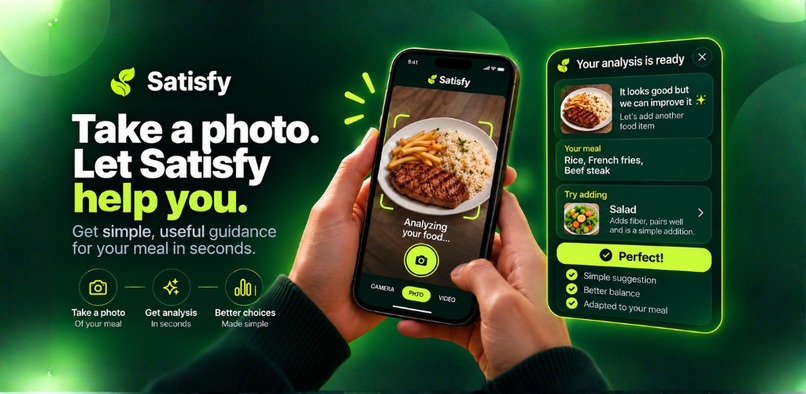
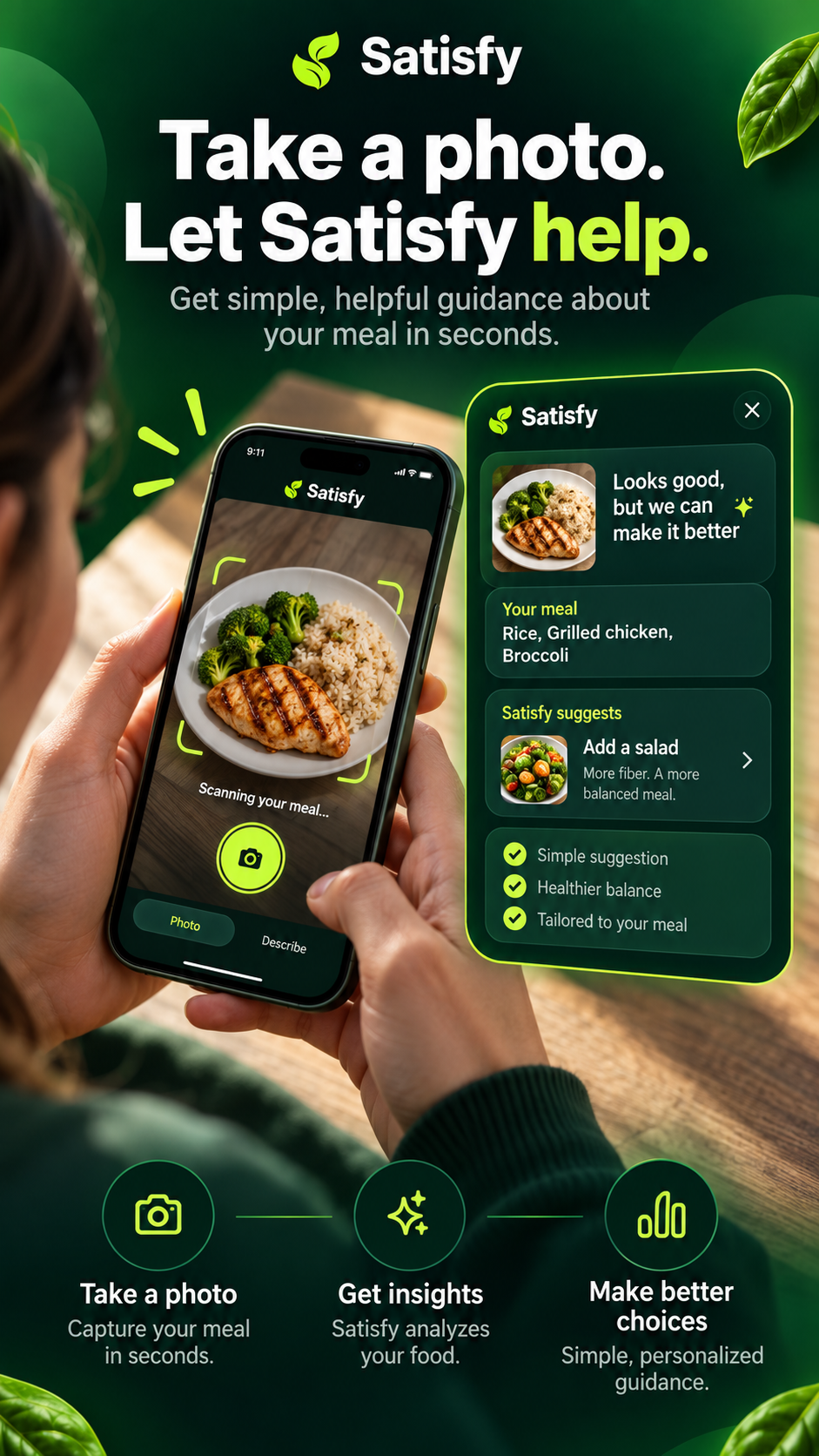
Turn a meal photo into one simple next step: keep what you like, add what helps.
-
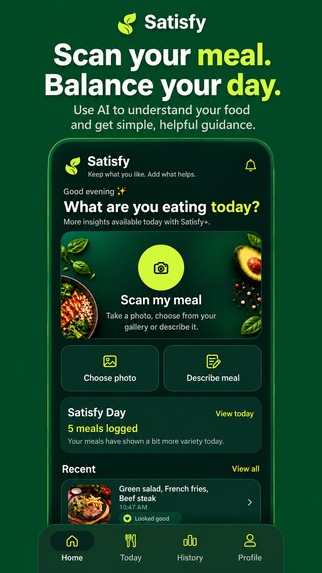
Scan a meal, get guidance, and keep every choice in context throughout your day.
-
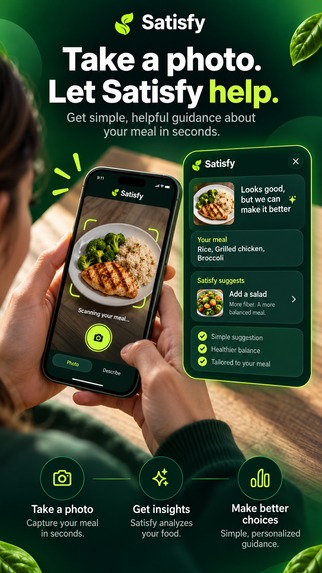
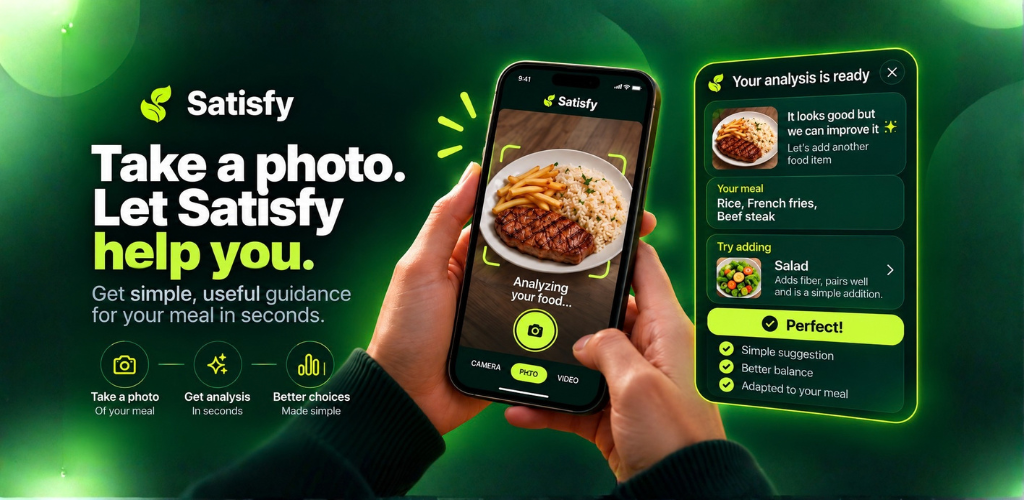
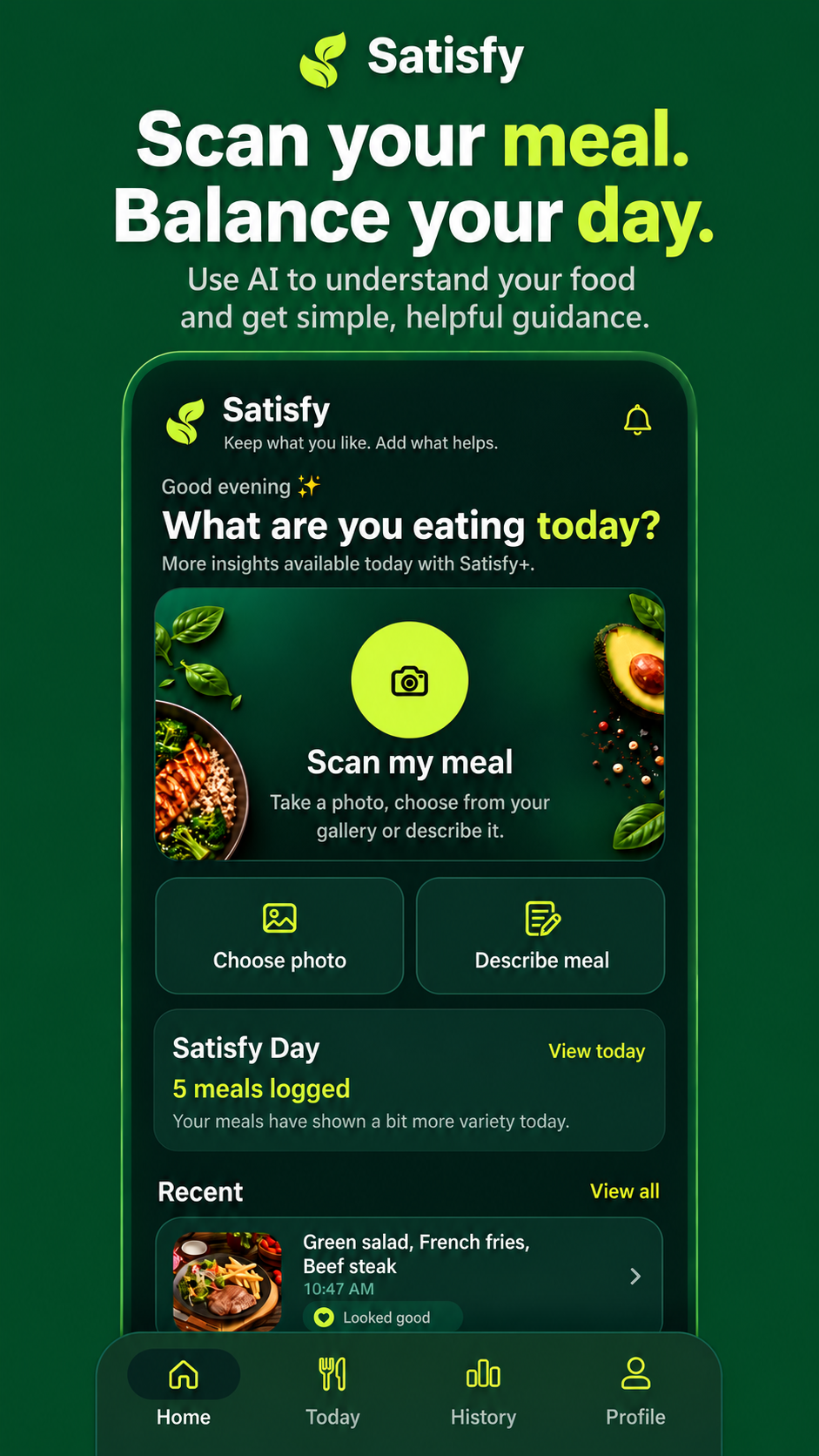
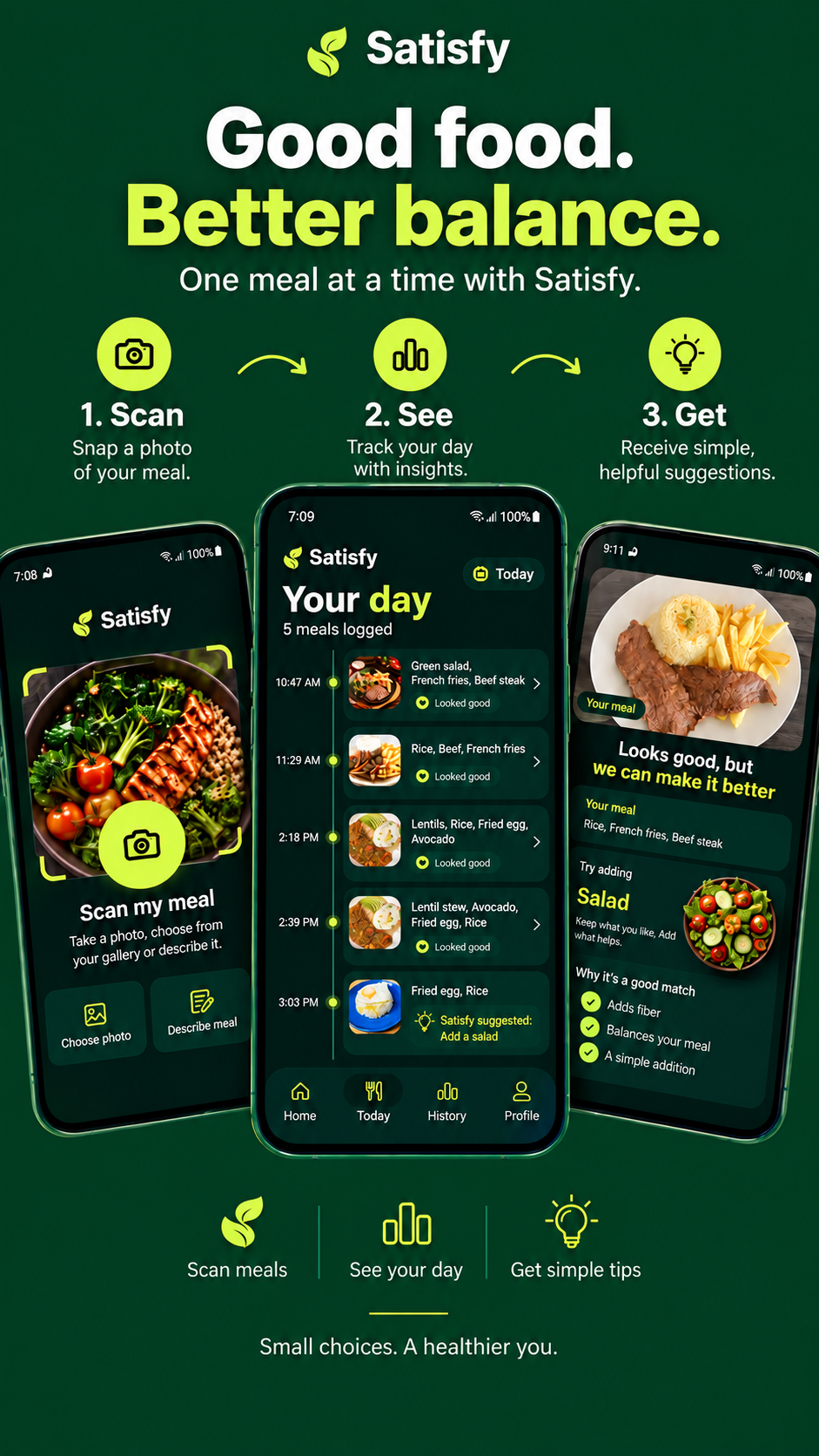
Take a photo or choose one from your gallery and let Satisfy start the analysis.
-
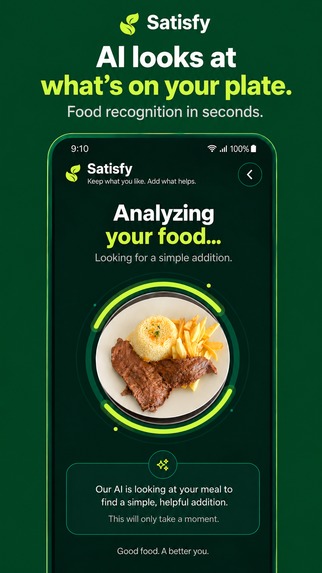
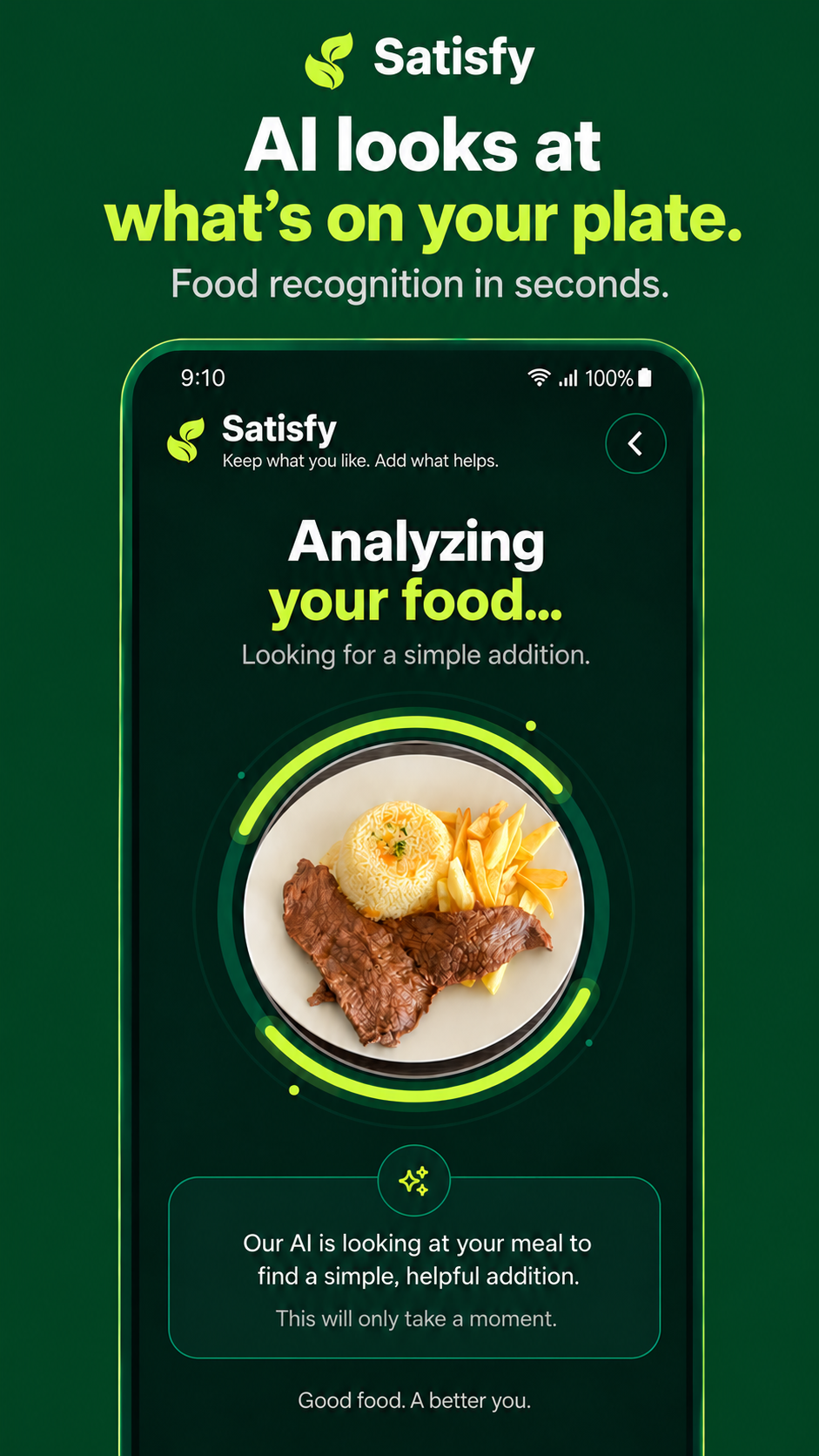
AI identifies what is already on your plate before deciding what could help most.
-
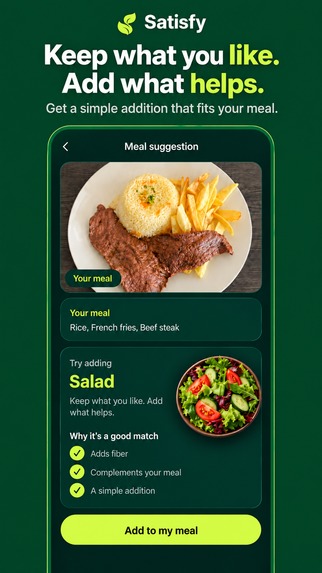
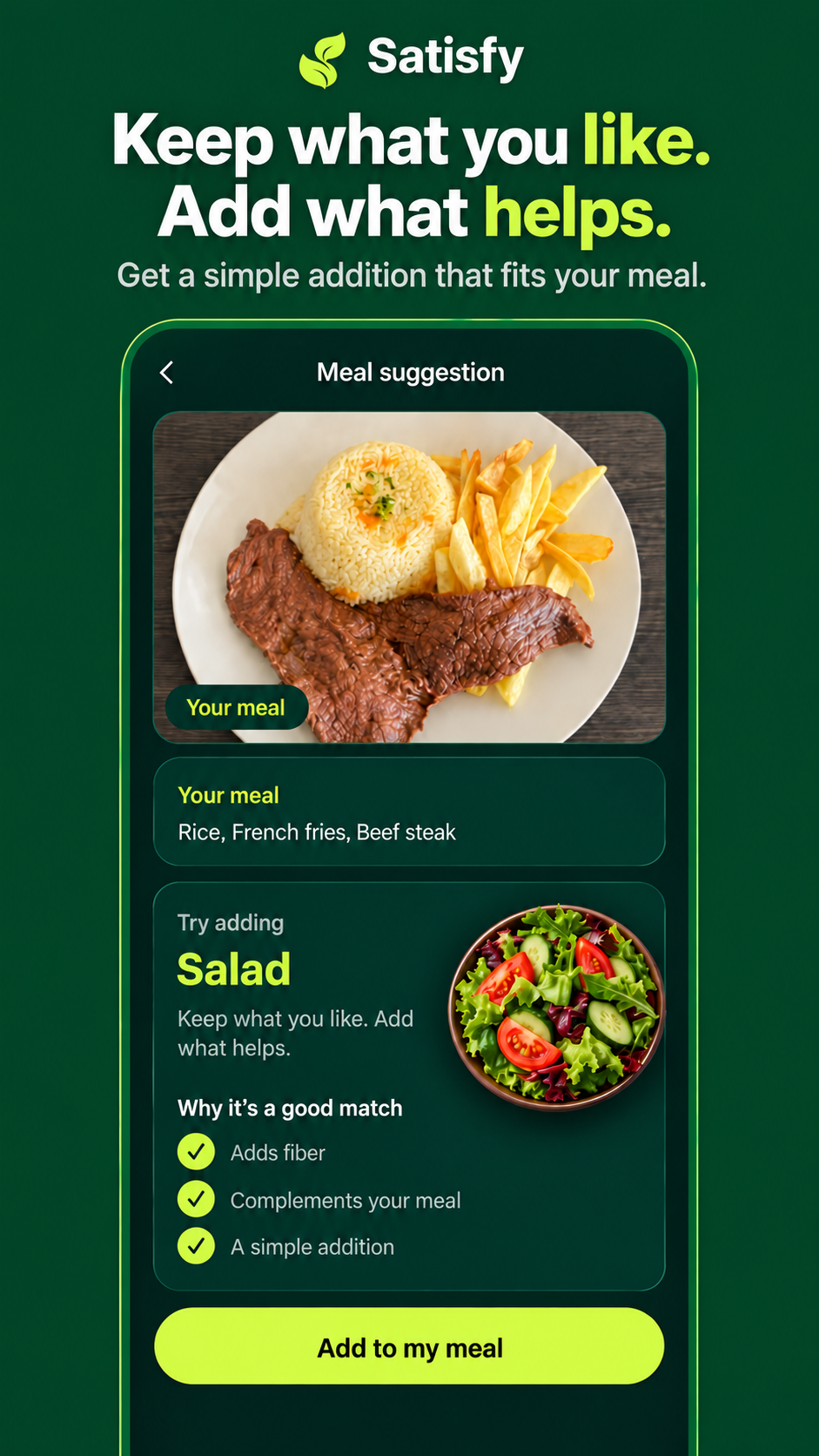
Keep the meal you enjoy and get one focused addition to make it feel more balanced.
-
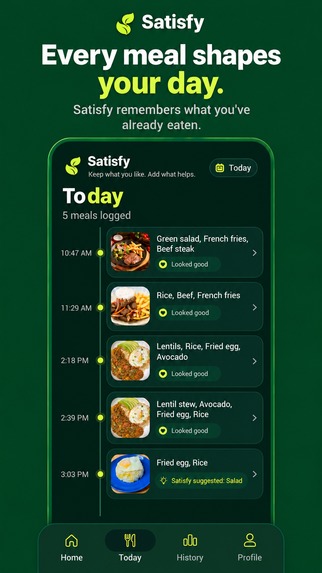
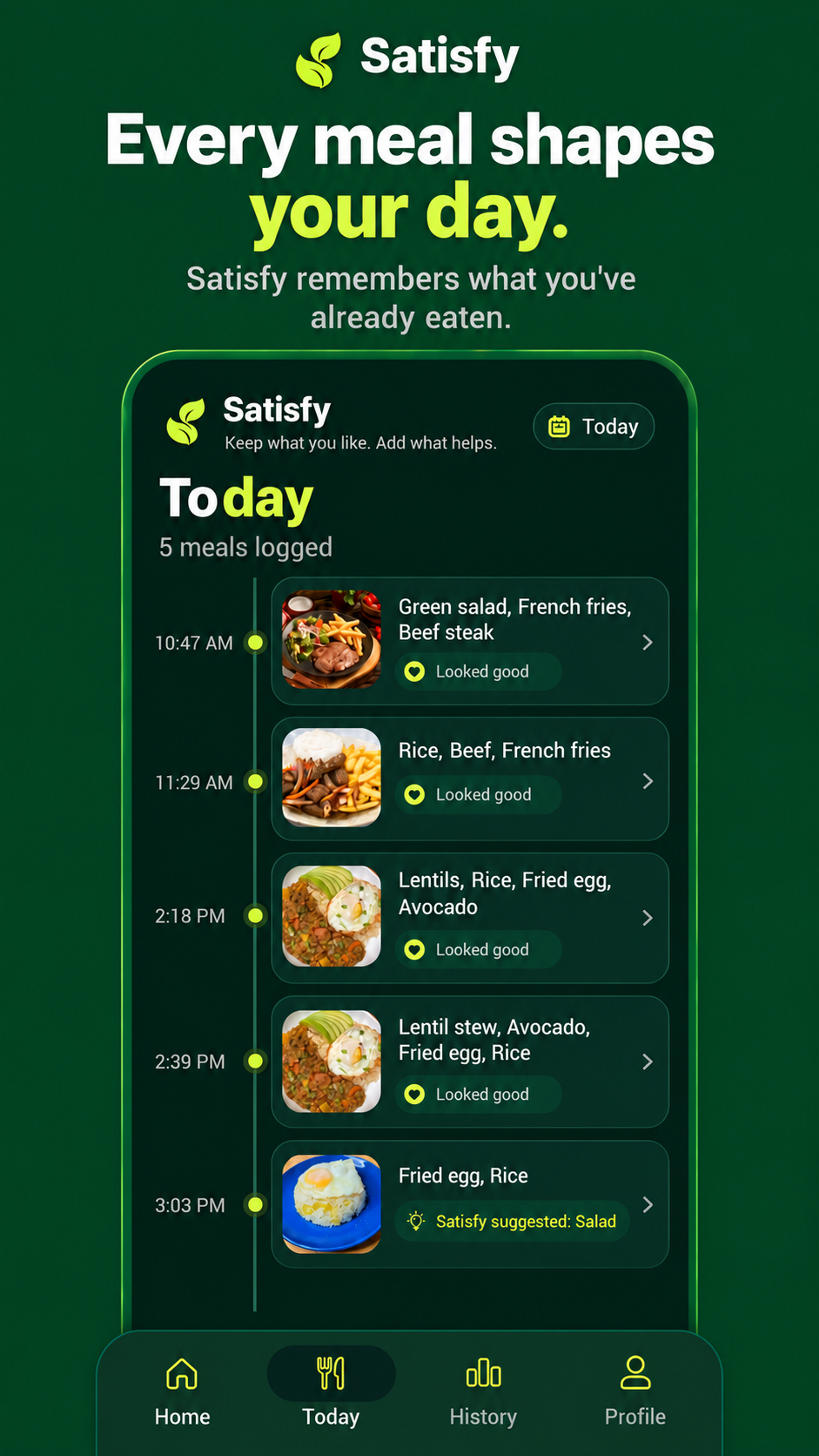
Follow every meal in a simple daily timeline and see how your choices shape the day.
-
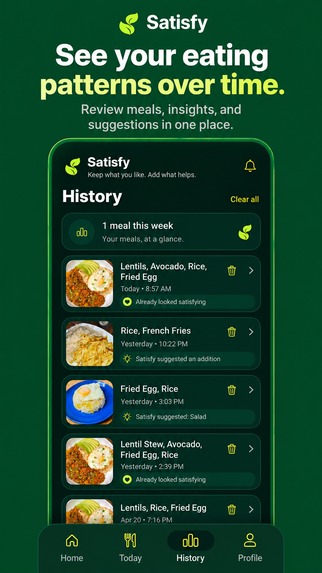
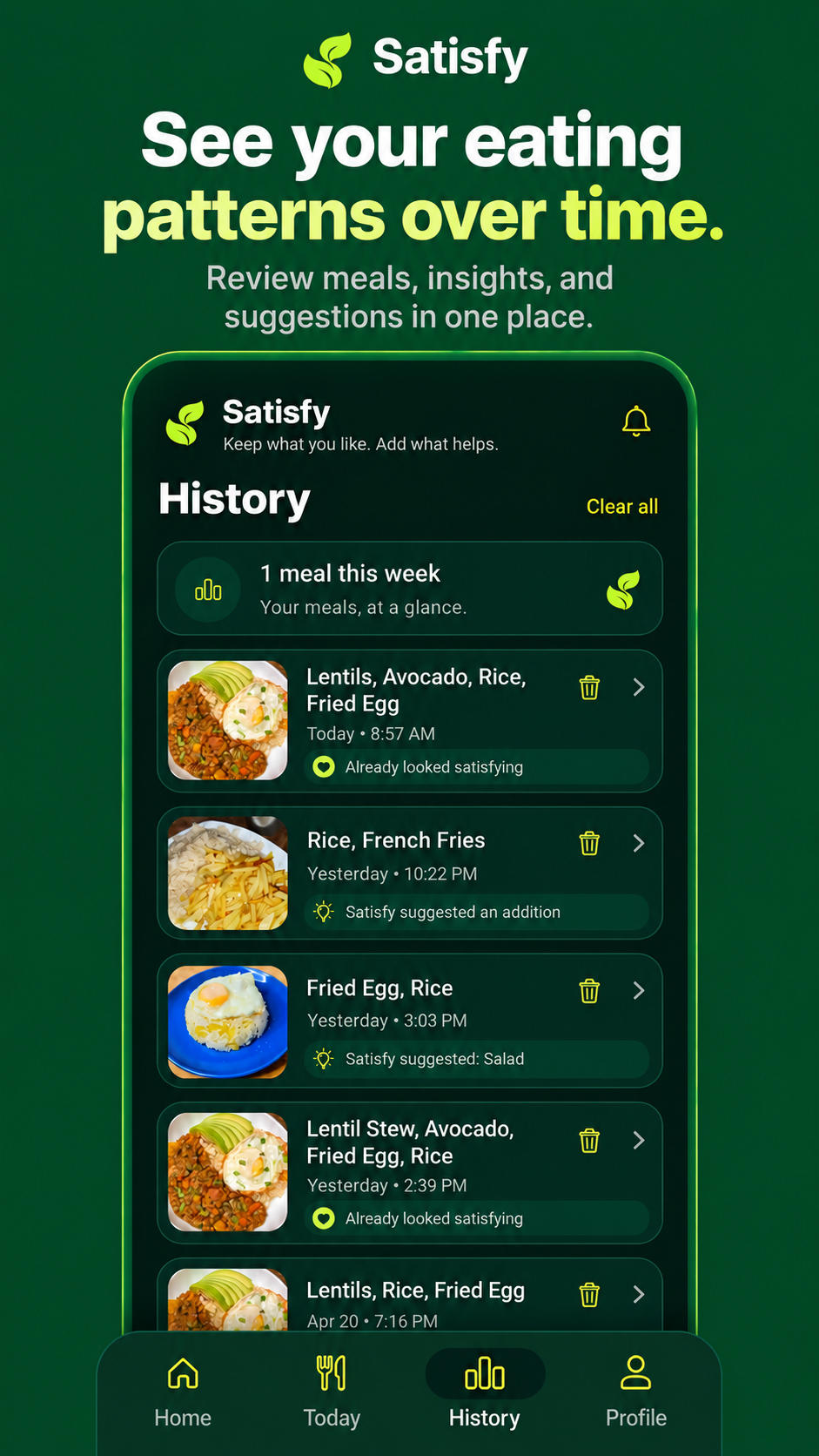
Review your meal history and spot patterns over time without complicated food logging.
-
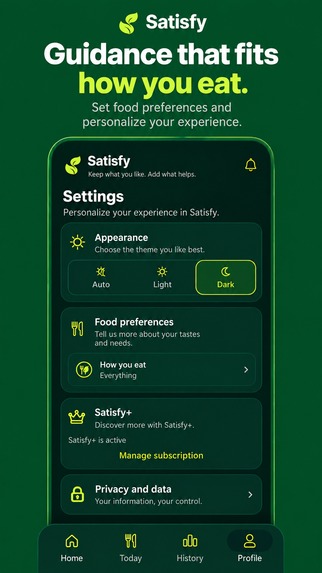
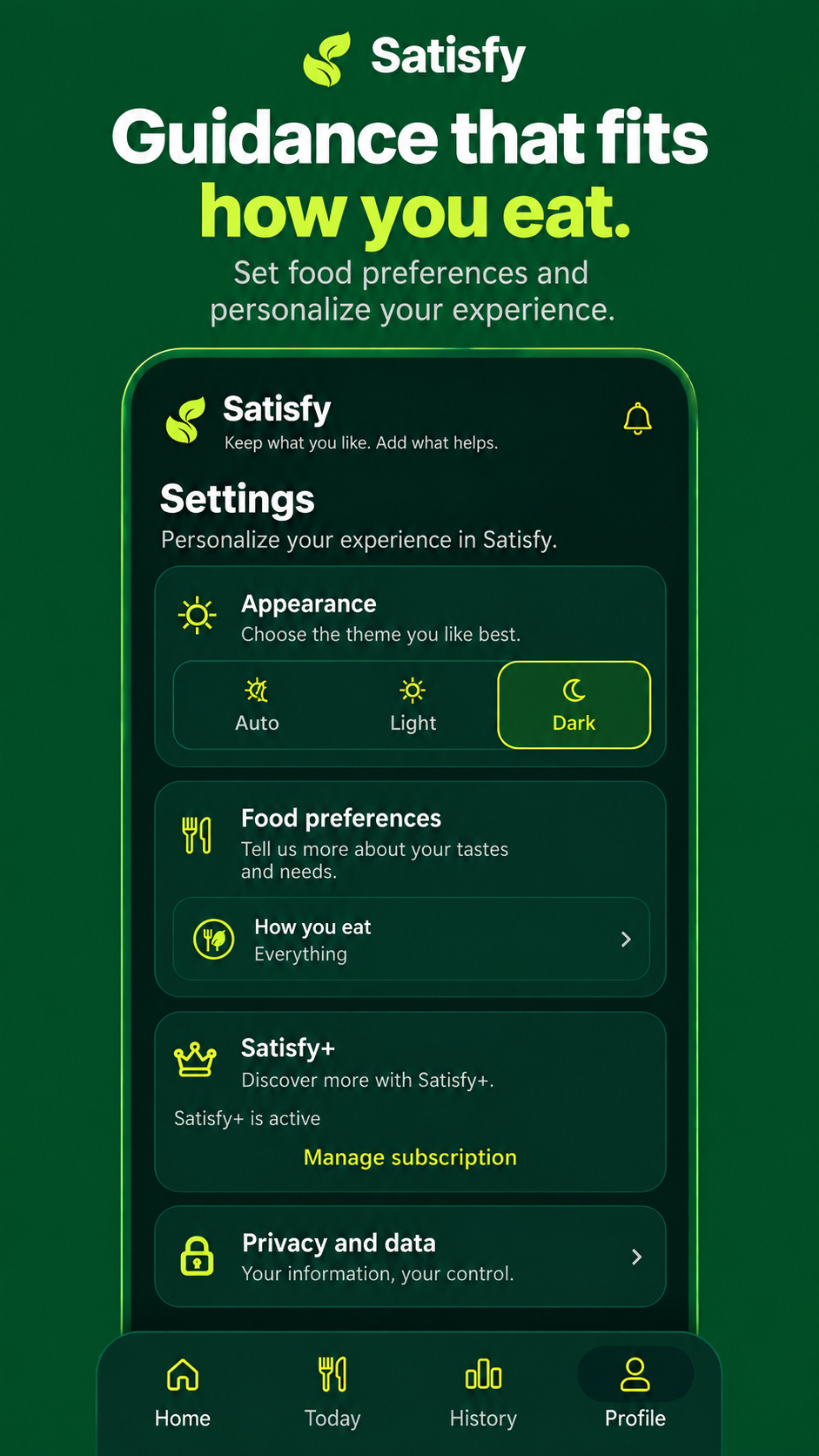
Personalize dietary preferences, foods to avoid, appearance, privacy, and Satisfy+ settings.
-
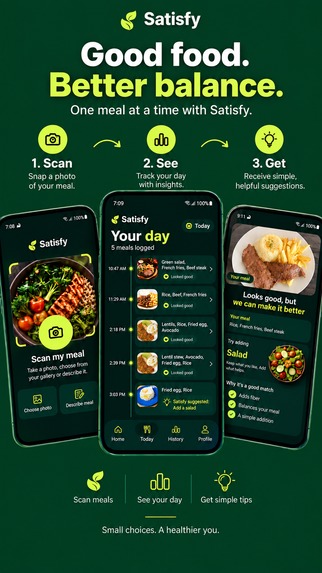
From meal scan to daily context, Satisfy turns food recognition into practical guidance.
-
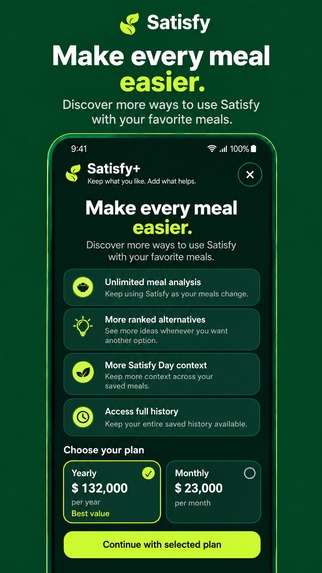
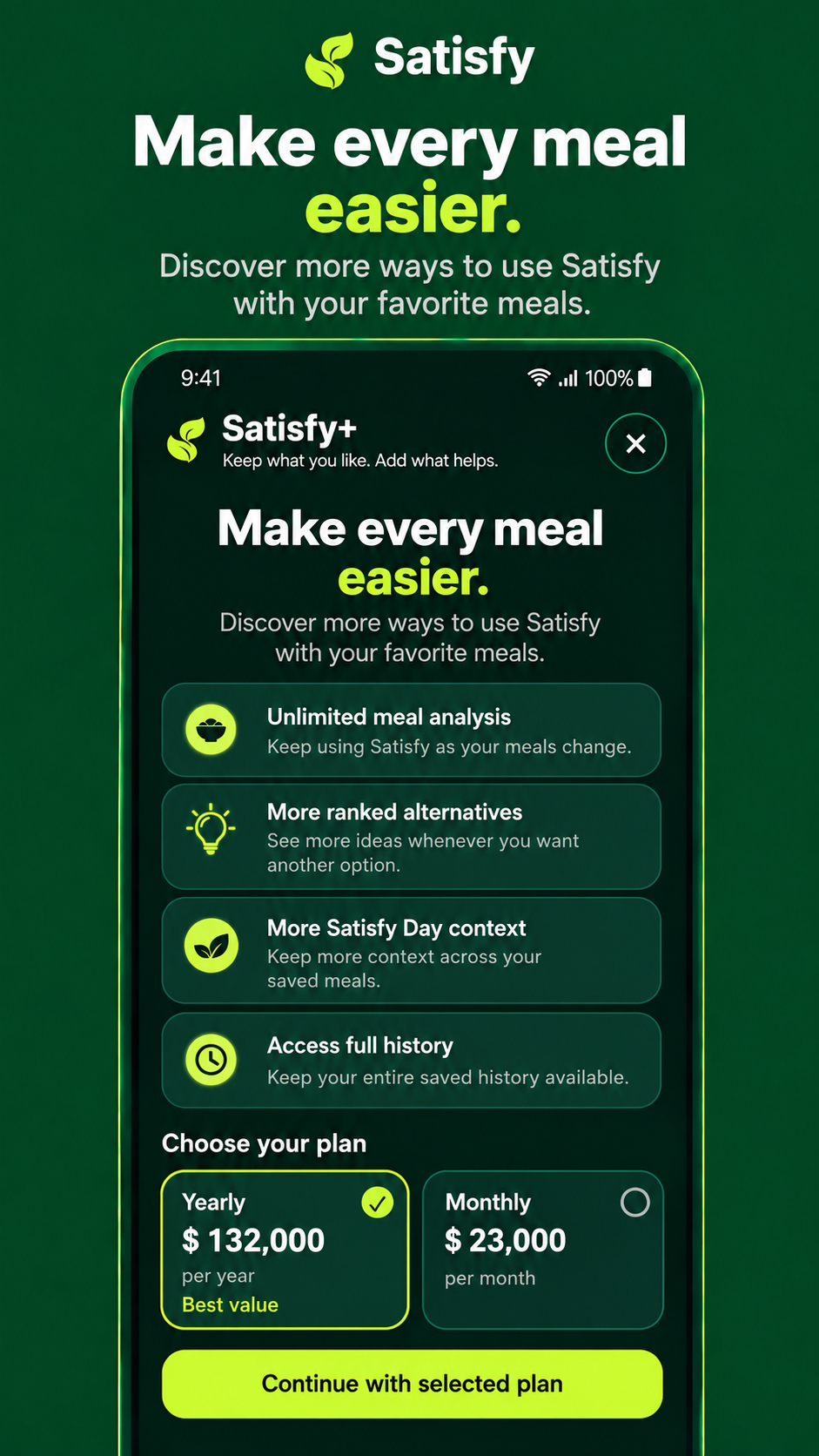
1. Unlock Satisfy+ with monthly or annual plans powered by RevenueCat and Google Play Billing. El orden lo mantendría así
Inspiration
Most food apps ask people to change everything: count every calorie, log every ingredient, follow strict meal plans, or constantly think about what they should not eat.
We wanted to try a different approach.
Satisfy starts with the food people already enjoy.
Instead of asking, “How do we replace this meal?”, Satisfy asks:
“What is one simple thing we could add to make this meal feel more balanced?”
That idea became the core philosophy of the app:
Keep what you like. Add what helps.
What it does
Satisfy is an AI-powered food companion that lets users photograph a meal and receive a simple, visual suggestion for what they could add.
A user can:
- Take a photo of a meal or choose one from the gallery.
- Let AI identify what is on the plate.
- Receive a focused recommendation based on what may be missing.
- See alternative suggestions without rebuilding the entire meal.
- Save meals and build a personal history.
- Follow the evolution of their day through Satisfy Day.
- Review meals in Today and History.
- Customize dietary preferences and foods they prefer to avoid.
- Use Satisfy in English or Spanish.
- Upgrade to Satisfy+ through Google Play subscriptions powered by RevenueCat.
The recommendation system follows a simple hierarchy.
For example, if a meal contains carbohydrates but no clear primary protein, Satisfy prioritizes a protein suggestion before moving on to vegetables or other complementary additions.
If the meal already contains protein, the strategy can move toward vegetables, variety, freshness, or another useful complement.
And when the meal already looks satisfactory, Satisfy says so instead of forcing an unnecessary recommendation.
A different relationship with food
Satisfy is intentionally not designed as a calorie-counting app.
The goal is to reduce friction.
A user should be able to look at their real meal, understand it quickly, make one practical decision, and move on with their day.
That is why the experience revolves around visual recommendations and small additions rather than complicated dashboards or restrictive plans.
How we built it
Satisfy is a native Android application built with Kotlin and Jetpack Compose.
The application uses:
- Firebase AI Logic + Gemini for image-based meal understanding.
- Firebase App Check + Google Play Integrity to protect production AI requests.
- RevenueCat for subscription infrastructure and entitlement management.
- Google Play Billing for real Android subscription purchases.
- Room for local meal history.
- DataStore for preferences, onboarding state, and app settings.
- Material 3 and a custom Compose design system for the interface.
- A local recommendation layer that converts meal analysis into focused, deterministic suggestions.
Satisfy+ currently includes monthly and annual Google Play subscriptions connected through RevenueCat.
RevenueCat manages the satisfy_plus entitlement, the default Offering, monthly and annual packages, purchase state, subscription recovery, and real-time subscription updates through Google Play RTDN.
Production-ready subscription flow
One of our main goals for Shipaton was not simply to place a paywall in the application, but to build and test a real subscription lifecycle.
The production flow is:
Google Play → RevenueCat → CustomerInfo → satisfy_plus entitlement → Satisfy
We validated the flow using a Google Play Internal Testing build, including:
- Real Google Play test purchase.
- RevenueCat entitlement activation.
- Sandbox renewal.
- Subscription cancellation.
- Automatic premium recovery after uninstalling and reinstalling the app.
- Localized subscription pricing.
- Real-time developer notifications from Google Play to RevenueCat.
Challenges we ran into
Making AI feel fast
Meal analysis originally had noticeable latency in some scenarios.
We investigated the complete path from image preparation to Firebase App Check, Gemini, decoding, and UI handoff.
The final experience was optimized so the analysis screen feels intentional while the AI is working, and the production build now responds quickly on real devices.
Protecting AI requests in production
Debug builds can use App Check debug tokens, but that does not work for a public application.
For production we configured:
Google Play App Signing → Play Integrity → Firebase App Check → Firebase AI Logic
We then validated meal analysis from an app installed directly through Google Play without any manually registered debug token.
Moving from Test Store to real Google Play subscriptions
During development, RevenueCat Test Store was useful for building the purchase flow.
For release, we separated Debug and Release completely:
- Debug can use Test Store.
- Release can only use the real Google Play RevenueCat configuration.
We configured real Google Play subscriptions, base plans, RevenueCat products, entitlement, Offering, service credentials, and real-time developer notifications.
Designing recommendations that feel useful
A technically correct suggestion is not always the most useful suggestion.
For example, suggesting salad for a meal consisting of rice and fries is not wrong, but Satisfy should first recognize the more important missing component.
We therefore introduced a recommendation priority that first checks for a meaningful protein source before moving to secondary additions.
Accomplishments that we're proud of
- Built a complete native Android product instead of a prototype.
- Shipped a production Google Play App Bundle.
- Integrated real Google Play subscriptions with RevenueCat.
- Successfully tested purchase, renewal, cancellation, and entitlement recovery.
- Protected Firebase AI Logic with App Check and Play Integrity.
- Built a bilingual English/Spanish experience.
- Created a complete meal history and daily context system.
- Built a recommendation experience that adapts to what is already on the plate.
- Completed a full release-candidate audit with no P0 or P1 code blockers.
- Kept the final Google Play install around 22 MB.
What we learned
The biggest lesson was that good AI UX is not about displaying as much information as possible.
It is about turning a complex analysis into one understandable decision.
We also learned how much production infrastructure exists behind a seemingly simple premium button: store products, base plans, offerings, entitlements, purchase recovery, signing, Play Integrity, App Check, and server-to-server notifications all have to work together.
Building that entire path and validating it on a real Google Play installation was one of the most valuable parts of the project.
What's next for Satisfy
The current release focuses on doing one core job extremely well: helping a person understand a meal and decide what could improve it.
Next we want to explore:
- More personalized recommendations based on longer-term eating patterns.
- Additional languages.
- Cross-device account synchronization.
- Deeper weekly insights.
- More recommendation categories and visual food options.
- Optional integrations with broader wellness data.
- Expanded Satisfy+ personalization.
The guiding principle will remain the same:
Keep what you like. Add what helps.

Log in or sign up for Devpost to join the conversation.