-
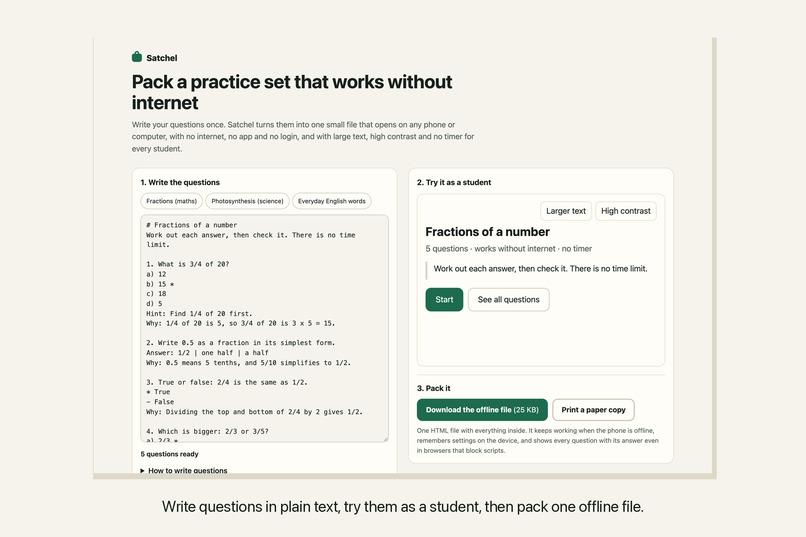
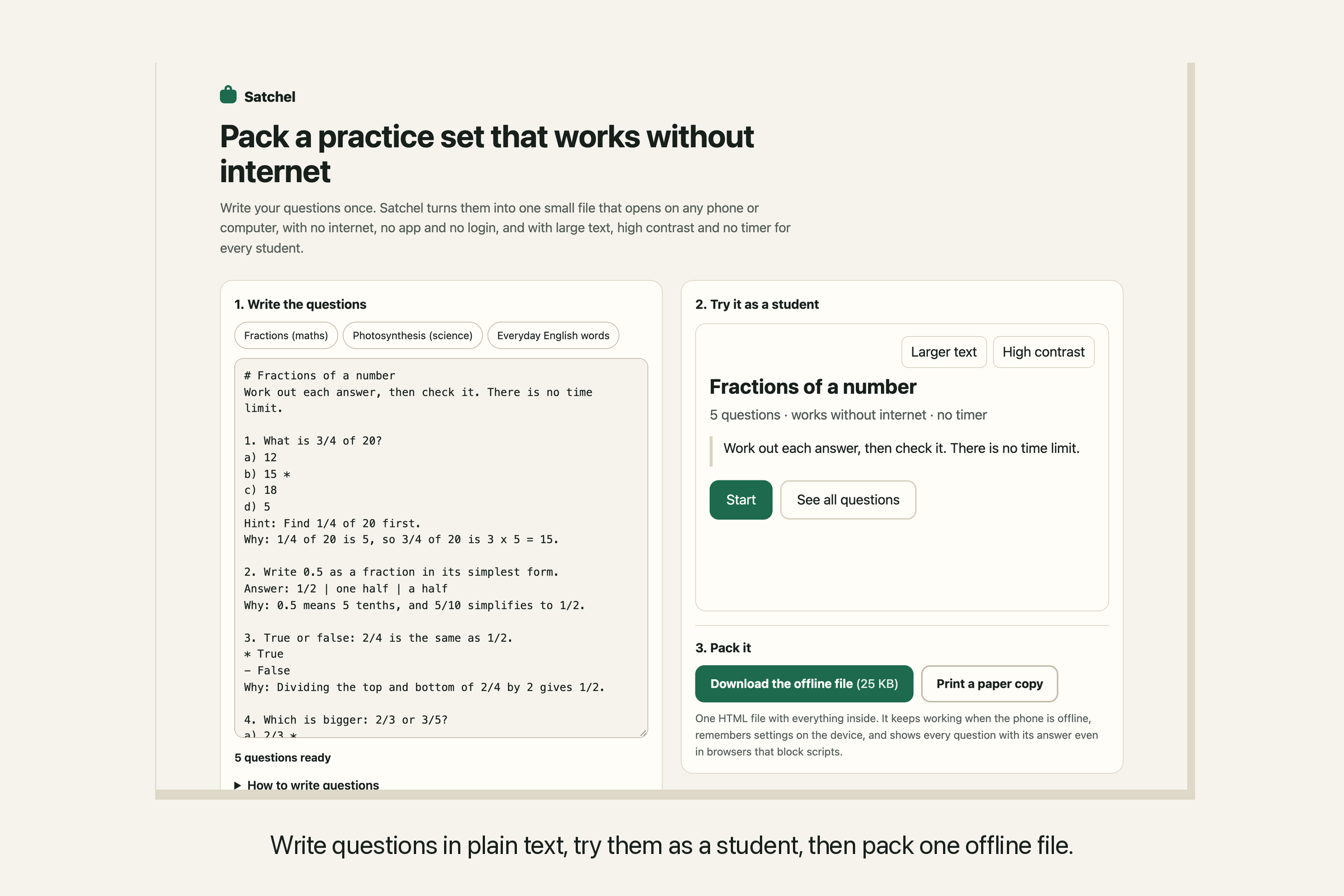
Write questions in plain text, try them as a student, then pack one offline file.
-
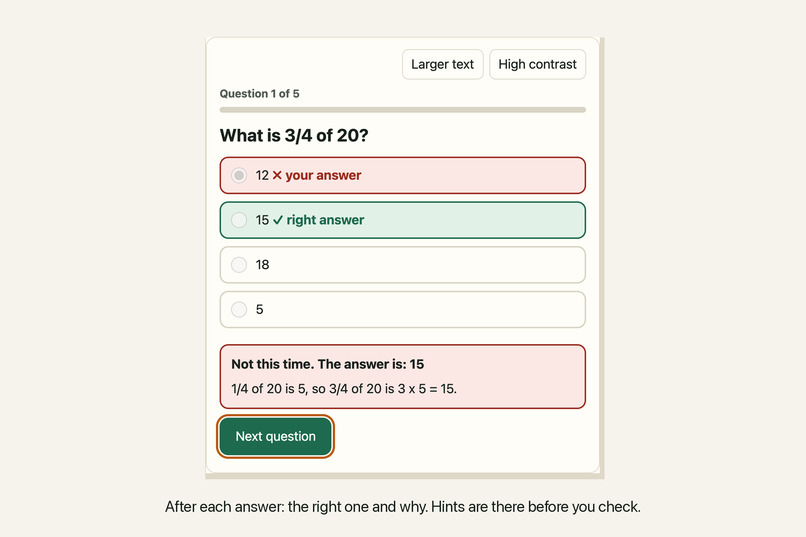
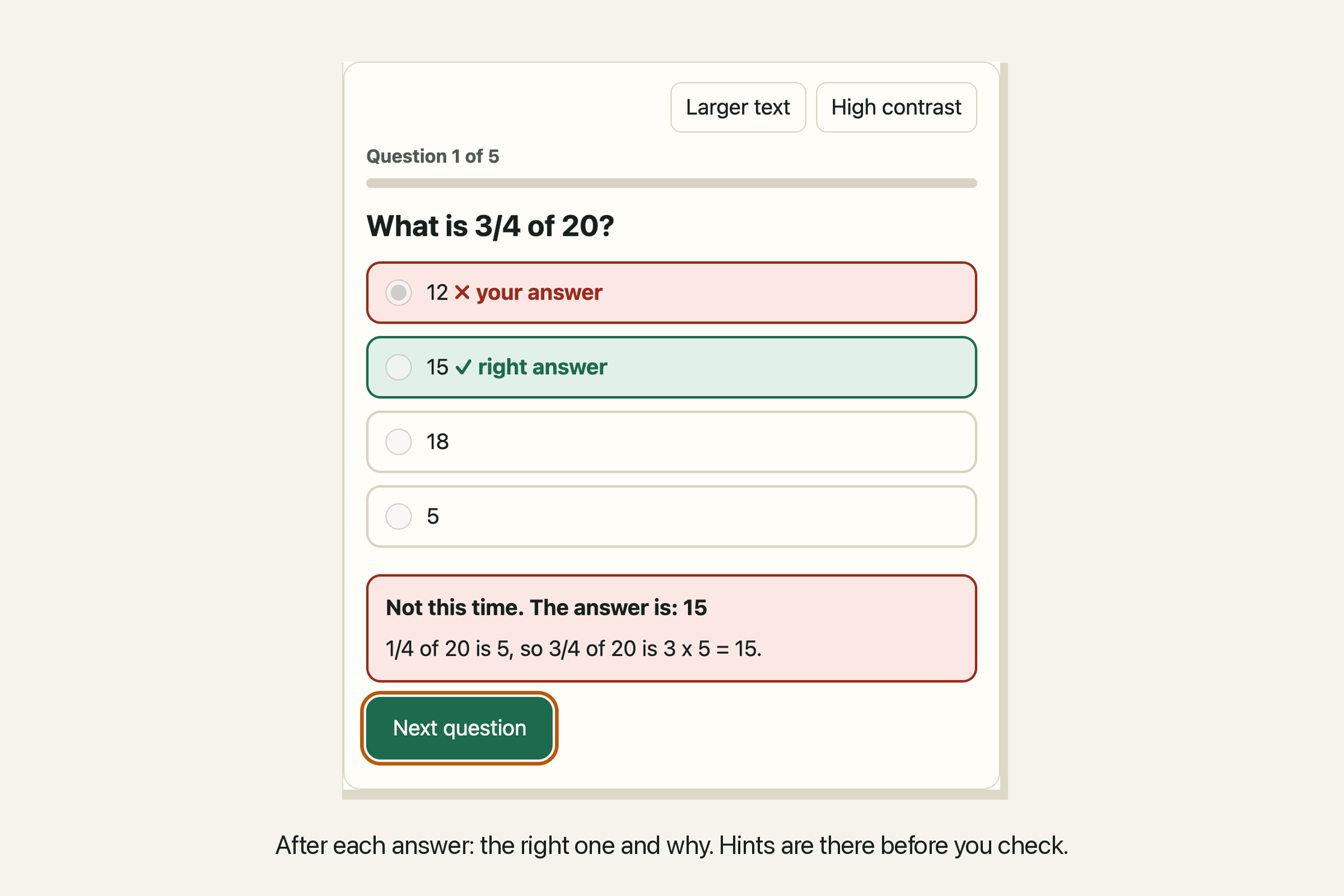
After each answer, the right one and why. Hints are there before you check.
-
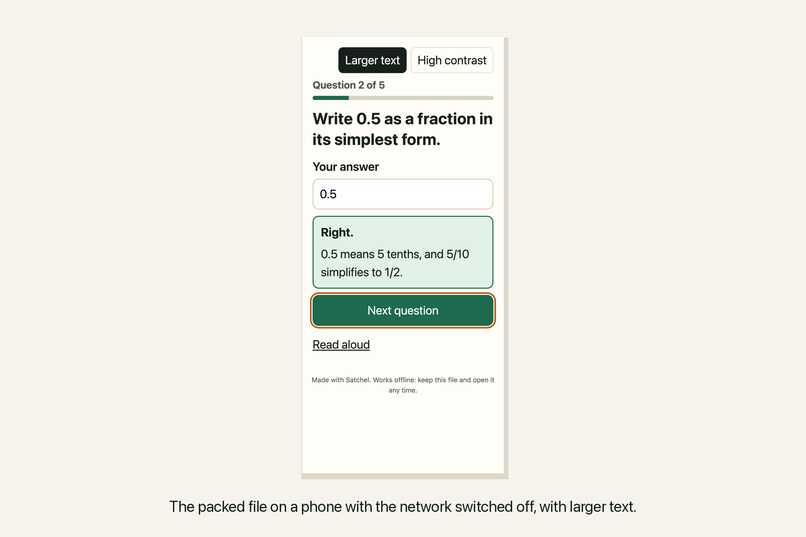
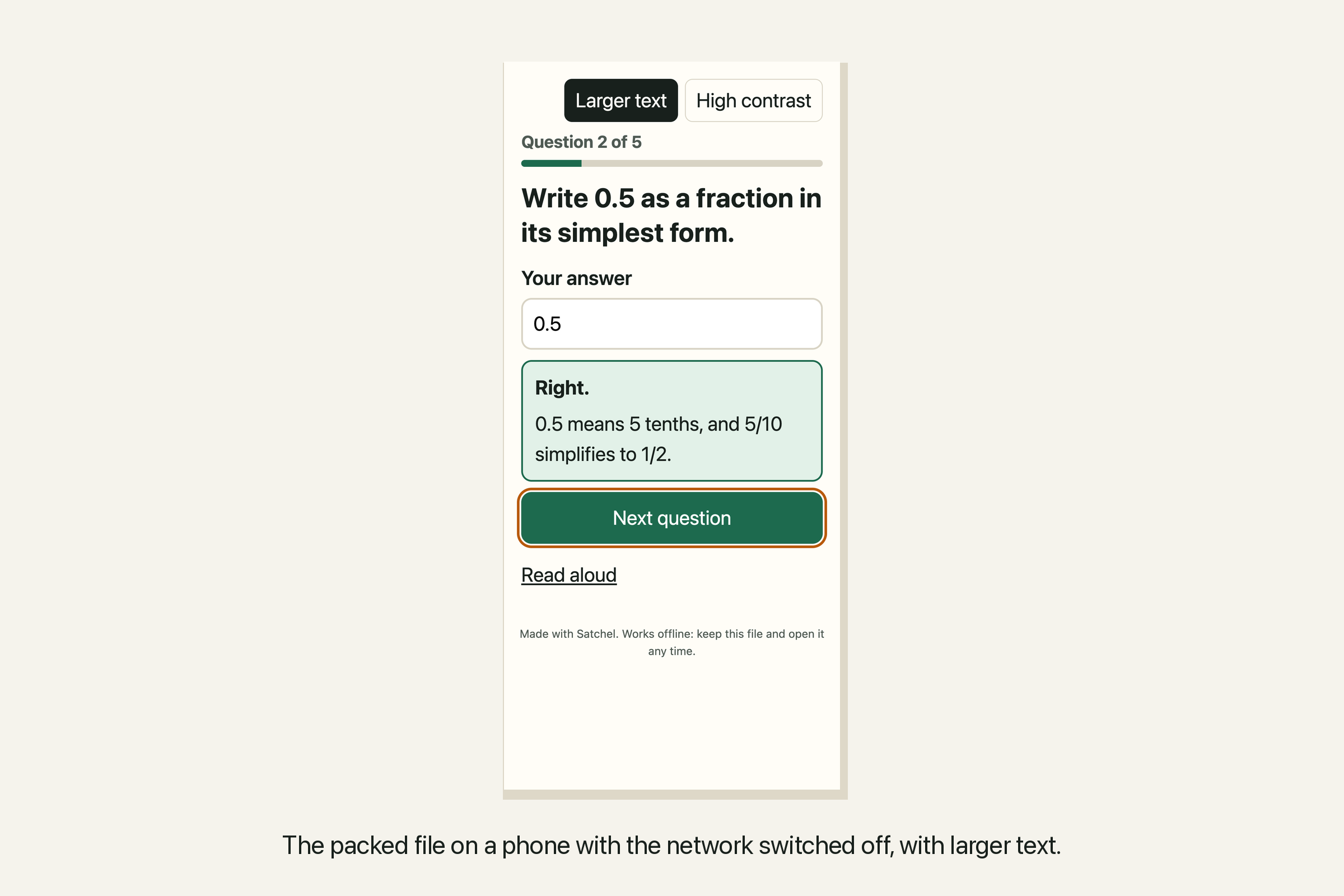
The packed file on a phone with the network switched off, with larger text.
-
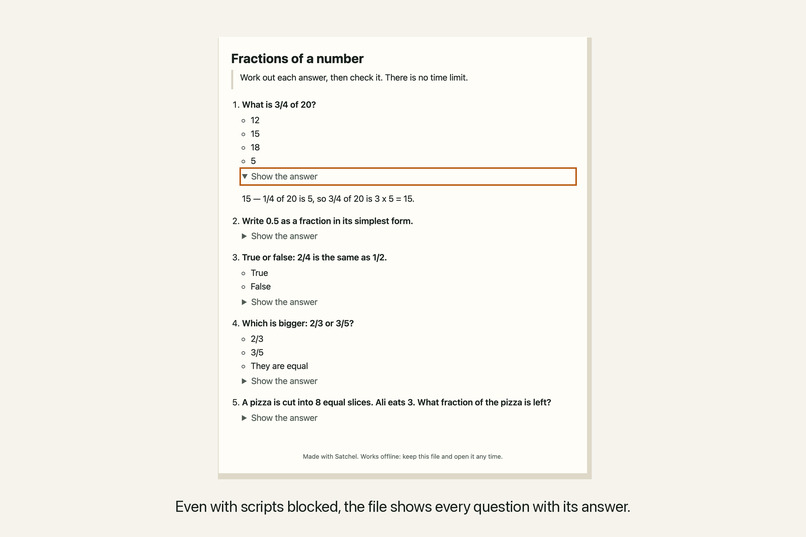
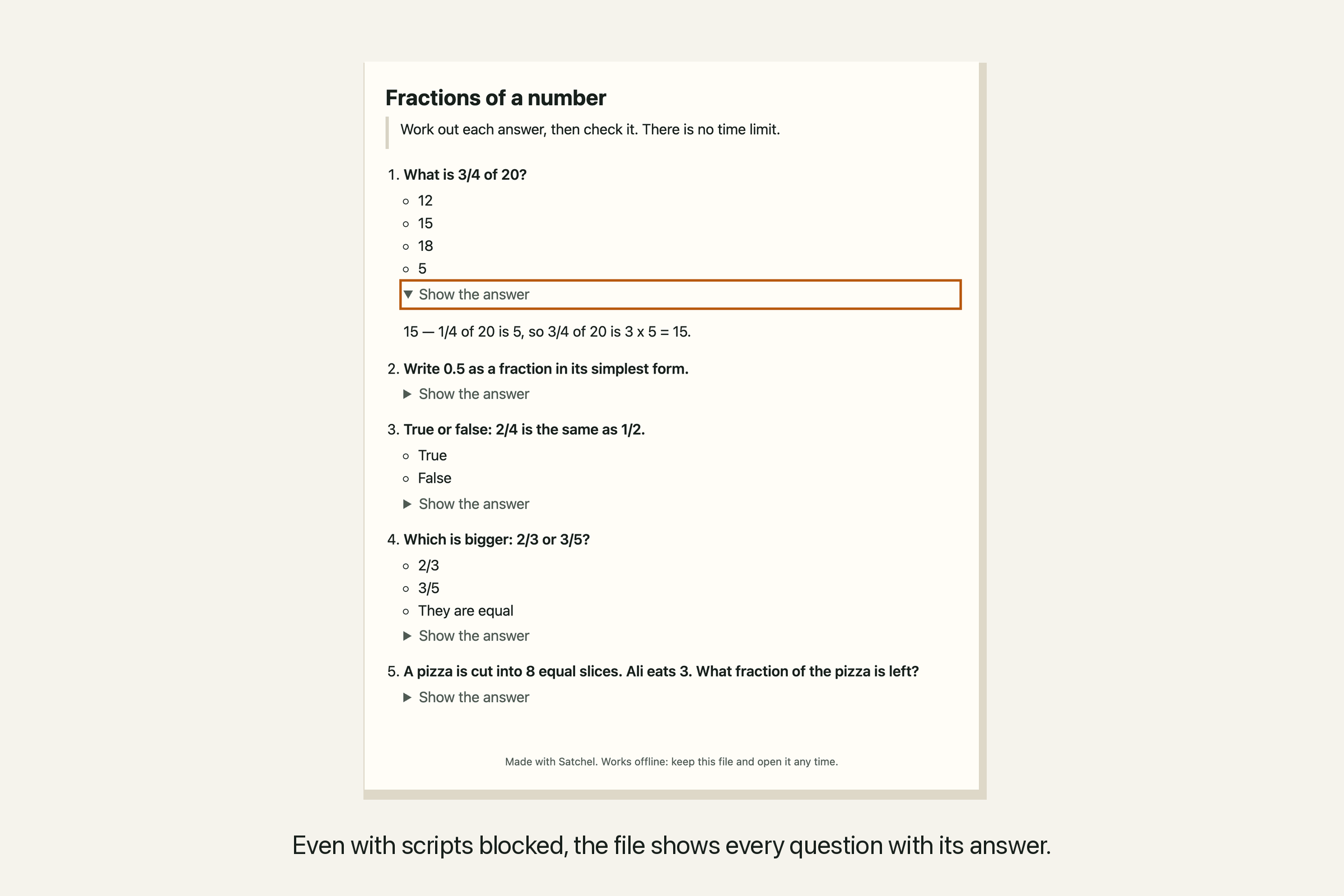
Even with scripts blocked, the file shows every question with its answer.
-
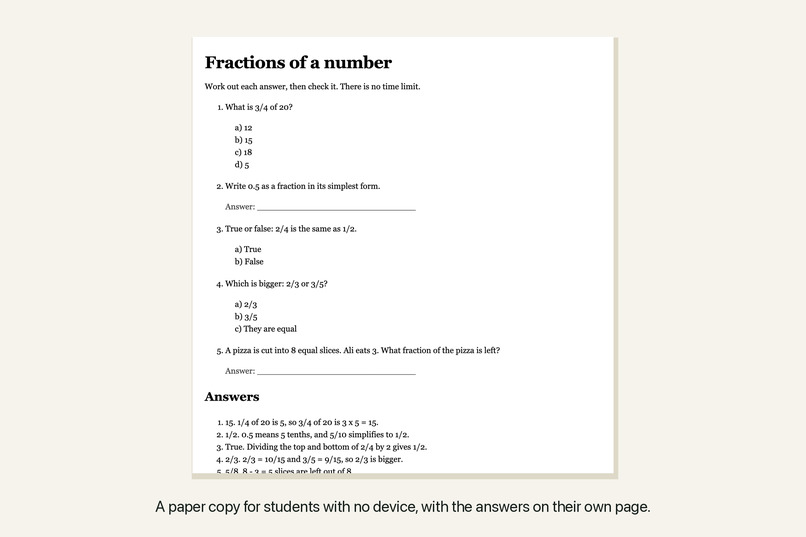
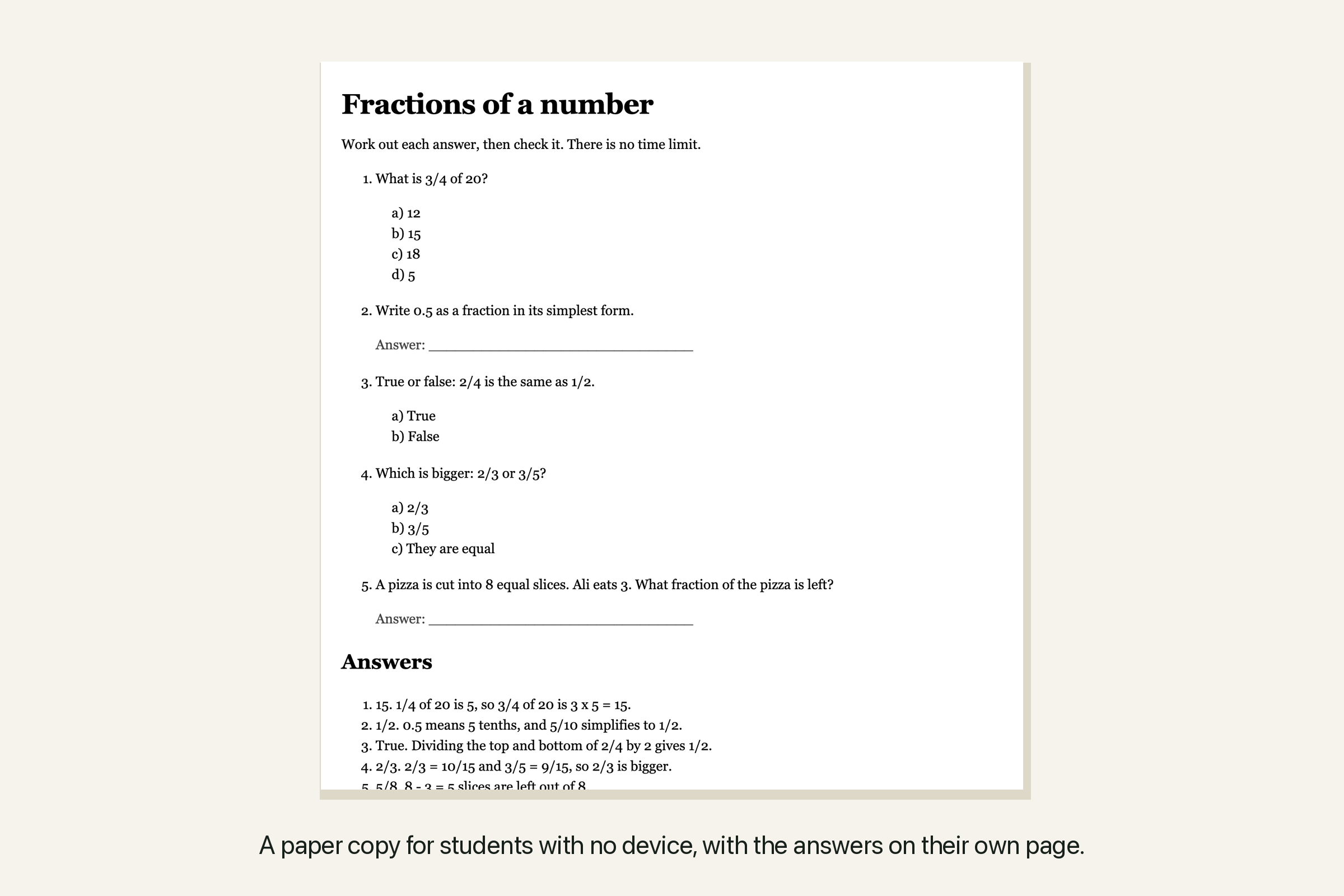
A paper copy for students with no device, with the answers on their own page.
The learner and the barrier
Satchel is designed for a secondary-school student who can download work at school but has no reliable internet at home. They may share a phone with family or need larger text and an untimed activity. This is our design scenario, not a report from a student trial.
ITU estimated that 2.2 billion people remained offline in 2025, with 96% in low- and middle-income countries (ITU, November 2025). Satchel addresses one part of that barrier: a teacher can send a practice set that keeps working after the connection ends.
What it does
The teacher writes questions in plain text, tries them in a student preview, and downloads one HTML file. It can travel by message, Bluetooth or USB and open in a browser without an account or app installation. A print option produces a worksheet and a separate answer key.
Number a question, mark the right choice with *, or write Answer: for a short typed answer. Add a hint and explanation if useful. The editor reports missing or conflicting answer keys, empty choices and identical choices. Export stays blocked until these are fixed, so a broken question cannot silently disappear from the set.
Inside the file, the student gets:
- One question at a time, large answer targets and no timer.
- Keyboard controls, labelled inputs and announced feedback.
- Optional hints, followed by the right answer and an explanation after checking.
- A chance to practise the questions they missed.
- A plain-text report with their checked answers, feedback and hint use, ready to bring back to a teacher. It downloads without internet, and a copyable version is available if downloading does not work. Nothing is sent automatically.
- Larger text and high contrast without losing an unfinished answer.
- Saved progress when the browser permits local storage. Reopening the same file in the same browser offers Continue at question…, including the draft answer. The full question list also lets the student return to their saved attempt or results. Start again clears the previous attempt for someone sharing the device.
- Read-aloud when a local English voice is installed.
- A readable question list with expandable answers when JavaScript is disabled.
Typed answers accept case and spacing differences, plus equivalent fractions, decimals and percentages such as 1/2, .5 and 50%. Teachers can list additional accepted wording. Correctly grouped numbers such as 1,000,000 and 1000000 also match. The checker preserves decimal place value and negative signs; it does not treat 5 as .5.
Learning value
Practice testing received a high utility rating in a review of ten learning techniques (Dunlosky et al., 2013). Satchel supports that activity with questions and feedback that remain available offline. We have not tested learning outcomes with students or claimed a measured improvement in grades.
How it works
The teacher page uses React, TypeScript and Vite. A plain JavaScript player runs both the preview and the downloaded file. The file embeds the questions, styles and player, plus a static question list for use without scripts. The four downloaded files in our browser tests are about 32–34 KB; size depends on the questions.
Question text is escaped in the file and inserted as text in the player. The editor processes it locally, with no analytics or upload service. Its Content Security Policy blocks fetch and similar connections. The offline player's policy permits its inline code and styles, and the player makes no network requests.
What we improved and checked
The October 24 update fixes decimal grading, answer loss when opening hints or changing reading settings, and conflicting teacher answer keys. It also adds saved-session continuation and clearer handling of unavailable storage. These fixes address mistakes that could otherwise give a learner incorrect feedback or erase their work.
The October 30 update fixes large-number grouping, rejects empty or identical choices before export, and adds a way to return from the full question list to the saved attempt or results. A student can review the questions without having to start over. It also adds offline practice reports: learners can keep their answers and explanations for a later conversation with a teacher. Reports label retries and retain the original question numbers; an older saved session explicitly identifies answers the earlier player did not record.
The production build passes 54 unit tests and 7 Chrome browser tests. We checked parsing, numeric equivalents and near misses, preserved drafts and focus, corrupt or blocked storage, restart behaviour, HTML escaping, and sample file size below 60 KB.
In the browser tests, we downloaded an actual file, opened it with the network off, answered a question, selected an unfinished answer, closed the page and reopened it. After viewing the full question list, the saved answer and question position returned. We then completed the set and retried the missed question. Another test opened a downloaded file with JavaScript disabled and revealed its answers. We also exported a number question and checked that 1000000 is accepted for the teacher’s answer 1,000,000 offline.
For the report check, we completed a practice file with the network off, reopened its results, downloaded the text report by keyboard and read the saved file. The recorded answers and hints matched the attempt. A second download contained only the retried question. When downloading was unavailable, the report opened for copying.
Axe reported no accessibility violations in the tested editor and player states. Keyboard checks passed, and the 375px view had no horizontal overflow with larger text and high contrast. The report screen also passed at 768px and 1280px. We inspected phone, tablet and desktop screenshots. The player also passes an ES5 syntax check; that does not establish support for every old browser.
Limits
The app supports one correct choice or a short typed answer, without uploaded images, audio or symbolic maths. Number comparison is limited to JavaScript's safe numeric range; larger values require matching written answers. Satchel does not supply a device or the initial file transfer. There is no class dashboard or automatic hand-in. The learner chooses whether to share a report.
Progress stays in the browser until the learner saves or copies a report. Reports are for practice, not verified grades. Each report covers the attempt on screen; a retry is not a new score for the whole set. Starting again replaces that attempt, so save a report first to keep it. Local-file storage varies by browser; private browsing, clearing storage, moving a file or switching browsers may prevent continuation. If saving fails during practice, the player tells the learner to keep the file open to finish. Previously downloaded files keep their original behaviour.
We tested current Chrome and the no-JavaScript fallback. Physical old phones and screen-reader software remain untested. Read-aloud requires a local English voice.
Try it
- Live demo: starts with fractions, with science and English examples available.
- Captioned walkthrough: about 1 minute 39 seconds, recorded from the October 30 app with captions and no narration. Its 12 checked scenes show an actual downloaded HTML file used with the browser network disabled, restored draft answers, grading, and downloaded practice reports. All inputs are fictional.
- Source and test instructions: MIT licensed. Run
npm install, thennpm run dev; run all checks withnpm run check.
Credits and AI disclosure
Development started during AccessED Hacks on October 22, 2026, without pre-existing application code. Claude (Anthropic) generated the initial code, tests and documentation. Codex (OpenAI) assisted with the October 24 fixes and resume feature, the October 30 number-grouping, choice-validation and review-navigation fixes, and offline practice reports. Codex also assisted with the tests, text revisions and October 30 recording script and captions.
The editor uses React, Vite and TypeScript; tests use Vitest, Testing Library, Playwright and axe-core. The offline player has no library dependencies. The current walkthrough has no narration; the replaced October 22 video used local Qwen3-TTS. Example questions are general knowledge written for Satchel; no learner records were used. The access statistics and learning-method evidence are linked above.
Built With
- axe-core
- github
- javascript
- playwright
- react
- typescript
- vite
- vitest
