-
-
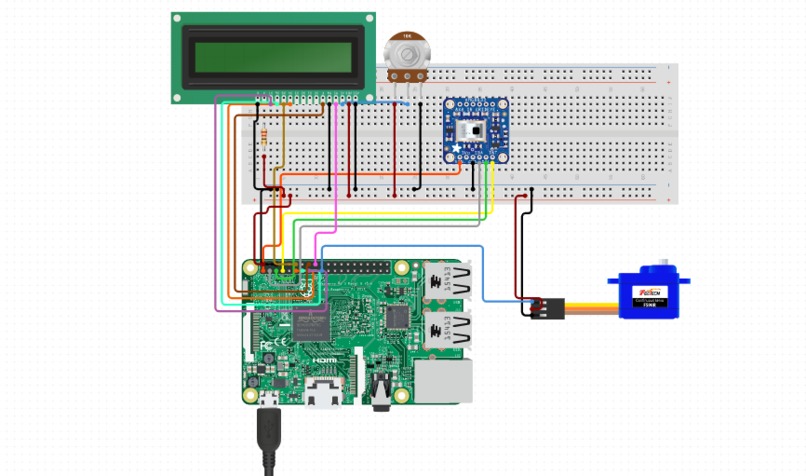
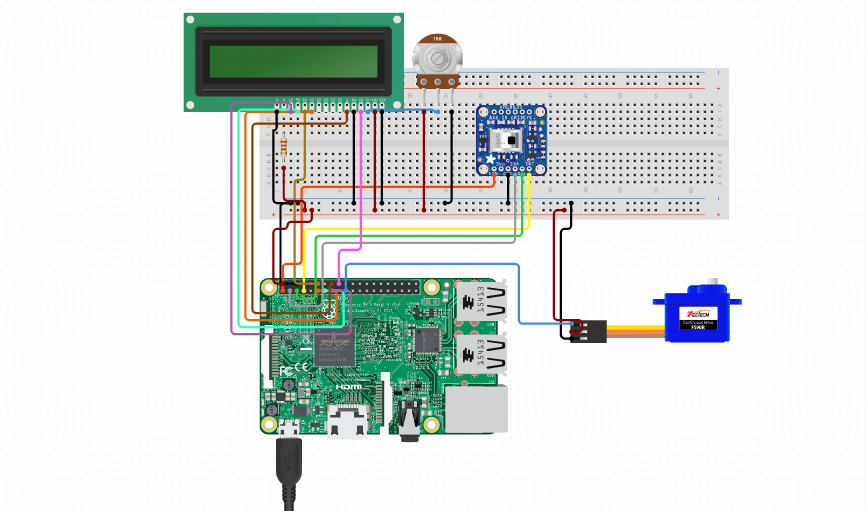
Connection schematics
-
-
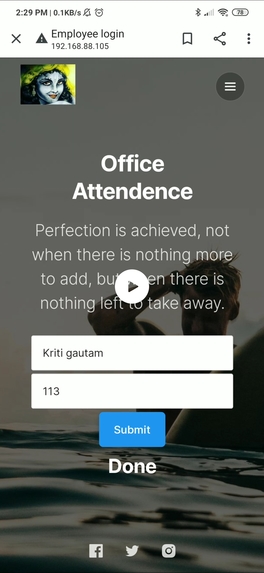
Web app

Inspiration
It is known to everyone that how fast Covid-19 spreads and there is no question that personal protective equipment (PPE) plays a central role in our strategies to confront the COVID-19 epidemic the only way to save ourselves is to take precautions such as wearing masks, keeping social distance, not touching surfaces, etc. Big buildings such as offices are even more prone to the spread of the virus. The (OSHA) offered some guidance, that "millions of Americans will be wearing masks in their workplace for the first time. This tells everything about how important masks are. A lot of offices need hand contact for marking the attendance of their employees such as fingerprints etc. Which can lead to the spread of viruses. So here we mad this smart attend which will mark attendance smartly and safely. Problem 1: Wearing Masks Solution: It detects if the person wearing a mask or not. Problem 2: surface contact Solution: Attendance is marked with OTP verification touching anything.
What it does
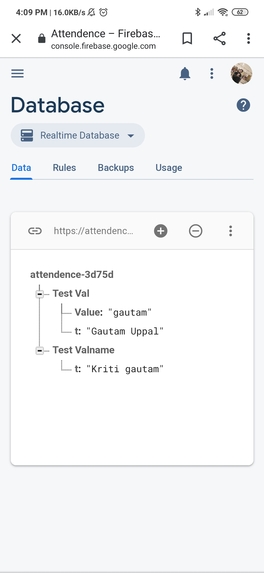
The traditional method of attendance of employees is either by RFID card or by biometric. We created a smart attendee that is a smarter way to record the attendance of the employees. Here, when a person came in front of the main gate then his/her face gets detected whether they are wearing a mask or not. If they are wearing mask then a code is generated by raspberry pi and is displayed on the LCD screen, employee/ user have to enter this code and their respective name on the website through their smartphone, then raspberry Pi will verify if the code is correct and the employee name is present in database if so , then the gate will open for them. Their data(Name along with entry time) gets stored in the Google Firebase and the admin/boss can see the attendance record of employees with time. If a person doesn't wear a mask then the gate will not open to them and a message will be flashed on the LCD display to wear a mask.
How we built it
- Mask detection: We used Tensorflow and OpenCV for detecting if the person wearing a mask or not and store it in label after the confidence is >70%.
- Code Generation: If the Mask is detected then a code is generated by raspberry Pi and is displayed on the lcd screen connected.
- Web Application: it is a simple web page created on rpi Apache2 server. Coding is done using html and php.
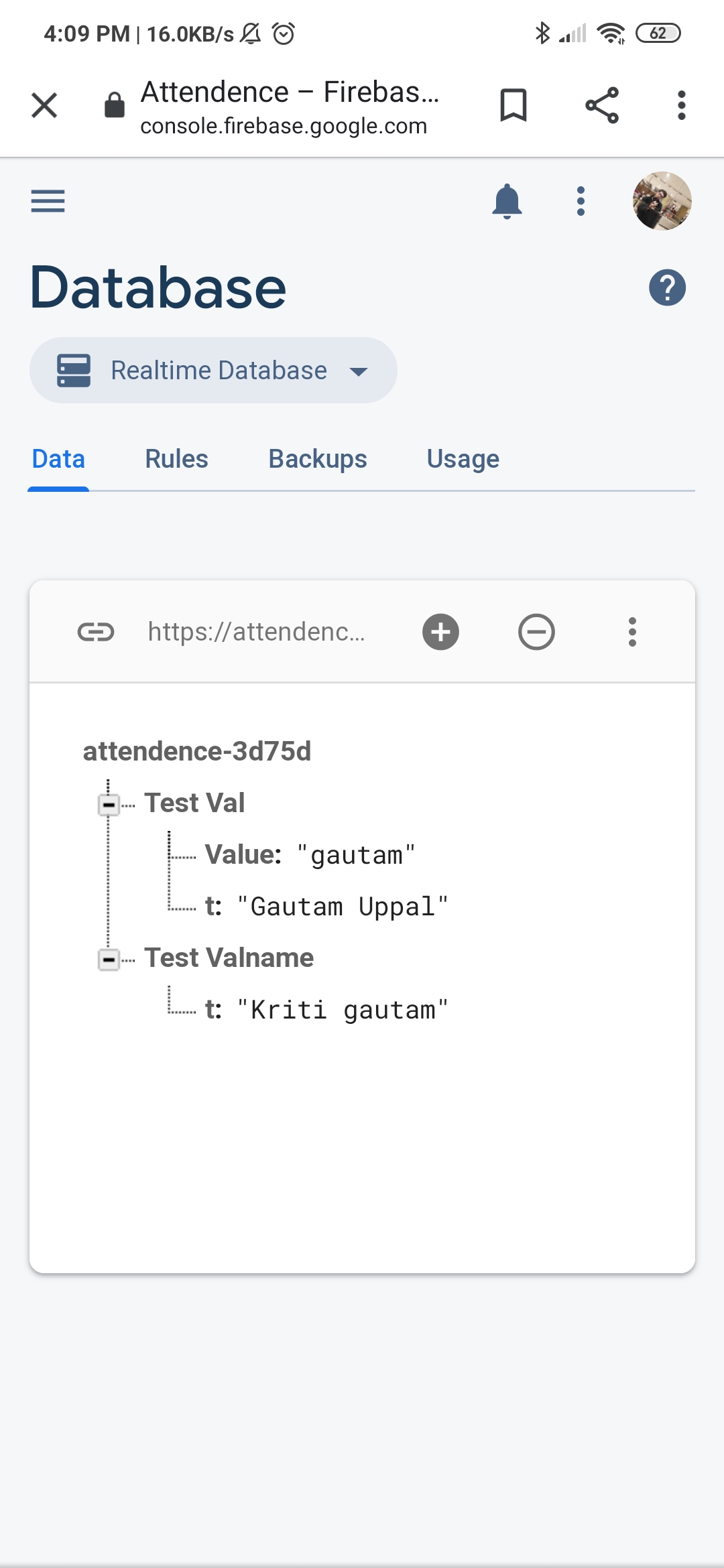
- Verification of Code: The name and code entered by the employee on web page is verified by rpi and the name of the employee is sent to google Firebase using http protocol.
Challenges we ran into
- Used TensorFlow and Keras for mask detection for the first time.(Tensorflow package was not working properly so it took alot of time and hard work to fix those errors)
- Faced difficulties to connect our website with Raspberry Pi.(This was the first time we tried to run a web server on a raspberry pi itself .We encountered a lot of issue of super user permissions and GPIO permissions)
- Used raspberry pi with firebase.(we are totally new to firebase Connecting the Raspberry pi to Firebase was easy but again we didnot know anything about this and we were trying to do it using python)
- Verification based Attendence Marking .(We faced alot of difficulty in verifying the Code sent from the web page to raspberry pi as a new file executes after web page submission)
Accomplishments that we're proud of
At the end of this project we are proud that we created something that can help people and save them from being catch by such an chronic disease.
What we learned
- We learned how to use Tensorflow and OpenCV.
- How to host a server on Raspberry Pi.
- How to generate random codes.
- How to connect and send data to Firebase from Raspberry Pi in python.
- How to create a project in just 2 days and how to work smartly and have fun.
What's next for SASM
We have some great ideas to take this project to next stage which we didn't deployed due to lack of time and RESOURCES this time.

Log in or sign up for Devpost to join the conversation.