Inspiration
The inspiration for SarkarGPT Pro came from the need to consolidate the fragmented landscape of AI tools. Professionals and hobbyists alike must constantly switch between different websites and applications to access the best models—one for text, one for images, one for coding, and another for financial analysis. This project was born from the desire to create a single, powerful, all-in-one desktop command center. The goal was to build a "Pro" tool that not only aggregates the world's leading AI models but also integrates them into specialized, productive workflows, like a "Swiss Army knife" for artificial intelligence.
What it does
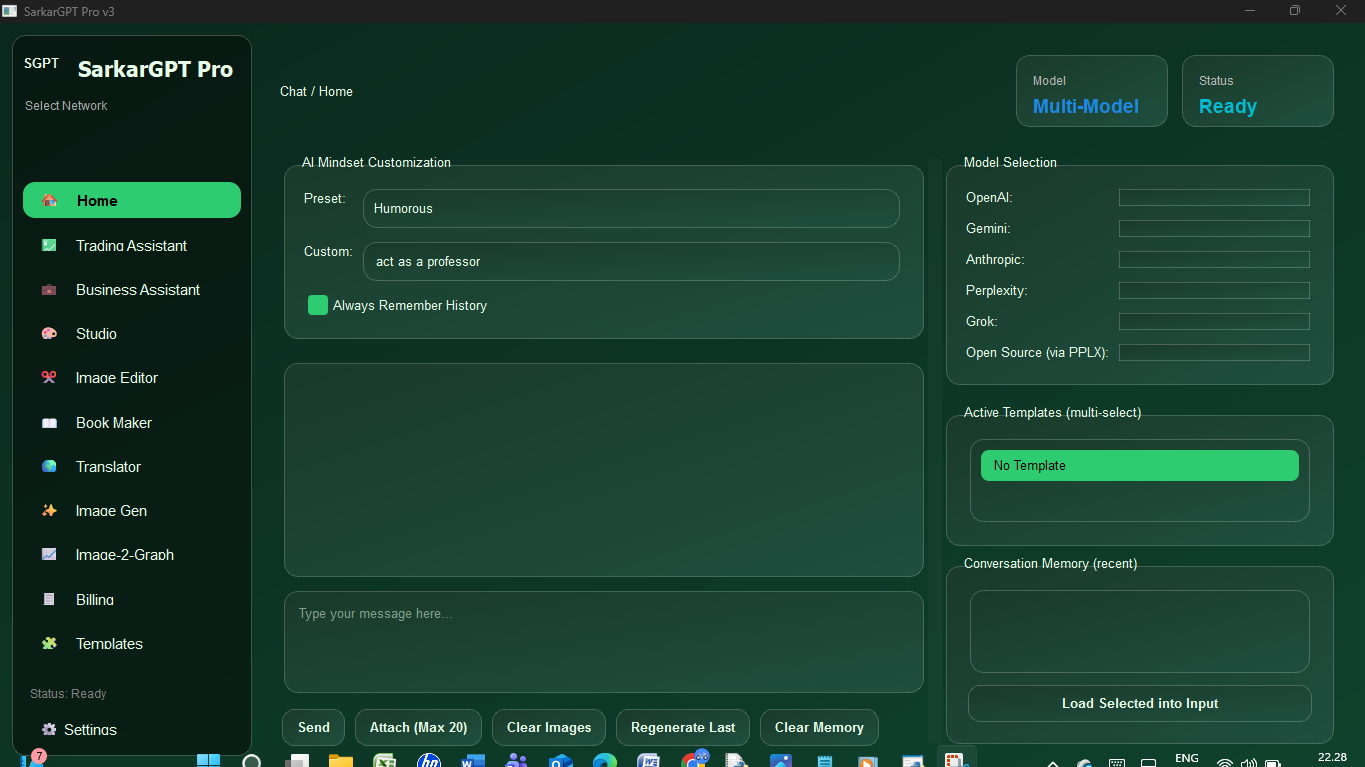
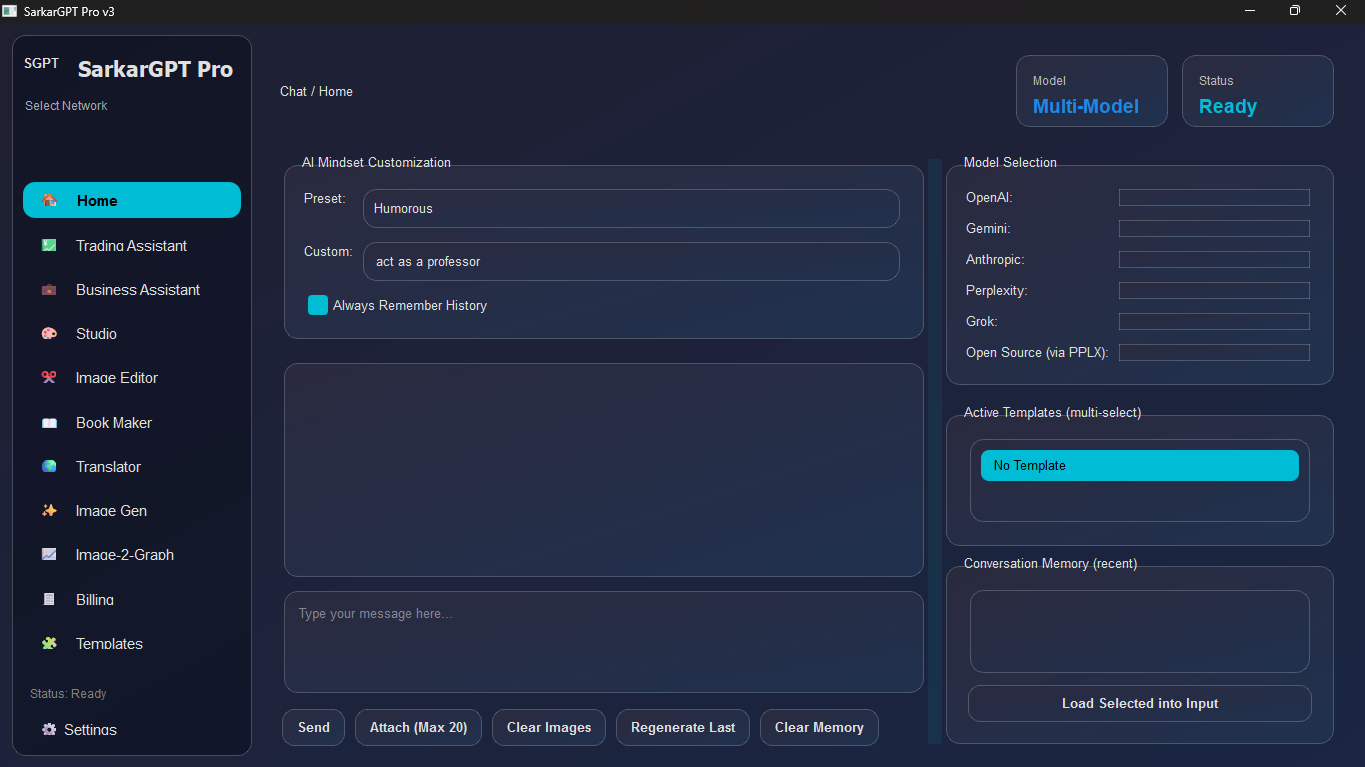
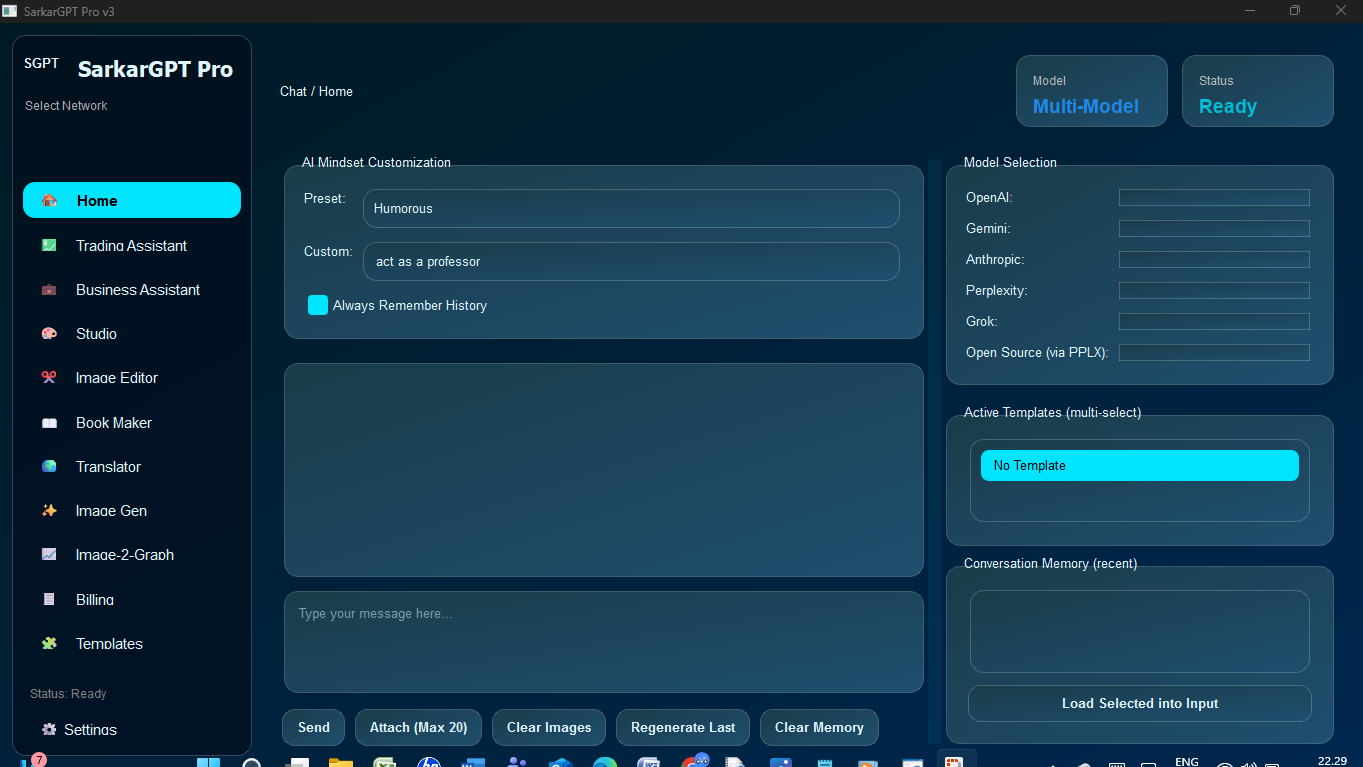
SarkarGPT Pro is a multi-model, multi-purpose AI desktop toolkit. Its core functionality is a central chat interface that can send a single prompt to multiple AI models simultaneously (e.g., OpenAI's GPT-4o, Google's Gemini 2.5, Anthropic's Claude 4.1, and Perplexity's Sonar) and display all their answers for comparison.
Beyond its powerful chat, it's a suite of specialized tools:
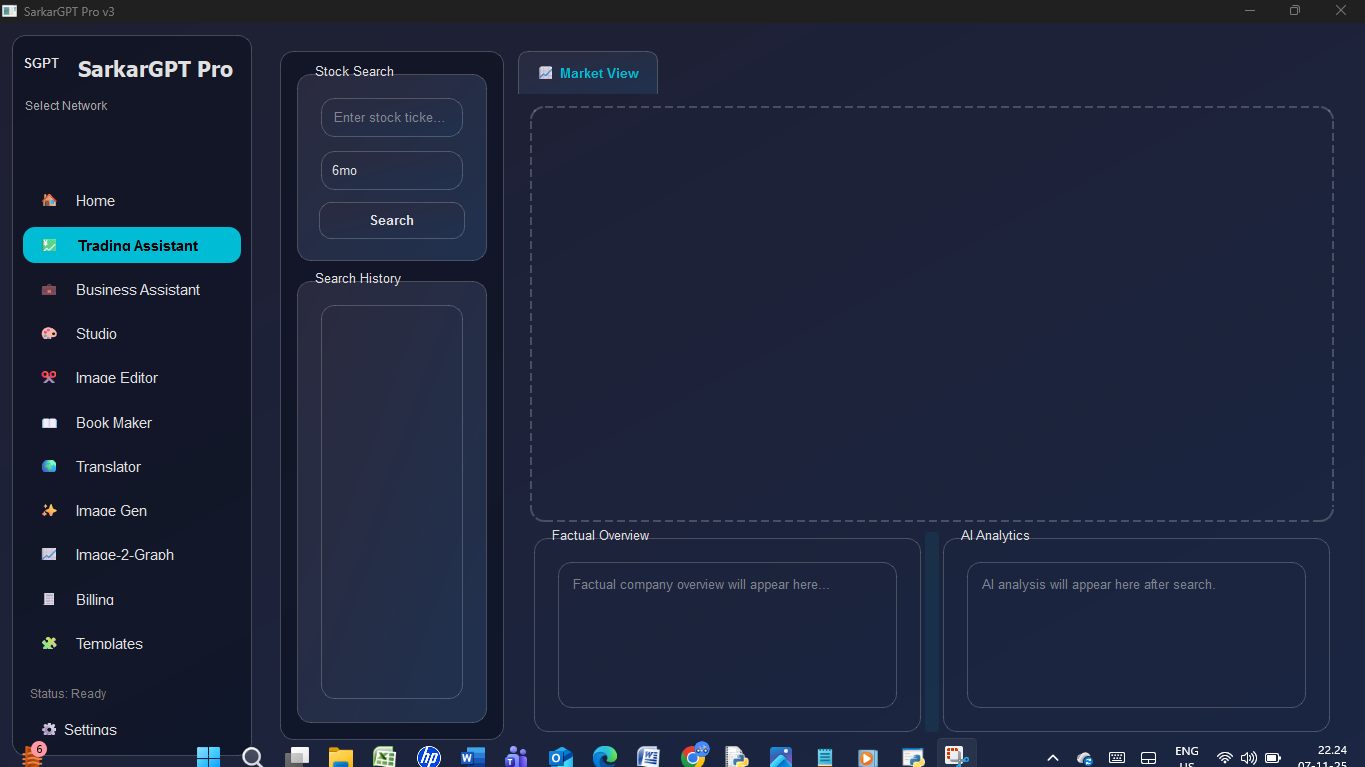
Trading Assistant: Fetches real-time stock data and charts using yfinance and provides both factual overviews and AI-powered sentiment analysis for any ticker.
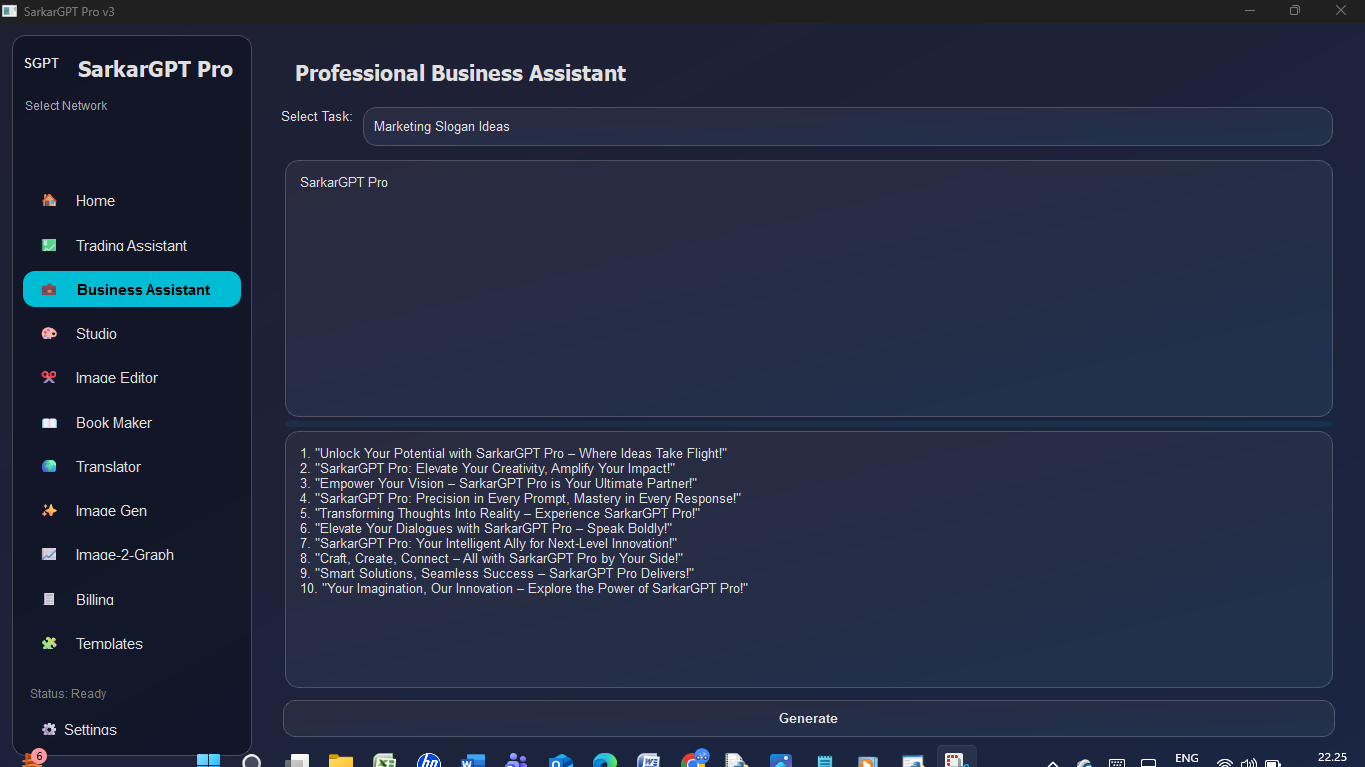
Business Assistant: A professional writing tool to draft emails, summarize long texts, generate marketing slogans, and perform SWOT analyses.
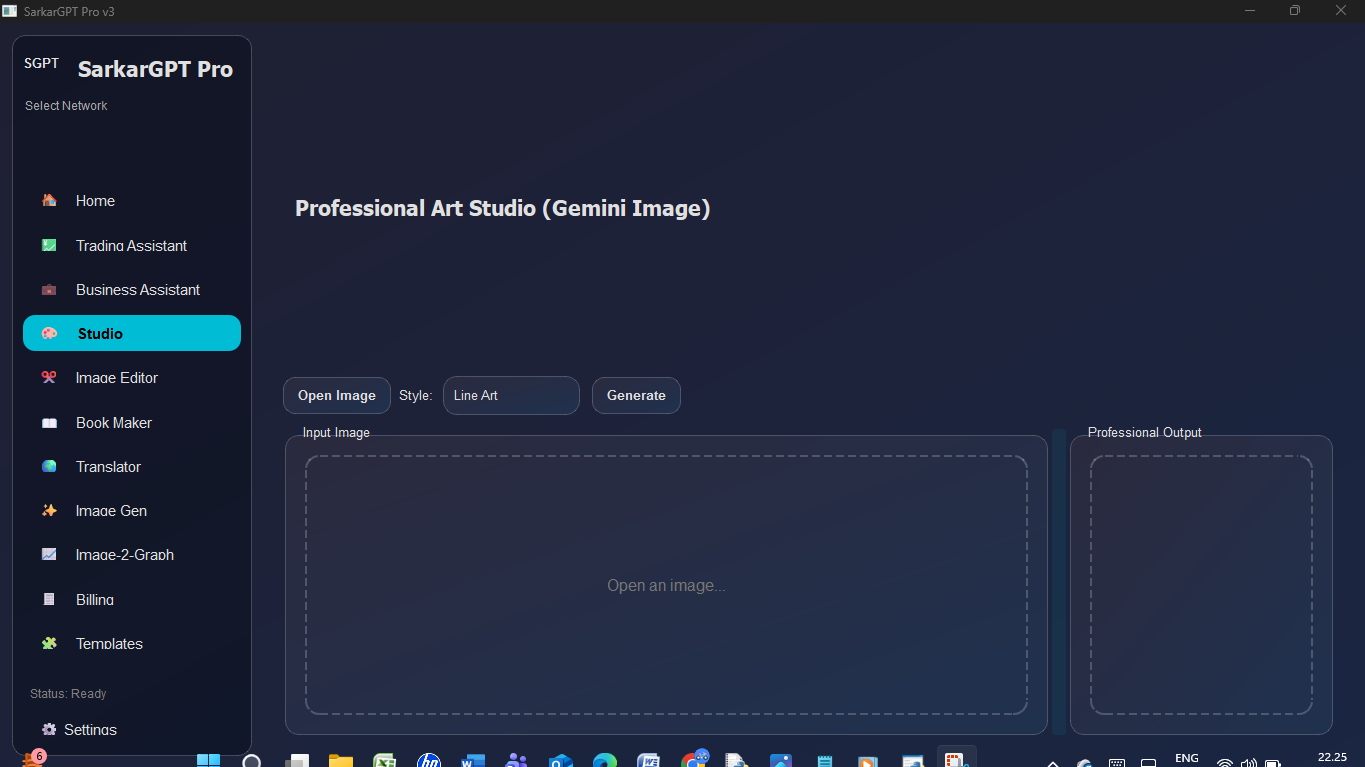
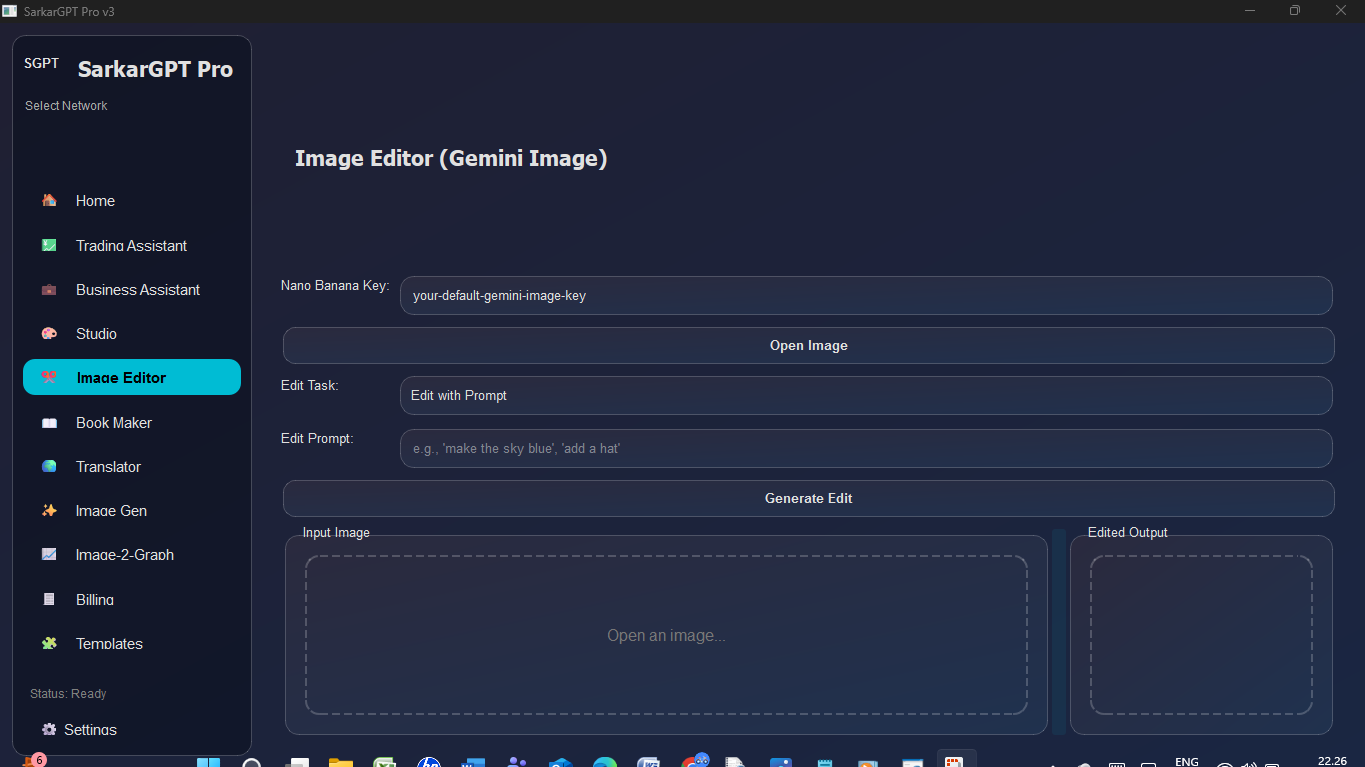
Studio & Image Editor: Uses advanced Gemini image models to perform image-to-image style transfers (e.g., "Ghibli Style," "Line Art"), remove backgrounds, and upscale images.
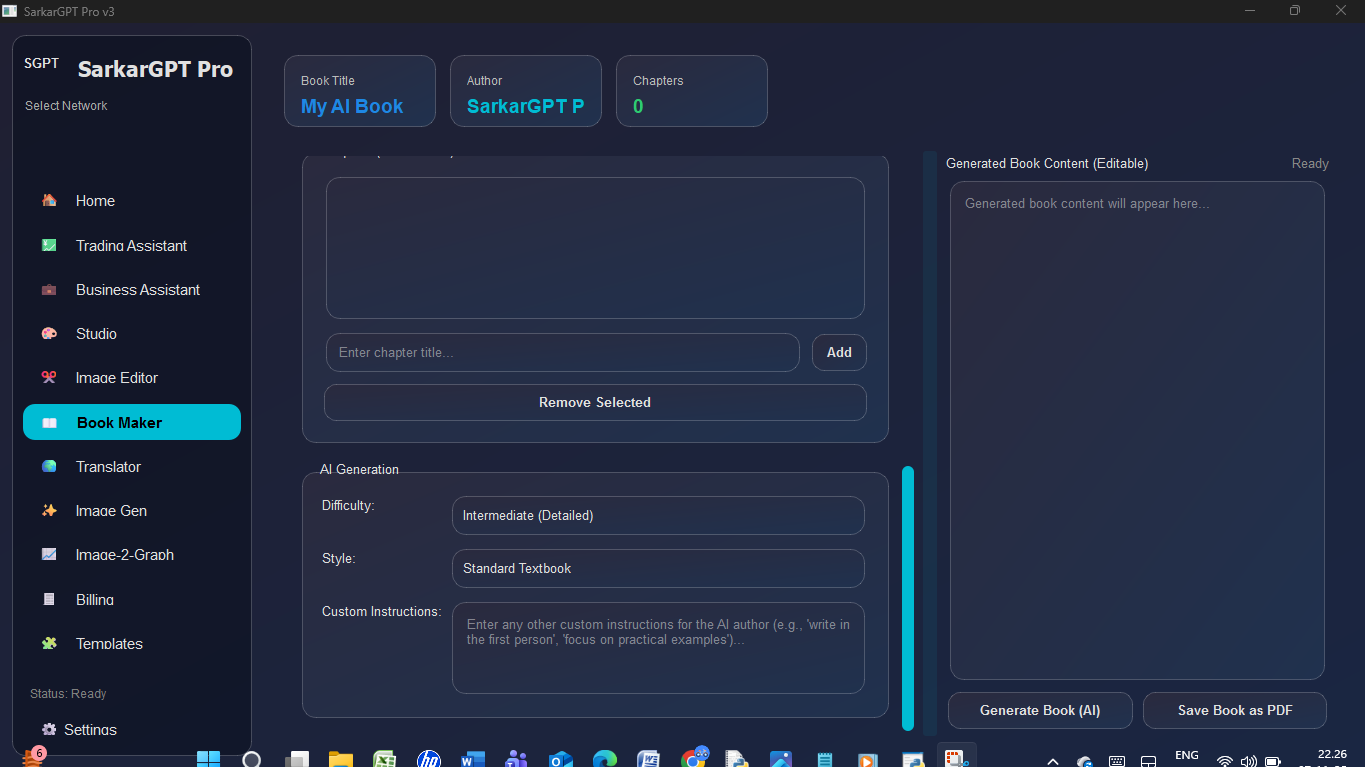
Book Maker: An AI-powered authoring tool that takes a title, chapter outline, and instructions, generates a complete book, and exports it as a professional-grade PDF using reportlab.
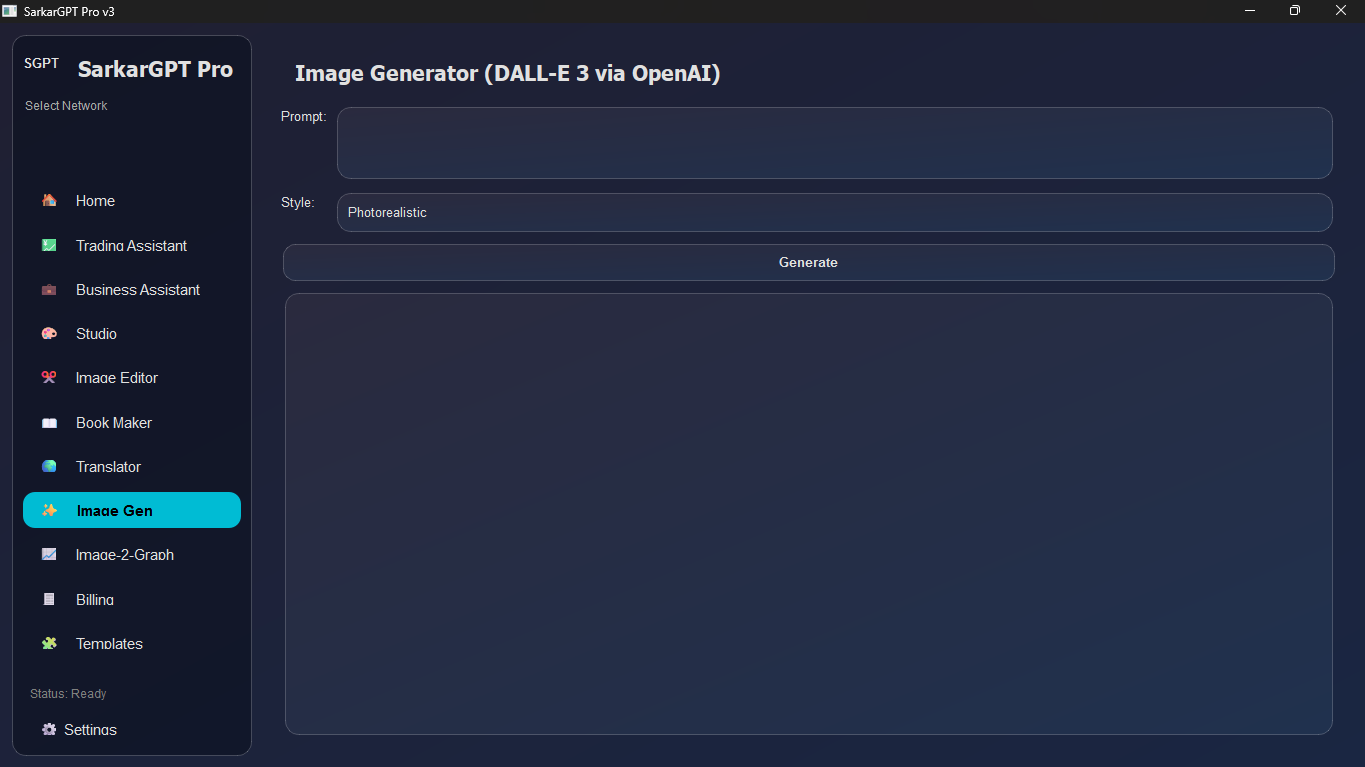
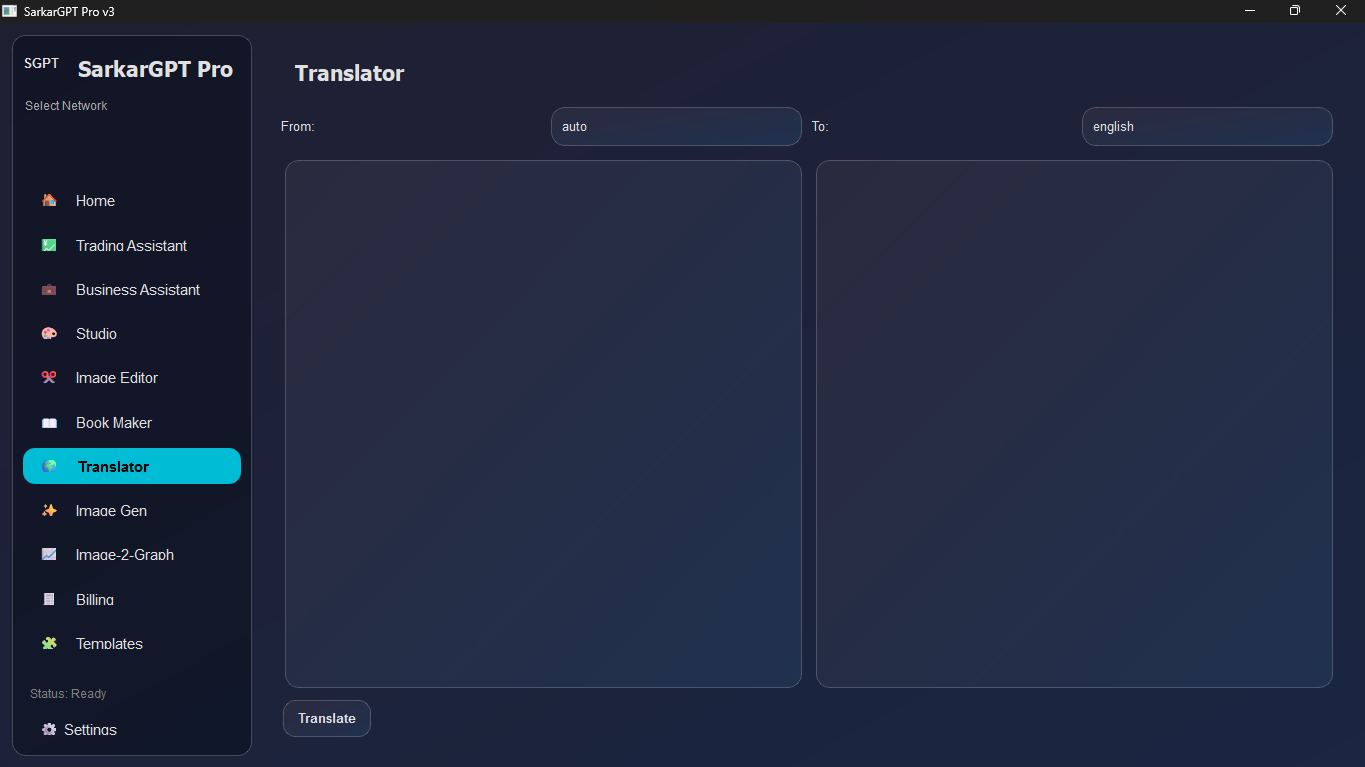
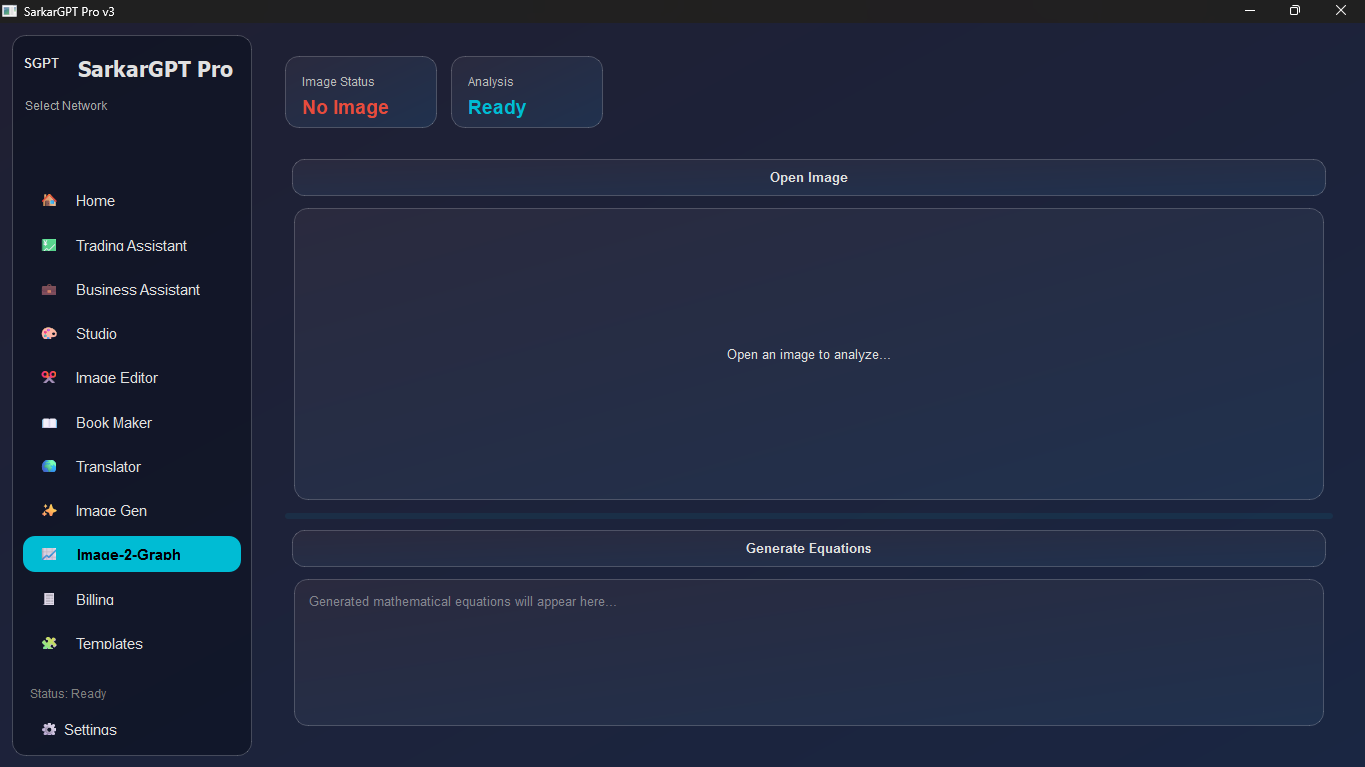
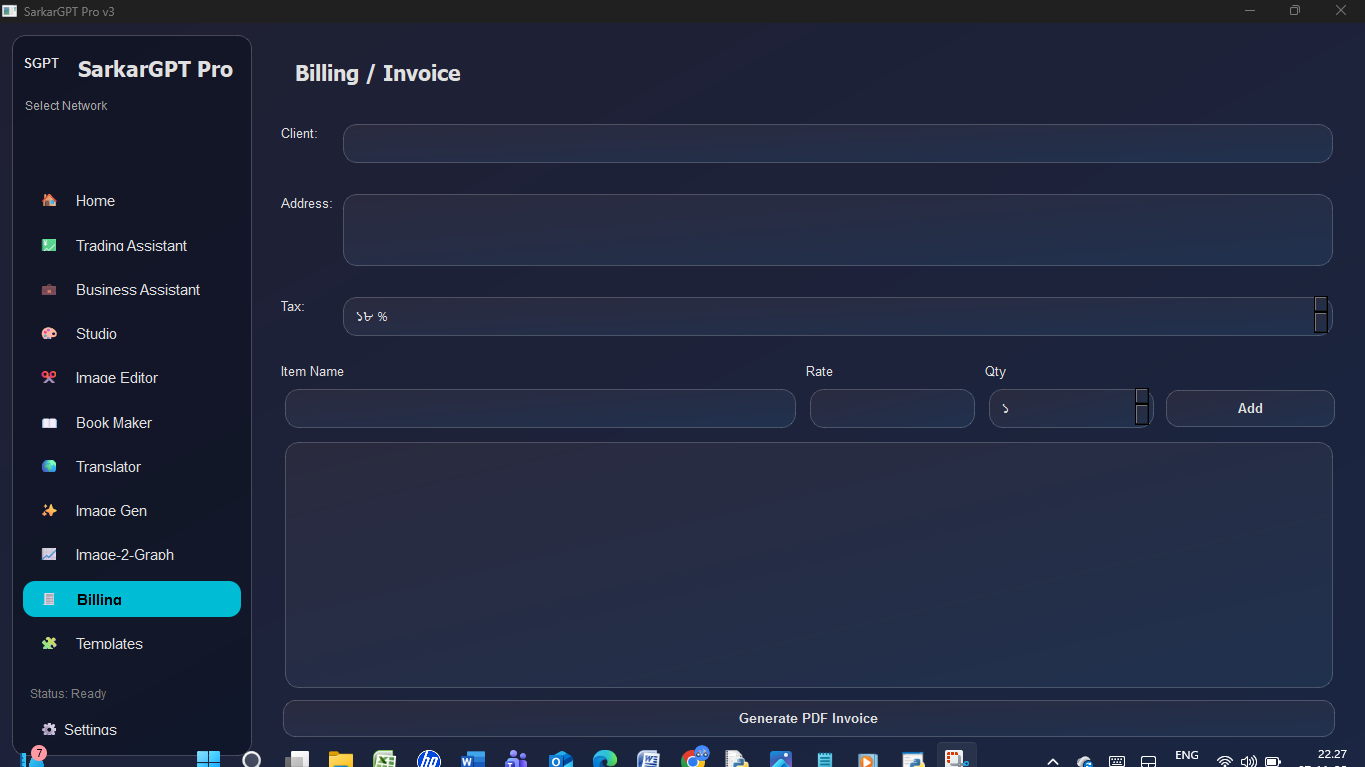
Utility Tools: Includes a DALL-E 3 Image Generator, a multi-language Translator, an Invoice Generator (with PDF export), and a unique "Image-2-Graph" tool that analyzes images and generates the mathematical equations to draw them.
How we built it
SarkarGPT Pro is built entirely in Python with a PyQt6-based GUI.
Core Framework: The application is built on a PyQt6 foundation, using a QStackedWidget to manage the different tool pages and a custom, theme-based styling system with QSS (Qt Style Sheets).
AI Integration: The app connects directly to the REST APIs of multiple providers:
OpenAI (for GPT-4o, GPT-3.5, and DALL-E 3)
Google Gemini (for Gemini 2.5 Pro, Flash, and the image editing/studio models)
Anthropic (for the Claude 3 and 4.1 families)
Perplexity (for its online-enabled Sonar models)
Grok (via its OpenAI-compatible API)
Asynchronous UI: To prevent the user interface from freezing during API calls, the app uses multi-threading. Each API request is sent in a separate threading.Thread, and PyQt's pyqtSignal system is used to safely pass the results back to the main UI thread for display.
Specialized Libraries:
yfinance & mplfinance: Power the Trading Assistant by fetching stock data and rendering candlestick charts.
reportlab: Used for all PDF generation in both the Book Maker and the Billing/Invoice tool.
deep_translator: Provides the translation capabilities.
Pillow (PIL): Used for all image processing, conversions, and preparing images for API calls.
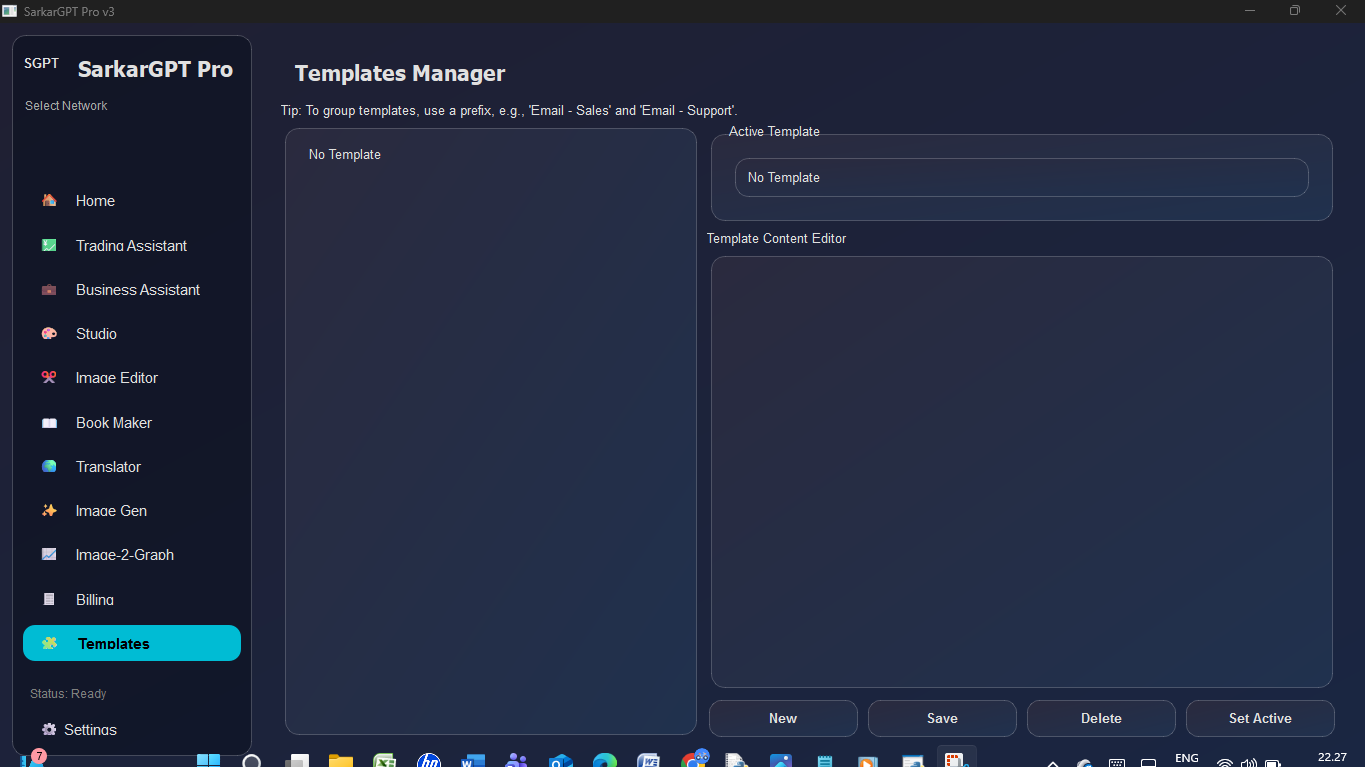
Data Persistence: User preferences, API keys, chat memory, and prompt templates are all saved locally as JSON files, allowing for a persistent, customized experience.
Challenges we ran into
API Aggregation: The biggest challenge was creating a single "wrapper" function (_call_model_api) that could handle the vastly different API request formats, authentication methods, and response structures for OpenAI, Gemini, Anthropic, Perplexity, and Grok, especially for multimodal (image) inputs.
UI Freezing: Early versions of the app would lock up completely while waiting for an AI model to respond. This was solved by implementing a robust multi-threading and signal/slot system, which was complex to debug but essential for a smooth user experience.
Complex Styling: Achieving a modern, non-native "glassmorphism" look in PyQt6 is difficult. It required extensive and meticulous QSS code to create the custom theme engine and ensure all QComboBox, QListWidget, and QFrame elements looked polished and consistent.
Data Integration: Merging data from disparate sources—like yfinance for a graph, OpenAI for text analysis, and PyQt6 for the UI—into a single, cohesive "Trading Assistant" page was a significant architectural challenge.
Accomplishments that we're proud of
The Multi-Model Engine: The ability to select multiple AI models, hit "Send" once, and get comparative answers from GPT-4o, Claude 4.1, and Gemini 2.5 side-by-side is the app's crown-jewel feature.
The "Pro" Tools: We're incredibly proud of the Book Maker and Trading Assistant. They go beyond simple AI wrappers and are genuinely useful, end-to-end applications (from AI-generation-to-PDF and market-data-to-analysis).
The Polished UI: The custom QSS theme engine makes the app look and feel like a modern, professional piece of software, not a default-system-style Python script.
End-to-End Image Workflows: The Studio and Editor tools provide a full pipeline for creative image tasks, from opening a file to performing advanced AI edits (like style transfer and background removal) and seeing the result, all within one app.
What we learned
The Power of API Abstraction: We learned how to design a flexible system that can "abstract away" the differences between many complex APIs, making the rest of the app's logic much simpler.
Advanced PyQt6 Design: This project was a deep dive into building complex, real-world desktop applications with QStackedWidget, QSplitter, and thread-safe signal/slot communication.
The Necessity of Threading: Any desktop app that touches the internet must use multi-threading. We learned how to implement it correctly to keep the UI responsive and fast.
QSS is Powerful: We learned that with enough effort, QSS can be used to create virtually any UI style, giving Qt applications a fully custom, modern feel.
What's next for SarkarGPT Pro
True Response Streaming: Implement true server-side event (SSE) streaming from the APIs. This will allow the AI's response to appear word-by-word in real-time, rather than being displayed only after the full generation is complete.
Voice & Vision Integration: Add speech-to-text (STT) and text-to-speech (TTS) capabilities to make it a full voice assistant. We also want to enable webcam input for real-time visual analysis.
Local Model Support: Integrate with local model runners like Ollama or LM Studio, giving users the option to run open-source models (like Llama 3.1) directly on their own hardware for privacy and offline use.
Plugin Architecture: Re-build the "Tools" pages as a dynamic plugin system. This would allow users (and us) to easily add new tools, like a "Code Interpreter" or "Web Browsing Agent," without having to modify the core application.
Built With
- anthropic-claude-api
- deep-translator
- google-gemini-api
- grok-api
- mplfinance
- openai-api
- perplexity-api
- pillow-(pil)
- pyqt6
- python
- qss
- reportlab
- yfinance

Log in or sign up for Devpost to join the conversation.