-
-
-
-
-
-
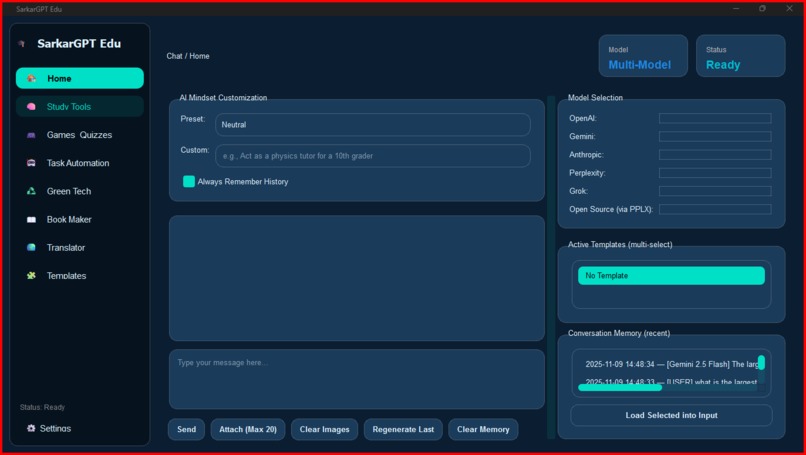
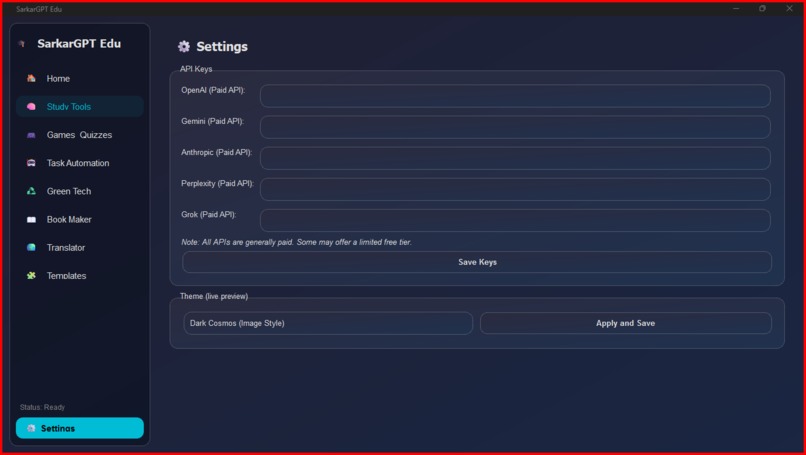
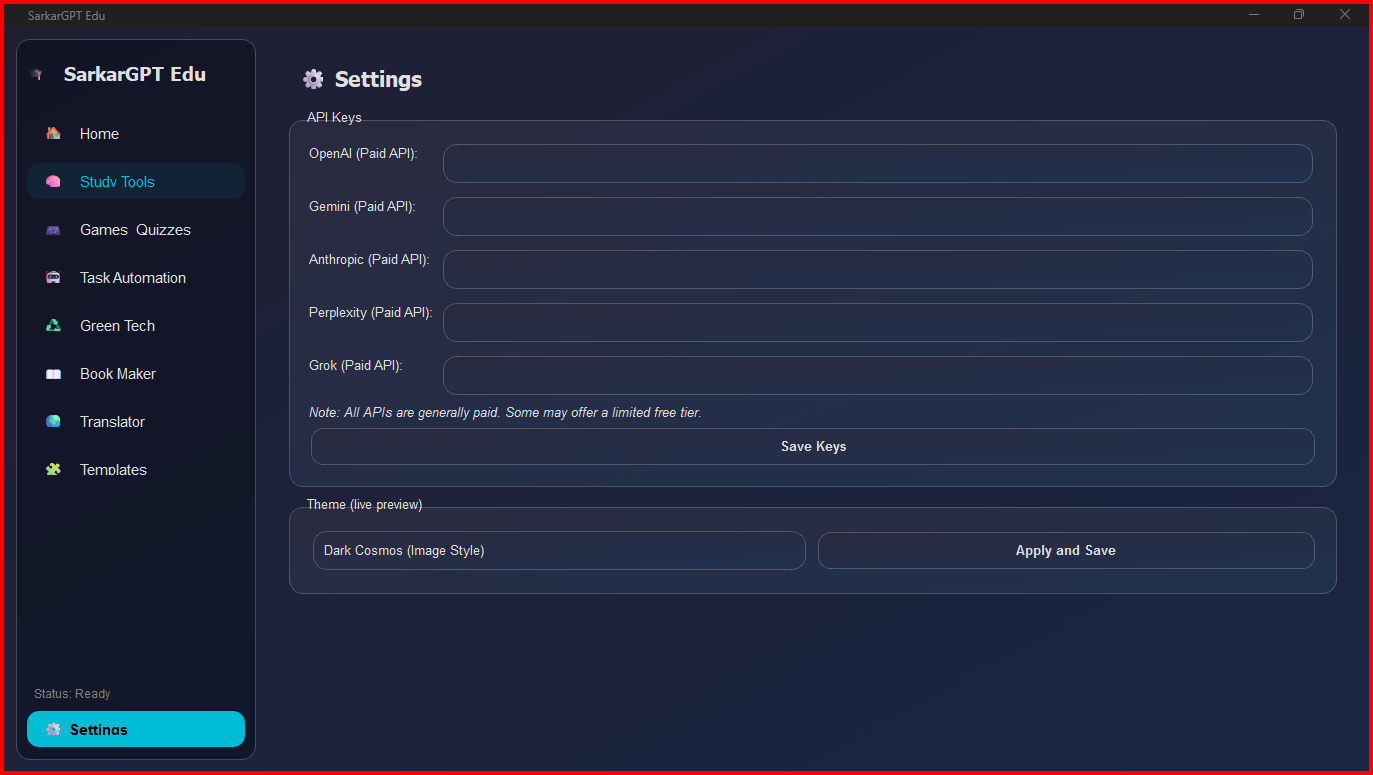
it has 6 different themes
-
-
-
-
-
-
Inspiration
I was inspired to build SarkarGPT Edu because I wanted to create a centralized, powerful learning hub that went beyond a simple chatbot. While web-based AI tools are great, I wanted a persistent desktop application that could not only compare outputs from different AI models (like OpenAI, Google, and Anthropic) side-by-side but also use that AI to power specific, task-oriented educational tools. Instead of just asking an AI to make a quiz, I wanted a tool that would generate the quiz and then let me play it right away
What it does
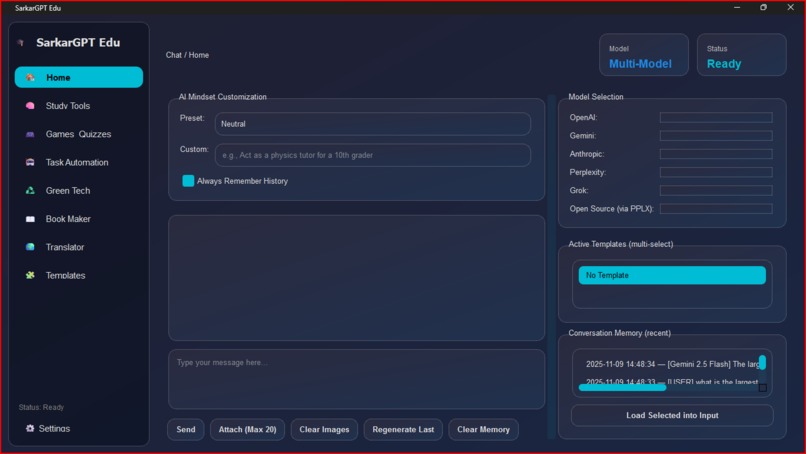
SarkarGPT Edu is a desktop learning assistant that supercharges study habits. It's an all-in-one application that:
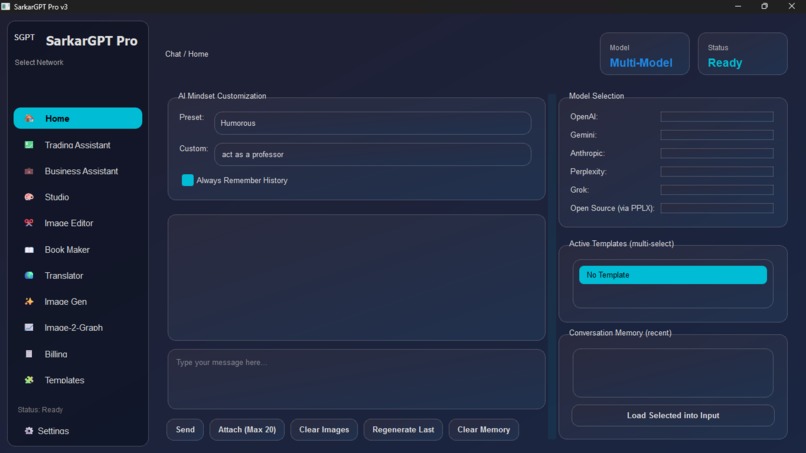
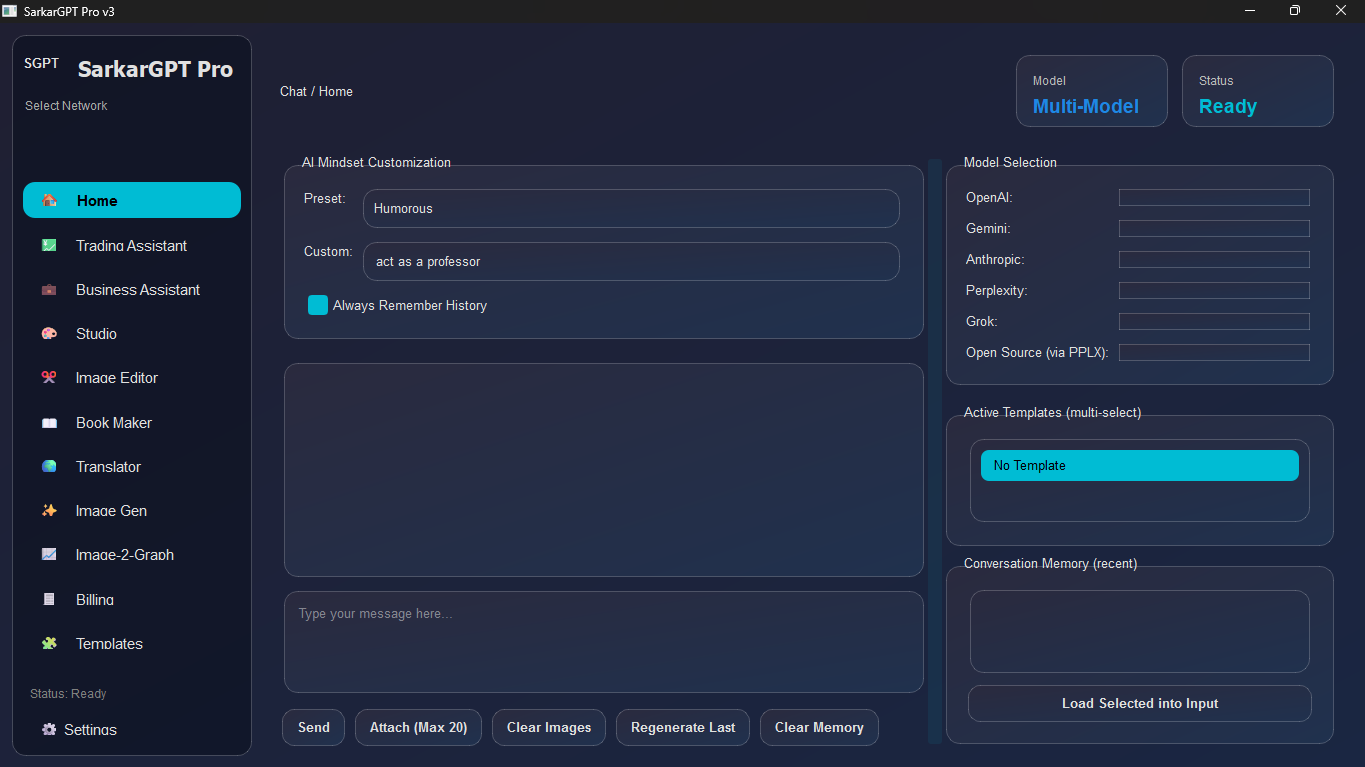
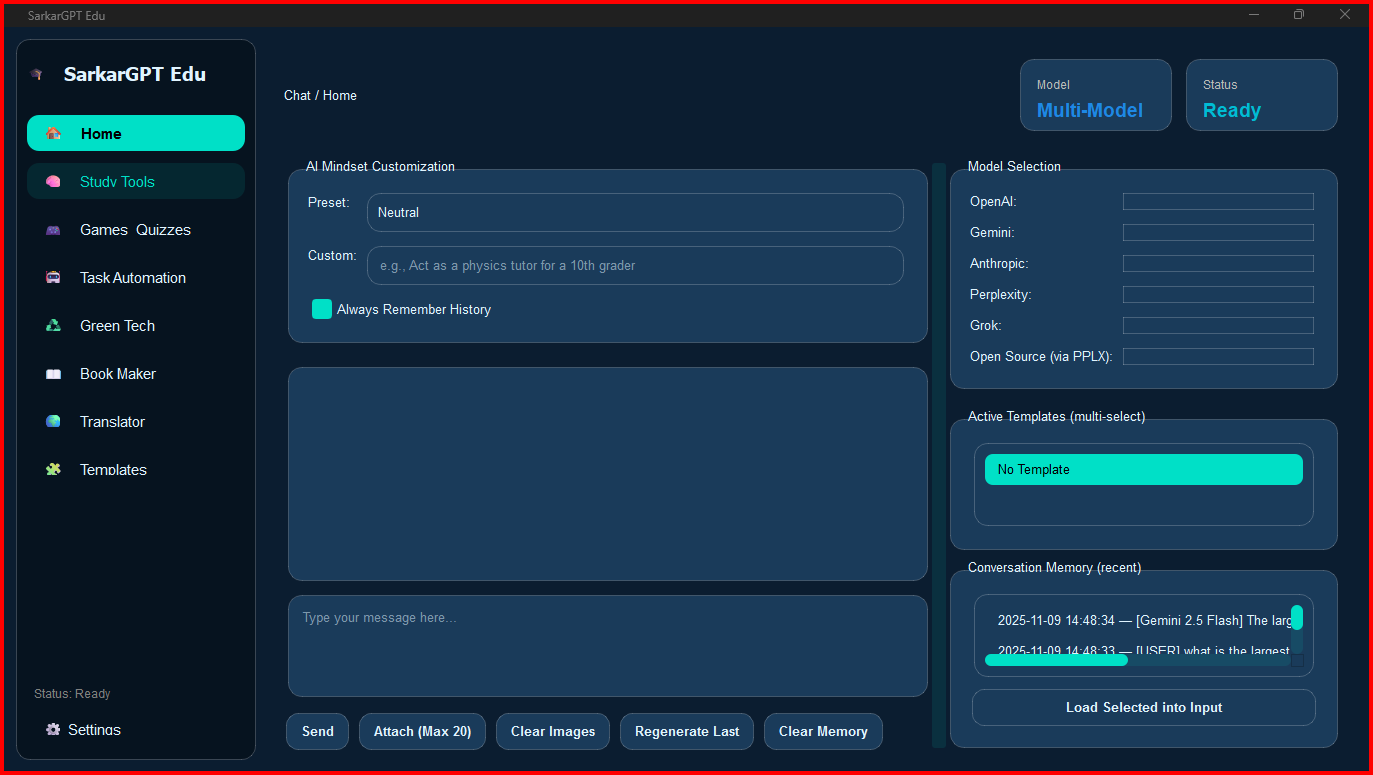
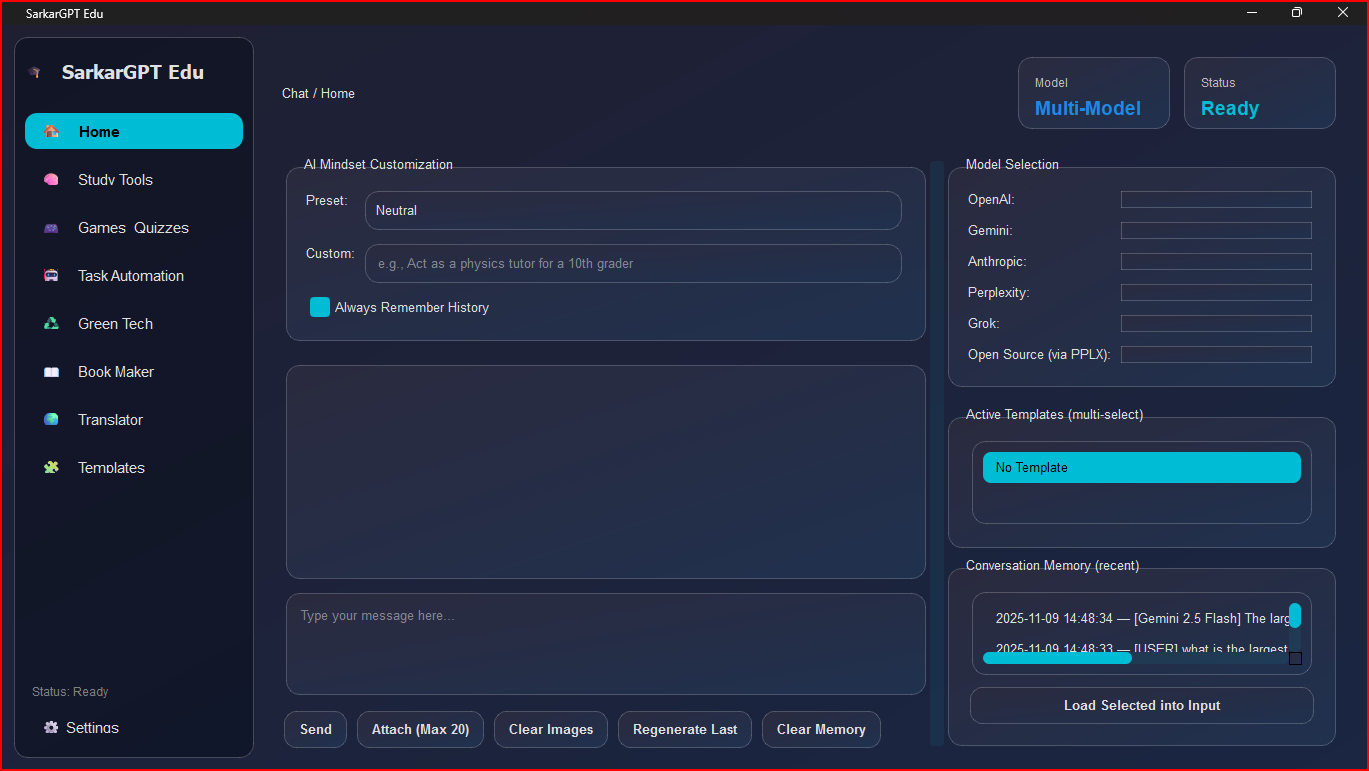
Combines multiple AIs: Users can chat with and compare responses from top AI models like GPT-4o, Gemini 2.5, Claude 3, and more, all in one window.
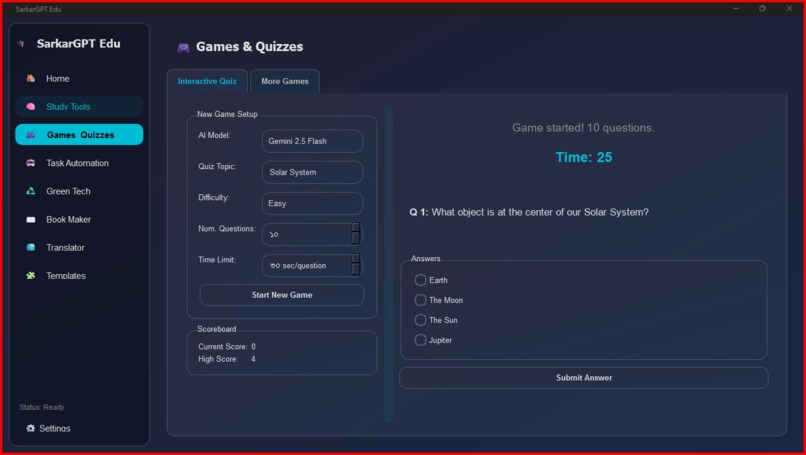
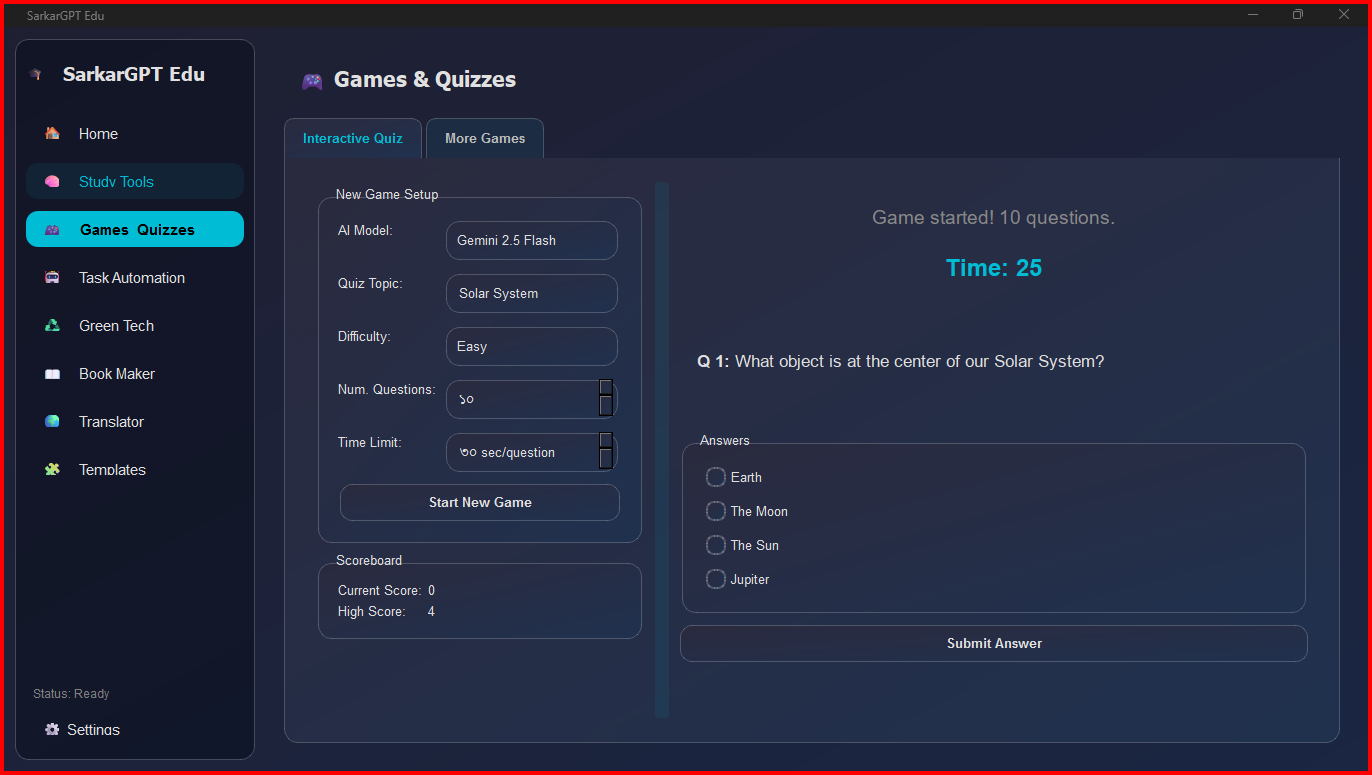
Generates Interactive Quizzes: You can ask the AI to create a quiz on any topic, and the app will build a timed, playable quiz game from the AI's response.
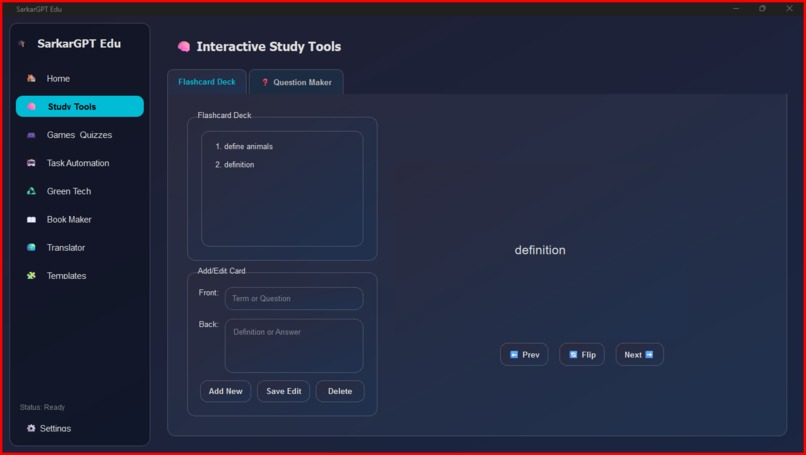
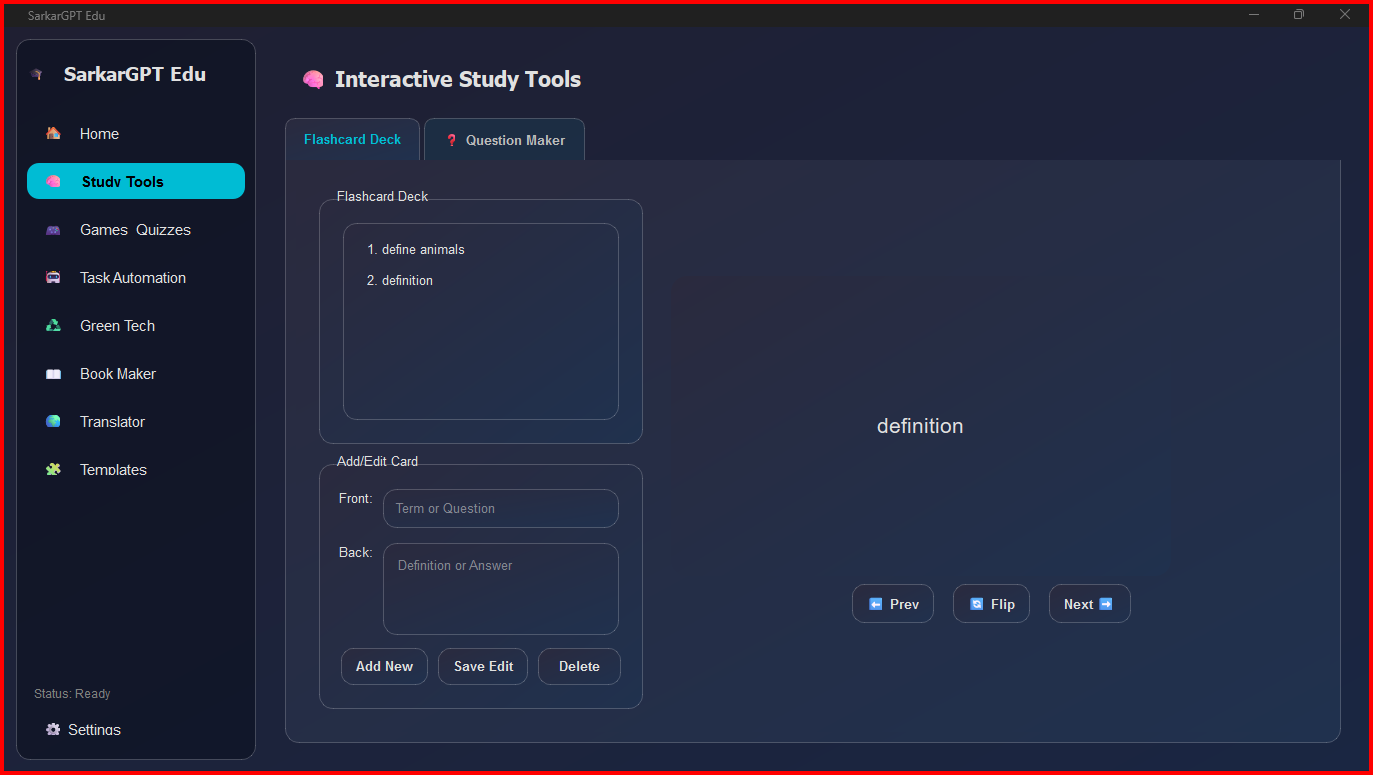
Builds Study Decks: It includes a full flashcard creator and viewer, allowing users to build and study their own decks.
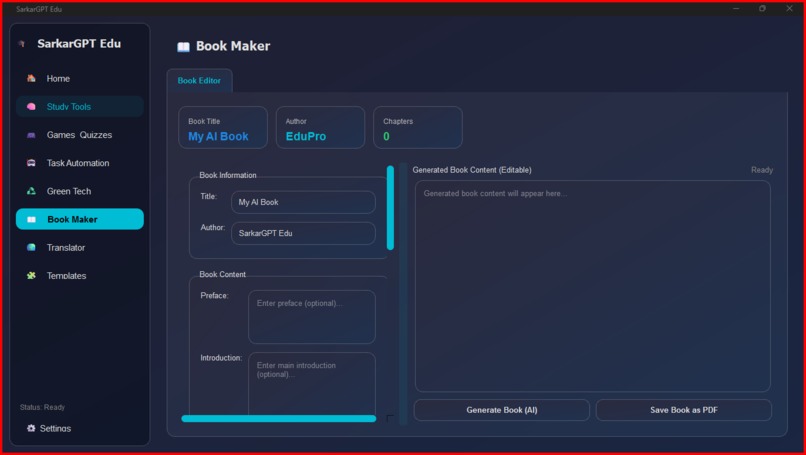
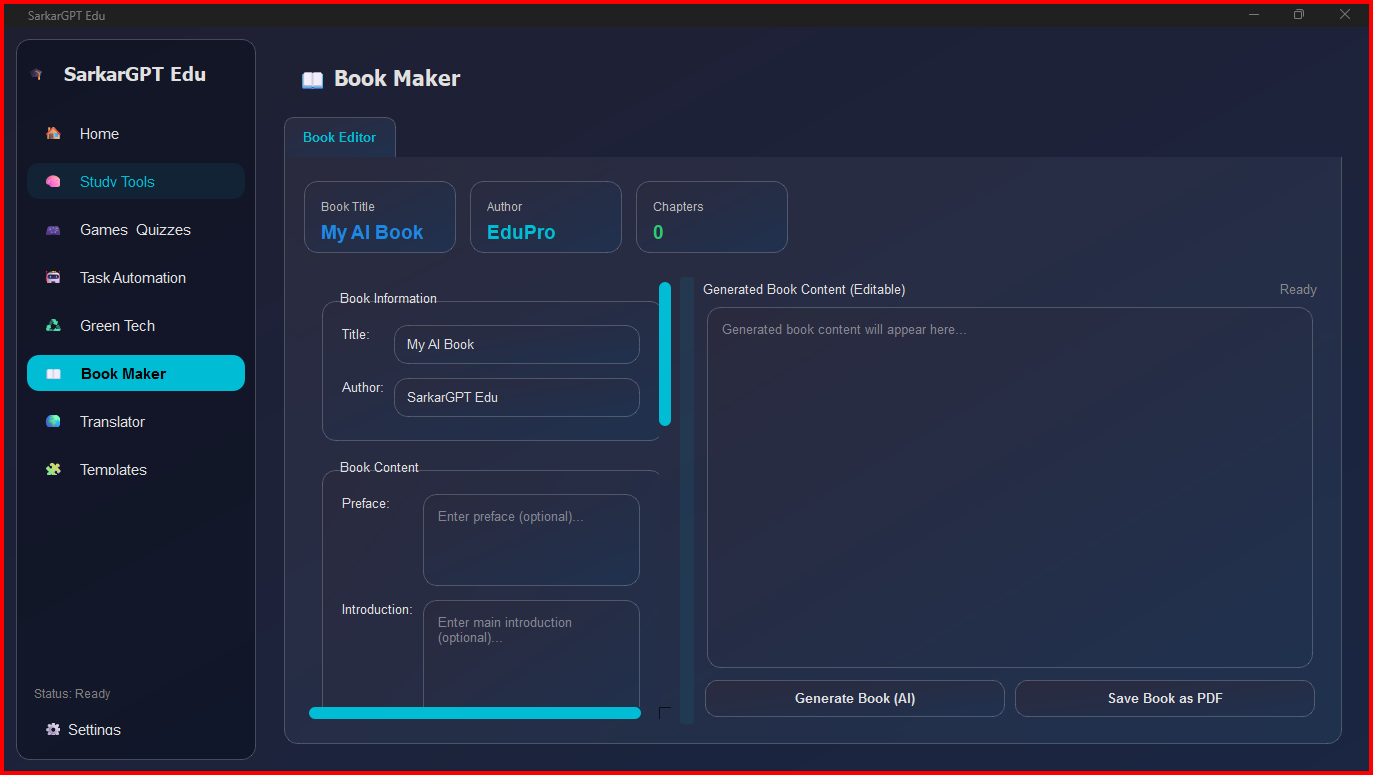
Writes E-books: The "Book Maker" tool uses AI to write a complete, multi-chapter e-book on any subject, which can then be saved as a PDF, complete with a title page and headers.
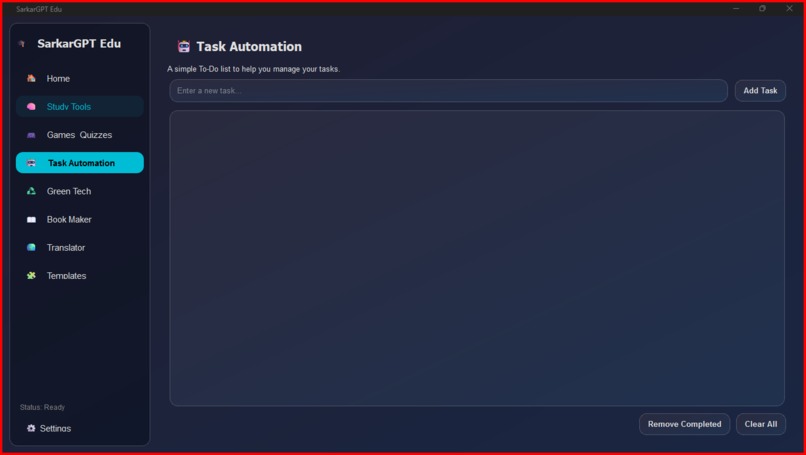
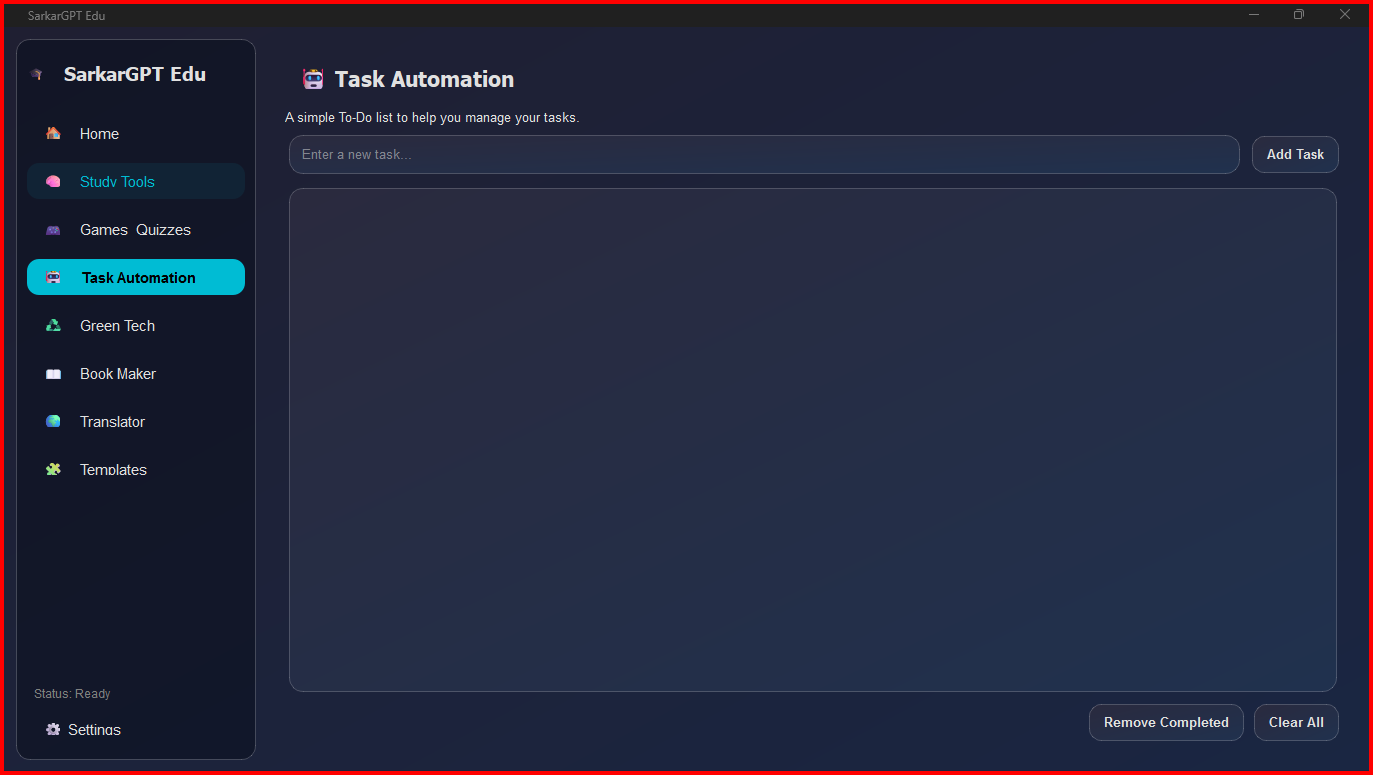
Manages Tasks: A simple to-do list is built-in to help manage study tasks and assignments.
How we built it
The entire application is built in Python using the PyQt6 framework for the graphical user interface.
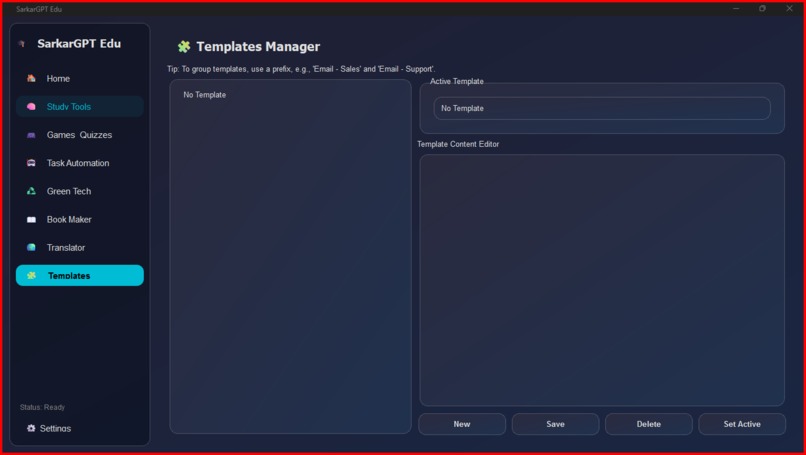
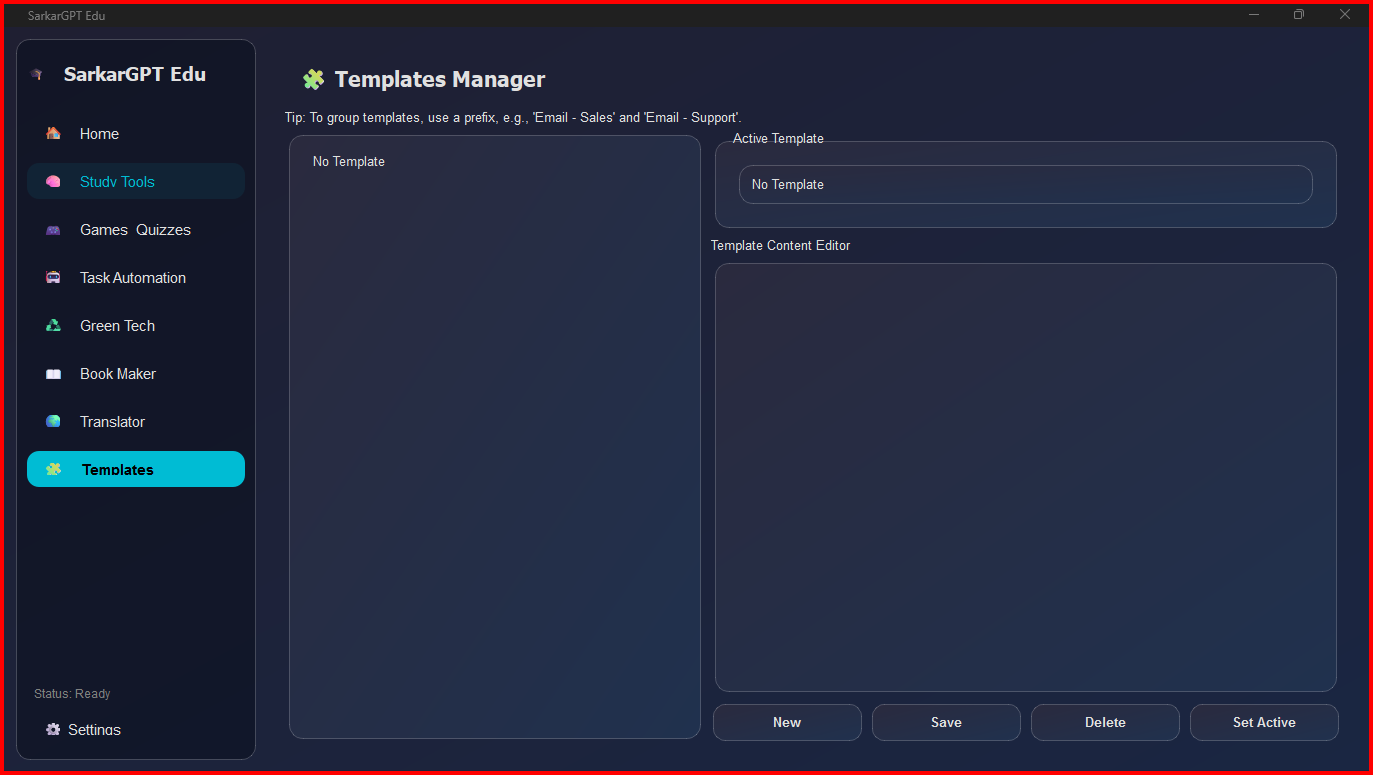
Core Structure: The app is built around a QStackedWidget that manages the different "pages" or modules (Chat, Study Tools, Games, Book Maker, Settings). A custom-styled sidebar allows for easy navigation.
Multi-Model AI Chat: The chat interface queries multiple AI APIs simultaneously. It uses the requests library to call the Gemini, Anthropic, and Perplexity APIs, and the openai library for the OpenAI and Grok APIs. A queue system sends the user's prompt to each selected model sequentially and streams the responses back.
Educational Tools:
Book Maker: This tool constructs a detailed prompt for an AI (GPT-4o-mini) to write a book in Markdown. The reportlab library is then used to programmatically generate a multi-page PDF from that text.
Interactive Quiz: This tool instructs the AI to generate questions in JSON format. The app parses this JSON to get the questions, options, and correct answers, then runs a timed quiz game.
Study Tools: The Flashcard and To-Do list widgets persist data locally by saving and loading from flashcards.json and tasks.json files.
Data Persistence: All user data—API keys, chat history, preferences, tasks, and flashcards—is saved locally in a SarkarGPT_Data directory using simple JSON files.
Built with
Core: Python
GUI: PyQt6
AI APIs: OpenAI, Google Gemini, Anthropic Claude, Perplexity, Grok
PDF Generation: ReportLab
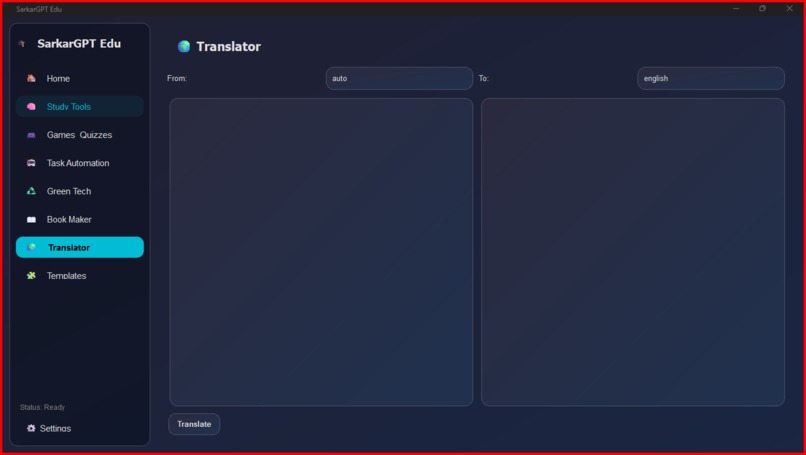
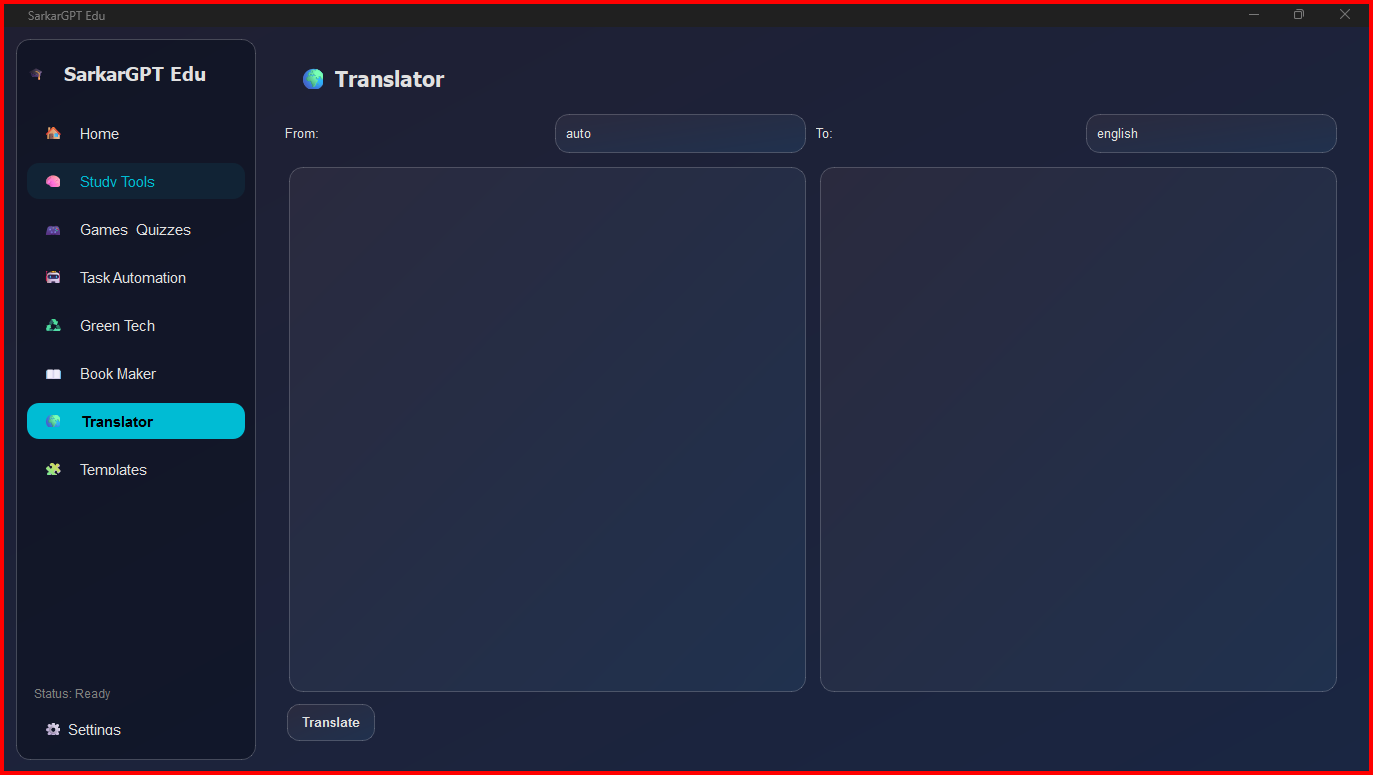
Translation: deep-translator
HTTP Requests: Requests
Image Handling: Pillow (PIL)
Data Storage: JSON
Challenges we ran into
The biggest challenge was managing asynchronous API calls within a synchronous UI framework like PyQt. Making an API call can take several seconds, which would freeze the entire application.
To solve this, we used Python's threading module for all API calls. When a user sends a message or requests a quiz, the AI call is made on a separate worker thread. When that thread receives a response, it emits a PyQt Signal (pyqtSignal) with the data. The main UI thread listens for these signals and safely updates the UI, which keeps the application responsive at all times.
Another challenge was reliably parsing the AI's output. For the quiz game, we had to specifically instruct the AI to respond only in JSON format. This was crucial for making the data machine-readable, though it still required error handling and text cleaning.
Accomplishments that we're proud of
We are proud of successfully building a multi-featured, responsive desktop application that is more than just a simple AI wrapper. Our main accomplishments are:
Solving the Asynchronous UI Problem: Implementing the thread-and-signal system to handle multiple, simultaneous, long-running API calls without freezing the UI was a major success.
True AI Integration: We didn't just build a chatbot. We're proud of integrating AI as a content engine for specific, useful tools like the PDF Book Maker and the playable Quiz Generator.
Building a Flexible Multi-Model Client: We successfully created an interface that can query and display responses from five different AI providers, each with its own unique API format.
Delivering a Complete, Persistent App: The application feels like a real product by saving all user data (keys, history, flashcards) locally, making it genuinely useful for a returning user.
What we learned
This project taught us a massive amount about building a full-featured desktop application from scratch.
PyQt6 Mastery: We learned how to manage complex layouts, create custom-styled widgets (using QSS), and handle navigation between multiple screens.
Asynchronous UI Design: We gained a deep understanding of using threads and signals (pyqtSignal) to build a responsive UI that communicates with slow, external services.
Task-Oriented AI: We learned that the real power of AI is unlocked when you integrate it into specific tools, turning a "chatbot" into a "Quiz Maker" or "Book Writer."
API Integration: We learned how to build a flexible client that can interface with multiple different AI services and normalize their responses.
What's next for SarkarGPT Edu - Your ultimate assistant
We have a lot of ideas for the future of SarkarGPT Edu. Our next steps include:
More Study Tools: Adding new modules like a Spaced-Repetition System (SRS) for flashcards and a document summarizer.
Cloud Sync: Integrating with a service like Firebase to allow users to sync their flashcards, tasks, and preferences across multiple devices.
More Game Modes: Expanding the "Games & Quizzes" section with new game types, such as "Fill-in-the-Blank" or "Matching," all powered by AI-generated content.
Deeper AI Automation: Adding tools to analyze uploaded documents (PDFs, .txt) and automatically generate study guides, summaries, or quizzes based on them.
Improved UI/UX: Continuing to refine the theme engine and add more user-requested quality-of-life features.
Built With
- ai
- anthropic-api
- artificial-intelligence
- chatbot
- claude-3.5-haiku
- claude-4.1
- deep-translator
- desktop-app
- edutech
- gemini-2.5-flash
- gemini-2.5-pro
- gemini-api
- google-translate-api
- gpt-4o
- gpt-4o-mini
- grok-api
- image-processing
- json
- llama-3.1
- multi-api
- openai-api
- pdf-generation
- perplexity-api
- pil
- pillow
- pyqt6
- python
- python-gui
- python-project
- qss
- reportlab
- sarkargpt


Log in or sign up for Devpost to join the conversation.