Inspiration
The inspiration came from observing the friction between decision-makers and their data. While SAP Business One is a powerhouse of information, retrieving specific line-item history—like purchase price trends—often requires technical knowledge of OData filters or SQL.
My goal was to build a "Thinking Agent" that doesn't just fetch data but understands the context of a business transaction. If a user wants to create a Purchase Order, the agent should know to check the preferred vendor, verify the last price, and—crucially—post it as a Draft to ensure human-in-the-loop validation.
What it does
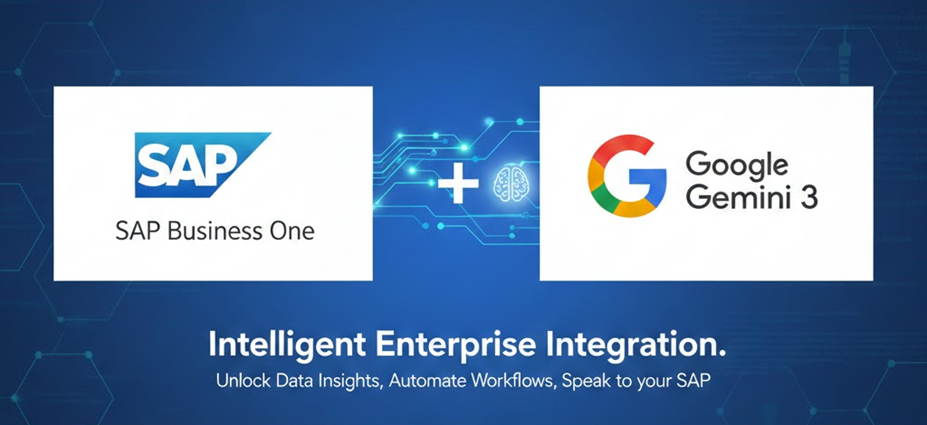
The Intelligent Enterprise Bridge acts as a real-time conversational interface for SAP Business One. It eliminates the need for manual navigation through complex ERP menus by providing three core capabilities:
Deep Inventory & Pricing Insights: Using advanced OData Cross-Join logic, it can "reach inside" document lines to find historical pricing trends. Users can ask, "What was the last price we paid for item X?" and the agent will join PurchaseInvoices with DocumentLines, sorting by the most recent DocDate to provide an exact figure.
Draft Transaction Automation: The agent can prepare business documents like Purchase Orders, Sales Orders, and Invoices. To maintain data integrity, all AI-generated transactions are posted to the Drafts resource. This allows the AI to handle the data entry while leaving the final approval to a human professional.
Proactive Error Resolution: Instead of displaying cryptic SAP error codes (like -2028), the agent interprets the Service Layer's response and explains it in plain language—such as "That vendor code doesn't exist" or "We are out of stock in the general warehouse."
How we built it
The architecture is built on a modern "Agentic" stack:Frontend: A React application featuring a live connection dashboard and a dynamic table flattener that handles complex ERP cross-joins.Backend: FastAPI serving as the orchestrator, handling session persistence and security.Intelligence: Google Gemini 3 (Flash Preview) utilizing Function Calling (Tools) to interact with the SAP Service Layer.Communication: A custom SAP Service Layer Client designed to handle legacy SSL protocols and automatic session re-authentication.One of the key technical implementations was moving from standard OData GET requests to the SAP QueryService. Standard line-item filtering in SAP can be represented by the cross-join logic:
$$\text{Result} = \text{QueryService}(\text{Path} = \$crossjoin(A, B), \text{Option} = \$filter(A/Key \text{ eq } B/Key))$$
This ensures that even complex searches for specific items within thousands of invoices remain performant and accurate.
Challenges we ran into
Building a bridge between a modern AI and a legacy-aligned ERP system presented unique hurdles:Protocol Mismatches: SAP Service Layer often uses older TLS versions. I had to implement a custom LegacyAdapter in Python to lower the security level specifically for the ERP handshake:
$$\text{Security Level} = 0 \rightarrow \text{Allow TLS 1.0/1.1}$$
Context Management: Reasoning models like Gemini 3 often "think" out loud. I had to develop a robust filtering system to separate the AI's internal monologue from the professional summary sent to the user.Data Flattening: SAP’s Cross-Join service returns highly nested JSON. I built a recursive flattener in the React frontend to transform complex entity mappings into readable, sortable tables for the end-user.
Accomplishments that we're proud of
Solving the "SSL Handshake" Hurdle: One of our biggest wins was engineering a custom LegacyAdapter for Python's urllib3. This allowed us to maintain modern security standards in our app while safely communicating with SAP servers that require legacy TLS protocols (TLS 1.0/1.1).Zero-Latent Re-authentication: We successfully implemented a transparent re-login loop. If the SAP session token expires mid-conversation, the system intercepts the 401 Unauthorized error, performs a background login, and completes the original user request without the user ever seeing a "Session Expired" message.The Smart Flattener: We take pride in our React data-processing engine. It can take the highly complex, nested JSON structure returned by the SAP Query Service and dynamically flatten it into a clean, human-readable table:
$$\text{UI Row} = { \text{HeaderProps} } \cup { \text{LineProps} }$$
Contextual Reasoning: We moved beyond simple keyword matching. By using Gemini 3's reasoning capabilities, the agent understands the difference between an A/R Invoice (Sales) and an A/P Invoice (Purchase) and automatically maps them to the correct DocObjectCode (13 vs 18).
What we learned
This project taught me that context is king. An AI agent is only as good as the instructions it receives about the domain it operates in. By teaching Gemini the specific DocObjectCodes (e.g., 22 for Purchase Orders, 13 for Sales Invoices), I transformed a general-purpose LLM into a specialized SAP Consultant.I also learned the importance of resilience. In enterprise software, connections drop and sessions expire. Building an "Auto-Login" loop that intercepts 401 errors was the difference between a "cool demo" and a "reliable tool."
What's next for SAP Business One - Gemini Integration
The current version of the Intelligent Enterprise Bridge has proven that AI can handle ERP data with precision. However, the roadmap for the future involves moving from "Reactive" assistance to "Proactive" business intelligence:
Predictive Procurement: We plan to integrate Gemini’s long-context window to analyze 12–24 months of purchase history. By applying time-series analysis within the prompt, the agent could warn users: "Your stock for Item X is low, and based on last year's trends, prices usually increase in March. Should I create a Draft Purchase Order now?"
Multimodal Warehouse Audits: Utilizing Gemini’s vision capabilities via the mobile interface, warehouse workers could take a photo of a physical item or a shipping label. The agent would then automatically match the image to the ItemCode in SAP and initiate a Goods Receipt or Inventory Counting document.
Voice-Activated Field Sales: By leveraging Gemini Live, field sales agents could speak directly to their ERP while driving or on-site with customers. A command like "Hey Gemini, check if we have 50 units of the SM1 robot in the East Warehouse and tell me the best price for Customer C20000" would be processed entirely hands-free.
Automated Tax & Compliance Mapping: Future iterations will include a more robust mapping of international tax codes and localization rules. By feeding the SAP Metadata into the agent's vector memory, it will be able to suggest the correct TaxCode for cross-border transactions automatically, reducing the risk of human error in accounting.
Built With
- google-cloud
- node.js
- python
- sapbusinessone

Log in or sign up for Devpost to join the conversation.