-
-
Homepage
-
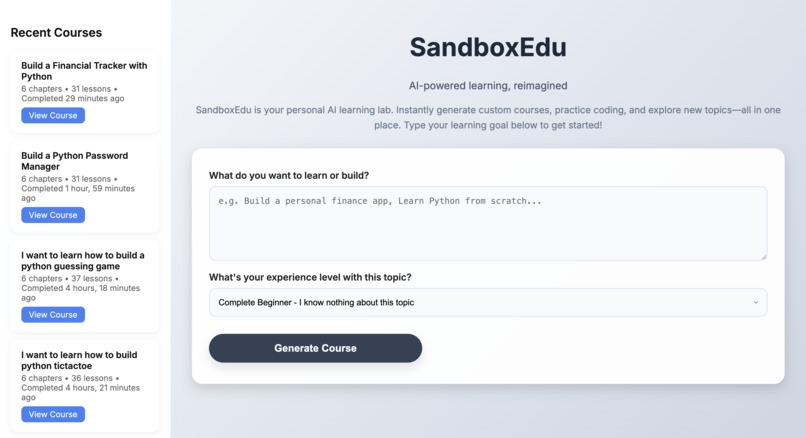
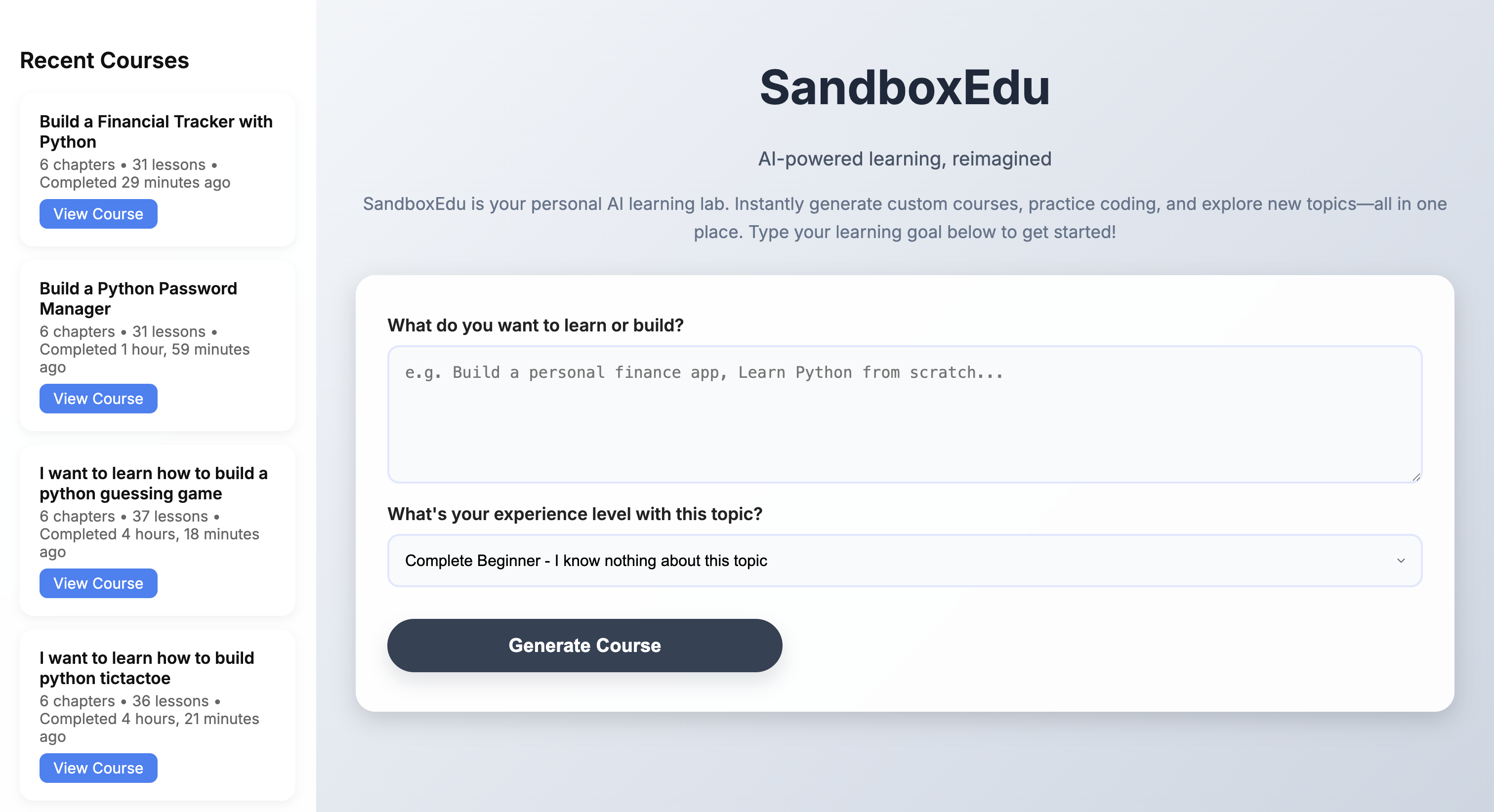
Course Generation Page
-
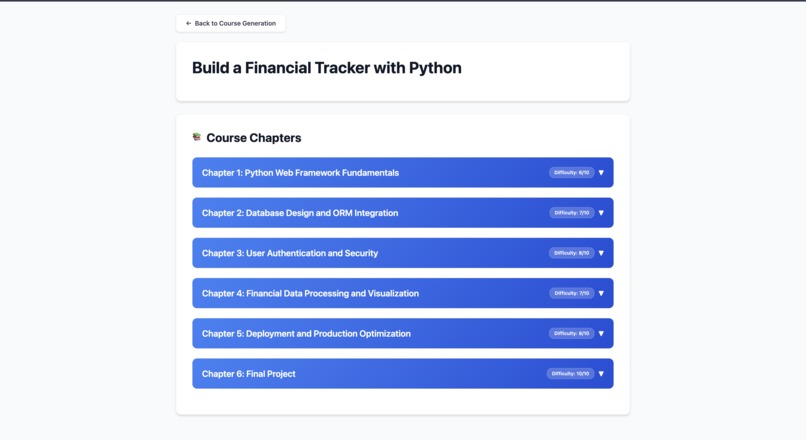
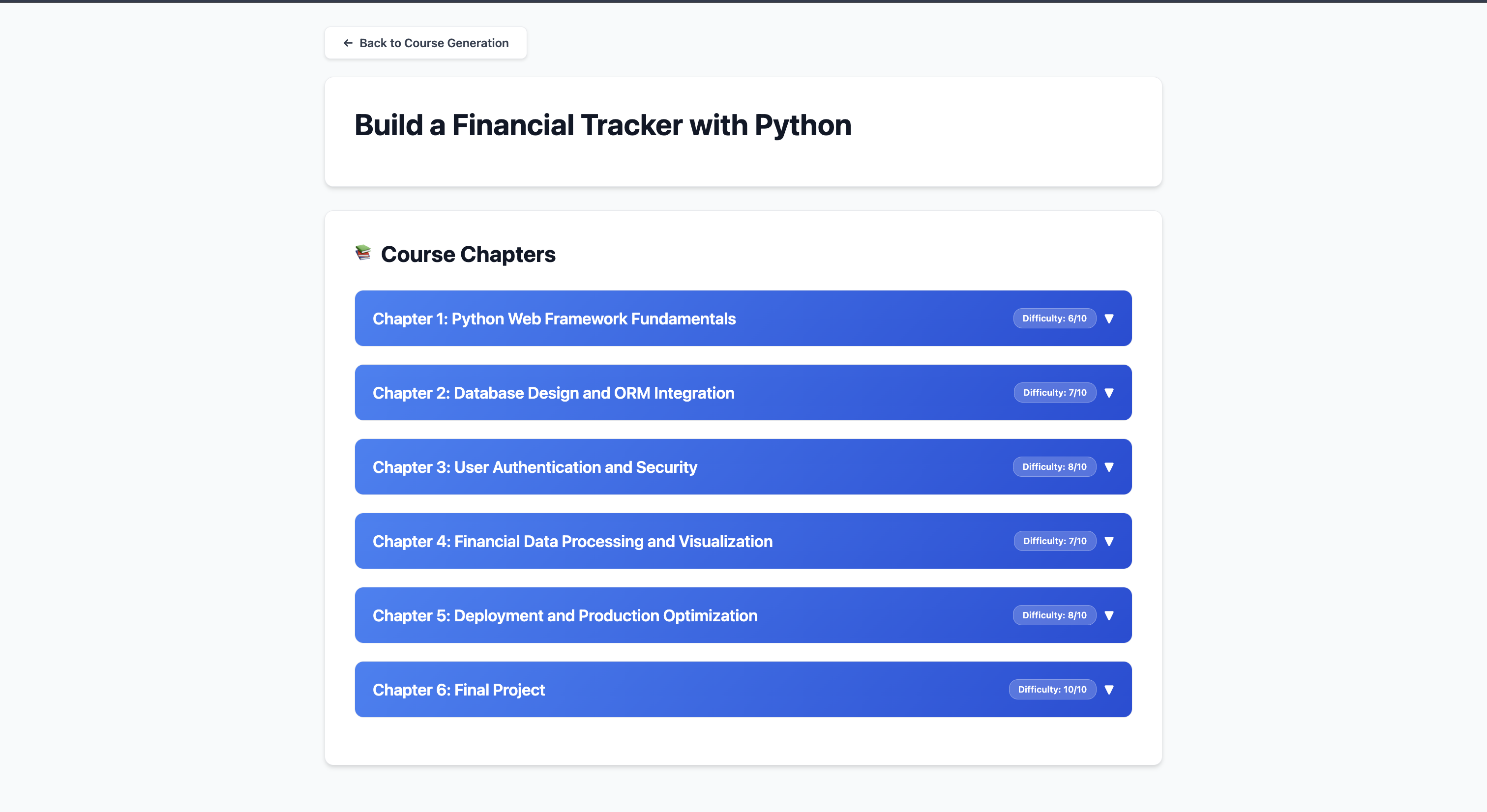
Course View Page
-
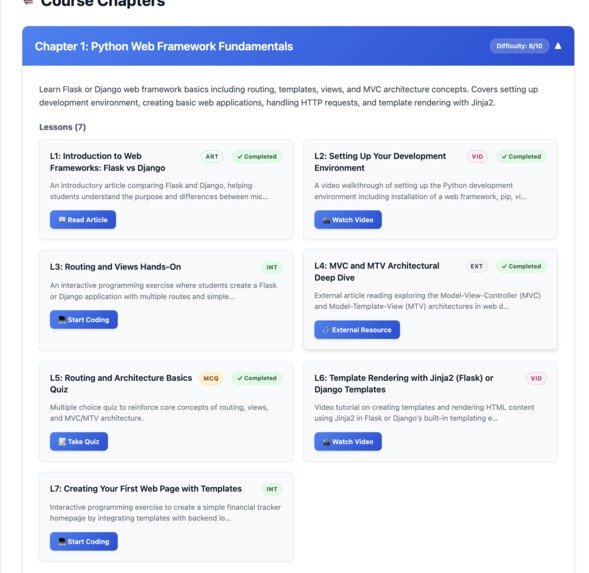
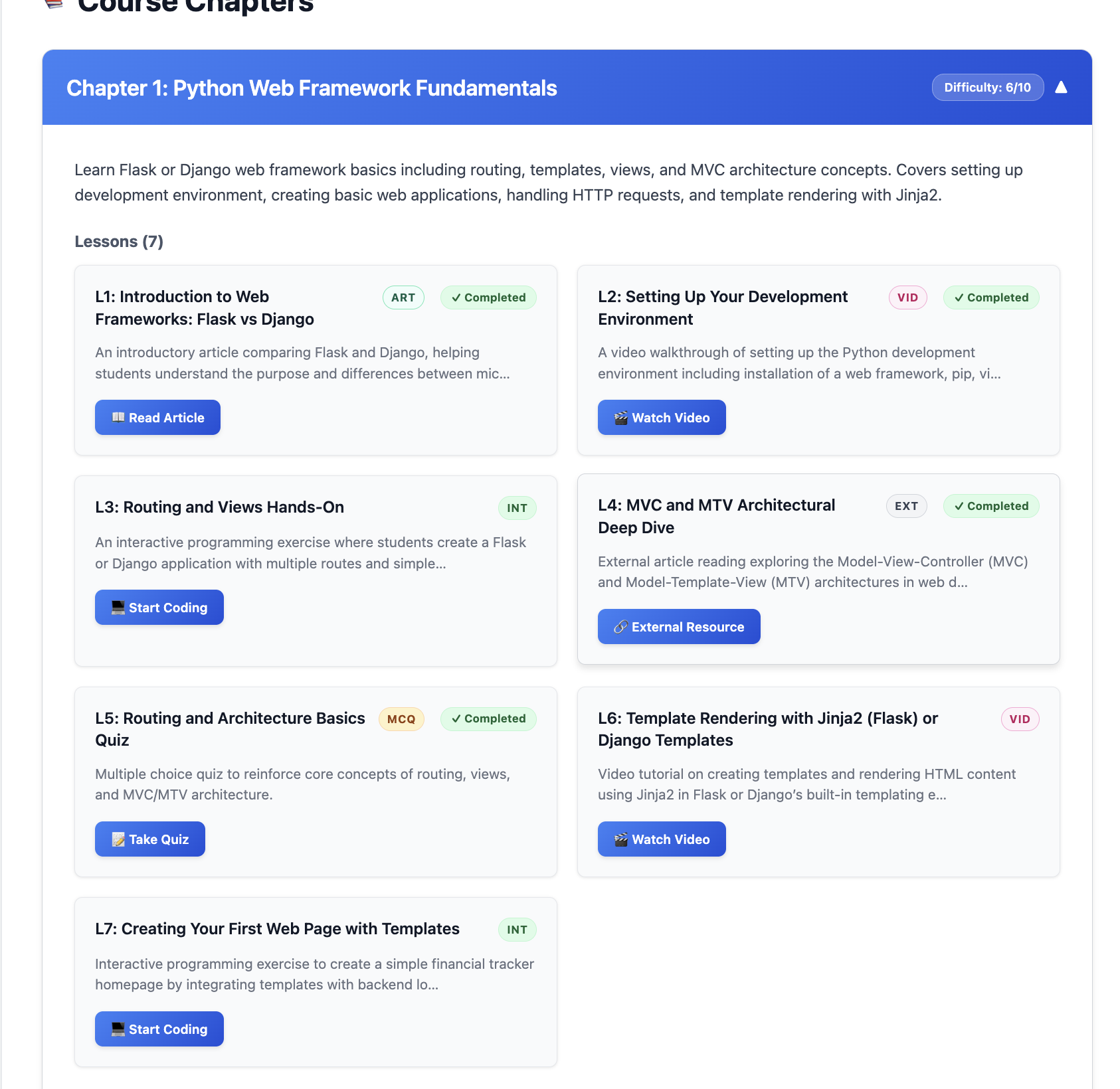
Chapter View
-
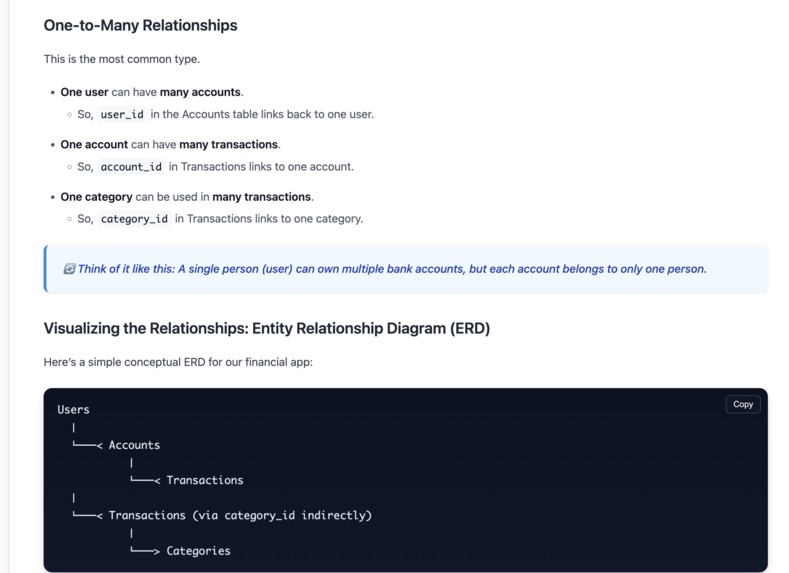
Example AI reading
-
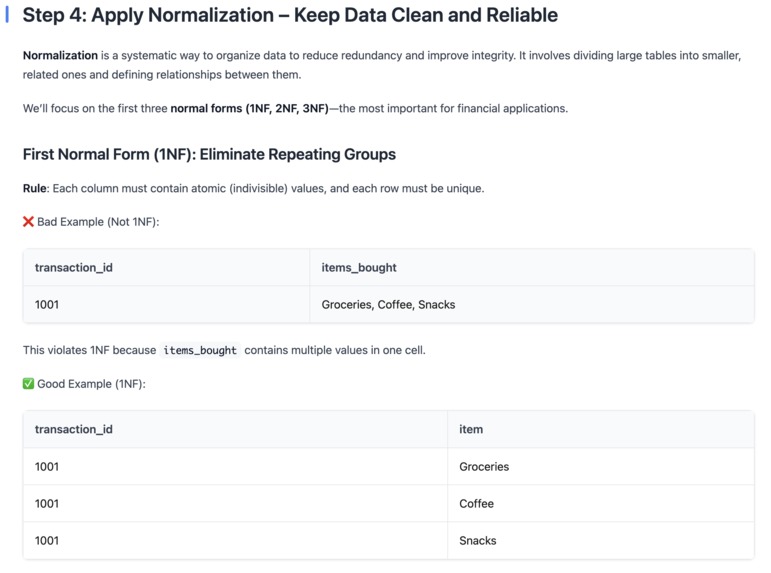
Example AI reading 2
-
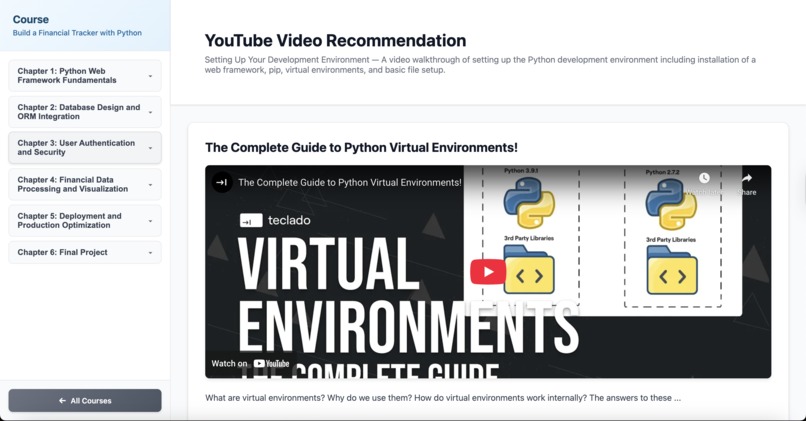
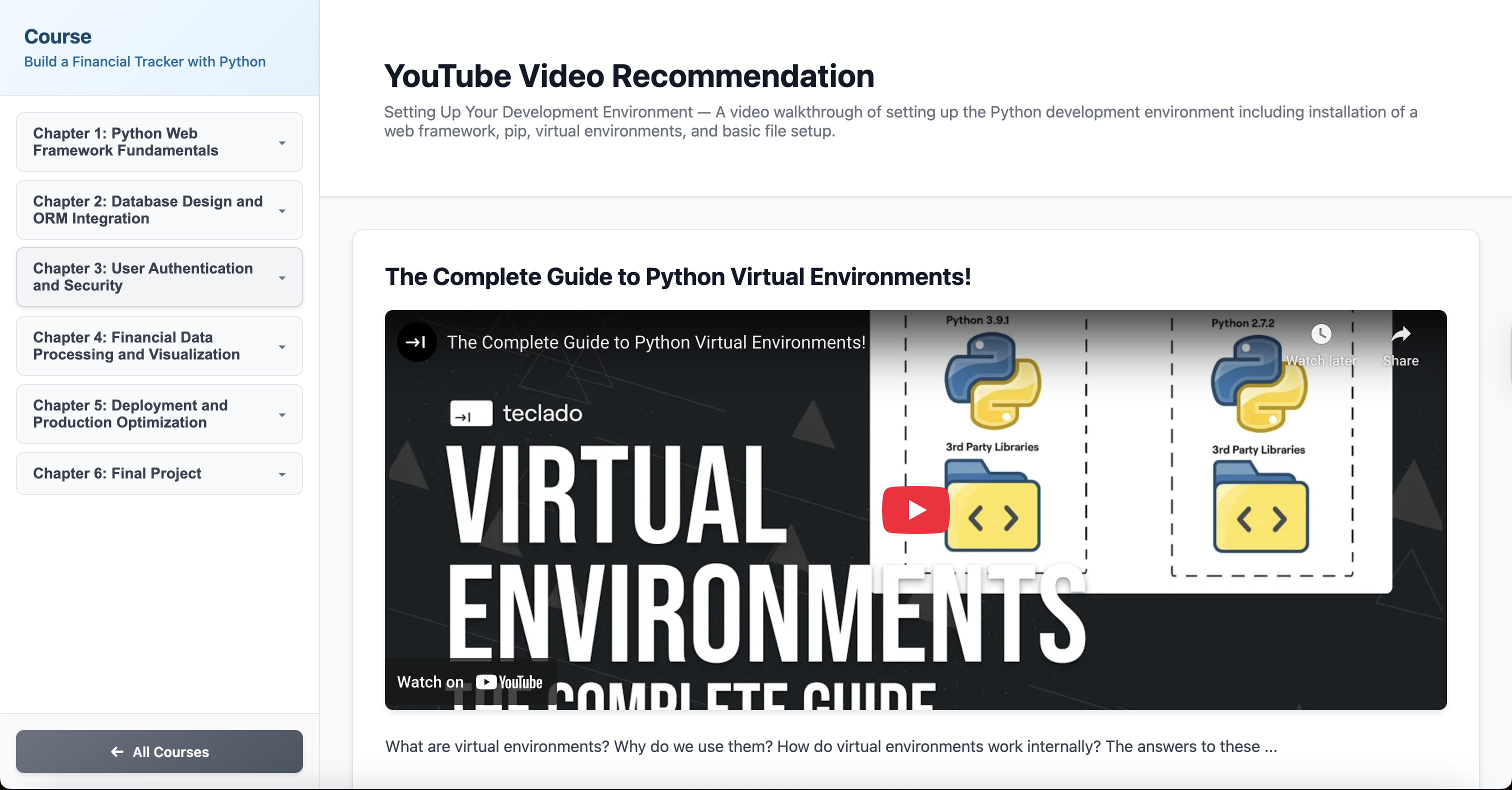
Video view
-
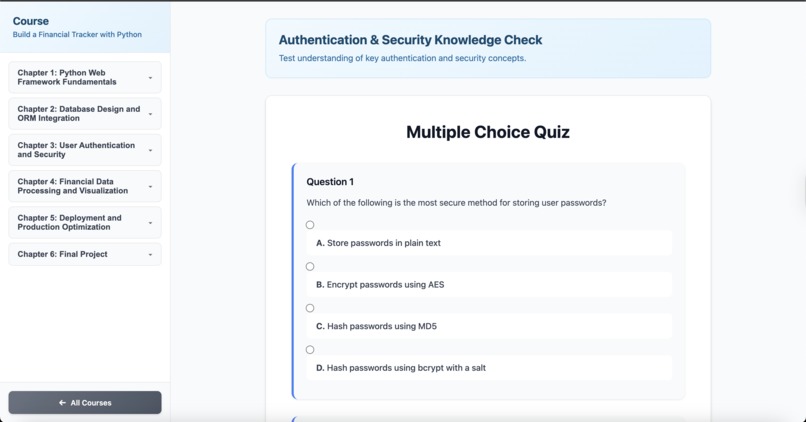
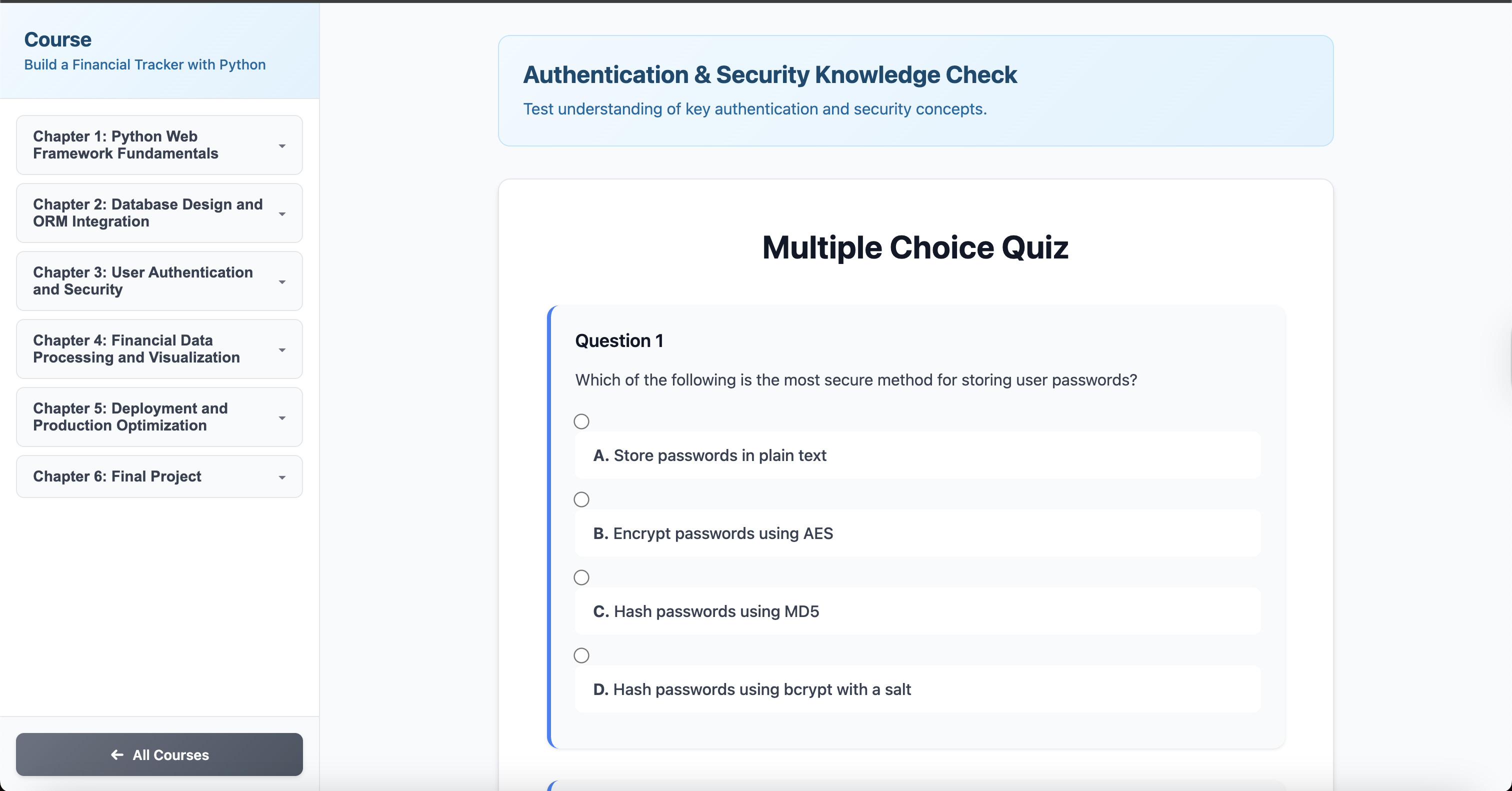
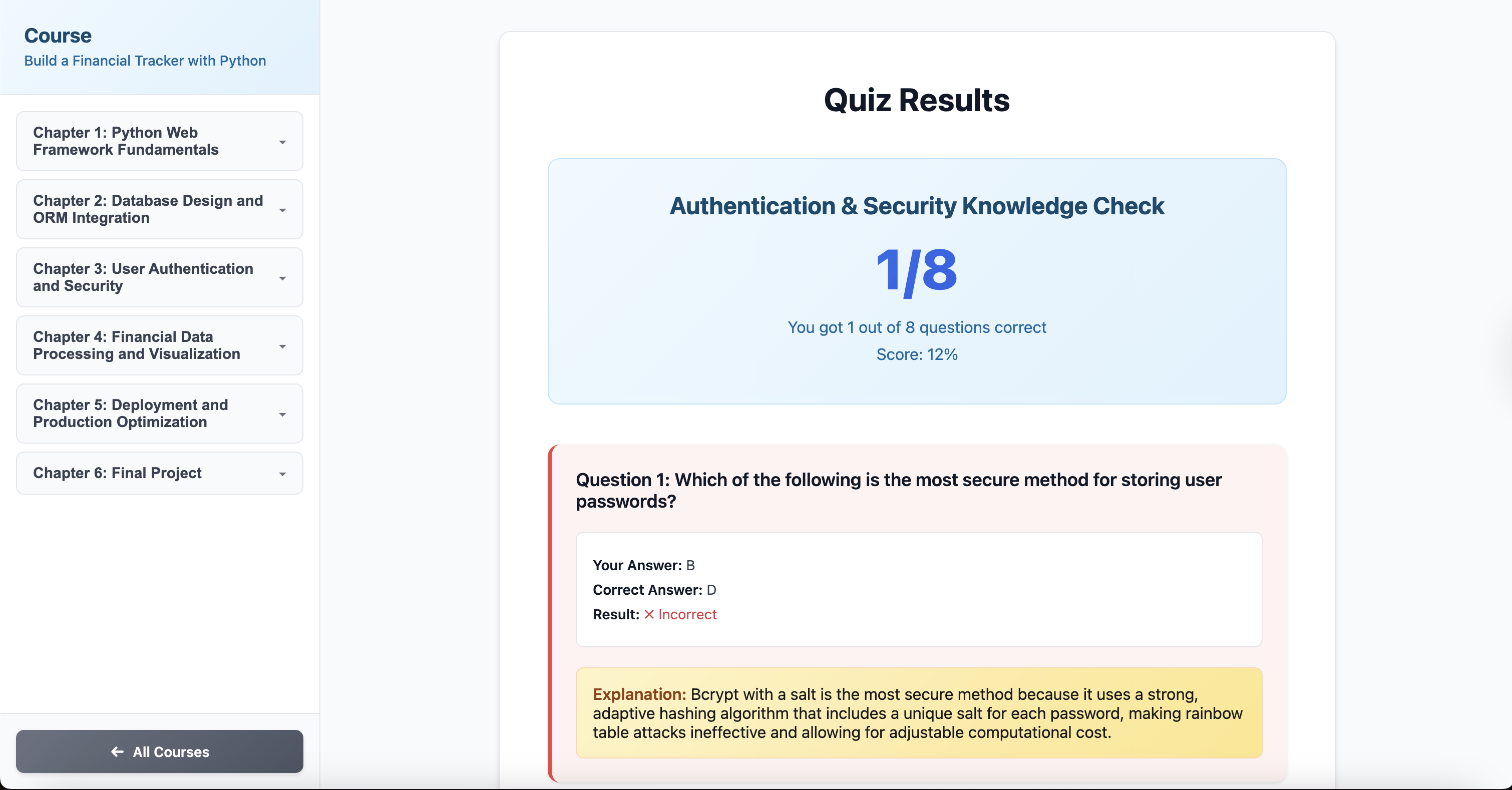
Multiple choice quiz view (unanswered)
-
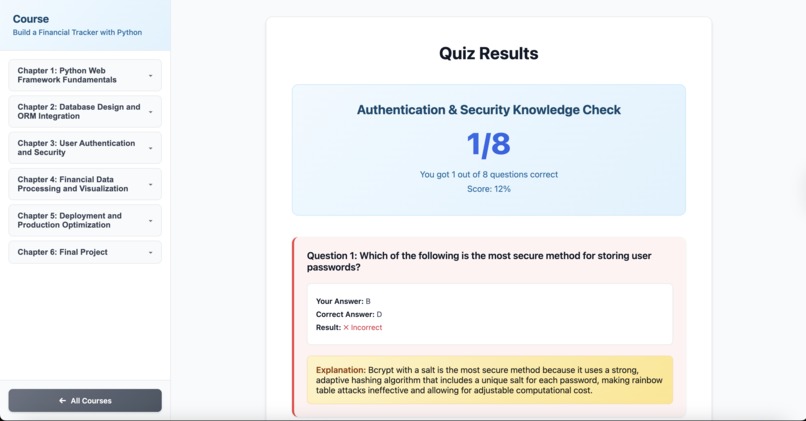
Multiple choice quiz view (answered)
-
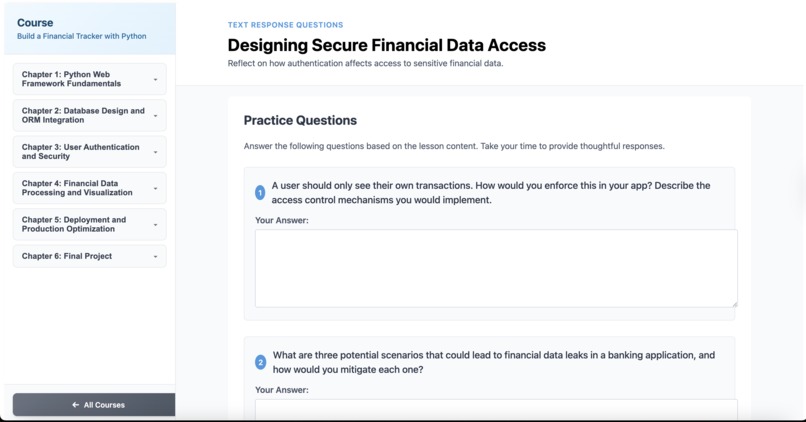
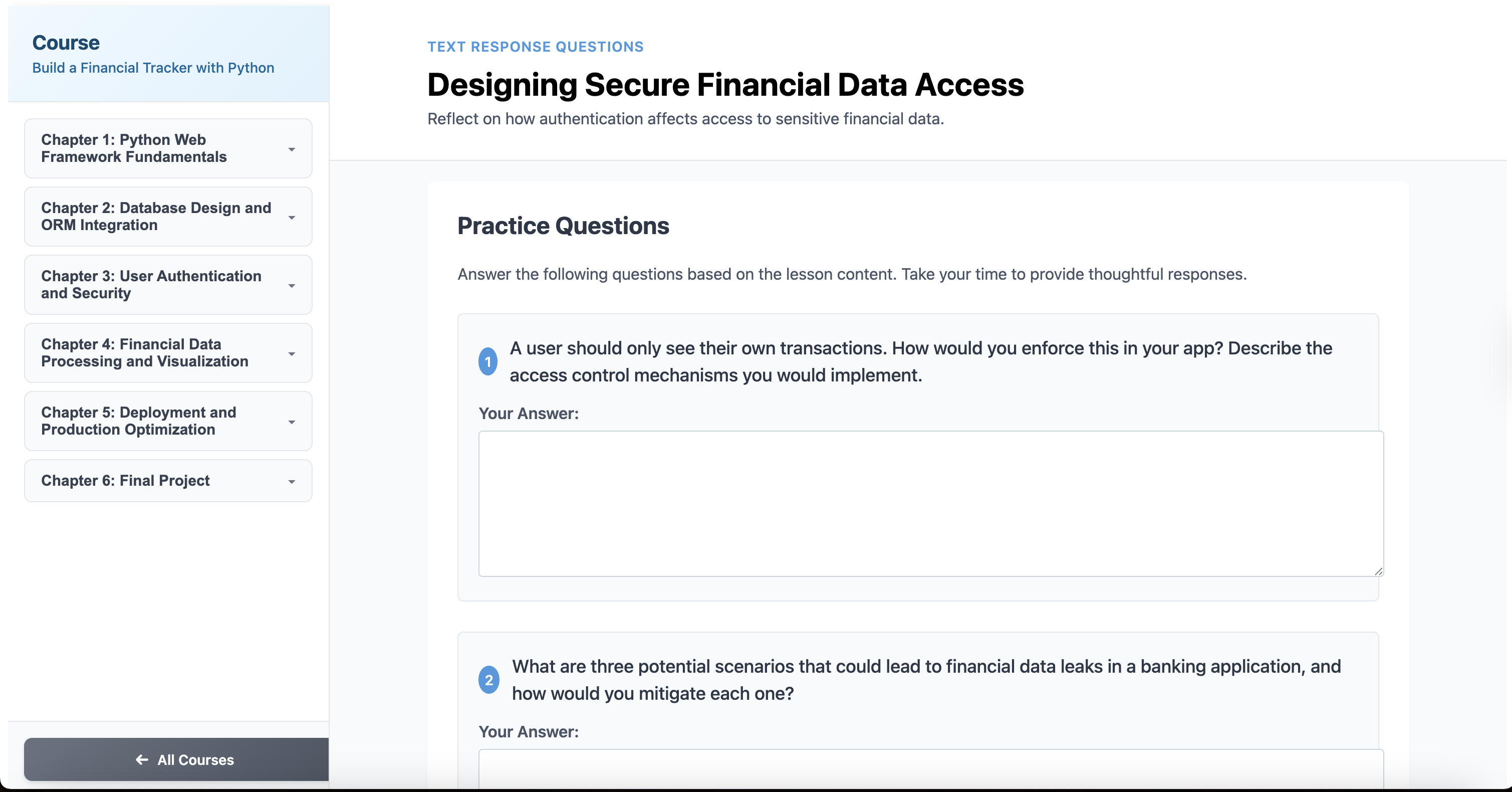
Text response quiz view
-
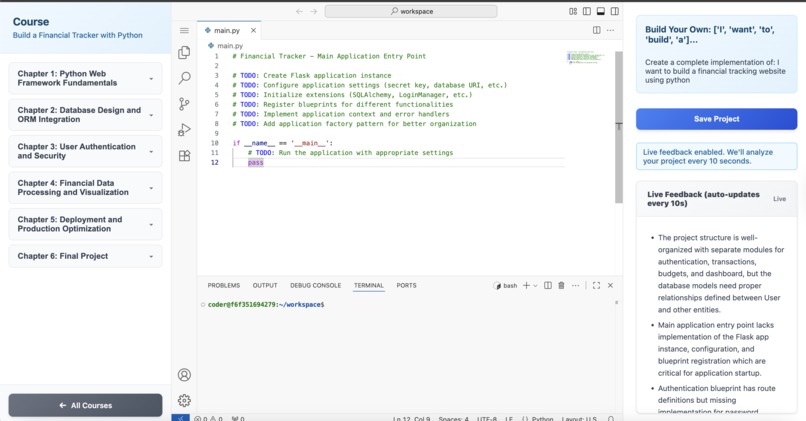
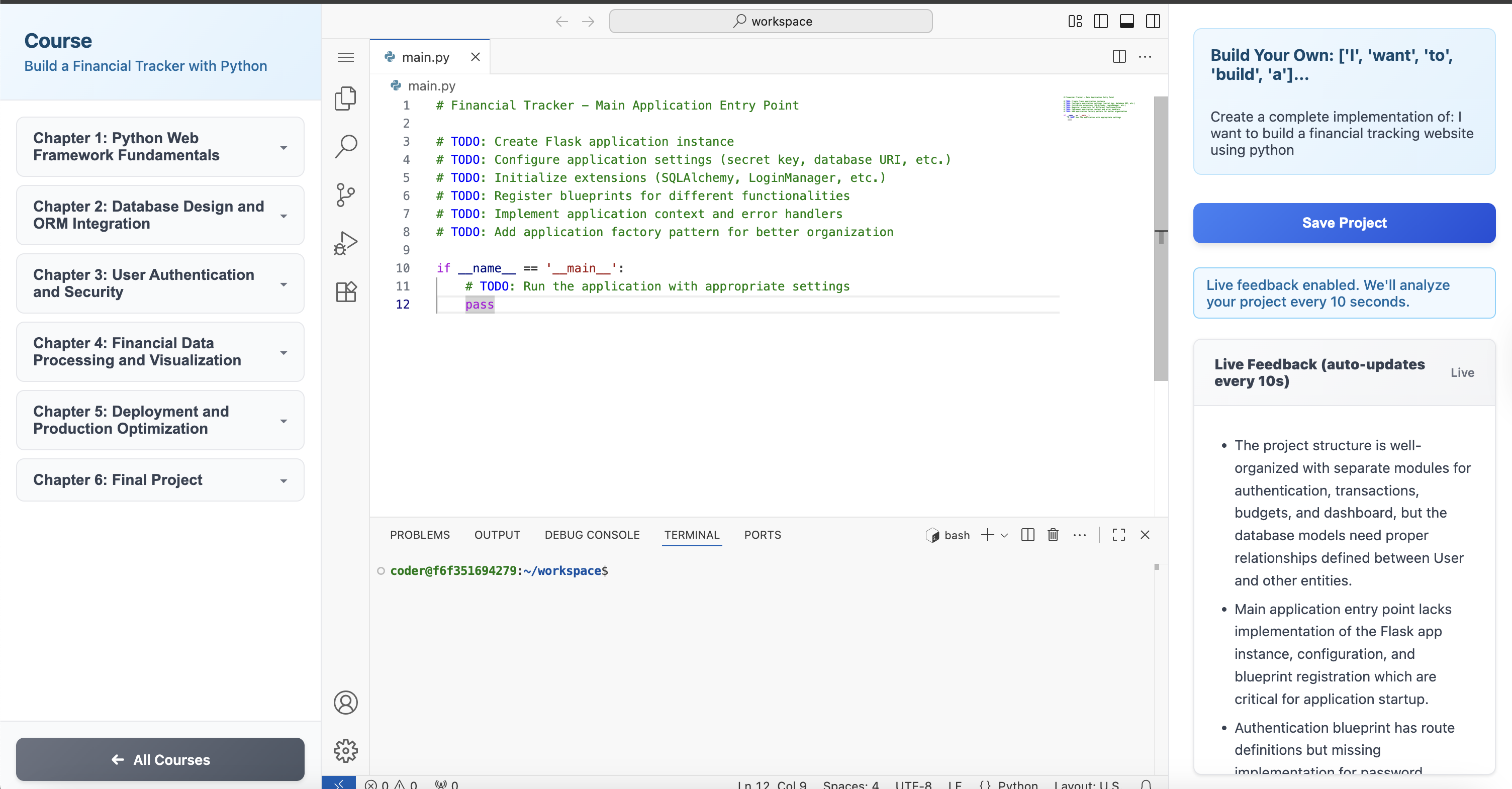
Final project view
-
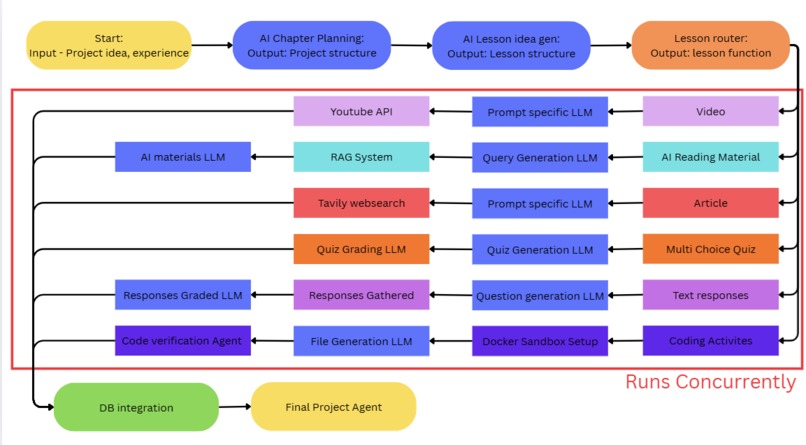
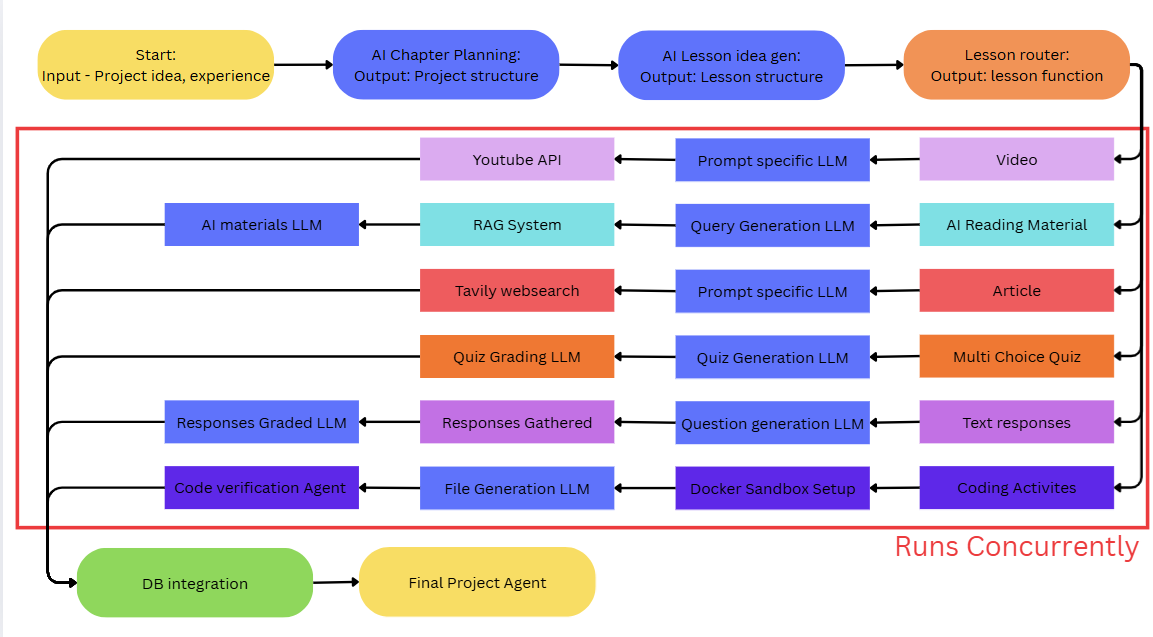
Software overall workflow
Inspiration
The inspiration for the project came when we first all met each other. In our very first chat, our only goal was to get to know each other. Being in a coding competition, we discussed how each of us learned to code. This was when we realized that we all learned through doing hands-on coding projects, learning by doing. Then we asked each other what kind of coding project we did, and it was all roughly the same thing, notes apps, tic-tac-toe, or some sort of basic guessing game. This is when we realized how little variety there was for good courses about programming projects. For example, the video "12 Beginner Python Projects" (link from free code camp has more than 4.5 Millions views. That means if you watch and follow that video, 4.5 million other people will have done the exact same project as you, giving you no unique or personalizable experiences.
Sadly, most beginner programmers have no choice but to waste their time on doing the same repetitive projects. All of the well made courses have already been studied by tons of other students, making them essentially worthless for your future career. This is what we wanted to solve. With the new realm of AI, it is now possible to create high quality courses from scratch, teaching yourself how to code a real personalized project, start to finish, with real time guidance along the entire way. This way beginner programmers can learn to code through a project they are genuinely passionate about and end up with actually impressive code that can be put onto your resume.
What it does
We take your project ideas and develop them into full courses to help you learn how to code. First, to receive a project understanding, we receive a project overview from the user. Then, after receiving your project idea, we use AI to section everything into chapters and lessons. We have many different possible lesson types that are all fully randomized by AI. The option for lesson types are: video, AI analysis, articles, multiple choice quiz, text questions, interactive code exercises.
After fully developing the course, we allow you to then go and learn using our course. Finally after you have learned all of the pre-requisites needed, you can start working on the final project. During the entire working process our built in AI assistant will be constantly helping and nudging you in the right direction like a helpful teacher. If it sees you going in the wrong direction it will point out your issue and recommend you go back on task. It won't help you write any code, but it will definitely make sure that you complete the entire project yourself.
How we built it
*This section is our planning document but shortened and synthesized using AI *
We started by simplifying the user journey. Instead of beginning with an AI video call, we ask users directly about their project idea and their experience level. This input is summarized into two short paragraphs: the first describes the project in clear terms, and the second highlights the skills the user already has so they don’t waste time re-learning them.
From there, we use an AI agent to generate the course structure. It outlines all the chapters, defines their names and topics, and assigns difficulty levels. Another AI then expands each chapter into a sequence of lessons by selecting from a set of predefined lesson types. Each lesson comes with a type, name, description, goals, and guidelines.
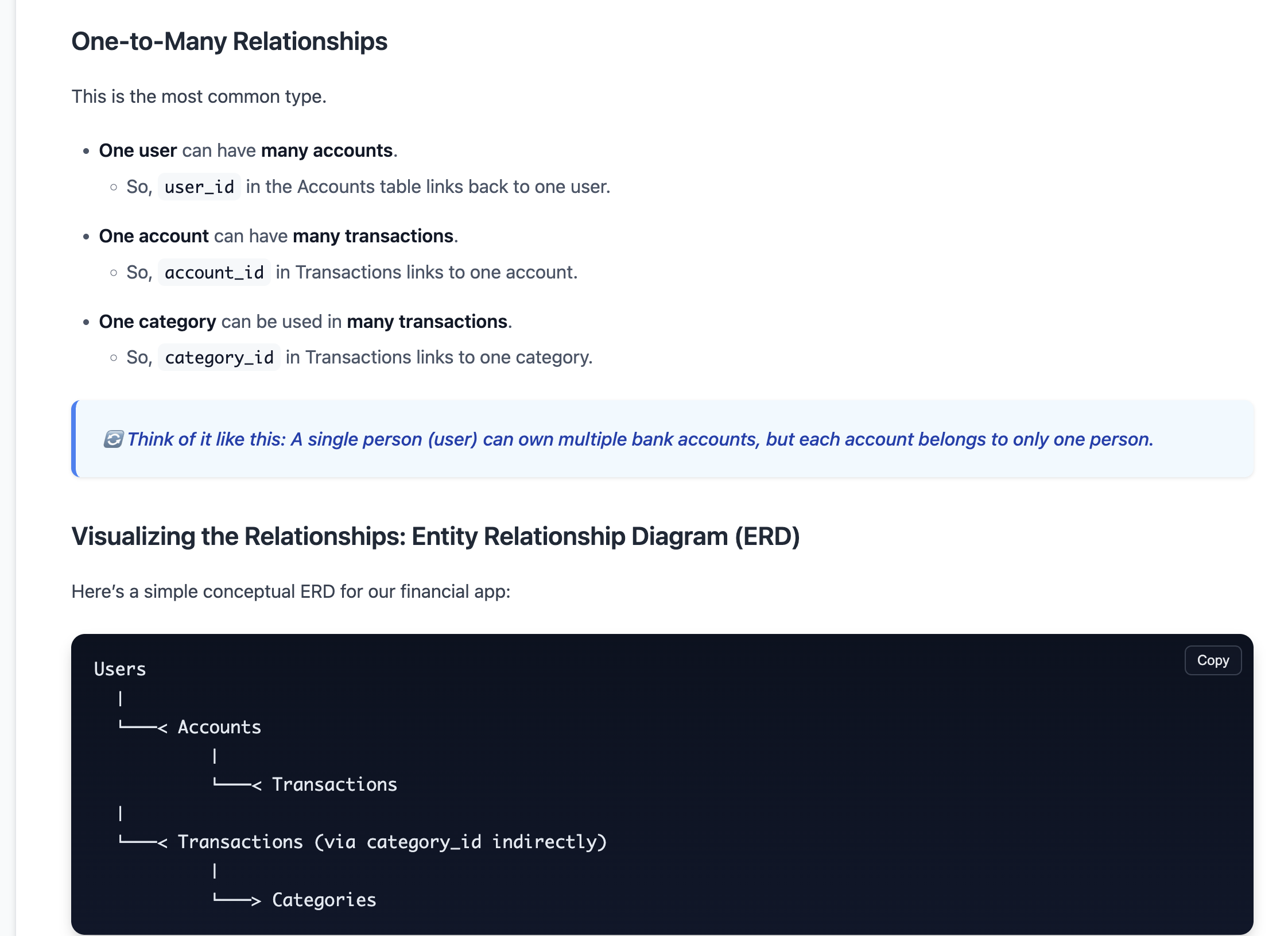
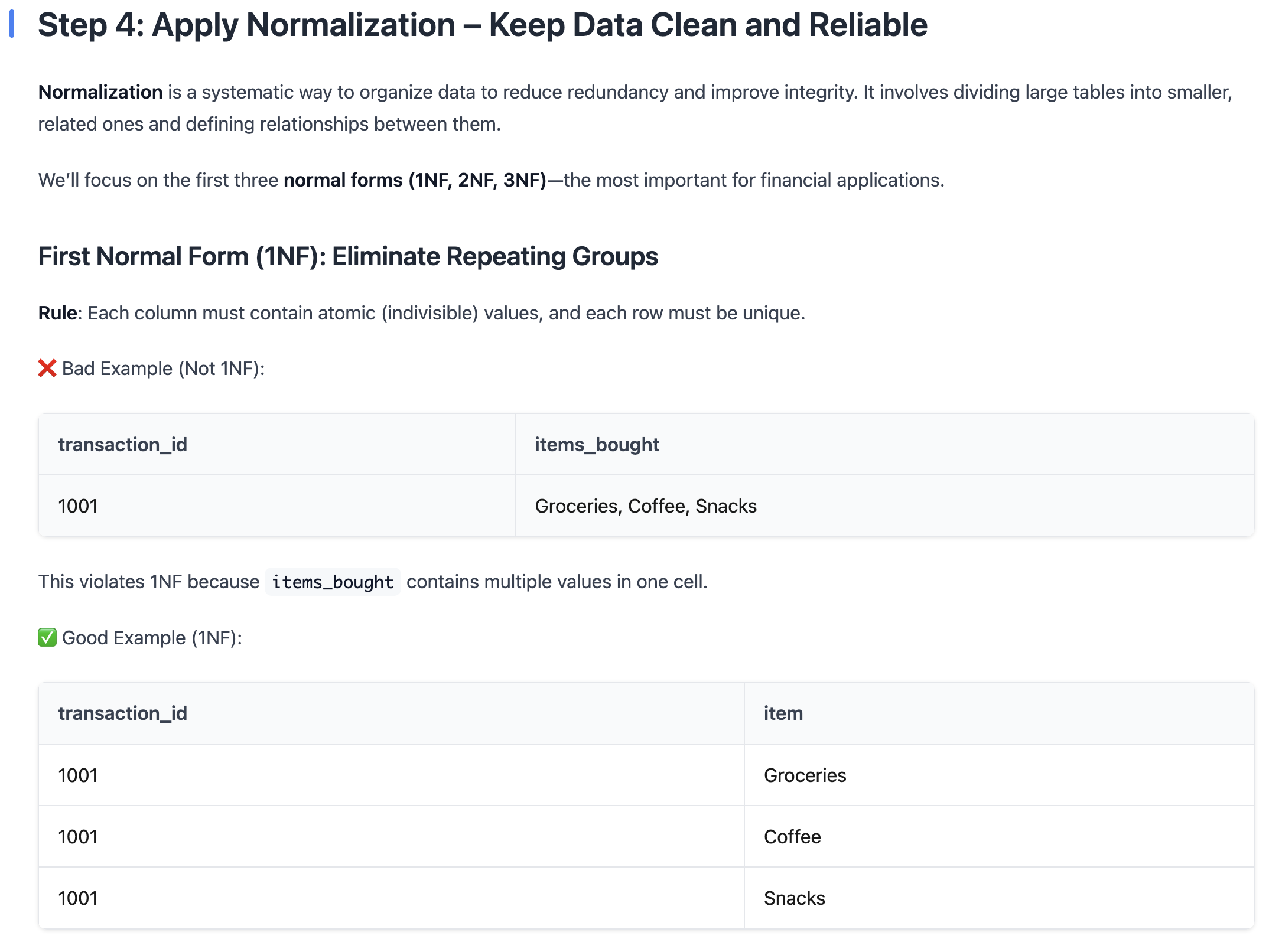
Every lesson type is powered by its own specialized pipeline. Video lessons query the YouTube API, and AI evaluates quality, reliability, and engagement before selecting the best one. AI-generated readings start with a one-question summary, tap into our custom RAG system (15k+ knowledge chunks), and assemble a cohesive article. Online article readings are generated by condensing lessons into short queries, running them through Tavily, and selecting the most relevant source. Interactive programming exercises run inside Docker containers using Code-Server (a browser-based VS Code). We load starter files, allow users to code directly, and grade their work automatically. Multiple-choice quizzes are generated in JSON with questions, answers, and explanations before being displayed on the frontend. Text response lessons create 2–5 open-ended questions, compare user responses against ideal answers, and provide detailed scoring, feedback, and suggestions. To handle scale (like 80 lessons across 8 chapters), all lesson generation tasks run asynchronously in parallel, dramatically reducing time costs.
The final project brings everything together. Using the same Docker + Code-Server environment, the system monitors code changes every few seconds, compares them to earlier versions, and provides constructive feedback. Importantly, the AI never writes code for the user — it only guides them toward best practices so they can complete the project independently.
All content, progress, and submissions are stored in our integrated database and surfaced through a central dashboard. This gives users an intuitive place to navigate chapters, lessons, exercises, and their overall learning journey.
Challenges we ran into
1) Docker Containers: The main selling point of our platform is that you are able to code fully on it, and for that to work, we needed to somehow run a fully functional code editor (with multi-file support, terminal access, and proper UI) all on a browser. The solution we found was to spin up docker containers and VSCode before injecting it onto our platform. This took us a lot of time to figure out and properly get working
2) Generation Speed: Even though we were using Cerebras, which is already super fast, since we were generating 100+ lesson, even if each took only 2 seconds, there would still be a long wait time. In order to remove this issue, we used parallel processing to spawn multiple threads, with each generating their own chapter in our course concurrently. This was extremely hard to figure out since we had to make sure the context and history between chapters was managed effectively to remove overlap.
3) BUGS: Not just like a little bit but ALOT. I have genuinely never worked on a project that has had so many issues. The main problem with working with LLMs the way we are, is that LLMs like to be quirky and do their own thing. In our case, where even a minor change in the outputted JSON format and completely ruin the code, we got messed up a ton. Even more annoying, since we have multiple different prompts and LLMs being run at the same time, we often didn't know which one was broken and overtuned prompts that were already working.
Accomplishments that we're proud of
This ties really well back into the question above. Since we overcame all of the challenges we had to face, they were the biggest accomplishments that we were proud of.
We are also very proud of our complicated AI-powered pipeline. We spent most of the first day figuring out if this idea was even feasible, and it took a long time before we landed on the AI system that we now use. To see more about the pipeline, specifically watch the video we uploaded.
We are also proud of developing a docker package integrated with an I-frame. We initially considered spinning an entire virtual machine when running code. However, to make the user experience as seamless as possible, we chose to dive into a new topic, docker containers.
Another thing we are proud of is UI/UX design. There’s nothing more satisfying than seeing an aesthetic UI/UX come to life before our eyes. We are proud of our intuitive design and layout for the application as well.
What we learned
To start, we learned about AI system design and optimally chaining different models together based on their strengths and weaknesses. Building the AI pipeline taught us how to efficiently give and manage context for LLMs across multiple queries.
When building the web code editor sandbox, we learned how to provision Docker containers for creating isolated, reproducible coding environments. This included setting a composed virtual environment, still capable of running code, and linking it to a given I-frame.
Additionally we evaluated parallel processing and threading and its ability to improve speed. Though we struggled on recollecting the threaded systems together, we came up with an
What's next for Sandbox Edu
There are a couple of ideas which we brainstormed but didn't have time to fully build out:
1) Chatbot Project initialization: Right now the program simply asks users what their project is and gives a few options for their technical experience. The issue with this is that very often the project idea that is given isn't detailed enough to create the exact course the user wants. This can be easily solved by an AI agent which will self pause whenever it think it has enough information and call a tool to synthesis this info before sending back into the original AI pipeline.
2) Additional away from desk learning tools: We wanted to maybe generate some podcasts or some flashcards that users could with on the go. But once again, time constraints meant that we couldn't do it.
3) Marketplace: We also really wanted to develop a marketplace where users could go and upload their courses and let other users learn from it.


Log in or sign up for Devpost to join the conversation.