-
-
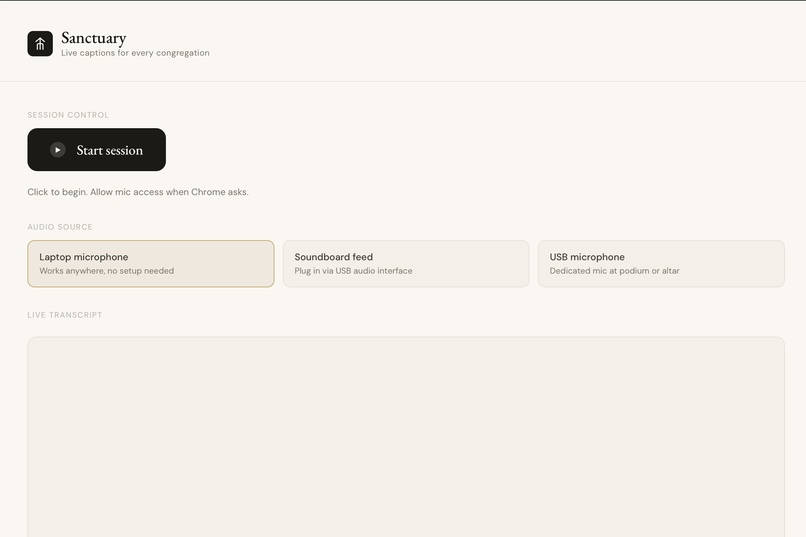
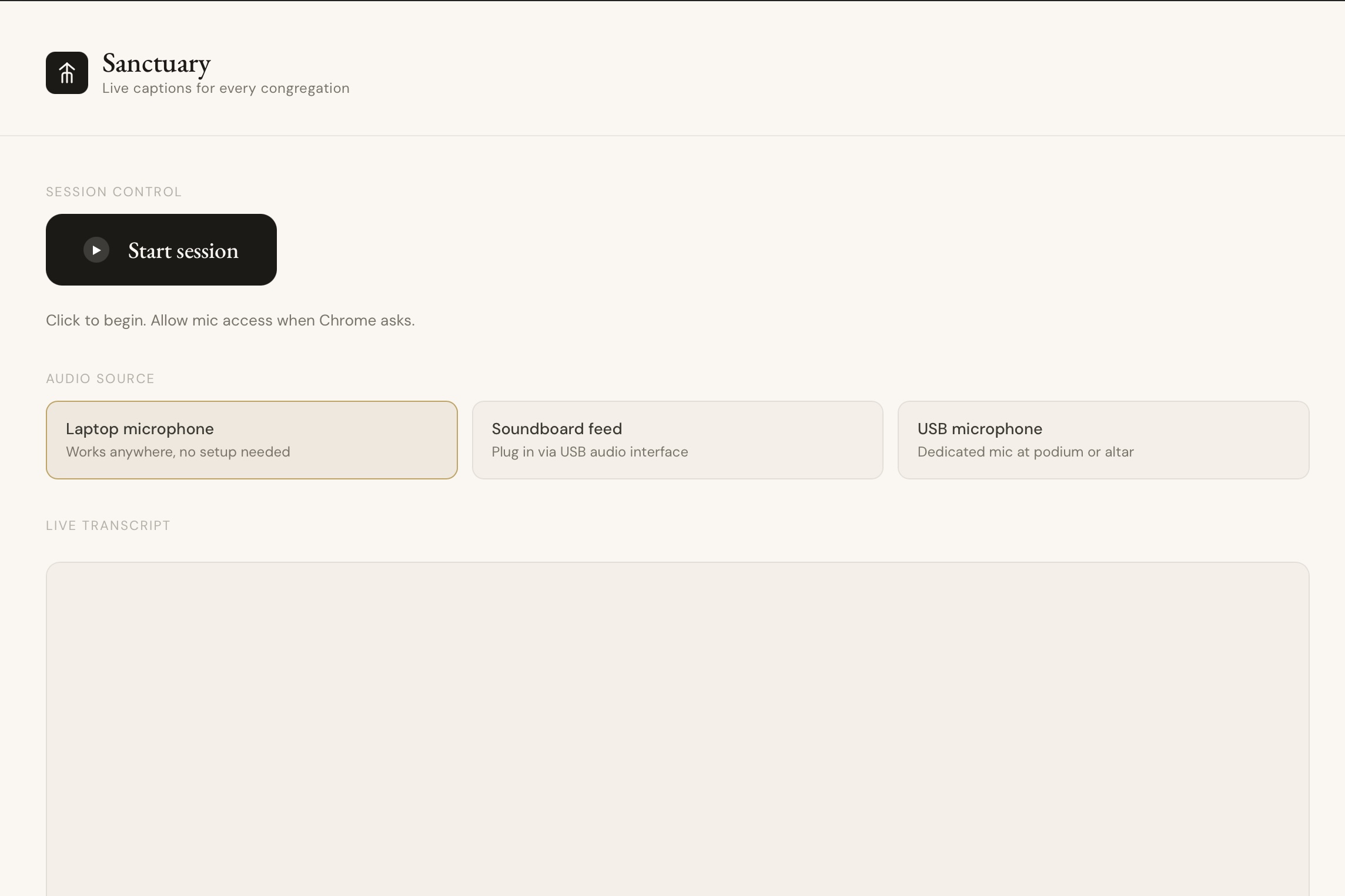
Presenter Screen
Inspiration
Two of us are on our church's media team. Every Sunday we watch the same thing happen: a hard-of-hearing member sitting in the pew, watching everyone around them react to words they can't hear. Laughing at something they missed. Nodding along to a message that didn't reach them. They're physically present but spiritually absent from the moment.
Churches know this is a problem. But a professional sign language interpreter costs thousands of dollars. A captioning system costs tens of thousands to install. Most small and mid-size congregations can't afford either.
That's the problem we built Sanctuary to solve.
What it does
Sanctuary is a real-time accessibility tool for religious services. It listens to whoever is speaking at the front of the congregation a pastor, priest, or worship leader and instantly displays live captions on a screen and on every attendee's personal phone, in whatever language they need.
A church volunteer opens Sanctuary on a laptop and clicks one button to start a session. A QR code appears on screen. Congregation members scan it and instantly receive live captions on their own phone. no app download, no account, no setup. Each person can independently choose their language from a dropdown, so a Spanish speaking family and a Korean speaking visitor in the same pew each see captions in their own language simultaneously.
When a scripture reference is spoken, for example, "John 3:16" . Sanctuary automatically detects it and displays the full NIV verse text on screen, so the congregation can read along without scrambling for a Bible.
When the service ends, the host clicks End Session. The transcript is cleared, nothing is stored, and every phone receives a graceful goodbye screen.
How we built it
Sanctuary is a full-stack real-time web application built across four areas of ownership across our team.
The frontend is built in React with React Router, handling two distinct views: the host screen (used on the laptop at the front of the church) and the attendee screen (loaded on phones after scanning the QR code). The host screen manages microphone capture using the browser's MediaRecorder API, streaming audio chunks to the backend every 250 milliseconds over a WebSocket connection.
The backend runs on Node.js with Express and Socket.io. It manages session rooms, one per service; so every connected phone receives the same live caption stream. When audio arrives from the host, it is forwarded to AssemblyAI's real-time streaming transcription API, which returns partial and final transcript results within milliseconds.
Final transcript sentences are piped through the DeepL translation API before being broadcast to each phone based on that attendee's selected language. Each attendee's language preference is stored per socket connection, so translation happens independently per person.
Scripture detection runs as a non-blocking background process. After each final caption is emitted, we scan it with a regex for book-chapter-verse references, look up the numeric book ID, and fetch the verse text from the bolls.life NIV API with a 3-second timeout. If a verse is found, it is sent to all connected clients as a separate socket event and displayed as a pull-quote overlay for 12 seconds before auto-dismissing.
The attendee UI includes an accessibility bar with font size controls, high contrast mode, and a dyslexia-friendly font toggle, because the people who need this tool most also tend to need these options.
Challenges we ran into
Real-time audio streaming was our first major challenge. The browser's MediaRecorder API and AssemblyAI's streaming endpoint have specific requirements around audio encoding and sample rate that took time to get right. We had to ensure audio was captured as mono PCM at 16kHz, converted from a Blob to an ArrayBuffer, and sent in consistent 250ms chunks any deviation caused dropped transcriptions.
The scripture feature initially caused instability by blocking the transcription pipeline. Our first implementation awaited the bolls.life API call synchronously inside the caption handler, which stalled the entire stream whenever the API was slow. We fixed this by firing the scripture lookup in a non-blocking .then() chain after the caption was already emitted, so a slow or failed scripture lookup never touches the caption flow.
Multi-device synchronization required careful session management. We built a room system using Socket.io where each service is a room, and every phone that scans the QR joins that room. Getting the host disconnect logic right so that if the laptop closes, all phones gracefully receive a session-ended message required several iterations.
We also faced the challenge of congregation audio bleeding into the transcription. The laptop microphone picks up ambient sound, not just the pastor. We addressed this with a volume threshold gate using the Web Audio API's AnalyserNode audio chunks are only forwarded to AssemblyAI when the volume exceeds a configurable threshold, filtering out quiet background noise from the congregation.
Accomplishments that we're proud of
We're proud that Sanctuary actually works! A real person can speak into a microphone, and within a second their words appear as captions on every phone in the room, in the right language for each person.
We're proud of the multi-language implementation. The fact that a Spanish-speaking attendee and a Korean-speaking attendee can sit next to each other and each see captions in their own language — simultaneously, independently, on their own phones feels genuinely useful in a way that most hackathon projects don't.
We're proud of the scripture detection feature. It started as an idea and nearly broke everything when we implemented it wrong, but we debugged it, understood why it was blocking the pipeline, fixed the architecture, and shipped it. Hearing "John 3:16" and watching the full verse appear on screen is the moment in the demo that surprises people.
We're proud that this came from a real place. Two of our team members are active church media team members who have watched hard-of-hearing congregation members struggle to follow sermons for years.
What we learned
We learned that real-time streaming is fundamentally different from request-response programming. You can't just await things in sequence: you have to think about what blocks what, and design your pipeline so that slow external calls never hold up the critical path. The scripture bug taught us this the hard way and the fix taught us it properly.
We learned that WebSockets and Socket.io rooms are powerful primitives that make multi-device sync feel almost trivially simple once you understand the model, but getting there required building up from basics and debugging connection issues, CORS headers, and port conflicts.
We learned that accessibility isn't an afterthought. Building the font size controls, high contrast mode, and dyslexia-friendly font toggle made us think carefully about who actually uses this tool and what they need. It's not a feature it's the point.
We learned how to work in parallel as a team on a shared codebase without stepping on each other, using shared event name constants and clearly divided file ownership to avoid merge conflicts under pressure.
What's next for Sanctuary
The most immediate next step is direct soundboard integration. Right now Sanctuary uses the laptop microphone, which picks up ambient room sound. Connecting directly to a church's audio console aux output would provide a clean, isolated signal of only the pastor's microphone, eliminating background noise entirely and making the transcript more accurate.
Built With
- assemblyai
- css
- deepl
- html
- javascript
- react
- socket.io
- vite

Log in or sign up for Devpost to join the conversation.