-
-
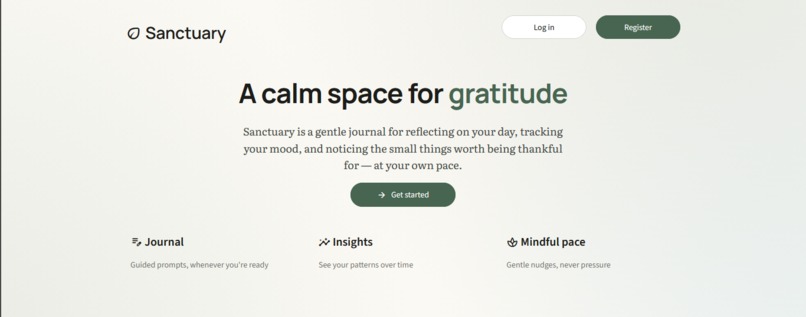
Landing page
-
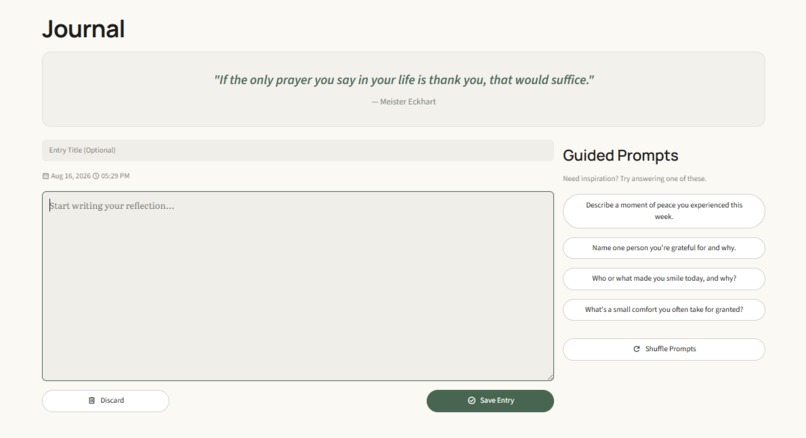
Journal
-
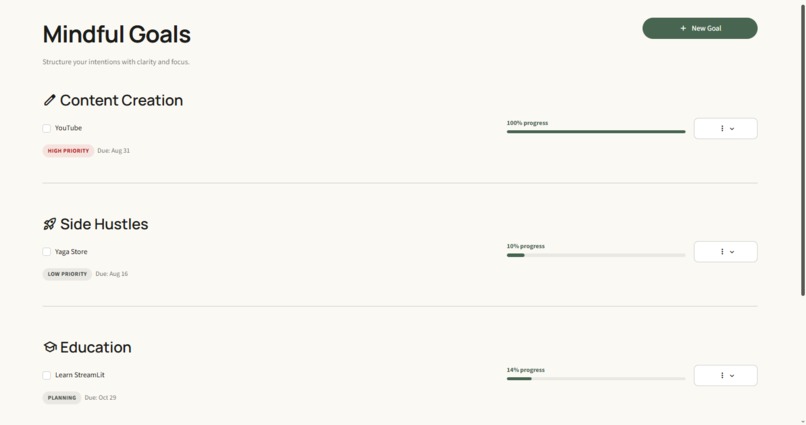
Goals
-
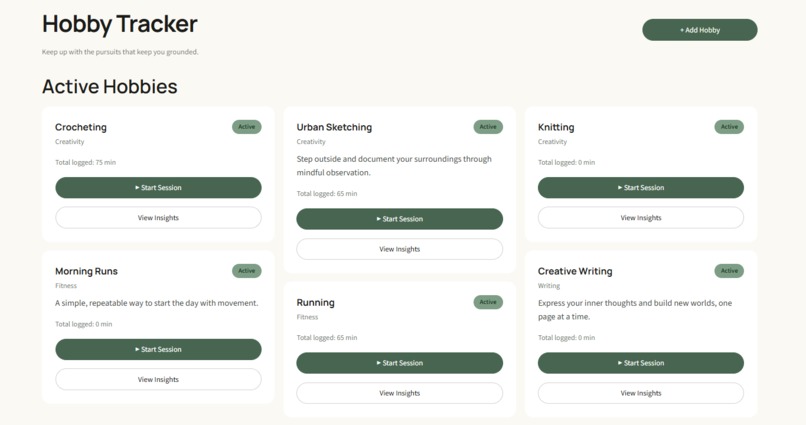
Hobby Tracker
-
Insights
-
Settings
Inspiration
It was a combination of hectic everyday life, and for the goal and habit tracker, it was to keep track of one's life goals and hobbies without feeling overwhelmed whilst enforcing a healthy work-life balance.
What it does
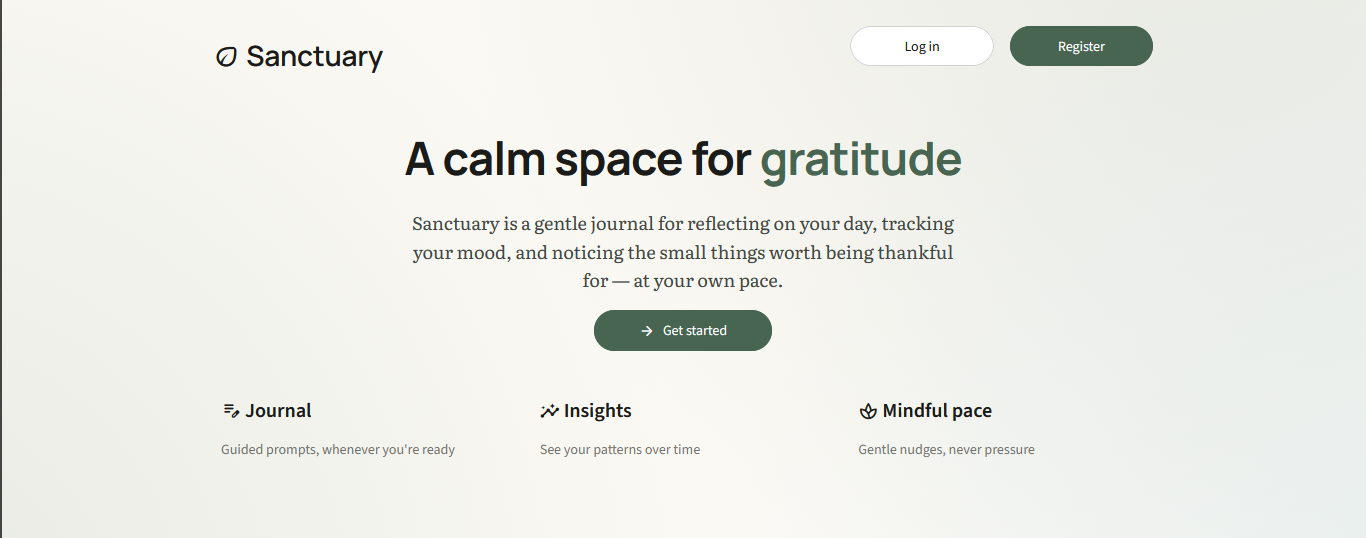
It provides a calm space to journal and keeps track of one's progress in accomplishing their life goals and making time for hobbies.
How we built it
Many people struggle to face their issues head-on with the increasing pressures of life, and opening up to someone could lead to the risk of their private issues being shared with more people. Additionally, many people come from different backgrounds that hinder them from seeking professional help or wellness resources. Most individuals also find themselves not making progress in their life goals because they always add more things to do and do not keep track of what they started on and what they are currently working on. This leads to an overwhelming feeling, and they become unhappy, depressed, or feel stagnant. They also lack a work-life balance.
Journal Page
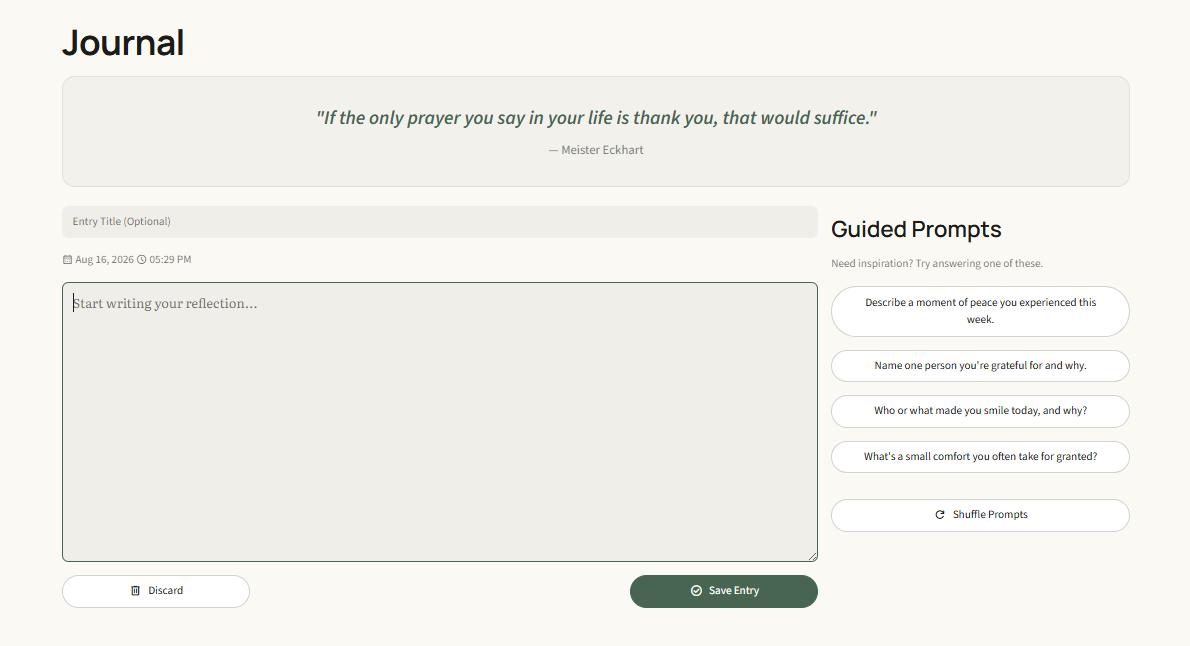
The journal page comes with a gratitude quote and the author at the top, which the user could read before writing their entry to give them some inspiration. The quote changes each day that the user logs in. With a journal like Sanctuary, one could unpack as much as they can through journaling to survive and take on day-to-day responsibilities until their next booked appointment with their therapist. For people with limited wellness resources, the Sanctuary journal will be accessible to them and provides a calm, safe place to unpack, grow, reflect, and reconnect with themselves. Often people find it hard to start an entry, especially if it’s completely new to them, so we’ve included some guided prompts to help people have a starting point for their entry by answering simple questions, which they could shuffle if they need more related questions that apply to them. The user can also reflect on past entries at the bottom of the page and have the option to delete.
Goals Page
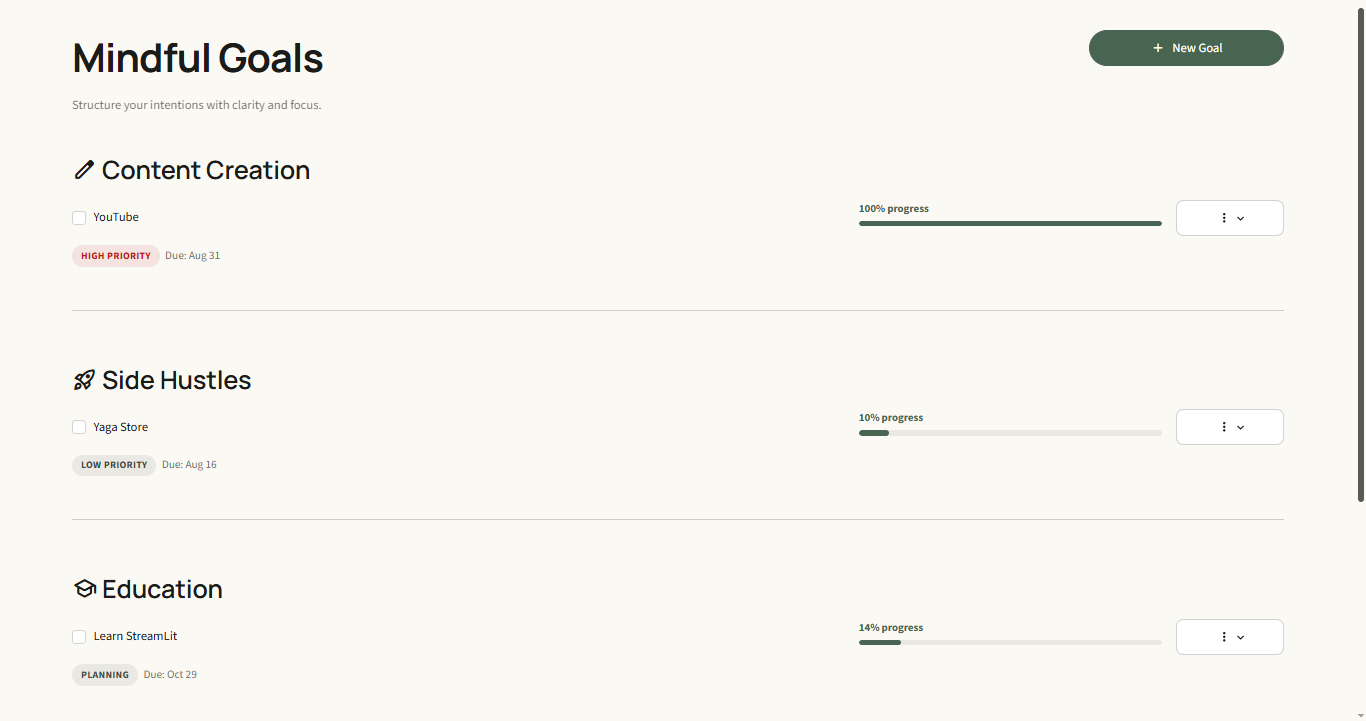
Under this page is a list of categories with the user’s tasks for each goal. For each task, there’s a progress bar that helps the user see how much they’ve covered. Most people like check boxes and we’ve incorporated that so users can see what’s left to do. It also gives a sense of accomplishment to see how many boxes they’ve ticked. Each time the user works on their task, they time themselves and log the time spent on the app.
Hobbies Tracker Page
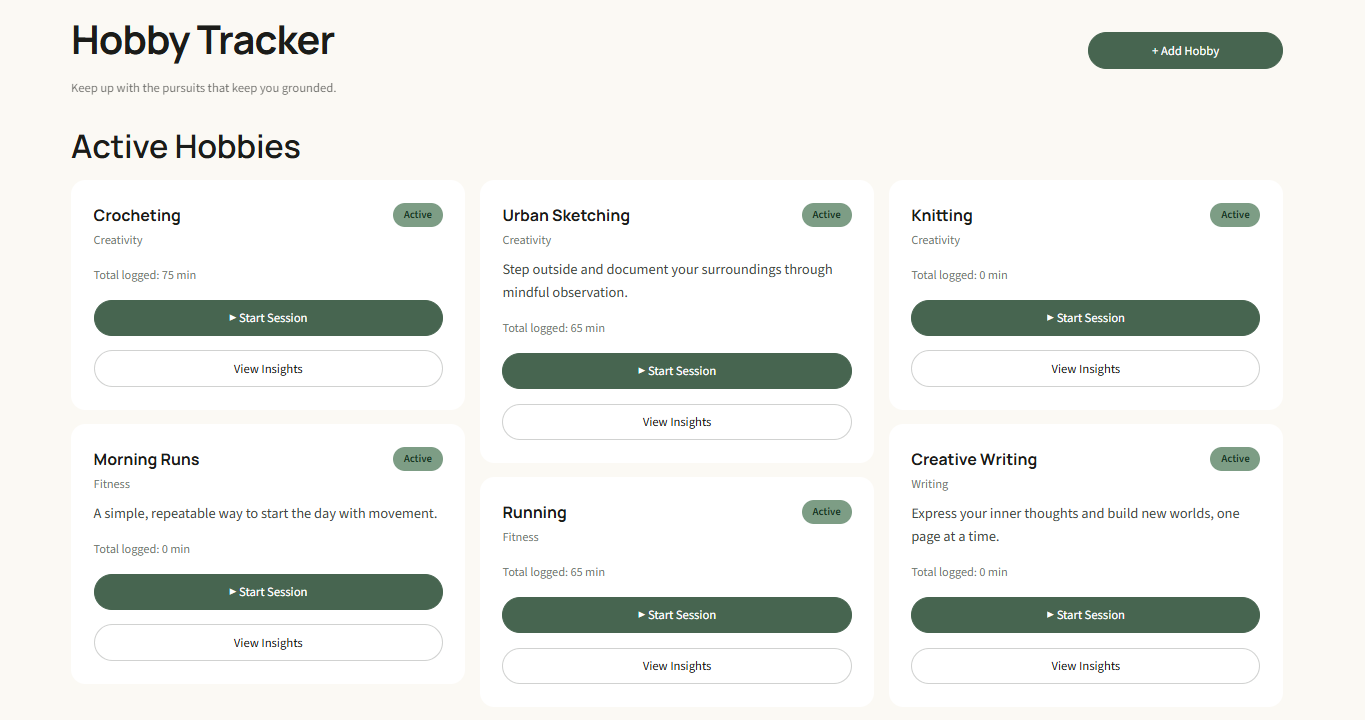
This page shows the user’s active hobbies and allows them to add new suggested hobbies that align with their interests. This way, they could explore different hobbies and get to know themselves a little more. Each time the user spends time on their active hobbies, they log the time spent upon completion.
Insights Page
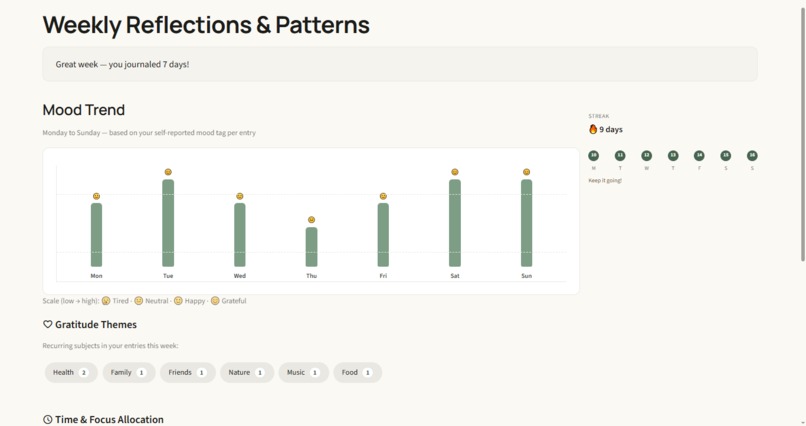
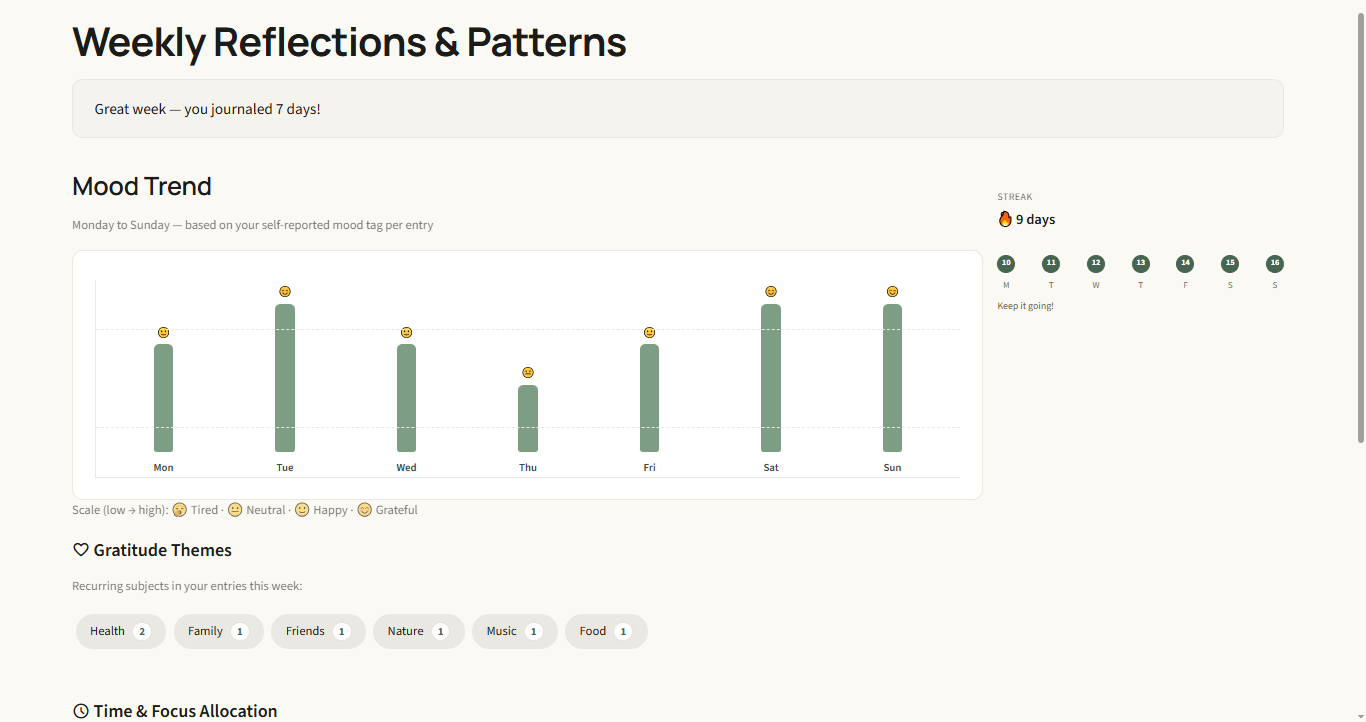
This page gives the person a weekly overview of the patterns in their mood across their entries through a bar graph. This way, the person can get a better understanding of how their feelings have changed over the week. The page also contains a streak section showing consistency in journaling and the days that the person journaled. This helps the user remain consistent to keep their streak alive. The gratitude themes section contains the recurring keywords that appeared in the user’s entries.
The pages also display the amount of time that was allocated to each task and hobby according to what the user logged for the time spent on each task and hobby. The user can see their progress and adjust their schedule if they are not satisfied with the insights.
Settings Page
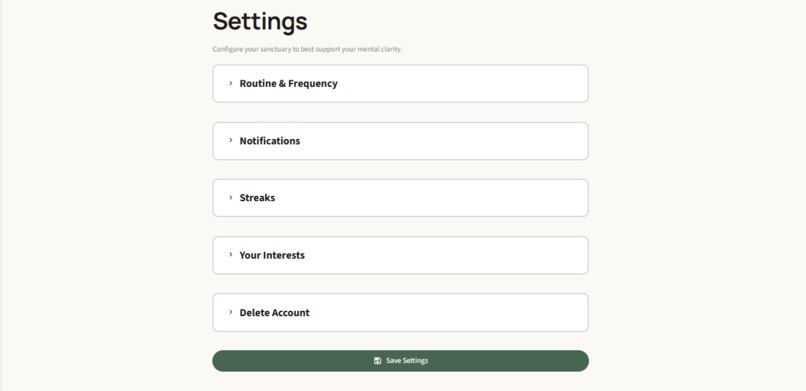
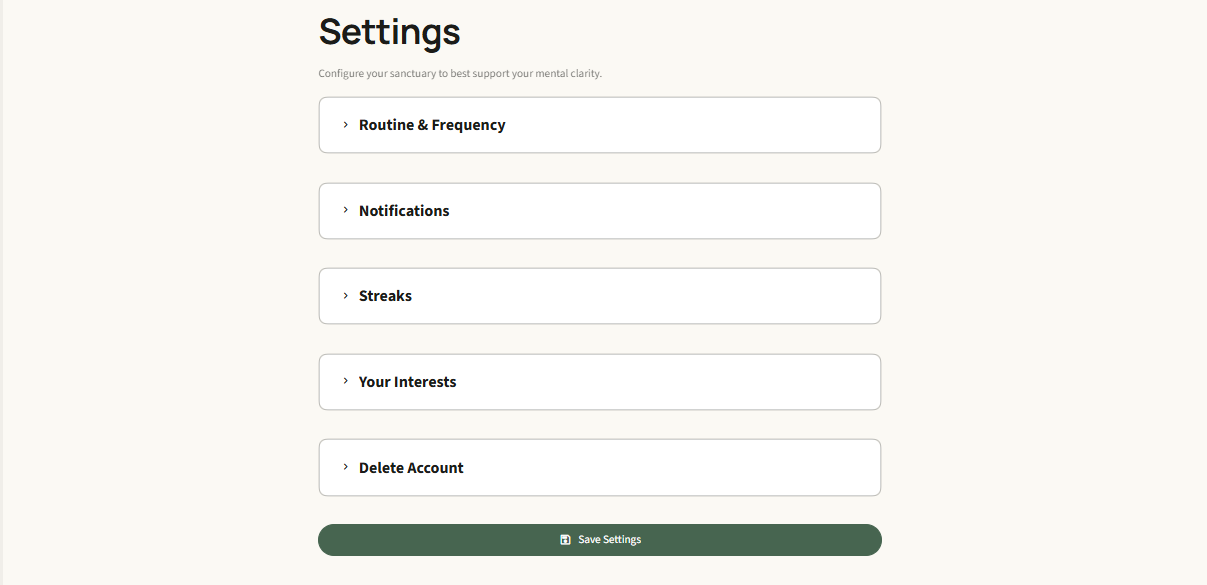
With busy schedules, it’s hard to make time to journal and take a moment to breathe and reflect; therefore, with this page, the user can select the number of times they would be able to commit to journaling. To hold them accountable to their commitment, they have an option to enable gentle nudges when they leave mid-entry and notifications on the days they must journal, and this enforces discipline. They can personalize the notification, perhaps with something that guilt-trips them into fulfilling their promise. They can also select their interests to get personalized suggestions for their hobbies.
Framework
We used Streamlit as the core framework
Standard Libraries
We used Python and its libraries for our wellness gratitude journal. The journal page uses the random Python standard library for the quotes and prompt questions that are shuffled. It randomly selects the quotes and prompts to be displayed on the page from a list that exists and recycles them once they are all used up. datetime was used for streak calculations, reminders, and timestamps when the entries were written. The standard library re was used to match keywords from the gratitude themes on the insights page that appeared in the entries. collections. Counter was used to tally the frequency of the keywords from the gratitude themes that appeared in the journal entries.
Internal Modules
core.data_manager (dm) was used to handle saving journal entries, loading the entries, saving settings, and user information. The core.layout modules, like require_login and render_account_bar, were used for authentication and navigation. For core. styles, we used the inject_global_css module for the Sanctuary theme.
Challenges we ran into
We are in different time zones with a 7-hour time difference, making it hard for virtual meetups with our day-to-day responsibilities, but we found a way to get work done by splitting pages to work on right after the opening ceremony.
We used Streamlit for our web app without knowing how the framework works, so we’re learning on the go. If we had more time, we would’ve learned how to connect it to real-world databases. It was my (Caroline) first time vibe coding and my first hackathon experience, so I needed to adapt to a hackathon environment
We used AI tools on a free plan, which had limitations. This delayed the development of our web app by a few hours, and with more time, we could’ve perfected our features. We wanted to add a timer that starts upon being clicked by the user in the hobbies tracker and goals pages and pauses when the user logs off the app, sending gentle nudges to remind the user to finish their session, but because of time, the user can only log time spent on each task and hobby.
Accomplishments that we're proud of
We were able to create a functional web app and work through major challenges within the given time frame.
What we learned
We need to communicate better as a team, and better prompts for AI tools always help get the work done quicker.
What's next for Sanctuary
More development to perfect the features and publishing it.


Log in or sign up for Devpost to join the conversation.