Inspiration
Almost everyone has used a TV that isn't theirs: a roommate's, a dorm lounge, a rental. Signing in means typing passwords with a remote, and people often forget to sign out, leaving accounts and watch history on a screen they don't control. Samsung already has the pieces (QR sign-in, SmartThings nearby-TV detection, household profiles), but its ecosystem stops at the screens you own. We built our project around Product@TAMU's Seamless Ecosystem prompt: make owning Samsung devices together more valuable, and clearly different from Apple.
What it does
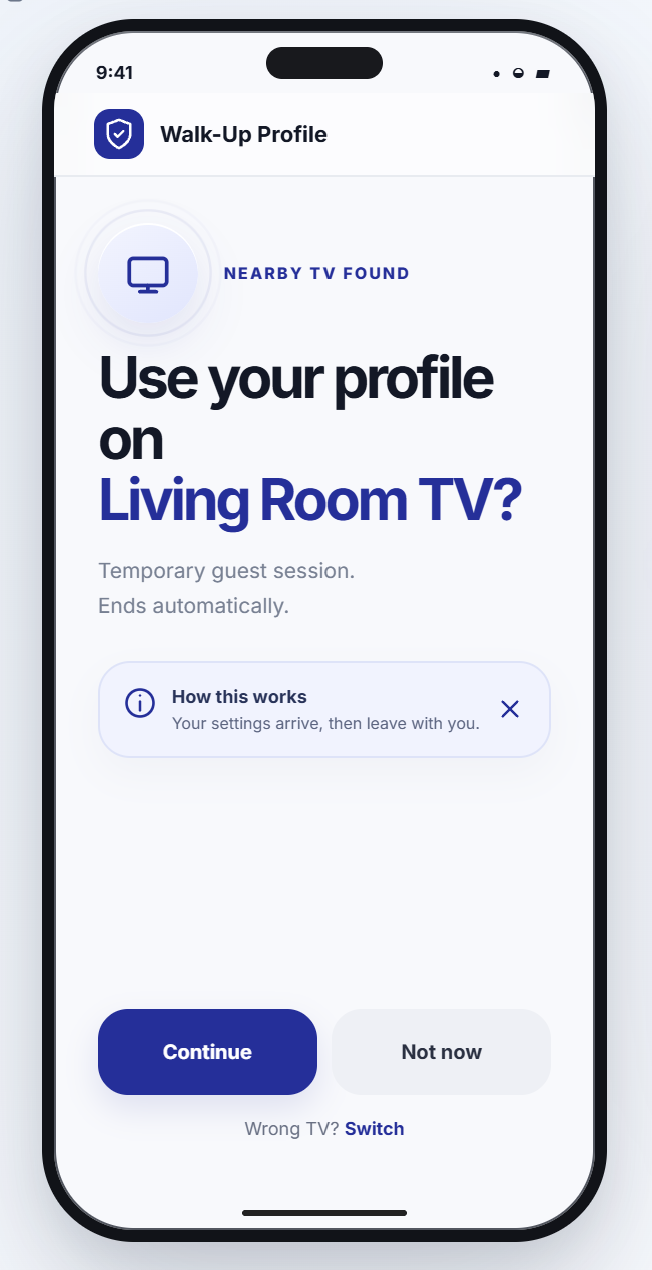
Walk-Up Profile is a phone-approved, temporary guest session for shared Samsung TVs.
- Your Galaxy phone detects a nearby TV and names it.
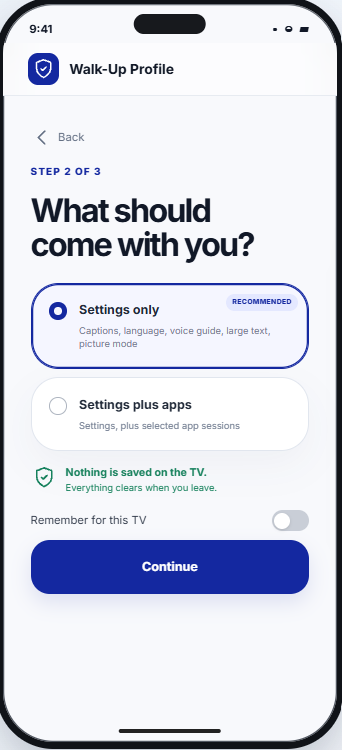
- You choose what loads: settings only (captions, language, picture) or settings plus apps.
- You confirm with fingerprint, face or PIN.
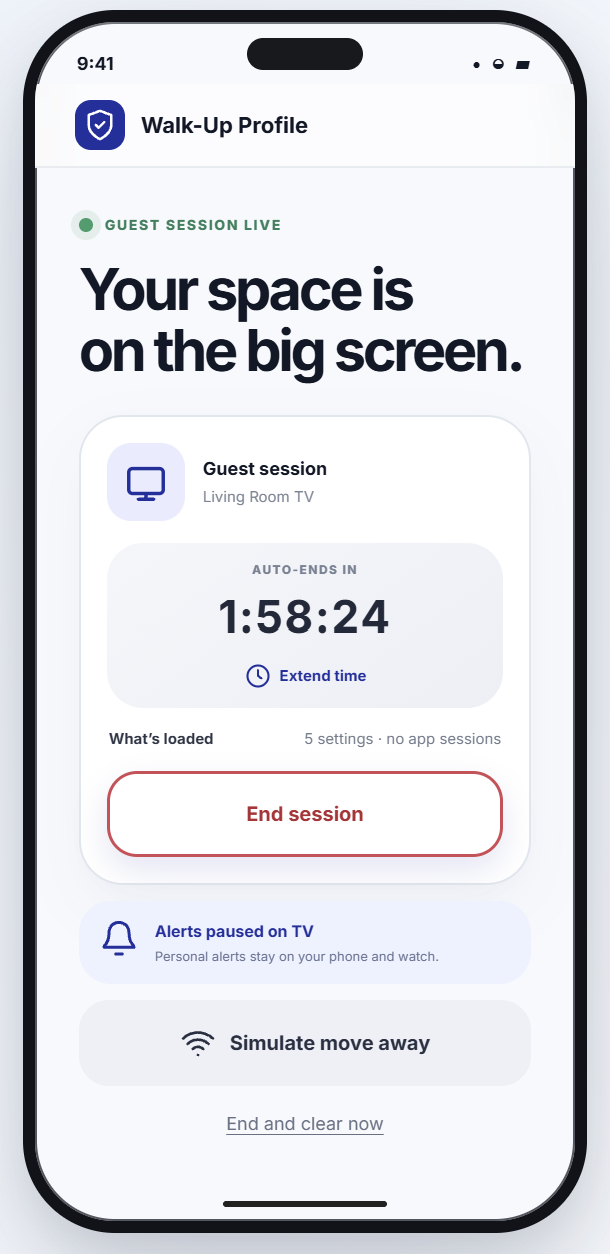
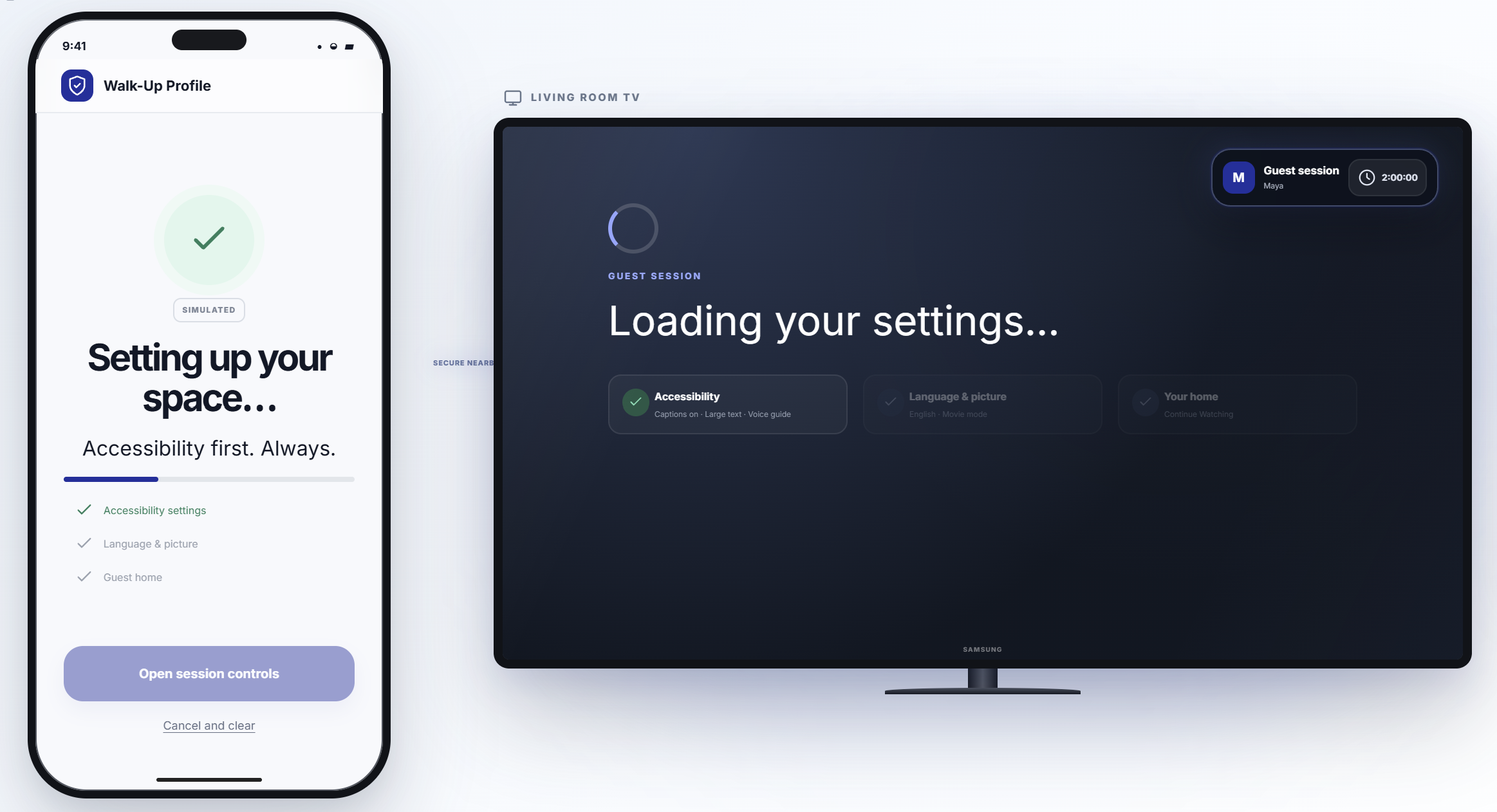
- The TV loads your profile under a visible "Guest session" badge, with one-tap sign-in for partner apps.
- The session ends when you leave, a timer runs out, or you tap End.
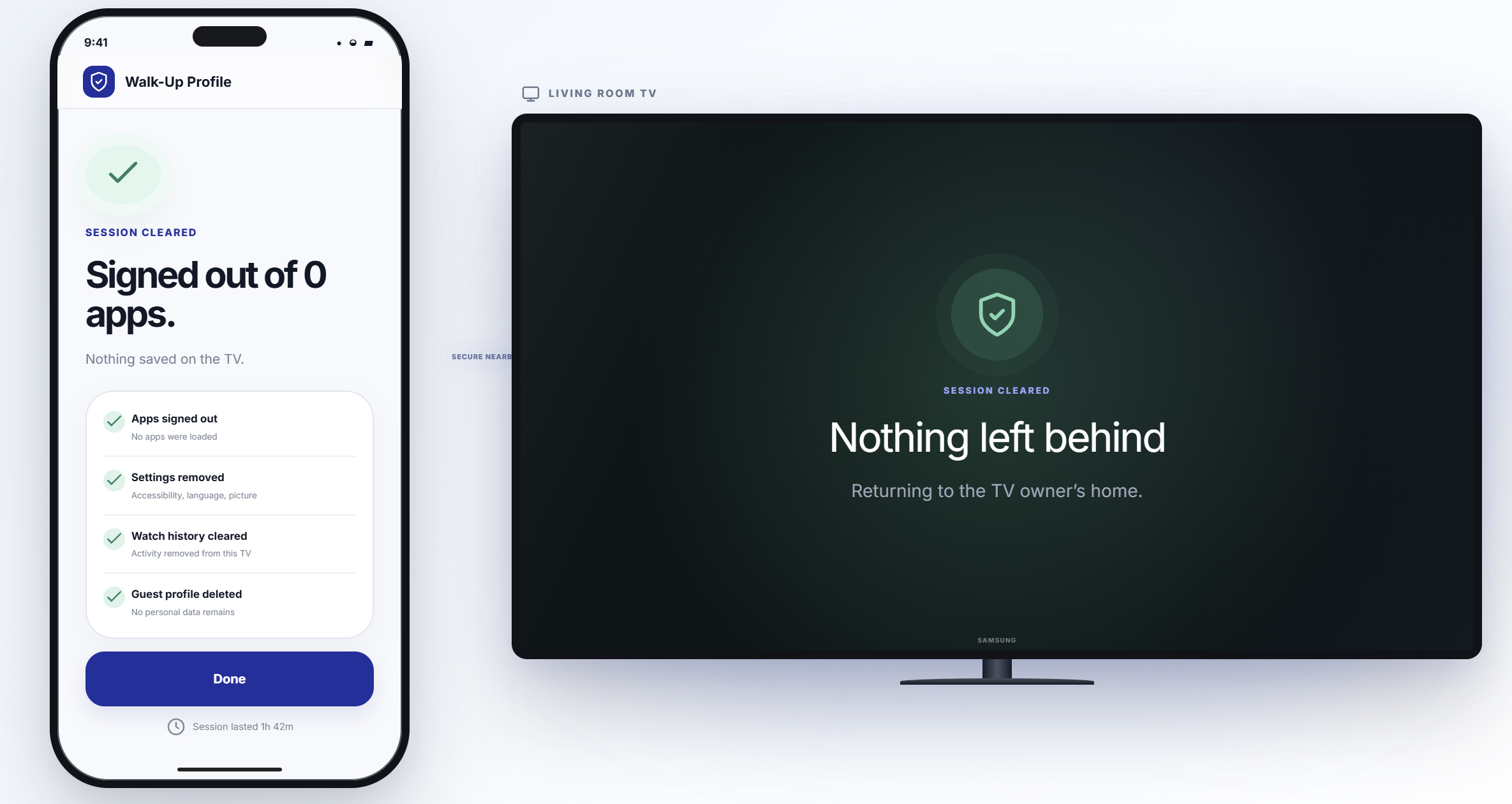
- Your phone shows a cleanup receipt: "Signed out of 3 apps. Nothing saved on the TV." It also covers failure states: biometric fallback, wrong-TV switching, phone disconnects, failed cleanup with retry, and a fallback to existing QR sign-in or casting.
How we built it
We worked as a product team, not a coding team. We started with desk research on Samsung's and Apple's current features, then wrote a kickoff and scoping doc, a research and validation worksheet with personas (Maya, a student, and Daniel, a traveler) and a journey map, and an MVP plan with a Must Have / Nice to Have / Low Priority matrix. A full PRD followed. We then built a high-fidelity Figma Make prototype across phone and TV frames that walks through a full session from prompt to cleanup receipt, plus failure states.
Challenges we ran into
- Trust: the riskiest assumption is that people will bring their logins to someone else's TV, so we made the badge and cleanup receipt central and defaulted to settings only.
- App dependency: one-tap sign-in depends on streaming apps supporting it, so we simulated 1 to 2 apps and labeled them clearly.
- Scoping: we cut payments, non-Galaxy phones, hotel integration and host controls to keep the core flow focused.
- Evidence: we had to be honest about what is research-backed and what is still a hypothesis.
- Keeping our PRD and MVP plan consistent with each other.
Accomplishments that we're proud of
- A complete, clickable prototype that shows the full journey and the failure states, not just the happy path.
- A clear difference from Apple's guest profiles: your own data, then automatic cleanup.
- A product plan with measurable success criteria and decision rules (continue, iterate, pivot or stop).
What we learned
- Convenience products need trust first. People worry more about what the TV keeps than how long typing takes.
- Good product thinking starts with the problem, not the solution.
- Being clear about what is a fact, a hypothesis and a simulated result makes a pitch more credible.
- Scoping tightly and designing for failure states matters as much as the happy path.
What's next for Samsung Walk-Up TV Profile
- Run the planned interviews and survey, and replace our simulated findings with real user evidence.
- Confirm technical feasibility with Samsung's TV, SmartThings and account-security teams: supported TV years, detection time and disconnect timeout.
- Sign up real streaming partners for one-tap sign-in.
- Add reminders near known screens, and explore other Samsung screens.
- Explore a hospitality angle for hotels and rentals, and host controls for screen owners.
Built With
- figma

