-
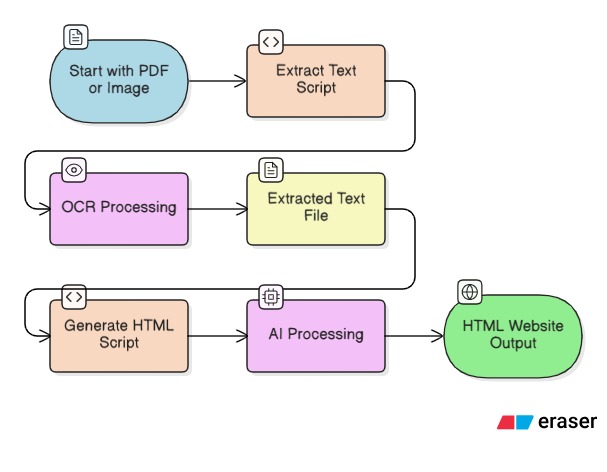
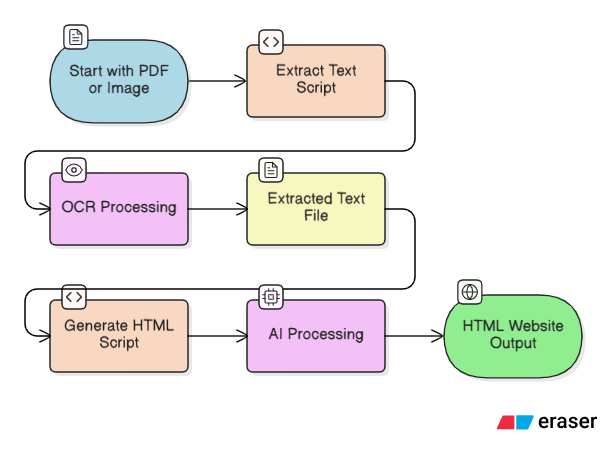
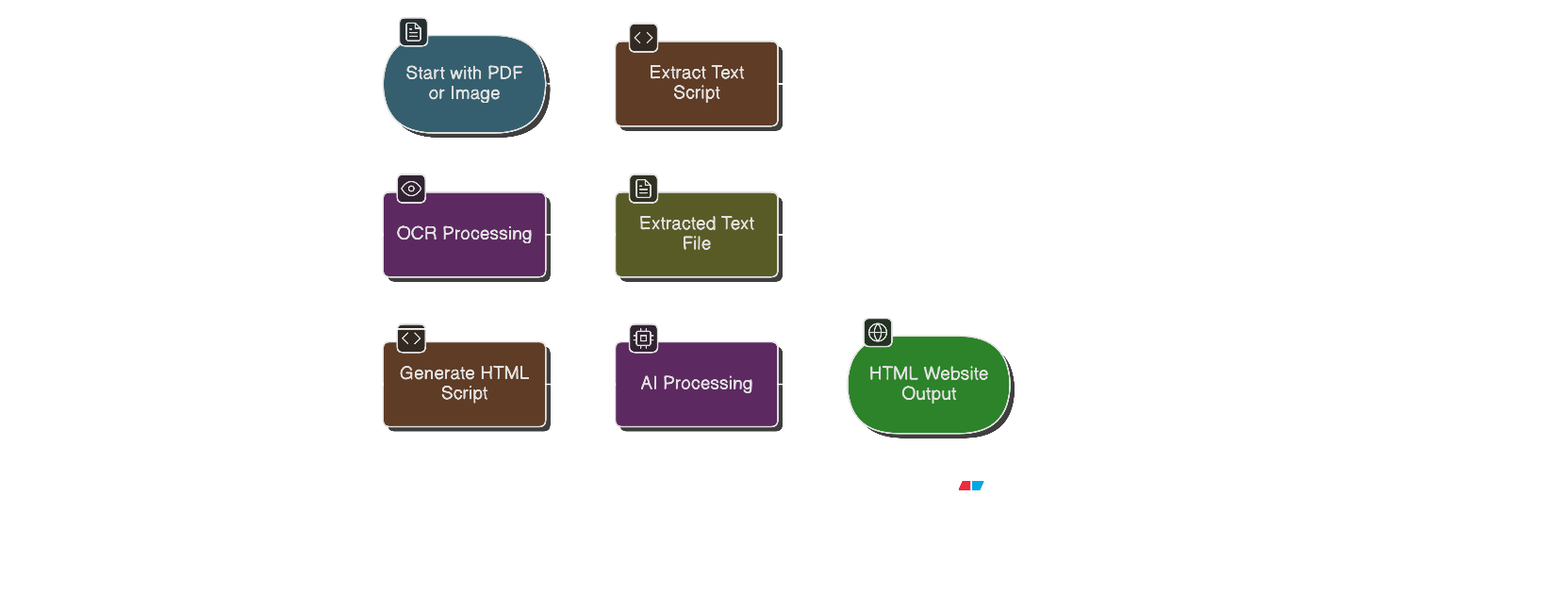
flow
-
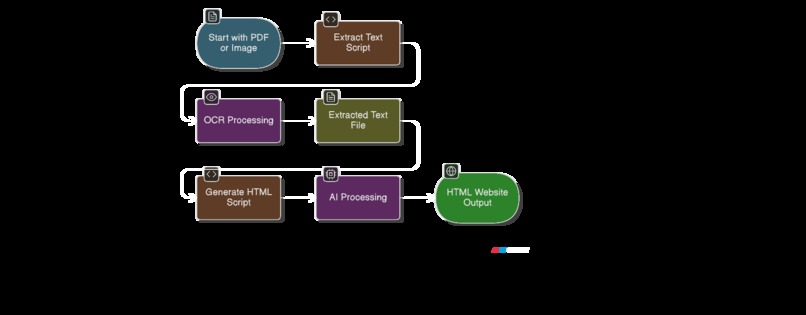
flow chart
-
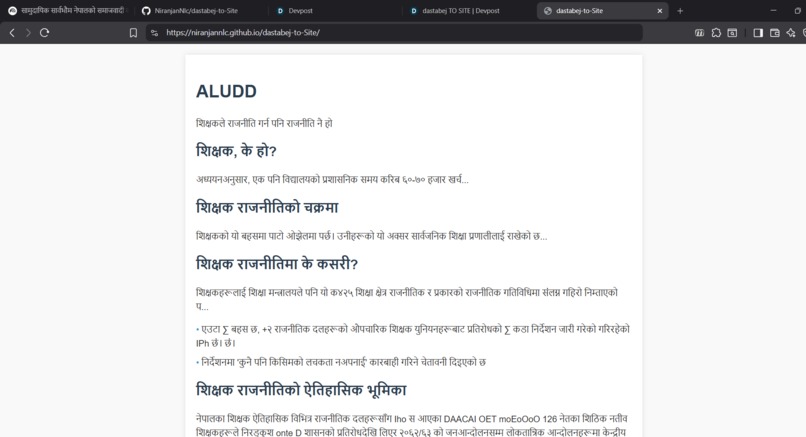
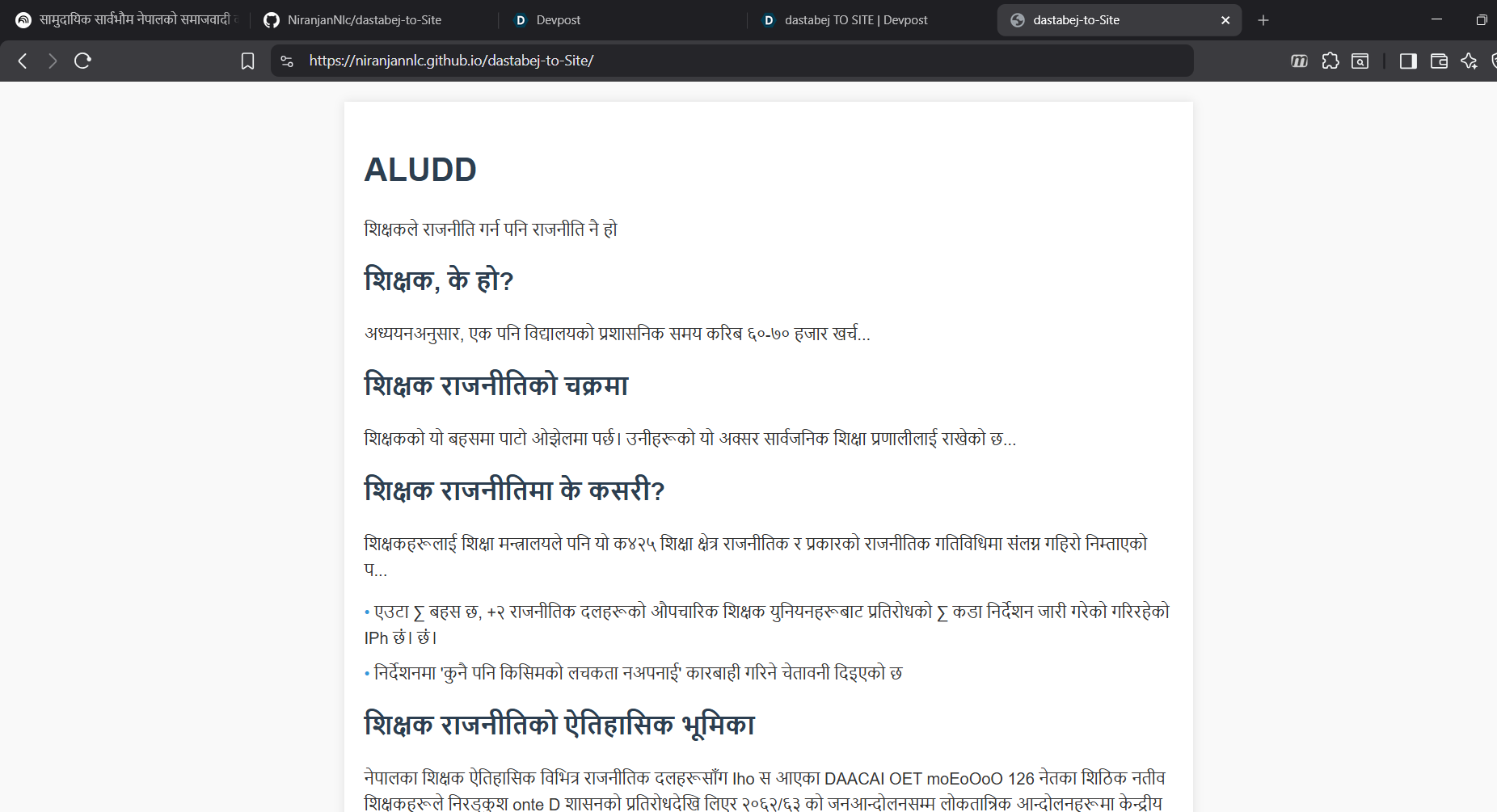
Illustration of generated html
Dastabej TO SITE - Hackathon Submission
Inspiration
Political documents in Nepal are often dense, lengthy PDFs that are difficult for citizens to access and understand, especially on mobile devices. Many people struggle to navigate through hundreds of pages of policy documents, finding key information, understanding summaries, and identifying sections related to equality and representation.
We were inspired to bridge the gap between complex political documentation and public accessibility. Our goal was to transform these inaccessible PDF documents into mobile-friendly, easy-to-read websites that automatically highlight important sections, provide summaries, and make political information more democratic and accessible to everyone.
What it does
Dastabej TO SITE (also known as dastabej-to-Site) converts long Nepali political documents (PDFs) into beautiful, mobile-friendly explainer websites. The tool:
- 📄 Extracts text from PDFs using advanced OCR technology (PaddleOCR) optimized for Devanagari script
- 🤖 Generates structured HTML websites using ERNIE AI that automatically:
- Creates clear summaries at the top
- Highlights key points in organized lists
- Emphasizes equality and representation sections
- Formats content for optimal mobile reading
- 📱 Produces responsive designs that work seamlessly on smartphones and tablets
- 🌐 Supports Nepali language with proper handling of Devanagari script and Unicode encoding
The entire process is automated - just provide a PDF document, and within minutes you have a fully functional, mobile-optimized website ready to share.
How we built it
We built Dastabej TO SITE using a two-stage pipeline:
Stage 1: Text Extraction (extract.py)
- Used PaddleOCR for OCR processing, specifically optimized for Nepali/Devanagari script
- Integrated pypdfium2 to render PDF pages into high-resolution images (configurable scale for accuracy)
- Implemented automatic language detection (defaults to Nepali for PDFs)
- Added page break markers to preserve document structure
- Ensured proper Unicode handling for Windows compatibility
Stage 2: HTML Generation (generate_html.py)
- Leveraged ERNIE 4.5 AI model via Novita API for intelligent content structuring
- Designed sophisticated prompts to guide the AI in creating:
- Mobile-friendly responsive layouts
- Structured sections (summary, key points, equality/representation highlights)
- Professional styling with inline CSS
- Implemented HTML response cleaning to extract clean code from AI outputs
- Added support for custom model selection and configuration
Technical Stack
- Python 3.10+ as the core language
- PaddleOCR 3.0+ for OCR capabilities
- ERNIE 4.5 VL via Novita API for AI-powered generation
- pypdfium2 for PDF processing
- OpenAI-compatible API client for seamless integration
Challenges we ran into
OCR Accuracy for Devanagari Script: Initially struggled with OCR accuracy for Nepali text. We solved this by:
- Increasing PDF render scale to 4.0 for sharper images
- Using PaddleOCR's textline orientation detection
- Properly configuring language settings
Unicode Handling on Windows: Windows console encoding issues with Devanagari characters. We fixed this by:
- Implementing UTF-8 console reconfiguration
- Using UTF-8-sig encoding for file output (BOM support)
- Adding proper error handling for encoding issues
AI Response Parsing: ERNIE sometimes returned markdown fences or extra text around HTML. We solved this by:
- Building a robust HTML extraction function
- Handling multiple response formats (markdown fences, plain HTML, mixed content)
- Implementing smart detection of HTML document boundaries
Multi-page Document Processing: Processing large PDFs with many pages required:
- Efficient page-by-page rendering
- Memory management for large documents
- Page break markers to preserve structure
Mobile Optimization: Ensuring the generated HTML works well on mobile devices required:
- Careful prompt engineering to guide AI toward responsive design
- Testing across different screen sizes
- Inline CSS for self-contained HTML files
Accomplishments that we're proud of
✨ Successfully processing complex Nepali political documents with high OCR accuracy
🎯 Creating a fully automated pipeline that transforms PDFs into websites in just two commands
📱 Generating mobile-first designs that make political documents accessible on smartphones
🌐 Proper Nepali language support with correct Devanagari script handling and Unicode encoding
🤖 Intelligent content structuring using AI to automatically identify and highlight important sections
⚡ Cross-platform compatibility with proper Windows, Linux, and macOS support
📚 Comprehensive documentation with clear setup instructions and usage examples
🔧 Robust error handling with clear messages for missing dependencies and configuration issues
What we learned
- OCR Technology: Deep dive into PaddleOCR's capabilities for non-Latin scripts, especially Devanagari
- PDF Processing: Understanding PDF rendering, DPI scaling, and image conversion techniques
- AI Prompt Engineering: How to craft effective prompts for structured HTML generation
- Unicode & Encoding: The complexities of handling multi-byte character encodings across platforms
- CLI Design: Creating user-friendly command-line interfaces with sensible defaults
- Document Accessibility: The importance of making political documents accessible to all citizens
- Mobile-First Design: Best practices for responsive web design in AI-generated content
What's next for SAMJAUTA TO SITE
🚀 Short-term improvements:
- Add support for multiple output formats (Markdown, JSON)
- Implement batch processing for multiple PDFs
- Add progress bars for long-running operations
- Create a web interface for easier access
📈 Medium-term features:
- Support for more languages (Hindi, English, etc.)
- Customizable HTML templates
- Integration with document hosting platforms
- Analytics and usage tracking
🌟 Long-term vision:
- Real-time processing: Web-based tool that processes documents instantly
- Collaborative features: Allow multiple users to annotate and discuss documents
- Version control: Track changes in political documents over time
- API service: Provide API access for developers to integrate into their applications
- Mobile app: Native mobile application for document processing on-the-go
- Translation support: Automatic translation to multiple languages
- Accessibility features: Screen reader optimization, high contrast modes
- Document comparison: Compare different versions of documents side-by-side
Built with ❤️ for democratic transparency and accessibility

Log in or sign up for Devpost to join the conversation.