-
-
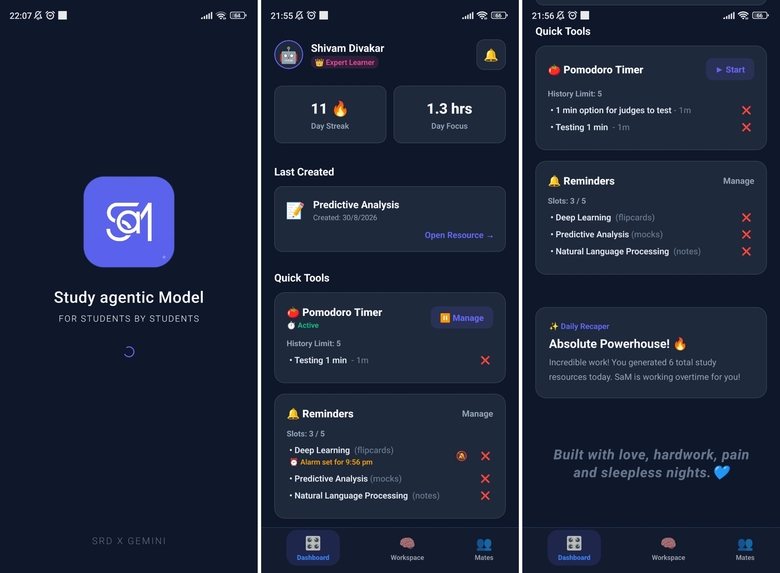
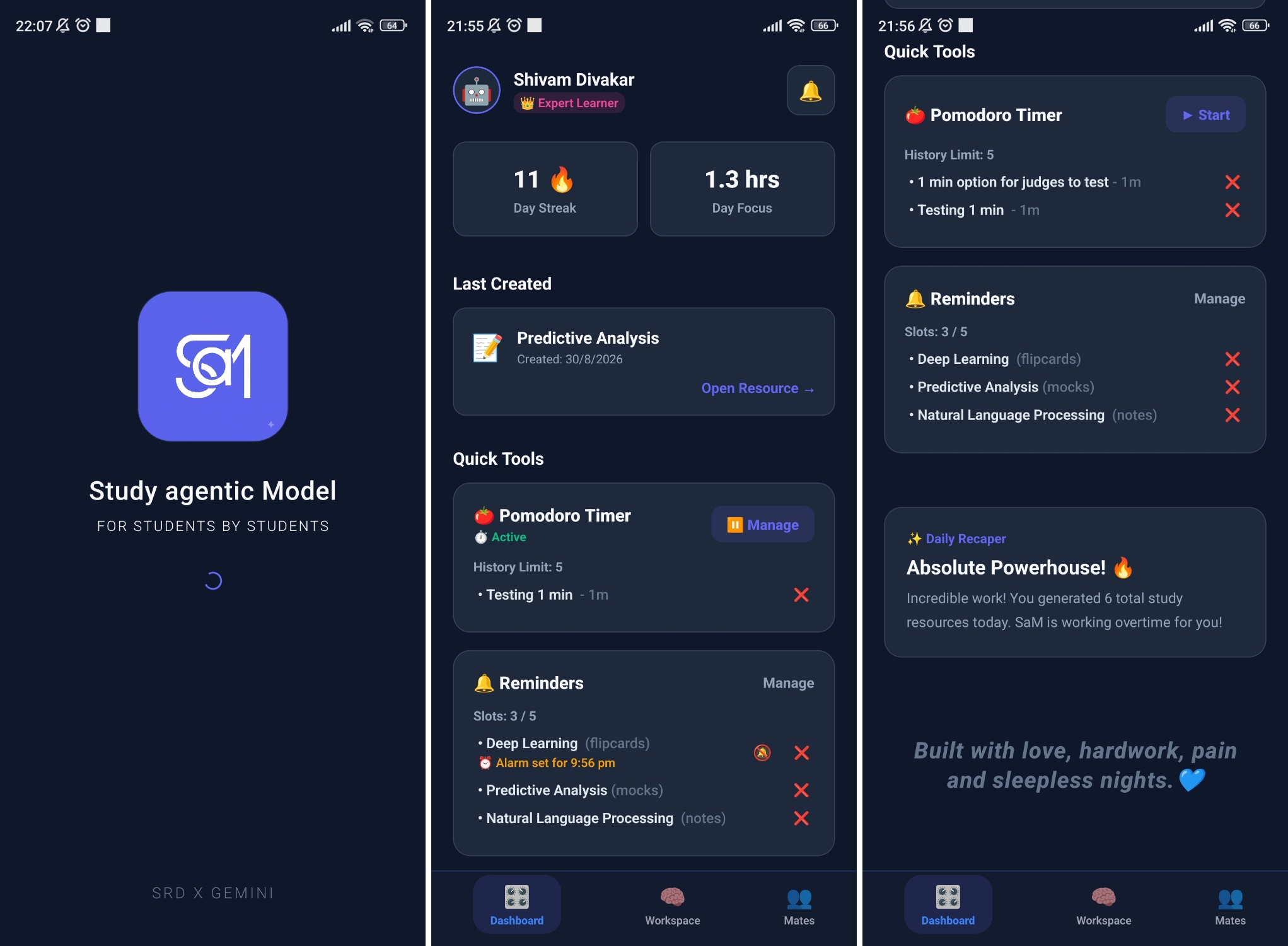
Splash Screen, Dashboard Screen
-
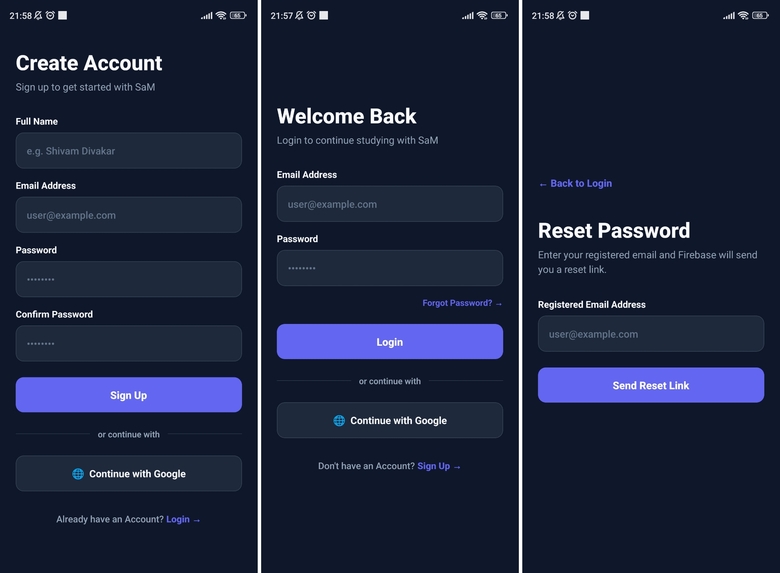
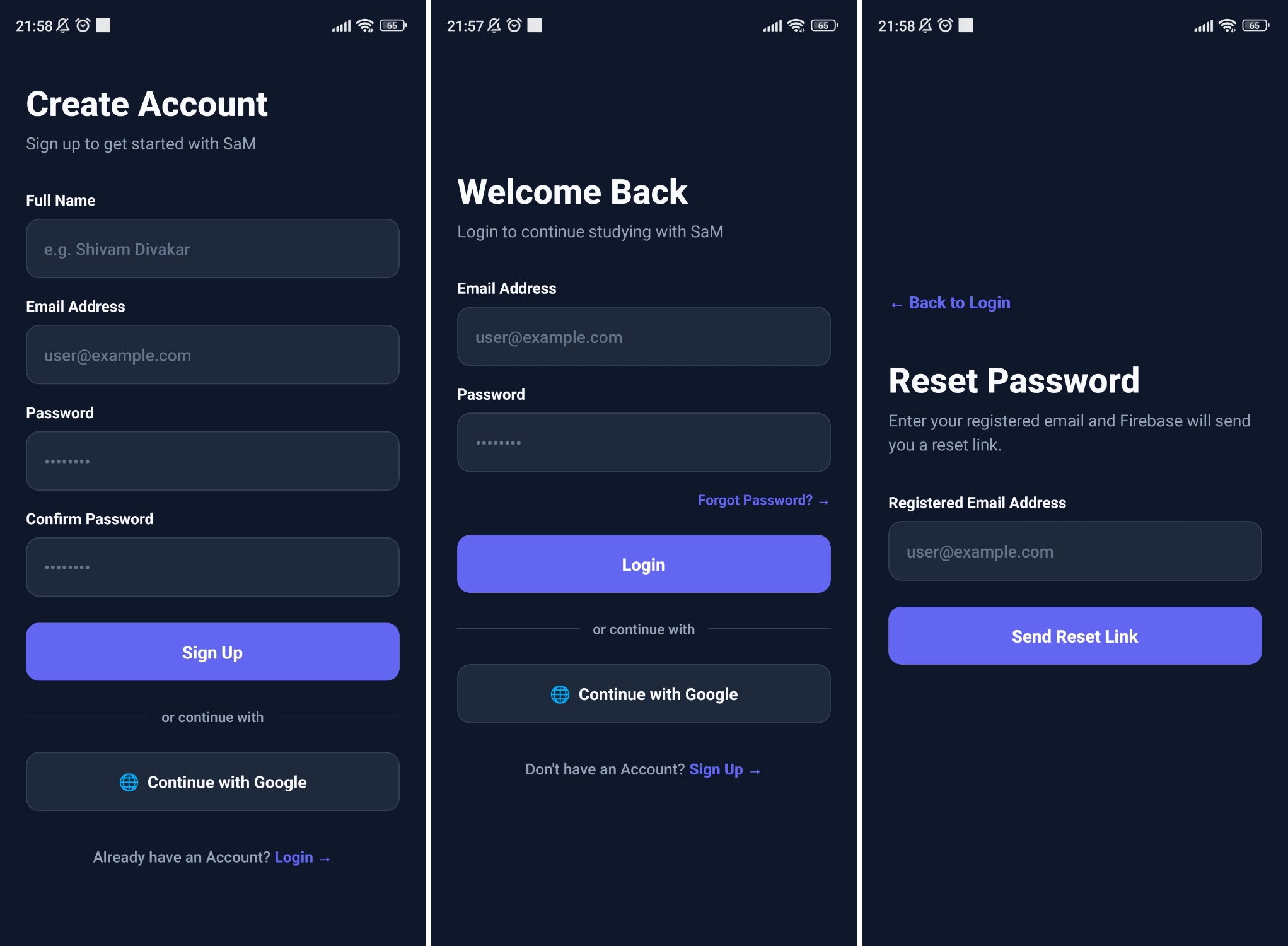
Auth Screens (Signu, Login, Forgot Password)
-
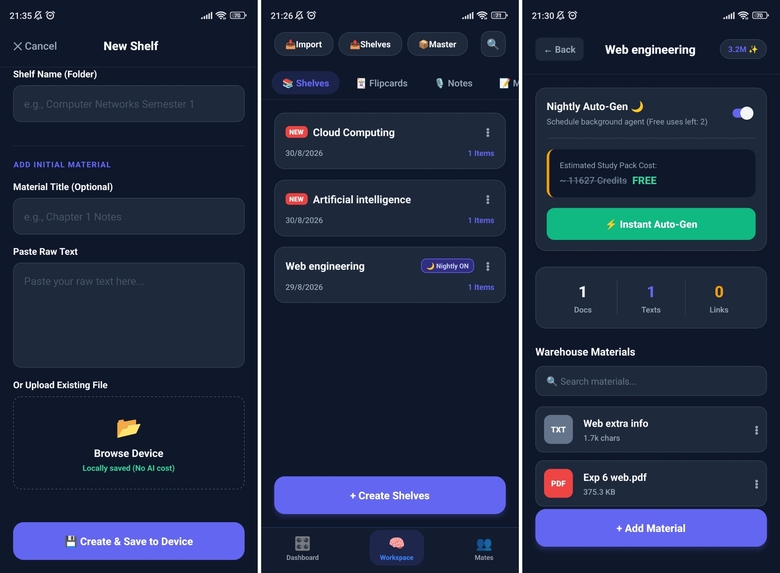
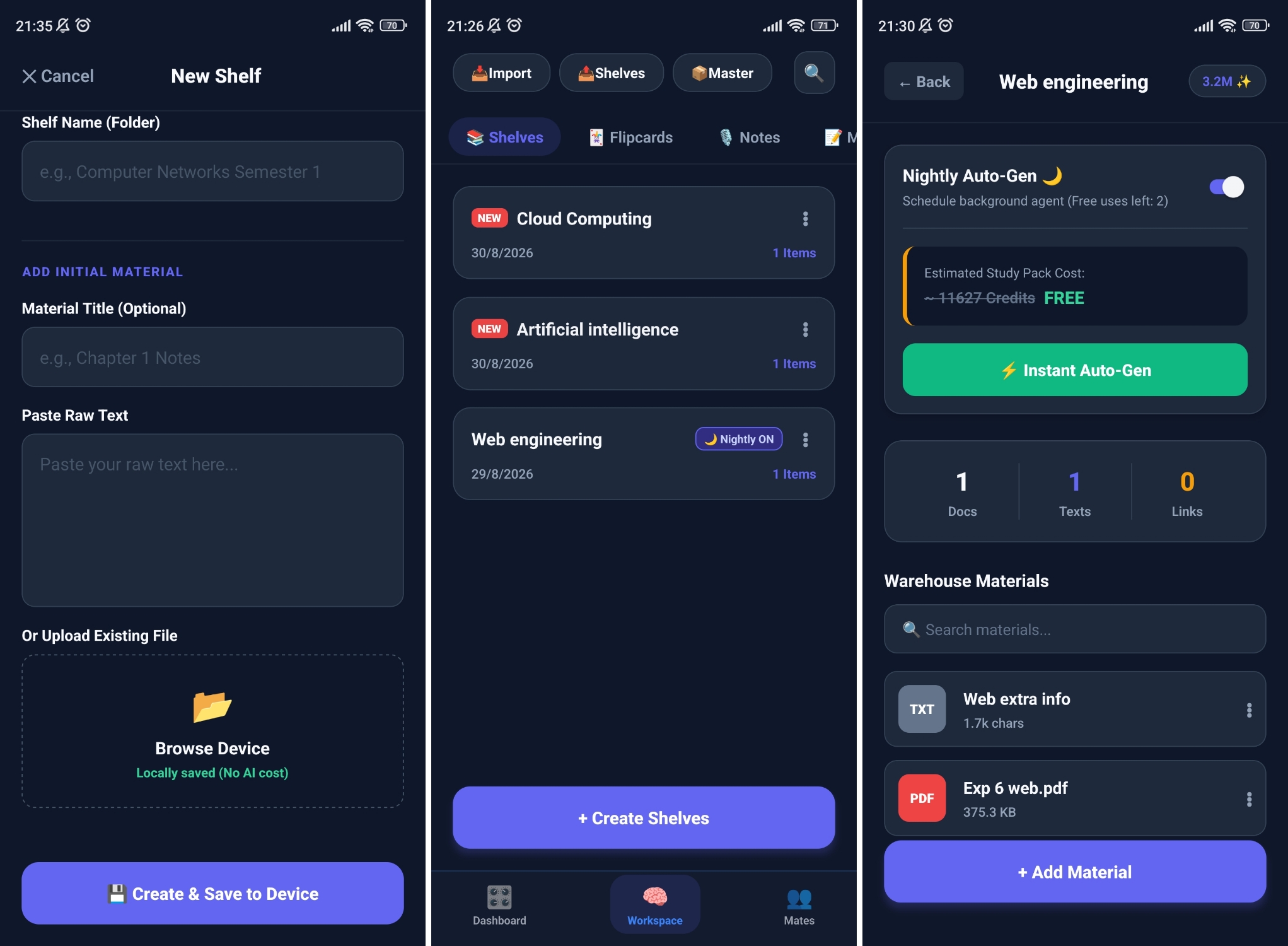
Workspace Screen - Shelves Sub Tab
-
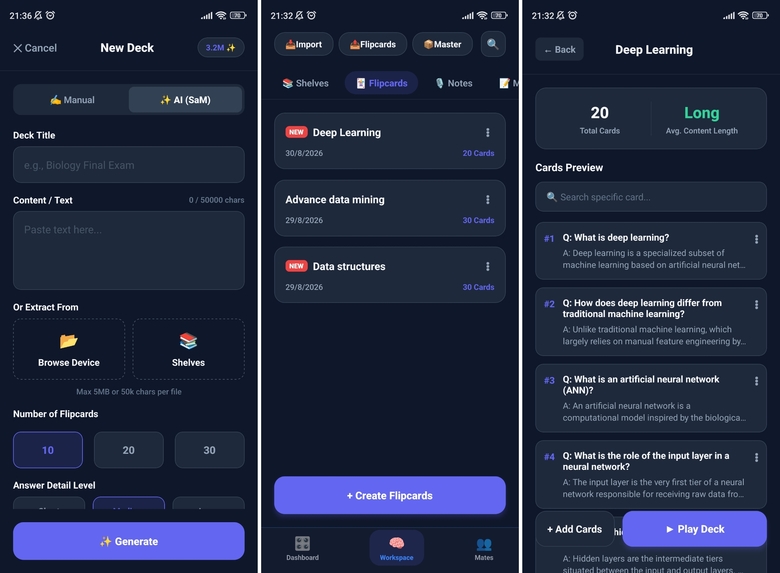
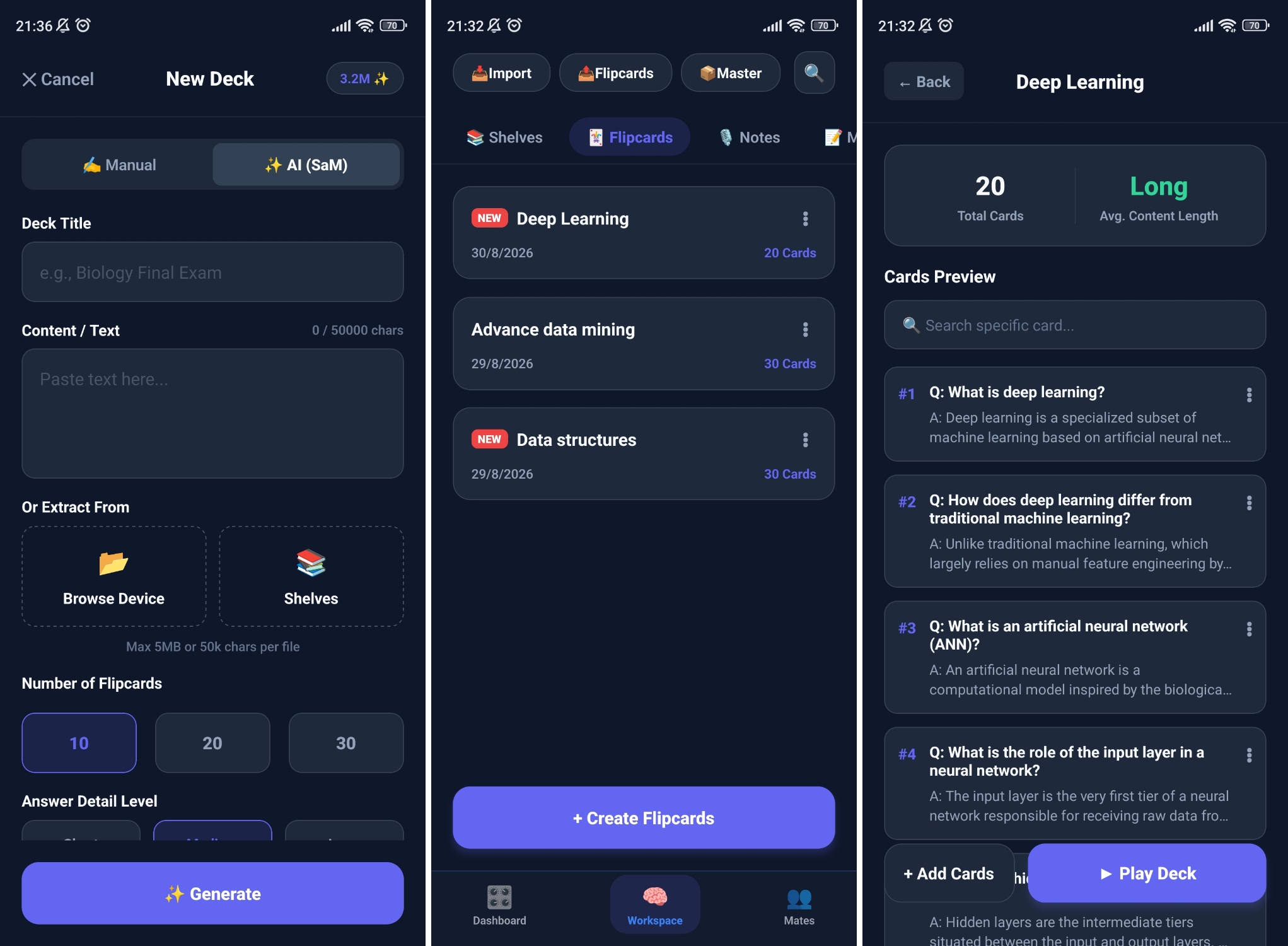
Workspace Screen - Flipcards Sub Tab
-
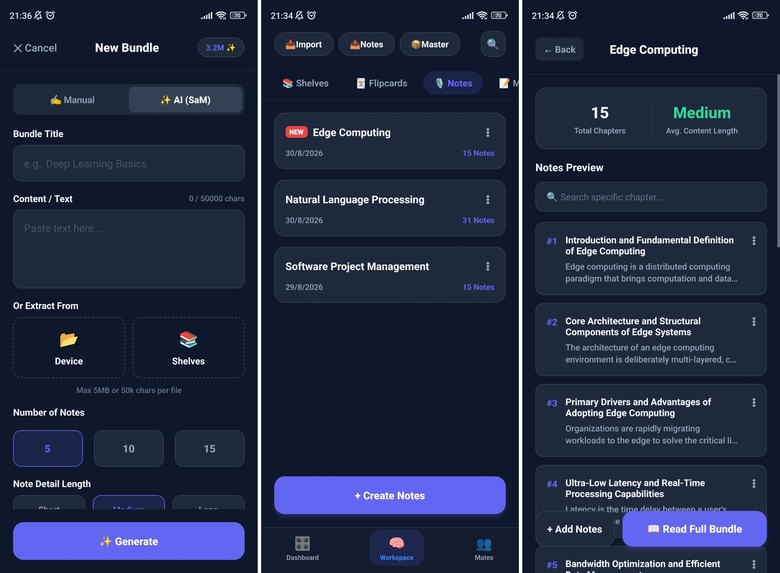
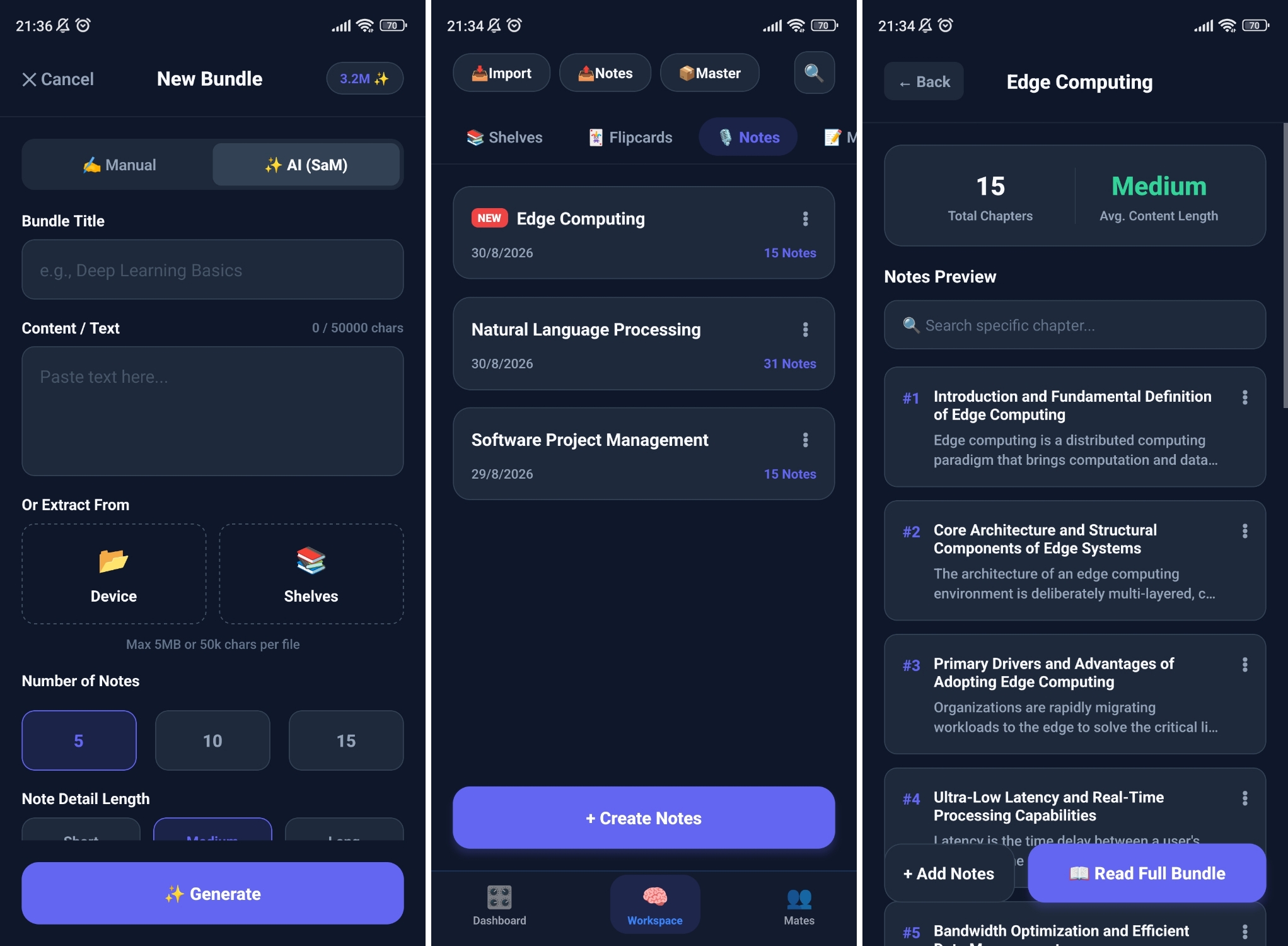
Workspace Screen - Notes Sub Tab
-
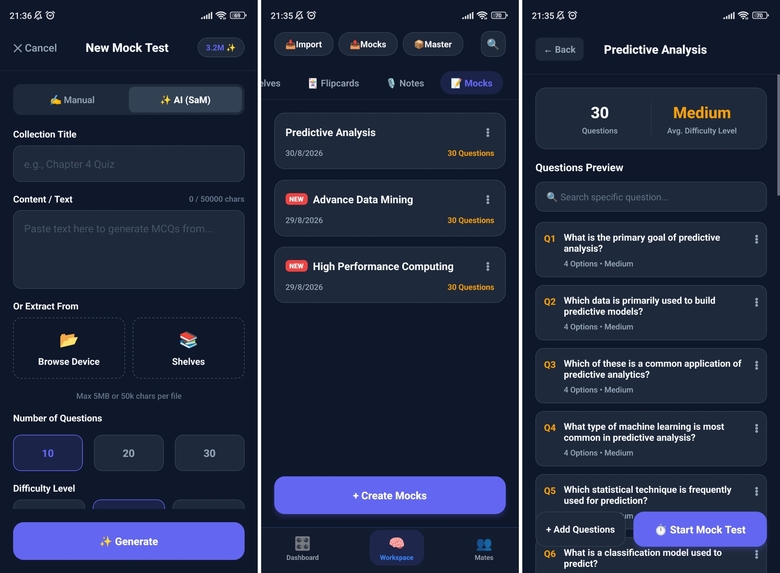
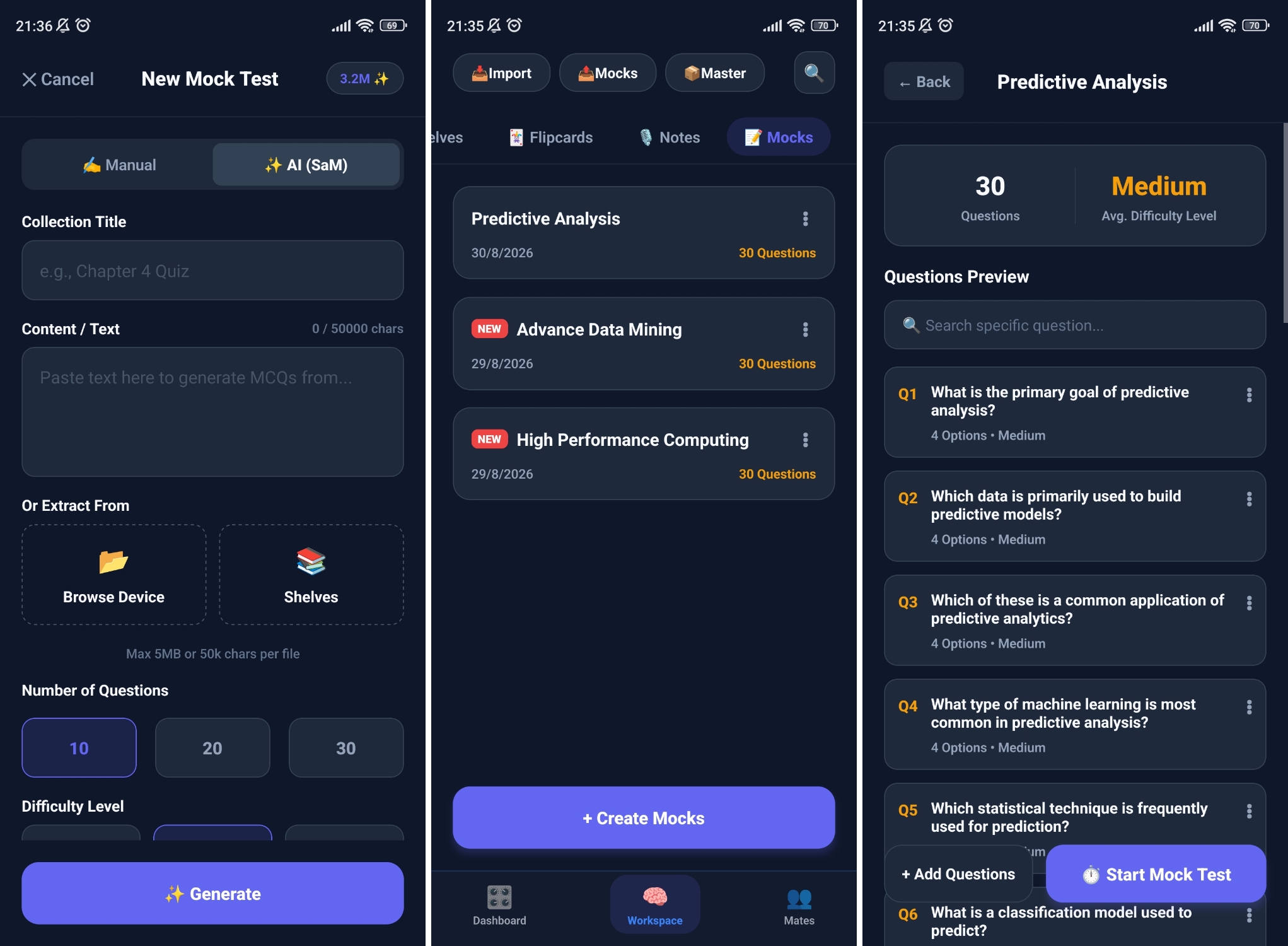
Workspace Screen - Mocks Sub Tab
-
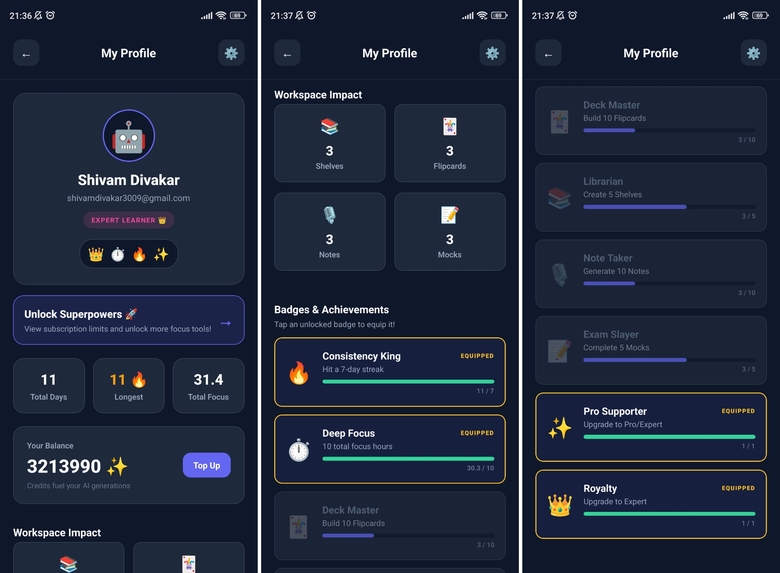
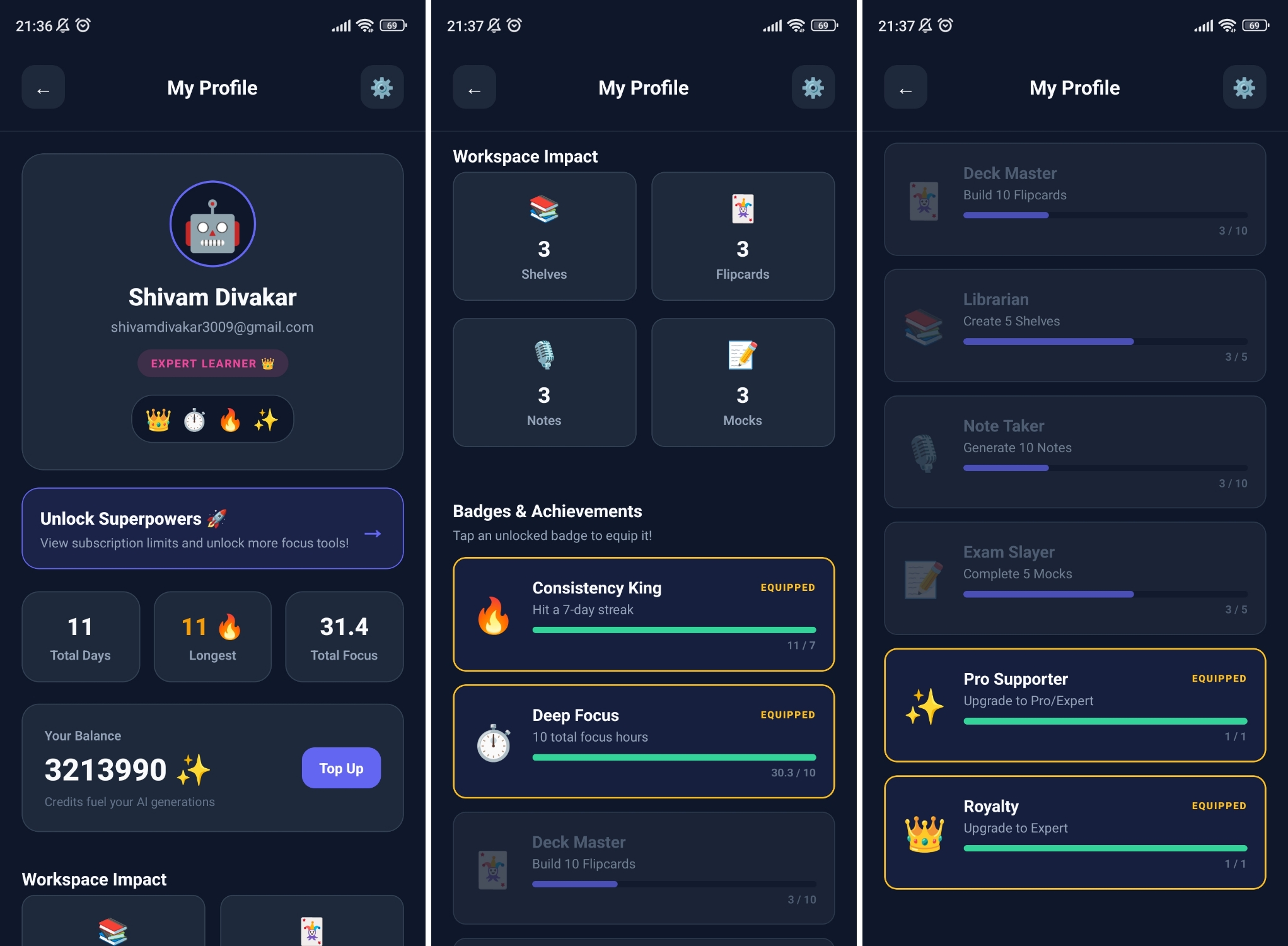
Profile Screen
-
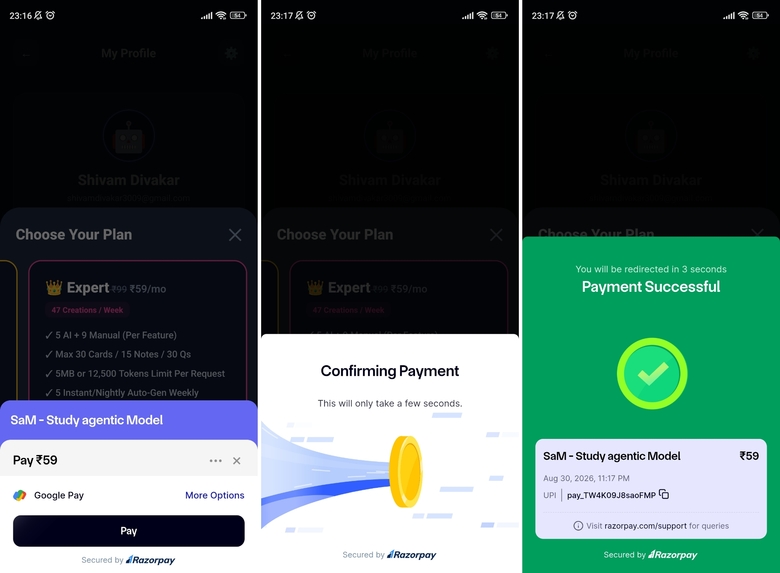
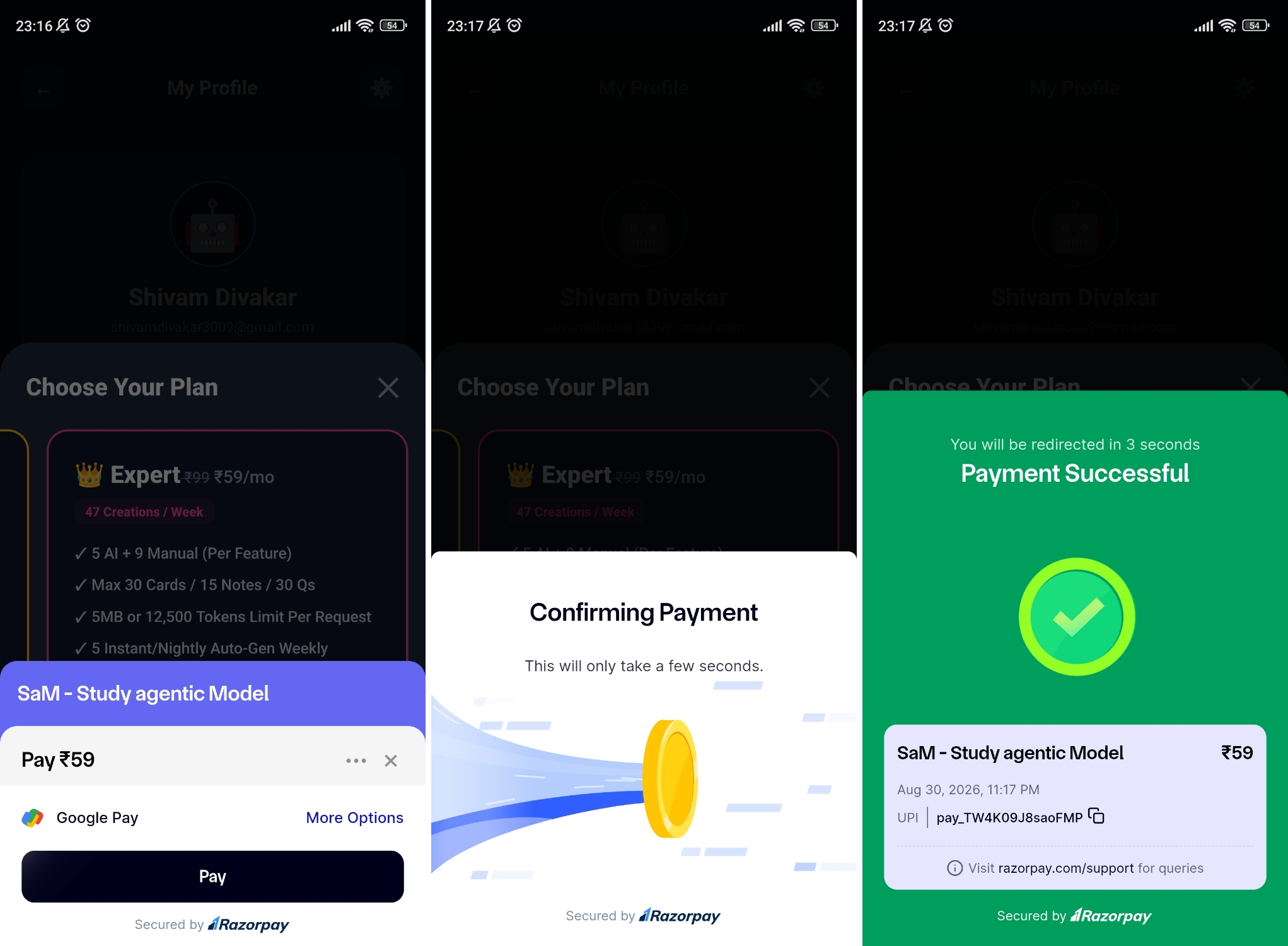
Tier Upgrade Subscription - razorpay (test)
-
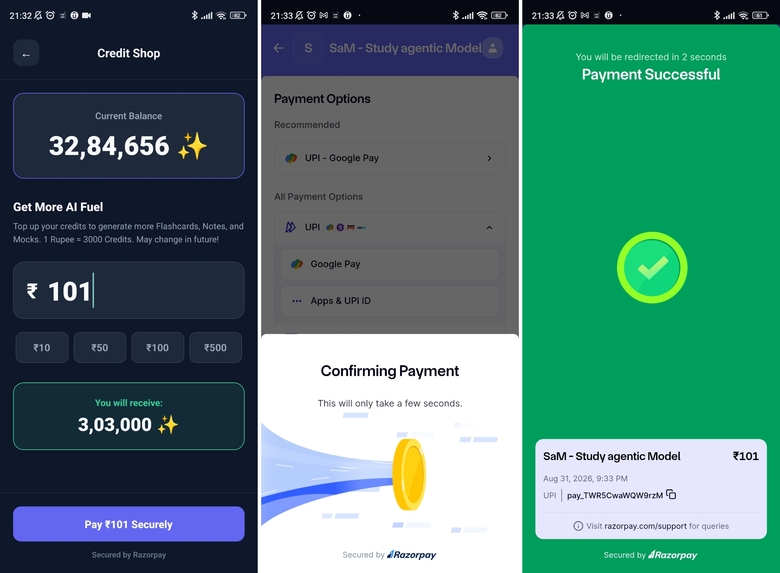
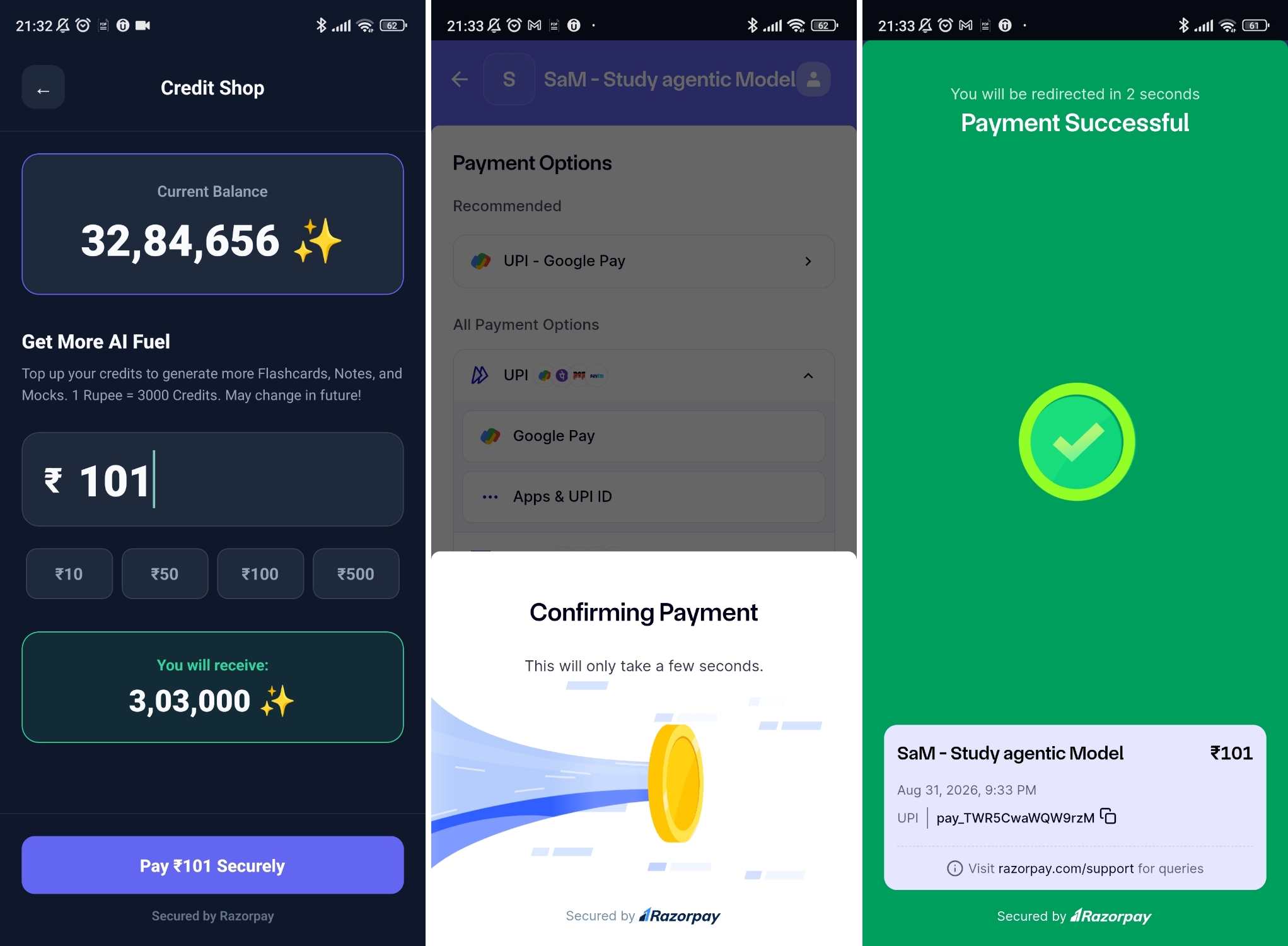
Credits Top Up - razorpay (test)
🚀 SaM: Project Story
💡 Inspiration
The inspiration for SaM (Study agentic Model) came from a genuine and frustrating daily problem: managing study resources across general-purpose apps gradually becomes a chaotic mess.
Using AI tools such as ChatGPT, Gemini, or Copilot for studying often means keeping important explanations, notes, and generated resources inside long lists of unrelated conversations. Even with pinned chats, study sessions can quickly become difficult to find once enough general-purpose conversations accumulate.
The same problem exists with traditional notes applications. I may start by keeping a few study notes in a general-purpose notes app, but over time those notes become mixed with grocery lists, reminders, personal notes, temporary information, and everything else stored on the device. The information is technically stored, but there is no dedicated environment built around actually studying it.
I even tried a workaround myself: creating a "Me-only" group chat on WhatsApp to store generated study notes. That solved the storage problem, but introduced an even bigger one: distraction. Opening WhatsApp to study meant being exposed to social notifications, new messages, and everything else happening on the platform.
That led me to a simple realization:
I didn't just need another AI chatbot. I needed a dedicated environment built around studying.
I wanted SaM to go beyond the traditional "open app → ask AI → wait → read → ask again" loop and instead allow an AI agent to proactively prepare study resources in the background.
The hackathon's focus on Agentic AI gave me the opportunity to explore exactly that idea: I provide the learning material, SaM autonomously handles the preparation of the study package, and I can return to a ready-to-use learning environment without spending my study session prompting an AI.
🎯 What It Does
SaM replaces the manual chat loop with a Proactive Study Pack generation workflow.
I upload my course material to a Dynamic Shelf, enable auto-generation, and can then leave the application.
Behind the scenes, a Genkit-powered workflow processes the material and generates a complete study package containing three different learning experiences:
📝 Structured Notes — Read or Listen
SaM generates structured study Notes designed not only for reading but also for offline TTS-based learning.
The goal is to make studying possible even when I am not sitting in front of my laptop or actively looking at my phone. For example, I can download or prepare my study material before leaving for college and listen to my Notes while travelling.
This turns otherwise unused travel time into an opportunity to revise without needing to continuously interact with an AI chatbot.
Prepare once → Disconnect → Listen → Learn
🃏 Swipeable Flipcards — Turning Doom-Scrolling Into Study
Flipcards are designed around a gesture that has become second nature to modern smartphone users: swiping.
Instead of fighting the familiar thumb-driven interaction associated with endless short-form content and doom-scrolling, SaM redirects that same gesture toward learning.
The Flipcards are vertically swipeable, allowing me to quickly move through concepts, definitions, questions, and answers in a familiar interaction pattern.
The idea is intentionally simple:
If my thumb already knows how to scroll, why not make it scroll through something useful?
Rather than removing the gesture entirely, SaM repurposes it for active study.
📝 Timed Mock Exams — Learning From Mistakes
SaM also generates timed Mock Exams from the uploaded study material.
The important part is what happens beyond simply calculating a score.
SaM uses cognitive telemetry to identify patterns in my mock-test performance and track topics where I repeatedly struggle. These weak-topic signals can then be used to inform future study-resource generation.
Instead of repeatedly telling the AI:
"I am weak in this topic."
the system can learn from my actual interaction with the generated assessments.
This creates a feedback loop:
$$ \text{Study} \rightarrow \text{Test} \rightarrow \text{Detect Weakness} \rightarrow \text{Learn} \rightarrow \text{Generate Again} $$
The goal is to make future study material progressively more relevant to what I actually need to improve.
🏗️ How I Built It
SaM uses a React Native client connected to a Firebase/Google Cloud backend designed to support both reactive and autonomous workflows.
- 📱 Frontend: React Native (Expo) with Zustand for application state management.
- ☁️ Backend: Firebase Cloud Functions deployed in
asia-south1(Mumbai). - 🗄️ Application State: Firestore manages application and workflow state.
- 🧠 Agent Orchestration: Google Genkit manages the AI generation workflows.
- 🤖 AI: Gemini models accessed through Vertex AI.
- ⏱️ Autonomous Scheduling: Google Cloud Scheduler initiates scheduled workflows, with Pub/Sub supporting the background event-driven pipeline.
- 💾 Persistence: Firebase Storage handles persistent source-file storage, while generated study resources are maintained locally for offline-first study.
The resulting architecture moves SaM beyond a simple request-response application:
$$ \text{Input} \rightarrow \text{Validate} \rightarrow \text{Orchestrate} \rightarrow \text{Generate} \rightarrow \text{Persist} \rightarrow \text{Deliver} $$
The important distinction is that generation does not always have to begin with an active user request. Scheduled and proactive workflows can initiate the process independently.
⚠️ Challenges I Ran Into
Building an autonomous AI workflow introduced challenges that do not normally appear in a simple chatbot integration.
🔄 High-Demand API Failover
Relying on a single AI model creates a potential single point of failure during temporary availability or rate-limit issues, including 503 or 429 responses.
I implemented a model failover mechanism. When the primary model becomes unavailable or encounters a recoverable generation failure, SaM can reroute the request through a configured backup model.
The transition is designed to remain non-disruptive to me as the user: the UI provides a notification indicating that generation is being rerouted while the system continues processing through the fallback model.
This allows the generation workflow to remain resilient without requiring me to manually restart the operation.
🧮 The Token Trap
Processing large syllabus PDFs introduced both cost and reliability concerns.
File size alone is not a dependable measure of token consumption. Two documents with similar file sizes can contain dramatically different amounts of model-readable content depending on their text, formatting, images, and other data.
As a rough illustration:
$$ 5\,\text{MB} \approx 5 \times 10^6\,\text{bytes} $$
That does not mean the document contains an equivalent number of tokens. Actual token usage depends on the content and tokenizer.
Sending large requests directly to the model without evaluation could unnecessarily consume available AI resources or exceed configured limits.
I addressed this using a Dual-Gate Pre-Flight Firewall built around the @google/genai SDK and Vertex AI's countTokens capability.
Before the generation workflow is dispatched, SaM evaluates the request and determines whether it falls within the configured resource and credit constraints.
💾 Managing Local Content Storage
Offline-first study creates a different storage challenge: generated study resources are valuable user content and should not be treated as disposable cache data.
Rather than automatically deleting Flipcards, Notes, or Mock Exams simply because new content is generated, I provide dedicated Export and Master Export options so I can preserve my generated resources as backups.
These exports can be retained in storage I control, such as Google Cloud storage or external storage devices.
For smaller, non-critical historical data such as Pomodoro and reminder history, automated local cleanup can be used to prevent unnecessary accumulation.
The long-term direction is to introduce tier-based cloud backup for important study resources once the required cloud-storage infrastructure and backup architecture have been fully designed and evaluated.
🔐 Firebase Authentication Race Conditions
I also encountered synchronization issues between native React Native authentication state and Firebase.
To make authentication more deterministic, I implemented explicit client-side token refresh handling together with server-side UID verification.
This ensures backend operations are associated with the authenticated user's verified identity rather than relying solely on client-provided identifiers.
🏆 Accomplishments I'm Proud Of
⚡ Parallel Execution Pipeline
Generating Notes, Mock Exams, and Flipcards sequentially introduced unnecessary waiting time.
I redesigned compatible generation tasks around structured validation and Promise.all, allowing multiple generation operations to execute concurrently rather than waiting for each resource to finish before starting the next.
In my testing, this reduced total generation time by over 60% compared with the sequential approach.
🚀 Fast UI Hydration
I also optimized the mobile experience by passing already-available JSON payloads directly through React Native navigation where appropriate.
This avoids unnecessary database reads during certain transitions and allows previously generated content to appear immediately instead of requiring another backend round trip.
🔒 Secure Local Isolation
Local application data is scoped to the authenticated user's UID.
This creates a clear separation between users on the same device and prevents one user's local study state from being treated as shared application data when another account signs in.
🧠 Silent Learning Telemetry
SaM tracks weak topics identified through mock-test activity locally and can synchronize this learning profile with Firestore.
These signals can subsequently influence future AI generation, allowing the system to target demonstrated weaknesses without requiring me to repeatedly explain what I struggle with.
The goal is for SaM to become progressively more useful through implicit learning signals rather than requiring additional manual prompts.
📚 What I Learned
My biggest lesson was that building an agentic application is fundamentally different from simply integrating an LLM API.
The model itself is only one component. Reliable agentic behavior requires:
Triggers + State + Validation + Orchestration + Actions + Error Handling + Persistence
A traditional AI feature generally follows:
$$ \text{User Prompt} \rightarrow \text{AI Response} $$
SaM extends that model toward:
$$ \text{Event} \rightarrow \text{Decision} \rightarrow \text{Action} \rightarrow \text{Result} $$
That shift—from "click to generate" toward proactive and background execution—is what I believe makes SaM genuinely agentic.
🔮 What's Next — SaM's Smart Agentic Mentor
I am currently developing Mates, a peer-to-peer study resource ecosystem built around the same distraction-free philosophy.
A conventional social-study implementation could rely on unrestricted real-time messaging. However, that approach introduces unnecessary database activity, moderation requirements, spam, and another potential source of distraction.
Instead, I designed a lightweight "Ping" system.
Students will be able to send a maximum 100-character Ping specifically to request or share system-generated study resources such as Mocks, Notes, and Flipcards.
The constraint is intentional:
Mates should facilitate academic resource exchange, not become another social messaging platform.
Short-lived Firestore documents with Time-To-Live (TTL) policies can be used to handle these exchanges temporarily and automatically remove expired requests and resources.
This approach is designed to reduce unnecessary cloud usage, minimize moderation requirements, and preserve SaM's core philosophy:
When students open SaM, they should be there to learn—not to get distracted.
My long-term vision is for SaM to evolve from an AI study generator into an autonomous study ecosystem where AI can generate, organize, schedule, personalize, and help students discover the resources they need—while keeping the actual learning experience local, focused, and distraction-free.
Another planned direction is a tier-based cloud backup infrastructure for users who want an additional layer of protection for important study resources. The intention is not to move everything to the cloud by default, but to give users the option to selectively back up valuable content when they need it.
Before implementing this, I want to design a proper storage, retention, synchronization, and pricing mechanism that is technically sustainable and economically sensible for each subscription tier. This would allow users who need additional protection for their important Notes, Flipcards, Mocks, or other study resources to rely on SaM's cloud infrastructure as a dedicated backup option, while keeping the existing local-first approach as the default experience.
Built With
- android-studio
- cloud-firestore
- cloud-functions
- cloud-pubsub
- cloud-scheduler
- expo.io
- firebase
- firebase-auth
- firebase-storage
- gemini
- google-cloud
- google-genai
- google-genkit
- javascript
- react-native
- typescript
- vertex-ai
- vscode

Log in or sign up for Devpost to join the conversation.