-
-
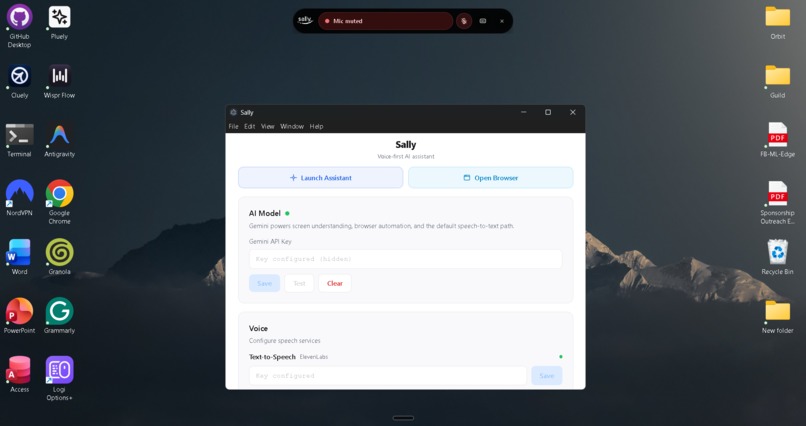
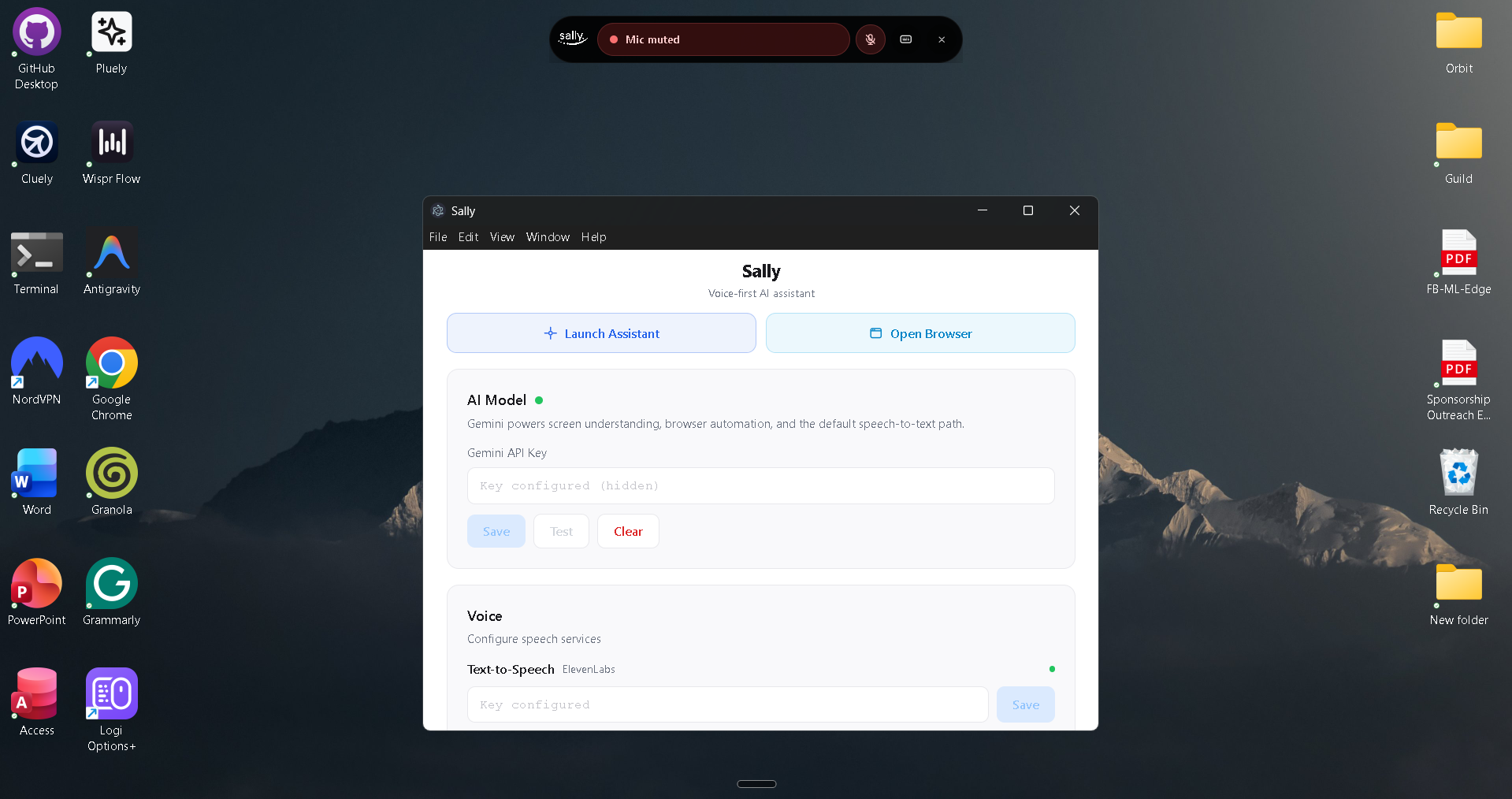
Sally's full application
-
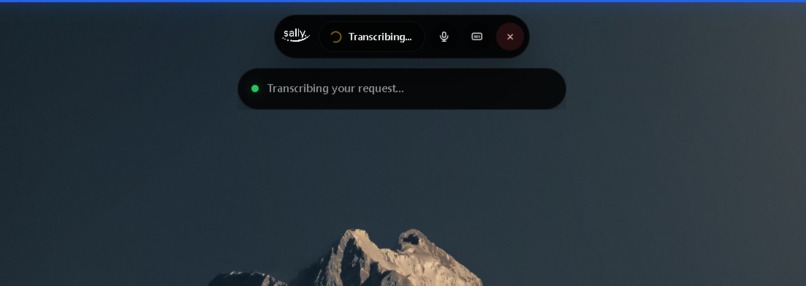
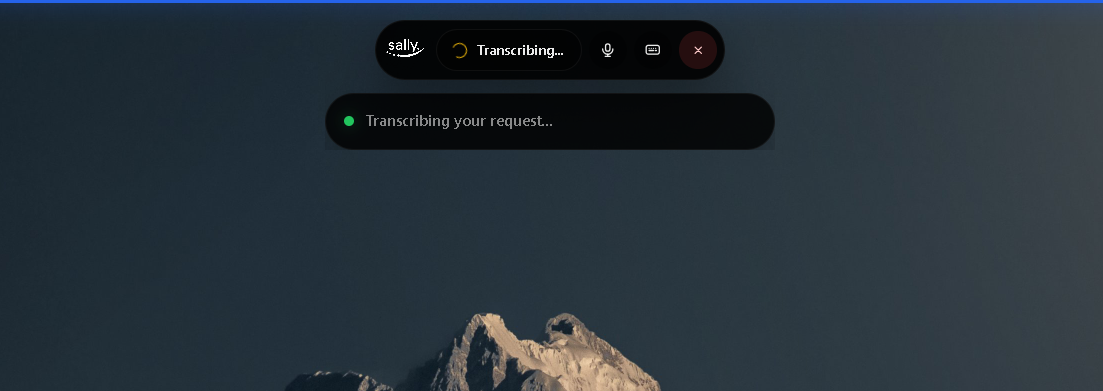
Sally at work
-
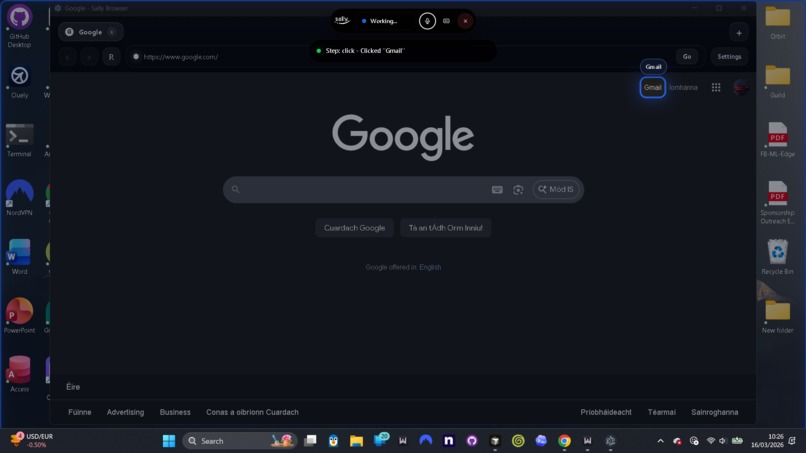
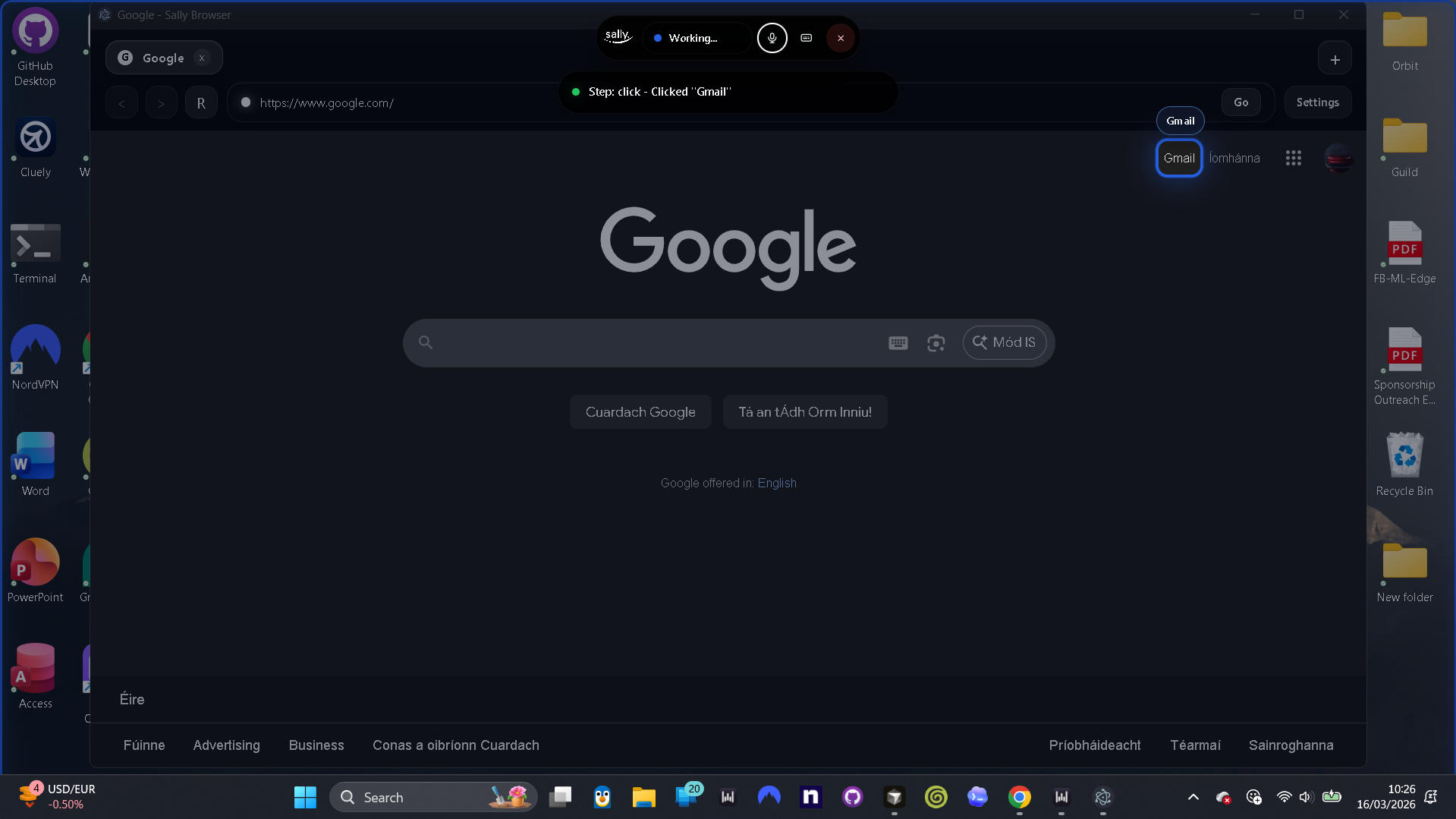
Sally working on a query
-
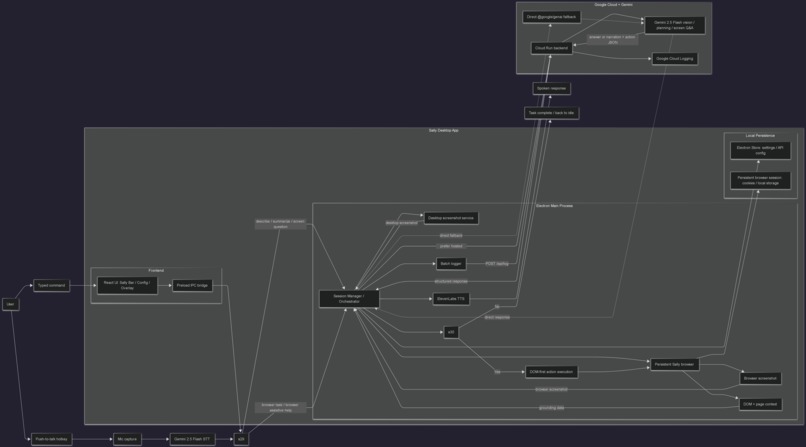
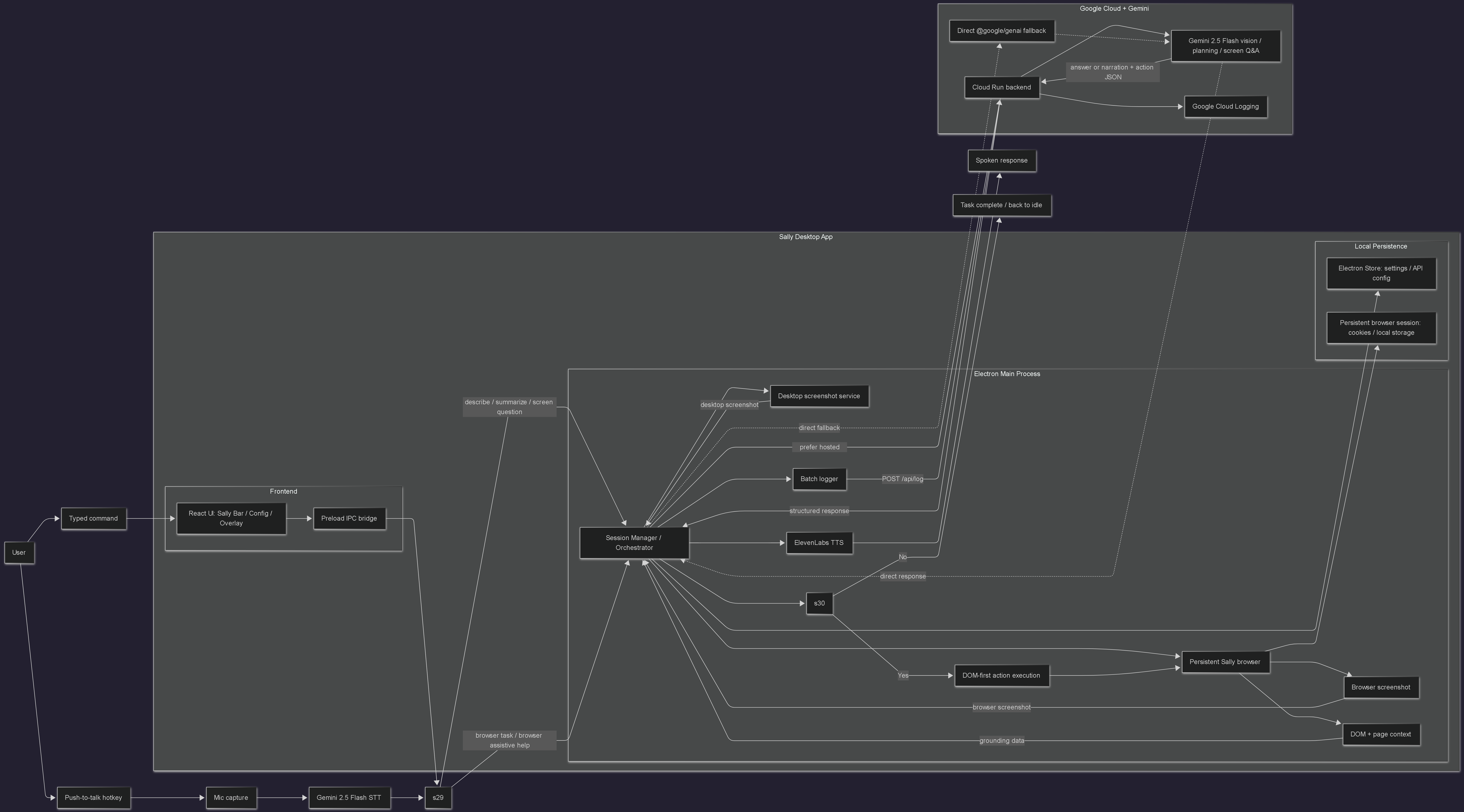
Architecture Diagram
Inspiration
The web was built for people who can point, click, and type. But millions of people cannot do that comfortably or consistently:
- Motor impairments such as cerebral palsy, ALS, muscular dystrophy, and spinal cord injuries can make a mouse or keyboard painful, exhausting, or impossible to use.
- Repetitive strain injuries (RSI) such as carpal tunnel and tendonitis force many people to limit mouse and keyboard use.
- Cognitive and learning disabilities can make multi-step website navigation overwhelming.
- Older users often face reduced dexterity and unfamiliar modern UI patterns, which creates digital exclusion.
I asked a simple question:
What if you could control any website just by speaking?
The interaction burden on the modern web is still high:
\( \text{Task burden} = \text{navigation} + \text{form filling} + \text{clicking} + \text{error recovery} \)
For many users, every one of those steps is a barrier. Sally is built to reduce that burden by acting like a patient, always-available assistant that can hear the user, see the interface, and handle the UI on their behalf.
Sally is built for the Gemini Live Agent Challenge, especially the UI Navigator track, but the market is broader: accessibility technology, assistive computing, hands-free productivity, and voice-driven web interaction.
What It Does
Sally is a voice-first AI accessibility agent that lets people control websites, ask questions about what is on screen, and move through interfaces using natural voice commands.
At a high level, Sally can:
- listen to spoken commands with push-to-talk
- transcribe and interpret them with Gemini
- see the current screen or browser page
- act inside a persistent browser session
- narrate each important step aloud
- ask for clarification when needed
- help when the user gets stuck on a page
The Core Loop
User speaks
  -> Gemini STT
  -> request interpretation
  -> route to screen question, browser assistive help, browser rescue, or browser task
  -> capture screenshot + page context
  -> Gemini decides what matters and what to do next
  -> Sally executes one action
  -> ElevenLabs narrates the result
  -> repeat until complete, cancelled, or waiting for the user
Six Superpowers
1. Screen Understanding: "What am I looking at?"
The user can ask Sally to describe or summarize the current screen. Sally captures a screenshot and sends it to Gemini 2.5 Flash for multimodal analysis. This works for both full-screen questions and browser-page questions.
2. Agentic Browser Automation: "Go to Gmail and click Compose"
Sally runs an agentic browser loop inside its own persistent Electron browser. It captures a live browser screenshot, extracts DOM and page context, asks Gemini for the best next action, executes it, and loops until the task is done.
3. Browser Assistive Help: "What can I do here?"
Sally can answer assistive questions about the current page without running the full action loop. For example:
- "What can I do here?"
- "What buttons are here?"
- "What form fields are here?"
- "What headings are here?"
- "Read the errors"
This makes the product useful not just for automation, but for orientation and accessible page walkthroughs.
4. Browser Rescue: "I'm stuck here"
When a user gets stuck on a page, Sally can inspect the current browser state, identify blockers, explain what is happening, and suggest safe next steps. This is different from generic browser automation because the goal is not only to act, but to help the user recover from confusing or broken flows.
5. Multi-Step Planning Across Tabs
Sally can plan more complex workflows by:
- keeping an active subtask
- remembering useful facts across steps
- opening and switching tabs
- gathering information before drafting an email or filling a form
This makes tasks like research-to-email workflows much more reliable than a single-shot prompt.
6. Smart Home Control Through the Web
Sally can expand natural commands like "lights on" or "set the thermostat to 72" into browser actions on home.google.com. That means Sally can control smart-home devices through their web UI without requiring a dedicated smart-home API integration.
What Makes Sally Different
| Traditional Web Interaction | Sally |
|---|---|
| Requires mouse + keyboard | Voice-first interaction |
| User must learn every website's UI | Gemini helps interpret the interface |
| Visual feedback only | Spoken narration for every key step |
| Hard to recover from confusing pages | Browser assistive help and rescue mode |
| One action at a time | Multi-step agentic workflows |
| Easy to lose context across tools | Persistent browser, tabs, subtasks, and remembered facts |
How We Built It
System Architecture
Sally is built as a desktop application with four main layers:
Layer 1: Perception
Gemini 2.5 Flash handles speech-to-text, screenshot understanding,
request interpretation, screen questions, and browser action planning.

Layer 2: Grounding and Planning
Sally pairs screenshots with structured page context:
URL, title, tabs, interactive elements, headings, landmarks,
dialogs, visible messages, active element, and task memory.

Layer 3: Action and Orchestration
Electron main process, Session Manager, and Browser Service
control the persistent Sally browser and execute DOM-first actions.

Layer 4: Communication and Cloud
ElevenLabs narrates actions aloud, Cloud Run hosts the backend path,
and optional Cloud Logging captures structured agent activity.
Desktop App: Electron + React + TypeScript
- Push-to-talk hotkey with
uiohook-napicaptures voice input system-wide. - Gemini STT transcribes speech with no OpenAI dependency.
- Session Manager orchestrates the full loop and state machine.
- Persistent Sally browser uses the
persist:sally-browserpartition to preserve cookies, sessions, and login state. - Browser shell UI provides tabs, navigation controls, and a dedicated browser workspace that does not interfere with the user's normal browser.
- Waiting and clarification flow shows a full-screen overlay when Sally needs the user to respond, with the message
Agent is waiting for your replyand anEnd Agentaction. - Risk-aware confirmations let Sally pause before certain risky actions such as send, submit, delete, publish, or purchase.
- Assistive and rescue modes support page walkthroughs and stuck-page recovery.
- Planner support keeps subtasks, remembered facts, clarification questions, and cross-tab context for longer workflows.
DOM-First Action Execution
Sally does not rely only on raw CSS selectors. It extracts visible interactive elements and resolves targets semantically using visible labels, roles, placeholders, text, and context. This makes actions more human-like and more robust on real websites.
Sally currently supports 16 executable browser action types:
navigate
click
fill
type
select
press
hover
focus
check
uncheck
scroll
scroll_up
back
wait
open_tab
switch_tab
Gemini can also return null as a completion signal when no further action is needed.
Agentic Loop Limits
The browser loop is intentionally bounded:
- up to 40 iterations
- up to 10 minutes per task
- replanning and rescue when repeated failures occur
Cloud Run Backend: @google/genai SDK
Sally includes an optional hosted backend path on Google Cloud Run using the official Google Gen AI SDK:
const result = await genai.models.generateContent({
  model: 'gemini-2.5-flash',
  contents: [{
    role: 'user',
    parts: [
      { inlineData: { mimeType: 'image/png', data: screenshot } },
      { text: instruction }
    ]
  }],
  config: {
    systemInstruction: SALLY_SYSTEM_PROMPT,
    responseMimeType: 'application/json',
    temperature: 0.2
  }
});
The backend provides:
GET /healthPOST /api/interpret-screenPOST /api/answer-screen-questionPOST /api/analyze-browser-rescuePOST /api/interpret-user-requestPOST /api/plan-complex-taskPOST /api/log
The desktop app prefers the hosted backend when configured and falls back to direct Gemini when needed.
Cloud deployment details:
- Express.js server on Cloud Run
- Cloud Build pipeline with checked-in deployment config
- Artifact Registry image storage
- min instances = 0
- max instances = 10
- optional Google Cloud Logging forwarding
Cloud Logging
Sally includes an optional structured logging pipeline for demos and observability:
Electron main services
  -> batch local events
  -> POST /api/log
  -> Cloud Run backend
  -> Google Cloud Logging
This is intentionally gated:
- desktop forwarding must be enabled locally
- backend logging must be enabled in Cloud Run with
ENABLE_CLOUD_LOGGING=true
Voice and Audio
- Gemini 2.5 Flash handles speech-to-text.
- ElevenLabs handles text-to-speech narration.
- Audio playback is handled in the renderer using
AudioContext, with audio sent from the main process over IPC.
Sally's Voice
Sally is designed to sound warm, direct, and reassuring. Because this is an accessibility product, voice output is not decorative. It is part of the core interface. Responses are kept concise and speakable so users can follow what Sally is doing without needing to visually inspect the screen at every step.
Challenges We Ran Into
1. Element Resolution on Real Websites
Real pages are messy. A visible control might be a button, a div with a click handler, an element inside shadow DOM, or something inside an iframe.
Solution: We built a DOM-first runtime that inventories visible interactive elements and matches them semantically using text, labels, placeholders, roles, frame paths, and shadow paths. This is far more reliable than asking the model to invent raw selectors from a screenshot alone.
2. Repeated or Redundant Actions
Without memory, agentic loops tend to repeat themselves.
Solution: Each run carries forward action history, current page context, active subtask, and remembered facts. This gives Gemini a grounded sense of what has already happened and what should happen next.
3. JSON Reliability
Even with structured generation settings, model output can still contain wrappers or slightly malformed JSON.
Solution: Sally normalizes all important Gemini responses, validates action types, and falls back safely when output is not usable instead of crashing the task loop.
4. Cross-Platform Audio
Audio playback in Electron can become complicated across operating systems if you depend on native playback libraries.
Solution: We kept playback in the renderer with AudioContext. The main process fetches synthesized audio, sends it over IPC, and the renderer plays it using browser-native audio APIs that Electron already supports.
5. Safety vs. Autonomy
A strong agent should be helpful, but it also should not silently send, submit, delete, or purchase on behalf of the user without care.
Solution: Sally supports follow-up questions, clarification states, and risky-action confirmation flows before executing certain sensitive actions.
6. ESM + Electron Build Boundaries
Electron main, preload, and renderer code have different runtime constraints.
Solution: The project uses a split build pipeline so the main process remains ESM-friendly while preload is compiled in the way Electron expects.
Accomplishments We Are Proud Of
- End-to-end voice loop: speak a command, watch it execute, and hear the result hands-free.
- Screen understanding: Sally can describe and summarize what is on screen using Gemini multimodal vision.
- Browser assistive mode: users can ask what controls, headings, fields, or errors are on the current page.
- Browser rescue mode: Sally can help recover when the user is stuck in a confusing flow.
- Multi-step autonomy: Sally can navigate, search, gather facts, and draft content across steps.
- Cross-tab planning: Sally can open tabs, switch tabs, and reuse gathered information later in the workflow.
- Persistent browser sessions: the Sally browser can stay logged in across tasks and restarts.
- Smart home via the browser: natural smart-home commands can be translated into browser actions.
- Cloud Run deployment path: the hosted backend is included in the repo with deployment automation.
- Optional Cloud Logging: structured desktop and backend activity can flow into Google Cloud Logging.
- Engineering validation: the repo includes a check pipeline and a focused unit-test suite for core logic such as normalizers, logging, and task heuristics.
What We Learned
Gemini Is Strongest When Vision and Grounding Work Together
Gemini is very good at understanding screenshots, but the best results came from combining screenshots with structured page context. The screenshot provides visual truth. The page context provides precision.
Vision-Only Agents Need State
For simple tasks, a screenshot alone can be enough. For real browsing, it is not. Tabs, active subtasks, remembered facts, failure context, and page structure all matter.
Agentic Loops Beat Single-Shot Plans
Single-shot plans are brittle on dynamic UIs. Re-evaluating after every action is much more reliable:
$$ P(\text{task success}) = \prod_{i=1}^{n} P(\text{step}_i) $$
The practical lesson is that each step should be grounded in fresh state, not assumed from the previous screen.
Accessibility Constraints Improve the Product
When every major step must be understandable through audio, the whole system becomes clearer. State transitions become more explicit. Errors become more human-readable. The product becomes easier to trust.
The Browser Is a Powerful Universal Interface
Instead of requiring a custom API integration for every destination, Sally can work through the existing web UI. If a service has a usable website, it becomes a candidate for voice-driven interaction.
Follow-Up Handling Matters
An agent that can ask for clarification, wait for the user, confirm risky steps, and resume the task is much more usable than one that only runs a single command and stops.
What's Next for Sally
- Gemini Live API integration for more natural real-time conversation and interruption
- Live monitoring for page changes, notifications, and updates
- Desktop-wide control beyond the browser
- More resilient long-horizon workflows across multiple pages and tools
- More languages for both input and output
- Persistent user preferences and workflow memory
- Mobile companion experiences
- Accessibility audit tooling based on Sally's existing screen and page understanding pipeline
One future direction I am especially interested in is turning Sally's grounded page understanding into an accessibility scoring and remediation workflow:
$$ \text{Accessibility Score} = \frac{\text{well-labeled controls} + \text{navigable elements}}{\text{total interactive elements}} \times 100 $$
That would extend Sally from being an accessibility assistant for end users into a tool that also helps developers improve the web itself.
Built With
- electron
- express.js
- gemini-2.5-flash
- google-ai-studio
- google-artifact-registry
- google-cloud
- google-cloud-build
- google-cloud-run
- google-genai-sdk
- node.js
- playwright-core
- react
- typescript
- uiohook-napi
- vite


Log in or sign up for Devpost to join the conversation.