-
-
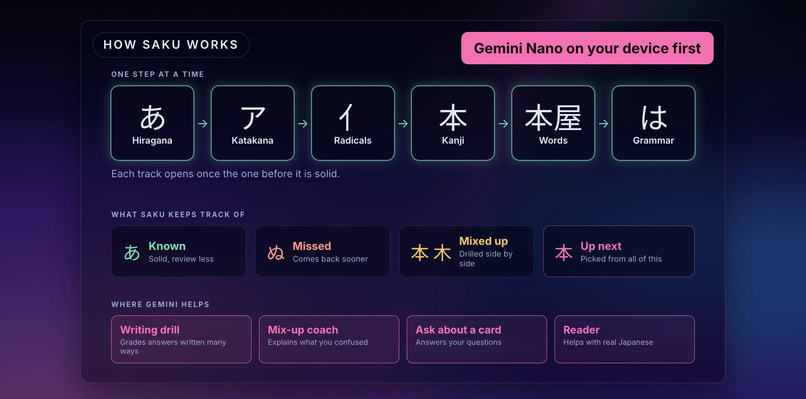
Saku teaches one step at a time, and Gemini helps in four places, trying Gemini Nano on your device first.
-
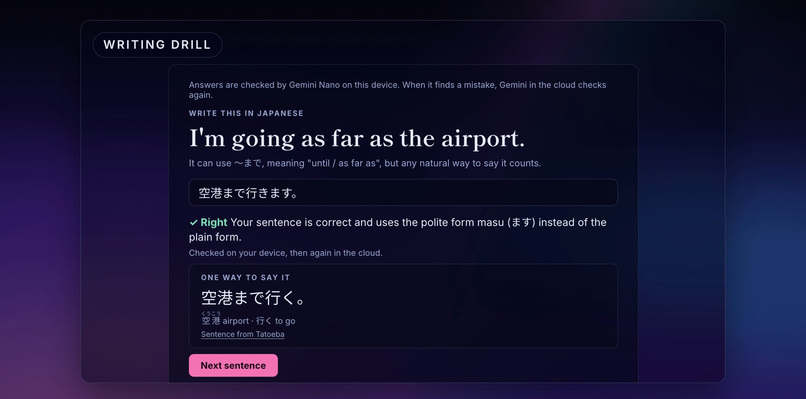
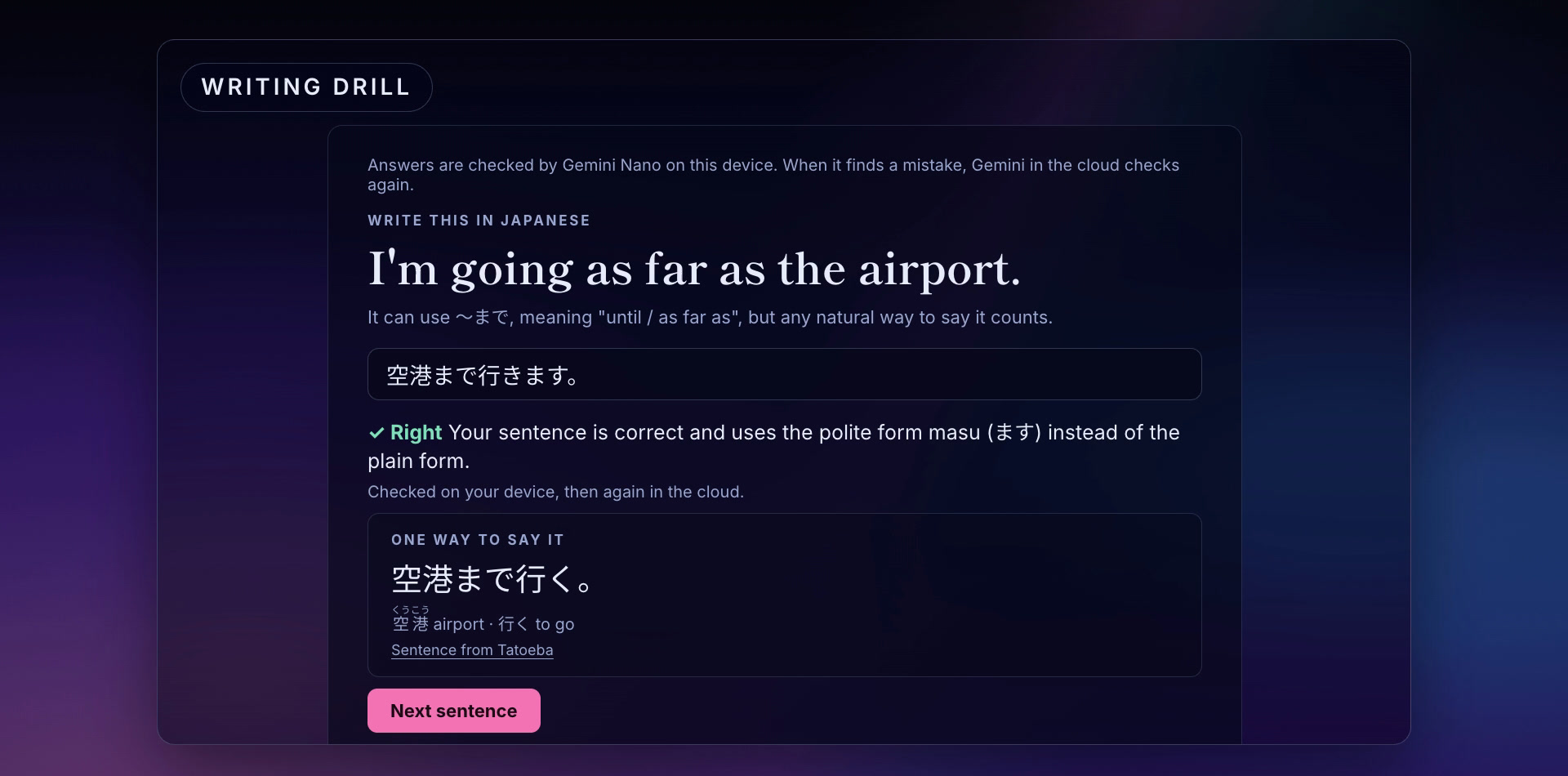
The writing drill: Gemini Nano checked this answer in Chrome, then Gemini in the cloud took a second look and called it right.
-
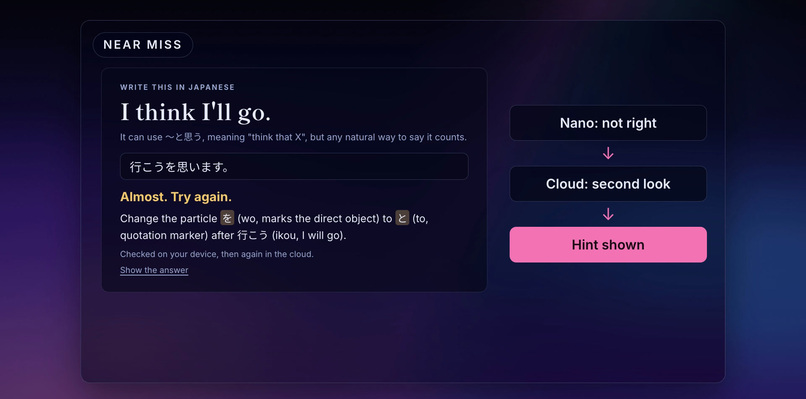
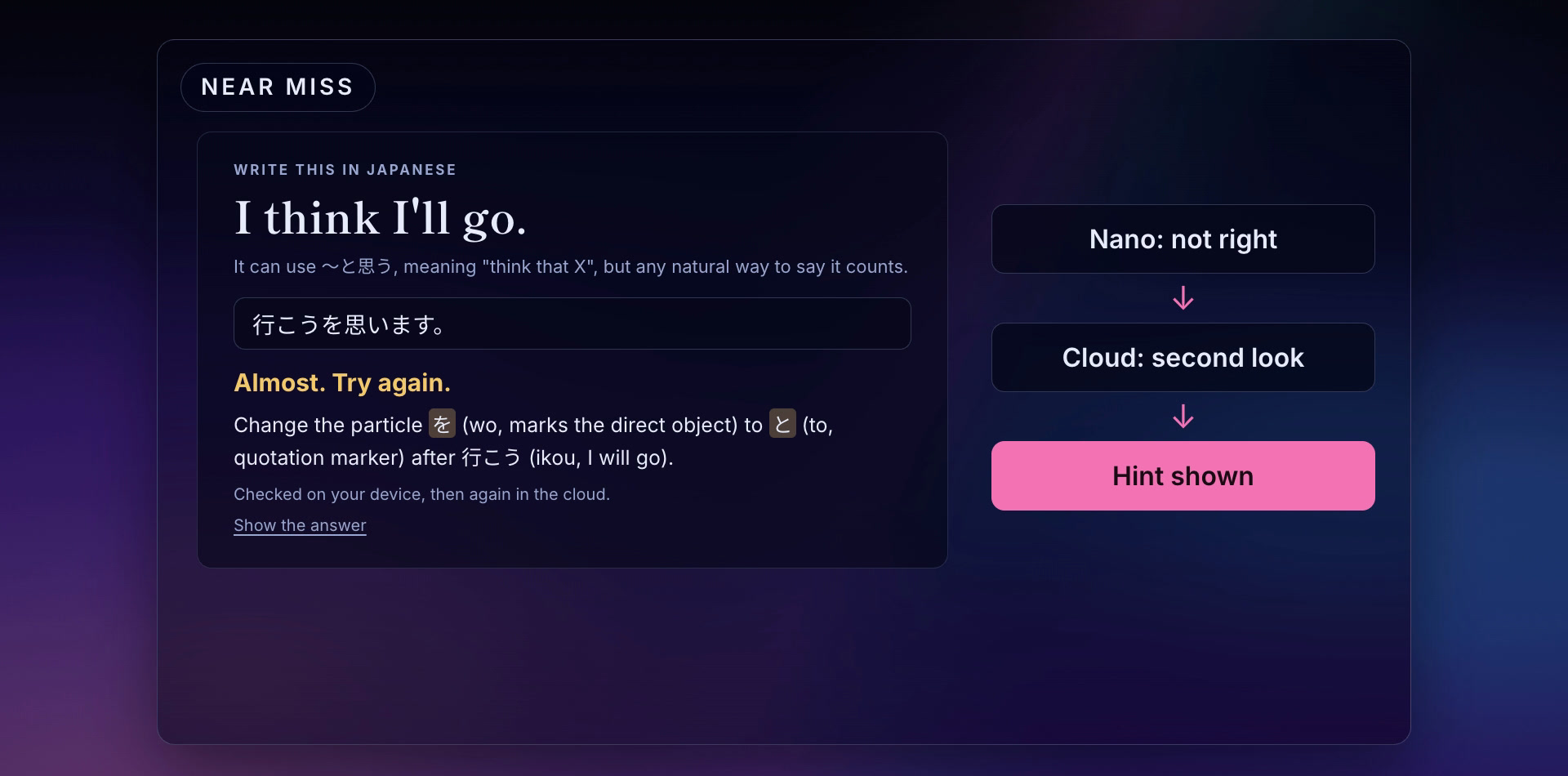
A near miss: the wrong particle gets a hint and another try, after the cloud checks what Nano flagged.
-
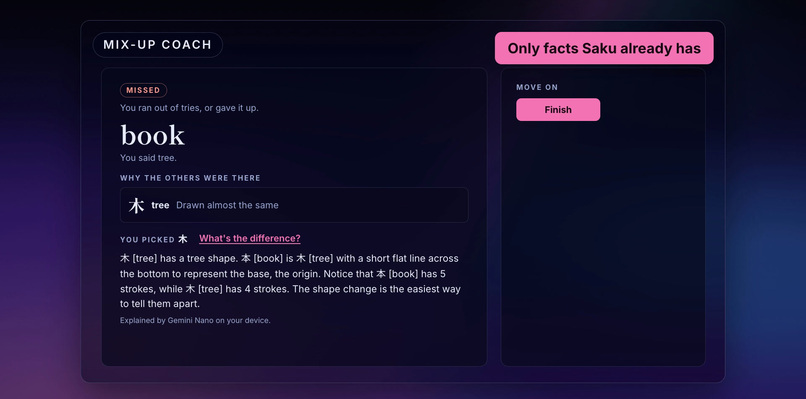
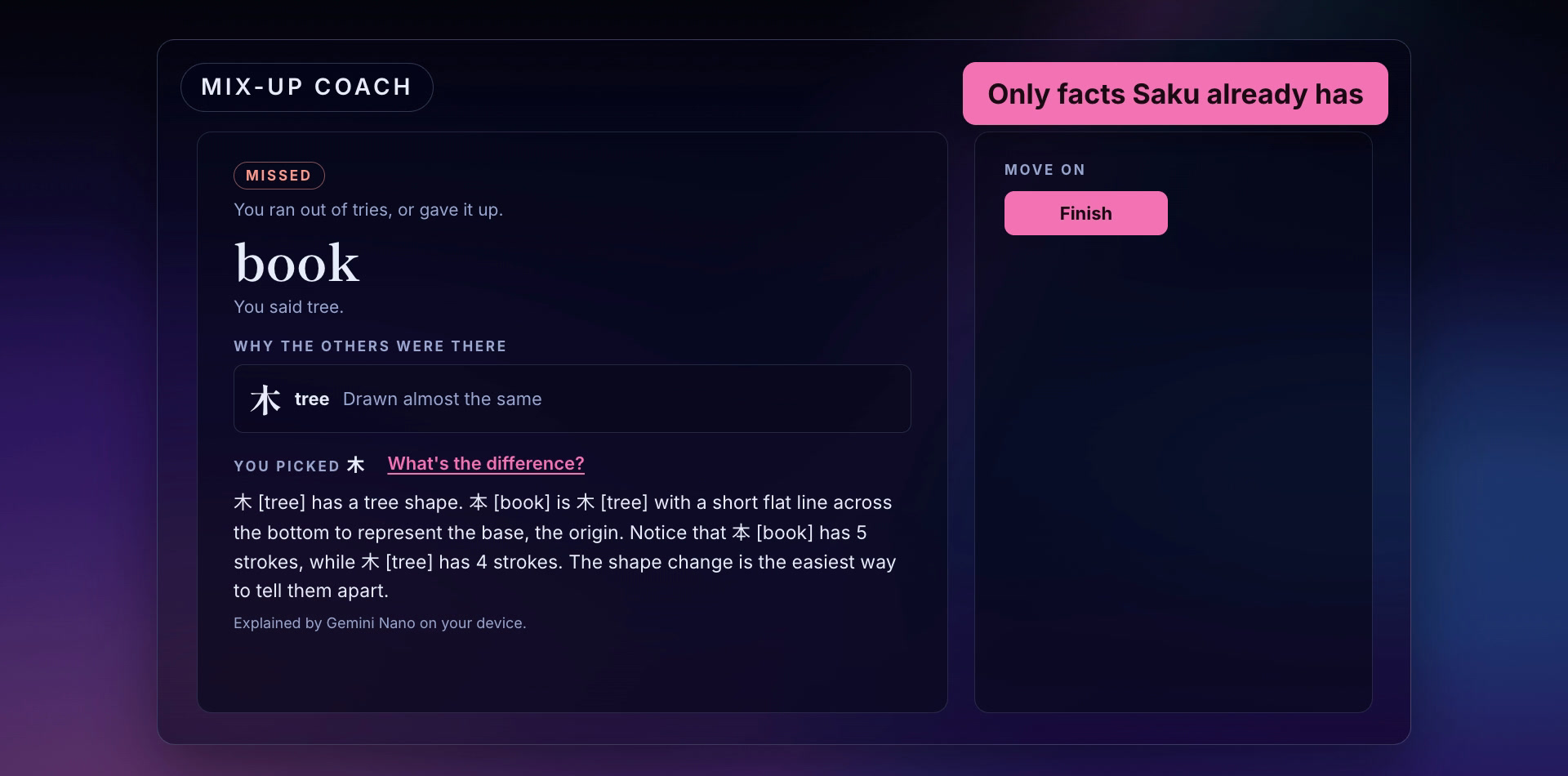
The mix-up coach explains 本 (book) and 木 (tree) using only facts Saku already has.
-
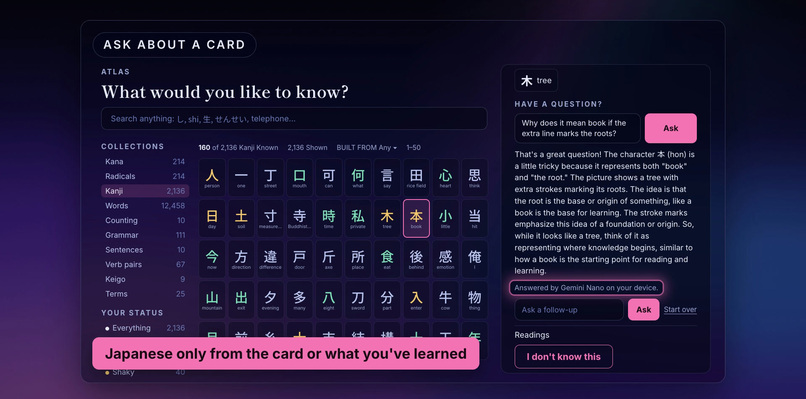
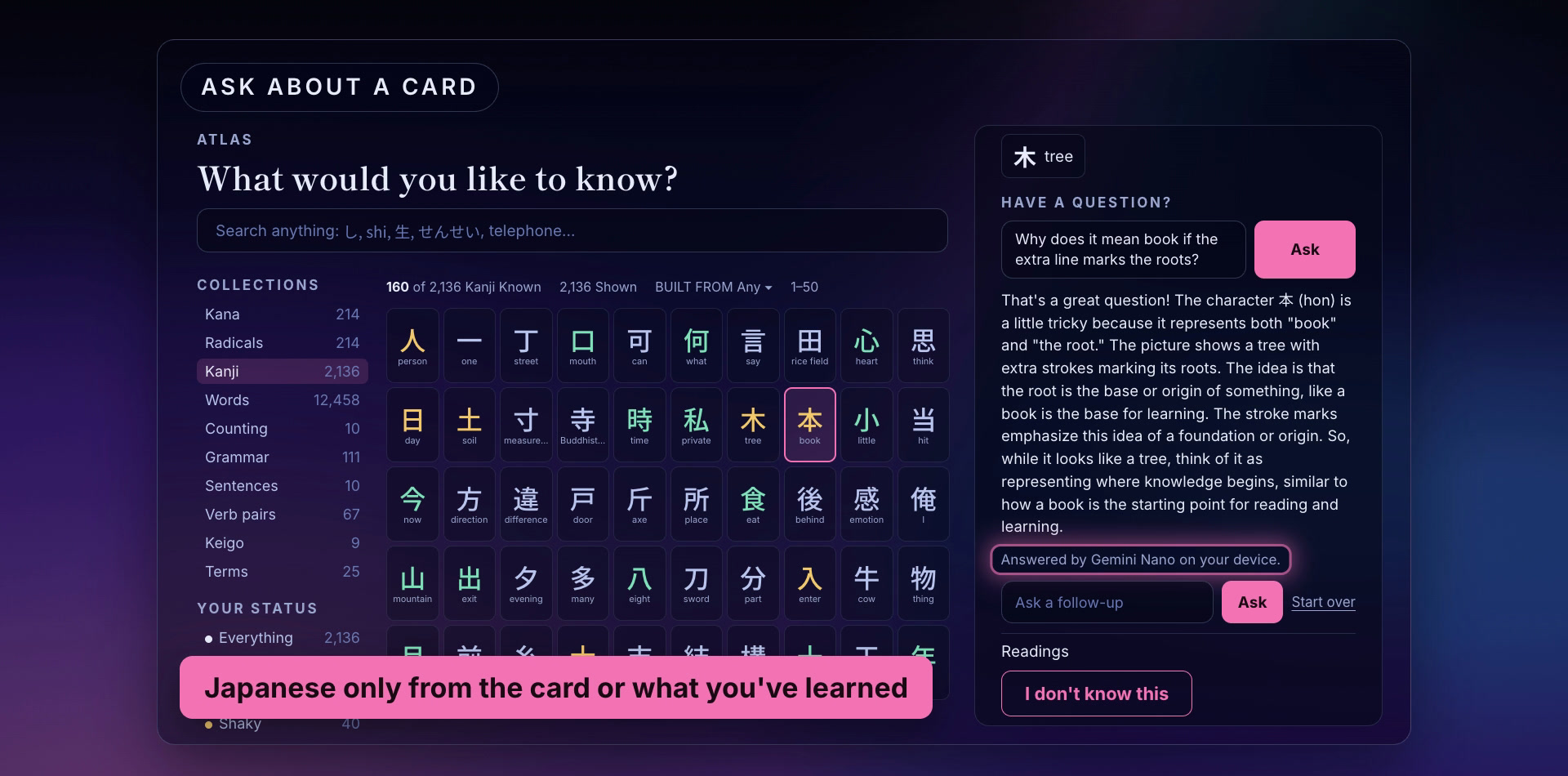
Ask about a card: the answer can only use Japanese from the card or from what you've already learned.
-
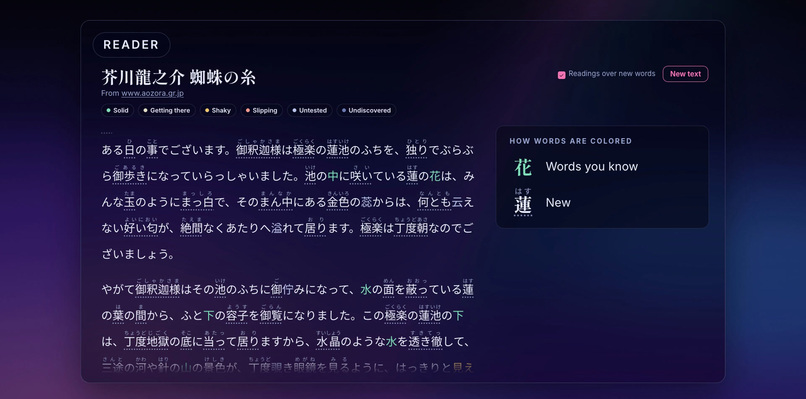
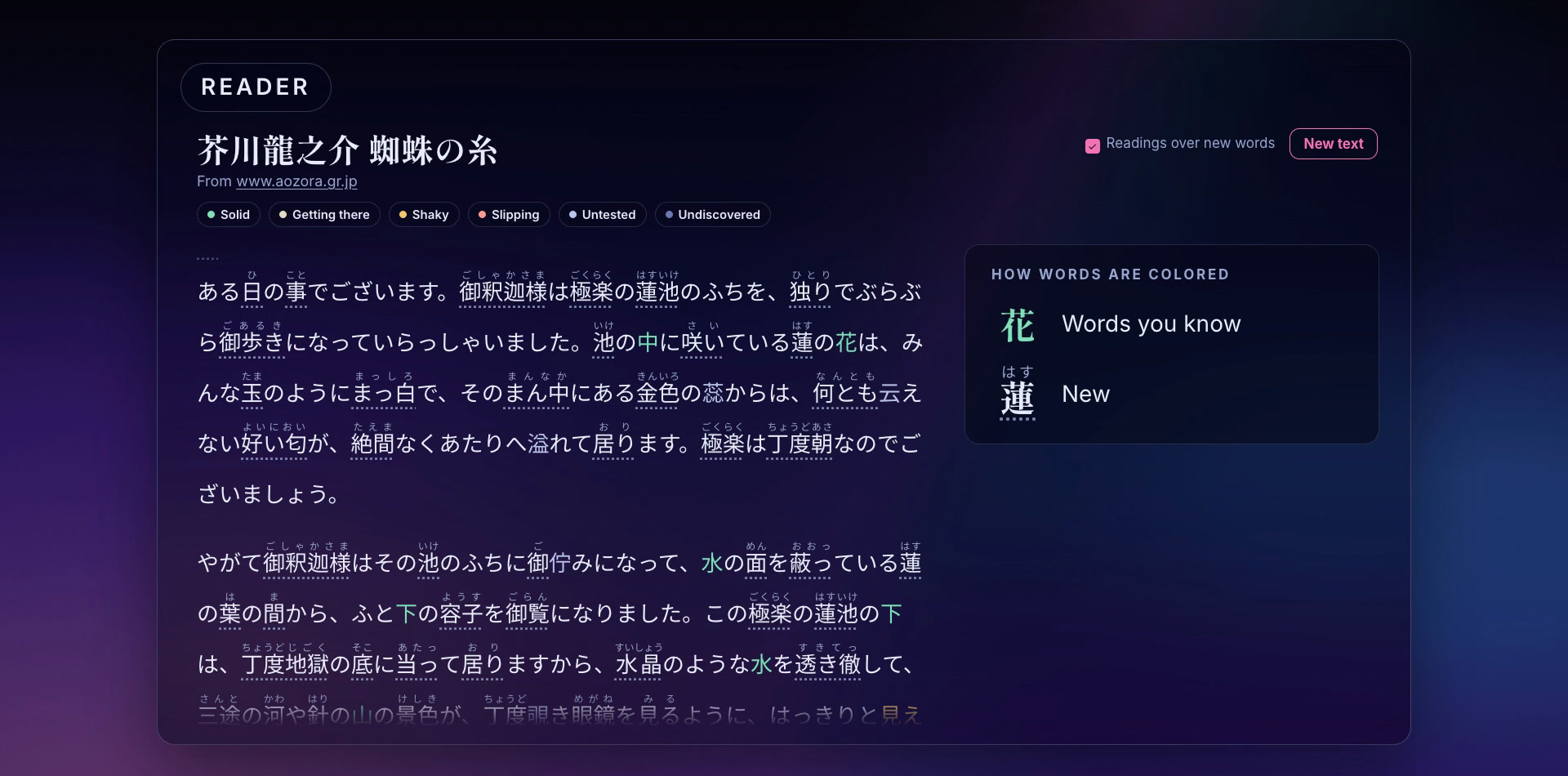
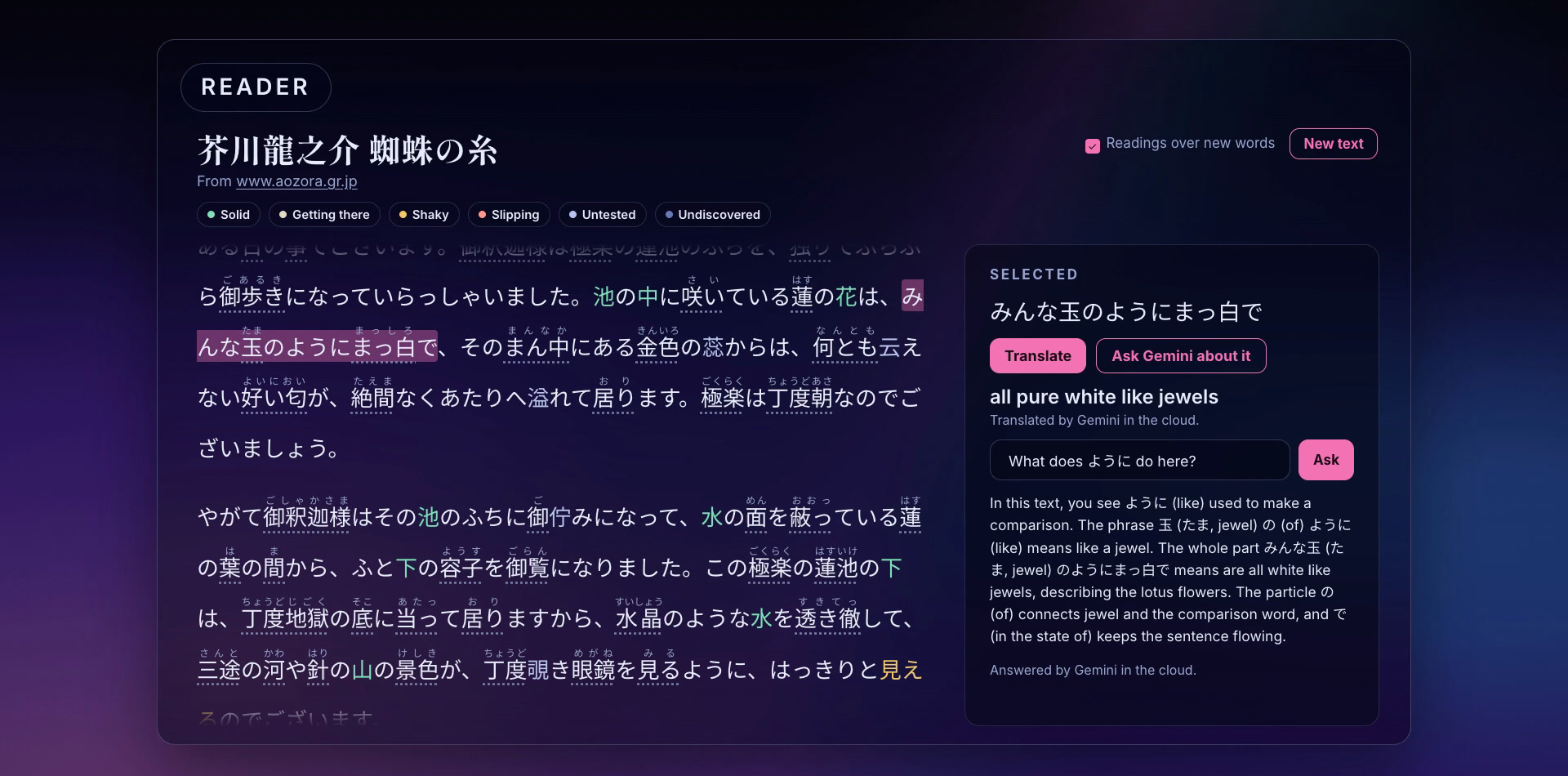
The reader colors every word by how well you know it, with readings over new words.
-
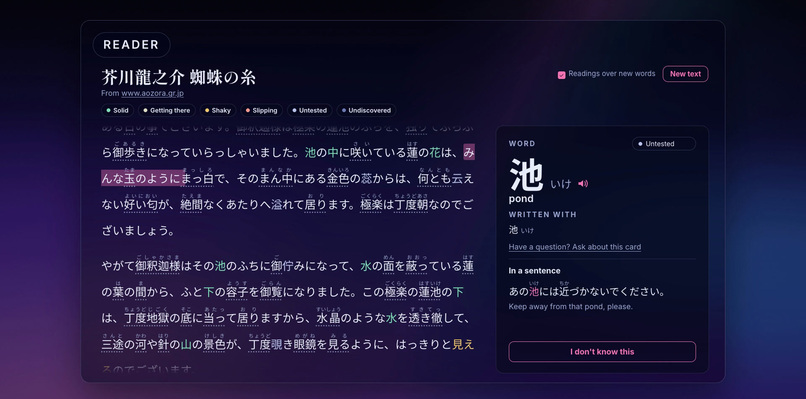
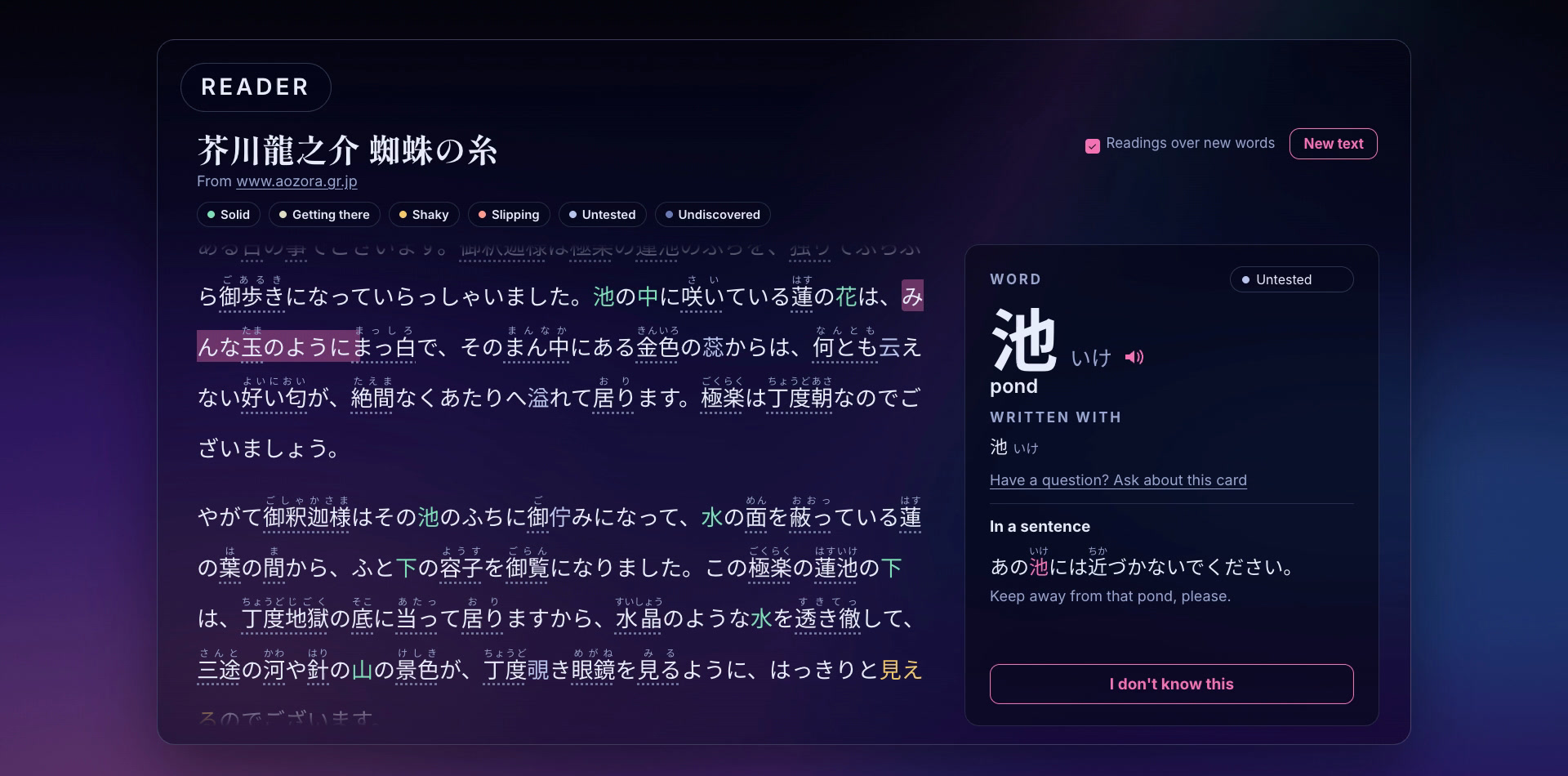
Clicking a word in the reader opens its card, where you can mark it as known.
-
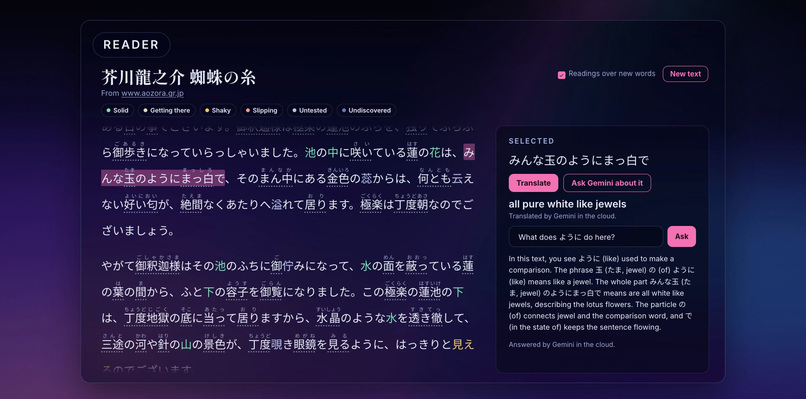
Select a phrase in the reader to translate it in context, then ask Gemini about it.
-
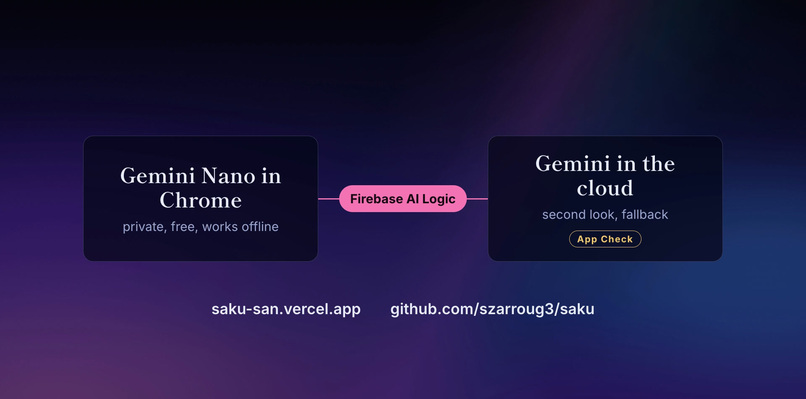
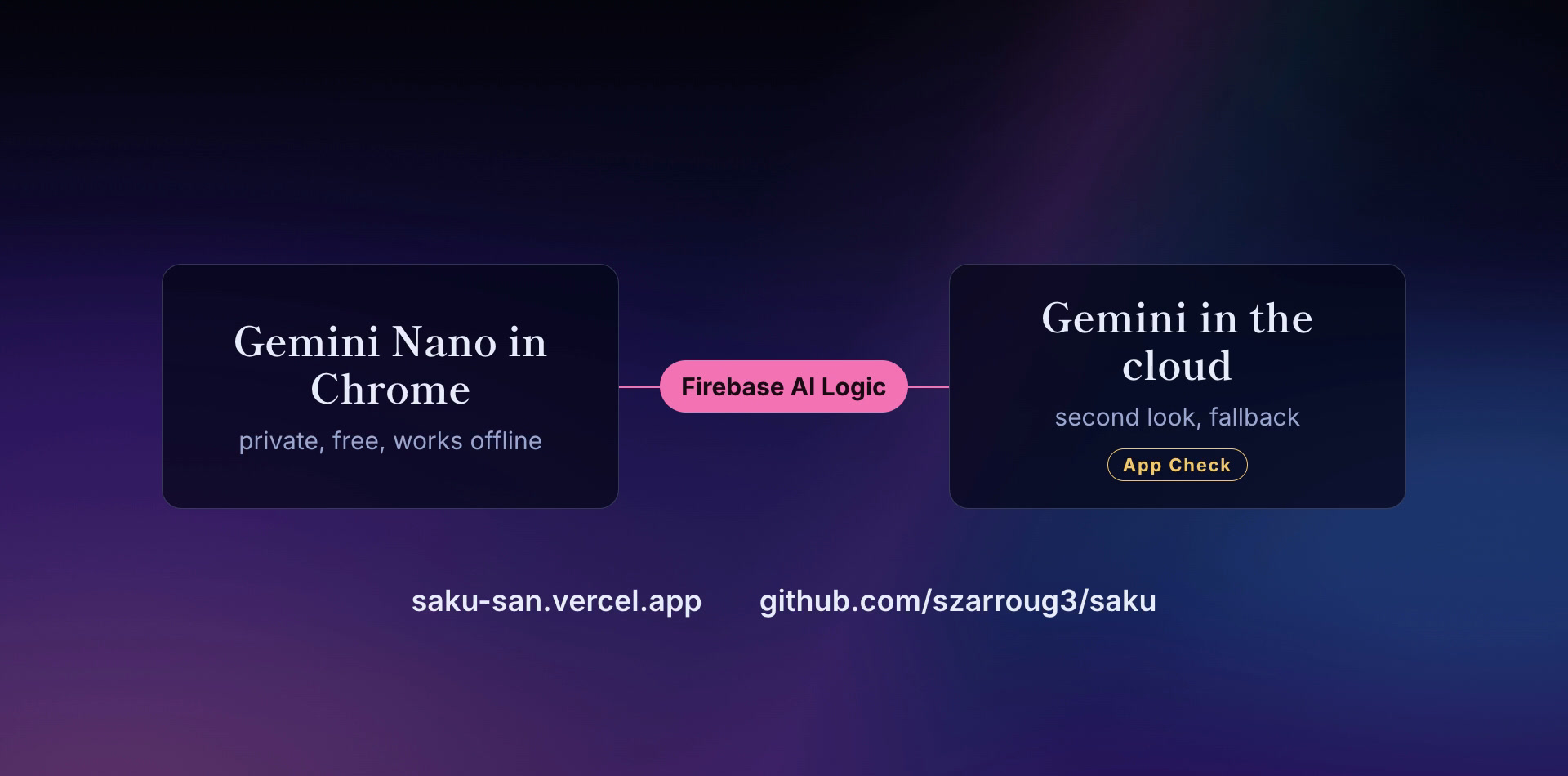
Gemini Nano in Chrome and Gemini in the cloud, joined by Firebase AI Logic, with App Check on the cloud side.
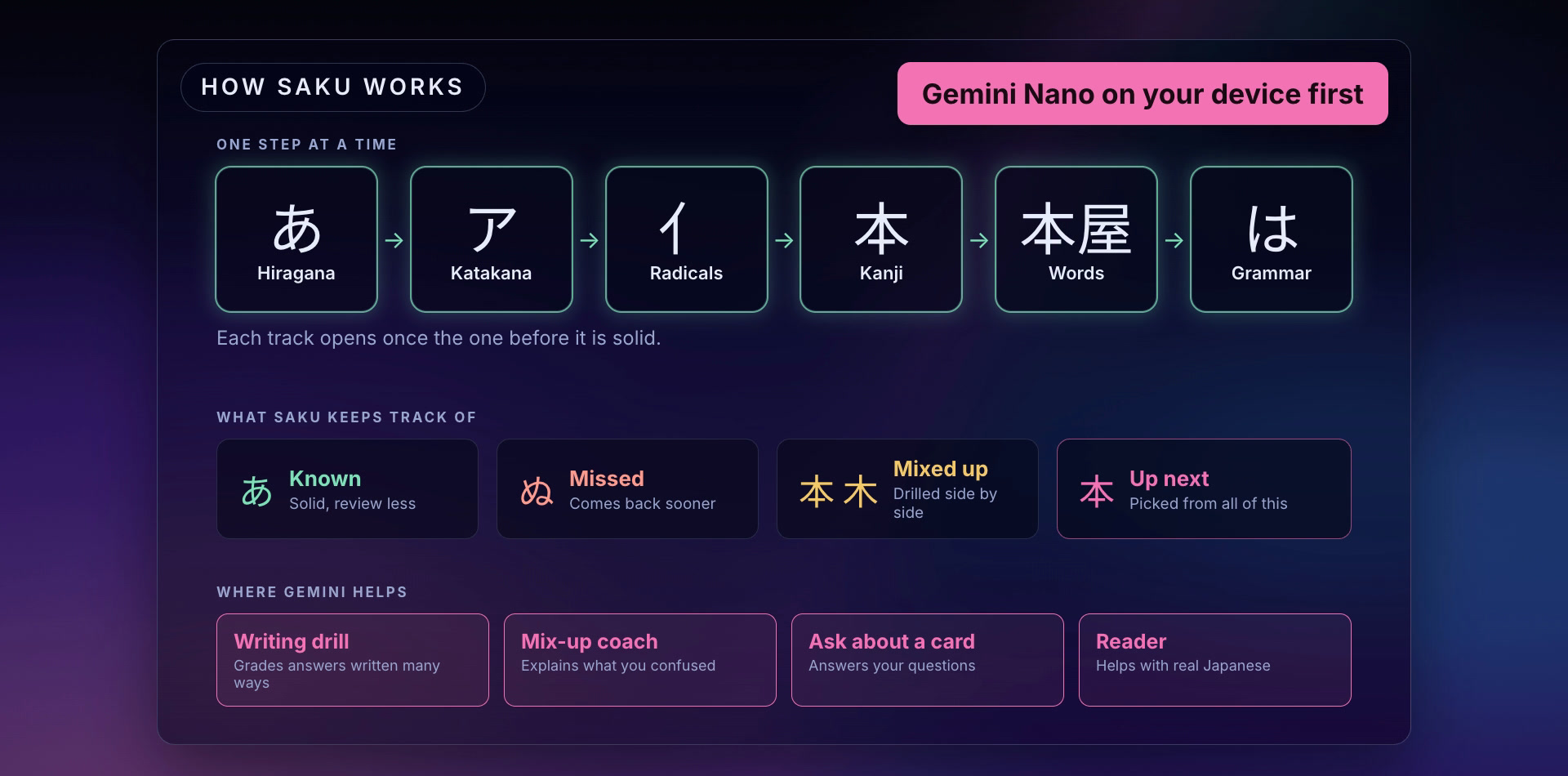
Saku is a web app for learning Japanese. It teaches one step at a time: hiragana, then katakana, then the radicals kanji are built from, then kanji, words and grammar. Each track opens once the one before it is solid. Saku keeps track of what you know, what you missed and which two things you mix up, and uses that to pick what you practice next. I started it in July 2026, and it's free.
For #BuildHybridAI I added four features that use Gemini through Firebase AI Logic. Each one asks Gemini Nano in Chrome first, and Gemini in the cloud only when it has to.
What I built during the hackathon
The writing drill. You get an English sentence and write it in Japanese, your own way. A sentence written from scratch has many right answers: kana in place of kanji, a dropped subject, polite or plain, another word order. A string match would mark most of them wrong, so Saku's older assembly drill could only use 605 of the 9,654 sentences in its grammar corpus. Gemini reads the answer for meaning instead.
- An exact match with the stored answer is right without asking any model.
- Otherwise Gemini Nano grades it in Chrome. The answer stays on the computer, and this step works offline.
- A "right" from Nano stands. A "close" or "wrong" gets a second look from Gemini in the cloud before you're told, because Nano turned out to be too strict (see below).
A "close" answer has one slip, so you get the note as a hint and another try. The screen always says where the answer was checked.
The mix-up coach. When you pick ツ for シ in a quiz, or 木 (tree) for 本 (book), the answer card says "You picked 木" with a "What's the difference?" link. The home page's Mix-ups panel has a "Why?" on each pair. The coach only gets Saku's own facts about the two: their sounds, where a kanji's shape comes from, which part gives the sound and which gives the meaning, and a hand-written tip for pairs that look alike. Every Japanese character in the answer has to appear in those facts. If Nano's answer has one that doesn't, Saku drops it and asks the cloud. If the cloud's answer fails too, nothing is shown.
Ask about a card. Every lesson card, Atlas entry and quiz answer has a "Have a question?" box. It keeps a thread per card, so a follow-up like "and when would I use が instead?" makes sense. Gemini can explain beyond the card, but the Japanese it writes has to come from the card, your question, or things you've already learned. Saku sends the list of what you've learned with the prompt and checks the answer against it. A kanji you haven't studied, or katakana before you've started it, sends the question to the cloud, and the screen says that happened. A beginner asking a general chatbot gets explanations full of Japanese they can't read yet. This is the problem I most wanted to fix.
The reader. You can paste Japanese or bring in a web page. Saku keeps the Japanese lines and drops the rest. Each word is colored by how well you know it, and new words get their reading on top. Clicking a word opens its card, where you can mark it as known. Selecting a phrase offers Translate and Ask Gemini. The translation goes to Nano first, and a translation that writes Japanese that isn't in the passage goes to the cloud. Questions about a selection use the same check as card questions.
How it uses Firebase AI Logic
src/app/(sky)/firebase-ai.tssets up Firebase, App Check and the AI backend once, and makes two models for each answer shape withgetGenerativeModel: one withInferenceMode.PREFER_ON_DEVICE(Gemini Nano, or the cloud where the browser has no Nano), and one withInferenceMode.ONLY_IN_CLOUDfor the second look. Both get the same JSON schema, as aresponseConstrainton the device and aresponseSchemain the cloud, so the code reads one shape whichever model answered.inferenceSourceon the response is what the screen uses to say where an answer came from.- App Check uses reCAPTCHA Enterprise on the live site and a debug token on localhost. It is enforced for AI Logic.
- The cloud model is
gemini-3.5-flash-lite, on the free Spark plan. - Each model gets 15 seconds. Nano's first session after Chrome starts can take much longer, and when it runs out of time the cloud answers.
- The order (device, then the check, then the cloud) is shared by all four features in
src/sky/lib/ai-ask.ts. The checks themselves are plain code with tests beside them. - Where there's no Nano at all (Safari, Firefox, a phone), the same calls go to the cloud, so every feature still works.
What Nano did on real answers
Before deciding how the grader should work, I ran twelve answers through Nano with the real prompt: three sentences, each with right answers, answers with one slip, and wrong answers.
| Answers | Nano said |
|---|---|
| 3 wrong | 3 wrong |
| 3 with one slip | 3 close |
| 6 right | 1 right, 5 close |
Nano never called a mistake right, but it marked kana for kanji, a polite form and an extra を as mistakes, and made up notes about them. So a "right" from Nano is trusted, and most right answers are confirmed on the device, privately and for free. Anything else goes to the cloud for the verdict and the note. The cloud model matched all twelve once I added a line to the prompt saying an optional particle added or left out is fine.
The free tier only allows a handful of cloud calls a minute, so putting the device first is also what keeps the app usable at no cost.
Challenges
- Nano copied the prompt's example note word for word when the example matched a real mistake. The example now uses words no drill answer has.
- When it was free to describe how a kanji is drawn, Gemini got stroke counts wrong. The coach and card answers now describe strokes only when Saku's facts do.
- The reader's word splitter, kuromoji, has a 17 MB dictionary, so it runs on the server. Getting Vercel to ship that dictionary with the function took tracing it at its real path.
- Bringing in a web page means the server fetches an address the learner typed. Saku only allows public http and https addresses and checks every address a name resolves to, so a page can't point the server at itself or a private network.
Built With
- app-check
- chrome-prompt-api
- firebase
- firebase-ai-logic
- gemini
- gemini-nano
- kuromoji
- next.js
- playwright
- react
- recaptcha-enterprise
- supabase
- typescript
- vercel
