Sai — Voice-Native Agentic OS Co-Pilot
Your computer can finally see. Your voice is the only interface you need.
"Hey Sai, answer this LeetCode problem." Sai reads the problem from the screen, writes a complete solution in the code editor, and clicks Submit — all from a single voice command.
Inspiration
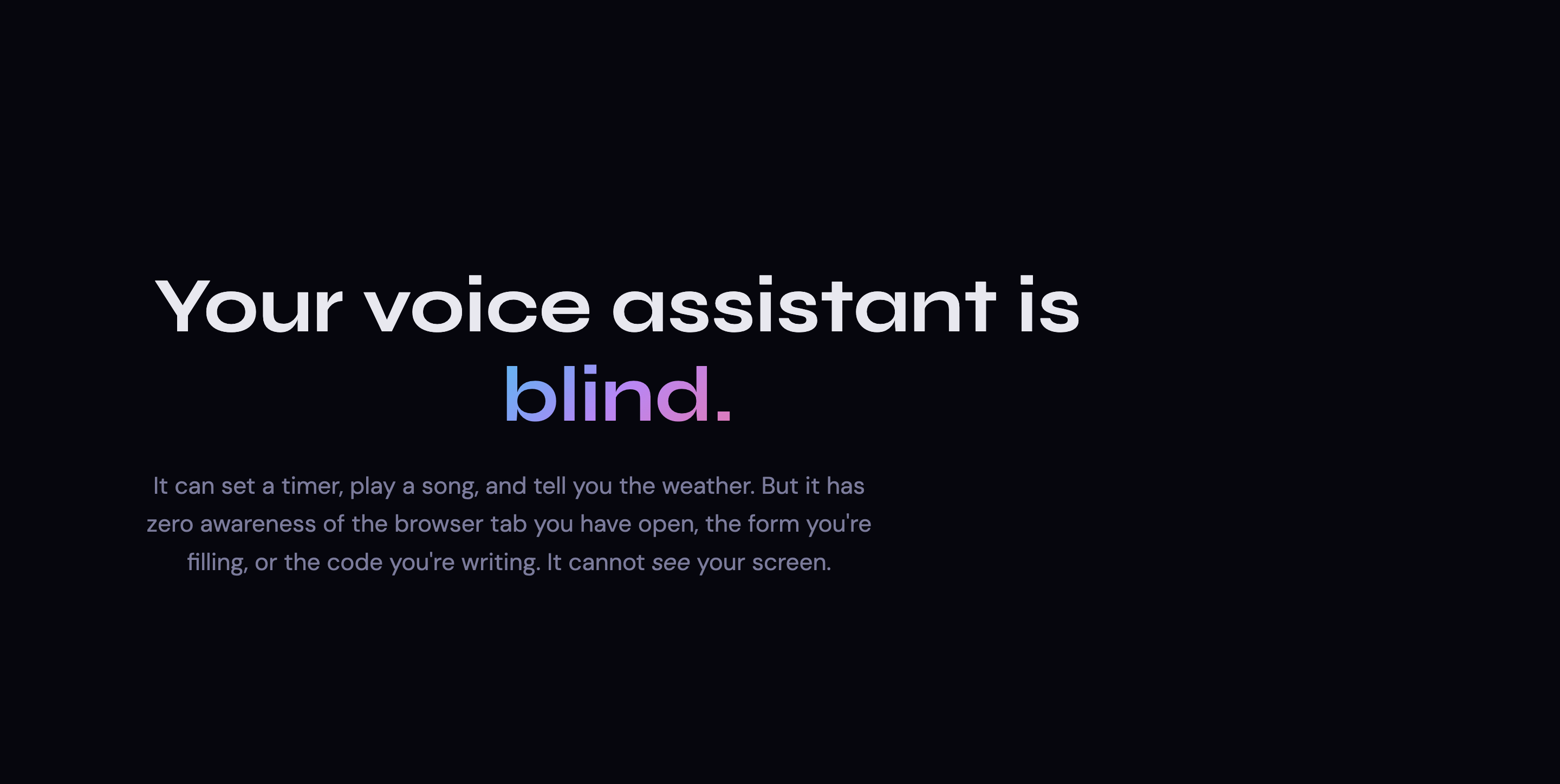
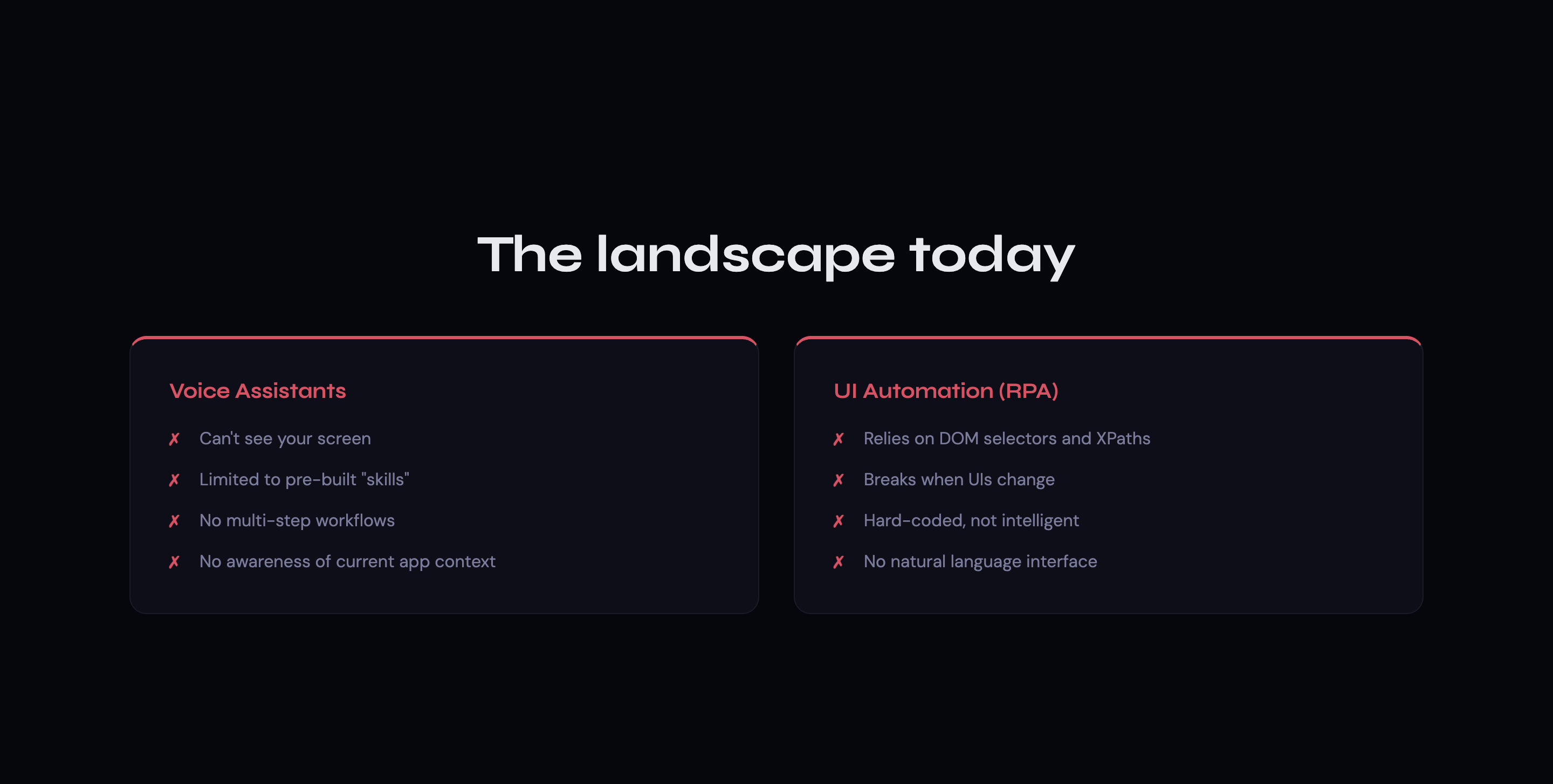
Every voice assistant today is blind. Siri, Alexa, and Cortana can set timers and play music, but they cannot see the complex UI you're staring at. They have zero awareness of the browser tab you have open, the form you're filling out, or the code editor you're working in.
Meanwhile, traditional UI automation tools are brittle — they rely on DOM selectors, accessibility trees, or hard-coded pixel coordinates that break the moment a website redesigns a button.
There is no system today that can hear what you want, see what's on your screen, and act on it with human-level understanding. We built Sai to change that.
What It Does
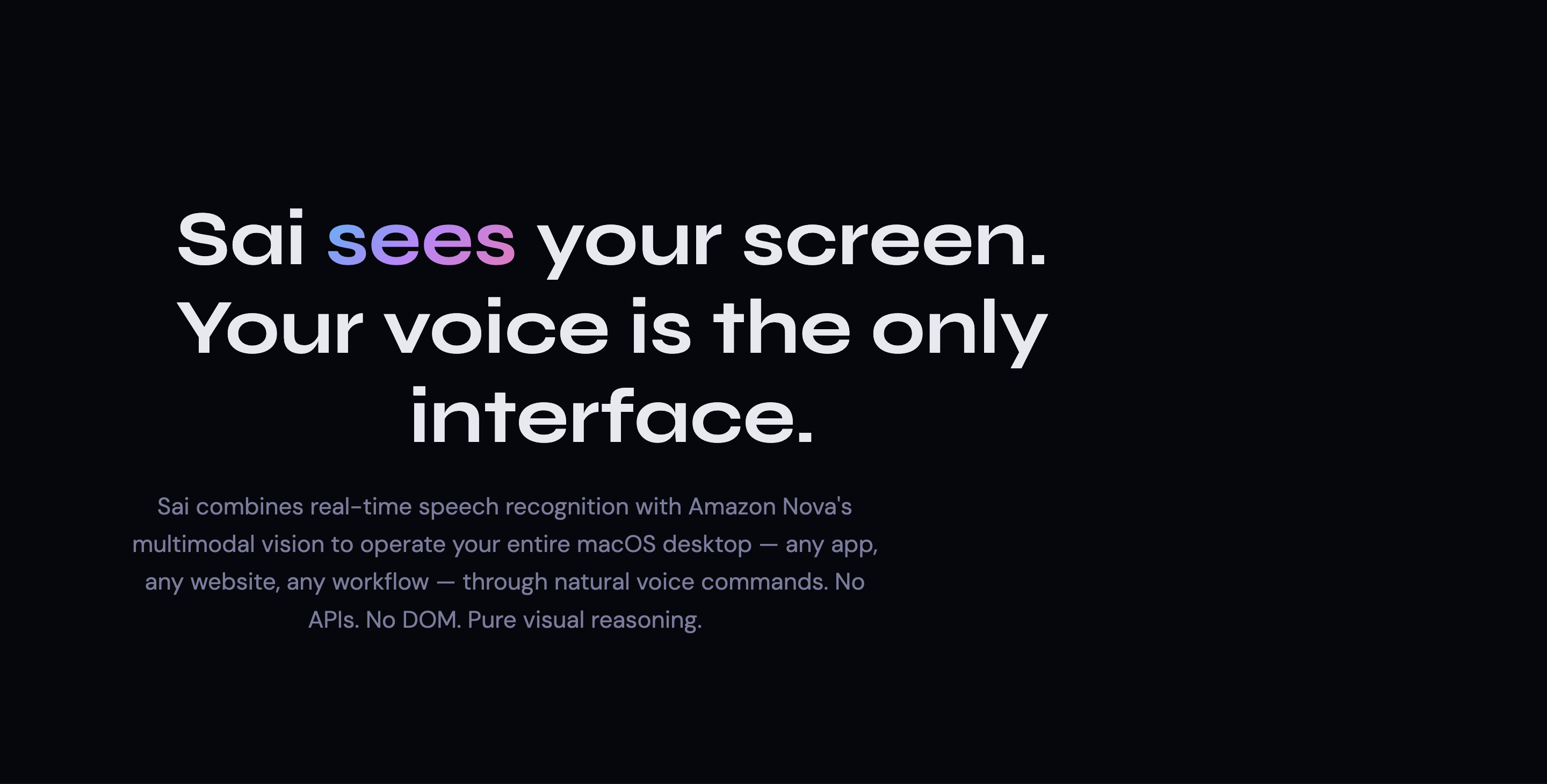
Sai is a voice-native OS co-pilot that combines real-time speech recognition with Amazon Nova's multimodal vision reasoning to operate your entire macOS desktop — any app, any website, any workflow — through natural voice commands.
Sai doesn't parse HTML. It doesn't read the DOM. It looks at your screen the same way a human would, reasons about what it sees, and executes OS-level actions with pixel-perfect accuracy. It works on every application because it operates at the visual layer, not the API layer.
Example workflows Sai handles end-to-end:
| Voice Command | What Sai Does |
|---|---|
| "Open Chrome" | Triggers Spotlight → types "Chrome" → launches the app in under 1 second |
| "Go to github.com" | Detects the active browser and opens the URL directly (~1s) |
| "Turn off data sharing on Twitter" | Navigates Settings → Privacy → visually locates and toggles the correct switch (5–8 autonomous steps) |
| "Answer this LeetCode problem" | Reads the problem statement from the screenshot, clicks the code editor, writes a complete solution, and clicks Submit (4–6 steps) |
| "Search for wireless headphones on Amazon" | Clicks the search bar → types the query → submits the search (3–4 steps) |
How We Built It — System Architecture
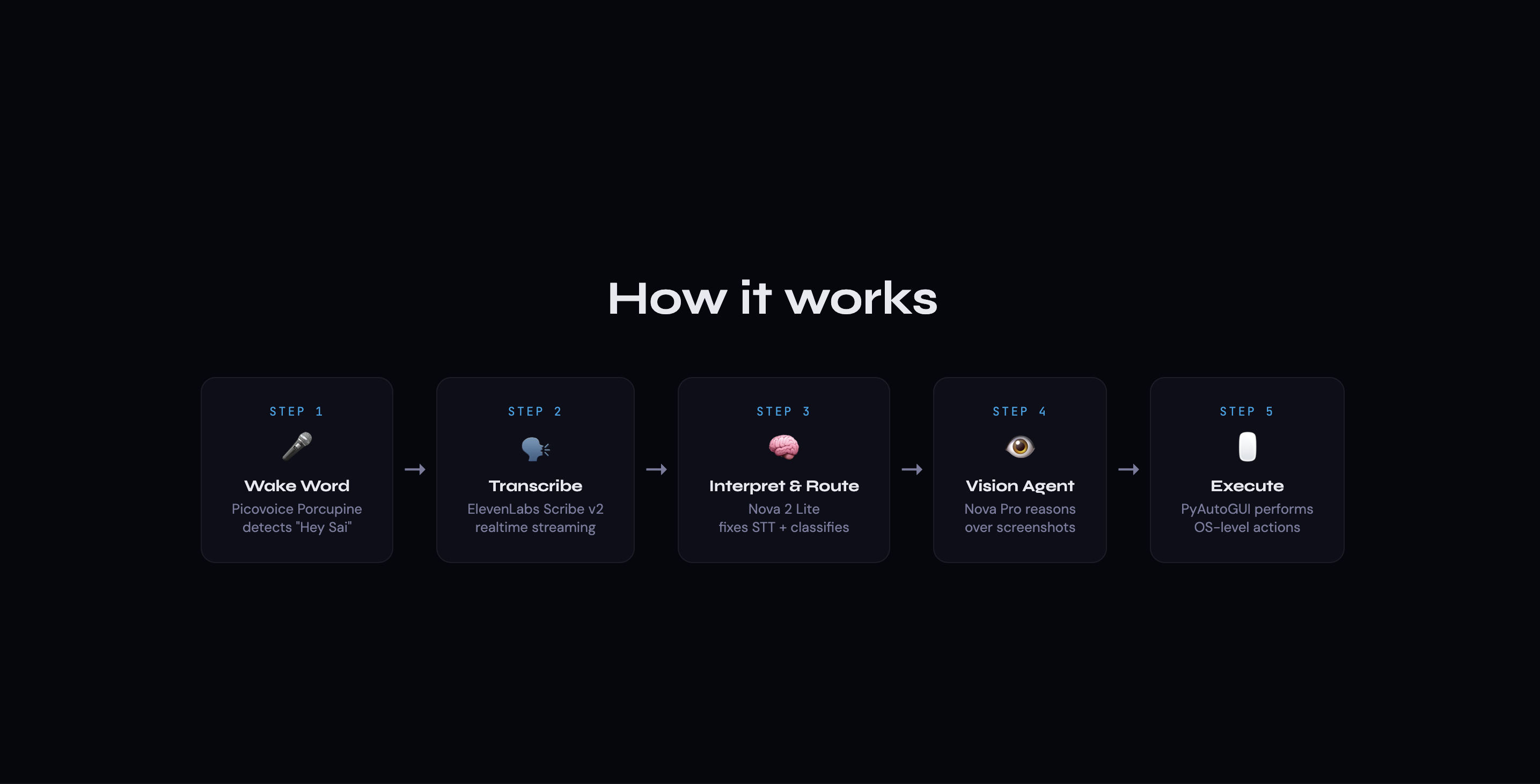
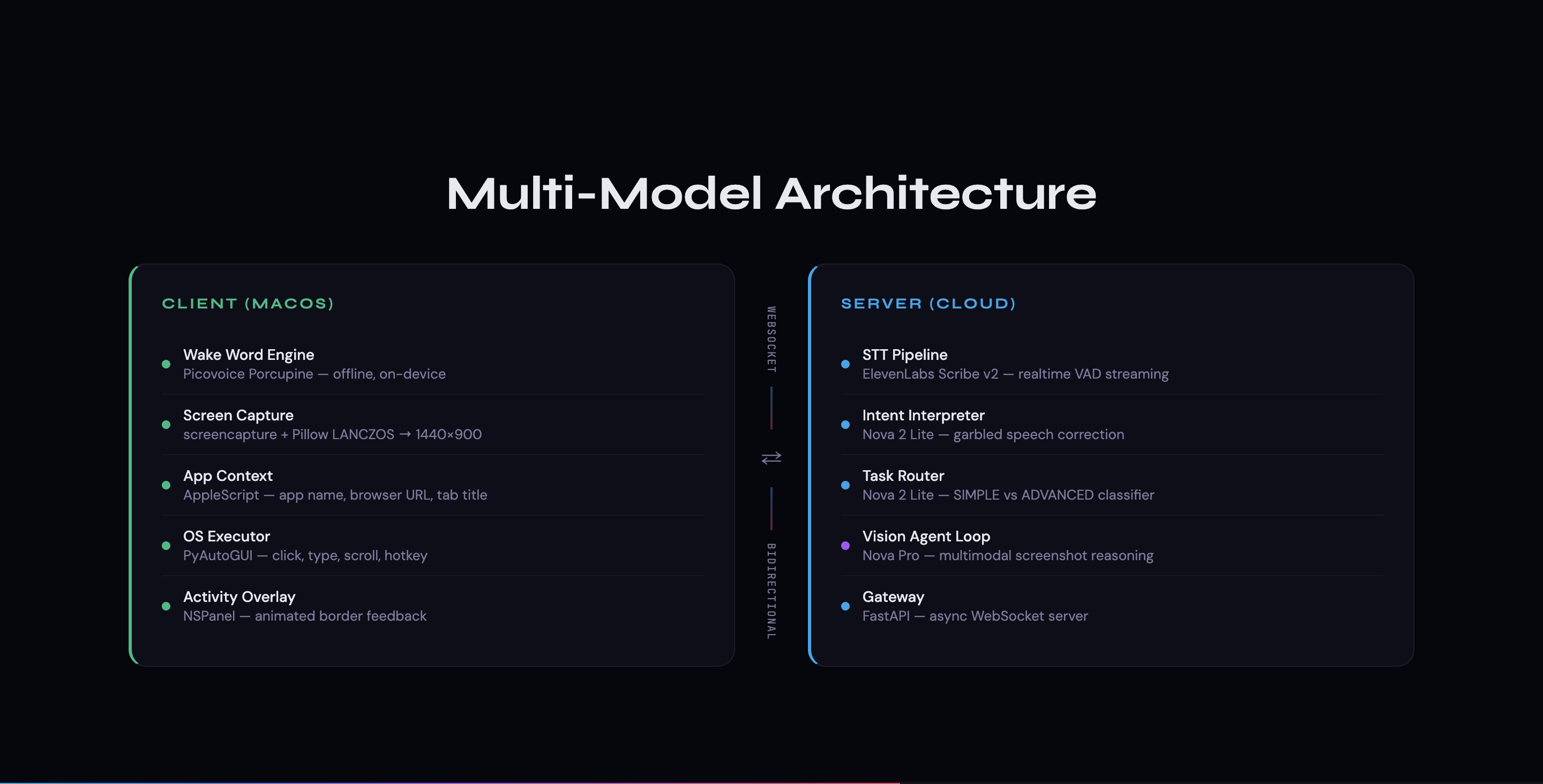
Sai is a distributed, two-tier system with a local macOS client and a cloud server, connected over a persistent WebSocket for real-time bidirectional communication.
Local macOS Client (Python + PyObjC + PyAutoGUI)
The client is a full native macOS application responsible for five critical subsystems:
Wake Word Engine (Picovoice Porcupine) — A custom-trained, on-device keyword model (
HeySai_mac.ppn) runs continuously in a background thread, listening for "Hey Sai" with zero cloud latency. Sensitivity is tuned to 0.8 to balance false positives and missed activations.Microphone PCM Stream (PyAudio) — Upon wake word detection, the client opens a 16kHz mono PCM audio stream and pushes raw audio frames to an
asyncio.Queue, which are forwarded over the WebSocket to the cloud for real-time transcription.Screen Capture + App Context (screencapture + Pillow + AppleScript) — When the server requests a screenshot, the client captures the full Retina display natively via macOS
screencapture, downsamples it to a fixed 1440×900 logical canvas using LANCZOS resampling, and encodes it as base64 JPEG. Simultaneously, AppleScript (osascript) extracts the frontmost app name, browser tab URL, and tab title — giving the AI model rich contextual grounding alongside the visual input.OS-Level Executor (PyAutoGUI) — Executes click, type, scroll, and hotkey commands at the OS level. Click coordinates arrive from the server in a normalized
[0, 1000] × [0, 1000]space and are mapped to actual screen pixels at runtime, making the system resolution-independent across any display.Native Activity Overlay (PyObjC / NSPanel) — A custom
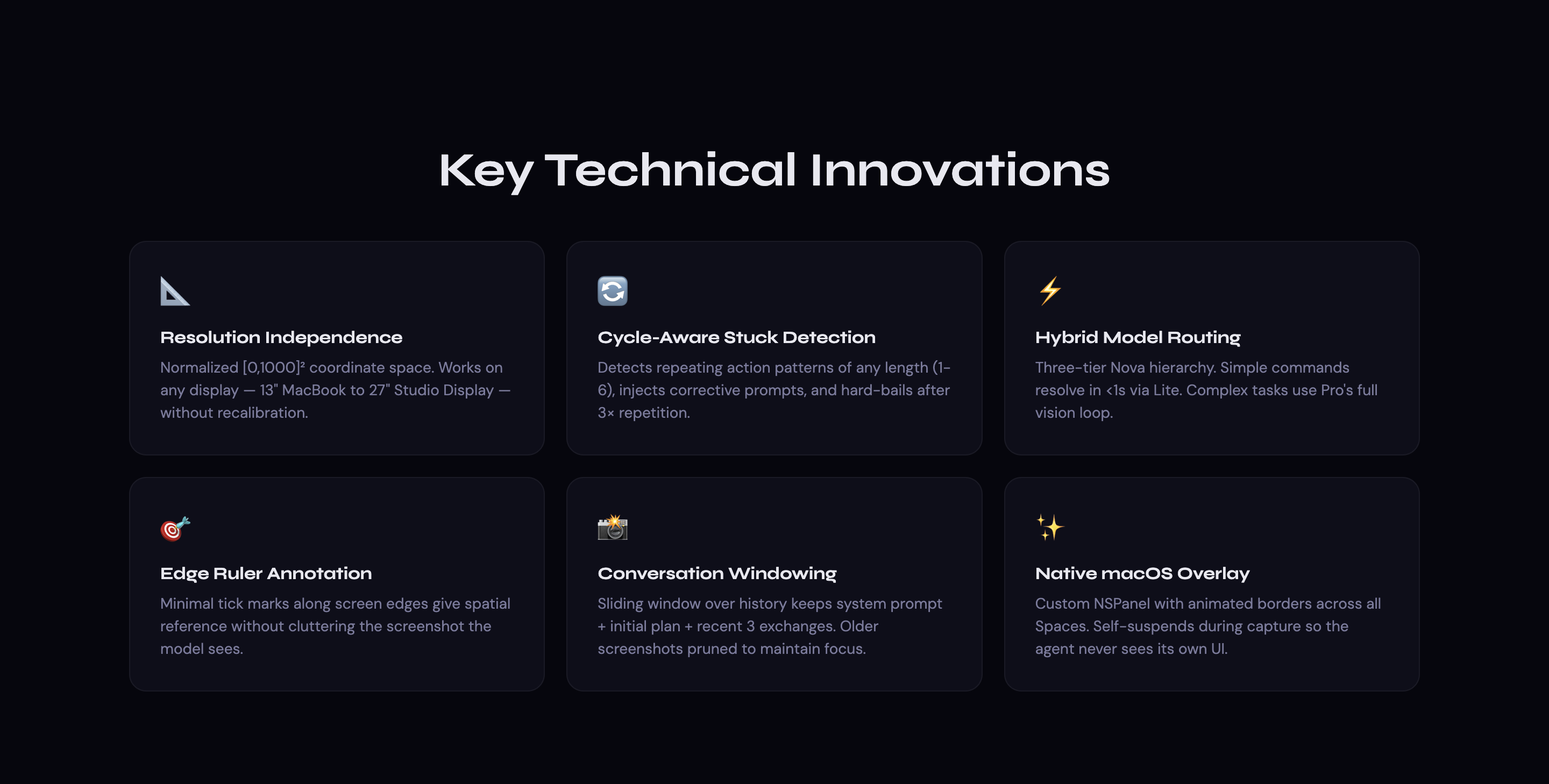
NSPanel-based overlay renders an animated, color-shifting dashed border around the entire screen while Sai is processing. This is not a web overlay — it's a first-class macOS window that usesNSWindowCollectionBehaviorCanJoinAllSpacesto appear across all Spaces and full-screen apps,setIgnoresMouseEvents_(True)to remain fully click-through, and automatically suspends itself during screenshot capture so it never appears in the agent's visual field.
Cloud Server (FastAPI + WebSocket Gateway)
The server orchestrates all AI reasoning through a pipeline of four distinct stages:
WebSocket Gateway — A persistent, bidirectional WebSocket handles the initial wake-word handshake, receives raw PCM audio from the client, dispatches commands back, and manages screenshot request/response cycles.
Speech-to-Text (ElevenLabs Scribe v2) — Raw audio chunks are base64-encoded and streamed in real time to ElevenLabs' WebSocket-based ASR endpoint, configured with Voice Activity Detection (VAD) and a 1.2-second silence threshold for natural sentence boundary detection.
Multi-Model AI Brain — The core intelligence is split across four specialized AI stages, each using the optimal Amazon Nova model for its task (detailed in the next section).
Annotated Vision Pipeline — Every screenshot sent to the vision model is processed through a custom annotation layer that adds red edge-ruler tick marks at normalized coordinate intervals and a lime-green crosshair marking the previous click location, giving the model spatial reference and self-correction ability.
The Multi-Model AI Brain — Our Core Innovation
Sai doesn't just call one AI model. It routes every voice command through a four-stage, multi-model pipeline that dynamically selects the cheapest and fastest path to execution.
Stage 1: Intent Interpretation (Amazon Nova Lite)
Speech-to-text is inherently noisy. The raw transcription "they're not data sharing on twitter" is meaningless to a command executor. Sai's Intent Interpreter uses Nova Lite with screen context (active app, browser URL) to reconstruct the user's actual intent: "Turn off data sharing on Twitter." It handles homophones ("clothes" → "close"), near-misses ("read it" → "Reddit"), and garbled speech with near-perfect accuracy.
Stage 2: Task Routing (Amazon Nova Lite)
Not every command needs a 25-step vision agent. The Task Router classifies each command as SIMPLE or ADVANCED in ~200ms:
- SIMPLE — Single fire-and-forget actions (launch an app, open a URL, press a hotkey). Resolved in under 1 second with no vision model involved.
- ADVANCED — Multi-step workflows requiring screen interaction (navigate settings, fill forms, solve coding problems). Routed to the full Vision Agent Loop.
This hybrid routing means Sai is instant for simple tasks and deeply capable for complex ones — never wasting expensive vision model calls on "Open Spotify."
Stage 3: Simple Executor (Amazon Nova Lite)
For SIMPLE tasks, Nova Lite generates a single structured JSON command (e.g., {"command": "type_text", "text": "Chrome"} for Spotlight launches, or {"command": "open_url", "url": "https://..."} for URL navigation). If the model realizes the task actually needs screen interaction, it self-escalates to ADVANCED.
Stage 4: Vision Agent Loop (Amazon Nova Pro — Multimodal)
This is where the magic happens. For ADVANCED tasks, Sai enters an autonomous Plan → Act → Verify agent loop powered by Amazon Nova Pro's multimodal reasoning:
How one iteration works:
STEP 1: PLAN
  → Nova Pro receives the annotated screenshot + task description
  → It formulates a numbered high-level plan (e.g., "1) Click Settings icon,
    2) Navigate to Privacy, 3) Find data sharing toggle, 4) Click to disable")
  → It executes the FIRST action

STEP 2: ACT
  → The server sends the command (click, type, scroll, hotkey) to the client
  → The client executes it via PyAutoGUI at the OS level
  → The system waits 2 seconds for the UI to settle

STEP 3: VERIFY
  → A fresh screenshot is captured and annotated with edge rulers + last-click crosshair
  → Nova Pro analyzes the new screenshot to verify the action succeeded
  → If successful and task complete → signals done
  → If successful but more steps needed → takes the next action
  → If failed → adjusts approach and retries with a different strategy
The loop runs for up to 25 autonomous steps, with the model maintaining strategic awareness across the entire sequence.
Challenges We Ran Into — And How We Solved Them
Challenge 1: Vision Agent Getting Stuck in Loops
Problem: Vision agents can fall into infinite action loops — clicking the same 3–4 elements endlessly without making progress. This is a known failure mode in agentic AI systems.
Solution: We built a cycle detection algorithm that identifies repeating patterns of any length (1–6 actions) by comparing action signatures (compact fingerprints like click(450,320) or keyboard_type(def solution...)). When a cycle is detected, the system injects corrective meta-prompts forcing the agent to fundamentally change its approach. If the cycle persists after 3 repetitions, the system hard-bails to prevent infinite loops.
Challenge 2: Model Hallucinating "Done" Prematurely
Problem: The vision model would sometimes execute an action and immediately declare the task complete in the same step — before seeing whether the action actually worked.
Solution: We implemented a verification gate that forbids done=true on any step where an action was just performed. The model must wait for a fresh screenshot confirming the result before it can signal completion.
Challenge 3: Conversation History Exploding
Problem: Multi-step agent loops accumulate massive conversation histories (each step includes a full screenshot as base64). After 8–10 steps, the context window becomes saturated and the model loses focus.
Solution: We implemented a sliding window over conversation history: the system prompt + initial plan (first exchange) + the 3 most recent exchanges are retained. Older screenshots are pruned, keeping the model focused on current state without losing the original strategy.
Challenge 4: Resolution Independence Across Displays
Problem: The AI model reasons in abstract coordinate space, but macOS displays vary wildly — a 13" MacBook Air has 2560×1600 native pixels mapped to 1440×900 logical points, while a 27" Studio Display has 5120×2880.
Solution: We designed a resolution-independent coordinate system where the model outputs coordinates in a normalized [0, 1000] × [0, 1000] grid. The client maps these to actual screen pixels at runtime using pyautogui.size(). Combined with LANCZOS downsampling to a fixed 1440×900 canvas, the system works identically on any Apple display — current or future.
Challenge 5: Overlay Appearing in Screenshots
Problem: Our animated activity border is rendered as a native macOS window. If it's visible during screenshot capture, the AI model sees it and gets confused by the visual noise.
Solution: The overlay automatically suspends itself before every screenshot capture and resumes afterward. The _run_with_overlay_suspended wrapper ensures the capture window is always clean, and the overlay's NSPanel configuration (setIgnoresMouseEvents_(True)) means it never interferes with click execution.
Challenge 6: Concurrent Threading Architecture
Problem: The client must simultaneously run the Porcupine wake word engine (blocking audio loop), the asyncio event loop (WebSocket communication), and the NSPanel overlay (macOS AppKit requires the main thread). These three systems have incompatible threading models.
Solution: We architected a three-thread system: the main thread runs the AppKit NSApplication.run() loop for the overlay, a daemon thread runs the asyncio event loop for WebSocket and command orchestration, and a ThreadPoolExecutor runs the blocking Porcupine audio capture. Cross-thread communication uses loop.call_soon_threadsafe() for async callbacks and a queue.Queue for overlay commands.
Amazon Nova Integration — Deep, Multi-Layered Usage
Sai makes deep, multi-layered use of Amazon Nova foundation models across every stage of its pipeline:
| Component | Nova Model | Capability Leveraged |
|---|---|---|
| Intent Interpretation | Nova Lite | Text reasoning — corrects garbled speech-to-text using screen context as grounding |
| Task Routing | Nova Lite | Text classification — determines if a task is simple (single action) or advanced (multi-step agent loop) |
| Simple Command Generation | Nova Lite | Structured JSON output — converts natural language to executable system commands |
| Vision Agent Loop | Nova Pro | Multimodal reasoning — analyzes annotated screenshots, plans multi-step strategies, outputs precise UI coordinates, tracks progress across sequential screenshots, and visually confirms task completion |
Nova Pro's multimodal capabilities are the foundation of Sai's intelligence. In every step of the agent loop, it must:
- Identify UI elements (buttons, text fields, menus, toggles) by visual appearance alone — no DOM, no accessibility tree
- Reason about spatial layout to output precise click coordinates in normalized space
- Track multi-step progress across sequential screenshots while maintaining strategic coherence
- Understand when a task is visually complete by confirming the result in the final screenshot
- Read and comprehend on-screen text (code problems, settings labels, form fields) directly from pixels
Tech Stack
| Layer | Technology | Purpose |
|---|---|---|
| Wake Word | Picovoice Porcupine | Offline, on-device keyword detection ("Hey Sai") with custom-trained model |
| Speech-to-Text | ElevenLabs Scribe v2 | Real-time streaming ASR with VAD over WebSocket |
| Intent + Routing | Amazon Nova Lite | Command interpretation, complexity classification, and structured command generation |
| Vision Reasoning | Amazon Nova Pro | Multimodal screenshot analysis, strategic planning, and autonomous UI interaction |
| Server Framework | FastAPI | Async WebSocket gateway for bidirectional client-server communication |
| Screen Capture | macOS screencapture + Pillow |
Native Retina capture with LANCZOS downsampling to fixed logical canvas |
| OS Execution | PyAutoGUI | Resolution-independent click, type, scroll, and hotkey execution |
| App Context | AppleScript (osascript) | Extracts frontmost app name, browser URL, and tab title for AI grounding |
| Activity Overlay | PyObjC (NSPanel) | Native macOS animated overlay with cross-Space, full-screen, click-through behavior |
| Audio Capture | PyAudio | Low-level PCM microphone streaming at 16kHz for real-time voice input |
| Communication | WebSockets (both tiers) | Persistent bidirectional channels for audio streaming, command dispatch, and screenshot transfer |
What We Learned
Multi-model routing is essential for real-time agents. Using a single large model for everything makes simple tasks painfully slow. Our three-tier hierarchy (Nova Lite for routing → Nova Lite for simple execution → Nova Pro for vision) gives us sub-second response for "Open Chrome" and deep multi-step reasoning for "Navigate to Privacy Settings and disable tracking."
Vision agents need guardrails, not just prompts. Prompt engineering alone cannot prevent agentic loops. We needed algorithmic cycle detection, verification gates, and hard-bail mechanisms to make the agent reliable.
The visual layer is the universal API. By operating on screenshots instead of DOM/accessibility trees, Sai works on every app, every website, and every workflow — including native macOS apps that have no web API at all. This is a fundamentally different approach to automation.
Threading on macOS is an art. Coordinating AppKit (main thread only), asyncio (its own event loop), and blocking audio capture (dedicated thread) required careful architecture.
call_soon_threadsafe()and thread-safe queues became our best friends.
What's Next for Sai
- Text-to-Speech responses — Sai speaks back to confirm actions and report results using Amazon Nova's voice capabilities
- Multi-monitor support — Extend the vision pipeline to reason across multiple displays
- Memory and context persistence — Remember user preferences and frequently used workflows across sessions
- Linux and Windows support — Port the OS execution layer to support cross-platform operation
- Streaming video context — Move from screenshot-per-step to continuous screen video for faster, more fluid interaction
Stop typing. Start speaking. Sai is the future of human-computer interaction.
Built With
- amazon-nova
- applescript
- deepgram
- elevenlabs
- fast-api
- nova
- picovoice
- pillow
- porcupine
- pyautogui
- pyobjc
- python
- scribe


Log in or sign up for Devpost to join the conversation.