-
-
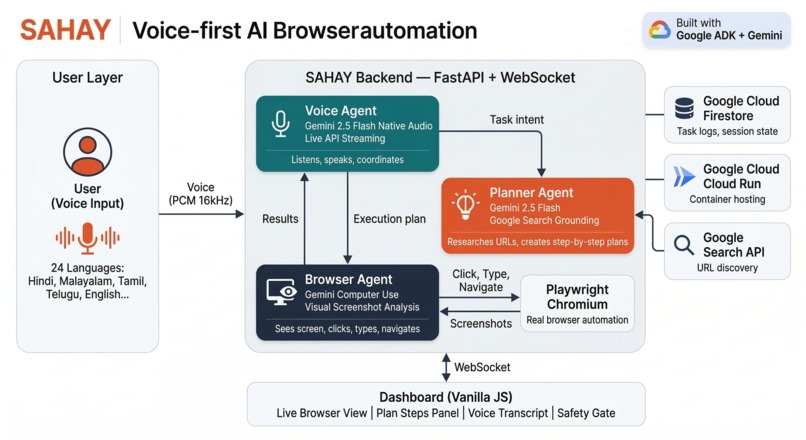
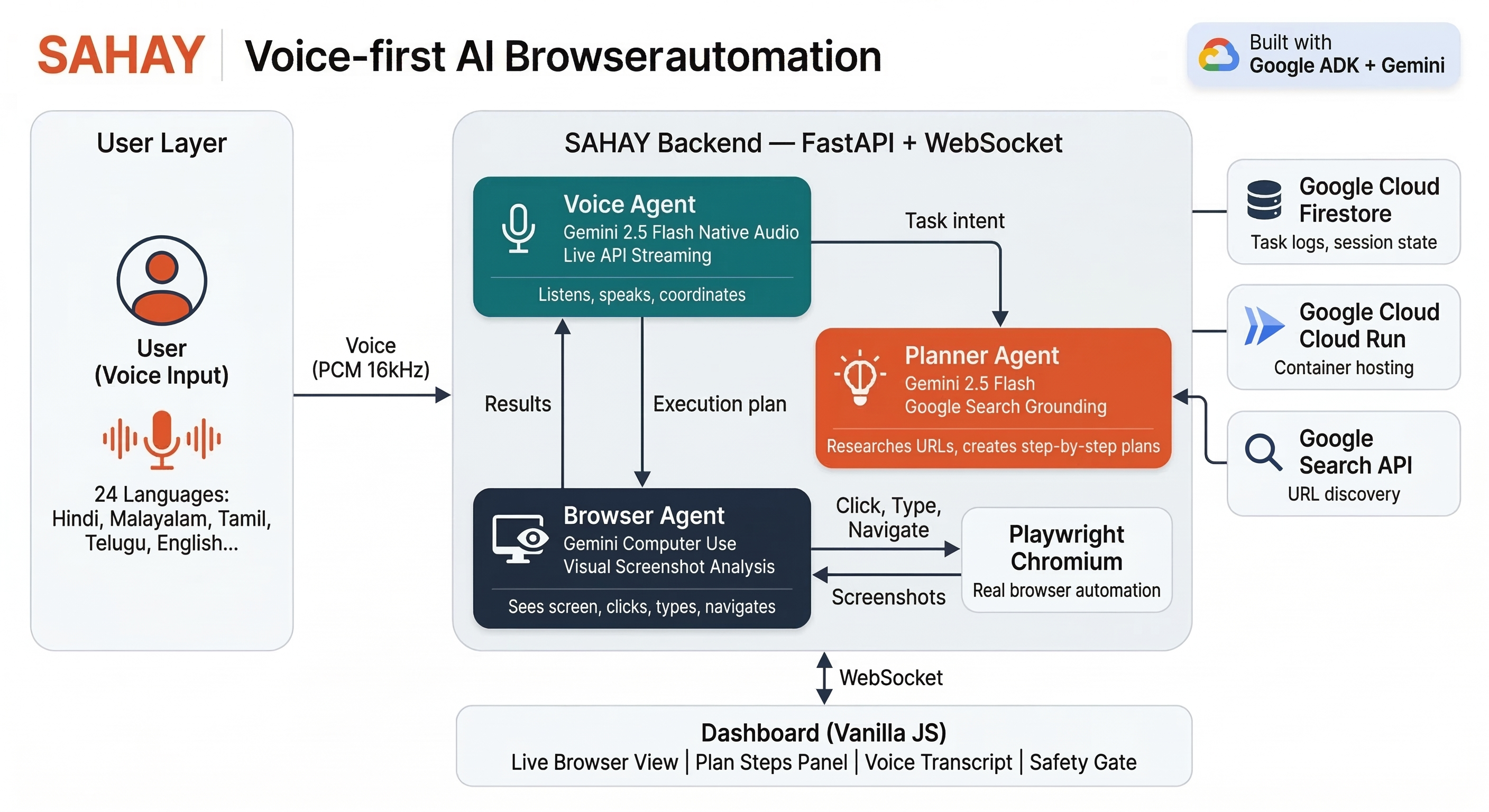
Technical Architecture
-
-
-
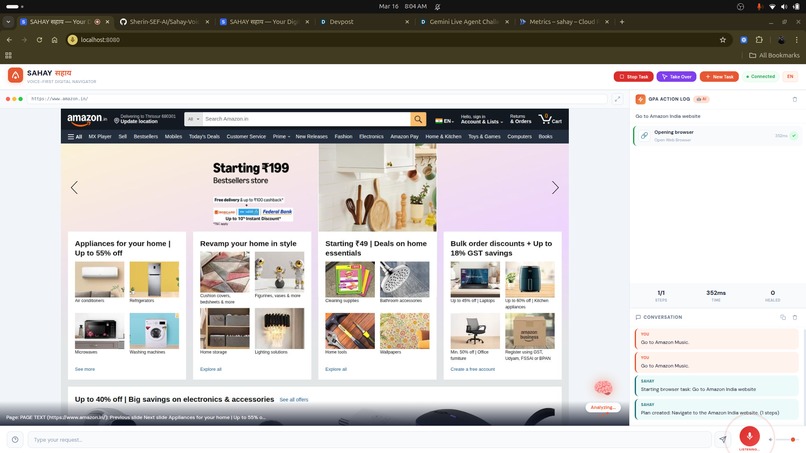
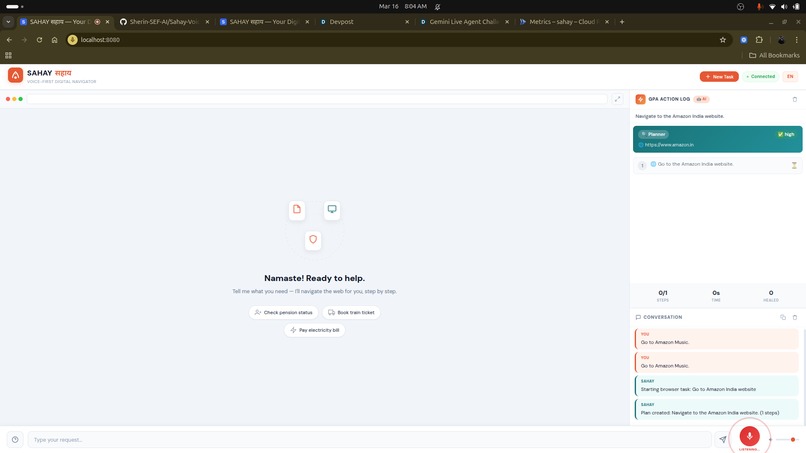
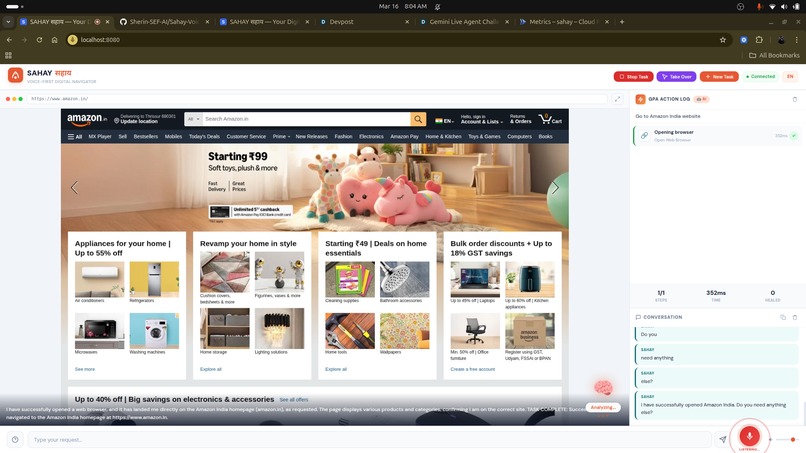
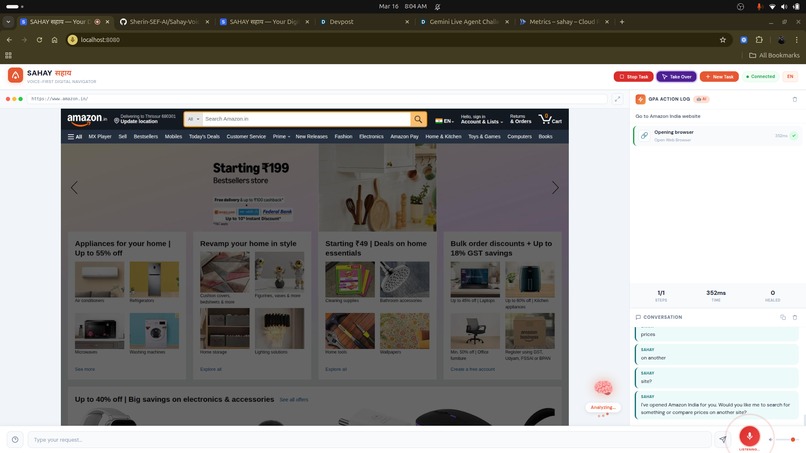
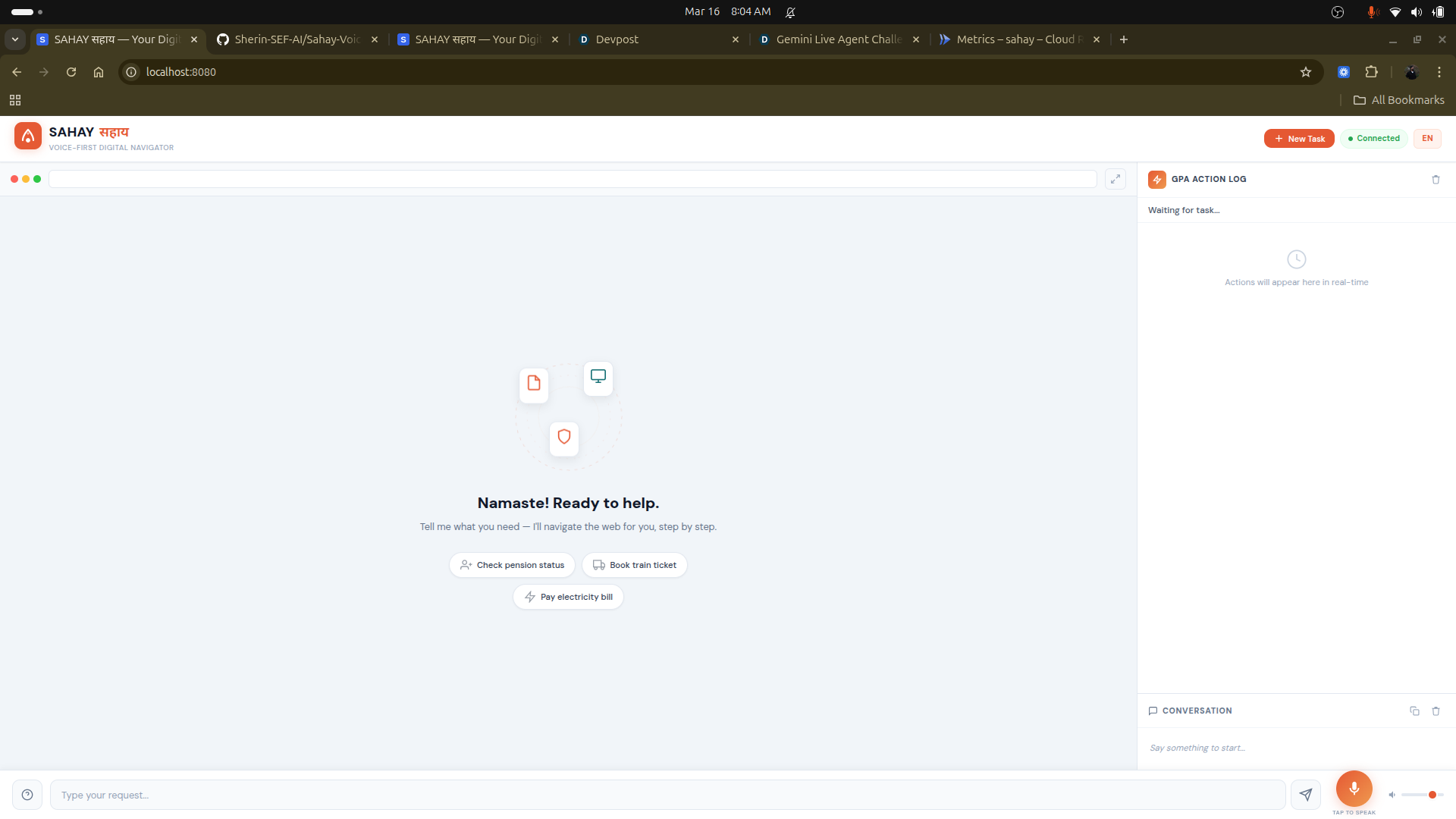
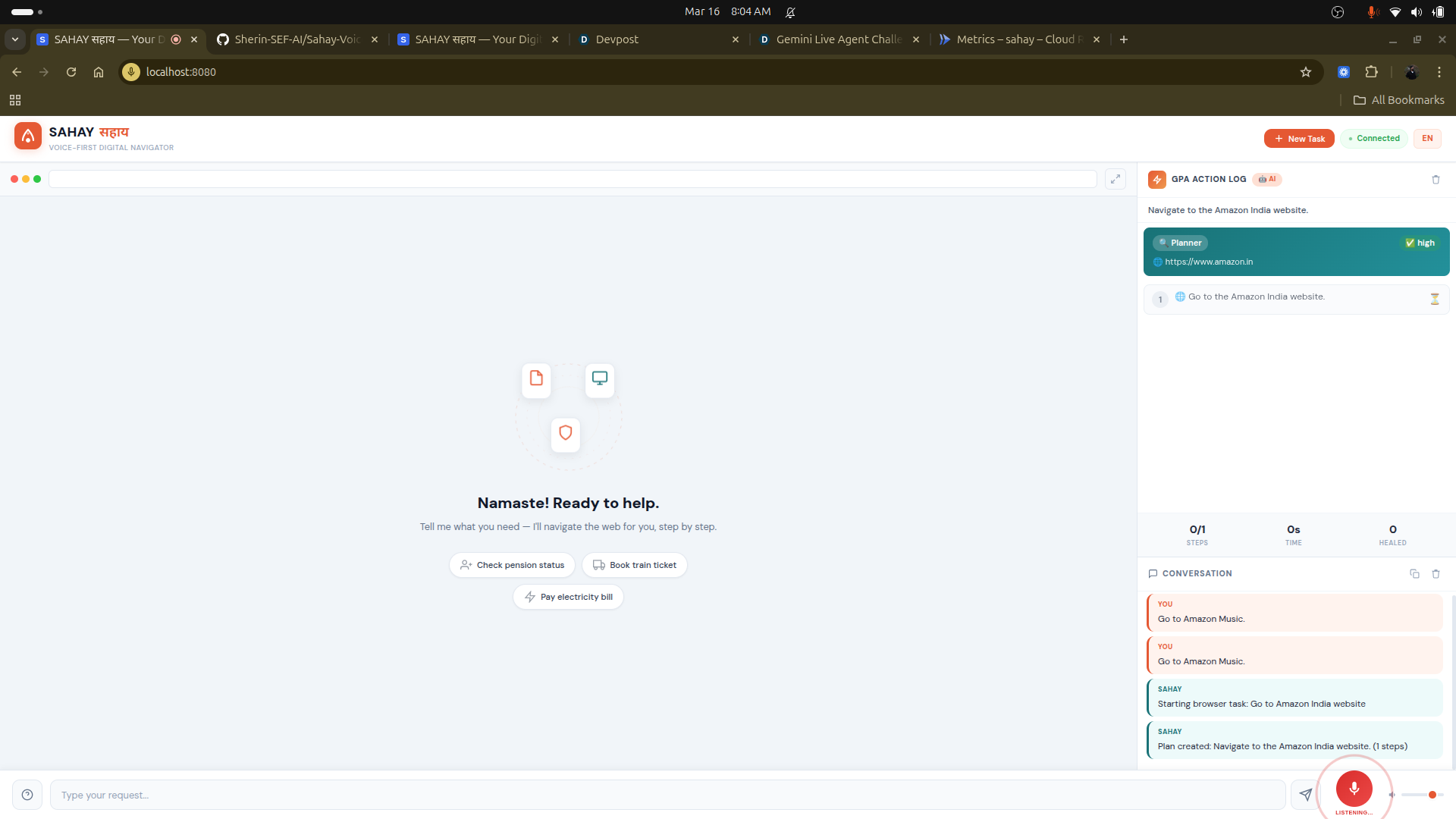
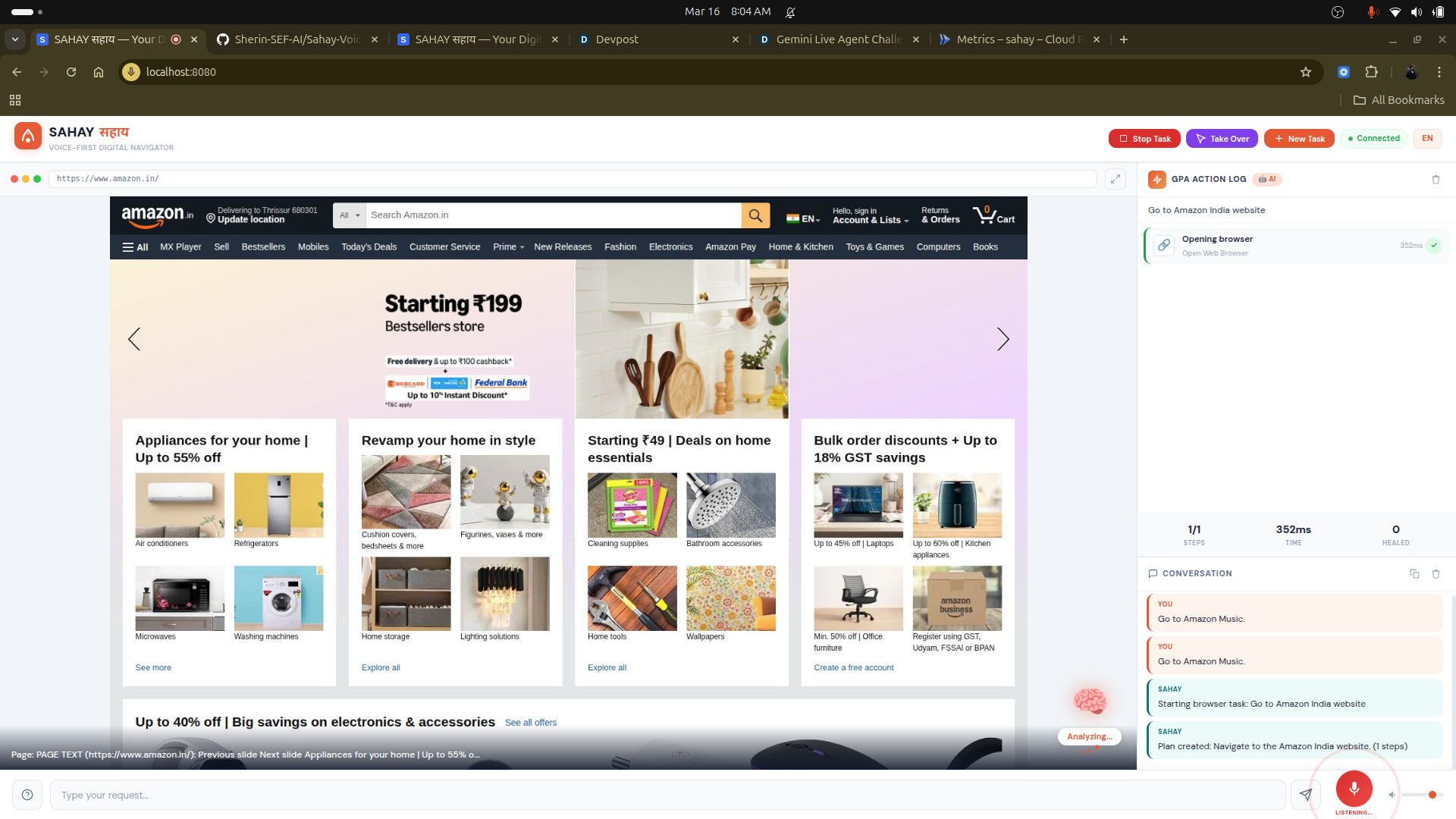
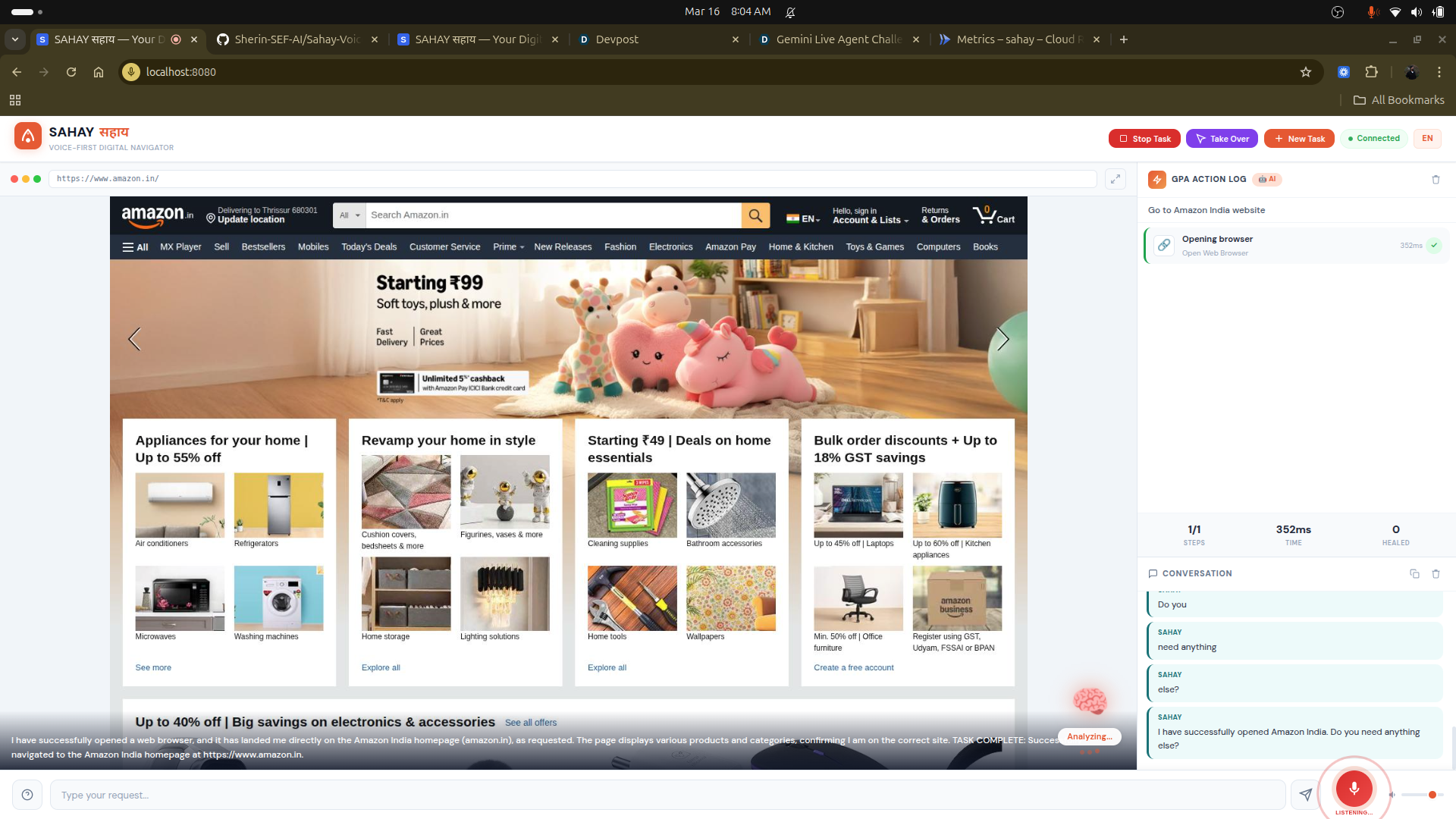
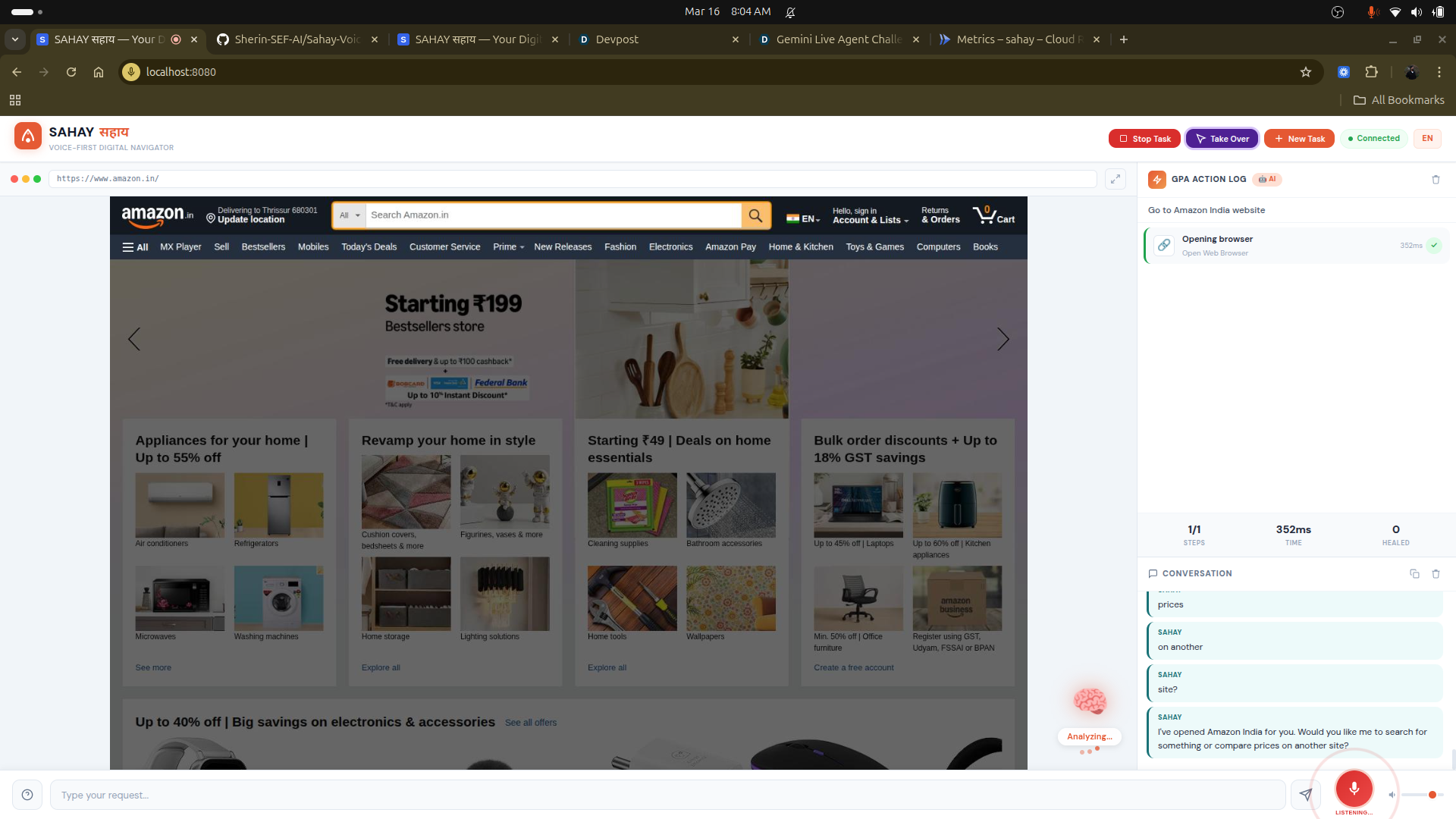
Agent searching on Amazon
-
-
-
-
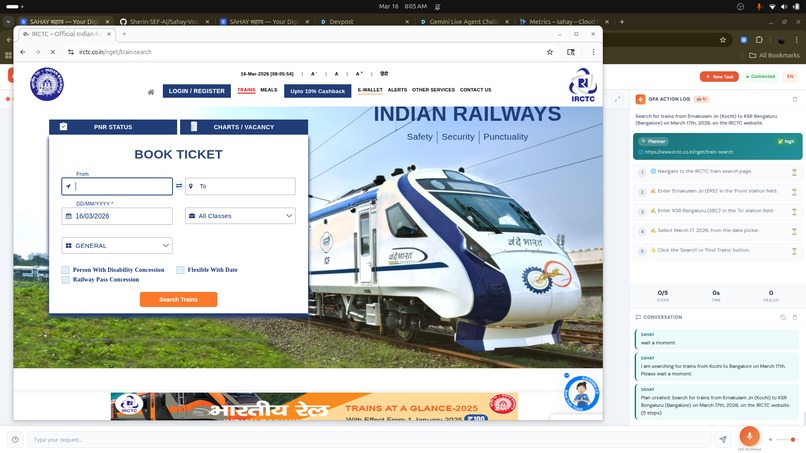
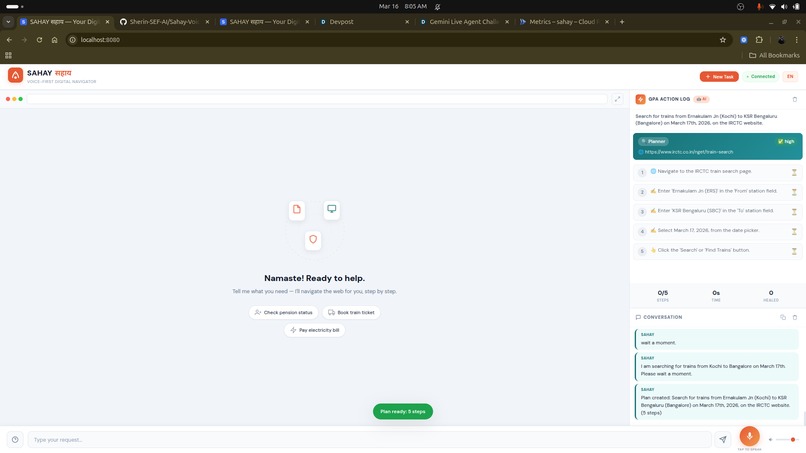
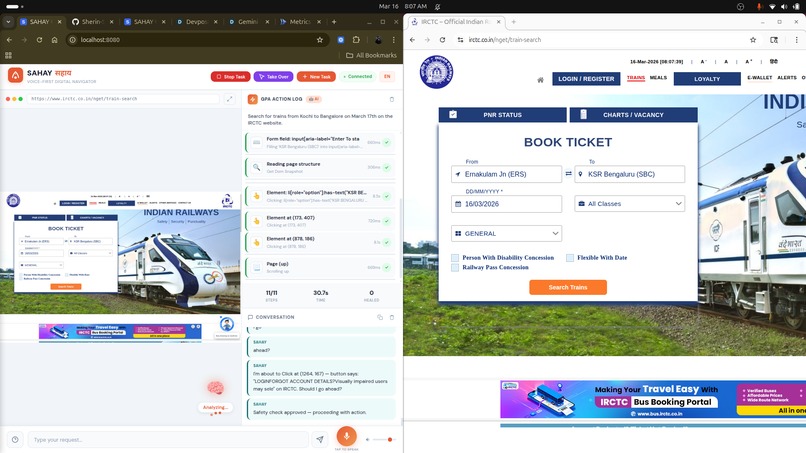
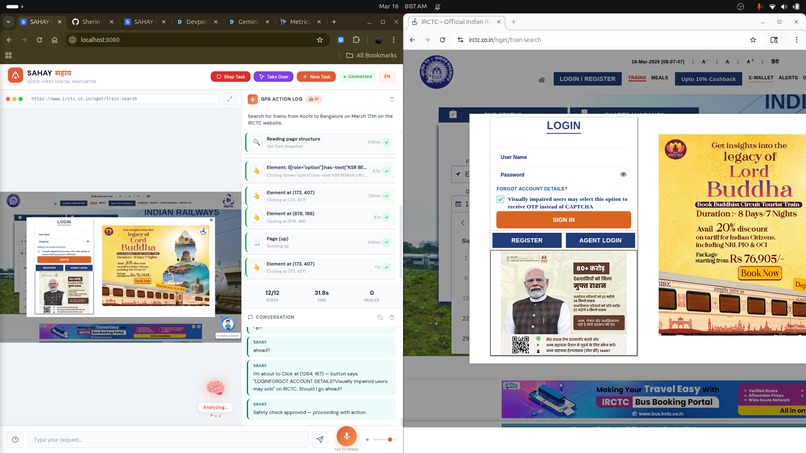
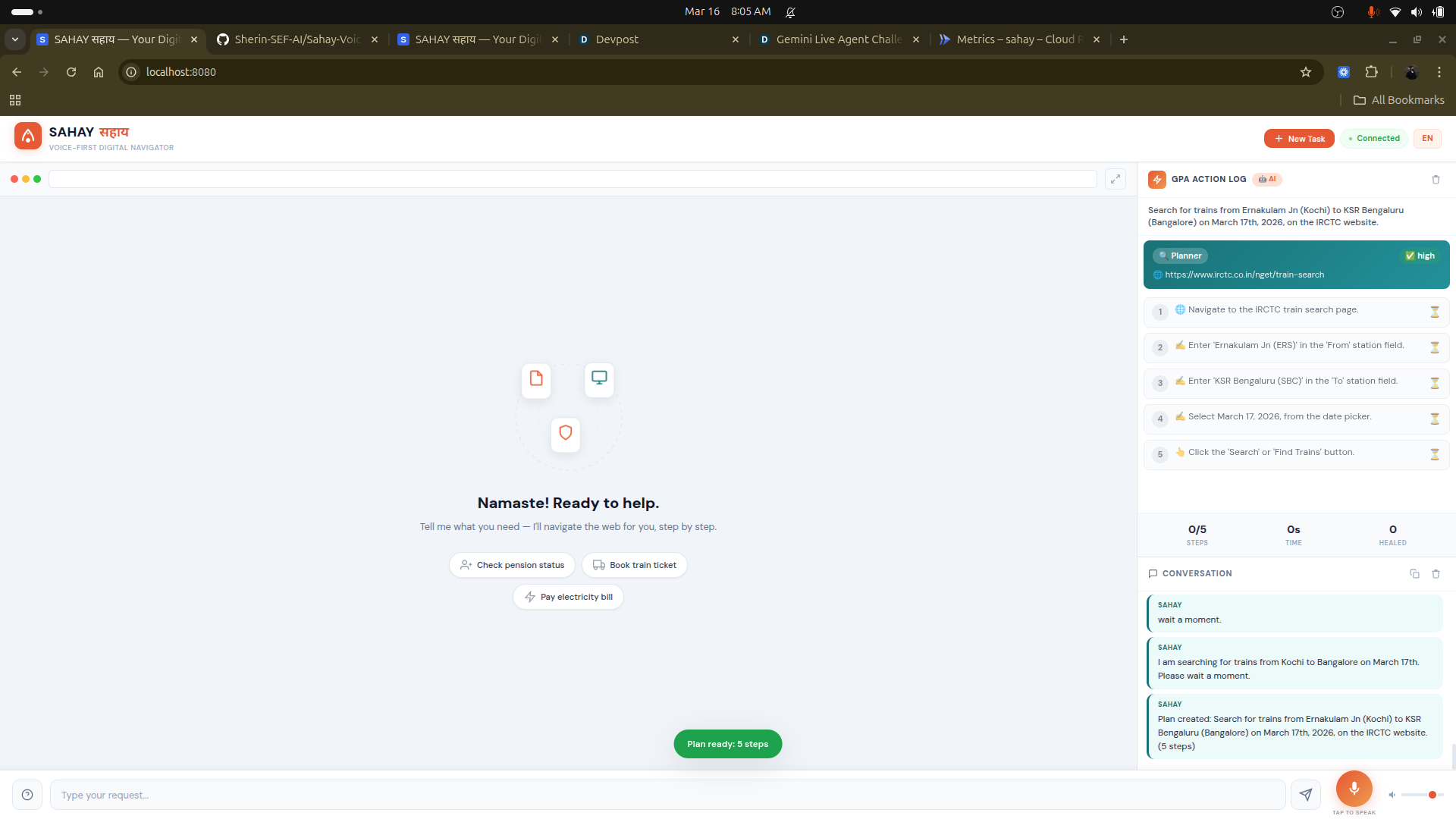
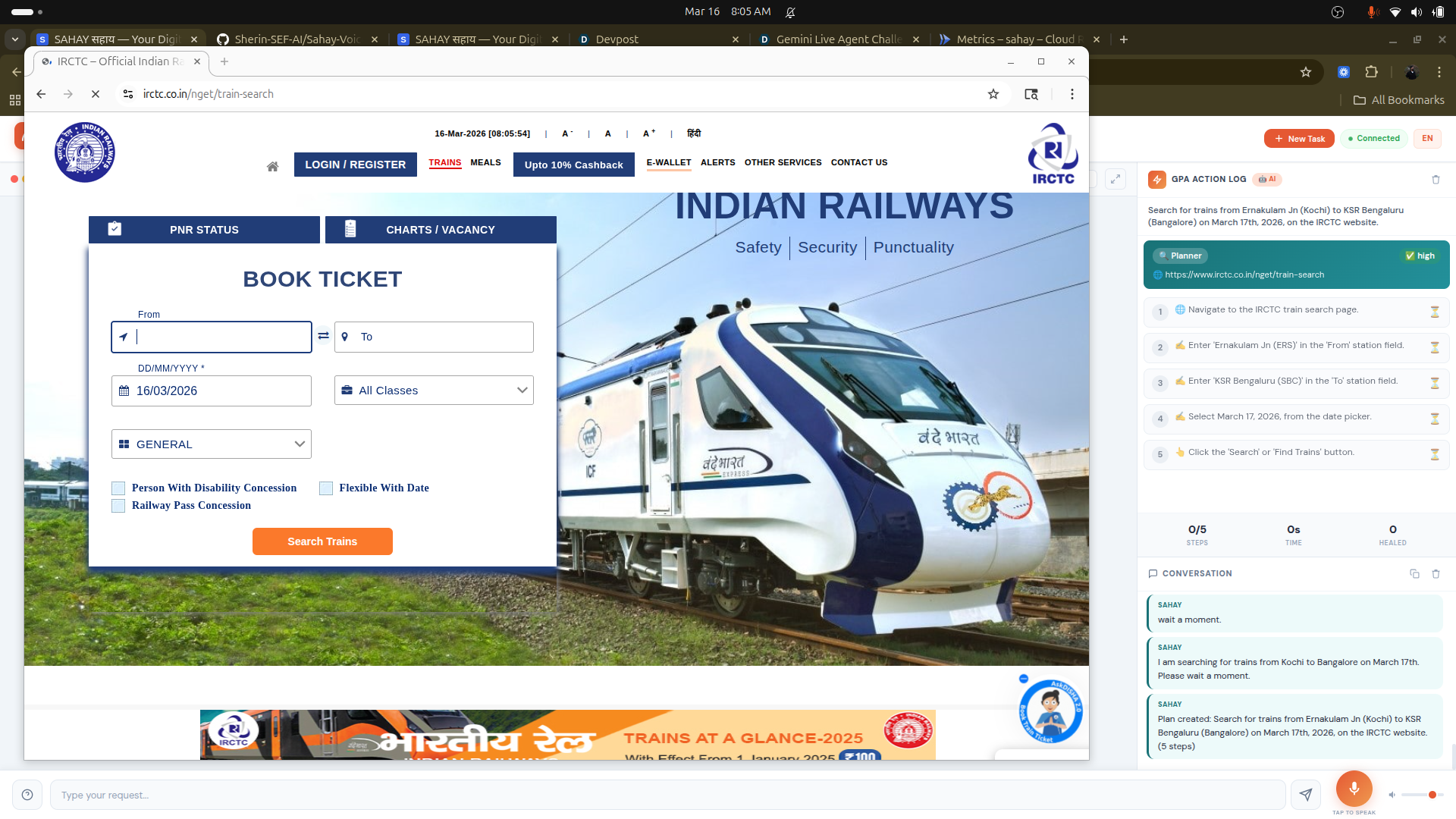
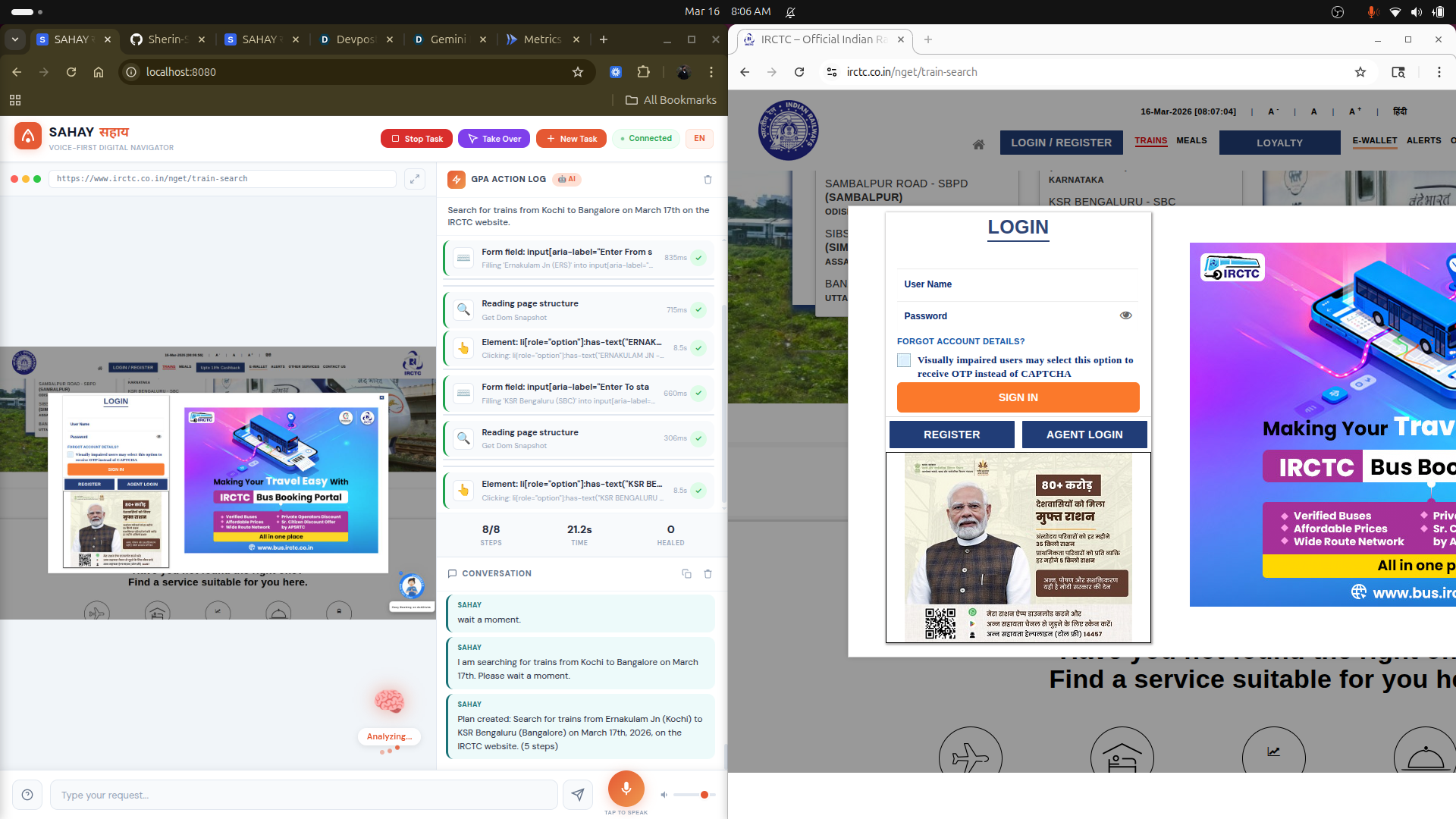
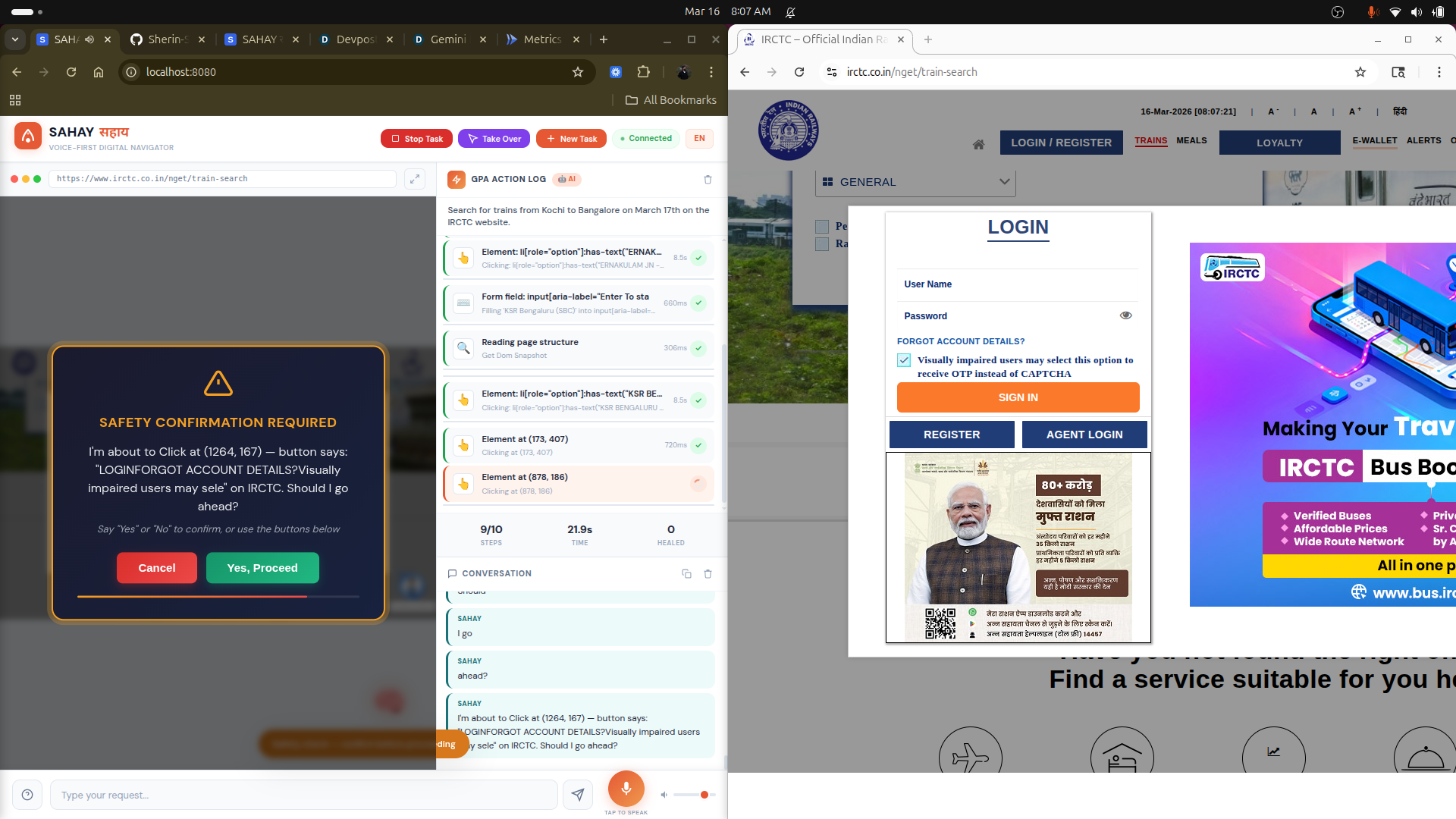
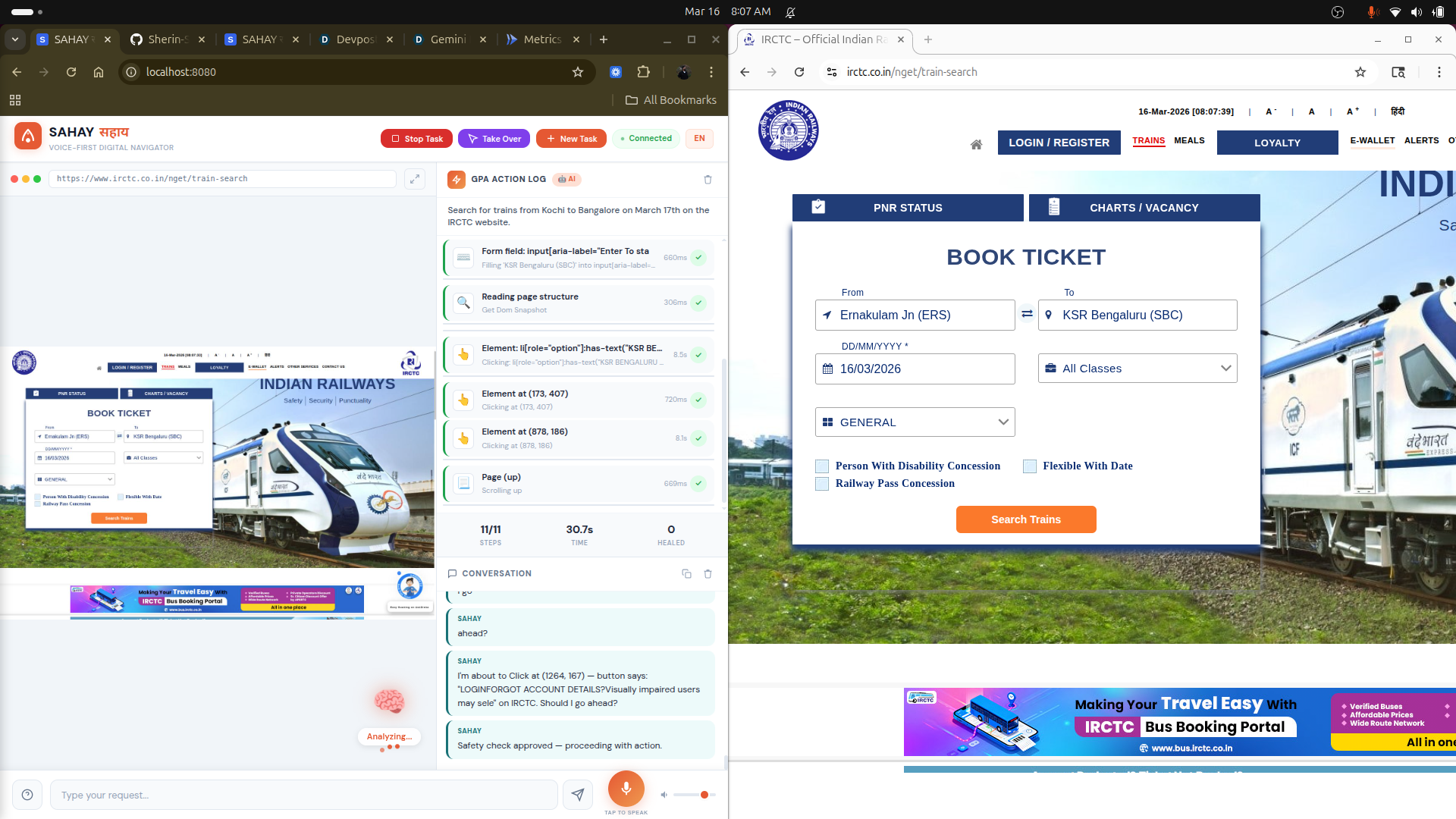
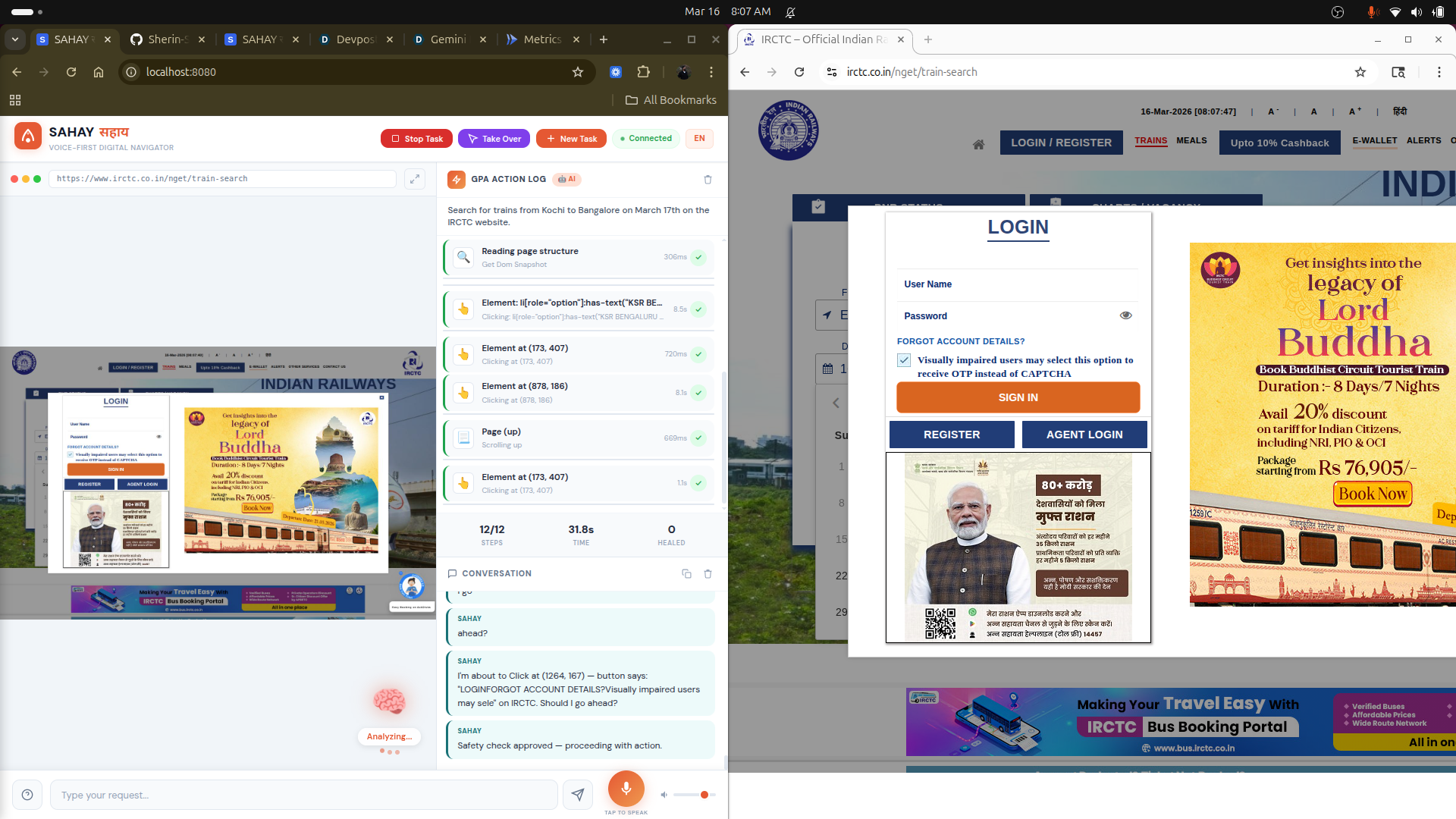
Agent searching train on IRCTC
-
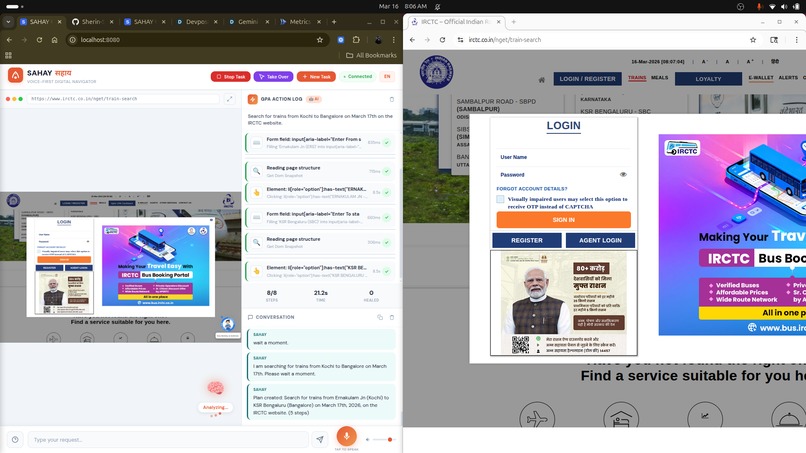
Intelligent browser selection (Headless vs Headed browser)
-
-
-
Inspiration
My grandmother has a smartphone and a broadband connection. She cannot book a train ticket, download her Aadhaar, or pay an electricity bill online. Not because she lacks intelligence — she ran a household for 50 years — but because the interfaces demand skills she was never taught. Typing, reading small text, understanding dropdown menus, handling OTP flows.
She is not alone. 85% of India's elderly are in the same situation. Over 900 million people globally have devices and internet but cannot navigate web interfaces. India digitized everything — pensions, subsidies, train bookings, government IDs — and left behind the people who need these services the most.
I wanted to build something that removes the interface entirely. Not a tutorial. Not a simplified version of the same form. A system where the user simply says what they need, and the computer does the rest.
What it does
SAHAY listens to the user in their own language — Hindi, Malayalam, Tamil, Telugu, English, or any of 24 supported languages. It opens a real browser, finds the correct website by searching the internet, navigates to the right page, fills forms, clicks buttons, scrolls through results, and speaks the outcome back to the user.
The user says "Amazon par earbuds dikhao 1000 rupaye ke andar" and SAHAY navigates to Amazon with price filters applied, reads the results, and reports the top options with prices and ratings — in Hindi.
The user says "Download my Aadhaar card" and SAHAY goes to the UIDAI portal, asks for the Aadhaar number, repeats it back to confirm, enters it, handles the OTP flow, and downloads the PDF.
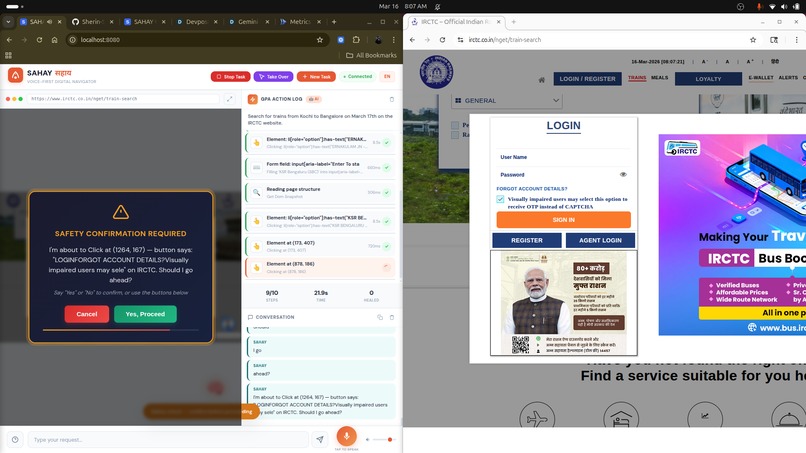
Before any login, payment, or form submission, SAHAY pauses and asks for explicit permission. The user can stop any task instantly, undo the last action, or take direct control by clicking on the browser screen.
How we built it
Three Gemini agents coordinate to complete each task.
The Planner Agent runs on Gemini 2.5 Flash with Google Search grounding. When the user describes a task, the Planner searches the internet to find the correct website, understands the current workflow, and produces a structured execution plan. No hardcoded URLs. No static templates. The Planner always researches because websites change.
The Browser Agent runs on Gemini's Computer Use model. It receives the plan and executes it step by step by analyzing screenshots of the browser. It does not read HTML or use CSS selectors. It looks at the screen visually — identifying buttons, text fields, links, navigation elements — and outputs coordinates for where to click and what to type. Playwright executes these actions against a real Chromium browser.
The Voice Agent runs on Gemini 2.5 Flash Native Audio through the Live API. It handles all voice input and output with bidirectional streaming, barge-in support, and automatic language matching. When the user provides sensitive data, the Voice Agent repeats it back and waits for confirmation before proceeding.
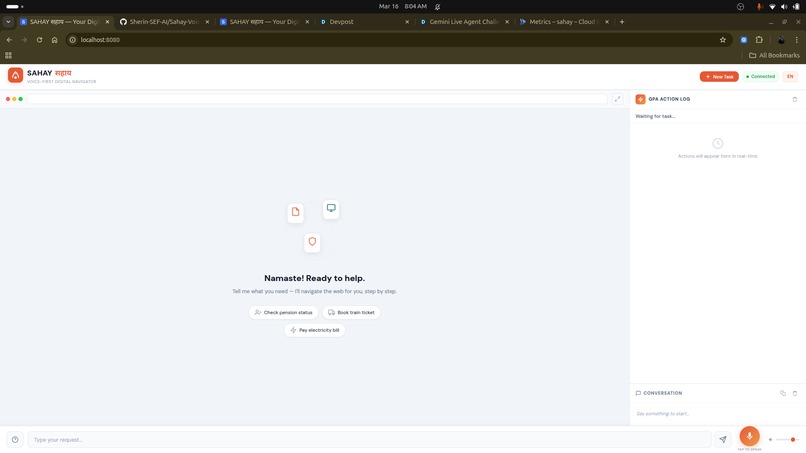
The backend is FastAPI with WebSocket connections for real-time screenshot streaming. The frontend is vanilla JavaScript — a dashboard showing the live browser view, plan progress, agent reasoning, and conversation transcript. Task logs persist in Cloud Firestore. The whole system deploys on Cloud Run via Terraform.
The browser automatically switches between headless mode for speed and headed mode for sites that block automated browsers. This decision happens per-task based on the target URL and task description.
Challenges we ran into
Google blocks headless Chromium from searching. Every few searches, a CAPTCHA appears and the agent gets stuck. This was our biggest blocker for weeks. Moving search to the Planner Agent via Google Search grounding API solved it completely — the browser never touches Google Search anymore.
IRCTC, MakeMyTrip, and several banking portals detect Playwright and refuse to load. We tried stealth flags, spoofed user agents, and every anti-detection trick available. The only reliable solution was using a headed browser for these sites, which led to the smart browser selection system.
The Computer Use model sometimes returns text responses instead of actions. It describes what it sees on screen rather than clicking on it. This causes the ADK runner to exit prematurely. We built a continuation loop that detects this and re-prompts the model with "Take an action, do not describe the page" until it actually interacts.
Sensitive input verification was harder than expected. The Live API voice model sometimes mishears numbers — "9895" becomes "9985". For Aadhaar numbers and phone numbers, a single wrong digit means the entire flow fails. Forcing the agent to repeat back every sensitive input and wait for "yes" added a critical safety layer.
Building for people who cannot read error messages forced us to handle every failure gracefully. No stack traces. No HTTP codes. Every error becomes a spoken sentence: "That website is not cooperating right now. Should I try a different way?"
Accomplishments that we're proud of
The three-agent architecture works. The Planner finds the right website through live search, the Browser navigates it visually, and the Voice Agent communicates results naturally. Each agent does one thing well.
Smart browser selection is something we have not seen in other projects. The system decides per-task whether to use headless or headed Chromium, and switches automatically. This means Wikipedia loads fast in headless mode, while IRCTC gets a real visible browser window that bypasses bot detection.
The sensitive input verification loop — listen, repeat back, confirm — makes the system trustworthy for real use. An elderly user giving their Aadhaar number over voice needs to know it was heard correctly. This single feature transforms SAHAY from a demo into something people would actually rely on.
The Safety Gate fires before every login, payment, and form submission. The user sees exactly what is about to happen and must explicitly approve. This is not just a feature — it is the reason someone would trust an AI agent with their bank login.
24-language support is not a gimmick. The user speaks Malayalam, the agent responds in Malayalam, the browser navigates in English, and the results come back in Malayalam. No configuration needed.
What we learned
The visual-only approach to browser automation is both its greatest strength and its greatest limitation. It works on any website without site-specific code. But it struggles with autocomplete dropdowns, custom JavaScript date pickers, and UI elements smaller than 20 pixels. The tradeoff is worth it — universality matters more than perfection on edge cases.
Giving the Computer Use model a structured plan with visual descriptions works far better than a vague task. "Click the blue Login button in the top right corner" succeeds more often than "log in to the website." The Planner exists specifically to produce these precise instructions.
Most of the engineering effort went into handling failures, not building features. What happens when the page does not load. What happens when the model clicks the wrong element. What happens when the user gives the wrong number. What happens when the site blocks us. Robust failure handling is what separates a demo from a product.
Voice interfaces for elderly users need to be slower and more deliberate than we initially built. Our first version spoke too fast, used too many words, and moved to the next step before the user processed the previous one. Slowing down and confirming each step made the system dramatically more usable.
What's next for Sahay-Voice-First-Digital-Navigator
WhatsApp integration. Most elderly users in India communicate through WhatsApp voice notes. Sending a voice note to a SAHAY WhatsApp number, having it complete the task, and receiving a screenshot of the result would remove the need for even opening a web browser.
Regional language OCR for reading results that appear as images rather than text — common on older government portals that render content as scanned PDFs.
A family guardian dashboard where a son or daughter can set up SAHAY remotely for their parents — configuring allowed websites, spending limits, and receiving notifications when tasks are completed. The foundation for this is already built.
Workflow memory across sessions. After SAHAY completes "download Aadhaar" once for a user, the second time should take 3 seconds instead of 30. The recorded workflow replays with verification at each step, falling back to live navigation only when the website has changed.
Offline task queuing for areas with intermittent connectivity. The user records their request, the system queues it, and executes when connectivity is available, sending the result as a notification.
Built With
- chromium
- cloudrun
- docker
- firestore
- gemini
- gemini-2.5-computer-use
- geminilive
- google-cloud
- google-genai-sdk
- javascript
- playwright
- python

Log in or sign up for Devpost to join the conversation.