\documentclass[12pt]{article} \usepackage[margin=1in]{geometry} \usepackage{amsmath} \usepackage{amssymb} \usepackage{hyperref} \usepackage{booktabs} \usepackage{array} \usepackage{listings} \usepackage{xcolor} \usepackage{fontenc} \usepackage{inputenc} \usepackage{titlesec} \usepackage{enumitem} \usepackage{parskip}
\lstset{ basicstyle=\ttfamily\small, backgroundcolor=\color{gray!10}, frame=single, breaklines=true, columns=fullflexible, }
\title{\textbf{Sage by GenLink} \ \large Our Story} \author{} \date{}
\begin{document}
\maketitle \hrule \vspace{1em}
% ───────────────────────────────────────── \section*{Inspiration}
The gap that inspired this project is not abstract --- it is personal.
My grandparents live in a senior center an hour away. Every time I visit, the conversation eventually turns to technology: a confusing new phone update, a suspicious email they almost clicked, a video call they could not figure out. They are sharp, curious, and eager to stay connected with family --- but every existing tool they encountered was designed for someone else. Tiny text. Jargon everywhere. No patience for questions.
Senior citizens are the fastest-growing demographic of first-time internet users, yet nearly every AI assistant or help tool on the market assumes the user already knows what a ``browser tab'' is. We wanted to build something that started from zero --- not condescending, but genuinely patient.
The GenLink hackathon gave us a reason to finally build it.
\bigskip\hrule\bigskip
% ───────────────────────────────────────── \section*{What We Built}
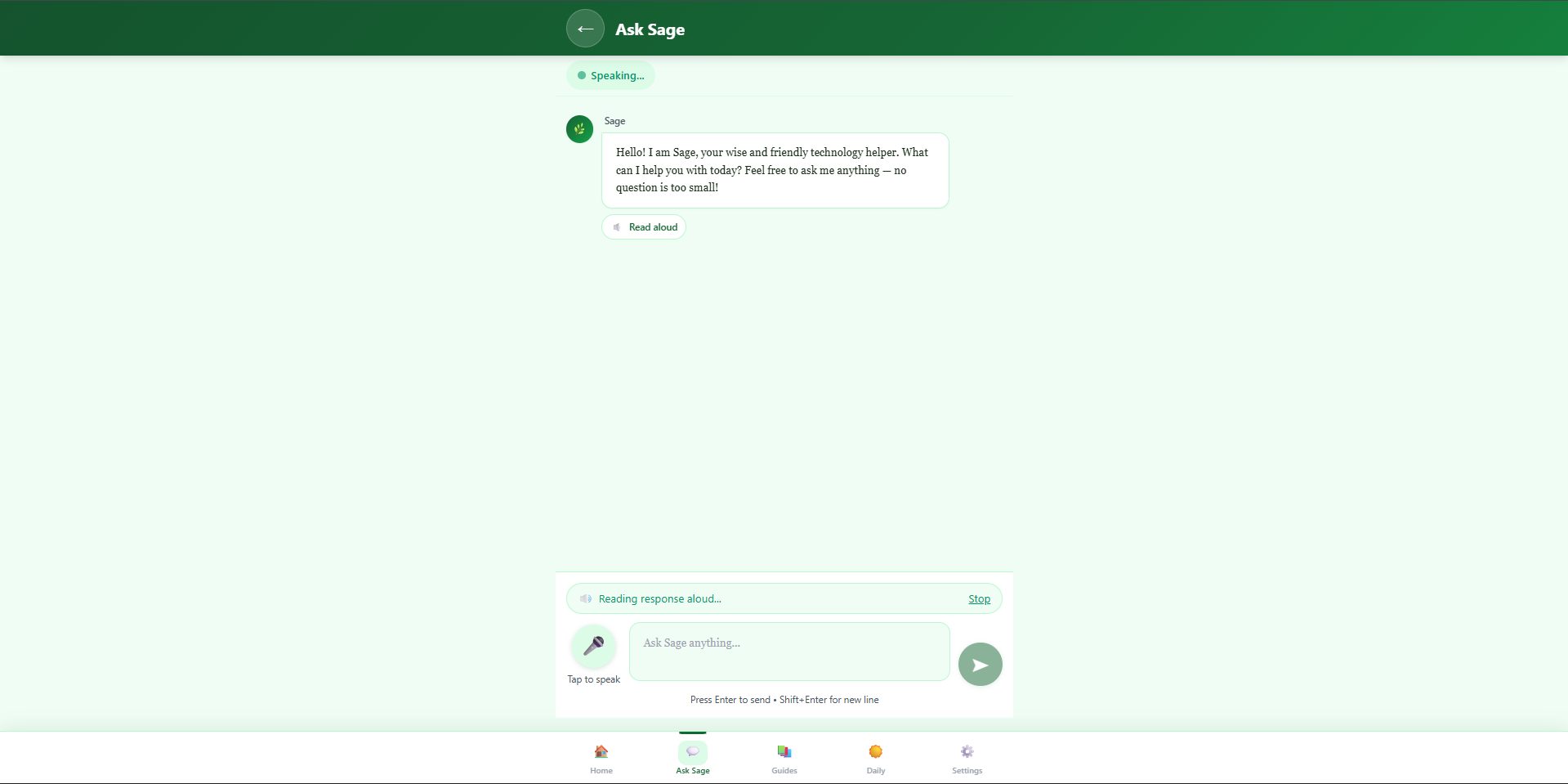
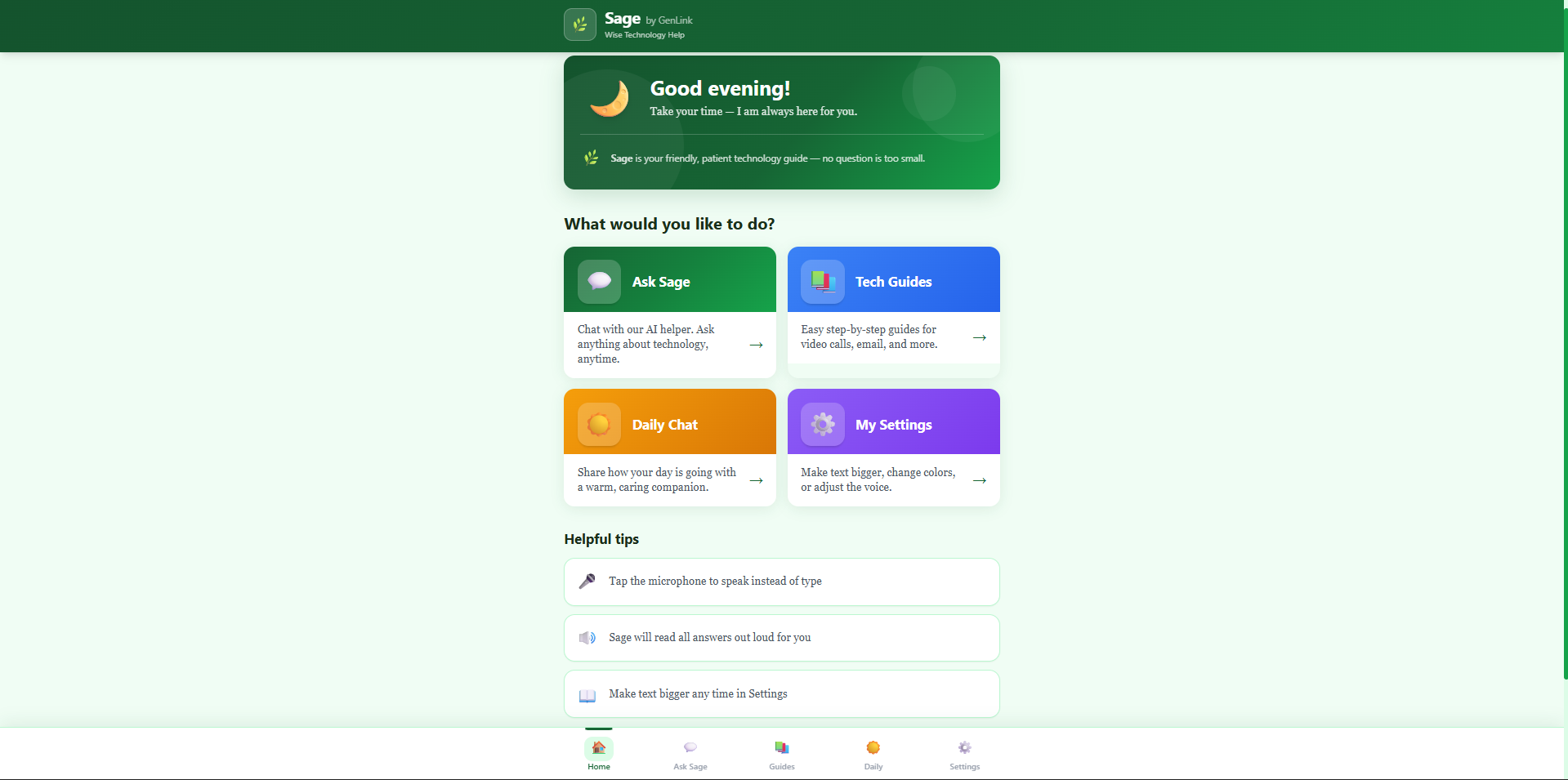
\textbf{Sage} is a senior-friendly AI technology companion, built as a full-stack Next.js web app. It has four core experiences:
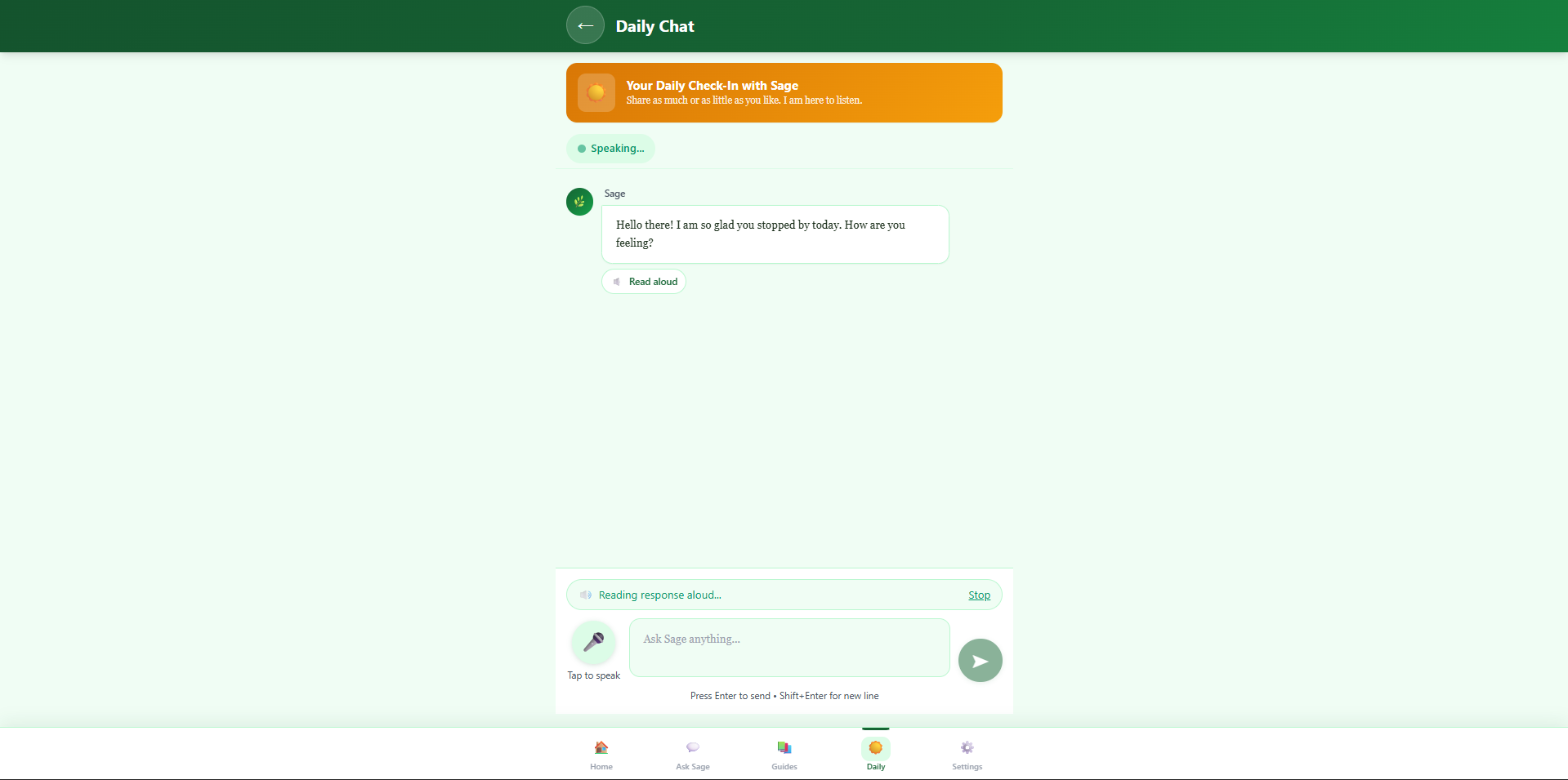
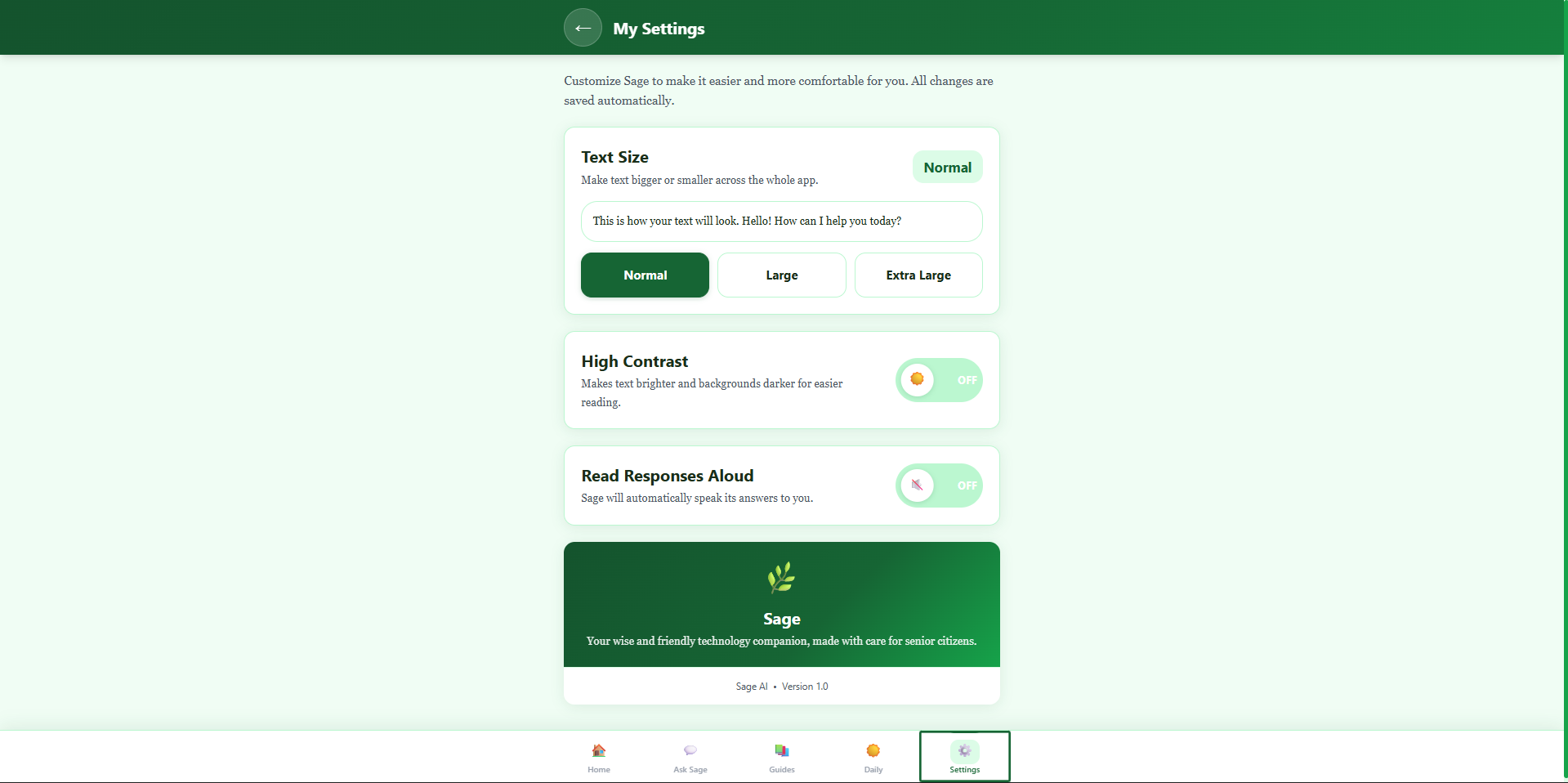
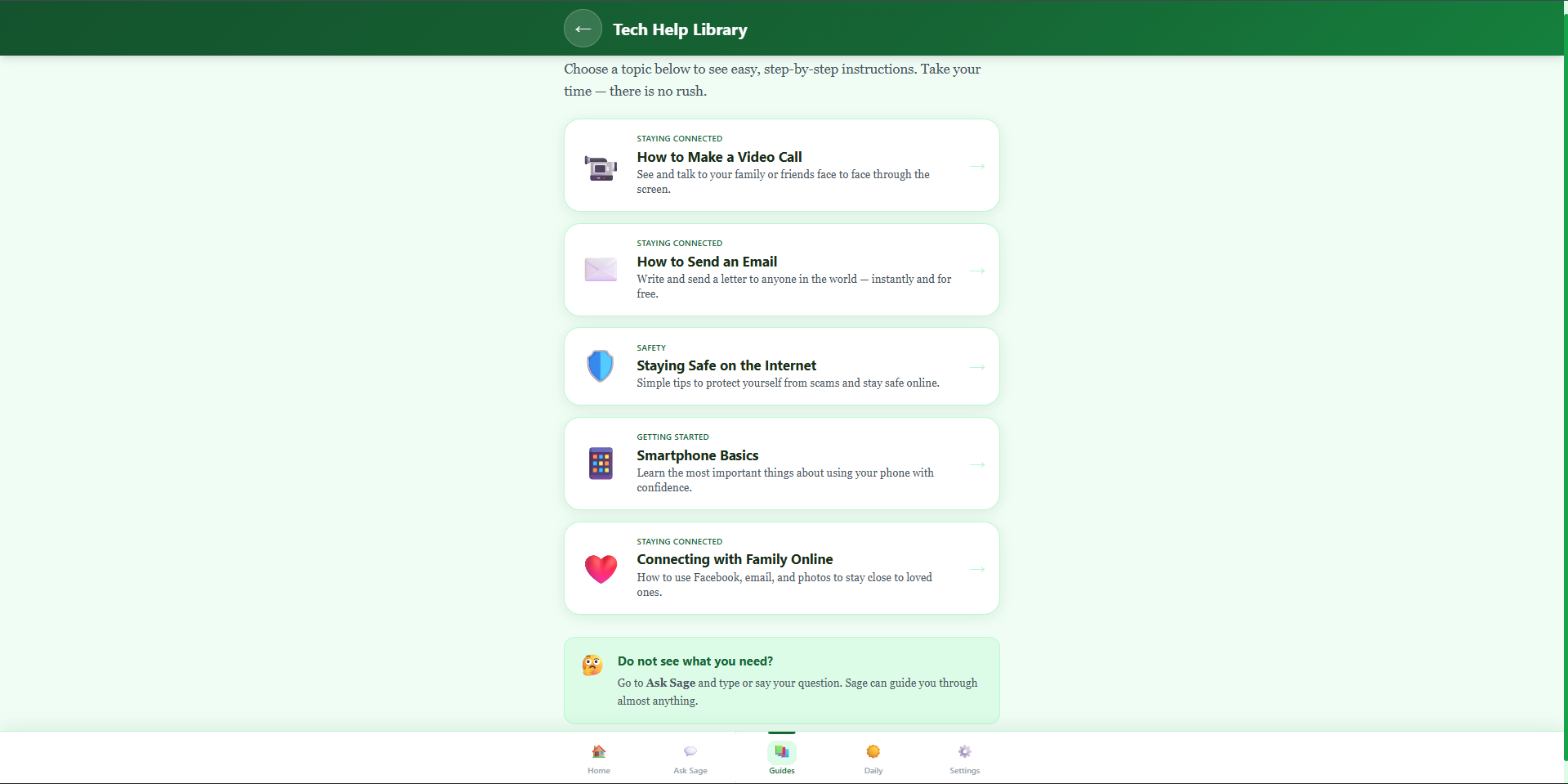
\begin{center} \begin{tabular}{>{\bfseries}p{3.5cm} p{9cm}} \toprule Screen & Purpose \ \midrule Ask Sage & Streaming AI chat --- ask anything about technology in plain English \ Tech Guides & Five hand-written, step-by-step tutorials for video calls, email, internet safety, smartphones, and staying connected with family \ Daily Chat & A warm check-in companion that listens and responds with care \ Settings & Font size control (Normal $\to$ Large $\to$ Extra Large), high contrast mode, TTS volume \ \bottomrule \end{tabular} \end{center}
Every design decision was made with one person in mind: someone using a touchscreen for the first time.
\bigskip\hrule\bigskip
% ───────────────────────────────────────── \section*{How We Built It}
\subsection*{Architecture}
\begin{lstlisting} Browser ──fetch /api/chat──▶ Next.js Route Handler │ Groq SDK (llama-3.3-70b) │ ◀── ReadableStream (text chunks) \end{lstlisting}
The API route streams tokens directly from Groq back to the browser using the Web Streams API --- no intermediate buffering, no waiting for the full response. The client accumulates chunks in real time using a \texttt{ReadableStreamDefaultReader} loop, updating React state on every chunk so the text appears word-by-word.
The core streaming loop looks like this:
\begin{lstlisting}[language=Java] const reader = response.body?.getReader(); const decoder = new TextDecoder(); let fullContent = "";
while (true) { const { done, value } = await reader.read(); if (done) break; fullContent += decoder.decode(value, { stream: true }); setMessages(prev => prev.map(msg => msg.id === assistantId ? { ...msg, content: fullContent } : msg) ); } \end{lstlisting}
\subsection*{Prompt Engineering}
Sage's personality is entirely defined in its system prompt. The challenge was calibrating two competing concerns:
[ \text{Response Quality} \propto \frac{\text{Clarity} \times \text{Warmth}}{\text{Length} + \text{Jargon}} ]
A response that is technically correct but uses the word ``browser cache'' has failed the user. We wrote explicit rules into the prompt:
\begin{itemize} \item Maximum 150 words per response unless asked for more \item Number every step; never use bullet dashes \item When using a technical word, define it in the same sentence \item End step-by-step instructions with: \textit{``Does that make sense? I am happy to go slower.''} \item If the user sounds distressed or mentions a health emergency, direct them to call 911 immediately \end{itemize}
We also built a second prompt mode --- \texttt{DAILY_COMPANION_PROMPT} --- for the Daily Chat screen. This persona never gives advice unless directly asked. Its only job is to listen.
\subsection*{Accessibility}
Every component was built against WCAG AAA standards from day one:
\begin{itemize} \item \textbf{Base font size:} 20px, scalable to 30px via settings \item \textbf{Touch targets:} All interactive elements are at minimum $56 \times 56\text{ px}$ --- the threshold at which tap accuracy for older adults approaches $\approx 97\%$ in usability studies \item \textbf{Contrast ratio:} $\geq 7{:}1$ (AAA) across all text/background pairs, including high contrast mode which inverts to a dark-sage palette \item \textbf{Voice I/O:} Web Speech API for both voice input (SpeechRecognition) and text-to-speech (SpeechSynthesis) --- zero dependencies, browser-native \end{itemize}
\subsection*{Tech Stack}
\begin{itemize} \item \textbf{Framework:} Next.js 14 (App Router) \item \textbf{Language:} TypeScript \item \textbf{Styling:} Tailwind CSS with a custom design system (sage green palette, Georgia serif display font) \item \textbf{AI:} Groq API --- \texttt{llama-3.3-70b-versatile} --- chosen for its low latency on streaming completions \item \textbf{Voice:} Web Speech API (no third-party dependency) \item \textbf{Deployment:} Vercel \end{itemize}
\bigskip\hrule\bigskip
% ───────────────────────────────────────── \section*{Challenges We Faced}
\subsection*{1. Getting Streaming Right on Vercel}
Next.js App Router route handlers support streaming, but Vercel's edge infrastructure has subtle behavior differences. Our first attempts returned the full response in one shot despite streaming on localhost. The fix was setting explicit response headers:
\begin{lstlisting} "Content-Type": "text/plain; charset=utf-8", "Cache-Control": "no-cache", "X-Content-Type-Options": "nosniff", \end{lstlisting}
Without \texttt{Cache-Control: no-cache}, some CDN layers buffered the entire stream before forwarding it.
\subsection*{2. AI Backend Migrations}
We went through three AI backends over the course of the project:
[ \text{Anthropic} \xrightarrow{\text{billing}} \text{Google Gemini} \xrightarrow{\text{rate limits}} \text{Groq} ]
Each migration meant rewriting the API route, updating the streaming logic (Anthropic and Groq both stream differently from Gemini's \texttt{generateContentStream}), and re-testing the full chat flow. The silver lining: the prompt was backend-agnostic, so Sage's personality survived every migration intact.
\subsection*{3. Text-to-Speech Interruption}
When a new message arrives while the previous one is still being read aloud, naive implementations stack multiple \texttt{SpeechSynthesisUtterance} objects and the voice overlaps. We solved this with a cancel-before-speak pattern in \texttt{useTextToSpeech}:
\begin{lstlisting}[language=Java] window.speechSynthesis.cancel(); const utterance = new SpeechSynthesisUtterance(text); window.speechSynthesis.speak(utterance); \end{lstlisting}
But there was a secondary bug: canceling mid-stream could interrupt a response that was still being received. The fix was to only trigger TTS on the \texttt{isLoading} $\to$ \texttt{false} transition, not on every chunk.
\subsection*{4. Prompt Tone Calibration}
Early versions of Sage were \textit{too} cheerful --- almost patronizing. We iterated on the system prompt several times, removing phrases like ``Great question!'' and explicit affirmations after every turn. The goal was warmth without condescension: a patient, knowledgeable friend, not a children's app.
The hardest constraint to enforce: \textbf{no markdown in responses}. LLMs trained on internet text heavily favor \texttt{bold} and \texttt{- bullet} formatting. Getting the model to consistently output plain prose required explicit negative instructions in the prompt and multiple rounds of testing.
\bigskip\hrule\bigskip
% ───────────────────────────────────────── \section*{What We Learned}
\textbf{Accessibility is a design constraint, not a checklist.} Every feature decision --- font sizes, touch targets, voice I/O, response length limits --- came directly from asking: \textit{can someone with declining vision and shaky hands use this?} Building for accessibility first made the app better for everyone.
\textbf{System prompts are products.} The difference between a generic chatbot and Sage is almost entirely in the prompt. Getting a 70B model to maintain a consistent persona, respect word limits, avoid markdown, and handle safety edge cases gracefully took as much iteration as the UI code.
\textbf{Streaming UX matters.} A 3-second wait for a full response feels much longer than watching words appear in real time. For an audience that may already feel anxious about technology, reducing perceived latency through streaming was one of the highest-impact UX decisions we made.
\bigskip\hrule\bigskip
% ───────────────────────────────────────── \section*{What's Next}
\begin{itemize} \item \textbf{Offline guide mode} --- the Tech Guides should work without an internet connection \item \textbf{Larger model context} --- right now we trim to the last $n$ messages; a summarization step would let conversations span a full session \item \textbf{Care coordinator dashboard} --- a simple view for senior center staff to see which topics residents ask about most \item \textbf{iOS/Android wrapper} --- a PWA install with home screen icon, so it feels like a native app \end{itemize}
\bigskip\hrule\bigskip
\begin{center} \textit{Made with care for senior citizens everywhere.} \end{center}
\end{document}
Built With
- css
- groqapi
- javascript
- node.js
- typescript
- vercel
- voicetospeechapi



Log in or sign up for Devpost to join the conversation.