Inspiration
Ccoking following a recipe seems simple: a list of ingredients and a list of instructions, when followed, leading to a delicious meal. Yet, due to various reasons, recipes are rarely followed, sometimes leading to minor issues such as inauthentic flavors; however, such carelessness may also lead to more disastrous results especially in the realm of baking and more complicated recipes.
What it does
Saffron is a self-editing recipe browser, where it will find recipes and literally rewrite the recipes to adapt to the ingredients and appliances you own.
- Finding Recipes: Saffron searches dishes with optional criteria for diet restrictions, missing-equipment and "ready by time" constraints. Upon searching for a new recipe, you'll be able to watch an agent browse the internet live for your recipe. Recipes you've already seen come back instantly from a cache, saving the edits you might have made to them.
- Read the Formatted Recipe: You'll then be able to read your recipe after its been rewritten into our clean layout: ingredients with allergen flags, appliances, steps with time estimates, plus difficulty and cleanup scores with reasoning.
- Edit by Clicking: tap any ingredient, step or appliance to perform a variety of actions. Swap cream for coconut milk and the amount, the steps that mention it, and the timing will all update, with the changed lines glowing briefly to catch your attention. To give an example, saying you don't have an oven on a recipe with an oven will make the recipe change itself to becomes a stovetop recipe, highlight "until charred" line and a tip will explain just what color you're looking for.
- Safe by Design: Nonsense swaps (such as trying to substitute salt for sugar) is refused with a reason and three valid alternatives. Allergens you list are flagged and never suggested. Every edit can be undone with a simple click so you don't have to worry about misinputted prompts.
- Plan Backwards: Set a "ready by" time and Saffron filters recipes that don't fit and tells you when to start.
How we built it
- One Next.js app (TypeScript, App Router) serves both the interface and the API.
- Gemini was used to rewrite messy recipe pages into one structured recipe, propose small structured edits instead of rewriting text, explain techniques, and create embeddings for search. Its output is validated against a shared schema (zod) and every ingredient or step it references is checked before an edit applies.
- A deterministic engine applies the edits with one shared function, keeps a multi-level undo history, and drops stale results using version checks. Allergen matching and safe-temperature rules are enforced by code, not left to the model.
- Tiger Cloud (Postgres with pgvector) stores recipes with 768-dimension embeddings. Cosine similarity over an HNSW index returns cached recipes in under a second. It also stores saved recipes, share links and chat history.
- A safe fetcher retrieves recipe pages with protection against server-side request forgery, using curl because several recipe sites reject standard Node requests.
- We built it with AI coding agents under an orchestrator, builder and reviewer workflow. We wrote the product spec and safety rules, reviewed the output, and backed the edit engine with hundreds of automated tests.
Challenges we ran into
Keeping a recipe consistent after a single change was the main technical problem. Replacing one ingredient can alter quantities, cooking times and the wording of several steps, and a simple text replacement produced broken recipes. We had the model return small structured edits, checked that every ingredient and step it referenced actually existed, and allowed only one edit to run on a recipe at a time.
Model availability and rate limits caused repeated interruptions. Several newer Gemini models were overloaded or returned quota errors during development. We made the model configurable for each task, added a fallback model for failed requests, and validated every response against our schema, with one retry when validation failed.
Some recipe sites rejected requests from our server. Fetching pages with curl solved this, and we added a fallback that extracts the recipe from the page text when a site does not publish structured recipe data.
We also reduced the scope of the project. We had planned a graph view and a hands-free voice mode, and we postponed both so that the core editing flow could be finished first.
Accomplishments that we're proud of
Saffron rejects substitutions that would ruin a dish, such as replacing salt with sugar. It gives a reason and offers three alternatives that work. When an edit is accepted, the changed lines are highlighted so the user can see exactly what moved, and any edit can be undone.
Allergen checks run in code against tags attached to each ingredient, so the model has no way to override them.
The editing engine is covered by more than 900 automated tests.
What we learned
We learned to treat the language model as a source of proposals and to leave decisions about correctness to ordinary code. Most of our effort went into validating and applying the model's output, with comparatively little spent on the model call itself. Deciding early which features to postpone also let us finish the flow that matters most: selecting a line and watching the recipe update.
What's next for Saffron
We plan to add user accounts with sync across devices, a hands-free cooking mode with voice control and timers, and a way to order missing ingredients. We would also like to work with recipe publishers, so that the interactive layer credits the original authors and sends readers back to their sites.
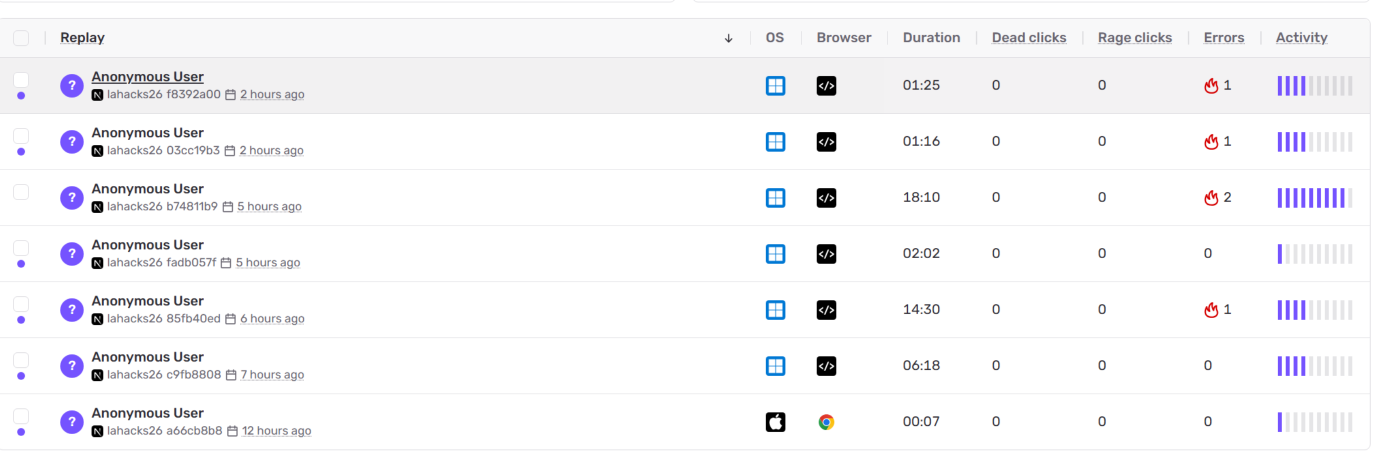
We also integrated two Sentry features: Session Replay and Tracing. Session Replay automatically records the user’s interaction with the page around an error, so we can see what they clicked, which screen they reached, and where the experience broke down. Our recipe page already had replays linked to network failures, which gives us much more context than an error message alone.
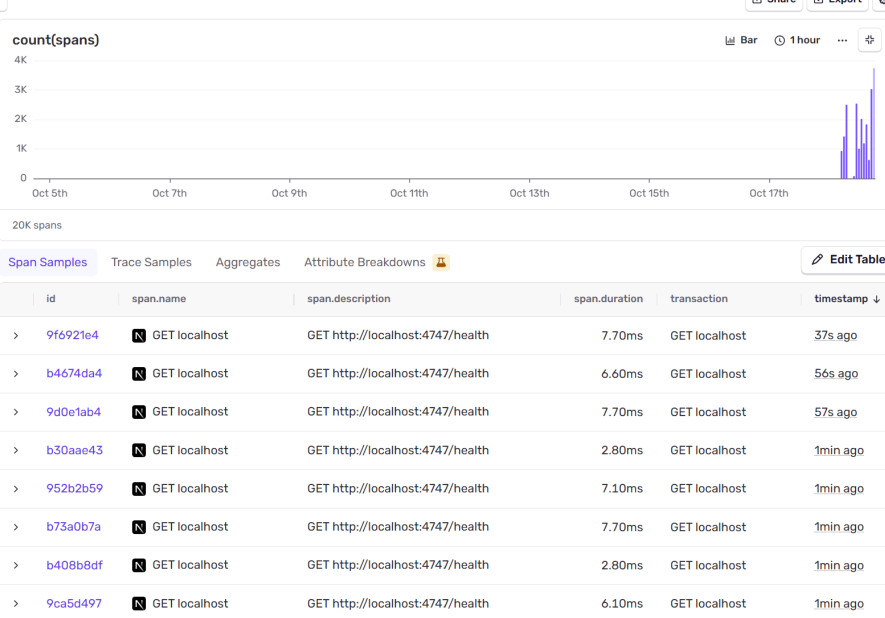
Tracing adds the timing information behind those interactions. It lets us inspect recipe-loading and API requests to see which operations are slow or failing. Together, these features help connect what the user experiences on the page with what’s happening behind the scenes.
Built With
- browser-use
- drizzle-orm
- gemini-api
- next.js
- pgvector
- postgresql
- react
- sentry
- shadcn-ui
- tailwindcss
- tiger-data
- typescript
- vitest
- zod
- zustand


Log in or sign up for Devpost to join the conversation.