-
-
SafeWalk
-
-
-
-
-
Inspiration
While discussing the challenges we face in the city, all my teammates agreed that walking around downtown at night can be a pretty scary experience, especially when you’re new to Chicago. We also recognized we all had the shared experience of Google Maps leading us into dark alleyways in an attempt to give us the ‘fastest route’. Overall, Mainstream navigation apps show you the quickest route and overlook the safety aspect of it. So, we decided to make SafeWalk Loop - an app that makes sure you reach your destination safe and sound.
What it does
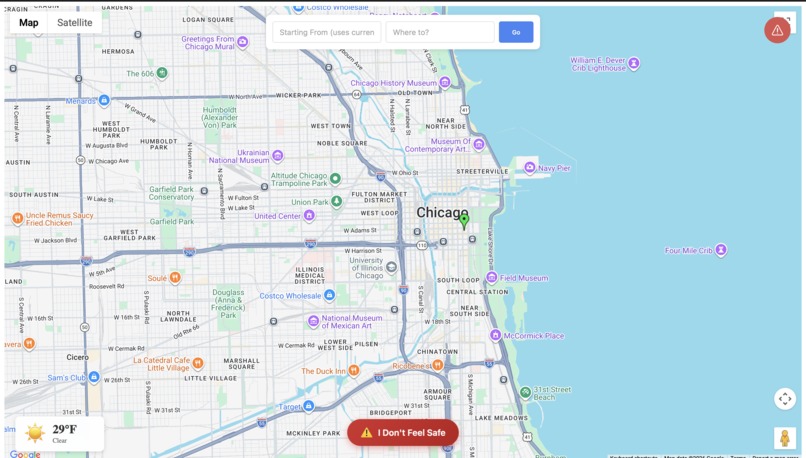
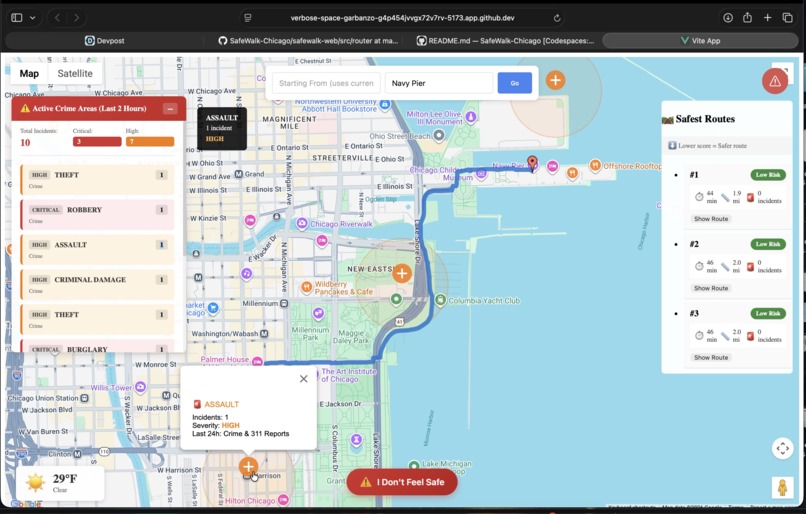
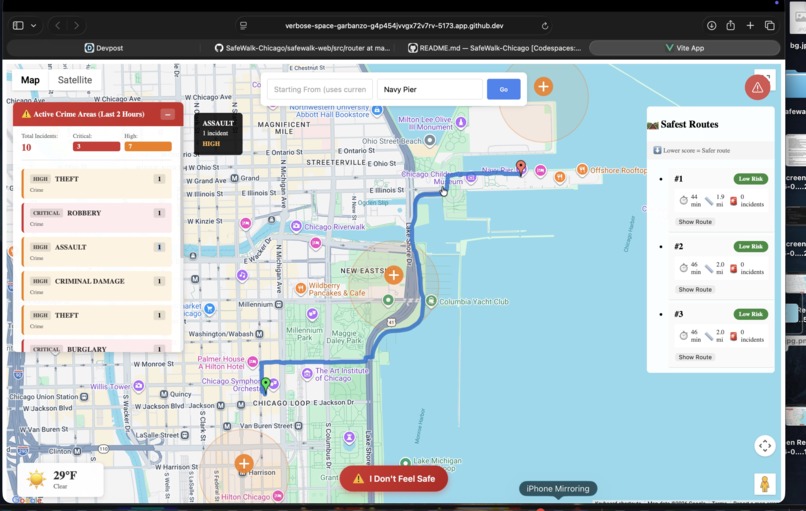
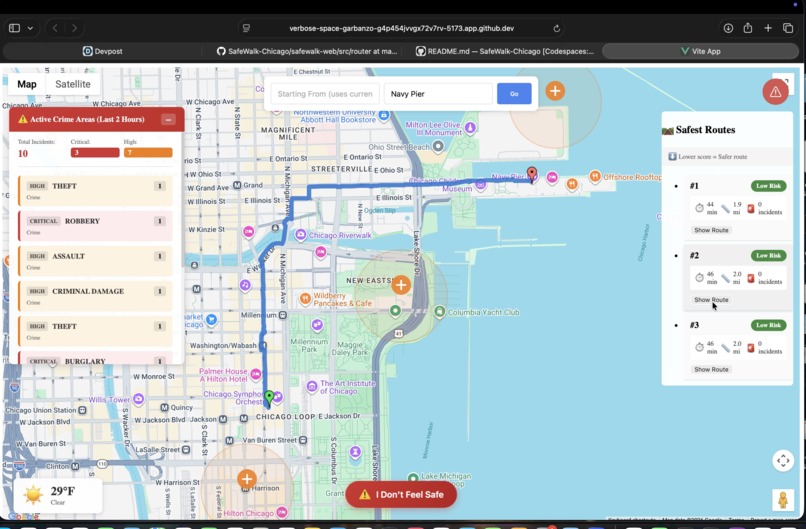
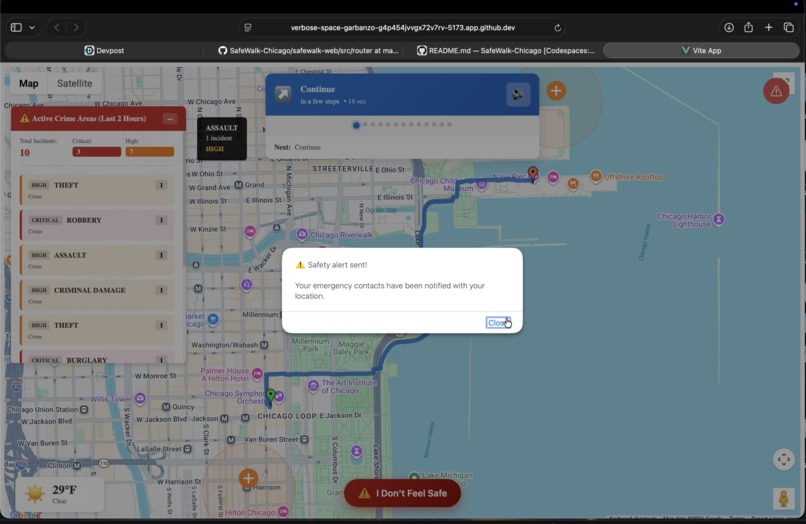
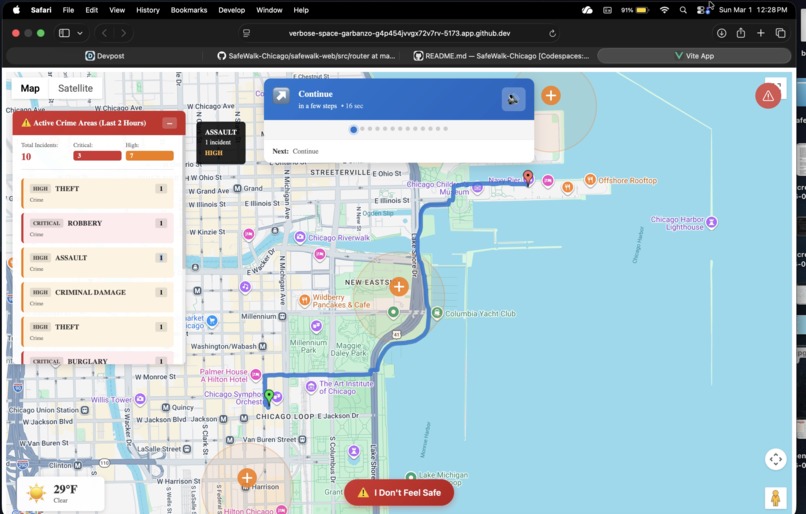
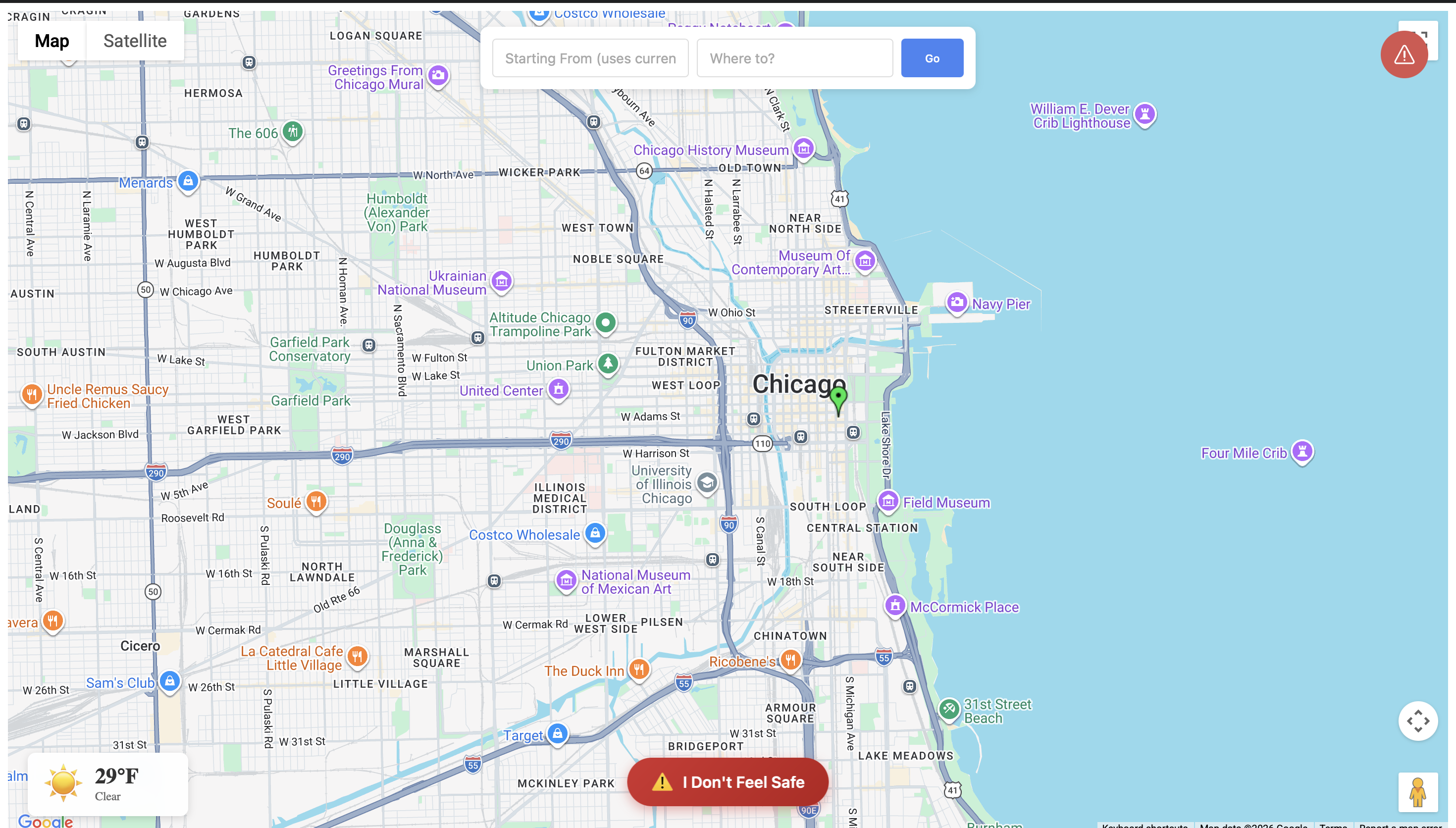
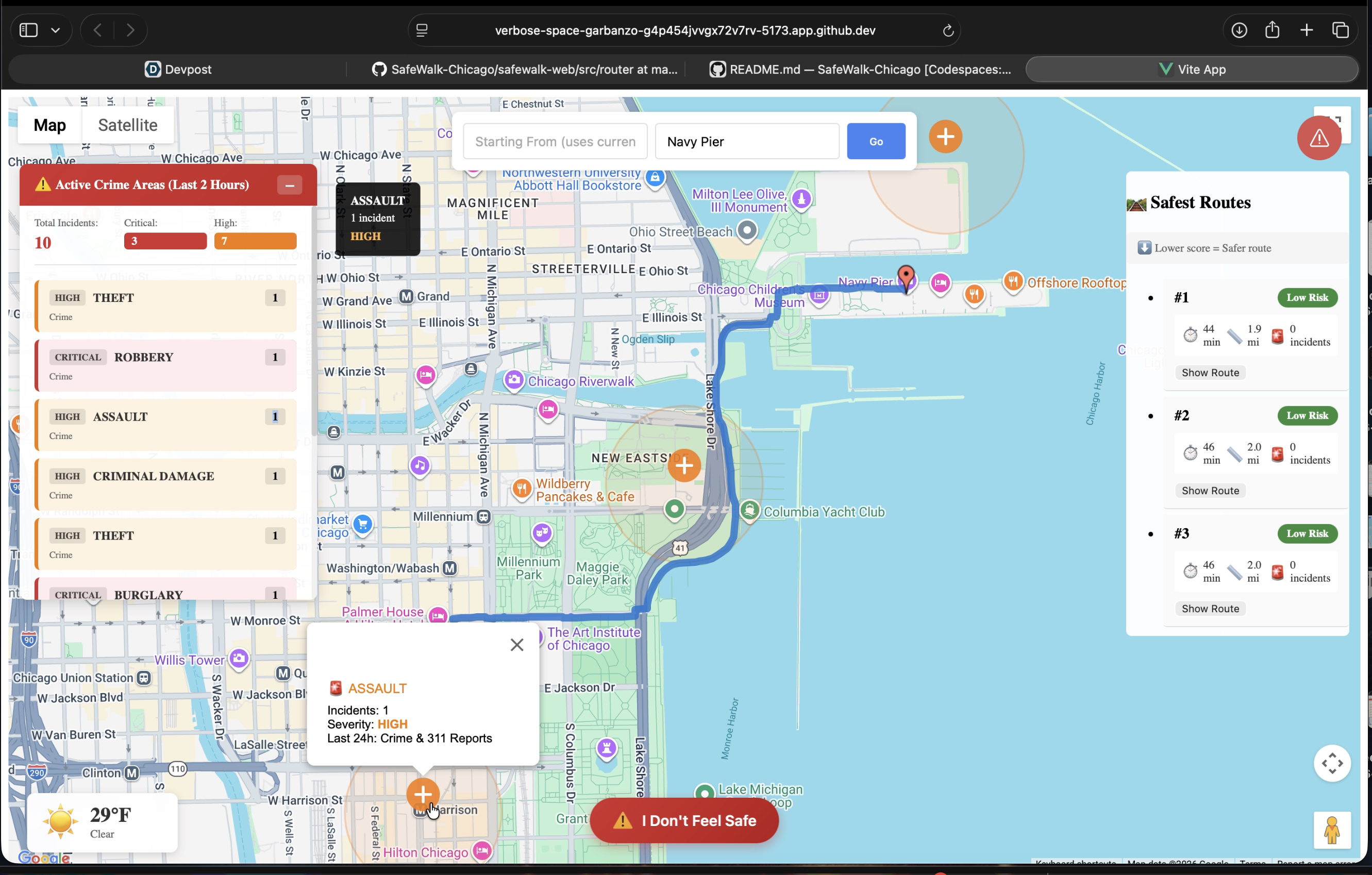
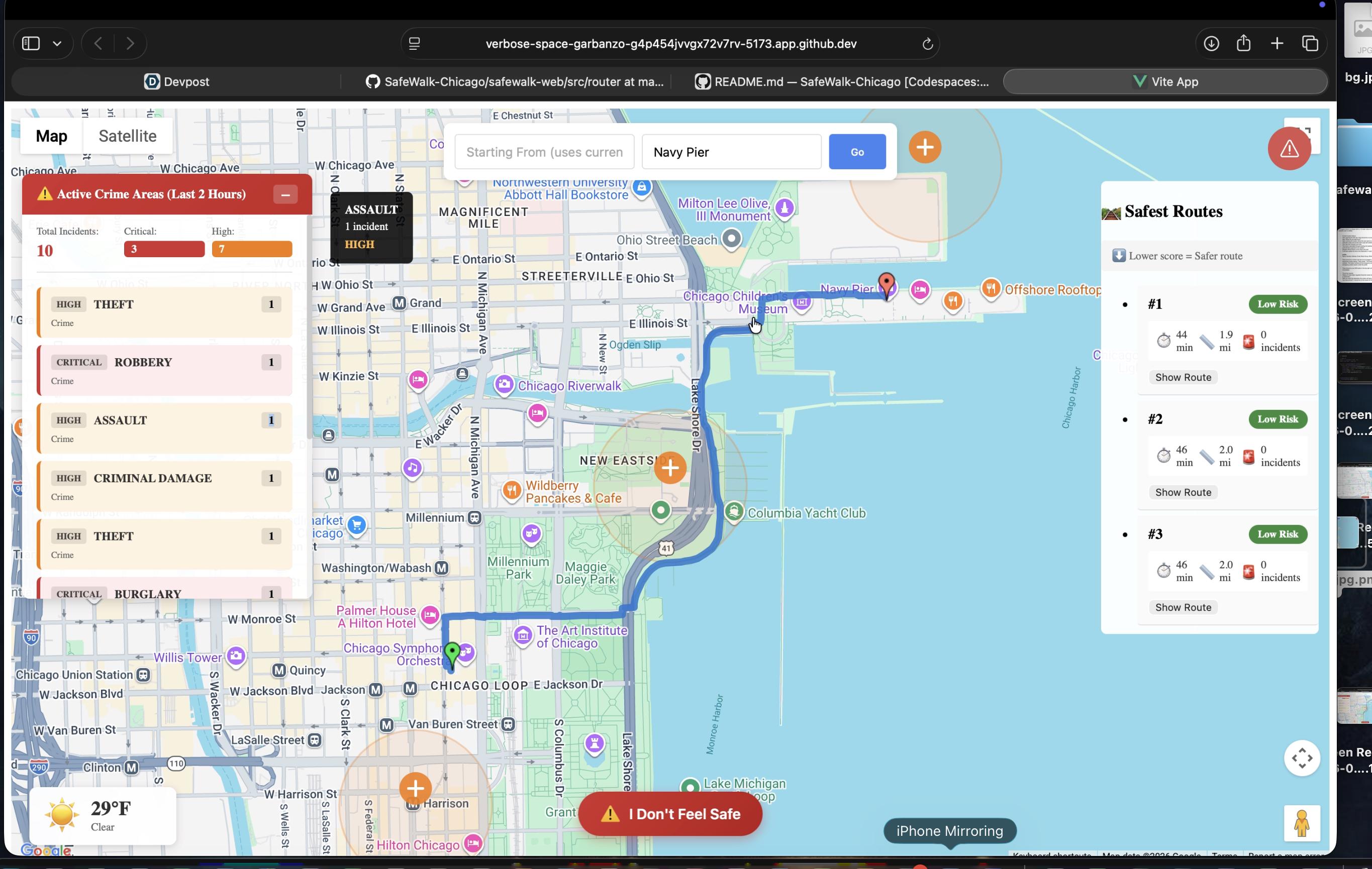
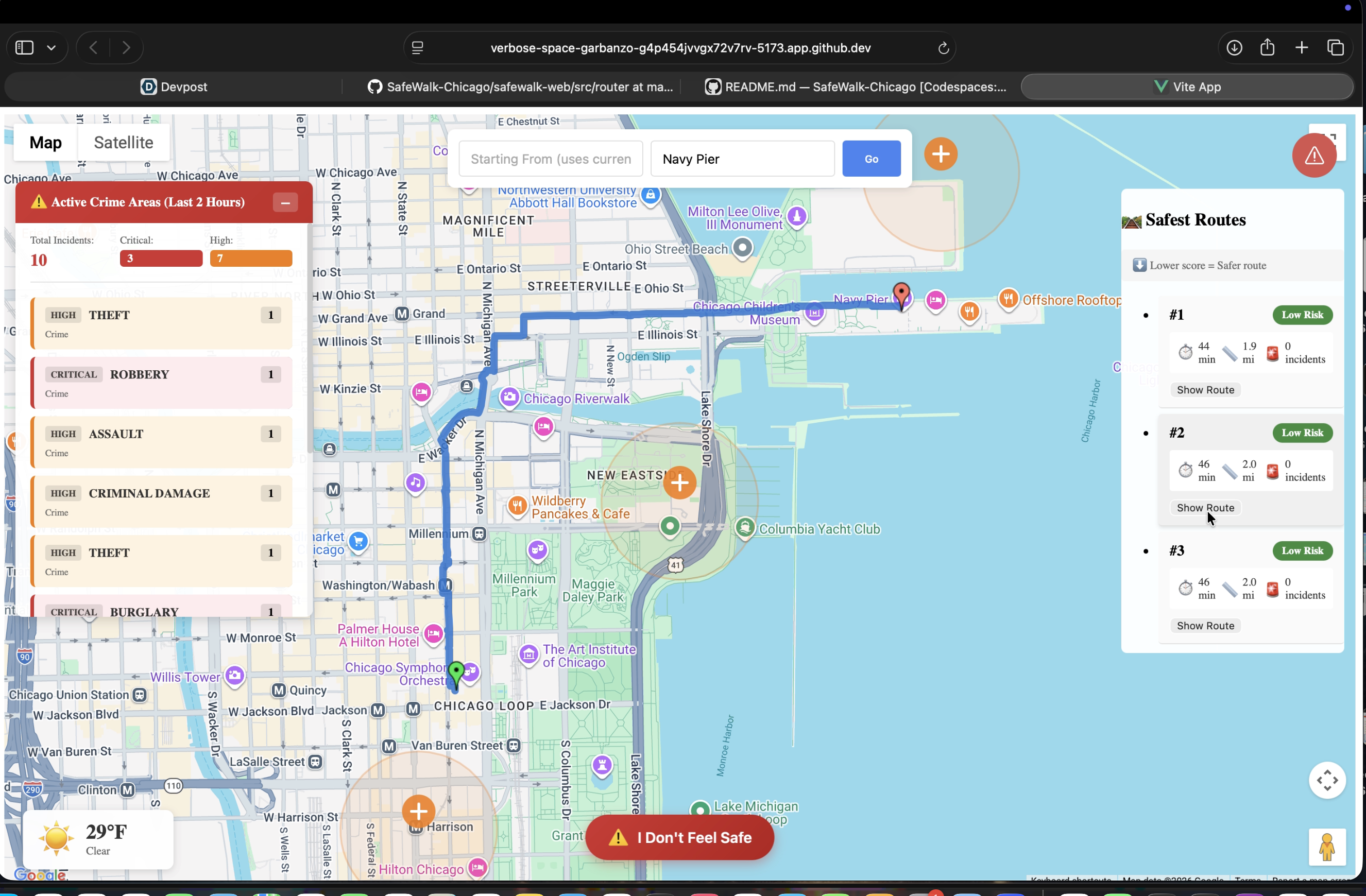
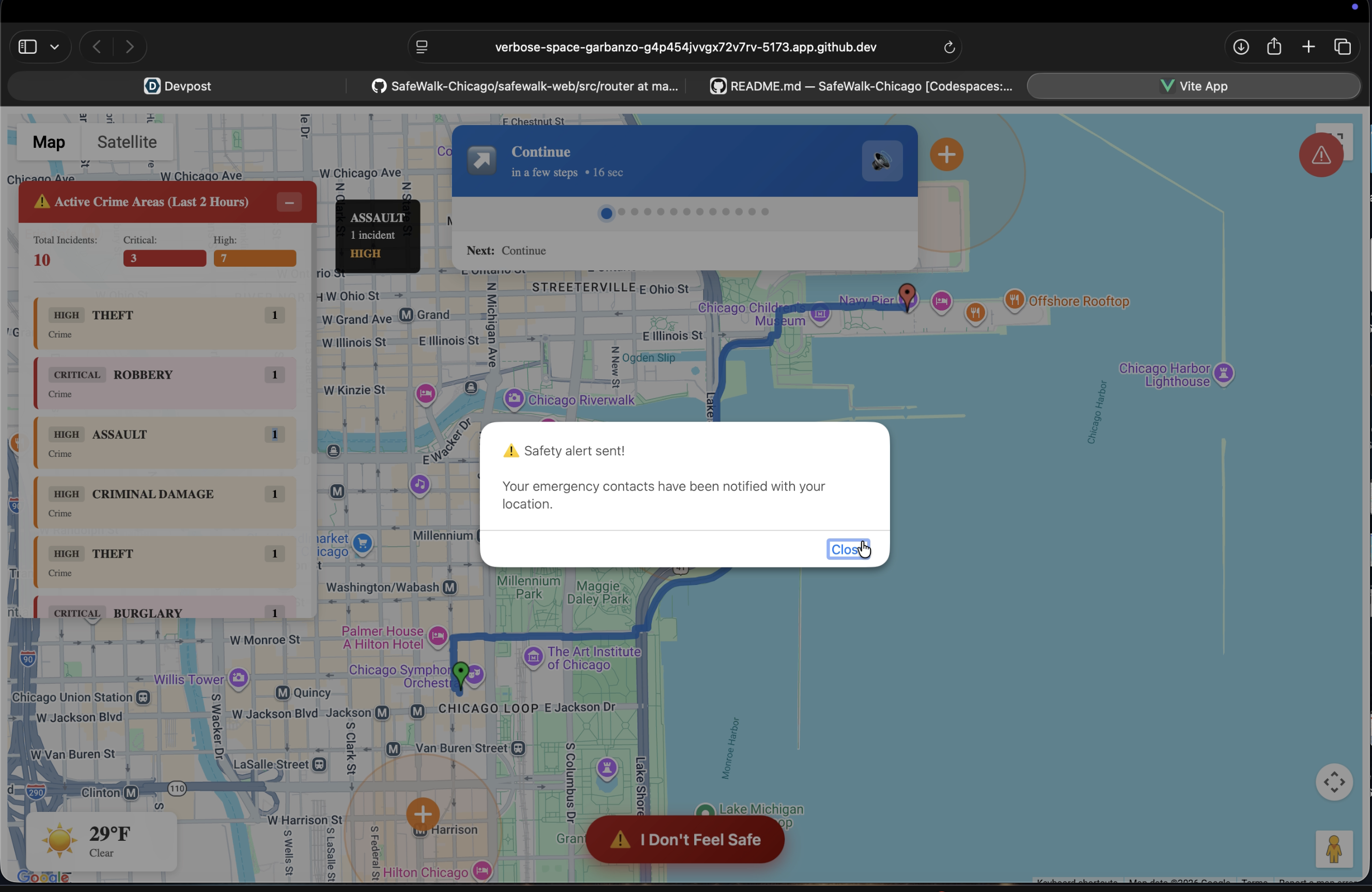
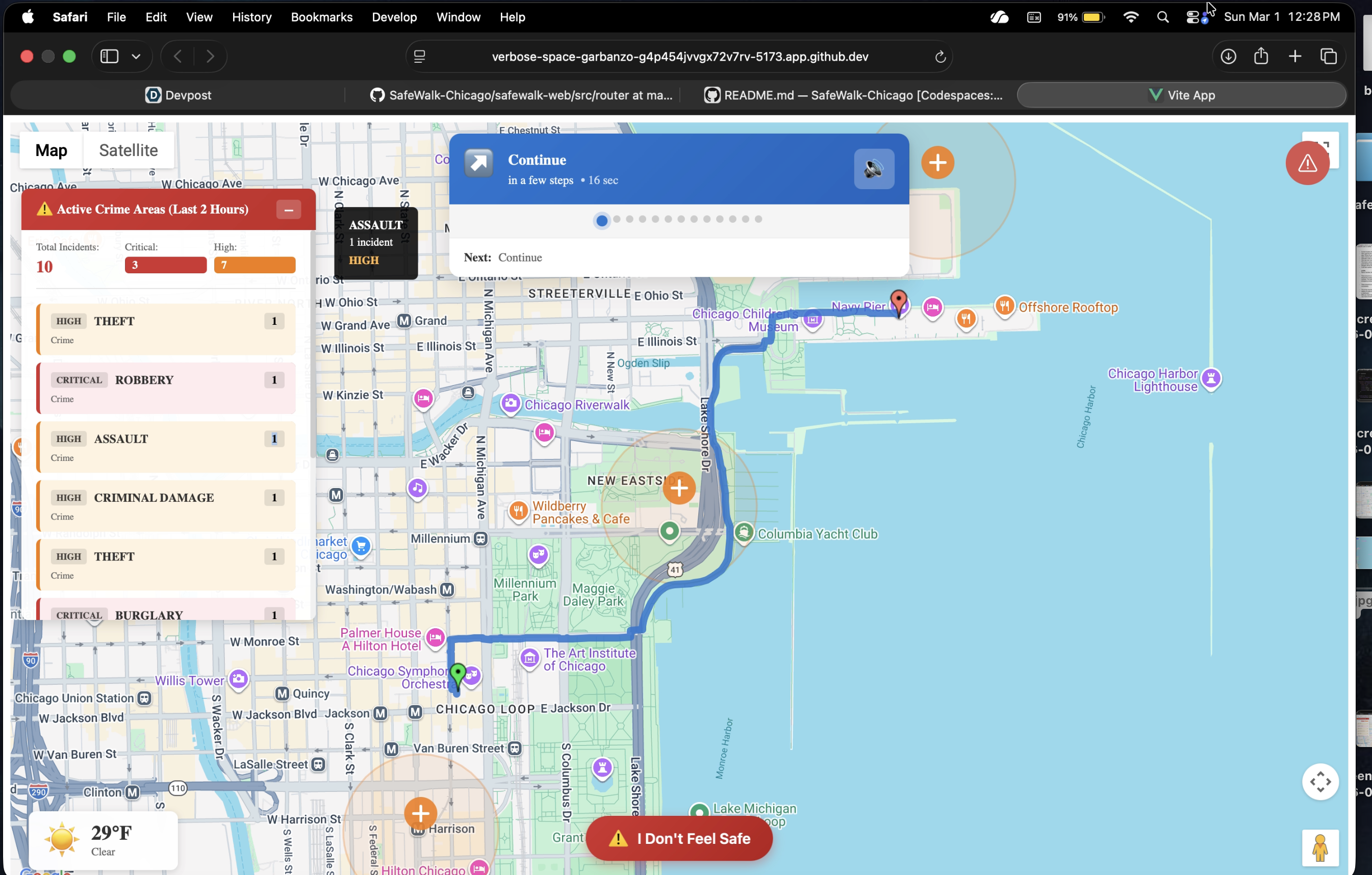
SafeWalk Loop is currently a web application that shows a user all the possible routes to their destinations, prioritizing faster, safer routes. Using the Crime Data from the City of Chicago Data Portal, which updates crimes happening in real time, SafeWalk avoids danger and protects its users. The WebApp provides you with an SOS button that directly calls 911 in case of an emergency. In cases for which the user feels uneasy, SafeWalk Loop has an “I feel unsafe” option that immediately sends the User’s live location to their emergency contacts.
The routes fall into three danger levels: Safe, Moderate, and Avoid. Safe means there's no danger within a one-mile radius of the route; if a danger comes on the route, the user is notified. The safe routes are indicated in green. Moderate means the route has a danger nearby, but no danger within a half-mile radius. This route will be indicated in yellow. Avoid means the route has danger in it; it has danger within a half-mile radius.
How we built it
We decided to use Vue.js (with TypeScript) and HTML for the frontend. For the UI, we used PrimeVue library components and custom CSS. To implement the weather feature, we used Open-Meteo. For the backend, we used FastAPI Framework.
In terms of coding, we decided to break the main features into subparts within different files and imported all of them together into the homepage code. For the algorithm that decides routes, we converted the location of recent crimes into checkpoints. The routes, then they try their best to avoid these danger checkpoints to determine their pathway.
Challenges we ran into
We faced complications finding and implementing the right API key for maps. Initially, we wanted the webapp to contain a bottom sliding panel that displays information about the current route and, when dragged up, reveals the “I feel unsafe” button. It seemed to work out flawlessly, but then we faced many errors, which, upon group consideration, were deemed to be eventually unfixable within the current timeframe. We then opted for an upward arrow button, which performs the same function.
Accomplishments that we're proud of
We’re especially proud of how well we worked together. Even when we had different ideas, we communicated openly, divided the work fairly, and helped each other through challenges. Staying focused and supporting one another made this project possible.
What we learned
We learned how to take real-time public crime data from the City of Chicago Data Portal and turn it into something actually useful for everyday people. Working with live geographic data forced us to think carefully about presenting safety information in a way that’s both accurate and responsible. We also figured out how to work with map APIs, handle API keys, and display multiple route options dynamically.
What's next for SafeWalk Loop
In the future, we hope to factor in things like time of day and how active an area is to give users smarter, more thoughtful route suggestions.
Right now, we focus on downtown Chicago, but we plan to expand to other neighborhoods and cities using open crime data. We also want to improve the mobile experience and eventually partner with universities to help students feel safer navigating unfamiliar areas.
Built With
- fastapi
- github
- html
- open-meteo
- primevue
- typescript
- vscode
- vue.js

Log in or sign up for Devpost to join the conversation.