-
-
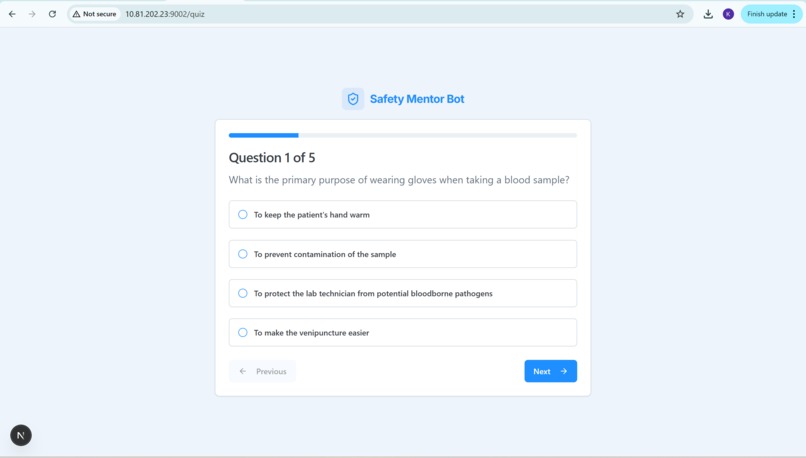
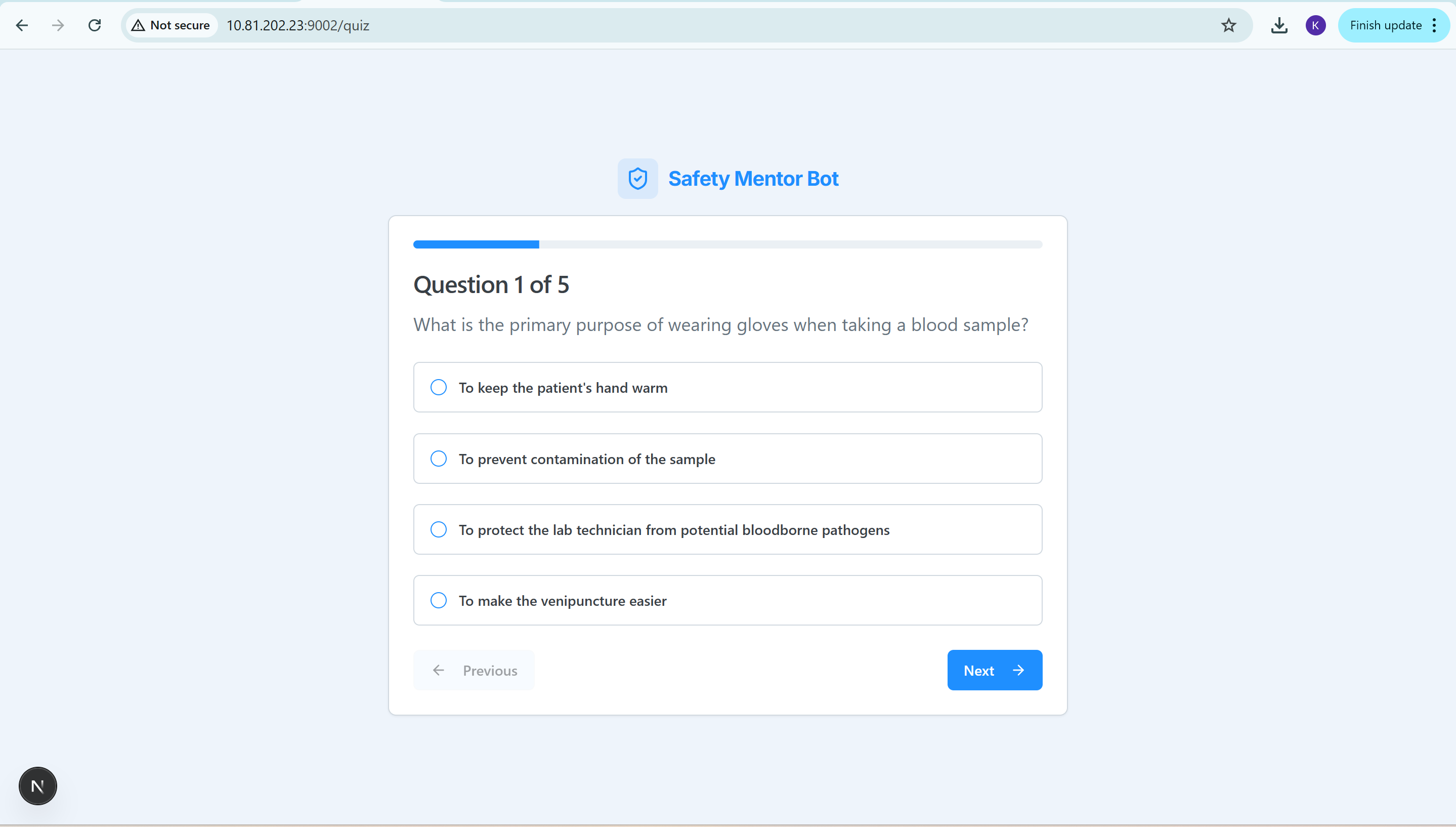
Quiz Page
-
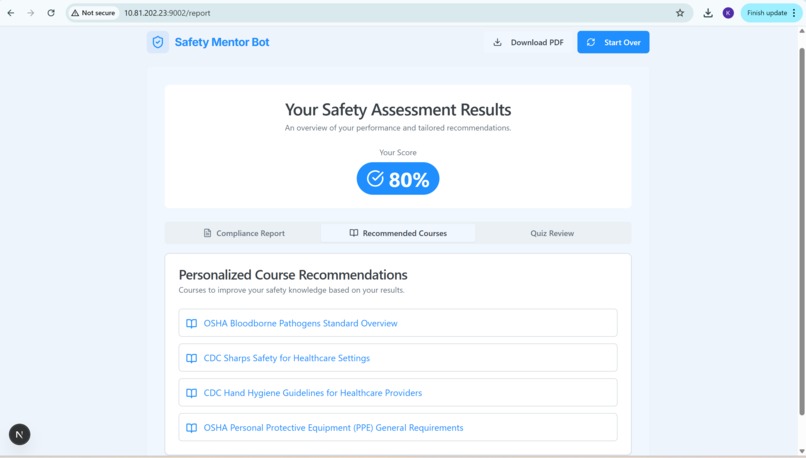
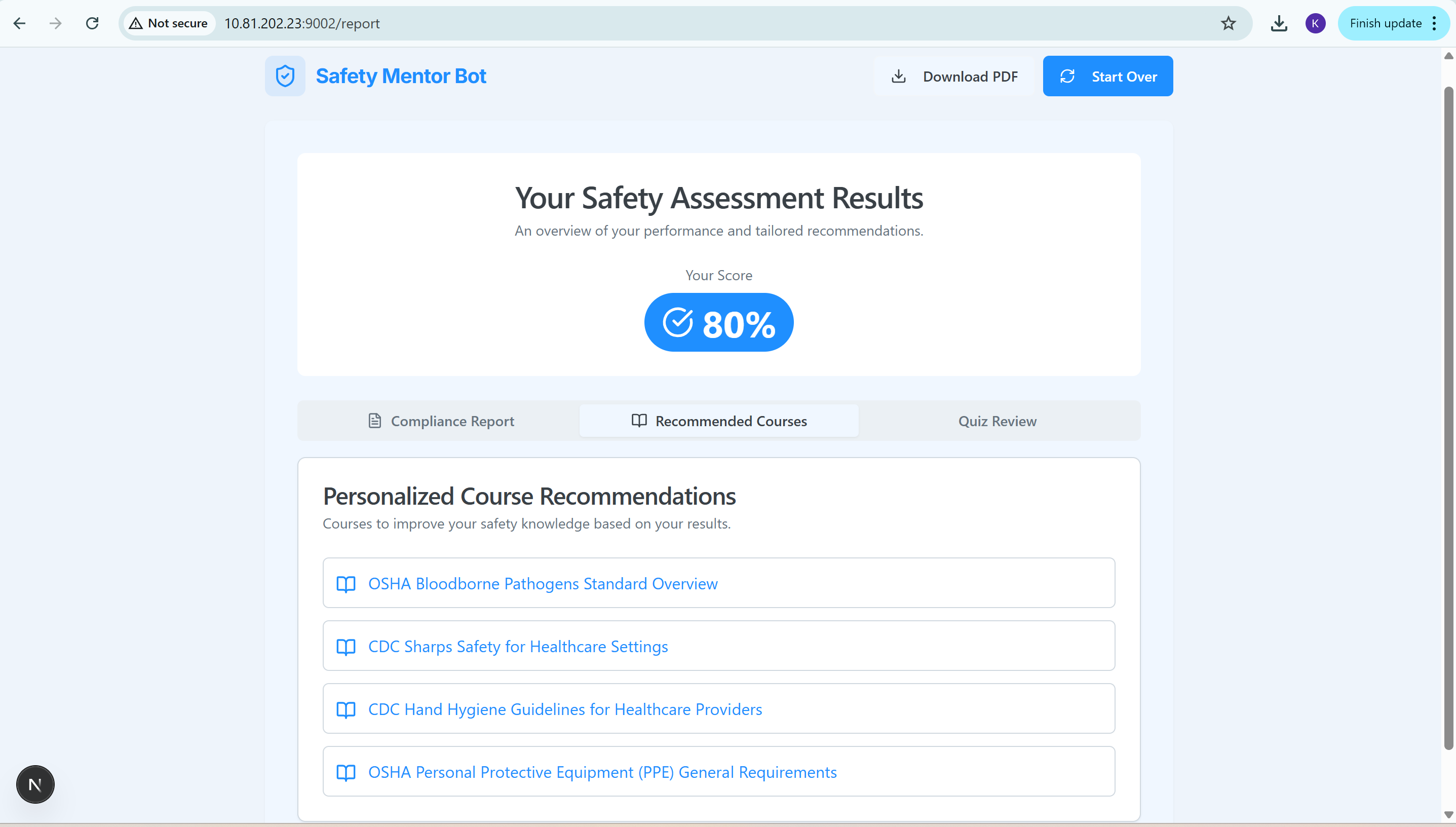
Course Recommended Page
-
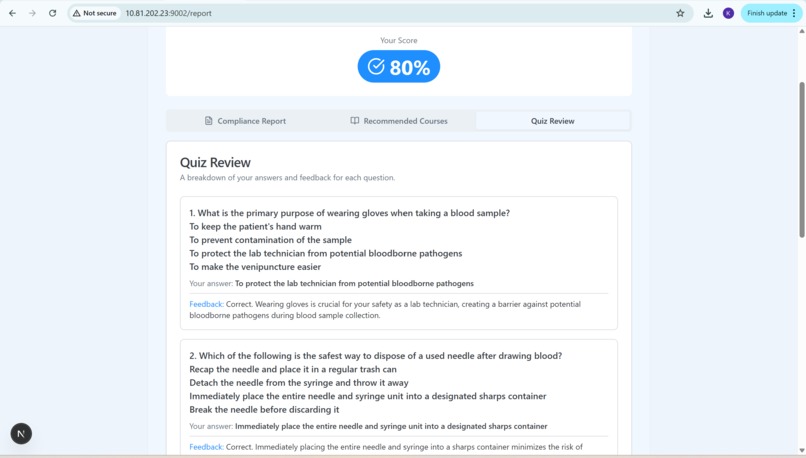
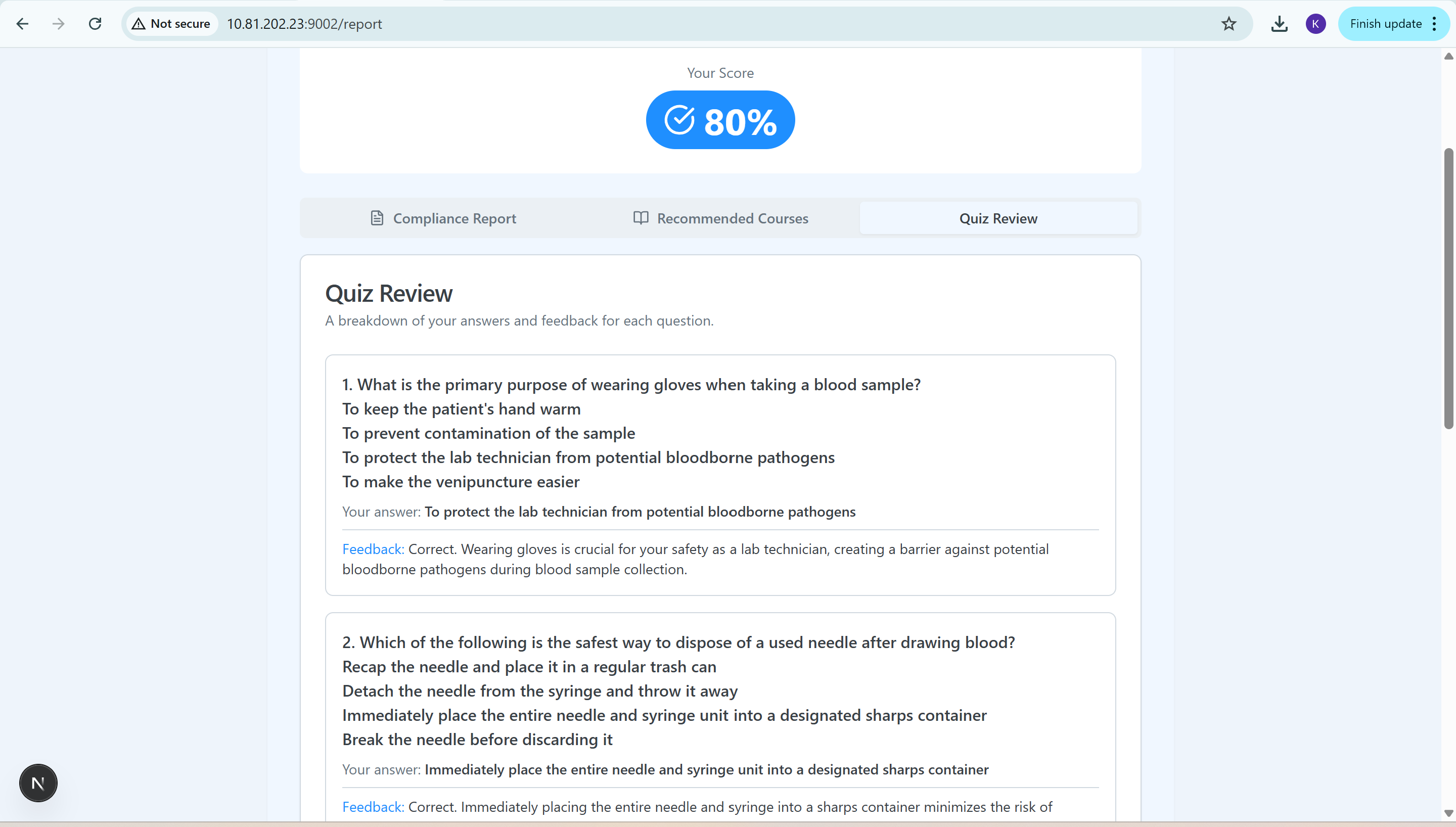
Quiz Review Page
-
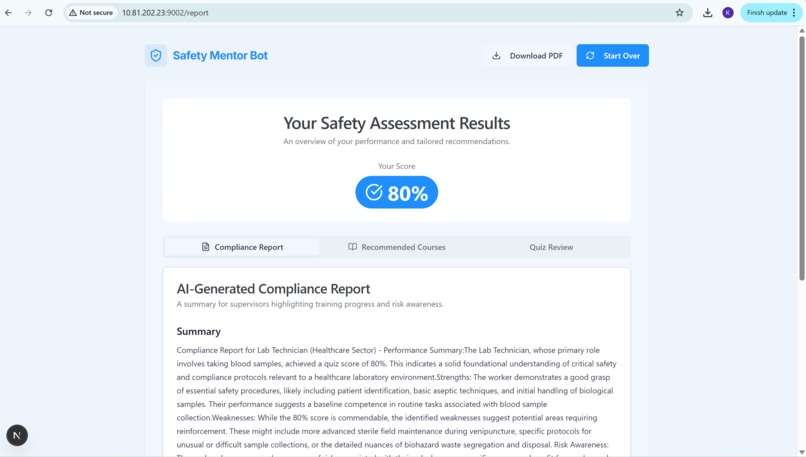
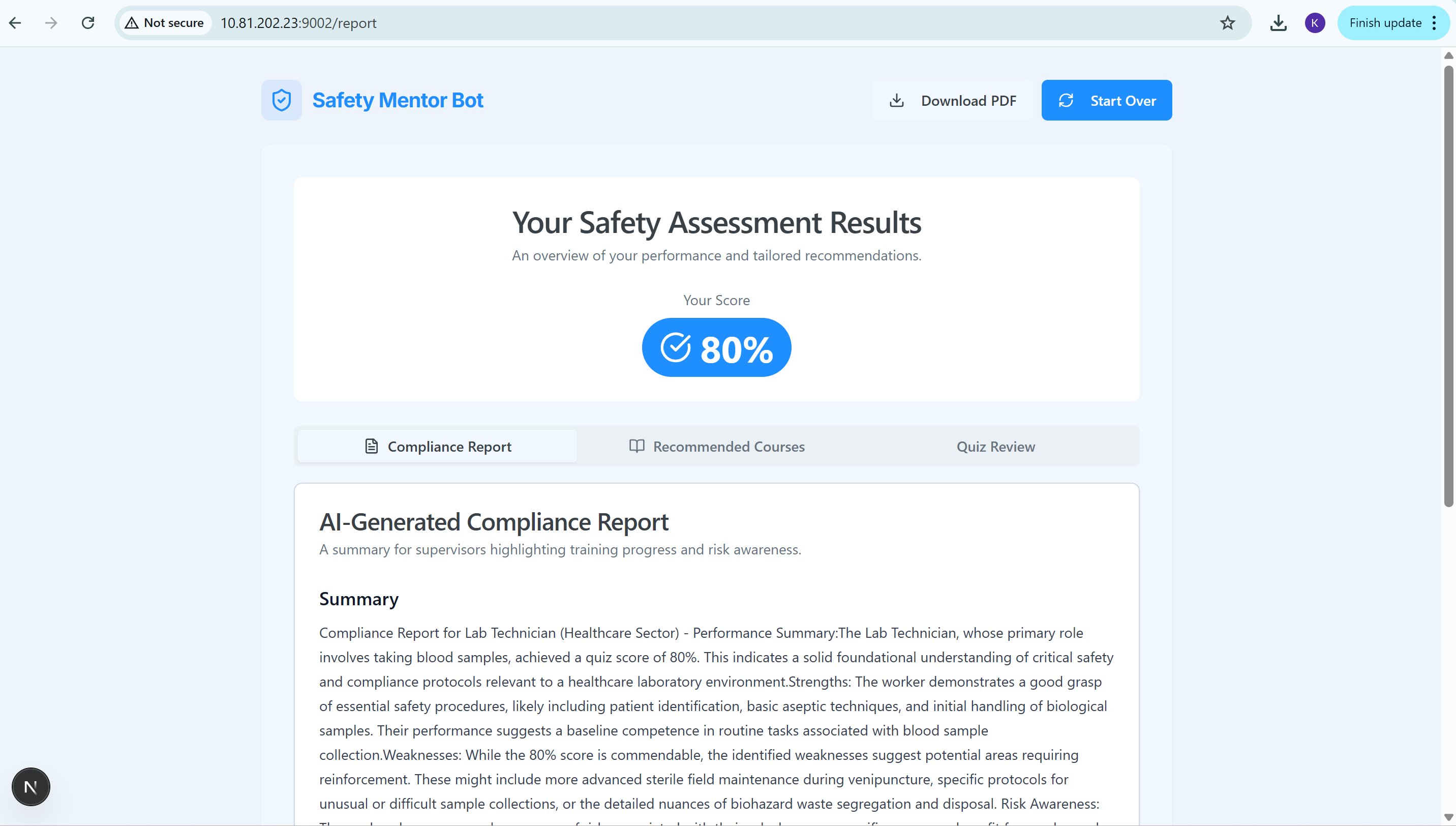
Compliance Page
-
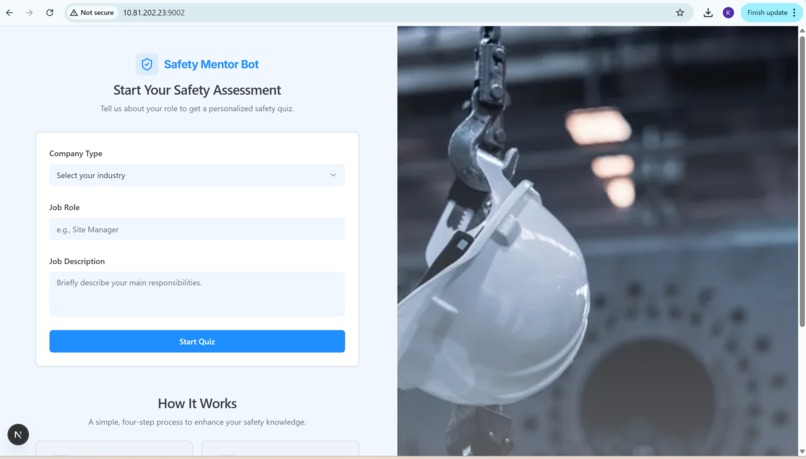
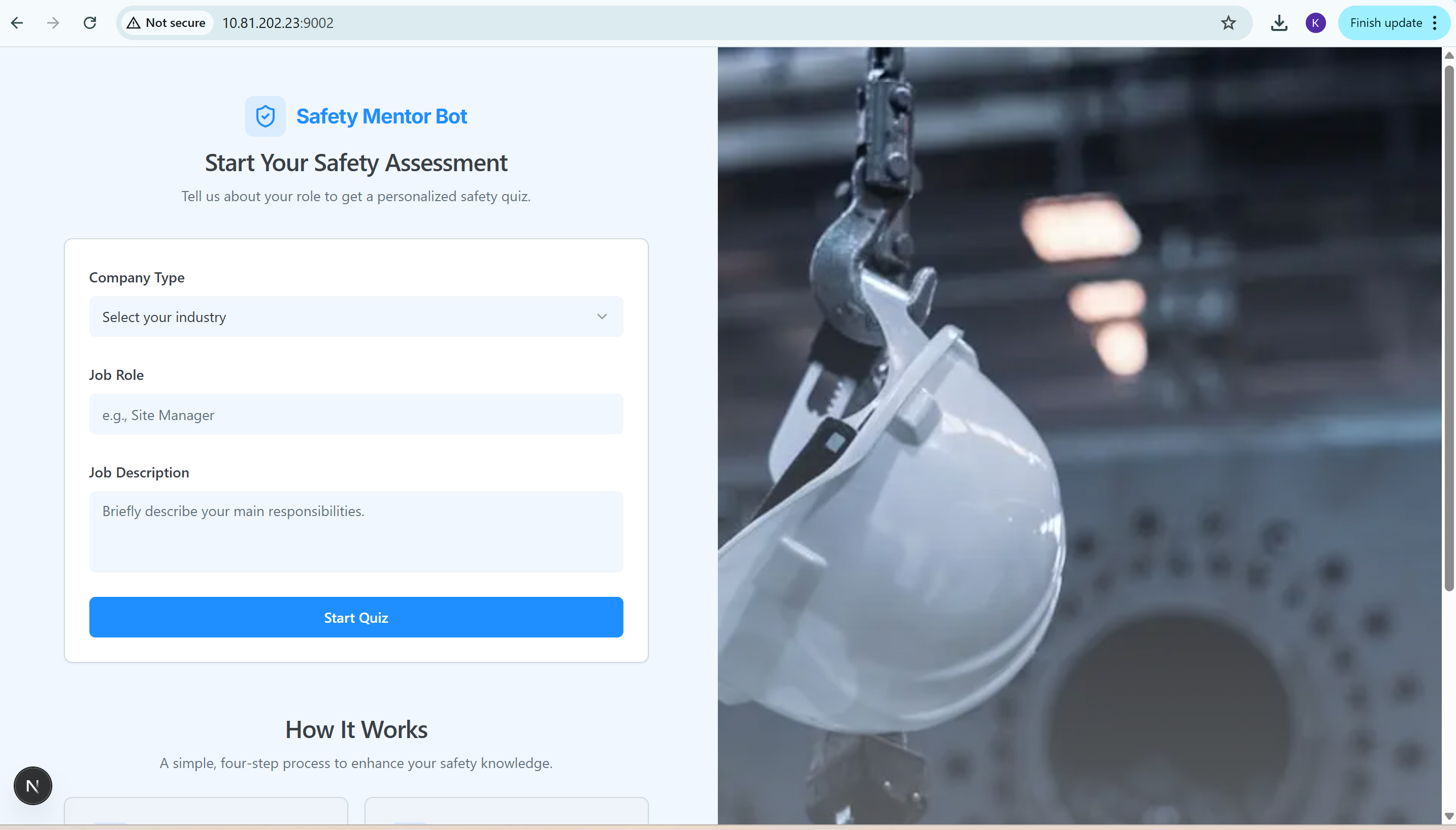
Home Page
🦺 Safety Mentor Bot
Inspiration
Workplace accidents remain one of the leading causes of lost productivity and injury worldwide.
Many organizations still rely on generic safety training that doesn’t reflect the unique risks of each job role.
I wanted to change that — to build something that brings personalized safety education to every worker, using the power of AI and conversational intelligence.
The idea for Safety Mentor Bot was inspired by the growing potential of Genkit and agentic AI workflows, where AI models don’t just answer questions — they can generate, assess, and coach.
By combining modern web frameworks with AI reasoning, I aimed to make workplace safety interactive, measurable, and continuous.
What it does
Safety Mentor Bot is an intelligent, AI-driven application that enhances workplace safety by providing personalized training assessments.
It dynamically generates safety quizzes based on an employee’s job profile and industry, evaluates the responses, and produces an actionable compliance report.
Key Capabilities
- 🧭 Personalized User Profiling: Tailors the experience based on the user’s company type, role, and job description.
- 🧠 AI-Generated Safety Quiz: Uses Google Gemini Pro (via Genkit) to create relevant multiple-choice quizzes.
- 📋 Interactive Quiz Experience: Clean, step-by-step UI with progress tracking.
- ⚙️ AI-Powered Evaluation & Feedback: Automatically scores answers and provides constructive insights.
- 📈 Compliance Report Generation: Produces detailed performance analysis and risk awareness summaries.
- 🎓 Course Recommendations: Suggests online learning resources (e.g., documentation, videos).
- 🧾 PDF Export: Generates a downloadable report using jsPDF and html2canvas.
How we built it
The entire project was developed using a modern, type-safe web stack designed for scalability and developer productivity.
🧩 Tech Stack
| Layer | Technology |
|---|---|
| Framework | Next.js (App Router) |
| Language | TypeScript |
| AI Integration | Genkit + Google Gemini Pro |
| UI Library | ShadCN UI |
| Styling | Tailwind CSS |
| Forms | React Hook Form |
| Validation | Zod |
| PDF Generation | jsPDF + html2canvas |
| Icons | Lucide React |
🧠 Workflow
- Profile Creation:
User fills out a form (industry, role, job description). This data is stored in the browser. - Quiz Generation:
The user’s profile is sent to a Genkit flow, where Gemini generates five role-specific safety questions with options. - Evaluation:
Another Genkit flow evaluates the answers, calculates a weighted score, and provides detailed feedback.
$$ \text{Score} = \frac{\sum_i w_i a_i}{\sum_i w_i} \times 100 $$ where (a_i) = correctness and (w_i) = question importance. - Reporting:
Parallel AI calls generate a Compliance Report and Recommended Courses. - Presentation:
The results are displayed in a tabbed interface, allowing users to view their score, feedback, and learning plan — all exportable as a PDF.
Challenges we ran into
- ⚙️ Integrating Genkit flows for seamless multi-step AI orchestration.
- 🤖 Prompt engineering Gemini to output structured, role-specific quizzes with correct JSON formatting.
- 🎨 Designing a UI that feels professional, yet approachable for industrial users.
- 🧾 Handling PDF export from React components while maintaining visual fidelity.
- 🔄 Managing asynchronous AI calls for quiz generation, evaluation, and reporting without delays.
Accomplishments that we're proud of
- Successfully built a full-stack AI application using Next.js and Genkit, connecting frontend interactivity with backend intelligence.
- Created a complete safety learning pipeline — from profile input to AI-driven feedback.
- Implemented dynamic AI evaluation that feels like real mentorship.
- Delivered a beautiful, accessible UI with a focus on clarity and user engagement.
- Produced PDF-based compliance reports, ready for real-world deployment.
What we learned
- How to build and deploy AI workflows using Genkit and Gemini Pro.
- The importance of structured AI responses for downstream logic.
- Using Zod and React Hook Form for reliable, type-safe user input validation.
- Crafting a consistent design system using Tailwind CSS and ShadCN UI.
- Balancing AI creativity with domain accuracy — critical for safety applications.
What's next for Safety Mentor Bot
- 🗣 Voice Mode: Add speech input/output for hands-free quiz taking.
- 📊 Admin Dashboard: Provide supervisors with analytics on team safety performance.
- 🌐 Multilingual Support: Offer localized safety training globally.
- 🔒 Offline Genkit Flows: Enable private, local safety assessments without server data transfer.
- 🧠 Continuous Learning: Allow employees to retake quizzes periodically to track improvement.
Ultimately, Safety Mentor Bot aims to make safety training proactive, adaptive, and personal — transforming compliance into empowerment.


Log in or sign up for Devpost to join the conversation.