
🧠 SafeSurf AI — Chrome Extension (Gemini Nano / Gemini API)
💡 Inspiration
The idea for SafeSurf AI came from the increasing concern about how people consume online information — often without realizing the credibility or safety of the pages they visit.
As a Safety and Cybersecurity professional, I wanted to combine my background in risk assessment with my passion for technology to create a tool that helps users browse the web more safely and intelligently.
Modern browsers already offer powerful features, but with the integration of Chrome’s built-in Gemini Nano, I saw an opportunity to bring contextual AI directly to the user’s fingertips, without requiring external servers or third-party data collection.
🚀 What It Does
SafeSurf AI is a Chrome extension powered by Gemini Nano and Gemini API that enables users to:
- Analyze pages in real time and detect potential risks or misleading content.
- Translate text between multiple languages instantly.
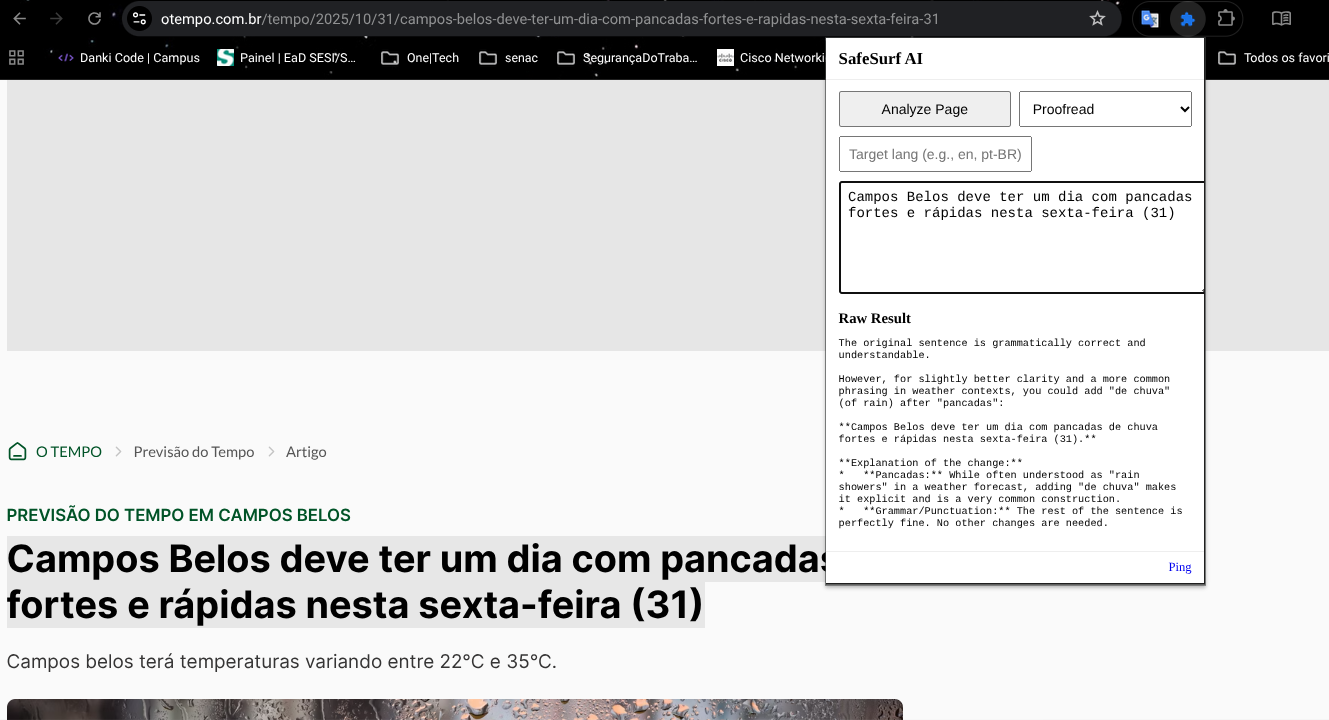
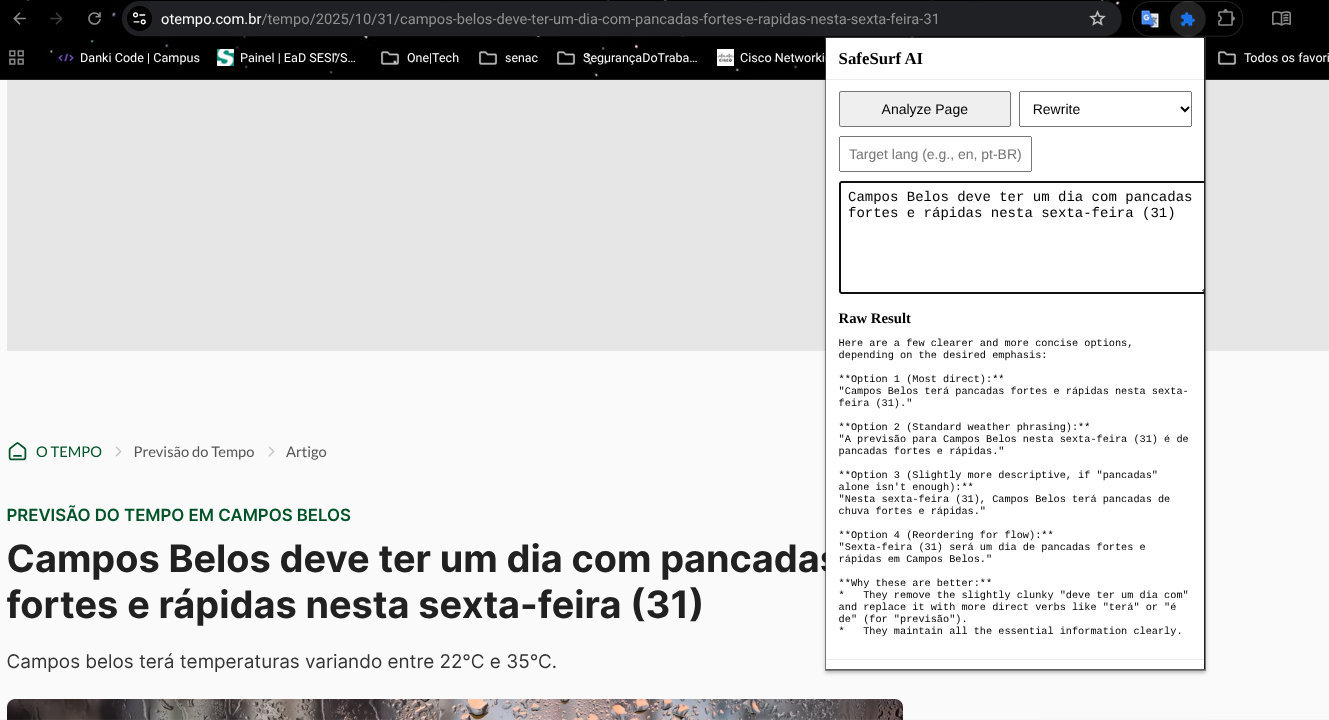
- Rewrite or proofread text to improve clarity and accuracy.
- Operate in hybrid mode, running locally with Gemini Nano and switching to the Gemini API cloud when needed.
Mathematically speaking, the hybrid design aims to minimize latency ($L$) and maximize privacy ($P$) such that: [ \text{Optimization:} \quad \max(P) \ \text{while minimizing} \ L = f(\text{local_inference}, \text{API_fallback}) ]
🧩 How We Built It
The extension was built using:
- Manifest V3 for Chrome Extensions
- JavaScript ES Modules for structured logic
- Gemini Nano / Gemini API for on-device and cloud inference
- Chrome Storage & Messaging APIs for persistent user configuration
- HTML/CSS minimalistic UI for speed and accessibility
The project consists of several modular layers:
- Background Service Worker — Handles messaging and API calls to Gemini.
- Popup UI — User interface for Analyze / Translate / Rewrite / Proofread actions.
- Content Script — Injects and extracts webpage content dynamically.
- Options Page — Allows enabling the “Cloud Fallback” and setting the Gemini API key.
⚙️ Challenges We Faced
The biggest challenge was integrating Gemini AI directly into Manifest V3, since the service worker environment does not support certain libraries and requires asynchronous, event-driven communication.
Additionally, we had to implement:
- A reliable messaging system between the popup and background scripts.
- A graceful fallback system to detect when Gemini Nano is unavailable and switch automatically to Gemini Cloud.
- Error handling for cloud responses (
404,503) and JSON parsing stability.
These issues demanded debugging across multiple Chrome APIs and testing on ChromeOS, ensuring performance without violating sandbox restrictions.
🎓 What We Learned
Throughout the process, I learned how to:
- Integrate Chrome AI experimental APIs (Gemini Nano) with Manifest V3.
- Use asynchronous workers effectively for performance and privacy.
- Design human-centered AI interfaces that focus on clarity, trust, and usability.
- Apply software security principles to ensure no personal data leaves the user’s device unless explicitly authorized.
This project deepened my understanding of how browser-based AI can serve as a safe bridge between humans and complex information systems.
🏁 Accomplishments
- Functional Chrome extension using Gemini Nano & Gemini API
- Full hybrid AI workflow with local + cloud inference
- Secure, modular codebase published on GitHub
- Real-time risk assessment and translation capabilities
🔮 What’s Next
Future versions of SafeSurf AI will include:
- Voice interaction via Chrome’s built-in speech API.
- Context-aware summaries based on user intent (e.g., news vs. research).
- Accessibility features such as text-to-speech for visually impaired users.
Ultimately, the goal is to evolve SafeSurf AI into a browser-native AI safety assistant, helping users make informed, secure, and efficient decisions online.
👤 Author
Matheus Amorim de Souza
Safety Technician & Developer | AI & Cybersecurity Enthusiast
GitHub | LinkedIn
Built With
- chrome
- chrome-extensions-manifest-v3
- chrome-storage-api
- css
- gemini-api
- gemini-nano
- html
- javascript
- messaging

Log in or sign up for Devpost to join the conversation.