-
-
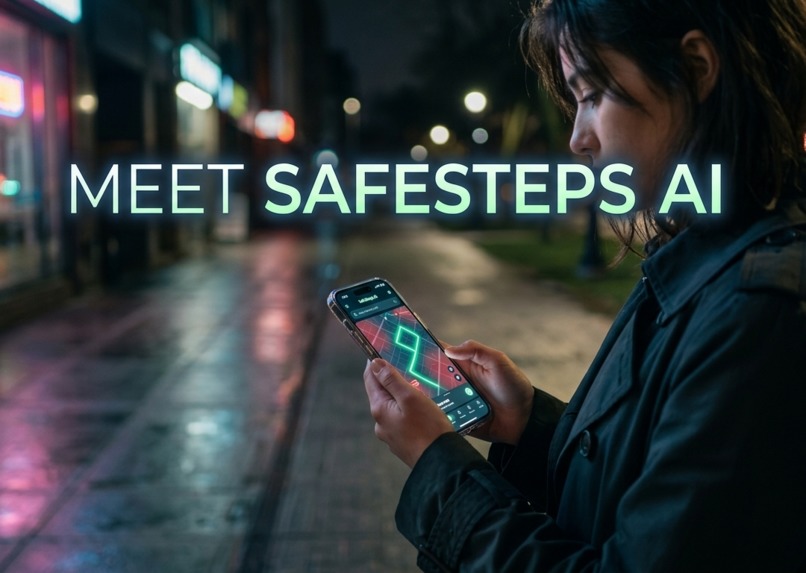
SafeSteps AI: Bright routes for dark nights.
-
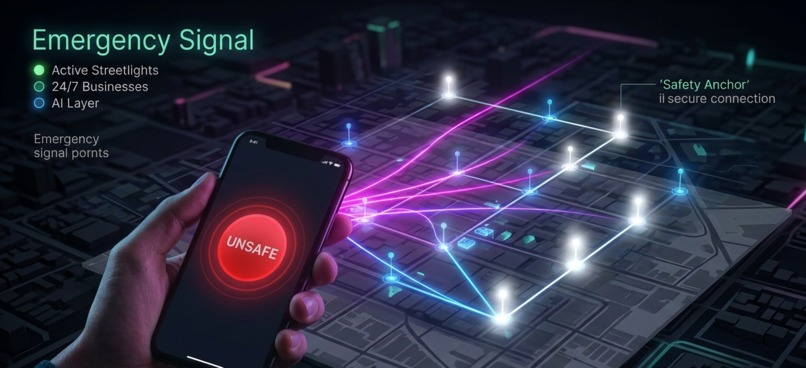
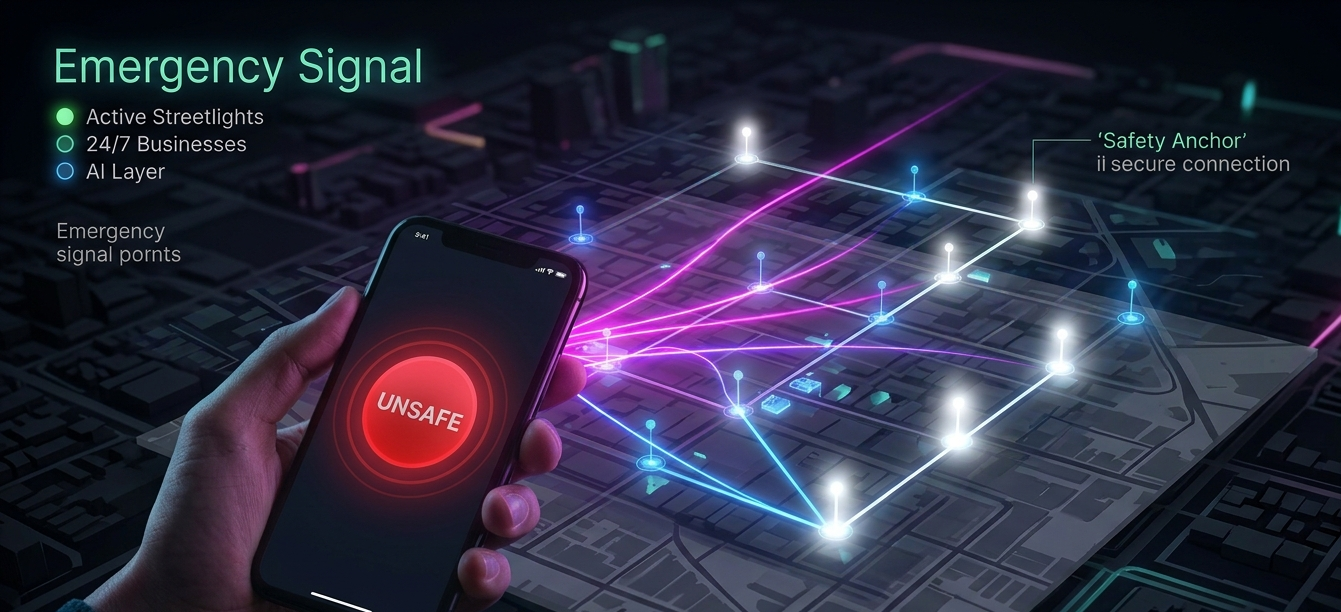
Immediate assistance connection: The moment an alert is triggered, connecting to nearby 'Safety Anchors'.
-
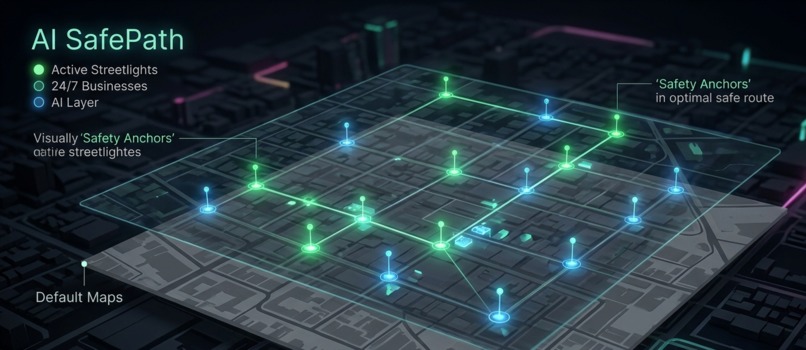
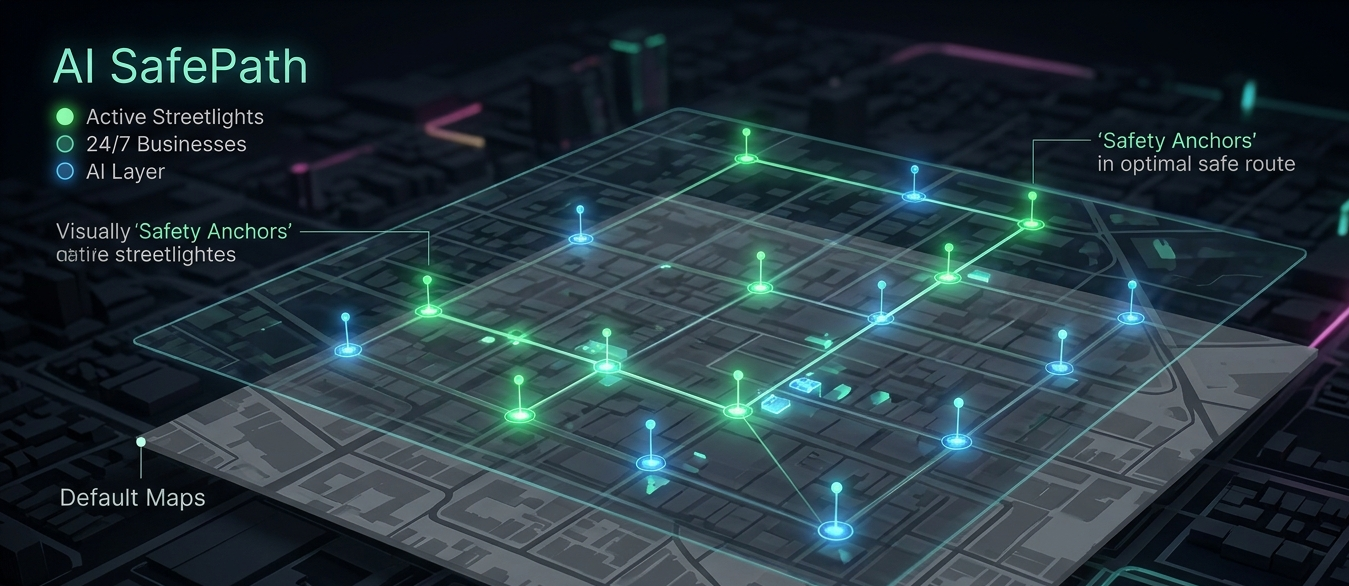
How AI builds your path: Layering real-time city data (lighting, open shops) over the regular map.
Inspiration
As students, many of us or our peers have experienced that cold spike of anxiety while walking home after dark. Whether it is coming back from a late study session, a friend's house, or a part-time job, traditional navigation apps always optimize for the shortest or fastest route. Unfortunately, the fastest route often leads through unlit alleys, dark parks, or isolated streets where you feel completely exposed—especially if you suspect someone might be following you.
For pedestrians, the fastest route is not always the best route. I wanted to build an AI solution that actually helps people feel secure, changing the narrative from fearing technology to using it as a personal shield. This concept is the foundation of SafeSteps AI.
What it does
SafeSteps AI is an AI-powered navigation router designed to protect pedestrians and teenagers from potential danger.
Instead of focusing solely on distance, this platform prioritizes maximum visibility and community presence.
The Interface: Minimal and stress-free. If a user is panicking, they do not have time for complex typing. A prominent "I Feel Unsafe" button activates an instant emergency mode.
Smart Routing: The app displays two choices on the map. The standard, unsafe short route is marked in gray, while the AI-optimized, highly illuminated route is drawn in a vibrant green.
Safety Anchors: The map dynamically highlights active streetlights, public safety cameras, and 24/7 open businesses so the user always knows exactly where they can find immediate assistance or a crowded place to hide.
How we built it
Given the limited timeframe, I focused entirely on building a high-fidelity interactive UI/UX prototype that maps out the entire product logic.
The conceptual AI engine behind SafeSteps AI acts as an intelligent data aggregator that calculates a Safety Index $S$ for any given street segment. The formula balances illumination, crowds, and user reports:
$$S = w_1 \cdot L + w_2 \cdot C - w_3 \cdot R$$
Where:
- L = Illumination level analyzed via Computer Vision on public city cameras.
- C= Crowd density and open business hours data.
- R = Real-time user reports of suspicious activity or broken streetlights.
- w_1, w_2, w_3 = Assigned weights for optimization.
I designed the interface layers to ensure that even under stress, a user can navigate the system smoothly and seamlessly.
Challenges we ran into
The biggest challenge was time management. Entering the hackathon with just hours left meant I had to step away from writing a complex backend and focus entirely on Presentation, Strategy, and UI/UX. I also had to figure out how to explain complex Computer Vision and data aggregation concepts simply, demonstrating that a single student can design a startup-ready prototype using modern AI tools in just one evening.
Accomplishments that we're proud of
I am incredibly proud of managing to conceptualize, design, and prototype a fully interactive mobile user interface within such a high-pressure, limited timeframe. I focused heavily on empathetic UX design to ensure that someone who is feeling anxious or panicked can navigate the app instantly with zero friction. Turning a raw protective instinct into a structured technological solution in one evening is a massive personal win.
What we learned
I learned that a great project is not just about writing thousands of lines of code; it is about solving a real human problem. I mastered rapid prototyping, learned how to integrate AI logic into user interfaces, and realized how powerful technology can be when it is directed toward community safety.
What's next for SafeSteps AI
Integrating real-time IoT smart-city data for instant notification of streetlight outages.
Implementing a "Share Live Journey" feature that lets trusted contacts track the user in real-time until they press "I've arrived safely."
Creating a "Disguise Mode" that turns the safety map into a regular calculator or music player interface if someone is looking over the user's shoulder.
Built With
- ai
- artificial-intelligence
- computer-vision
- figma
- geospatial-data
- mobile-app-architecture
- ui/ux
- ui/ux-design

Log in or sign up for Devpost to join the conversation.