-
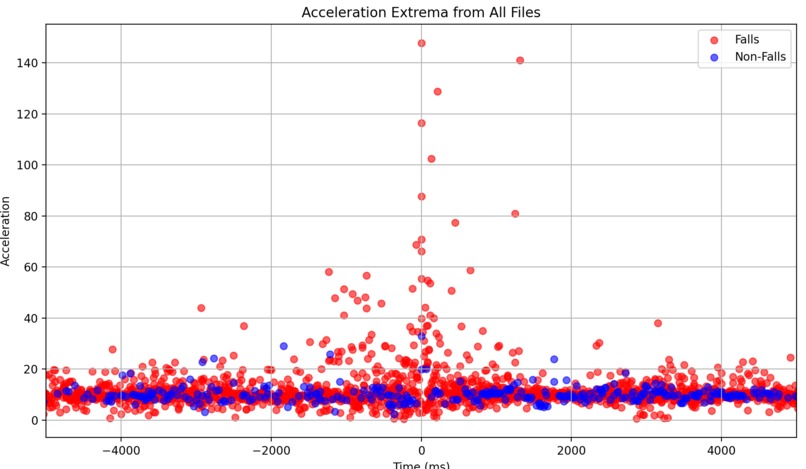
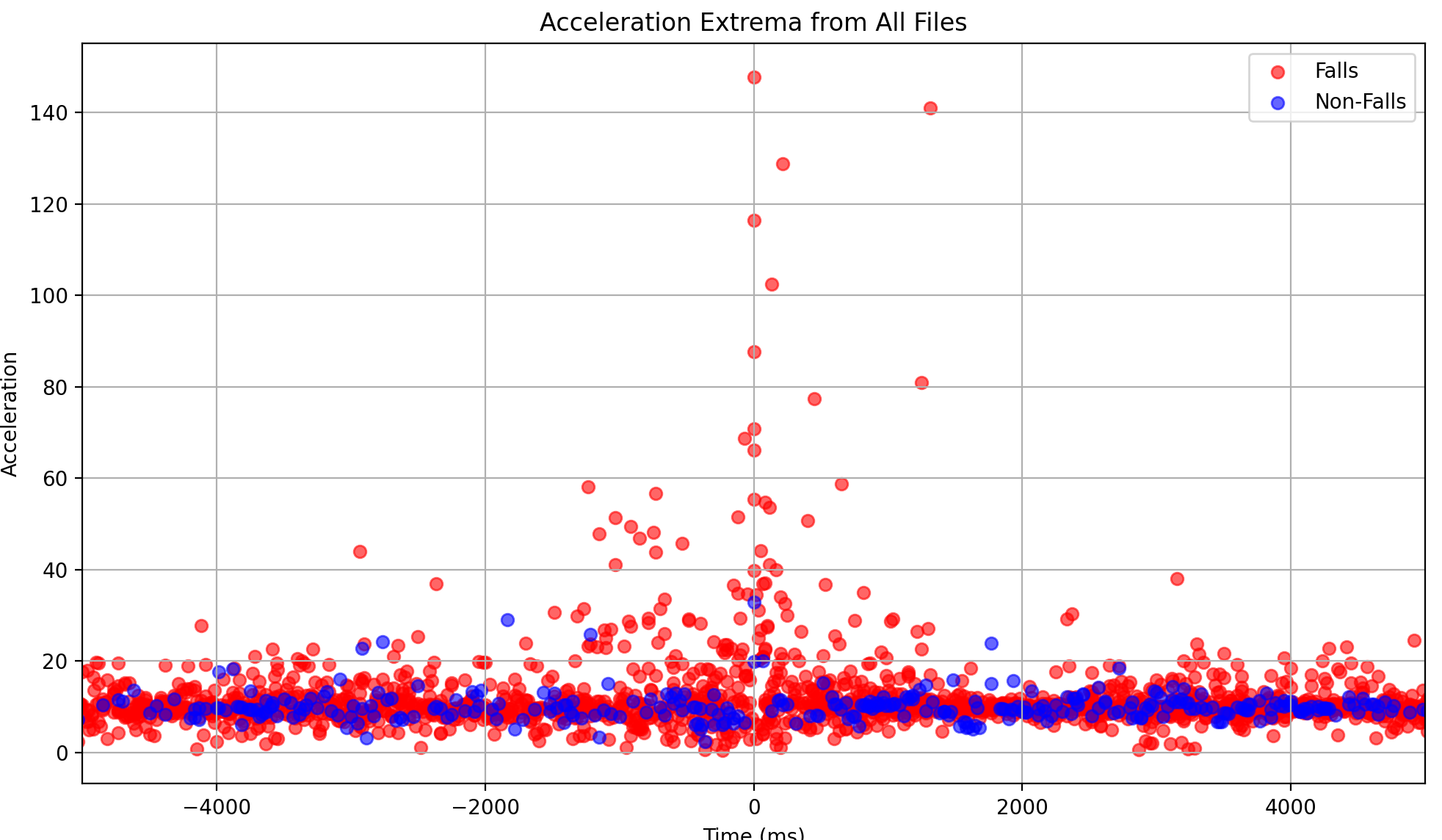
This shows a modeling of the acceleration data for falls (red) and nonfall events (blue) used to determine the optimal threshold value.
-
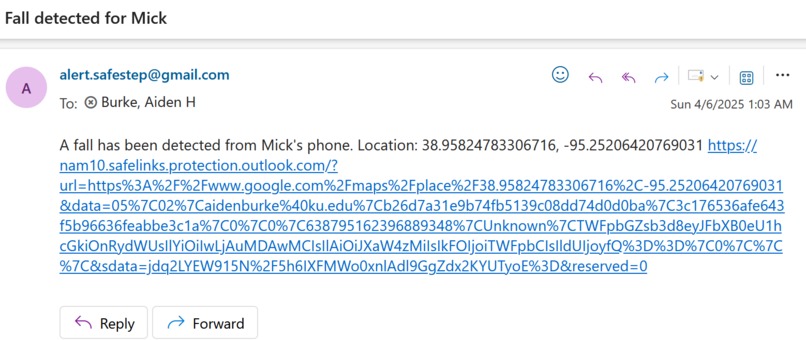
This is an email alert sent out after a detected fall that includes the specific location of the fall with a link to it.
-
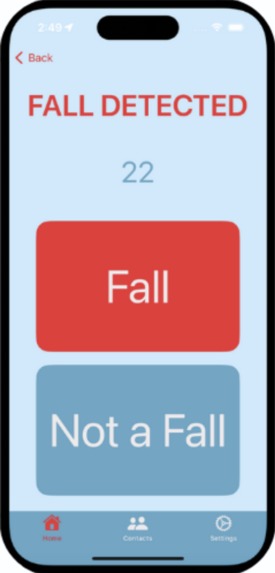
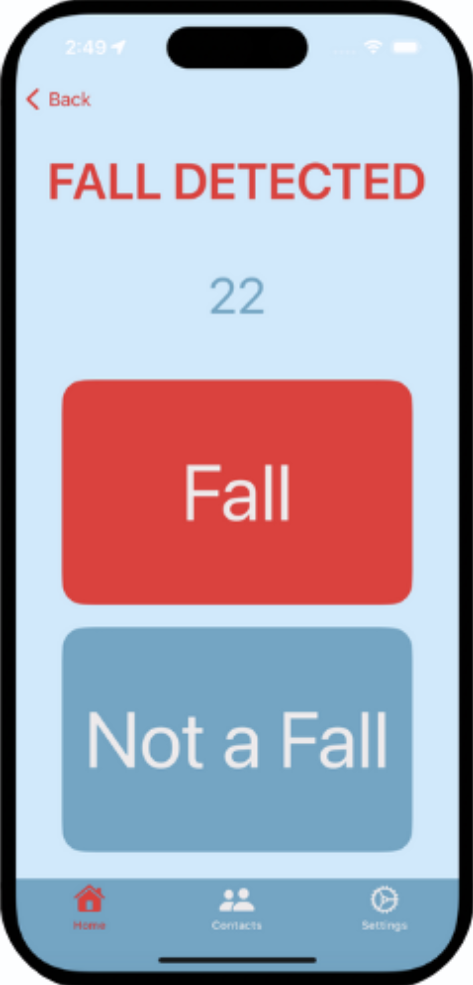
This is the screen that appears on the app when a fall is detected. The user can verify the fall or after 30 seconds an alert will be sent.
-
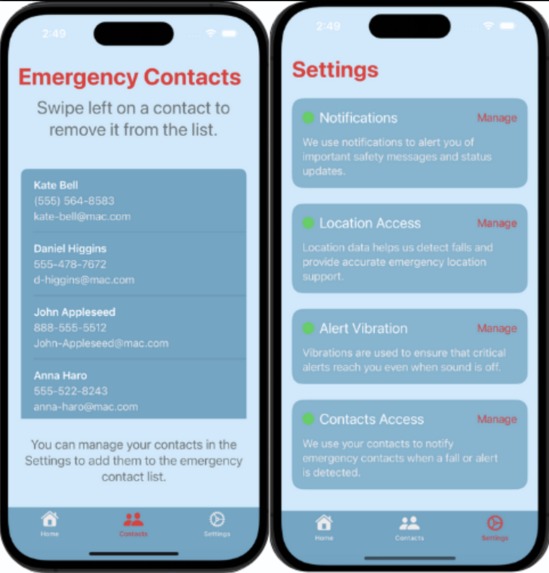
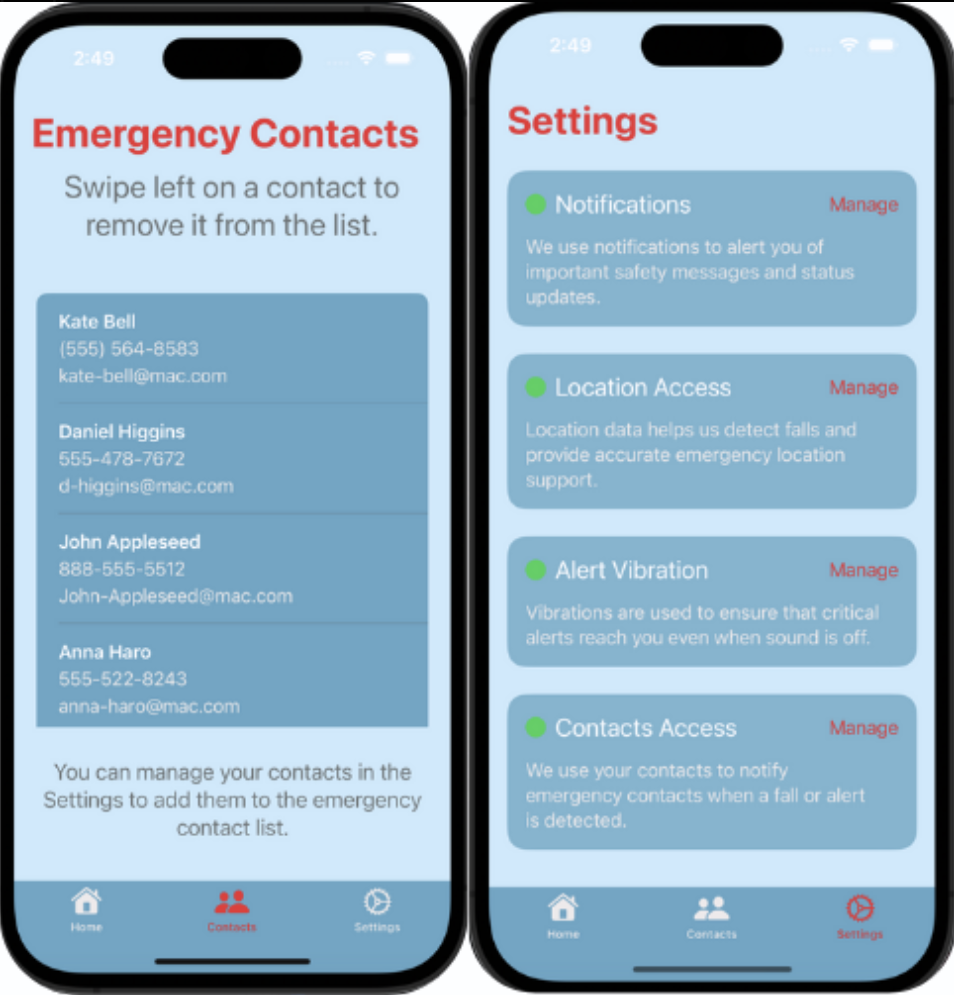
These show two different screens - the emergency contacts and settings - that are in the app.

🚶♀️ HackKU 2025 - SafeStep - Accessible Fall Detection
We developed SafeStep, an iOS application with a mission to improve safety and peace of mind for individuals at risk of falling. Using the iPhone’s built-in motion sensors, the app detects falls in real-time and provides a simple, accessible interface for emergency contact management.
💡 Inspiration
As our loved ones age, ensuring their safety becomes increasingly important, and falls - especially when undetected or unnoticed - can pose a significant threat to seniors. Every year, as many as 3 million emergency department visits are caused due to older people falling. In 2019, 83% of hip fracture deaths and 88% of emergency department visits were due to falls, which the CDC also finds are the most common cause of traumatic brain injuries.
Having medical alert systems in place for the people most at risk of falls can help them age with a greater sense of independence, confidence, and safety. Having free, accessible, and quickly-responsive fall detection capable of just fitting in your pocket is critical to reducing the response-time after a fall.
Not only are falls dangerous, but the danger only increases the longer it takes to get up. Most fall cases, especially those that happen to people alone, result in 10-20 minute waits to get help - at a minimum. That can get up to as long as an hour or more, which is categorized as a 'long lie'. 78% of individuals 65 or older who fell required some form of help getting up from the floor, exacerbated by the fact that over half of falls occurred with them being alone. This extended wait can lead to any additional symptoms ranging from dehydration and tissue damage to psychological damage.
In short, the longer people are forced to wait after a fall, the worse the situation gets. That's why we found a way to make fall detection accessible and responsive for everyone by utilizing built-in hardware in all iPhones to detect fall events and alert emergency contacts.
🔆 Innovation
- All iPhones since the iPhone 4 (2010) include a built-in triaxial accelerometer and gyroscope, capable of measuring acceleration in a 3-dimensional space
- We recorded this data going about different movements - walking, ascending and descending stairs, sitting down, lying down, and falling, and plotted the resulting acceleration data.
- Analyzing the trends in fall and non-fall events, we set a threshold to determine the occurrence of a fall event, and monitor the accelerometer data using an iPhone app to determine if a fall has occurred
- While fall detection programs have existed before, a lot of them require some kind of external hardware like Apple Watches for detection, while SafeStep just uses the iPhone's built-in technology
- Older technology like LifeAlert often require manual activation, while SafeStep's fall detection will automatically send out an alert if a fall event is not cancelled within 30 seconds of it occurring
📈 Finding the Algorithm
- With the acceleration data passed in from the iPhone's accelerometer, we had to find a way to use it to detect falls; the data is received with x, y, and z acceleration components, so we had a lot to work with
- At first, the idea was to use primarily the y acceleration since we figured that falls would mainly consist of a downwards motion; due to the nature of the triaxial accelerometer, that wasn't quite as simple
- We found that the triaxial accelerometer measures the y axis as being up through the charging port, lying parallel to the plane of the phone screen; the x axis lies perpendicular to that, but still parallel to the plane of the phone screen, so the phone screen would mirror the xy-plane if that makes it easier to visualize; then the z axis is the axis coming out of the screen toward you
- The reason modeling the fall was not as simple as just a downwards y motion boils down to 2 main reasons: most falls aren't directly down, but rather forward or to the side and slowly crumpling down; also, your phone is almost never at a perfectly straight angle that the accelerometer's y axis would be pointing strictly down. Especially when in your pocket, your phone will be sitting at odd angles, upside down, backwards, etc.
- For this reason, we decided to boil the accelerational components down to just a single resultant/net acceleration, which also helped because it meant the numbers we worked with would be strictly non-negative, which made the modeling a little easier
- After gathering some data by recording the phone's accelerational data while doing different movements, I wrote a relatively simple python script to extract the data and normalize each event around the largest accelerational event in it (to compare the falls to the non-falls), and looked to find where we could cutoff the acceleration that would allow all the falling events to be classified as falls and all the non-falling events as non-falls
- That became the threshold for detecting a fall event, and we continued to test that on new events whenever we recorded new data, and it continued to hold true and test at a very high accuracy
- To look more closely at the acceleration data (and the resulting graphs generated for each event), the algorithm_refining directory in this repo has all of that code and input
🔑 Features
📱 Intuitive UI for Seniors
Designed with accessibility in mind — large text and clear buttons with a very simple interface and UI🚨 Real-Time Fall Detection
Uses CoreMotion's accelerometer data to detect sudden movements or impacts that may indicate a fall and respond quickly📇 Emergency Contact Management
Allows users to add and manage emergency contacts for rapid response
🛠️ Built With
- SwiftUI – For building a responsive, accessible interface.
- CoreMotion – To detect device motion and identify fall events.
- @AppStorage – To persist user and app state across sessions.
- Vercel – For deployment of backend server.
- Nodemailer – For email notification alert sending.
- Xcode – Development environment used during HackKU 2025.
- Express & Node.js – For providing server functionality, endpoints, and routes for the backend.
🔒 Challenges
- Requesting access to permission-locked data - Even with Apple's rigid restrictions on accessing data like contact information, location data, etc., the app very clearly walks users through and even gives them a direct shortcut to what settings to modify
- Different acceleration data measurements - While comparing the data gathered from HTML's DeviceMotion to the data gathered by the Swift app, we noticed a disparity in that the threshold we had found for falls did not align at all with the data in the Swift app. This took some deeper digging into the specific modules being used to find that - unbeknownst to us - one was measuring acceleration in m/s^2 and the other was measuring acceleration in multiples of the gravitational constant. While it was an easy fix, the reason behind the issue eluded us long enough to sow some doubt into whether or not our algorithm had worked correctly or not
- Gathering data to find a good threshold for falls - In a lot of cases, gathering data isn't necessarily the hard part of the process, especially if it's something easily automated. Gathering the acceleration data for falls, however, wasn't that simple because it required us to, well, fall
- Accounting for other quick-acceleration movements - While movements like walking or sitting down were easy to isolate from fall events, some things like jumping or running were more difficult to separate from falls because they both involve rapid accelerations and changes in acceleration
⏰ What's Next
- Fully deploying the app to the Apple app store for easy installation
- Developing support for Android phones and other devices with built-in triaxial accelerometers
- Allowing for both SMS alerts and email alerts on detected falls
- Training a machine learning classifier to more accurately detect falls and not falsely get triggered on other events


Log in or sign up for Devpost to join the conversation.