-
-
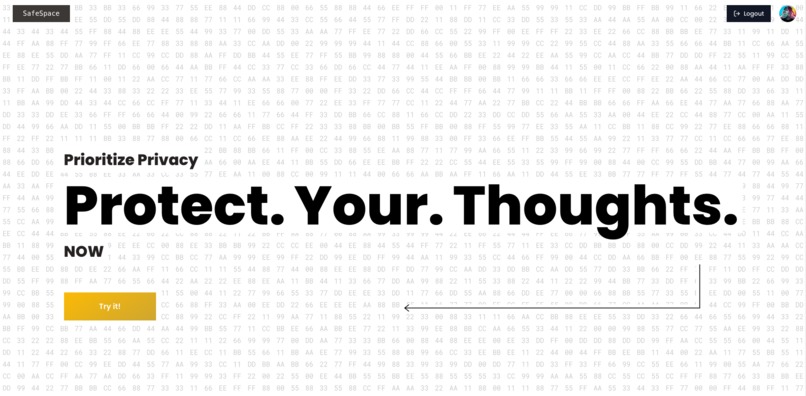
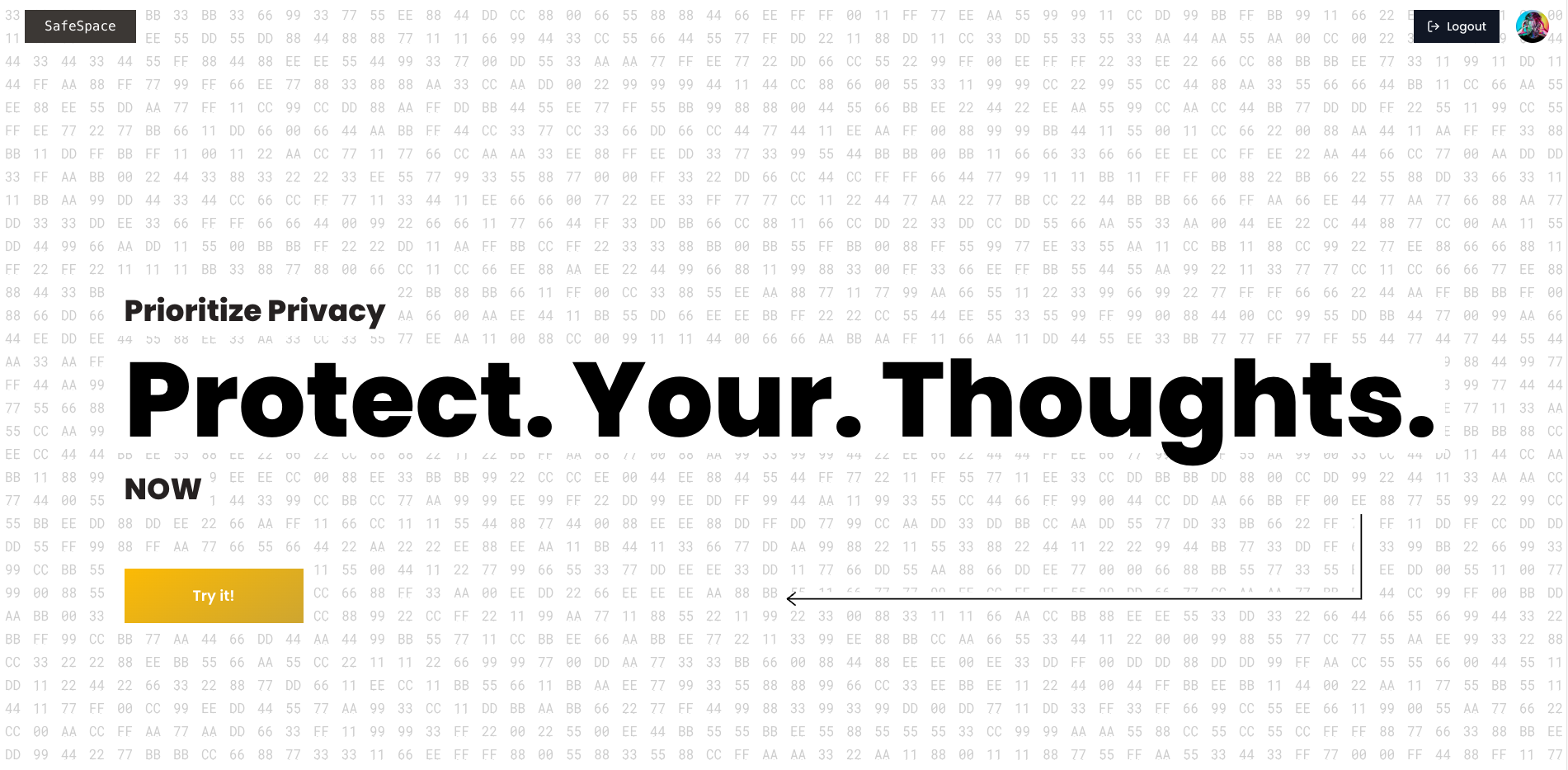
SafeSpace Web
-
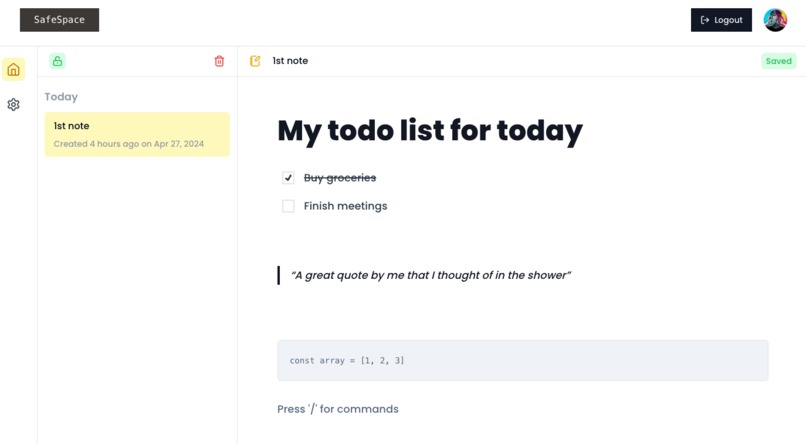
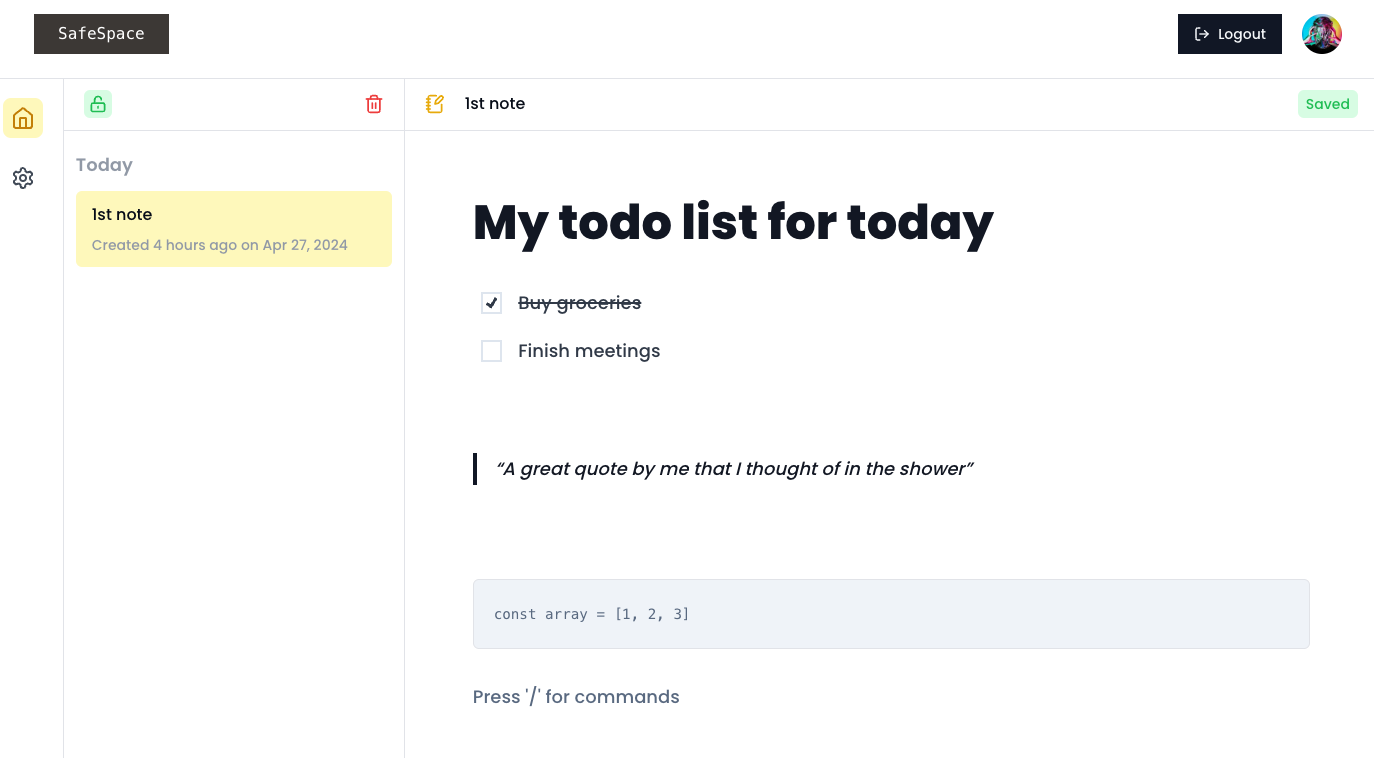
Note taking
-
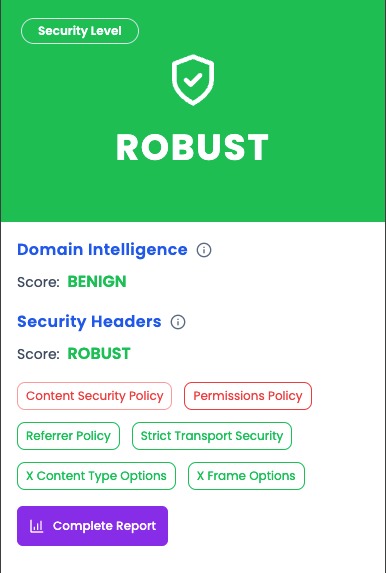
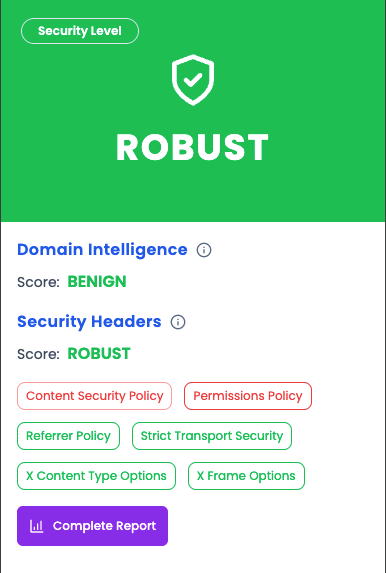
Extension safe
-
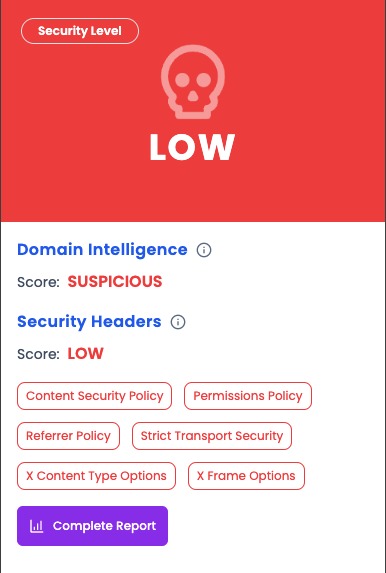
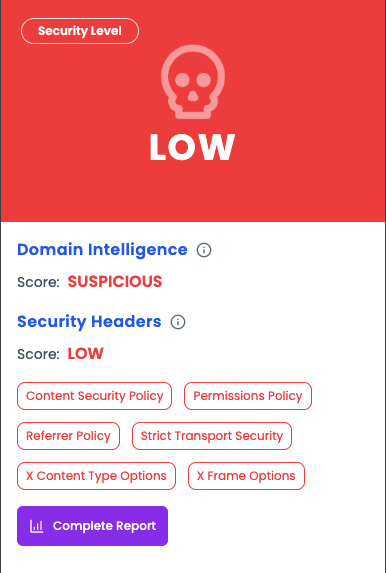
Extension unsafe
Inspiration
The inspiration behind SafeSpace stems from the increasing concerns over digital privacy and security in today's hyper-connected world. With rising threats of data breaches, phishing attacks, and unauthorized data access, there is a growing need for solutions that prioritize user security without compromising usability. SafeSpace is designed to meet this need by providing a seamless, intuitive, and secure environment for everyday internet activities, making security accessible and straightforward for all users.
Privacy is not an option, and it shouldn't be the price we pay just to get on the internet. - Gary Kovacs
Privacy is not something that I am merely entitled to, it's an absolute pre-requisite. - Marlon Brando
What it does
SafeSpace Browser Extension
- Site Security - Evaluates the security of websites using Pangea's domain intel service to display a security score and the security headers implemented by the site, helping users avoid malicious sites.
- Link Verification - Offers real-time analysis of links to assess their safety before clicking, enhancing protection against phishing.
- Password Breach Detection - Users can check in real-time whether the password that they are using has been leaked in data breaches to make sure they choose secure passwords.
- Local Cache - Stores feature results locally, allowing offline access and faster loading times on revisits.
SafeSpace Webapp
- Secure 2-factor authentication - The SafeSpace Webapp offers a robust two-factor authentication system that provides an additional layer of security beyond just passwords. Users can choose from various methods such as SMS verification, authenticator apps which are all powered by Pangea Authn service.
- Encrypted Notes - End-to-end encryption ensures that notes are only readable by the user, using a unique encryption key for each user.
- WYSIWYG Editor - Features a WYSIWYG editor like Notion, supporting various formatting options for a superior note-taking experience.
- AI Assistant - Enhances productivity by assisting with tasks like text improvement and summarization without compromising privacy.
- Key Rotation - Allows users to change their encryption keys, re-encrypting existing notes to maintain security in case of potential key compromise.
How we built it
How the Webapp Works?
Here is how the whole flow of secure note-making looks like with SafeSpace:
- Each user is assigned a unique AES 256-bit encryption key during signup, which is generated from the user's machine and sent over to SafeSpace servers for storing.
- The key is stored in Pangea's Vault service securely. Pangea offers features like secret versioning, key state transitions and rotating the key.
- Every time the user comes to the platform, the key is sent over.
- The users create their notes in a rich text editor, the notes get encrypted using the user's encryption key and the decrypted notes are sent over to SafeSpace server.
- Users' notes never leave their devices unencrypted, which completely eradicates the risk of data breach and user privacy with complete assurance.
- The rich text editor also features advanced AI capabilities. Every time we send the user's prompt for LLM processing, all the personal identifiable information are redacted using Pangea's redact service, to make sure user's PII never gets leaked to external services.
- Users can rotate their encryption keys at any time, prompting the re-encryption of all stored notes.
- This system ensures that even in the event of a data breach, unauthorized individuals cannot access the contents of the notes.
How the browser extension works?
The SafeSpace browser extension enhances internet browsing by providing several security-focused features:
- Every time user visits a new page, the domain is sent over to Pangea's domain intel service, to check whether the website is a known malicious site that can breach user's privacy, and a security score is obtained.
- The browser extension also records some well known security headers of the site, like X-Content-Type-Options, Referrer-Policy etc. and generates another security score based on the presence and restrictions of those particular headers.
- At-last the SafeSpace site-security scoring algorithm normalizes both the scores and informs the user about the overall secureness of that site in 3 categories. Robust, Medium and Low.
- On top of this context menu buttons like Verify Link and Verify Password make use of Pangea's url intel service and user intel service to let the user know whether a potential link is safe to click or a typed password has been breached in previous known data breaches or not respectively.
- Results are stored locally in a cache, enabling quick access and offline viewing and clearing capabilities.
Challenges we ran into
- Encryption flow - Establishing a robust encryption and decryption process that operates seamlessly across devices.
- Vault integration - Figuring out a perfect balance between user privacy assurance and secure encryption key storage using appropriate Vault APIs.
- User Assurance - Ensuring users that their notes are encrypted on their devices before transmission to the server.
- WYSIWYG Editor Setup - Integrating the Tiptap editor with AI capabilities for a rich user experience.
- Key Rotation Flow - Developing a smooth process for key rotation that re-encrypts existing notes efficiently without any hassle.
Accomplishments that we're proud of
We are incredibly proud of several milestones we've achieved with SafeSpace:
- Innovative Security Features: We successfully integrated cutting-edge security technologies into both the SafeSpace browser extension and webapp. Our system's ability to perform real-time security assessments of websites and links significantly boosts user safety online.
- Robust Encryption Protocol: Implementing a secure encryption and decryption process using AES 256-bit encryption, while ensuring that user data remains encrypted until it reaches our secure servers, was a challenging yet rewarding accomplishment.
- Intuitive User Experience: Despite the complex technology under the hood, we maintained a user-friendly interface. Our WYSIWYG editor provides a seamless and rich user experience similar to popular note-taking apps but with enhanced security.
- Seamless Vault Integration: We managed to integrate seamlessly with Pangea’s Vault service, providing robust key management and ensuring user privacy and data security.
What we learned
The development of SafeSpace has been an enlightening journey, teaching us a great deal about both the technical and user-centric aspects of building a security-focused application:
- Security and Usability Balance: We learned how to balance robust security measures with a clean and intuitive user interface. Making complex security operations user-friendly was a significant challenge that taught us much about UX design.
- Advanced Encryption Handling: Delving into AES encryption, key management, and secure data storage gave us deeper insights into building secure applications that protect user data effectively.
- Integration of AI and Privacy: Integrating AI features while maintaining user privacy was challenging. We learned to implement data redaction and secure AI processing to ensure that user data remains private and secure.
- Real-Time Data Security: Implementing real-time security features like link and password verification taught us about the importance of immediate feedback in security applications and how it enhances user trust and safety.
- Adaptability and Continuous Improvement: Working with new technologies and APIs meant continuously adapting our approach based on what was most effective, which underscored the importance of agility in tech development.
What's next for SafeSpace
- Multi-browser Support: Extending the browser extension to work across different web browsers.
- Offline Capabilities: Enhancing the webapp to function offline using IndexedDB.
- Automatic Key Rotation: Implementing auto-rotation of encryption keys for enhanced security.
- Integration: Closer integration between the webapp and browser extension for seamless user experience and user analytics
- SDK Expansion: Developing SDKs in multiple languages to extend SafeSpace’s functionalities.
- Feature Extensions: Introducing folders in notes, password-protected note sharing, and additional tools like a password manager.
Built With
- neondb
- nextjs
- pangea
- plasmo
- postgresql


Log in or sign up for Devpost to join the conversation.