-
-
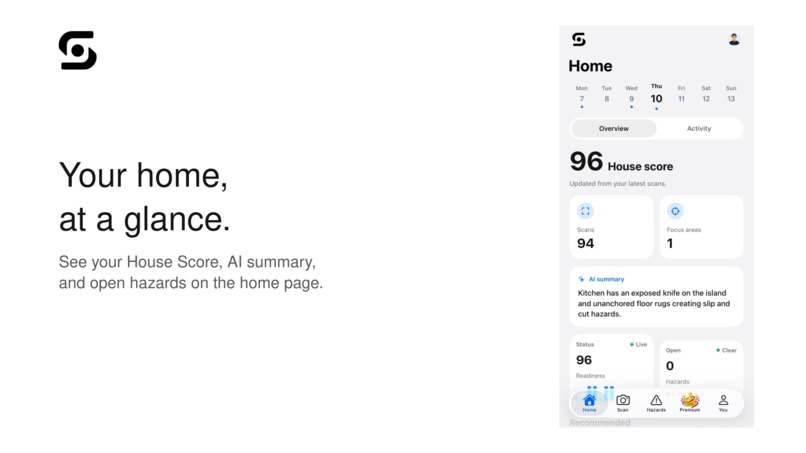
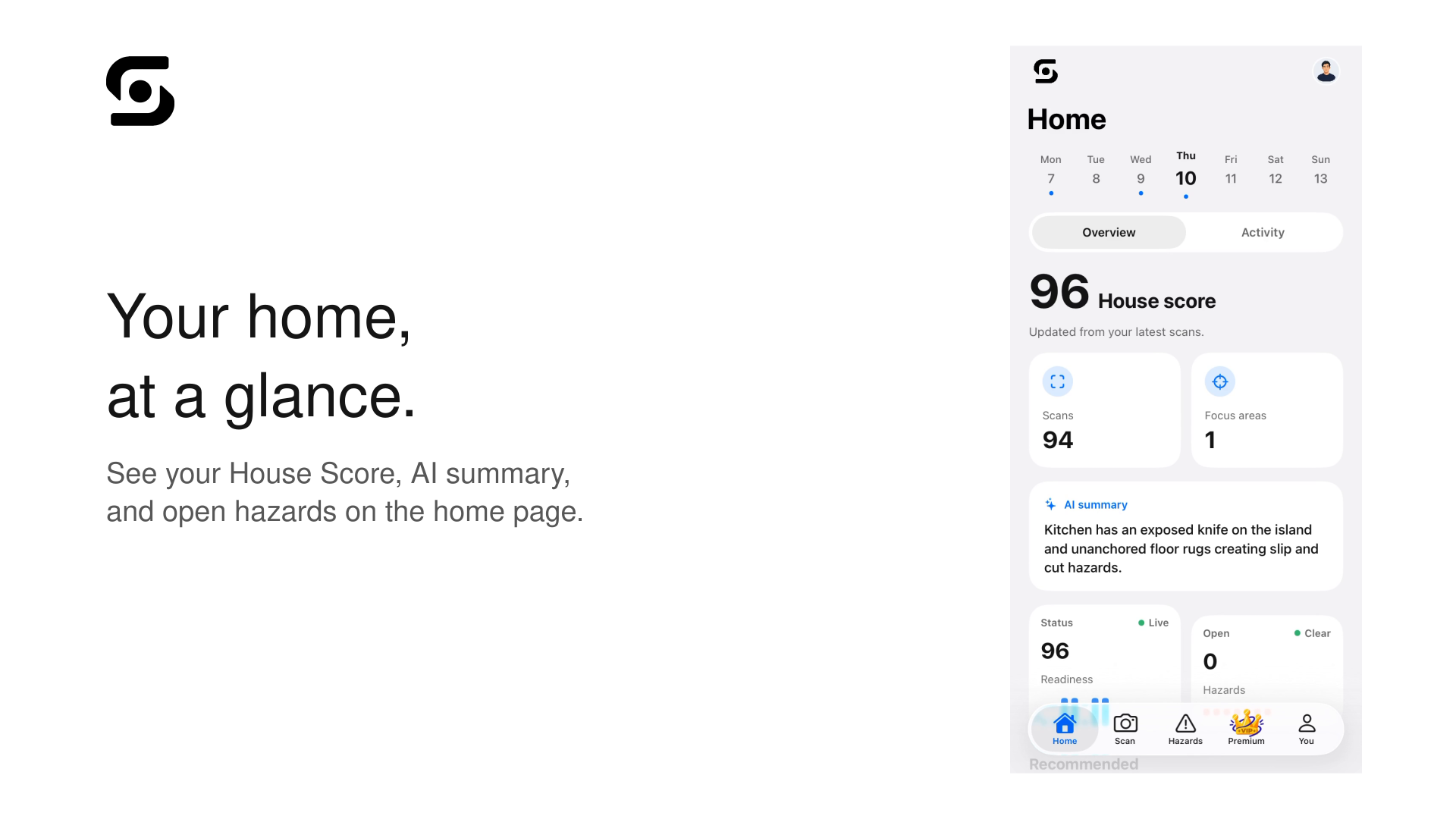
See you're House score, AI Summary, and open hazards on the home page
-
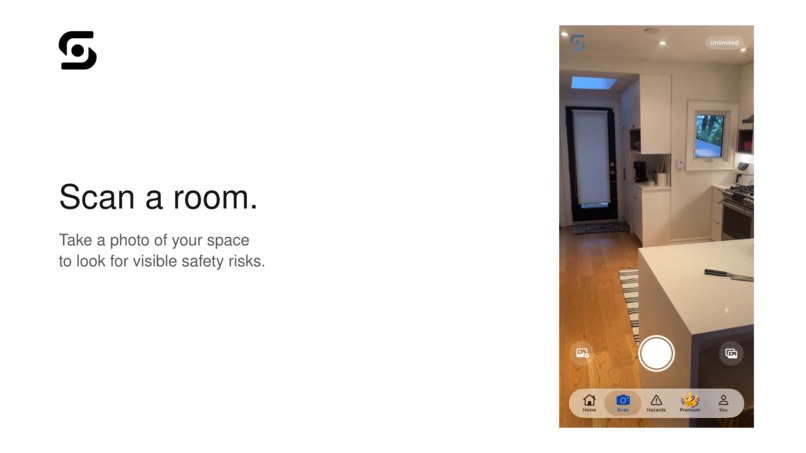
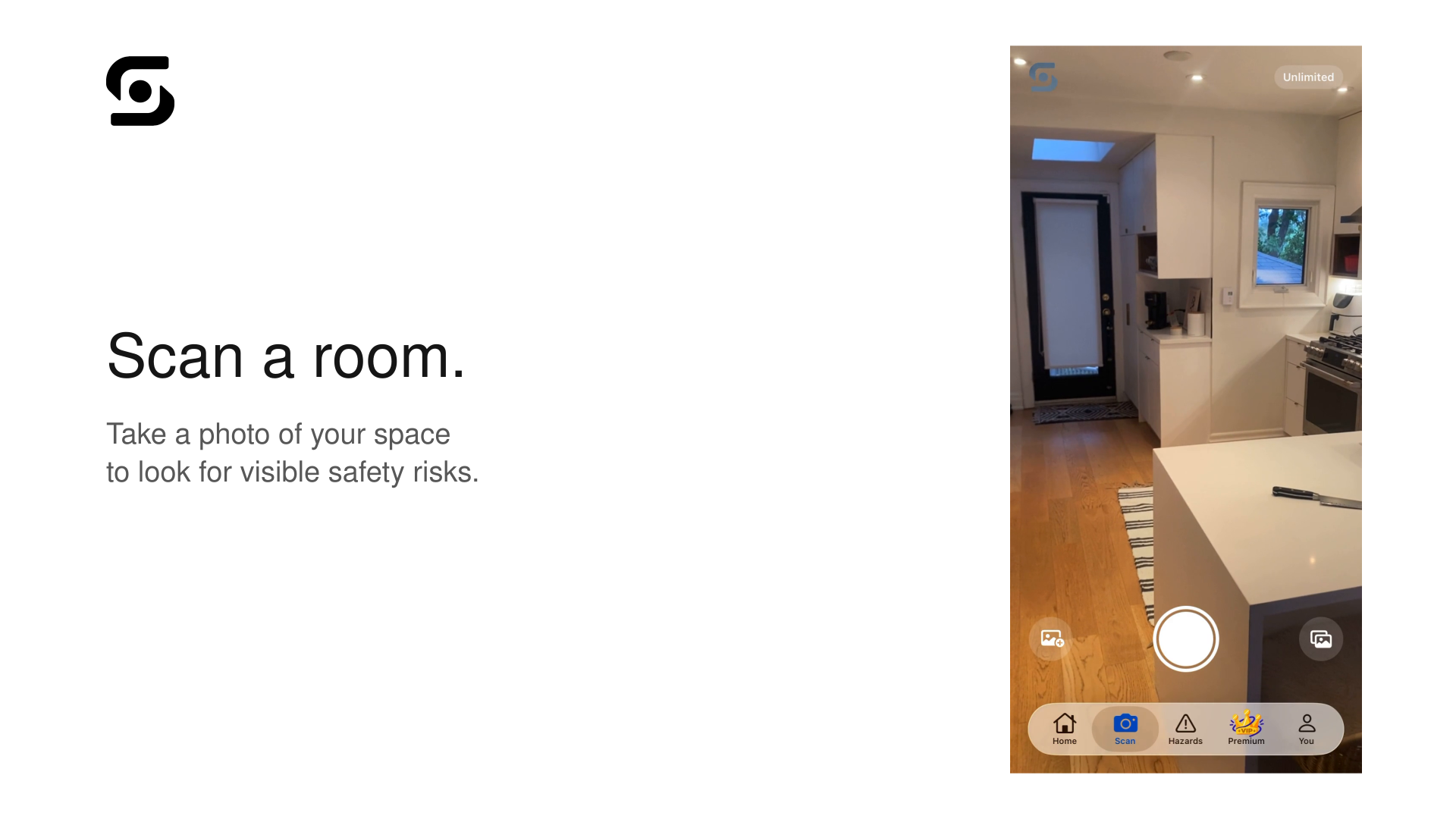
Take a photo of your space to look for visible safety risks
-
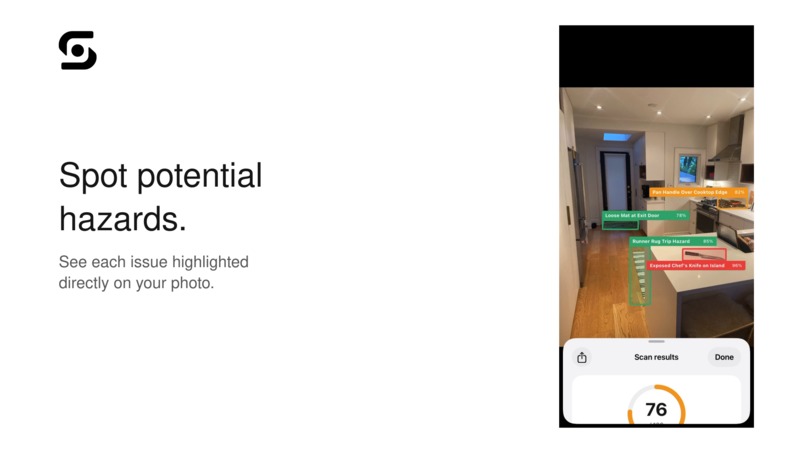
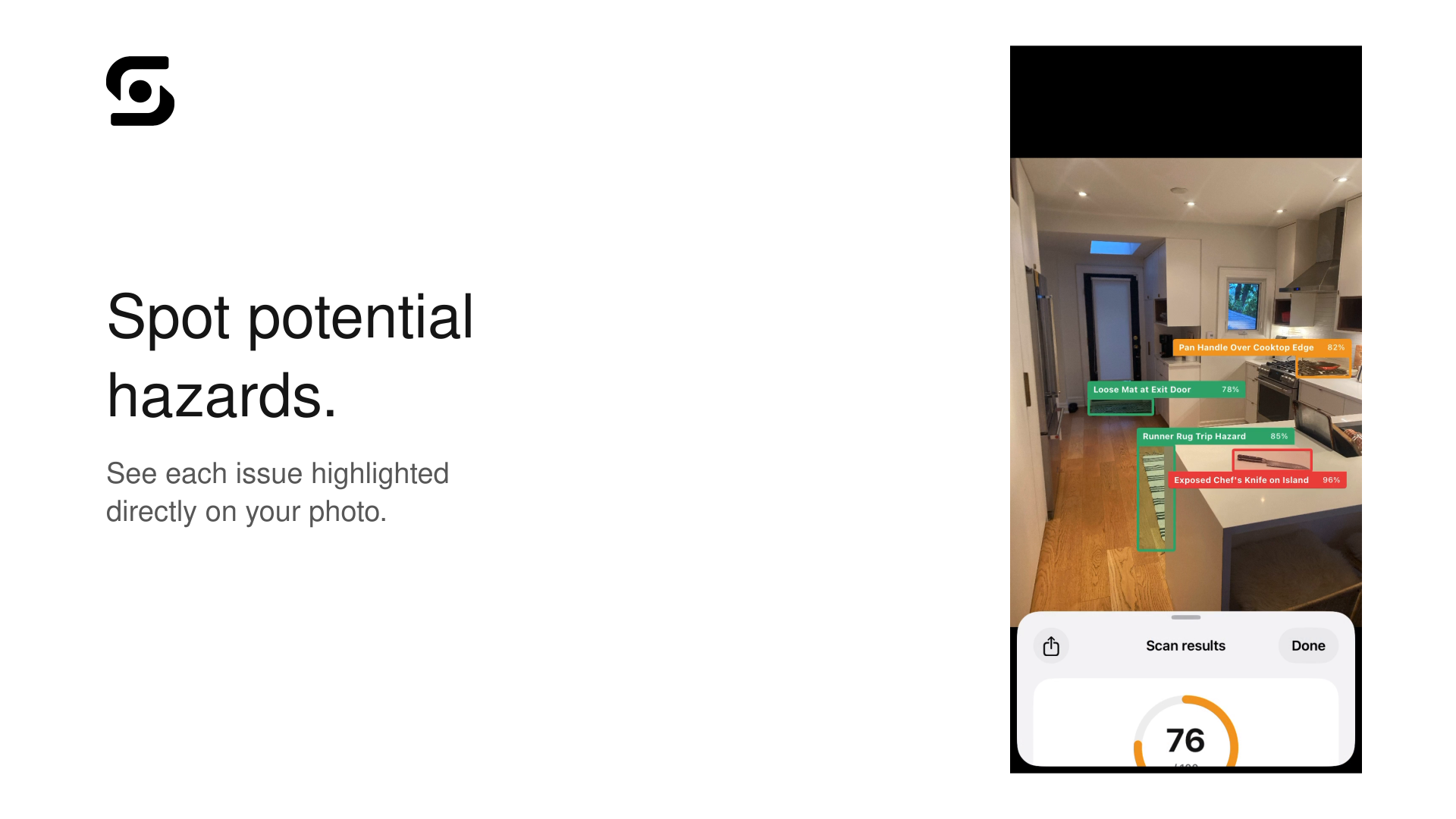
See each issue highlighted directly on your photo
-
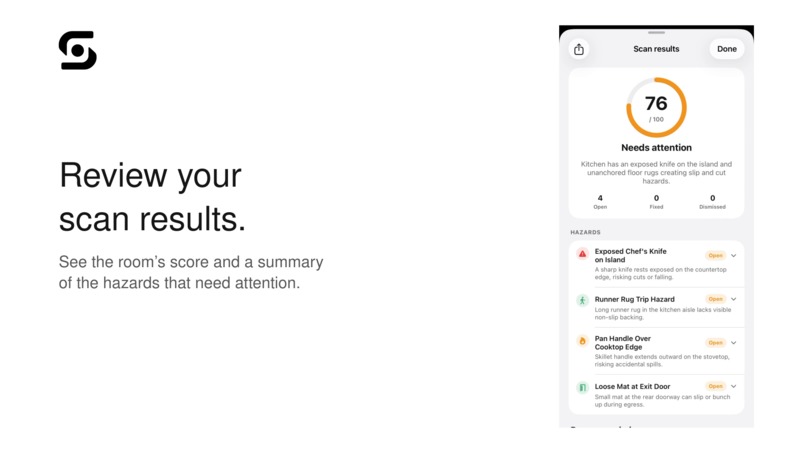
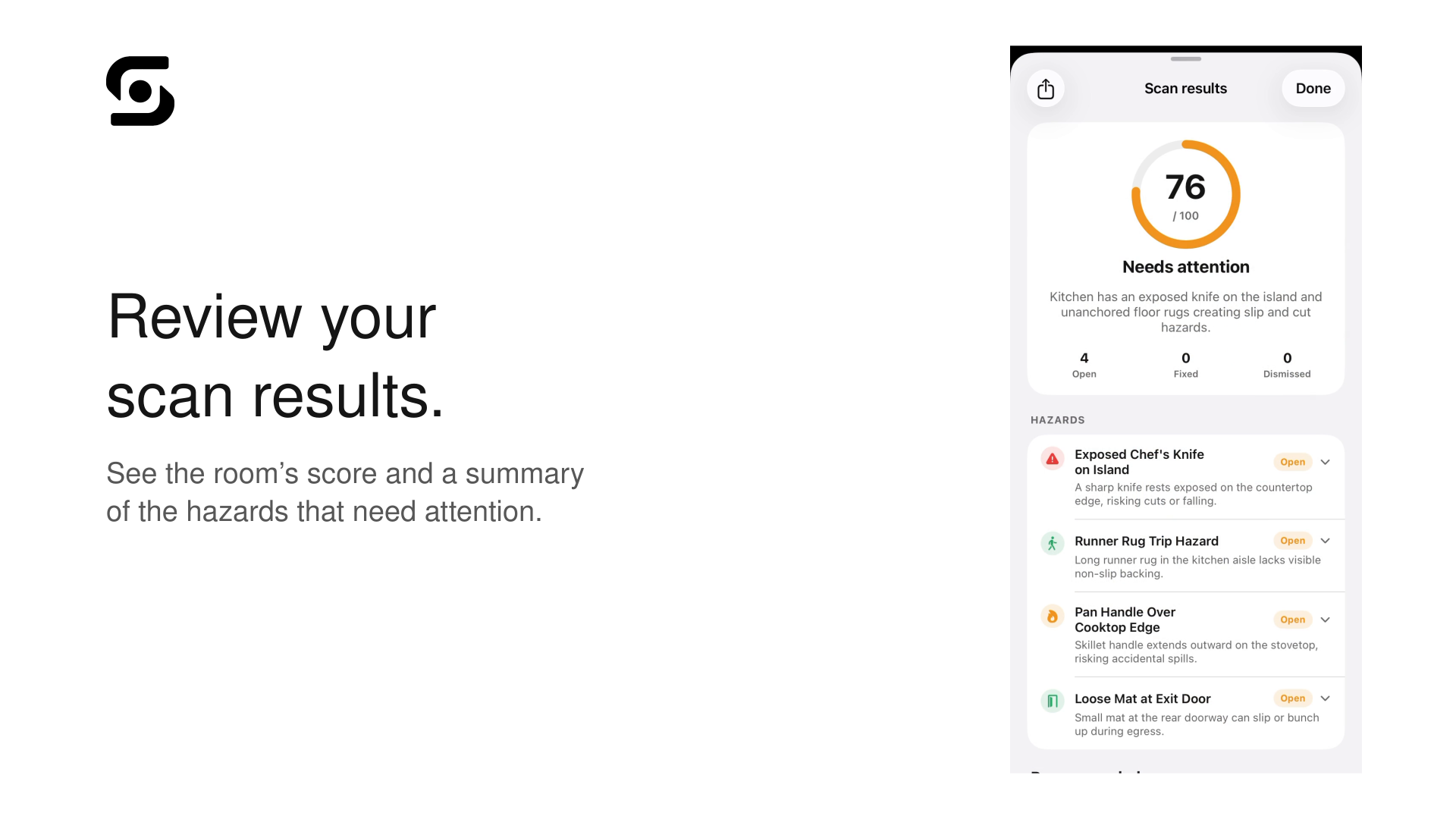
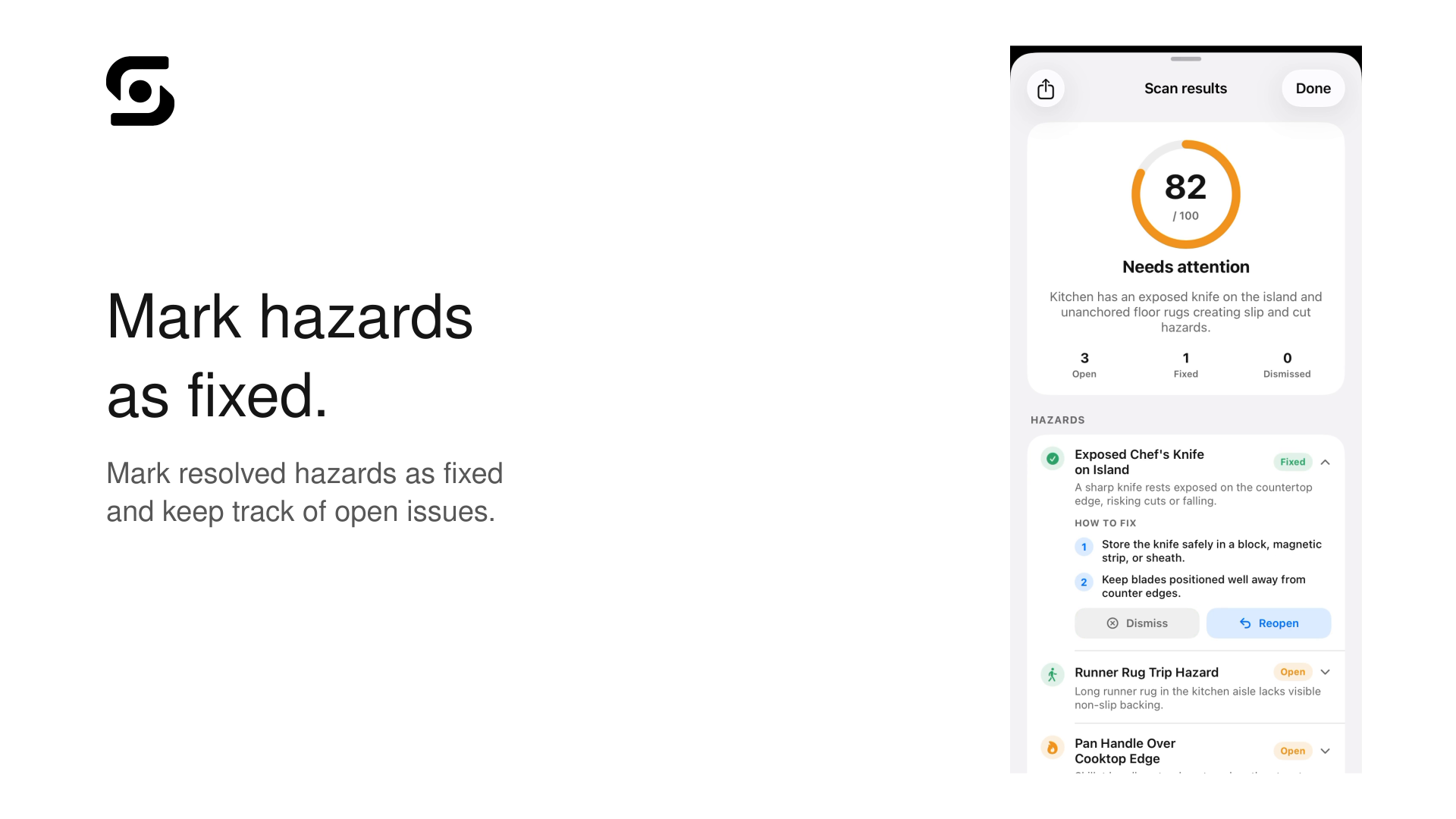
See the room's score and a summary of the hazards that need attention
-
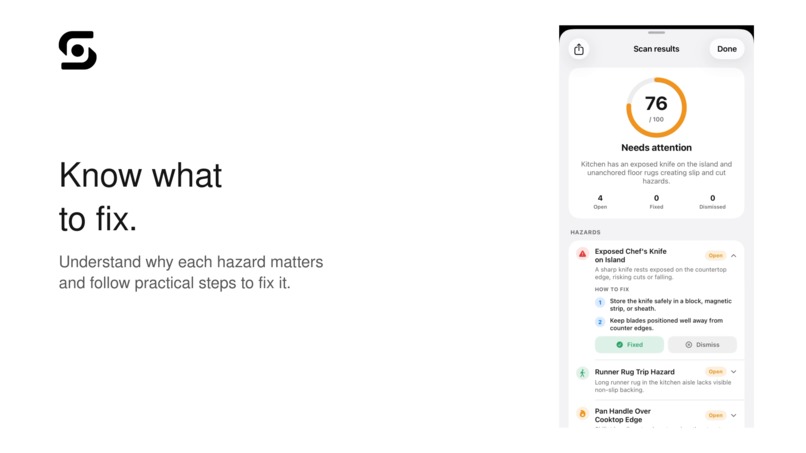
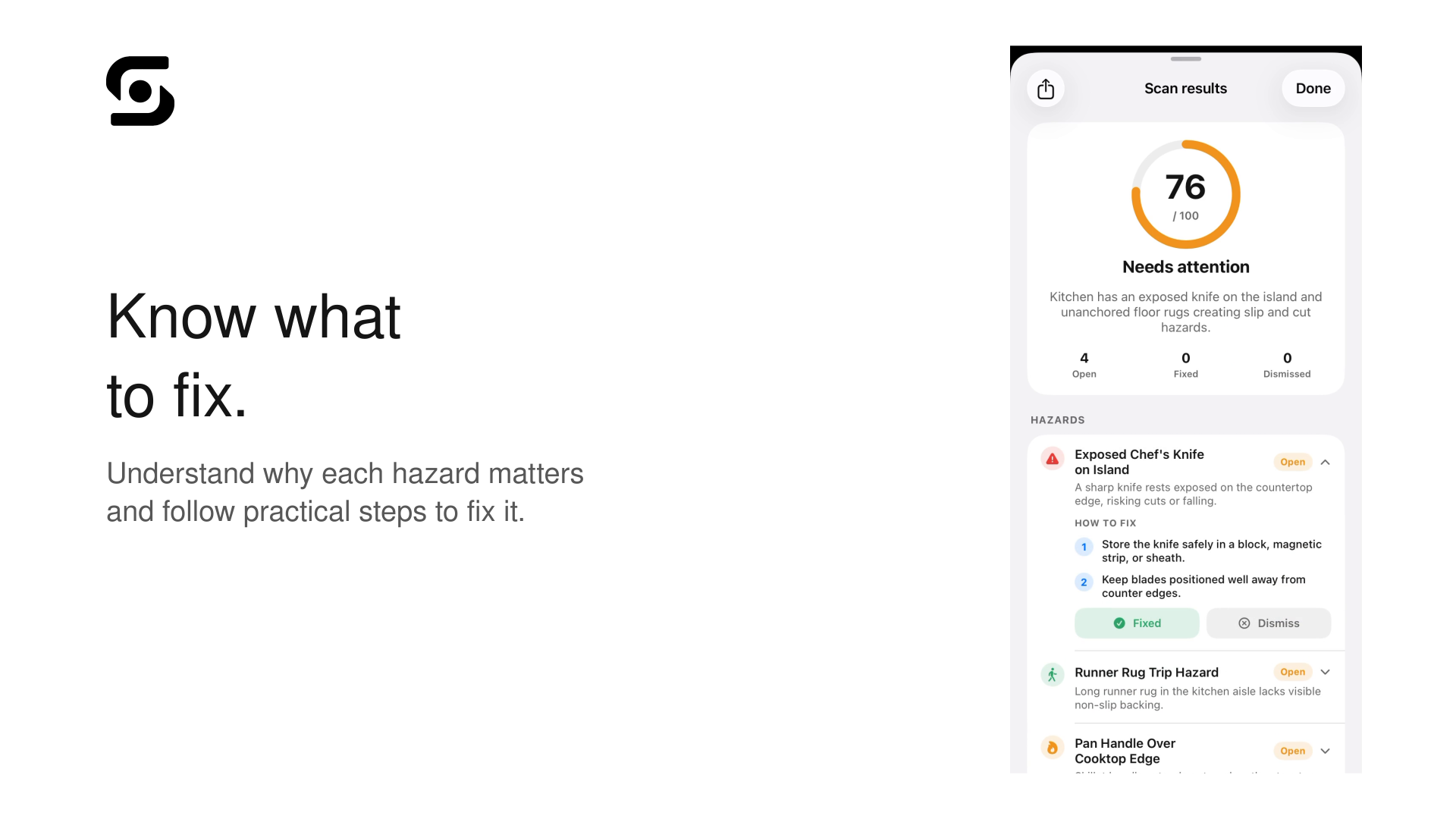
Understand why each hazard matters and follow practical steps to fix it
-
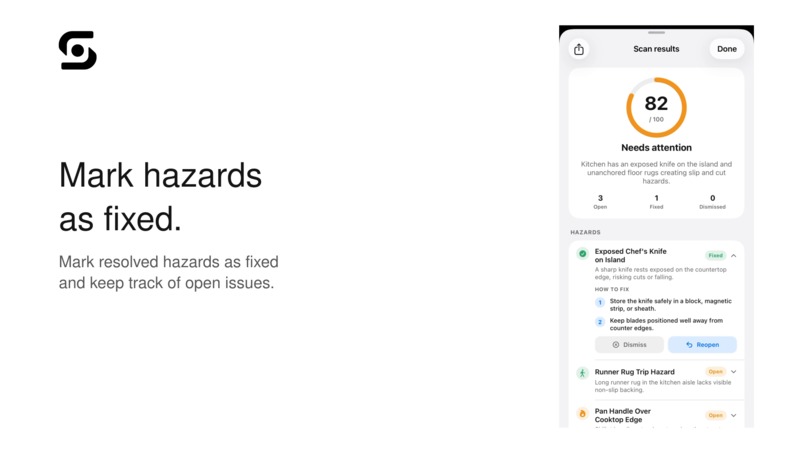
Mark resolved hazards as fixed and keep track of open issues
-
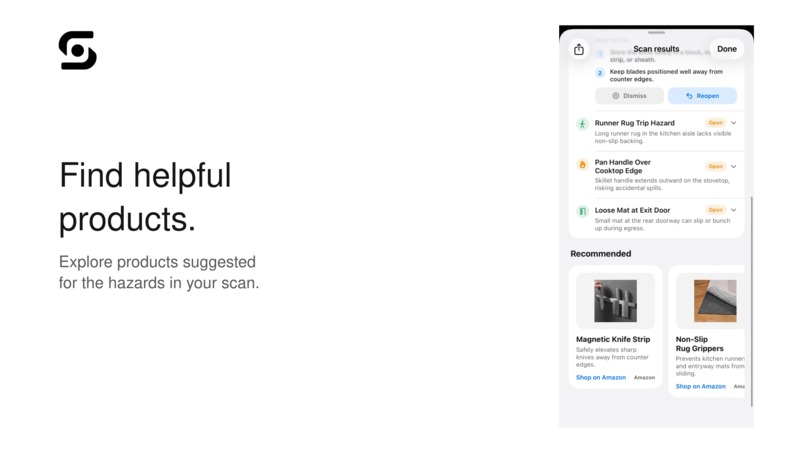
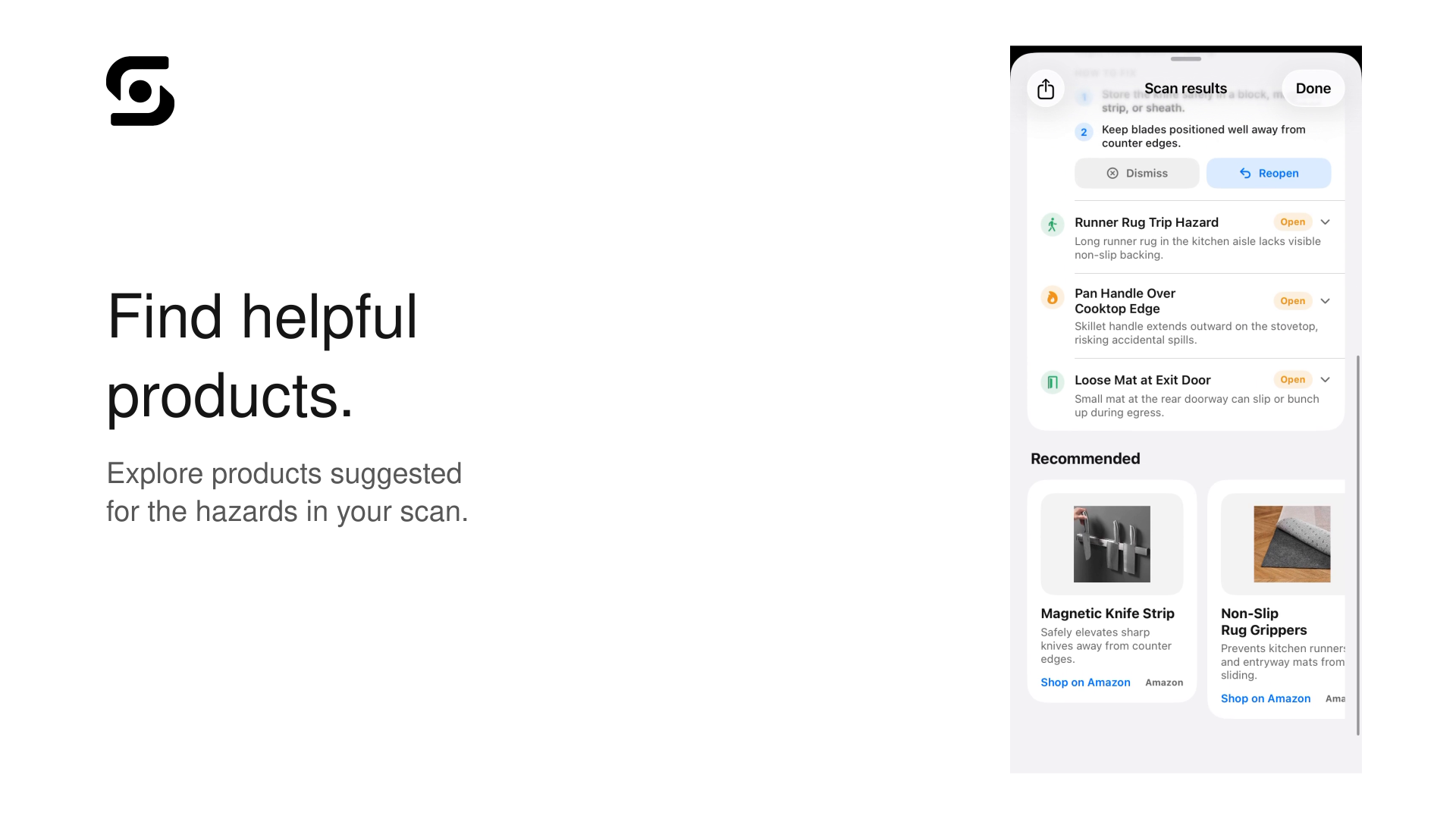
Explore products suggested for the hazards in your scan
-
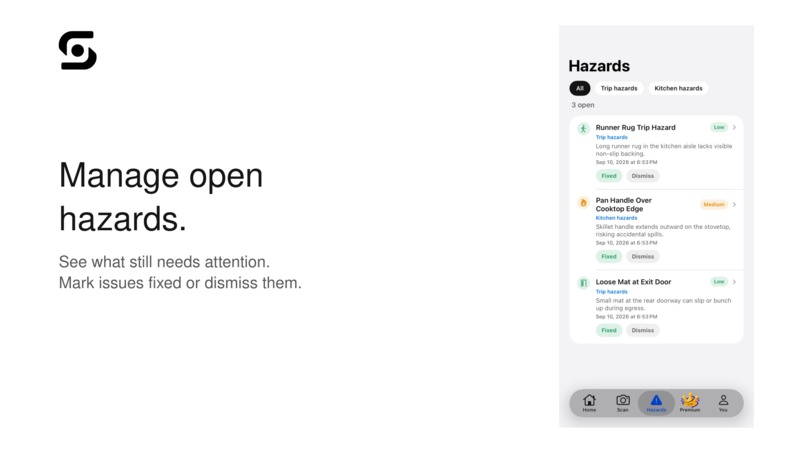
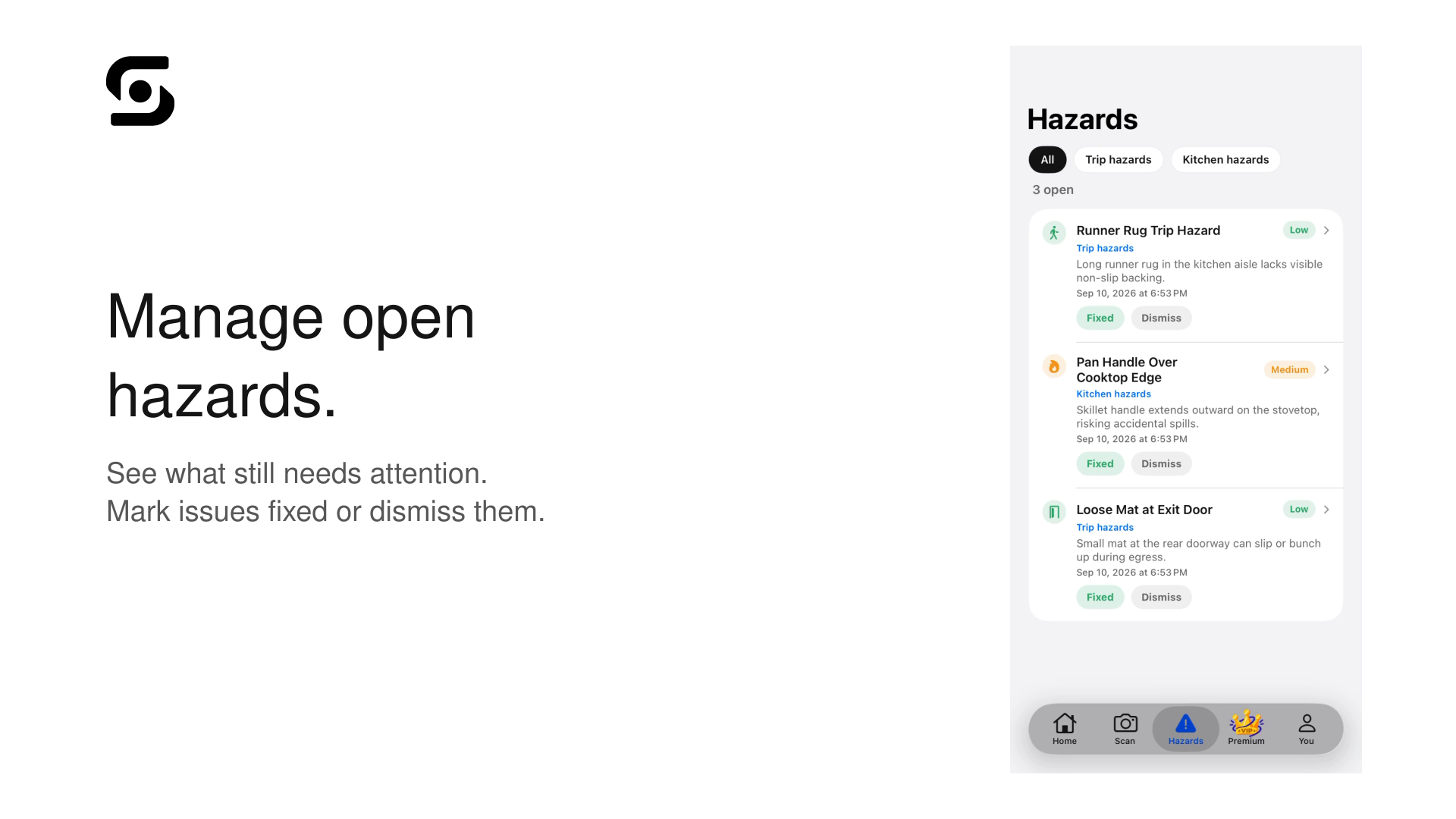
See what still needs attention. Mark issues fixed or dismiss them
-
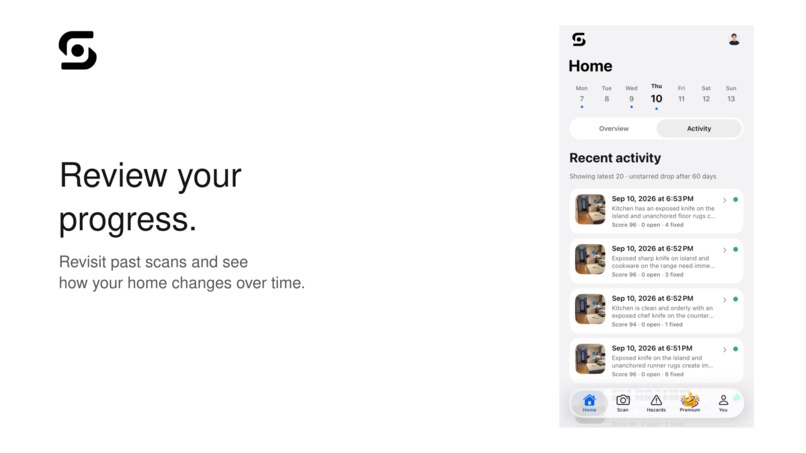
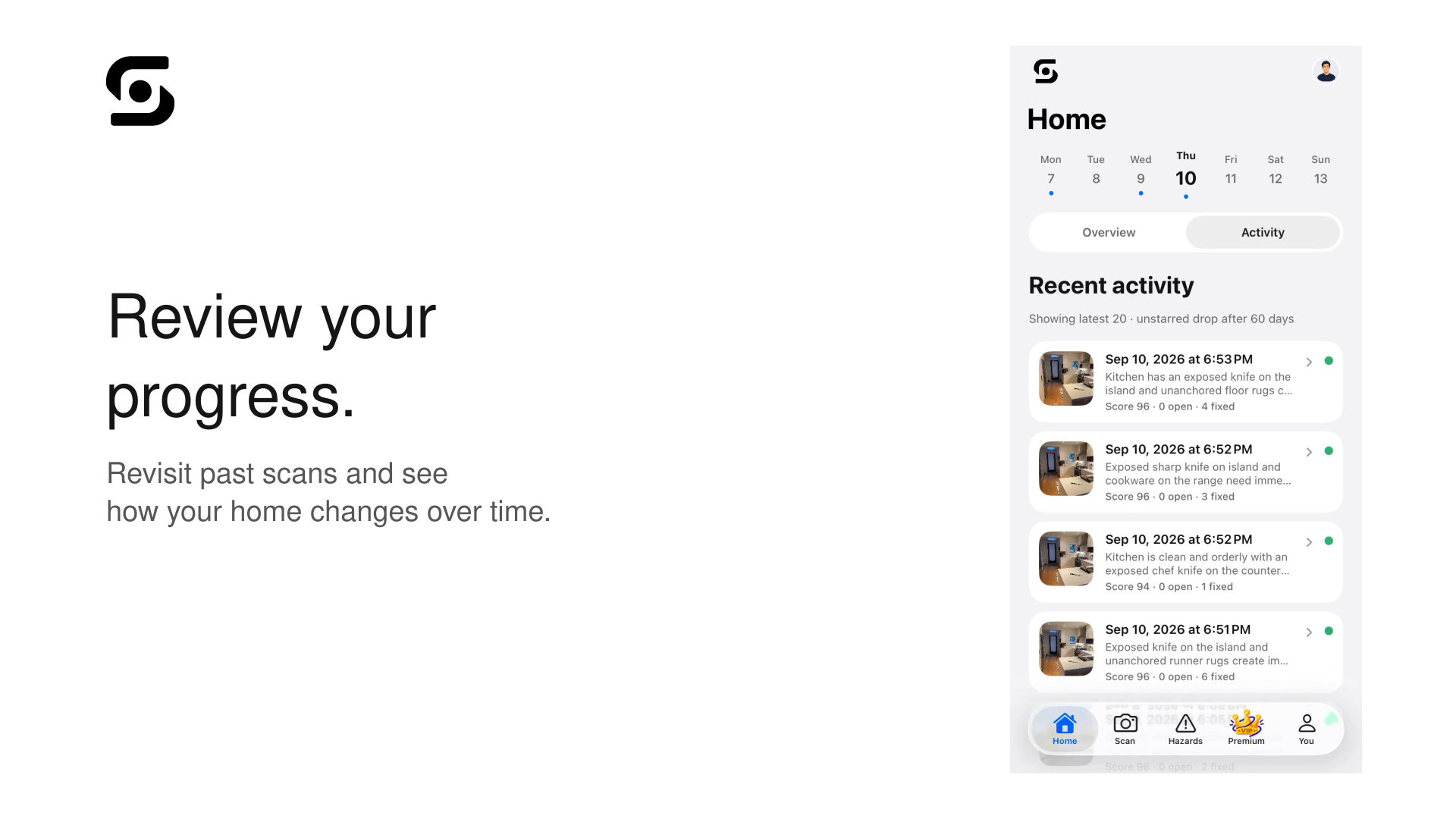
Revisit past scans and see how your home changes over time
-
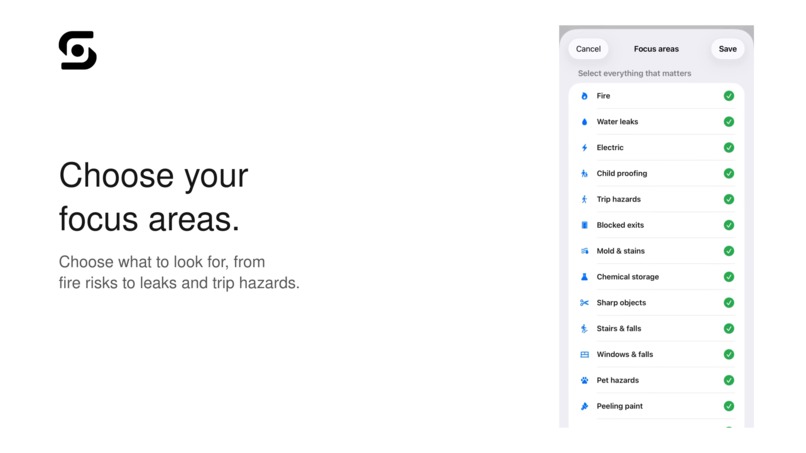
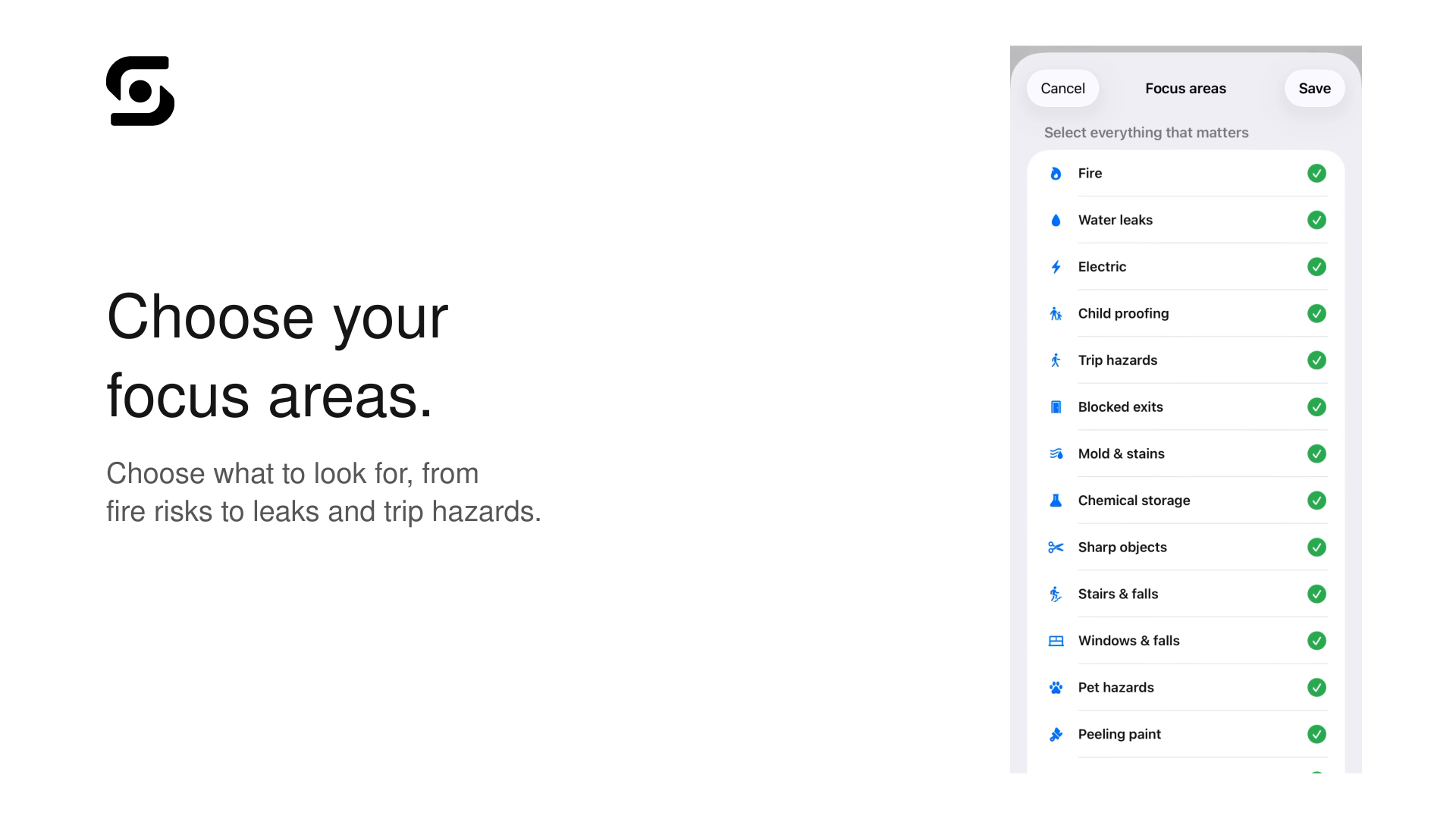
Choose what to look for, from fire risks to leaks and trip hazards
-
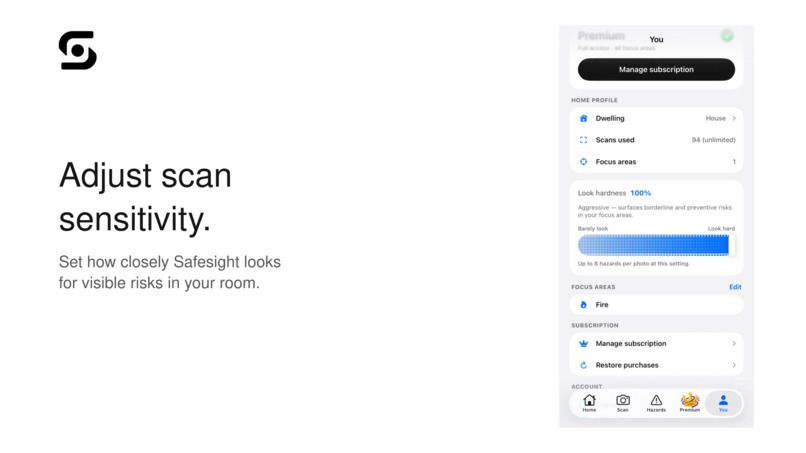
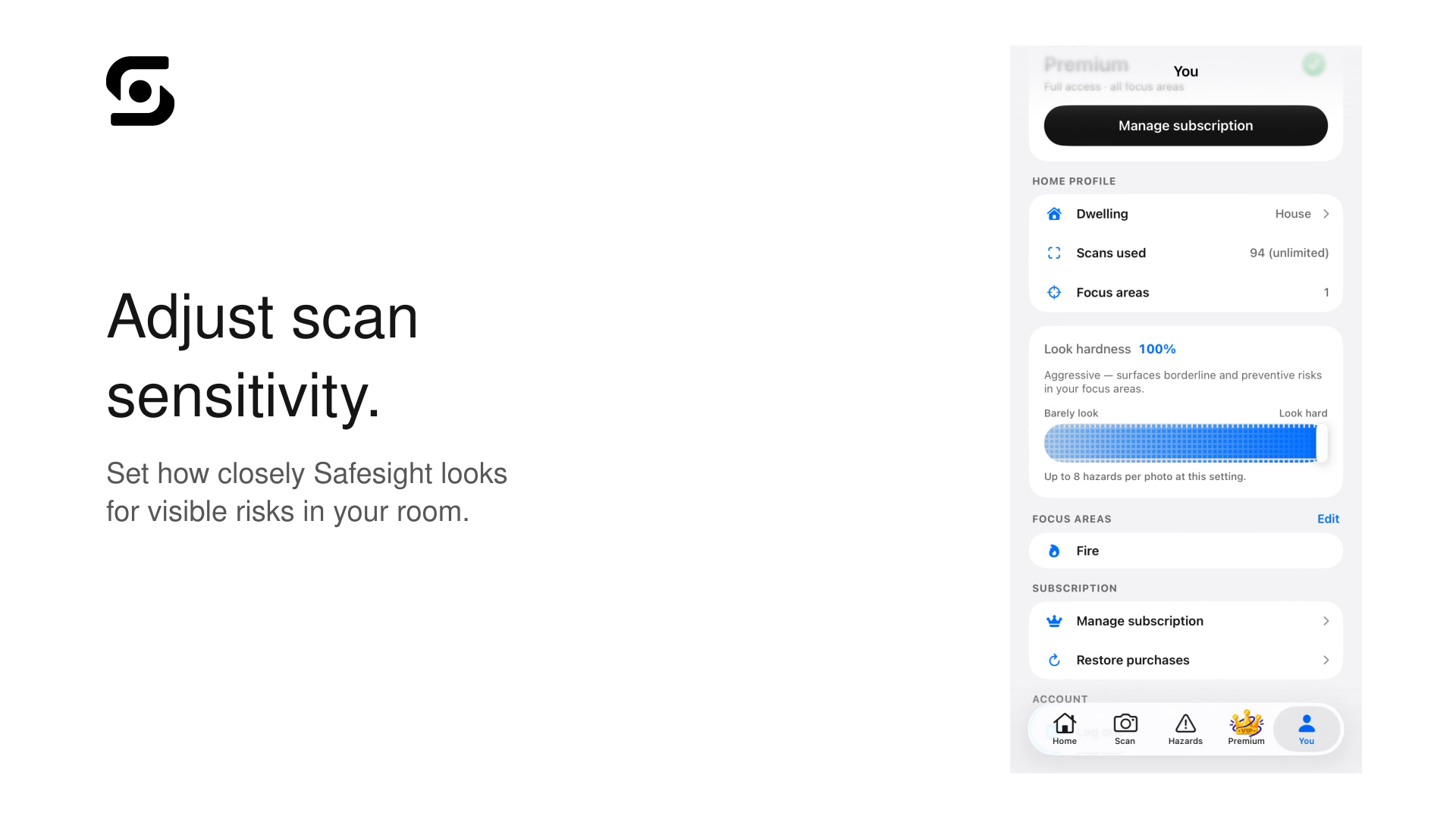
Set how closely Safesight looks for visible risks in your room
-

1024x1024 Safesight App Icon

Inspiration
It is easy to miss hazards around your home because you see the same rooms every day. A loose cable, blocked exit, unstable object, or exposed knife might not seem serious until someone gets hurt.
I wanted to build Safesight as a second set of eyes for your home. It helps people notice potential dangers and gives them practical ways to fix them.
What it does
Safesight uses AI to scan photos of rooms and find possible safety hazards. It highlights each hazard, explains why it could be dangerous, gives it a severity level, and suggests how to fix it.
Designed for parents child-proofing their homes, new homeowners, renters, homebuyers, real estate agents, and senior citizens, Safesight makes identifying everyday household risks more accessible.
After making a change, users can scan the room again to see if the hazard is gone. The app also includes a House Score, scan history, hazard tracking, and shareable reports.
Safesight is meant to be a helpful tool, not a replacement for a professional safety inspection.
How we built it
Safesight is an iOS app built with Swift and SwiftUI. It sends images to a backend server, which securely processes them with Google Gemini. The Gemini API key is stored on the server instead of inside the app.
The AI returns structured information about each hazard, including its name, location, severity, confidence, explanation, and suggested fix.
I also added scan history, image uploads, rate limiting, hazard tracking, and RevenueCat for the optional Premium features.
To test the app, I created a benchmark using 20 room photos with manually labeled hazards. Safesight found 96.4% of the hazards in the benchmark, with a precision of 94.6% and an F1 score of 95.5%.
Challenges we ran into
One of the hardest parts was making the results useful. I did not want Safesight to simply list objects in a room. It needed to explain what might be dangerous and tell the user what they could do about it.
AI is also not always correct. I had to think about confidence levels, severity scores, false positives, and how to make it clear that Safesight cannot guarantee that a home is completely safe.
I also had to work through problems involving image uploads, API costs, server security, different lighting conditions, and keeping track of hazards between scans.
Accomplishments that we're proud of
I am most proud of the complete process Safesight provides:
Find a problem, understand it, fix it, and scan again.
I am also proud that I was able to:
Build a working iOS app with SwiftUI.
- Added hazard explanations and recommended fixes.
- Included bounding boxes, severity levels, and confidence scores.
- Created a House Score that changes as hazards are fixed.
- Added scan history and hazard tracking.
- Built a backend with security features and request limits.
- Created a benchmark to test how well the system works.
- Built the project independently at 14 years old.
How We Integrated RevenueCat
We integrated RevenueCat to power Safesight's freemium model and manage Premium entitlements.
Users get 2 free scans and access to 6 Focus areas. Premium unlocks unlimited scans, 25+ Focus areas, AI summaries, product recommendations, unlimited exports, and higher-tier AI models.
RevenueCat handles the subscription state, purchase flow, and entitlement checks, so Safesight can instantly unlock or restrict Premium features based on a user's subscription.
$9.99/month or $79.99/year.
What we learned
I learned that building an AI app involves much more than connecting an app to an AI model. I had to think about the design, privacy, security, cost, testing, and how much users should trust the results.
I also learned that testing computer vision is difficult. An app might recognize the right hazard but still place the box incorrectly or give the wrong severity level. This showed me why real testing and honest limitations are important.
What's next for Safesight
I want to test Safesight with more rooms and a larger set of manually labeled images. I also want to improve the accuracy of the hazard boxes and reduce false positives.
Other improvements I am considering include better handling of unclear photos, more accessibility features, support for more types of homes, and possibly processing some images directly on the device for better privacy.
The final step would be to launch Safesight publicly on the App Store so people can use it in their own homes.
The long-term goal is to make Safesight a useful and trustworthy tool that helps people notice and fix hazards around them.


Log in or sign up for Devpost to join the conversation.