Inspiration
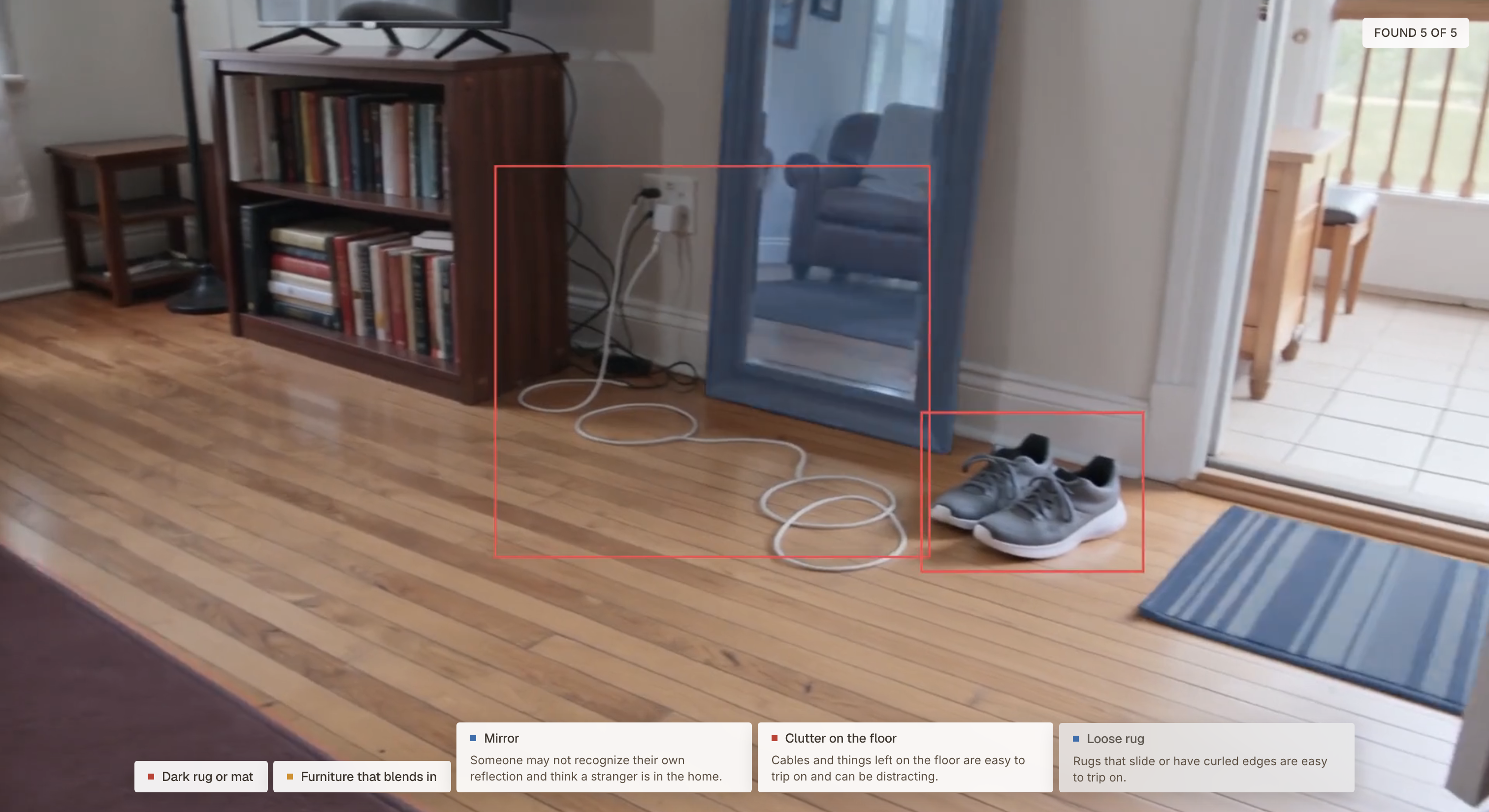
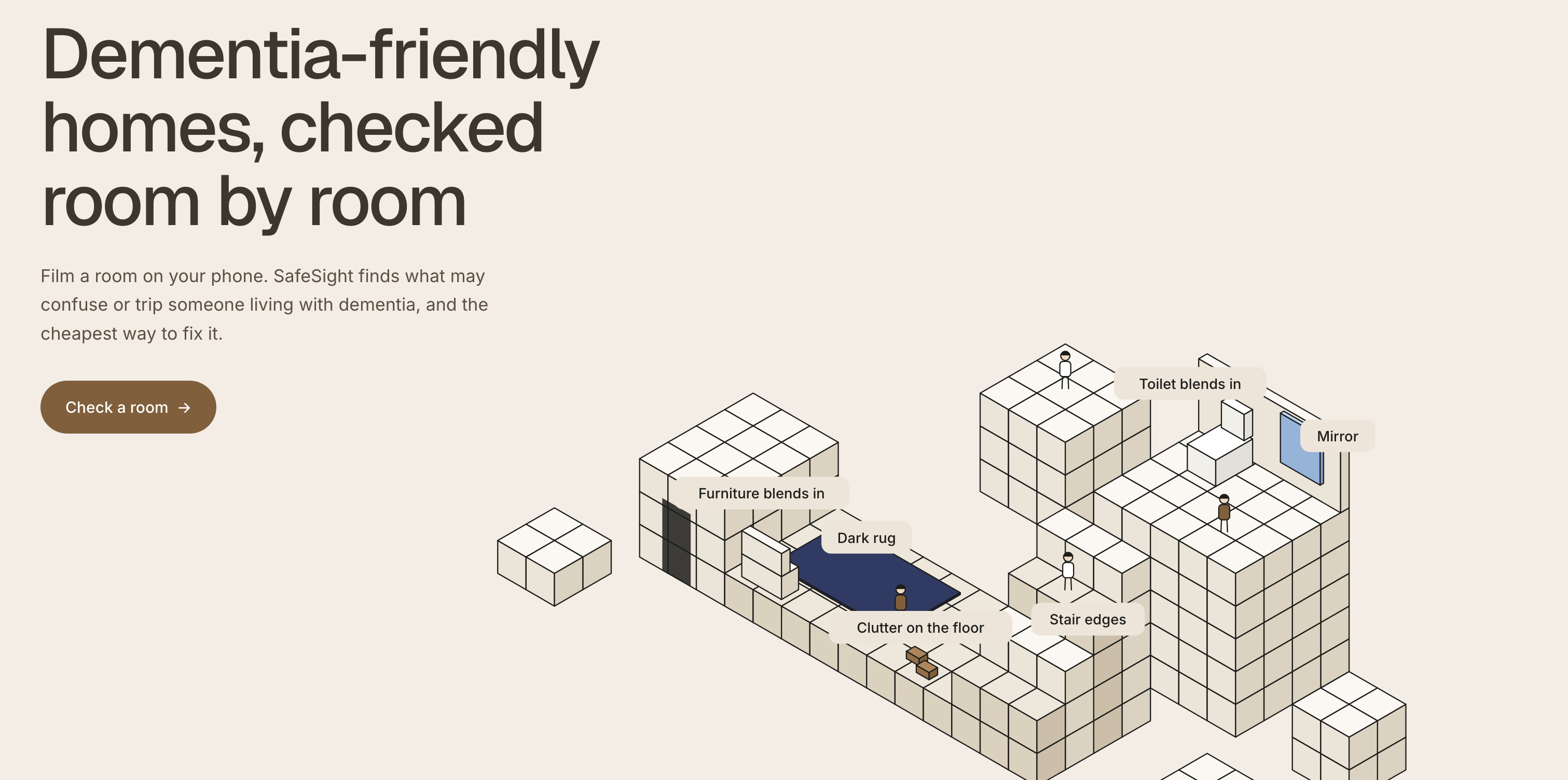
Dementia changes how people see their home. A dark rug can look like a hole in the floor, a white toilet can disappear against a white wall, and a mirror can look like a stranger standing in the room. The Alzheimer's Society guide Making your home dementia friendly describes these problems, but a caregiver still has to find them room by room, often without knowing what to look for. We wanted a caregiver to be able to film a room on their phone and get a clear, cheap fix list.
What it does
SafeSight checks a room for things that may confuse or trip someone living with dementia.
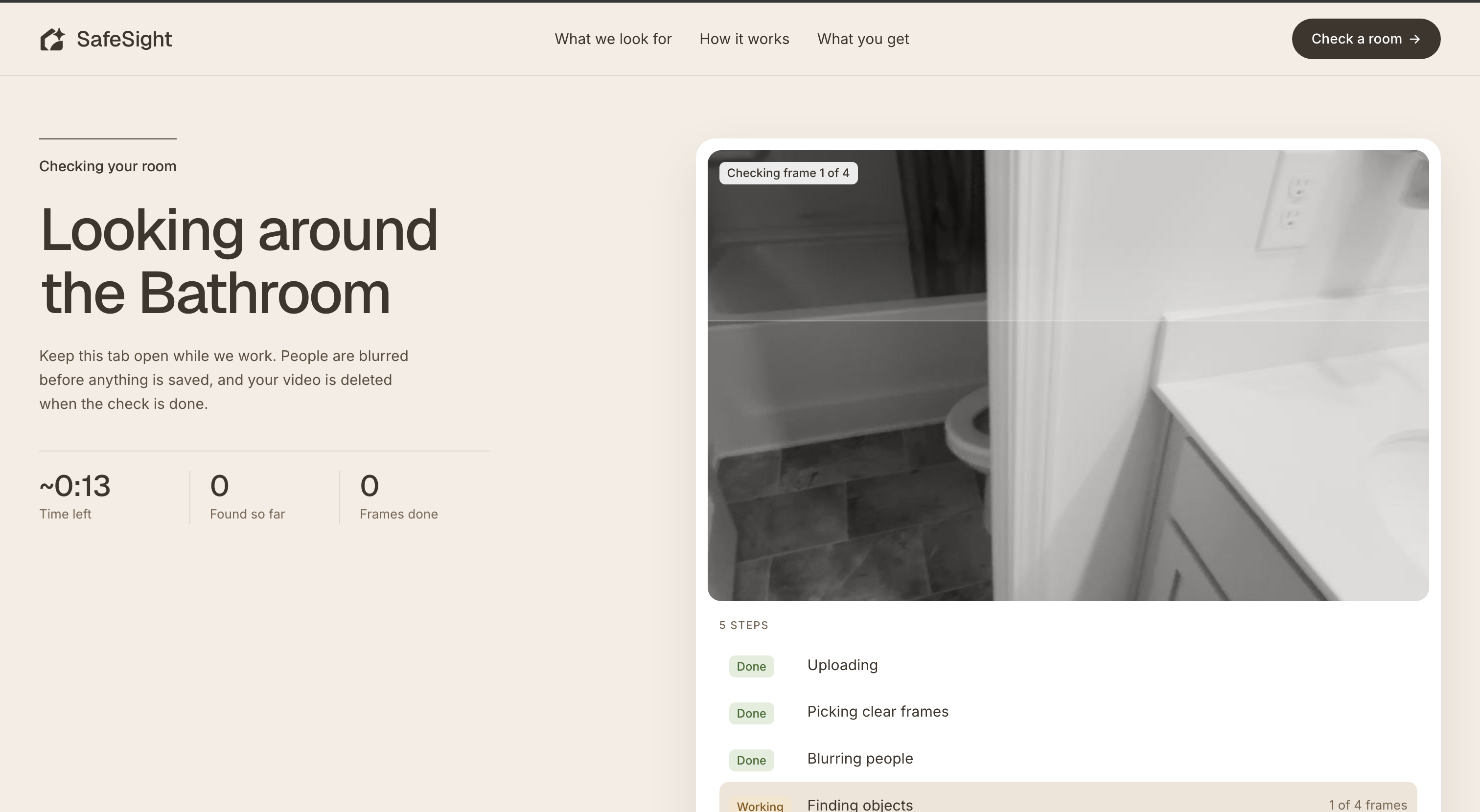
- Film or upload a video or photos of a room, or scan live in the browser and see possible problems marked as you look around.
- See each finding on your own video: a 3-second clip with the object framed as it moves, or the clearest photo with the object spotlit.
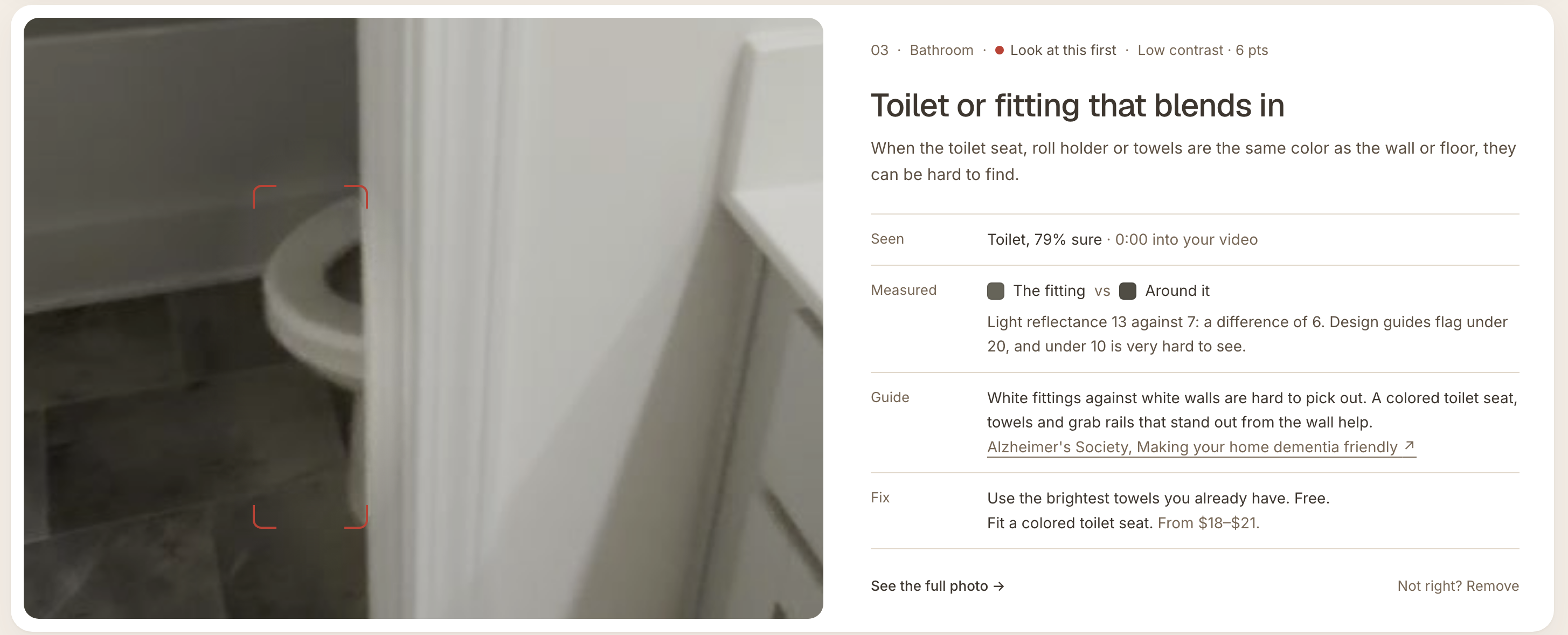
- Understand why: each finding says why it may be a problem, how sure the model is, what we measured (the object's light reflectance against what's around it), and what the dementia design guides say, with the source linked.
- Fix it cheaply: a free first step for today, the cheapest proper fix with a price and where to buy it, and a printable fix plan grouped into today, this weekend and call a handyman, with DIY and handyman costs and one shopping list.
It's advice, not a safety inspection: every home and person is different.
How we built it
- Detector: we fine-tuned YOLO-World v2 L on an NVIDIA H100 across 11 training runs, on about 40,000 images from public datasets plus nearly 1,000 hand-checked frames from real homes. For each of 16 object types the app uses whichever run scored best on validation photos.
- Results: on two homes the model never trained on, it finds the objects that matter in 78% of rooms, versus 42% for the untrained detector (doors 26% → 70%, windows 16% → 65%, stairs 20% → 57%).
- Analysis pipeline (FastAPI): a video becomes about one sharp frame per second; everyone in it is blurred before anything is saved; SAM 2.1 traces each object and Grounding DINO finds floors, walls, doors and windows. Then we measure contrast instead of guessing: an object less than 20 points of light reflectance from its surroundings is flagged, under 10 is serious. Repeat sightings across frames merge into one finding.
- Website (Next.js, React, Tailwind): live AR scanning with the phone camera, results with clips and spotlit photos, a printable fix plan, and it installs on a phone like an app.
Challenges we ran into
- No dataset of "dementia hazards" exists. We built one from object datasets and our own home videos, then turned objects into hazards with measured contrast rules rather than asking a model to guess what's risky.
- Thin cables and clutter are hard to detect, and real phone video is blurry and shaky. We added hand-labeled frames from real homes and weighted them more heavily.
- The same rug shows up in 30 frames of a video. We merge repeats so a caregiver sees one card per thing, in its clearest frame.
- False alarms. Testing on our own homes surfaced cases like a carpet being compared with itself as "floor and wall", which we fixed with geometry checks.
Accomplishments that we're proud of
- Nearly doubling the untrained detector's accuracy on homes it never saw (42% → 78%).
- Every finding shows its evidence: the clip, the measurement and the guide it comes from.
- Privacy by design: people are blurred before any frame is stored, videos are deleted after the check, and there's no account.
What we learned
Most dementia home hazards aren't about what an object is, but how it contrasts with what's around it. Measuring light reflectance made the results explainable and far more accurate than detection alone. We also learned how much real, messy home footage matters compared with clean public datasets.
What's next
"After" pictures that show each fix, lighting checks, more hazard types, faster checks on longer videos, and testing with caregivers and occupational therapists.

Log in or sign up for Devpost to join the conversation.