-
-
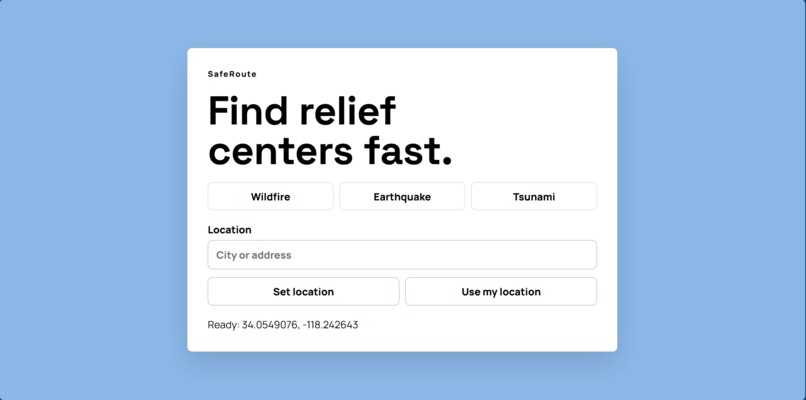
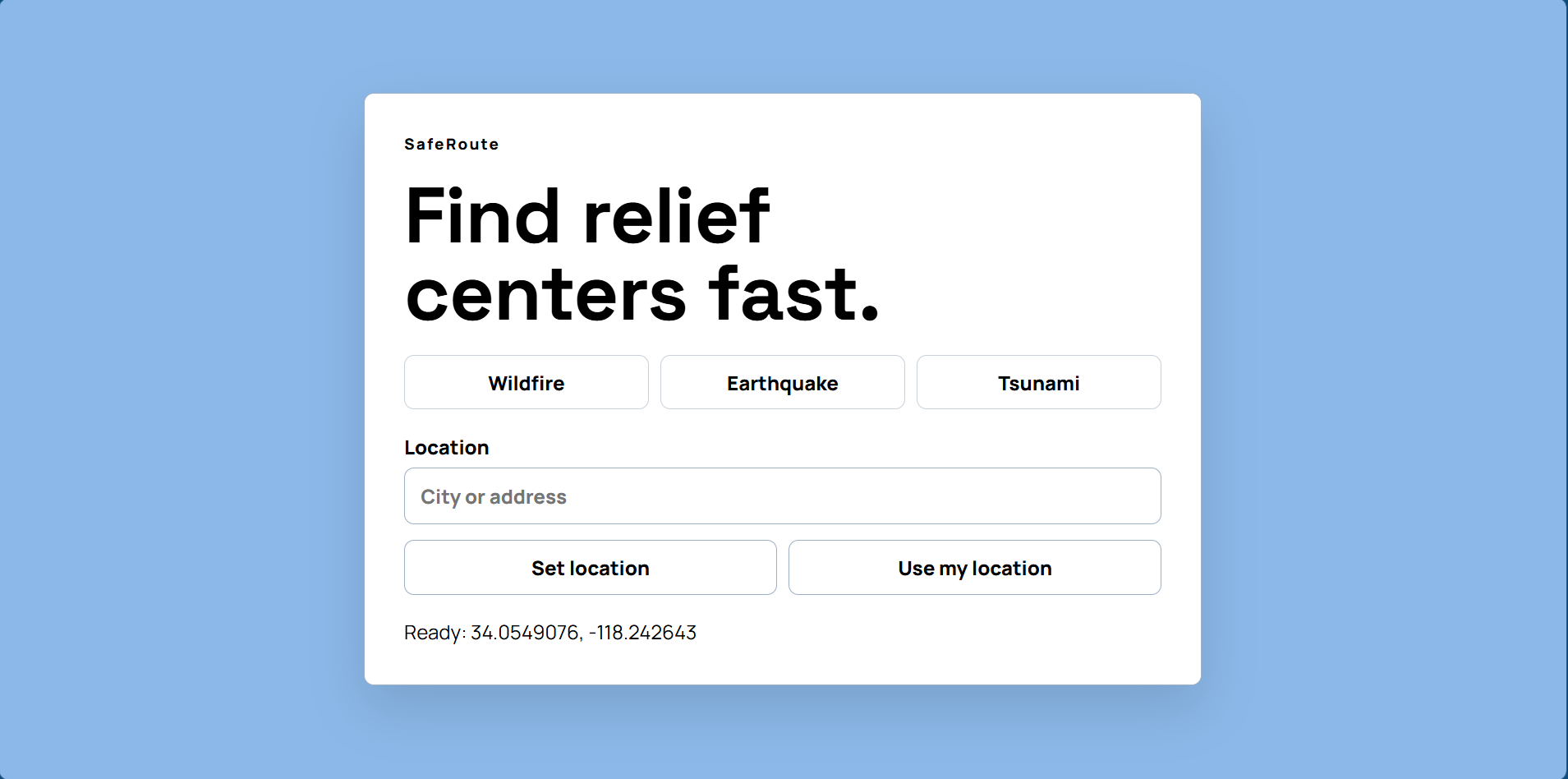
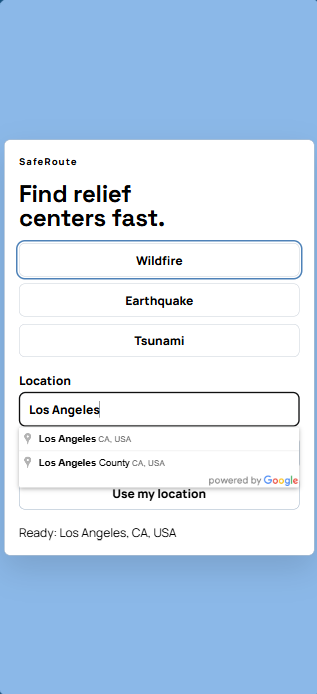
Computer Home Screen
-
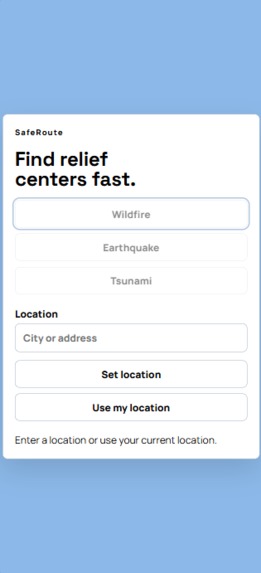
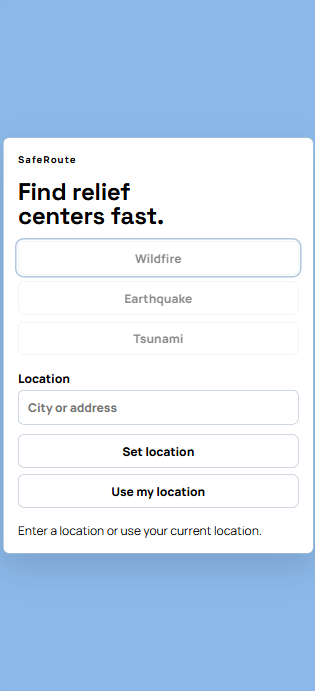
Mobile Home Screen
-
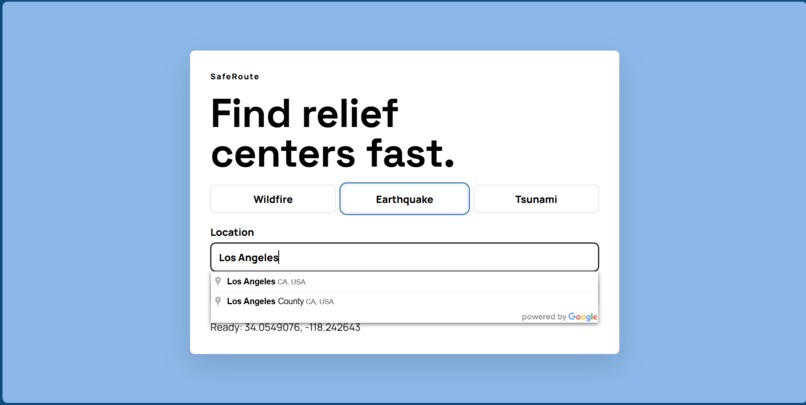
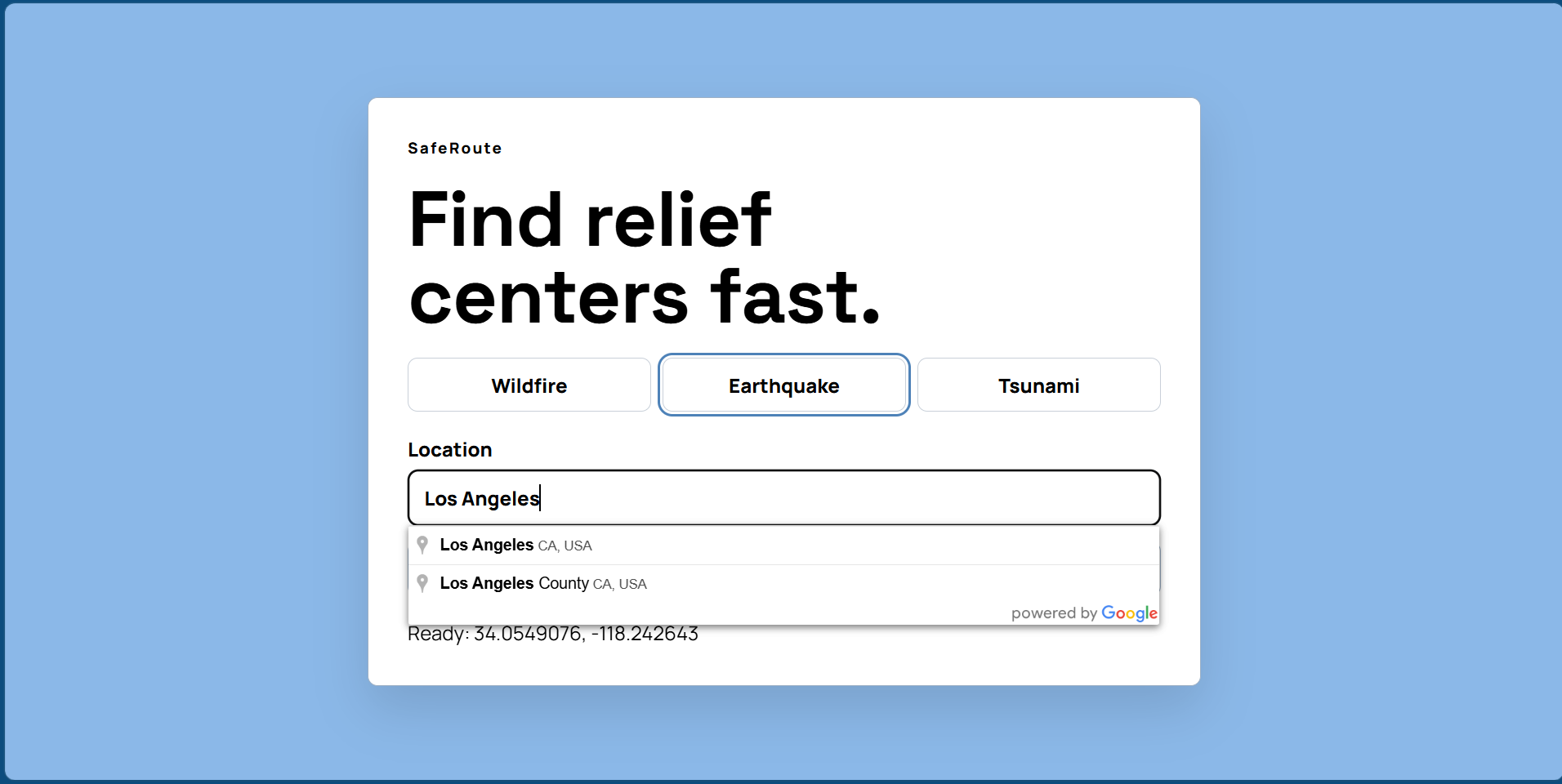
Computer Location Input Screen
-
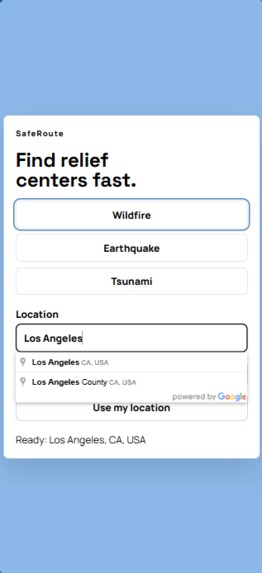
Mobile Location Input Screen
-
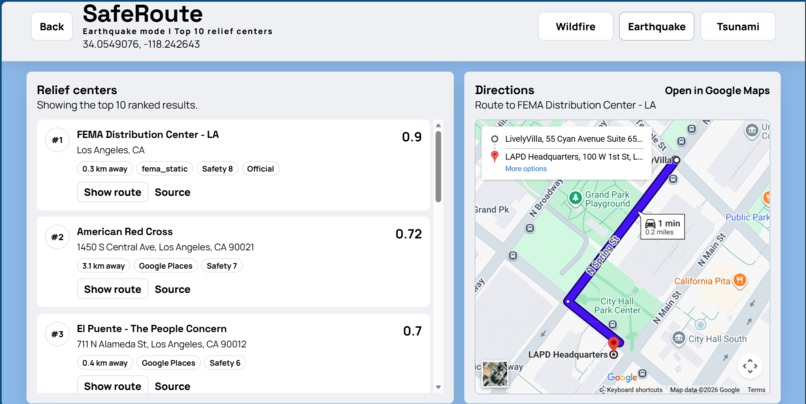
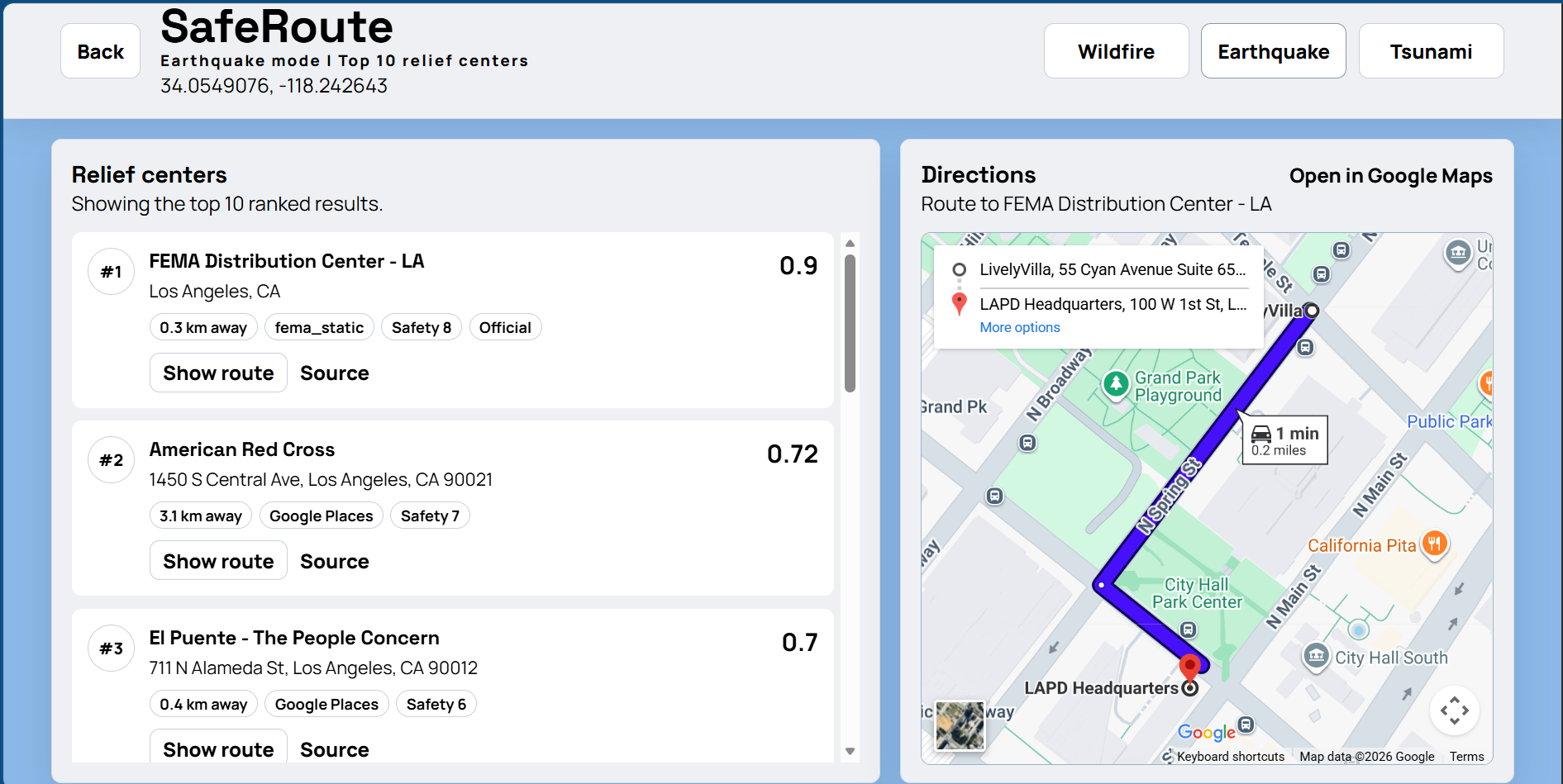
Computer Dashboard Screen
-
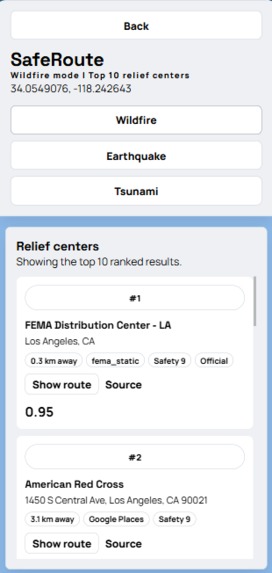
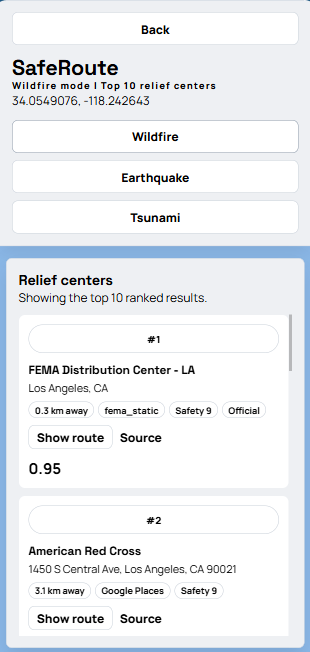
Mobile Ranking Screen
-
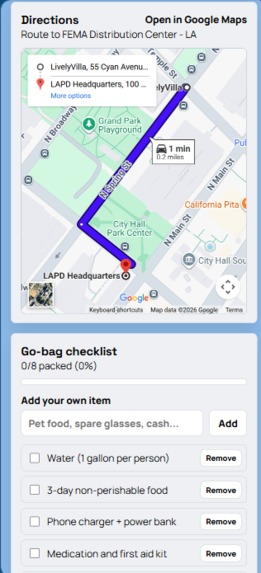
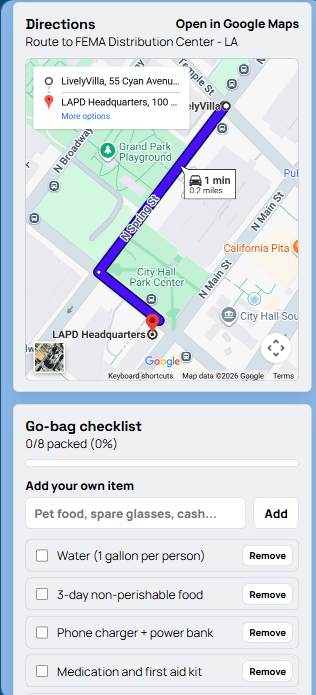
Mobile Map Screen
-
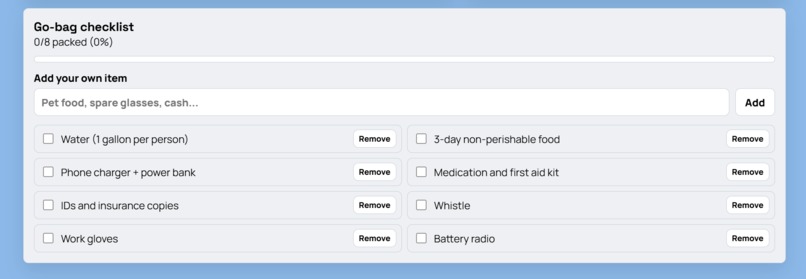
Computer Checklist Screen
-
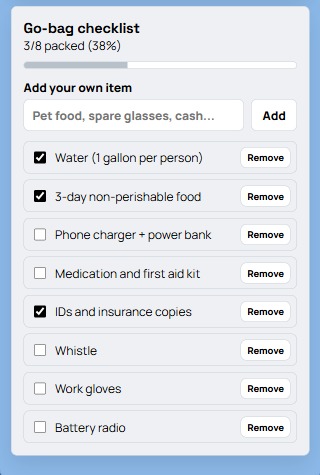
Mobile Checklist Screen
Inspiration
"All residents evacuate." When a person hears these words, a thousand thoughts race through their mind. "What should I grab? Where should I go? Will my family be safe?"
In 2019, the Saddleridge Fire forced one of our group members and his family to evacuate in the middle of the night. They frantically packed what they could: their IDs and a couple of clothes, and just kept driving until they found a place to stay.
This story is not unique; millions around the world face disasters such as earthquakes, tsunamis, and wildfires. While we can't control what happens in nature, we can make evacuation safer, easier, and clearer. That is why we created SafeRoute: to guide people to safety when it matters most.
What it does
SafeRoute is an all-in-one evacuation platform designed to guide users to safety efficiently. By entering a location or enabling location access, users are presented with the top 10 evacuation centers. Currently, it supports wildfires, tsunamis, and earthquakes.
Each center is ranked based on proximity, safety, and reliability, helping users make informed decisions under pressure. Once a location is selected, SafeRoute provides the most efficient route powered by Google Maps, including alerts for hazards and dynamic rerouting if the disaster affects conditions.
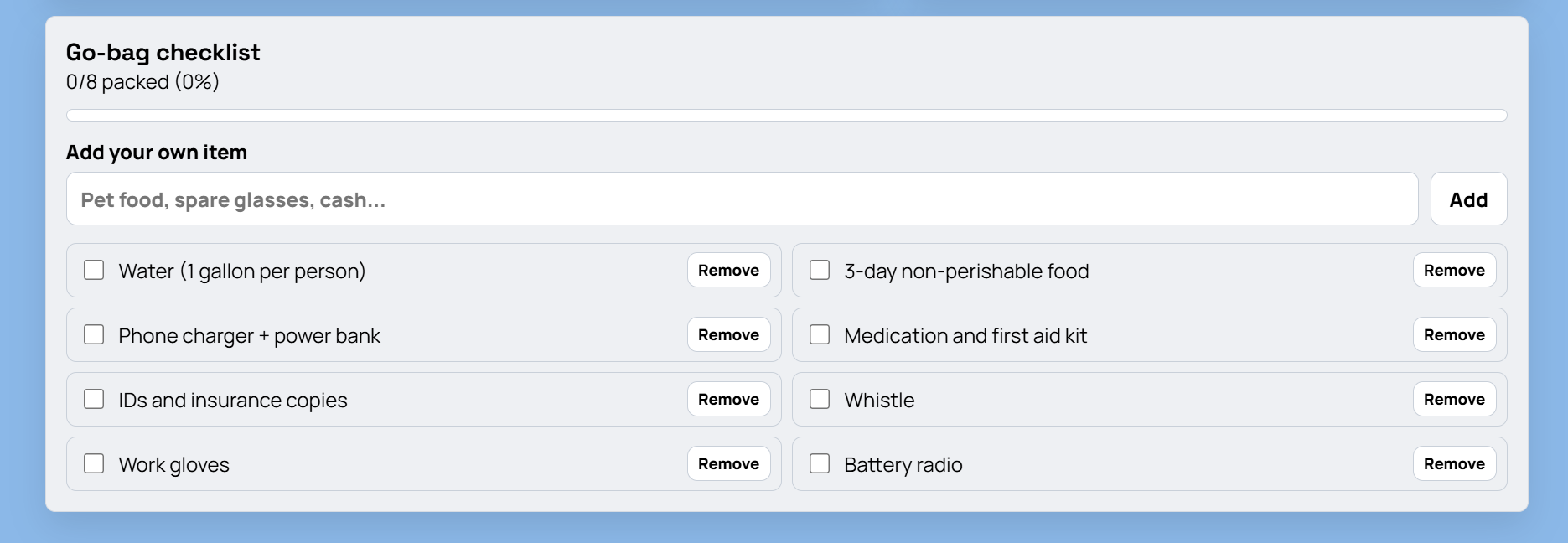
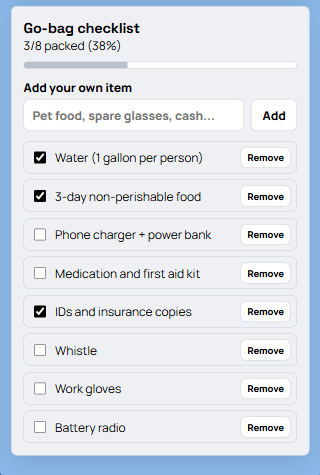
To support preparedness, SafeRoute also includes a customizable evacuation checklist, featuring essential default items with the ability to add or remove anything based on individual needs.
How we built it
Our development followed an iterative approach using the MERN stack. We began by creating a minimal end-to-end application. We established Express API routes in the backend and a frontend to create our pipeline. Initial development used a static dataset of evacuation centers, with parsing functions to normalize data and a ranking algorithm incorporating distance, safety, and reliability. In parallel, we designed the initial UI/UX in Figma, creating component-level layouts that were later translated into React components.
We then introduced dynamic geolocation. This included both user-inputted search and location retrieval via the Geolocation API. Supporting this required redoing our data pipeline to handle live inputs and integrating external data sources through scraping and API-based queries, primarily leveraging Google Maps and OpenStreetMap.
The backend was extended to handle asynchronous data fetching, aggregation, and ranking in real time, returning structured results to the frontend. We then rebuilt the frontend into a two-view flow, with an input dashboard for location and disaster type, and a results interface displaying ranked evacuation centers and navigation.
We also implemented a client-side state-managed checklist component, initialized with default evacuation items and supporting dynamic user modifications. Finally, we focused on mobile responsiveness, adapting the layout for smaller screens.
Challenges we ran into
One major challenge we ran into was embedding the interactive Google Maps feature largely because of struggles to properly sync and implement the API keys. We had trouble gaining proper access and permission to the keys and integrating them into the Vite environment was a significant learning curve. This struggle also came up when we tried linking our frontend to our backend, especially because we split up our team to have half the people working on backend while the other half worked on front end design. Thus, linking the two caused us a significant effort especially when it came to displaying the embedded google maps feature and passing the data to properly render everything together. Another similar challenge we faced was trying to get the users real time location information as an option rather than only letting them type in an address. Because we had to properly handle and access the browser’s location permissions and integrate the dynamic data into our map, we struggled to get the feature to work on all of our test laptops together, even though it might’ve worked on one of them.
We also realized that our project would be useful for a majority of users through the phone and that what might look good on a desktop display might not render properly on a phone screen. We initially struggled with getting our local host site on our phone browser because we never officially deployed the website and there were firewalls, so after initially trying to retrieve our IP address and trying to link a local host route url using ngrok, we finally settled on using devtools and were able to test our website on both mobile and desktop views. Although we had some breaks and bugs when making changes to the code to better display it on mobile devices, we were able to sync our changes and properly render our project on both device types.
Our last major challenge was designing the website itself. We had a hard time choosing color schemes, deciding on a layout, and implementing a logo, which we ultimately scrapped because we thought it didn’t fit the theme of the website. Ultimately, we made the realization that a cleaner, more minimalistic layout without a large logo was better for the overall theme and functionality of the website. This required thinking from the user’s perspective.
Accomplishments that we're proud of
One accomplishment we are proud of is our pacing. Throughout the project, we ensured that we achieved certain milestones in an appropriate amount of time. We had a draft of an established user interface within the first 5 hours of the event. A working backend was established after 20 hours. The front end and back end were linked for a proper draft of our website after 24 hours. Achieving these milestones, provided us with a sufficient amount of time to properly review our program and make changes to help ensure a smooth interaction between the user and our website.
Some major aspects that we were able to successfully implement in our system were providing an accurate list of nearby shelters through webscraping, a live Google Map that shows the routes to the provided shelters, and an essential checklist for items evacuees should carry with themselves. Group members worked with each other to provide an adequate list of keywords to acquire an effective dataset for shelters listed across the web. We also had to properly analyze our system to integrate API keys to provide routes to the shelters via Google Maps. Numerous aspects regarding user interaction had to be considered as well. For example, we added options for users to add items to their checklist, beyond the recommended items, and remove items as needed. Overall, we are proud of the way we worked together to create something impactful.
What we learned
Building SafeRoute gave us hands-on experience with the full software development lifecycle. We started by planning the project architecture in Figma. It helped us lay out the system design and create a vivid mental image before touching any code. It helped us create a realistic timeline for our project to be tested and worked out before dividing up the responsibilities. We learned how important a clear idea is for the whole scope of the project.
On the backend, we set up and structured a MongoDB database and integrated external APIs including the Google Places API and Gemini API to power the app's core location features. Google place API allowed us to access millions of locations instantly where Gemini helped us filter and rank valid shelters For collaboration, we ran a proper Git and GitHub throughout developing features on separate branches, conducting reviews, and managing merge conflicts as they came up, keeping the codebase stable across the whole team.
Through this experience we learned about how important it is to communicate with each other. This process allows us to have less merge conflict and more efficiently build out projects by knowing what everyone’s working on.
The most instructive parts of the project were the integration challenges. Getting the frontend and backend to communicate reliably, handling API failure, and debugging issues that only appeared at the seams of the stack. By solving these problems, we gain a realistic insight of full stack development in practice.
By the end, we had shipped a fully functional app and a solid understanding of how each layer of the stack depends on the others. But most of all we learned how to work as a team.
What's next for SafeRoute
Ultimately, what comes next is all about thinking in the perspective of large scale users around the world. Our first priority would be shifting SafeRoute from a local development environment to a fully deployed cloud application. Because the website is crucial for quick and efficient use, especially for emergencies, the mobile experience is also extremely important for users. Thus, we would officially deploy the site through a platform like Vercel or AWS, or even transition from a website to a mobile app so that anyone can access it without firewall, compatibility issues, or other roadblocks.
Additionally, we want to make the app’s interactivity extend beyond planning for the future and also extend its use into the present or ongoing conditions of an evacuation or disaster. For example, we could implement offline capabilities and access to every necessary interactive feature, such as live chatting with an AI bot or connecting to an emergency service worker in real time in case of an active emergency.
Finally, we would add options for more disasters rather than limit it to just wildfires, earthquakes, and tsunamis. This would ensure versatility, broader use cases, and transform SafeRoute from a specific emergency responder to a daily, comprehensive emergency safety tool/companion for any community in any region, no matter what natural hazard they face.

Log in or sign up for Devpost to join the conversation.