-
-
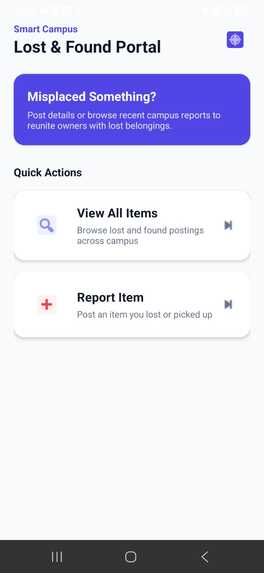
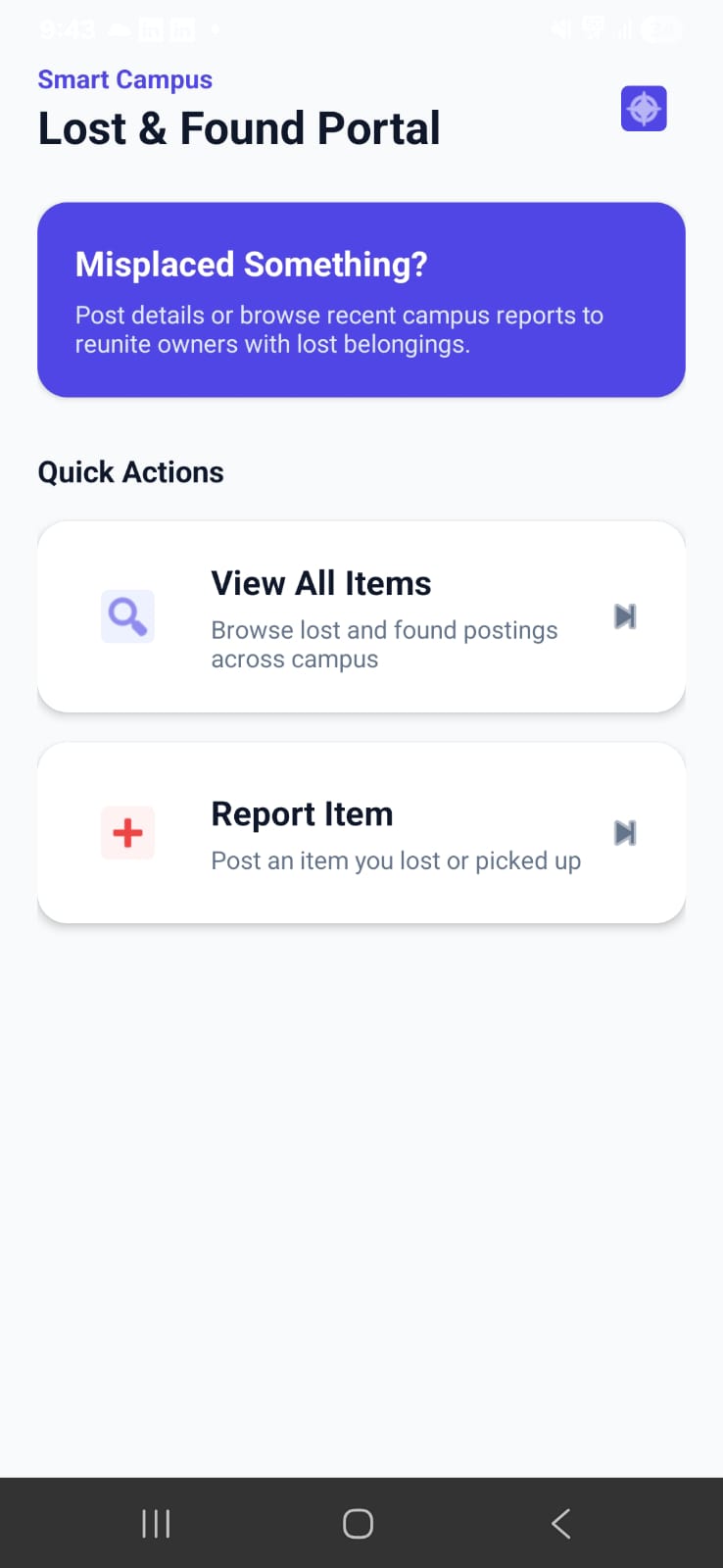
Home Page
-
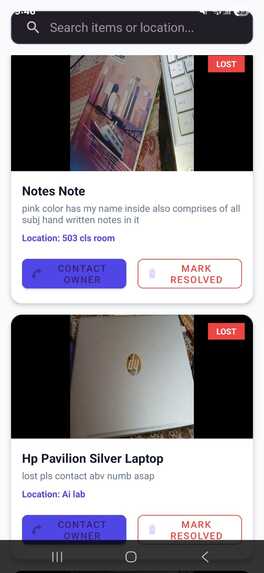
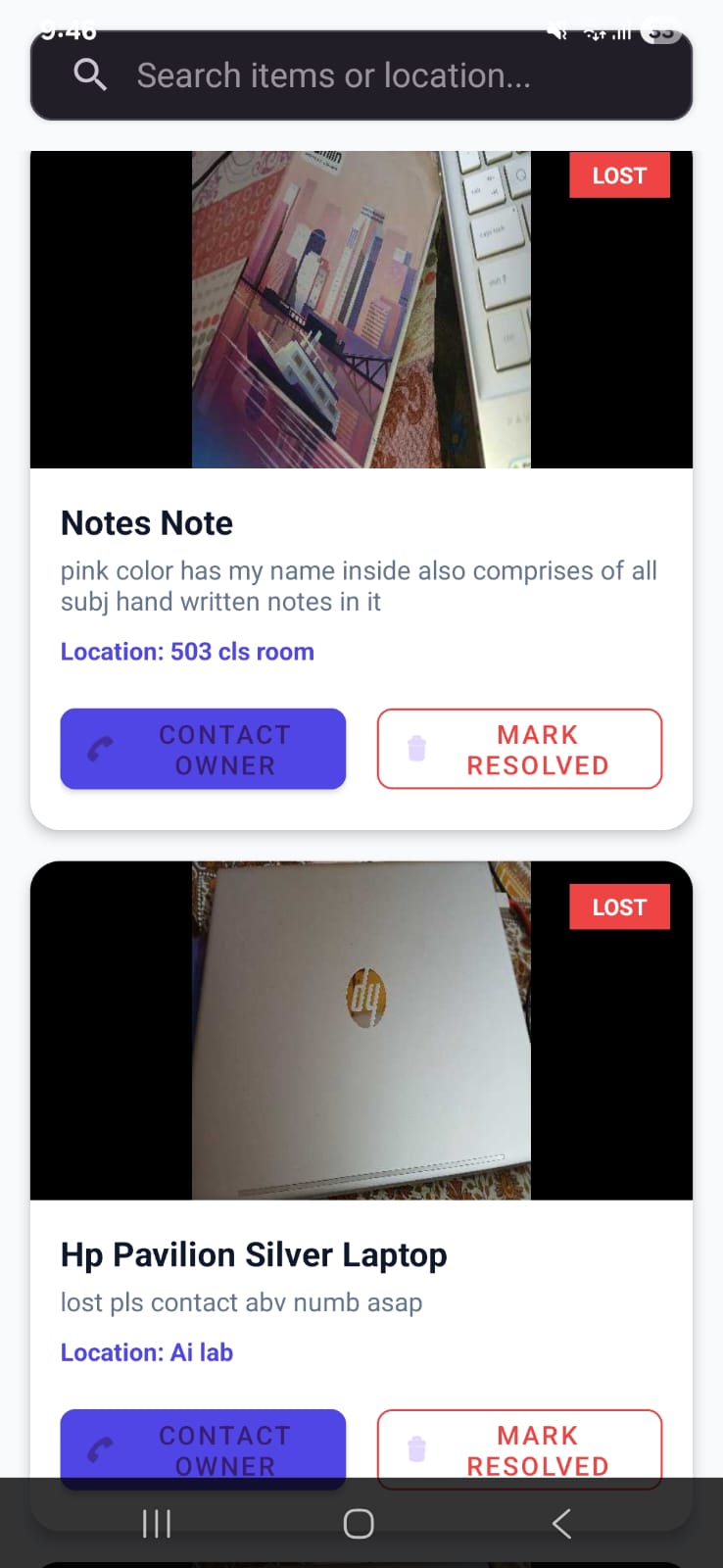
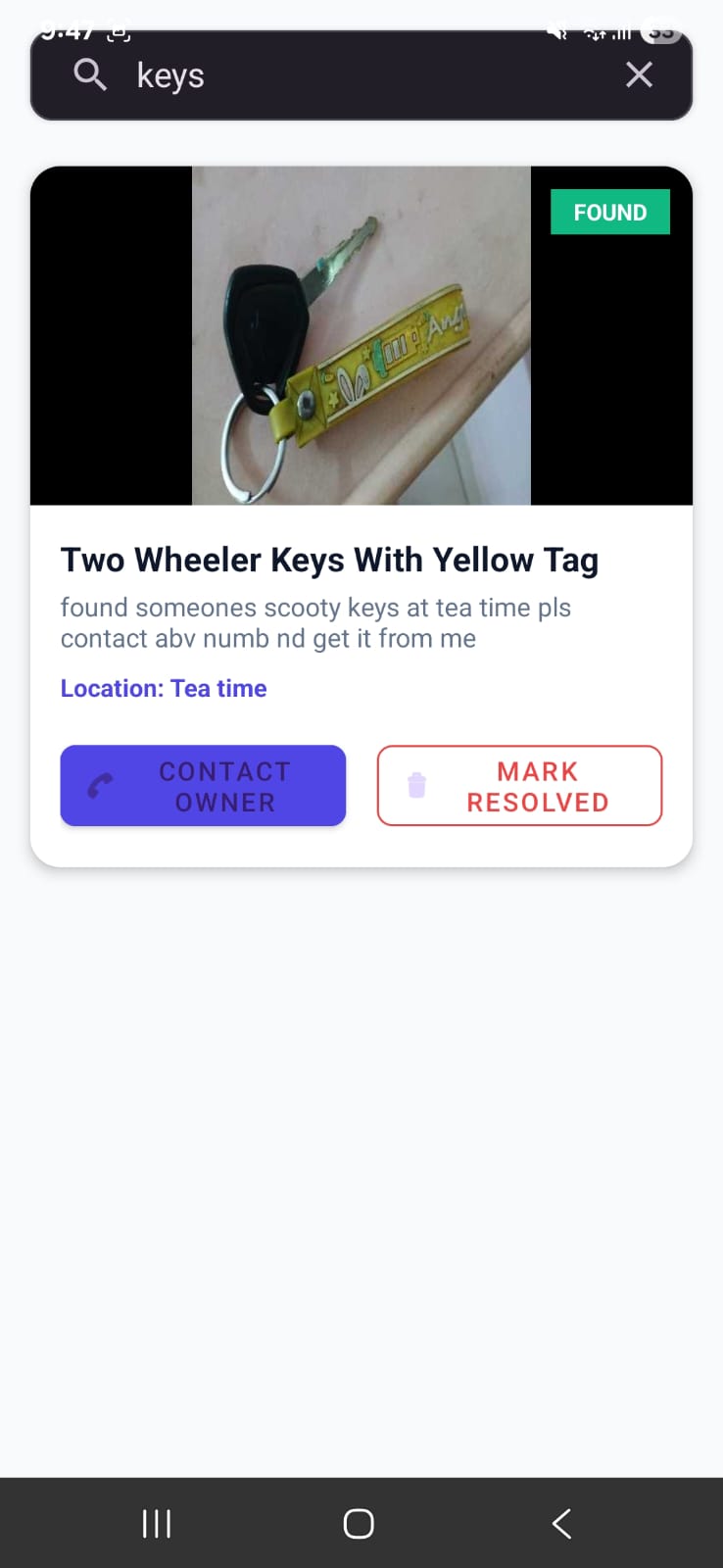
Posted Lost or Found items
-
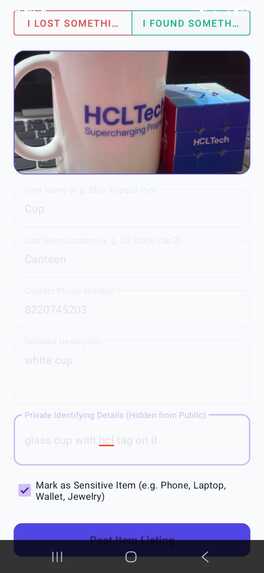
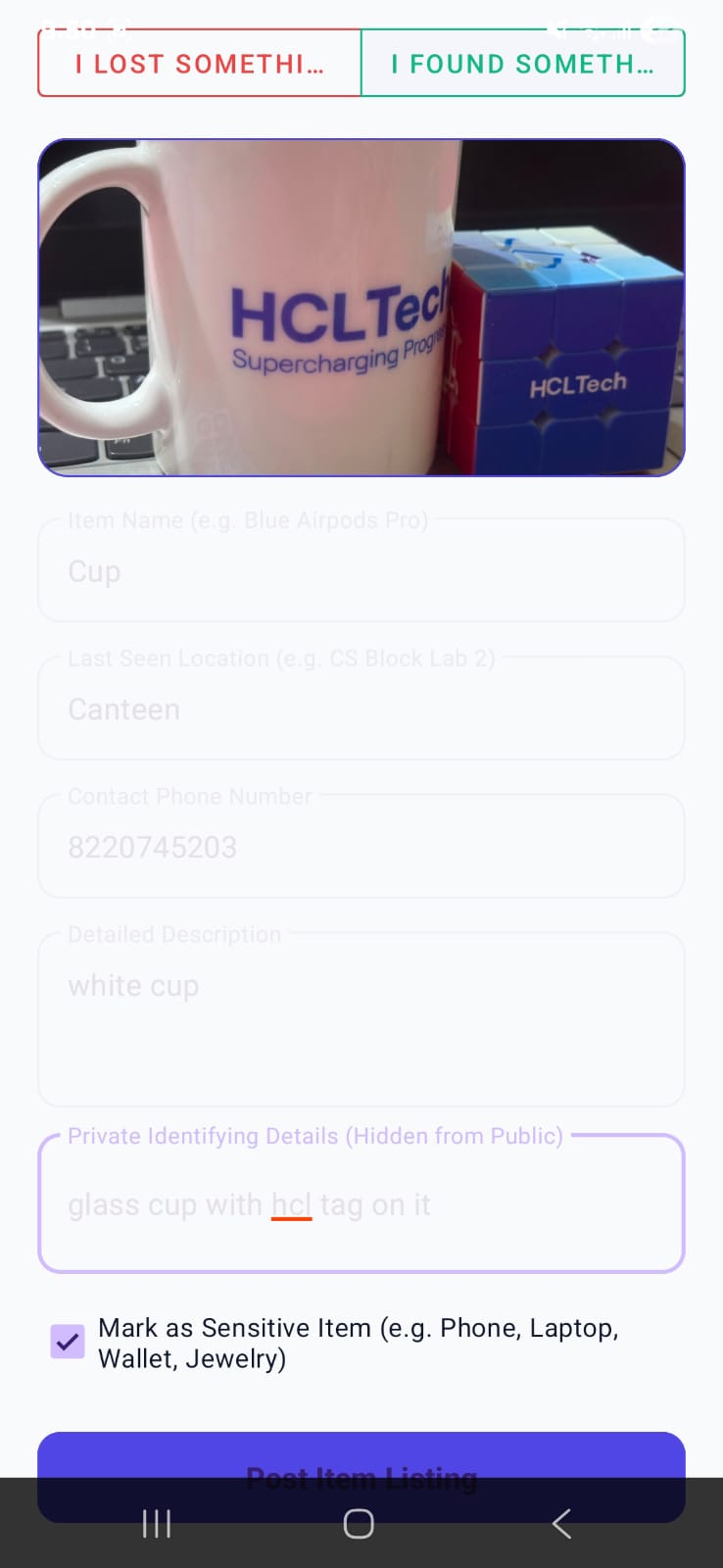
Fill required fields while posting a lost or found item with/without an image
-
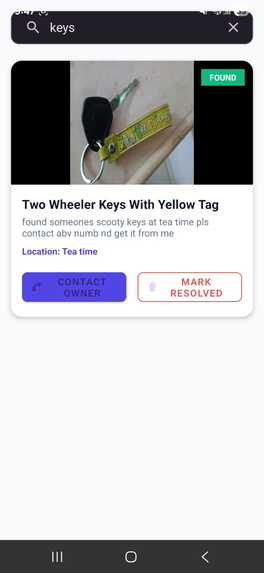
Search Bar
-
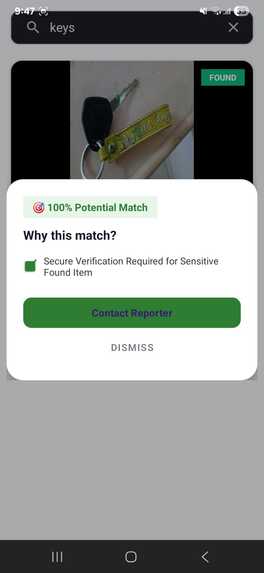
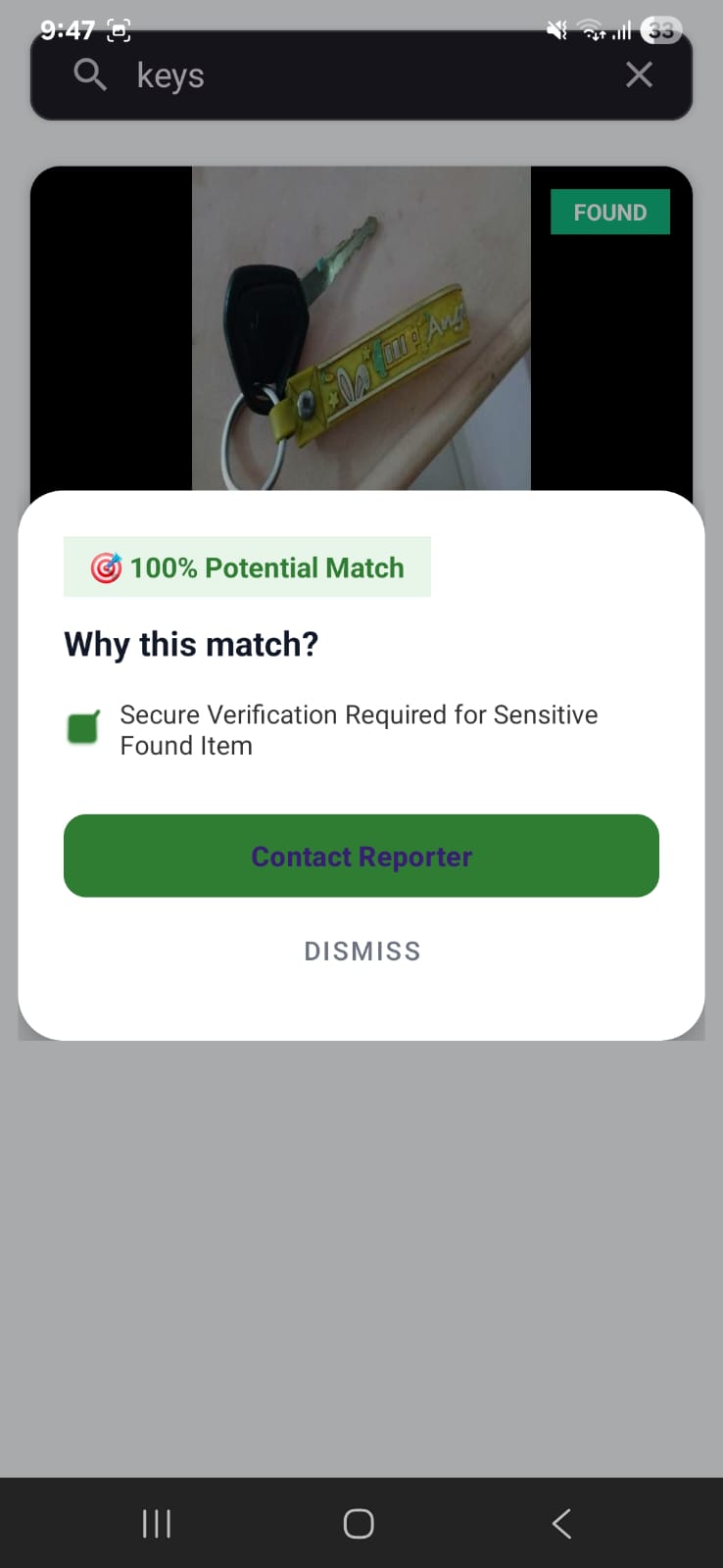
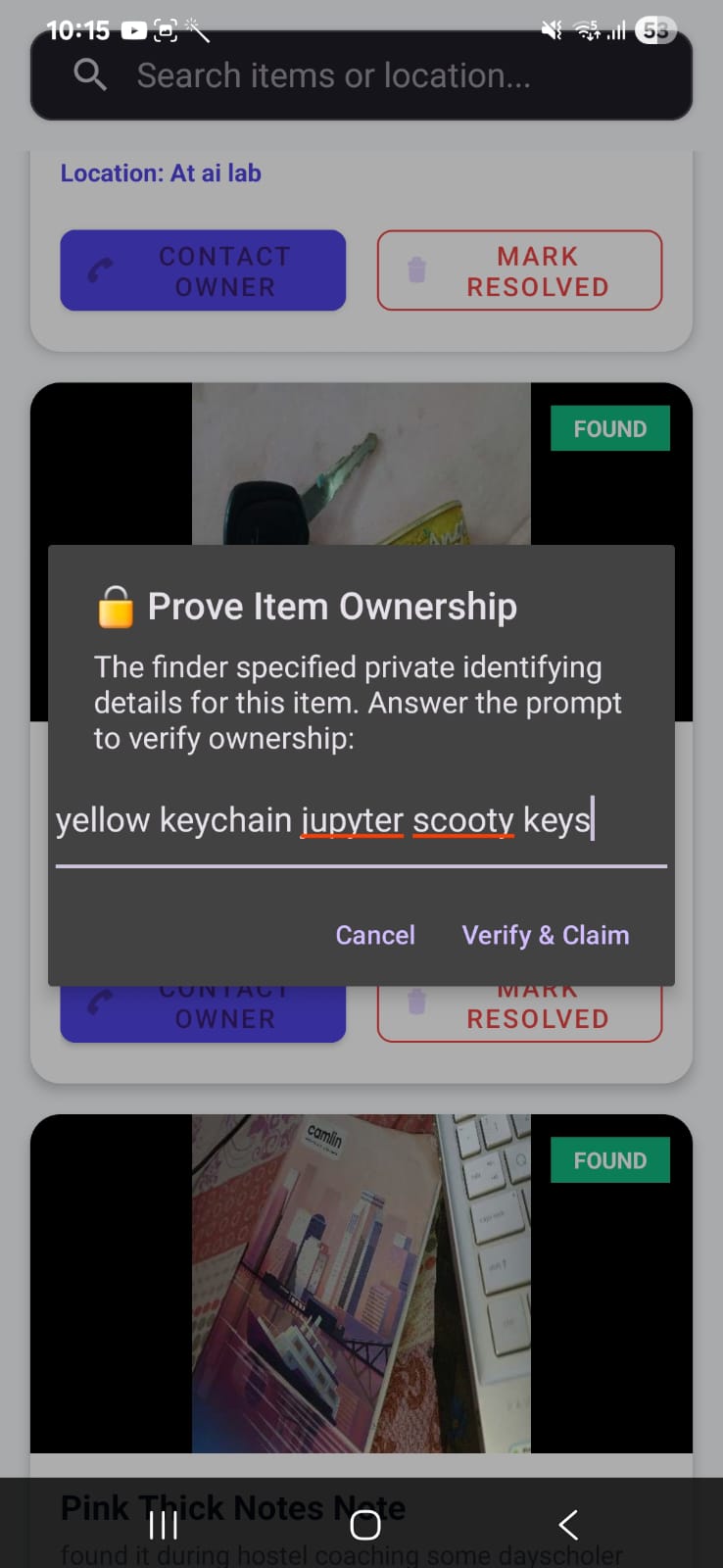
Verify User if its a Sensitive Item
-
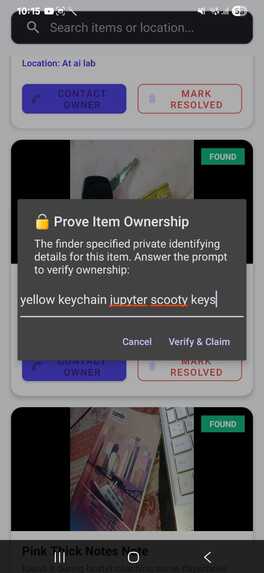
Prove Ownership by typing the correct details of items(sensitive item)
-
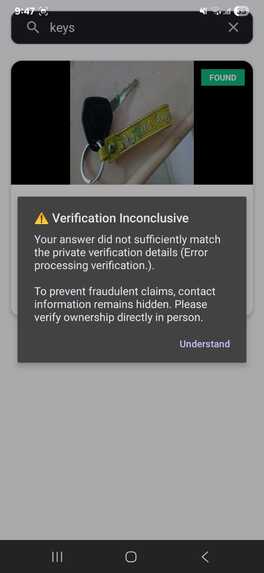
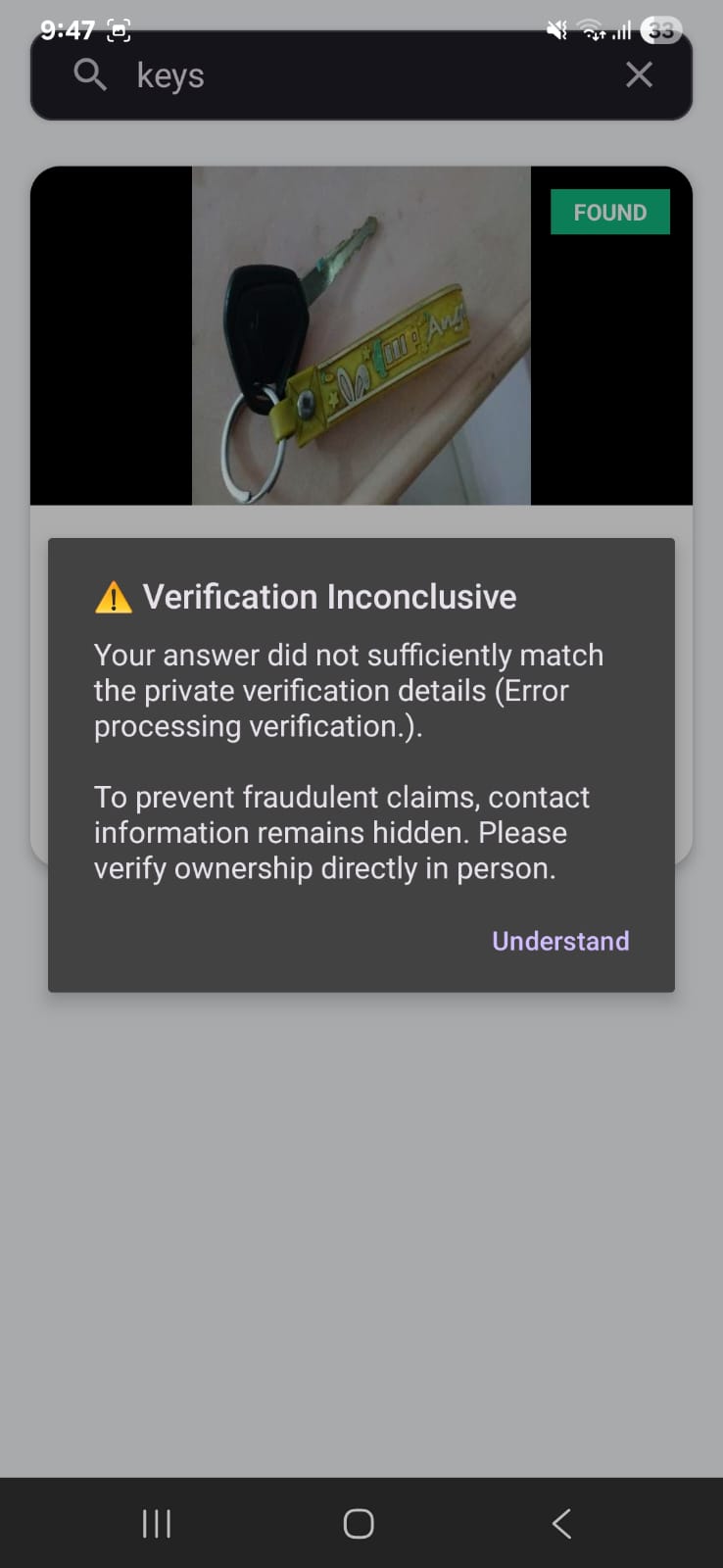
If details are not satisfactory it dosent show phone number of user who posted to contact
-
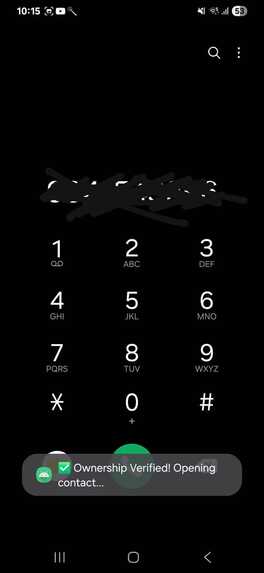
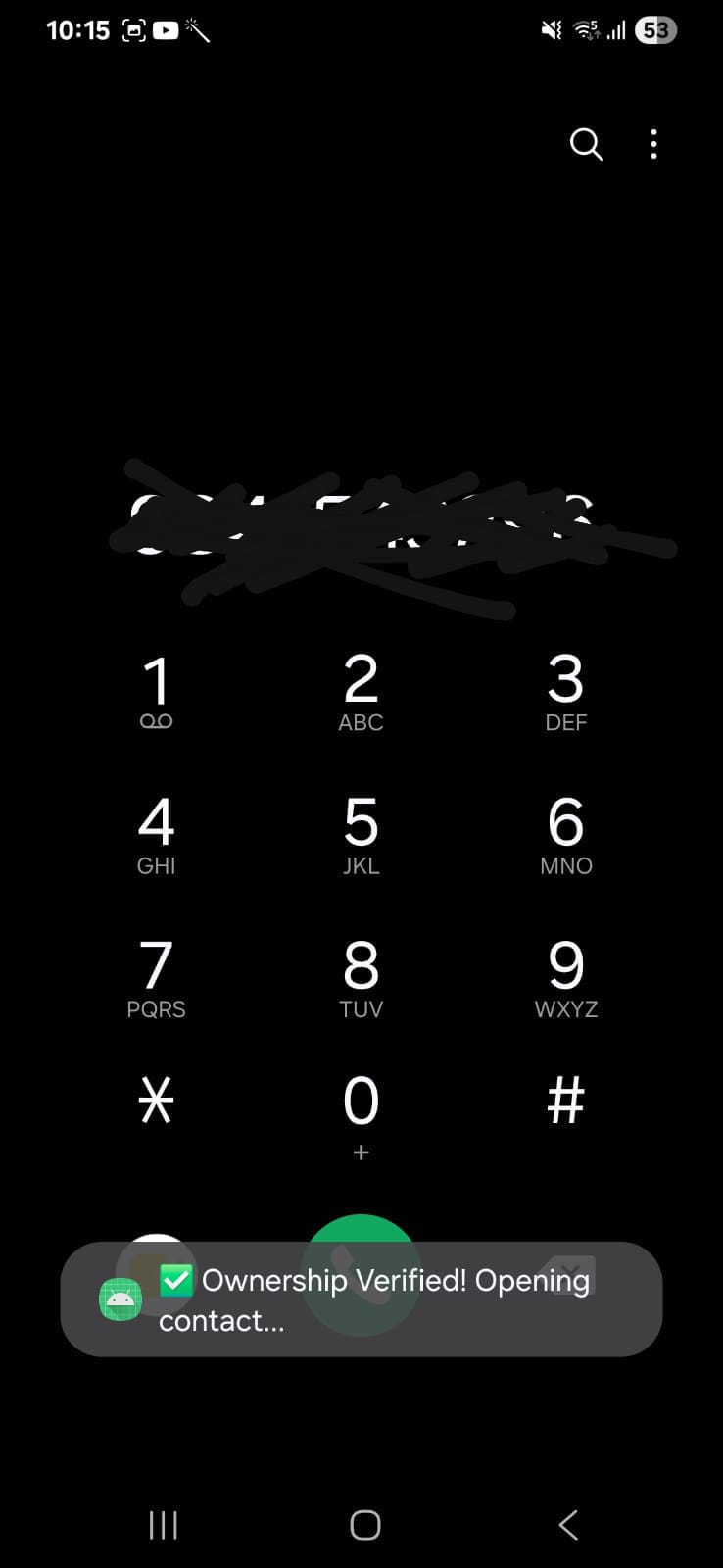
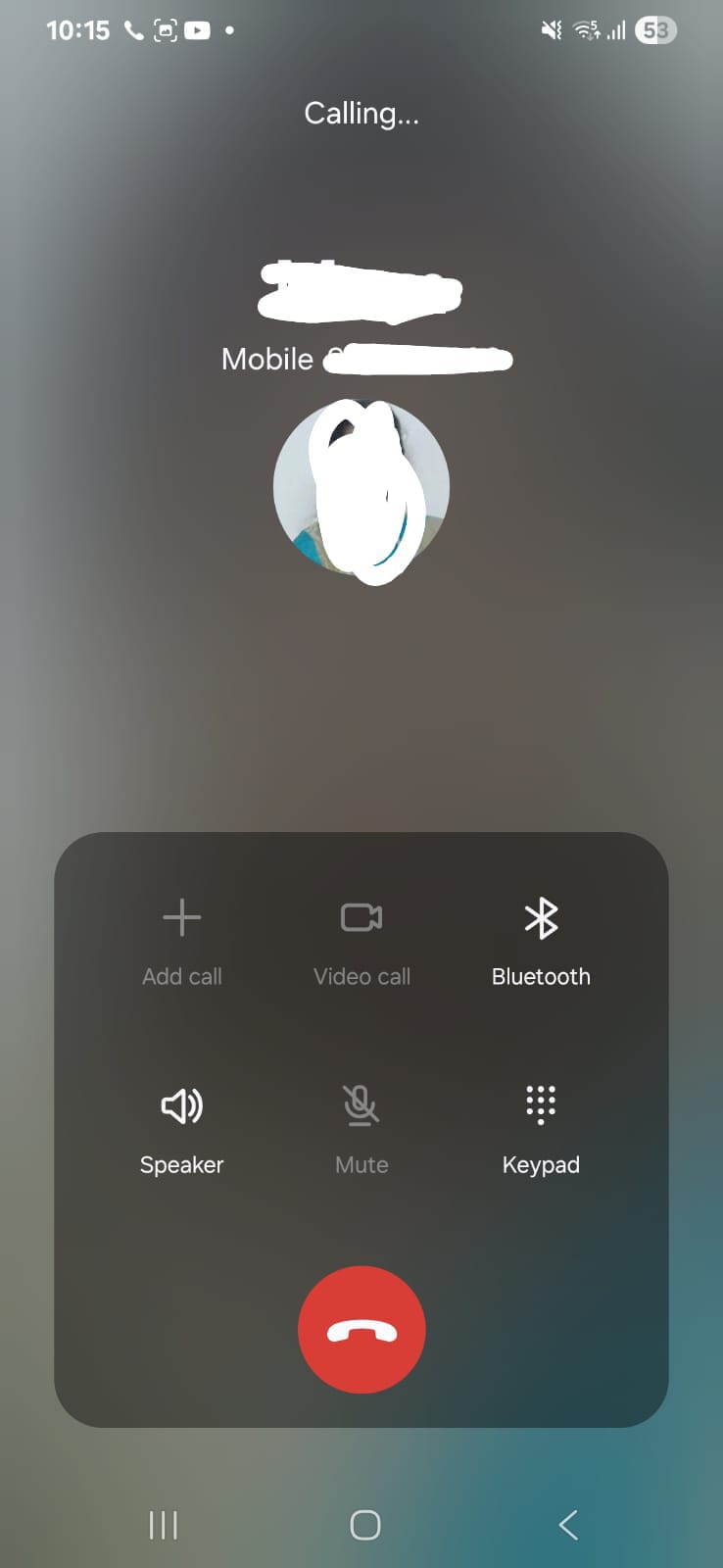
if found the true owner it redirects to phone number of founder of item
-
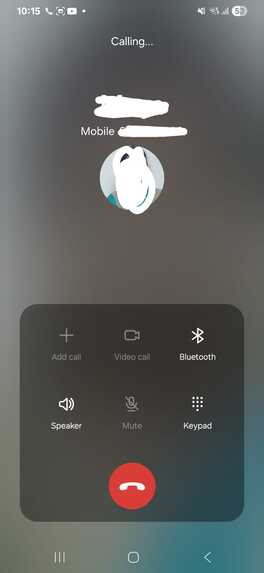
As its connected to contacts you can make a call and ask about your item
Inspiration
Losing a valuable or personal belonging on a college campus can be stressful. Finding it often depends on asking friends, visiting multiple locations, or hoping that someone has noticed and reported the item. When lost-and-found information is scattered, even a simple recovery can become unnecessarily difficult.
The challenge becomes more sensitive when an item contains personal, confidential, or identifying information. Publicly revealing every detail could allow someone to falsely claim an item, while sharing contact information without care can create privacy risks.
We created SafeRecover — Smart Lost & Found to make this process more organized and accessible. Our idea is to bring lost-and-found reports into one searchable platform while providing a foundation for more privacy-conscious recovery, especially when an item has sensitive details.
What it does
SafeRecover is an Android-based lost-and-found application initially developed for a college campus environment. It connects item reporting with a shared, cloud-backed collection of listings.
Its current implementation allows users to:
- Report lost or found items: Submit an item name, location, contact number, description, and Lost or Found status.
- Add identifying details: Include additional private details and mark an item as sensitive when appropriate.
- Attach item images: Optionally select an image from the device gallery to help describe the item.
- Browse reported items: View submitted reports through a dedicated listing screen.
- Search listings: Filter displayed items to make relevant reports easier to find.
- Access cloud-backed records: Store and retrieve item reports using Firebase Realtime Database.
The central idea is to make it easier for someone who has lost an item and someone who has found one to discover relevant reports in one place.
Sensitive-item reporting also highlights an important design consideration: not every identifying detail should necessarily be exposed publicly. The existing app provides fields for additional details and a sensitive-item indicator; stronger access restrictions and a secure ownership-verification workflow remain areas for improvement.
How we built it
We built SafeRecover using Java, XML, and Android Studio, with Firebase Realtime Database as the cloud data layer.
The application has a home screen that directs users to the reporting and browsing workflows. The reporting screen collects item information, contact details, location, description, additional private details, and item status. Users can optionally choose an image from their device gallery.
Selected images are resized, compressed as JPEGs, encoded as Base64, and stored with their associated item records in Firebase Realtime Database. Each report is saved under a generated database key.
For browsing, the application retrieves records using a Firebase value-event listener and displays them in a RecyclerView. A SearchView filters the displayed listings, helping users narrow down the available reports.
We focused on keeping the application straightforward to navigate while connecting reporting, image handling, cloud storage, and search in a single mobile experience.
Challenges we ran into
One challenge was combining different types of information—text fields, item status, optional images, and additional identifying details—into a consistent item record.
Handling images required extra processing because storing large image data directly with database records can increase data usage and affect scalability. We therefore resize and compress images before encoding them for storage. A dedicated image-storage service would be a potential improvement as the application grows.
Another challenge was ensuring that submitted reports could be retrieved and displayed through a shared database while keeping the reporting and browsing interfaces simple.
Privacy presented a separate design challenge. Contact details and distinctive item descriptions can be useful for recovery, but exposing too much information may also make misuse easier. A sensitive-item flag and private-details field are useful starting points, but they do not, by themselves, enforce access restrictions or prove ownership. Building a trustworthy recovery process requires additional security controls and careful verification.
Accomplishments that we're proud of
We developed a working Android application that brings together lost-and-found reporting, optional image attachments, cloud-backed records, and searchable listings.
We are proud of turning an everyday campus problem into a functional mobile solution with a clear purpose. Instead of relying entirely on scattered messages or informal communication, users have a central place to submit and browse item reports.
We also considered that different belongings may require different levels of care. By including additional private details and a sensitive-item indicator in the reporting workflow, the project establishes a foundation for more thoughtful handling of items that may contain personal or confidential information.
Most importantly, SafeRecover has given us a practical foundation on which to build a safer and more reliable recovery experience.
What we learned
Building SafeRecover helped us understand how to develop an Android application connected to a cloud database, process optional image uploads from a device gallery, structure records, and display dynamically retrieved data.
We learned that solving a real-world problem involves more than making the main workflow function. Image size, data organization, search usability, privacy, and the possibility of false claims all affect how useful a lost-and-found platform can be.
We also learned to distinguish between collecting private information and protecting it. A field labelled private is not automatically secure; proper database access rules, controlled visibility, and a well-designed recovery process are necessary to protect sensitive information.
These lessons shaped our direction for SafeRecover: build on the existing functionality while prioritizing practical safety improvements that can be implemented and tested.
What's next for SafeRecover
Our next steps focus on improving privacy, recovery reliability, and scalability:
- Privacy-first listings: Introduce access controls so sensitive details and personal contact information are not unnecessarily exposed to other users.
- Safer contact: Explore a recovery-request workflow that lets a potential finder or owner express interest without immediately publishing personal contact information.
- Ownership verification: Introduce a way to compare privately supplied identifying details before arranging a recovery, while recognizing that keyword agreement alone cannot guarantee ownership.
- Smarter item discovery: Explore matching lost and found reports using item names, descriptions, categories, and locations, with understandable reasons for suggested matches.
- Sensitive-item protection: Develop clearer handling rules for items that may contain confidential or identifying information.
- Improved image storage: Consider Firebase Storage or another suitable file-storage service instead of storing Base64-encoded images directly in database records.
- Security and reliability: Review Firebase access rules, validate inputs, and test the reporting, search, and recovery workflows against misuse scenarios.
Our long-term vision is to evolve SafeRecover from a campus lost-and-found application into a reusable platform for communities that need a more organized way to recover belongings. We want to combine ease of use with responsible information handling, making recovery more convenient without overlooking privacy and trust.
Built With
- android
- android-studio
- cloud-database
- firebase
- firebase-realtime-database
- java
- mobile-app
- search
- xml

Log in or sign up for Devpost to join the conversation.