-
-
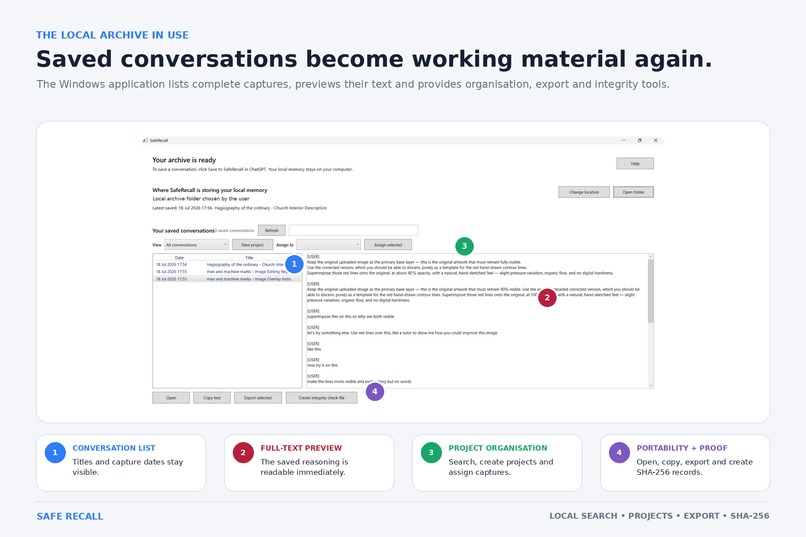
Saved conversations become future material
-
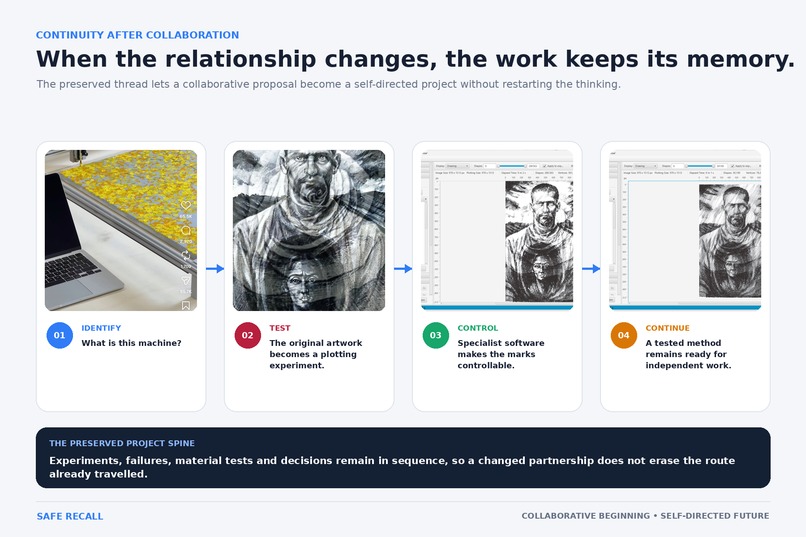
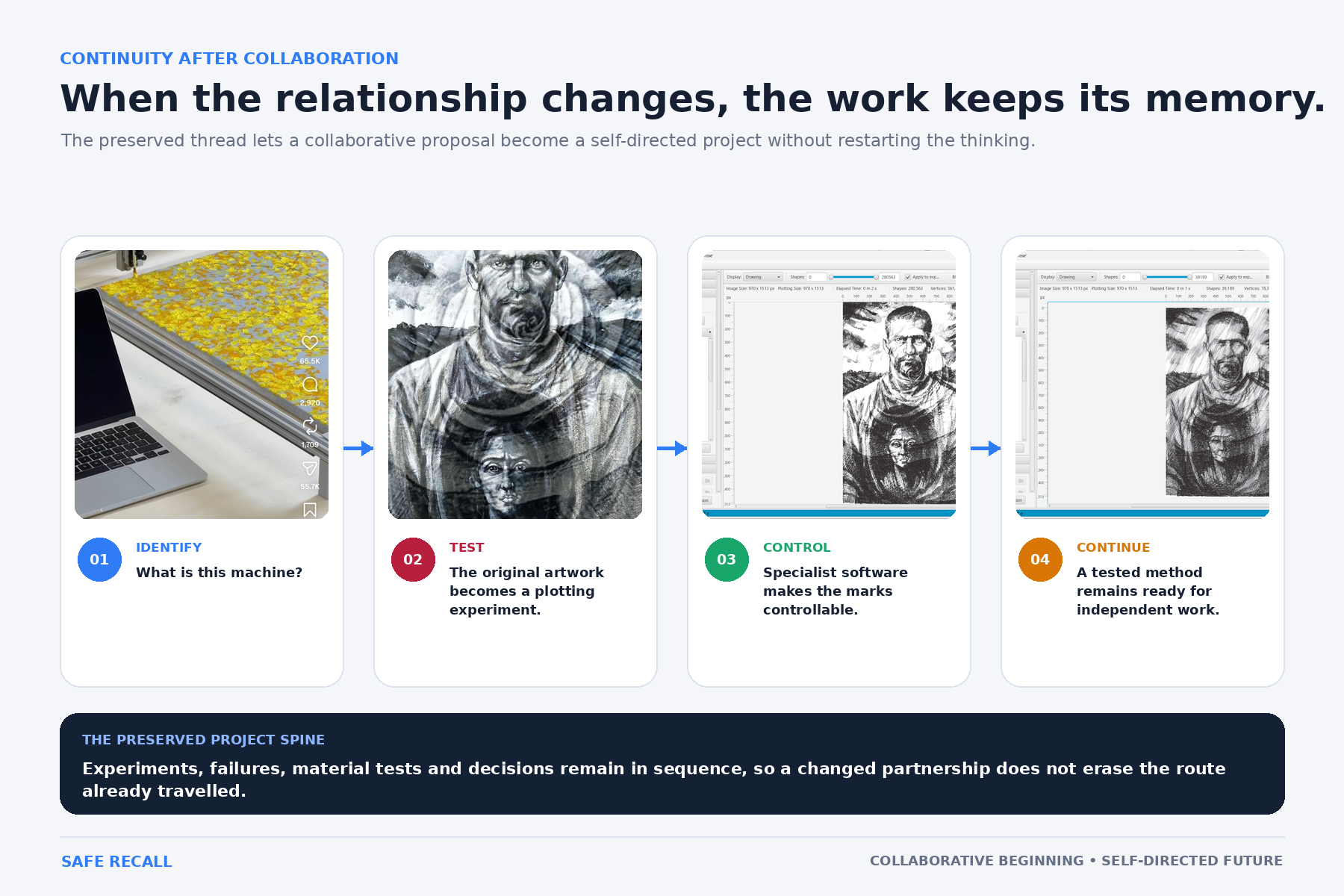
Where relationship change the work keeps track
-
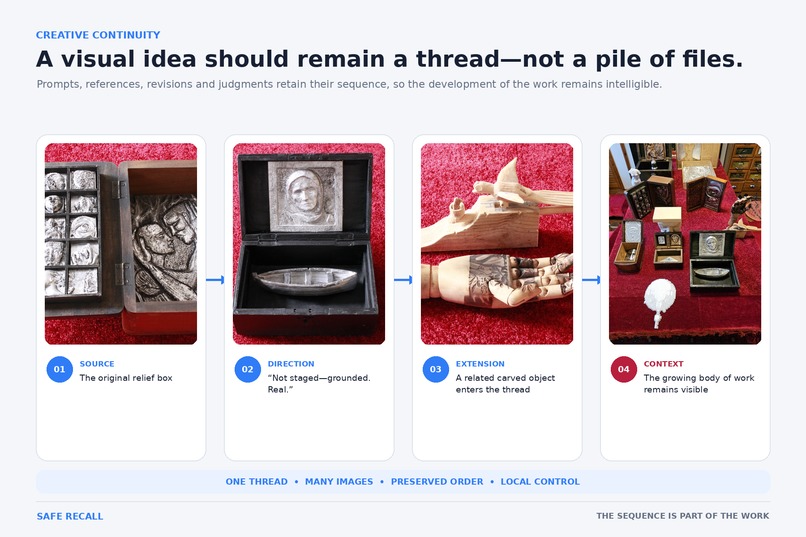
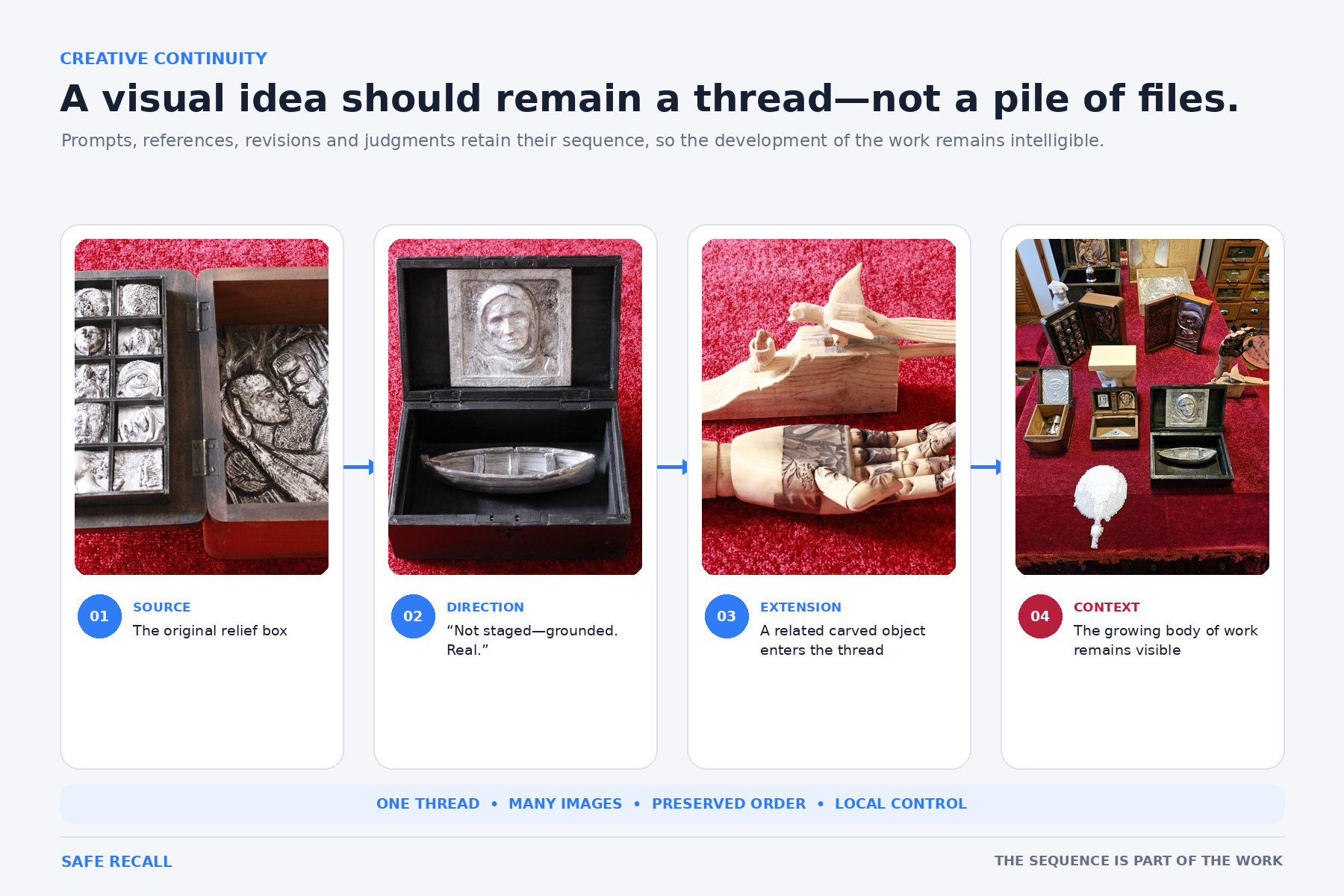
A visual idea is retained between lengthy conversations as a cohessive thread
-
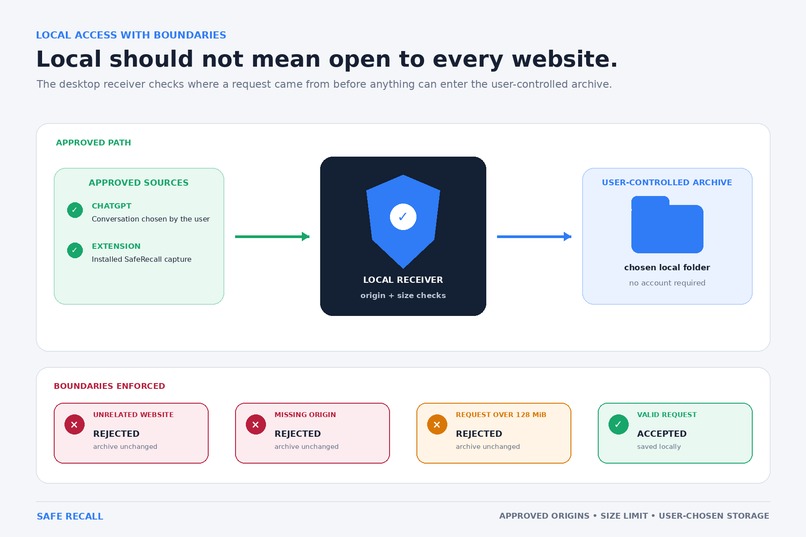
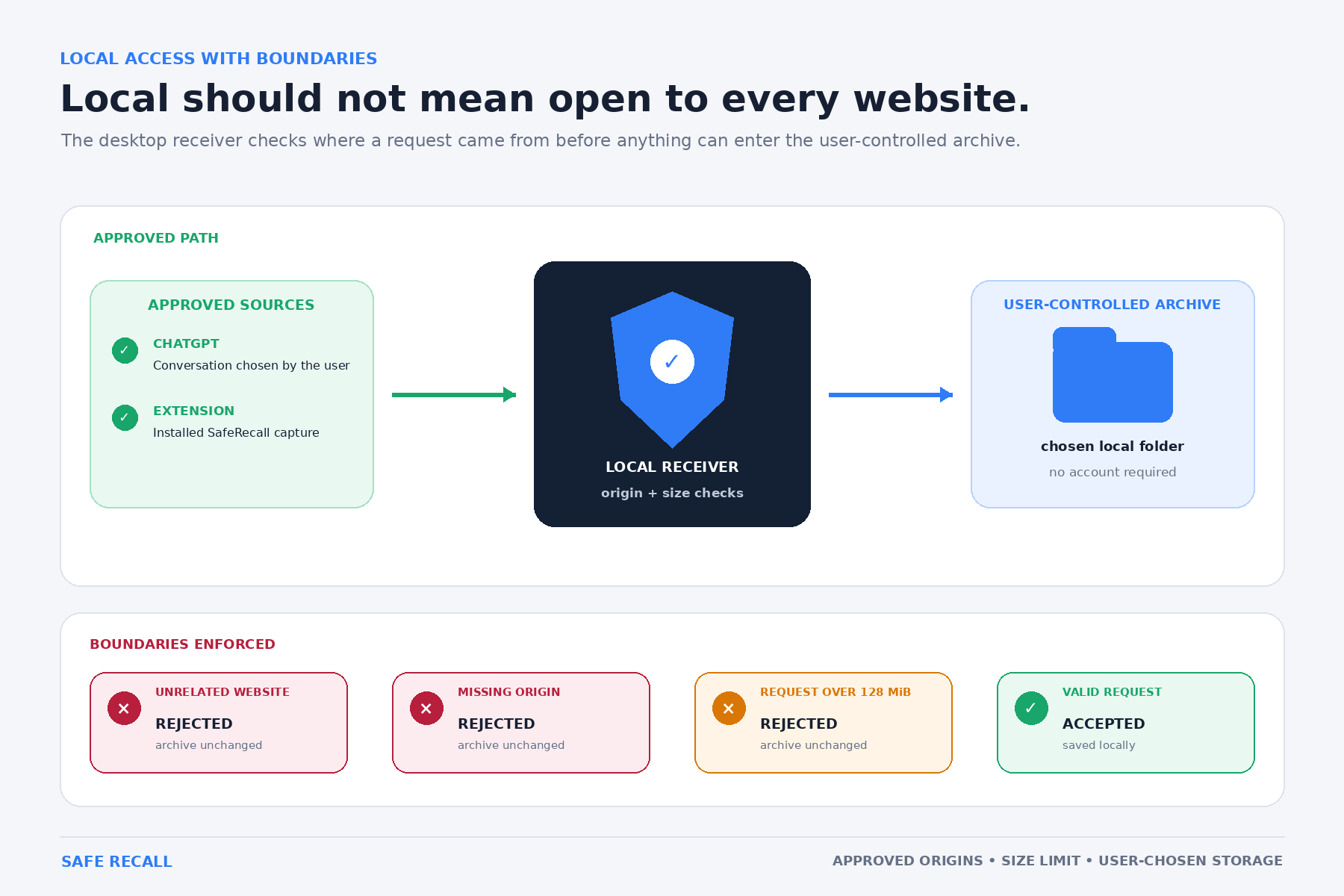
Local does not mean open to every website
-
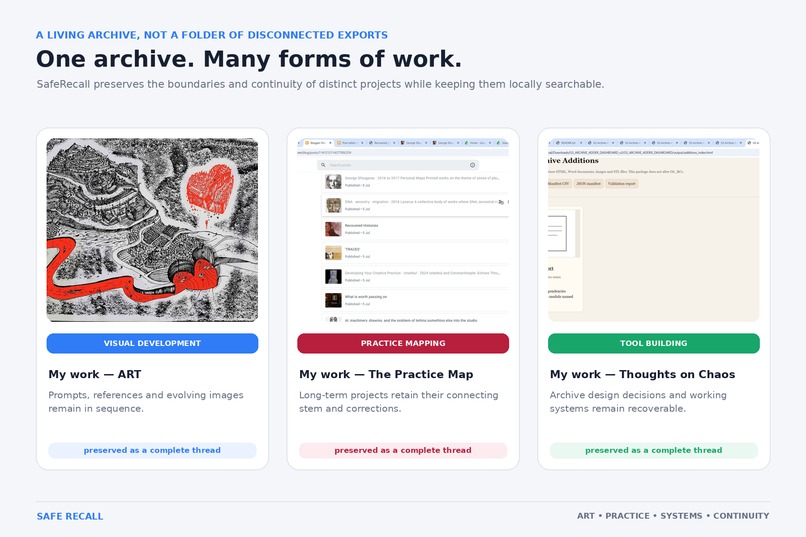
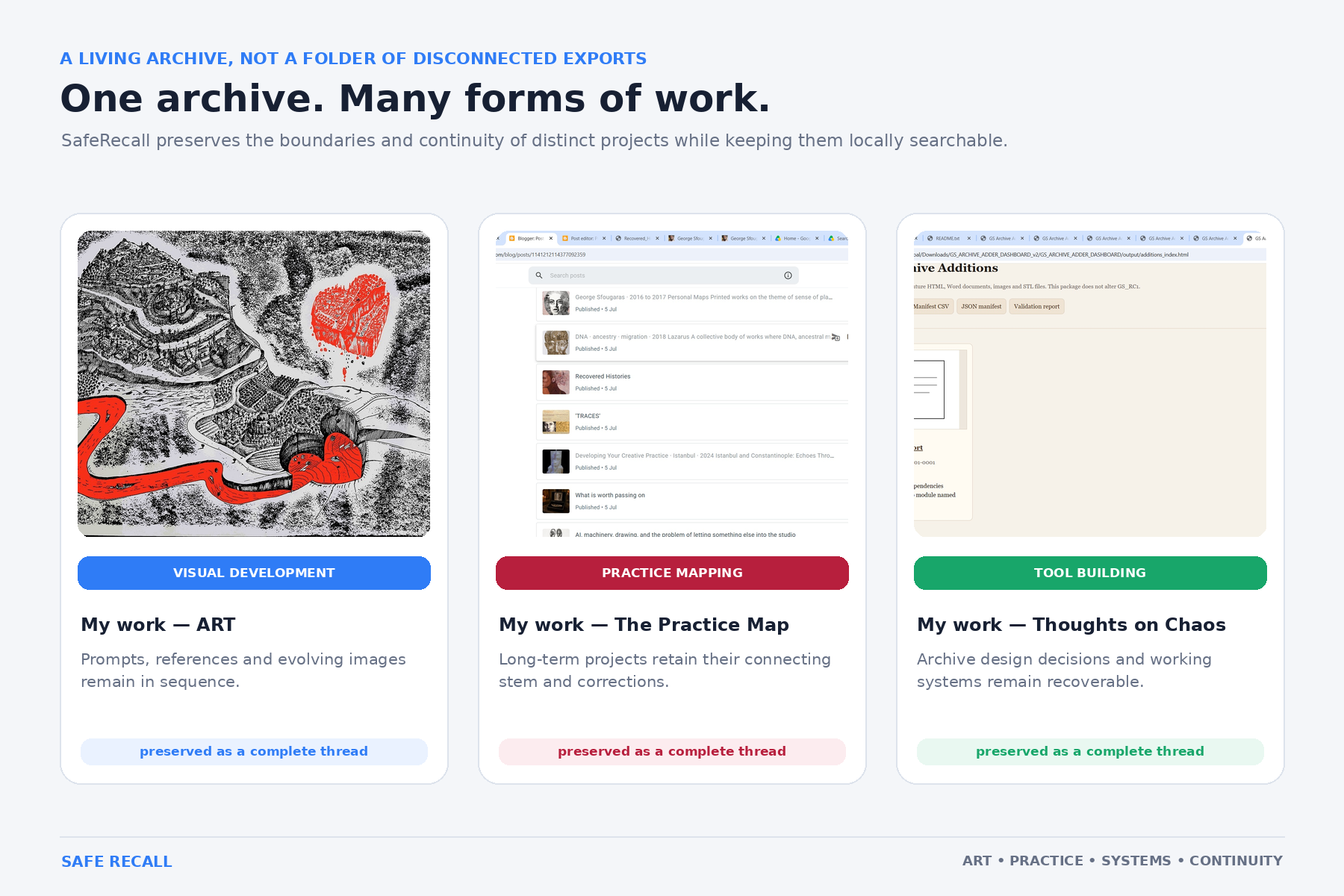
One archive enables the save of many styles allowing for comparisons and development
-
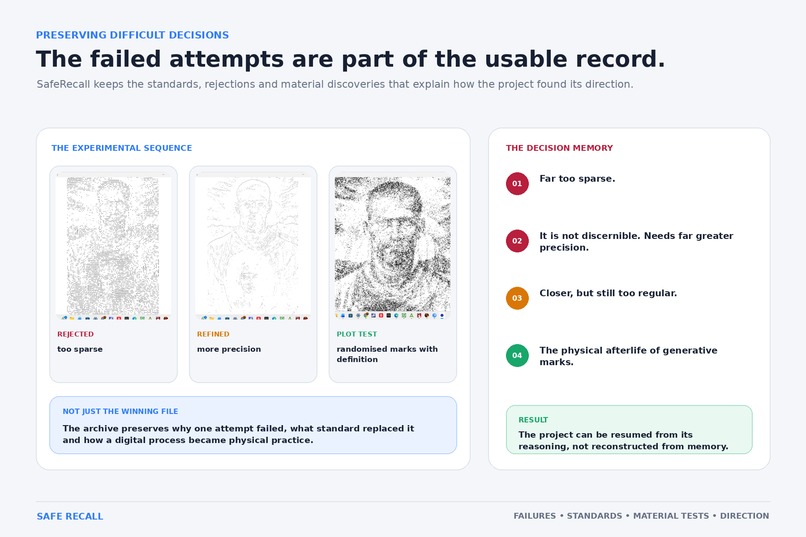
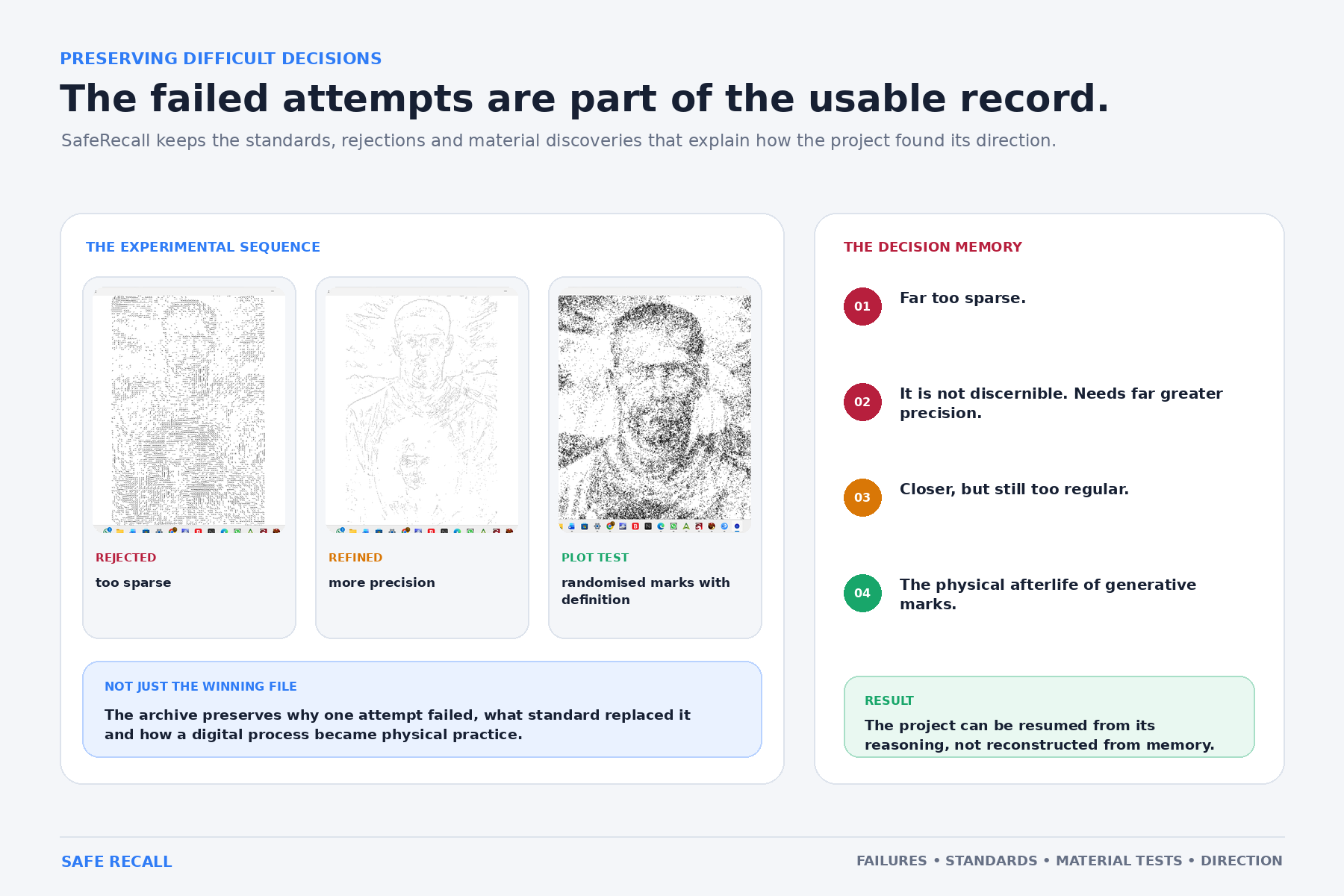
Failed attempts provide future building blocks
-
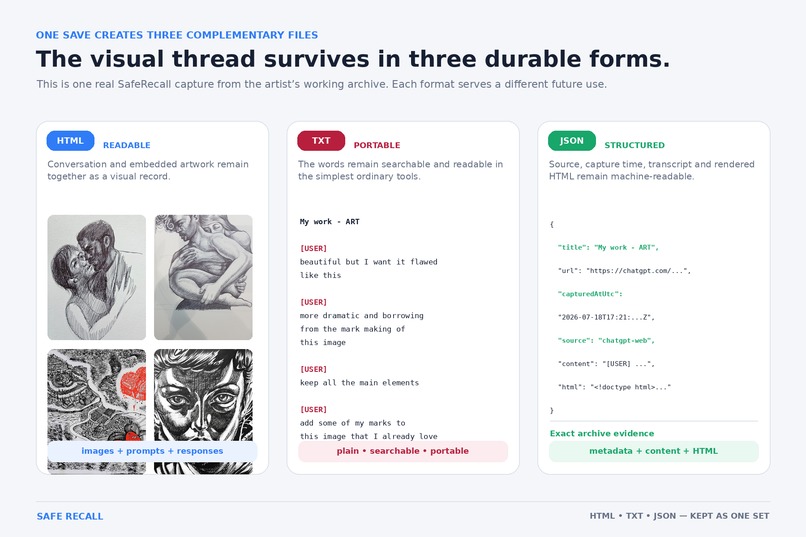
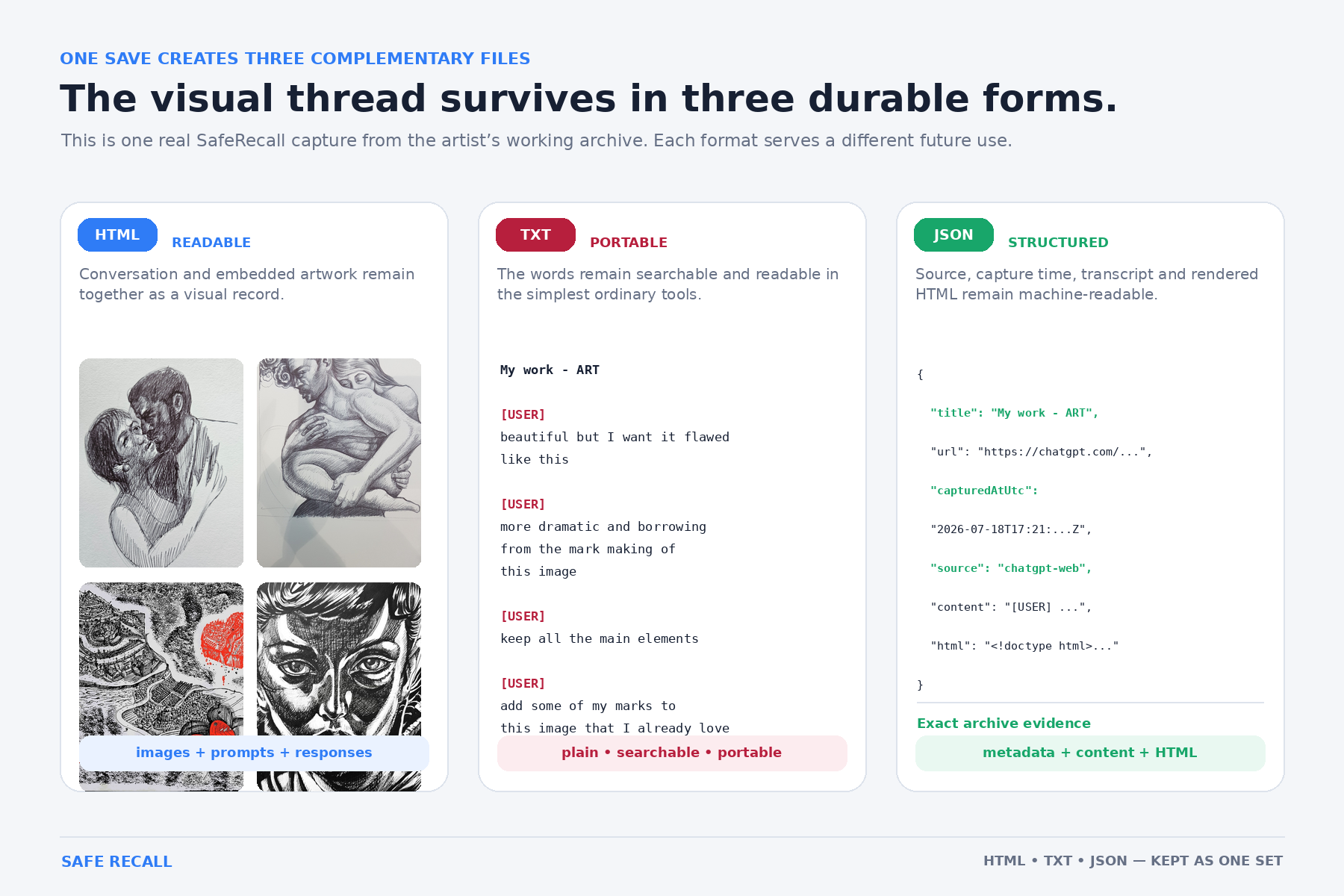
A conversations survives in three usable forms
Inspiration
SafeRecall began with a practical anxiety. As an artist, researcher and writer, I had accumulated more than a year of substantial conversations with ChatGPT across creative projects, historical research, writing and software development. Those conversations had become part of my working memory, but they remained dependent on a platform whose interface, storage and continuity could change.
The paradox was striking: AI had become useful enough to matter, yet its own history with me was not reliably under my control.
I wanted a modest remedy. Not another AI platform, but a way to preserve selected conversations as ordinary, durable files on my own computer.
What it does
SafeRecall adds a Save to SafeRecall button inside ChatGPT. Nothing is captured automatically. When the user chooses to save, the conversation is preserved locally in three complementary forms:
- HTML, retaining a readable visual record
- Text, for simplicity, accessibility and long-term portability
- JSON, preserving structured data for future use
Conversation images can be embedded directly into the local archive. Downloadable outputs, including generated images, documents and ZIP files, are preserved in a companion .files folder. Where a ZIP contains several outputs, SafeRecall can retain the original bundle and safely extract its individual contents.
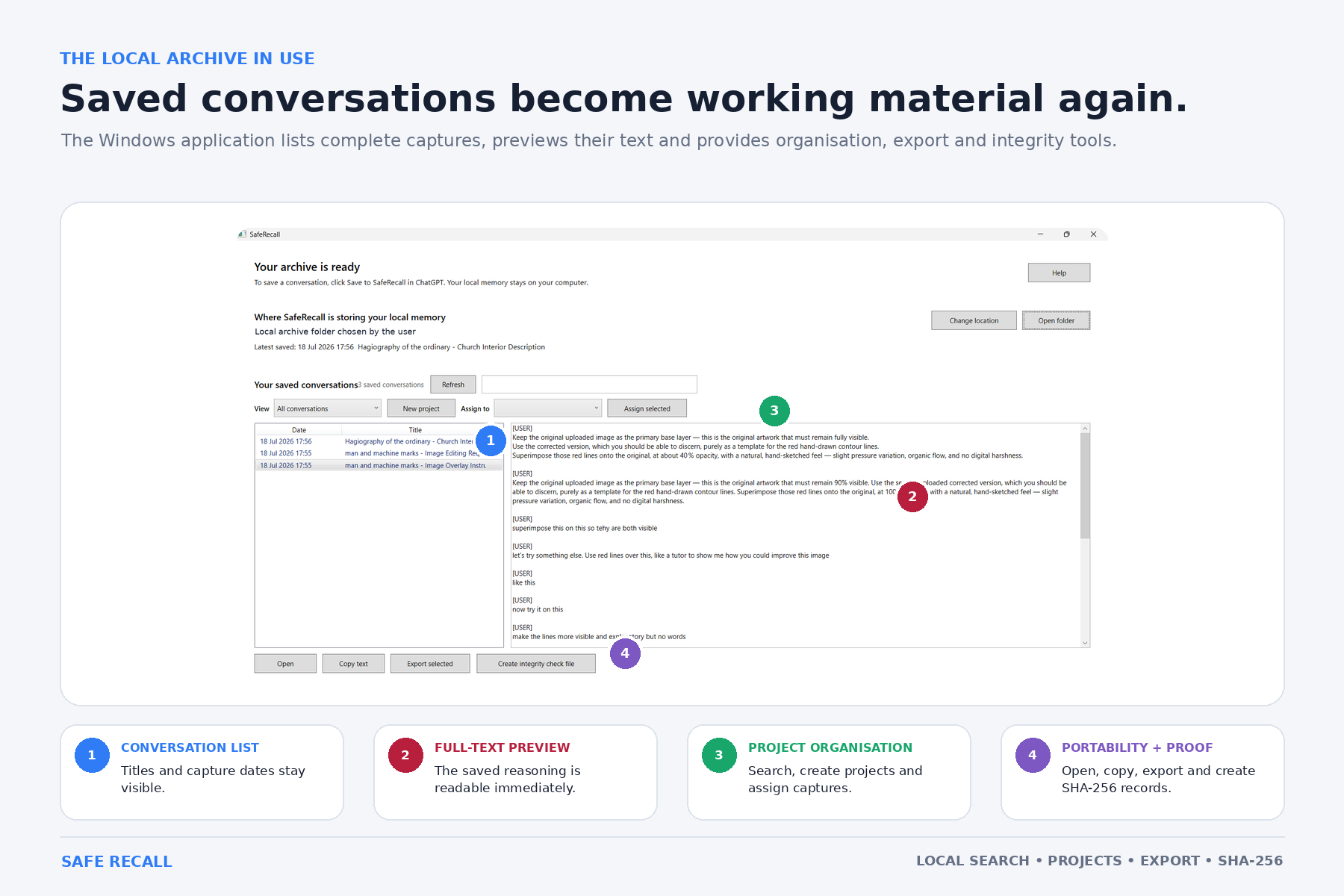
The Windows application provides full-text search, multi-word and exact-phrase searching, matched excerpts, previewing, copying, project organisation and export. Conversations can be assigned to named projects while their HTML, text, JSON and companion files remain together.
SafeRecall can also generate SHA-256 integrity records so archived files can later be checked for alteration.
The user chooses where the archive lives, including a local folder or an existing cloud-synchronised folder. SafeRecall itself does not upload the archive.
How we built it
I am not a conventional software developer. I originated the problem, defined the behaviour, directed the design, tested successive versions and refused features that complicated the central purpose.
The core application began before Build Week through earlier collaboration with ChatGPT. During Build Week, GPT-5.6 and Codex acted as technical collaborators, helping audit the recovered source, diagnose failures, implement project organisation, improve capture reliability and prepare the final Windows build.
We developed the project through repeated practical testing against real conversations, including long discussions containing images and downloadable generated files. Each failure became a design question: what must always survive, what can safely fall back, and what should remain under explicit human control?
The application uses .NET 8 and WPF for the Windows interface, with a Manifest V3 Chrome extension that captures a conversation only when the user presses the save button. A loopback-only local receiver transfers the selected conversation into the archive without sending it to an external SafeRecall service.
The final validated build is SafeRecall 0.10.6.
Challenges we ran into
ChatGPT is a changing web interface, so identifying and preserving the meaningful conversation while excluding interface controls required repeated adjustment.
Long conversations and embedded images can create very large files. SafeRecall therefore uses size limits, validation and controlled fallbacks. A save is refused rather than presented as successful when required material has not been preserved.
Downloadable outputs created another challenge. ChatGPT can present generated files through temporary internal links rather than ordinary permanent URLs. SafeRecall had to detect those links, use the browser's authenticated download process, copy the completed files into the permanent archive and verify them before reporting success.
Project organisation also introduced practical questions. Moving a conversation meant moving not only HTML, text and JSON, but also its complete companion .files folder. Export needed to reproduce the same complete archive rather than copying only the visible conversation files.
Another challenge was resisting unnecessary complexity. The central purpose had to remain clear: the user deliberately saves a conversation, knows where it is stored and can still read it without SafeRecall.
Accomplishments that we're proud of
SafeRecall is not merely a prototype. It is the application I now use to recover information from my own continuing work with AI.
I am particularly proud that it:
- Preserves each conversation in three independent, complementary formats
- Keeps saving under explicit human control
- Makes the full archive searchable rather than merely storing files
- Embeds conversation images locally
- Preserves downloadable generated outputs in a companion
.filesfolder - Retains ZIP bundles while safely extracting their individual contents
- Creates SHA-256 integrity records for preserved files
- Supports named project folders without separating conversations from their companion files
- Exports HTML, text, JSON and the complete
.filesfolder together - Keeps the archive readable and portable outside the application
The final live test preserved a conversation containing an embedded image, a downloadable ZIP and six generated output files. SafeRecall verified the extracted files, moved the complete archive into a project and exported the conversation and its companion files together.
Its greatest accomplishment is simple: it has already allowed important ideas and decisions to return to active use instead of being lost in old conversations.
What we learned
I learned that preservation depends less on a single perfect format than on redundancy, portability and graceful failure. HTML preserves appearance, text preserves readability, and JSON preserves structure. Companion folders preserve the files produced during the conversation. If one form becomes difficult to use in the future, the others remain.
I also learned that personal AI history should not be treated as disposable chat. For artists, researchers, educators and others engaged in long-running work, these conversations can become lasting, retrievable building blocks within more ambitious projects. They preserve decisions, abandoned paths, discoveries and intellectual development that would otherwise become scattered or lost.
Without SafeRecall, I could not have pushed my creative and research experiments to their next stage. My continuing work with AI as a partner would have remained frustratingly fragmented, as important discoveries, decisions and connections were lost or misremembered along the way.
What's next for SafeRecall
The next stage is a broader project-based personal archive.
SafeRecall already supports named projects and complete companion-file preservation. Future development could allow conversations to sit alongside related images, documents, video and three-dimensional files, making the developing history of a long-term creative or research project easier to retrieve and reuse.
Other priorities include improving resilience when ChatGPT changes its interface, reducing the temporary duplicate left in the browser's Downloads folder, adding optional local encryption and distributing SafeRecall through a signed installer rather than an unpacked extension.
The automation would remain deliberate and transparent. Users would decide what enters the archive, where it is stored and what, if anything, is shared with an AI. SafeRecall would organise and connect chosen material without silently harvesting conversations or requiring a private archive to be uploaded to an external service.
The ambition is greater automation without surrendering privacy: a locally controlled memory system that helps people carry discoveries, decisions and unfinished ideas forward into work unfolding over months, years or decades.


