-
-

App icon (made with AI)
-
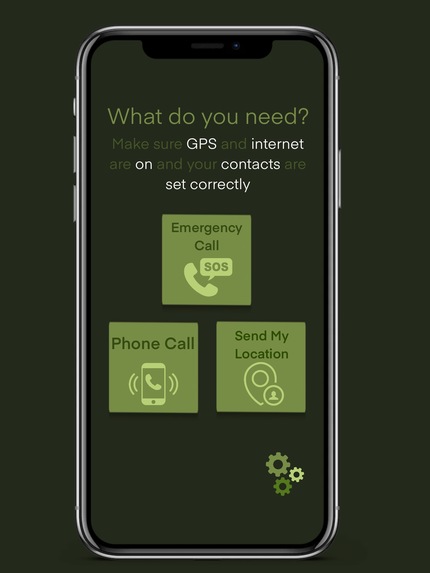
Initial homepage design
-
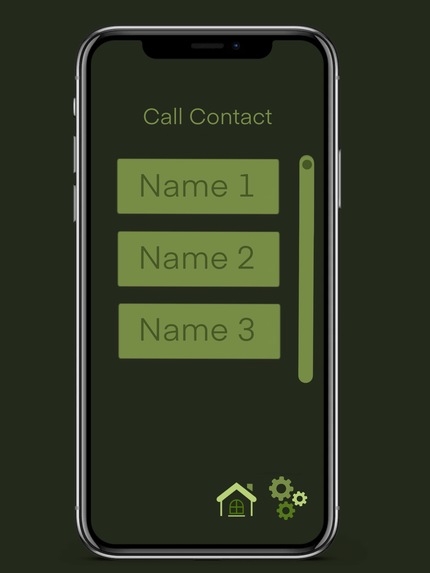
Initial design for calling a contact
-
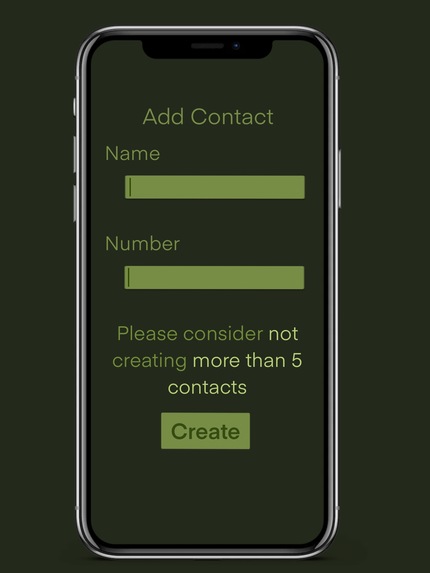
Initial design for editing a contact (was planned as "add Contact")
-
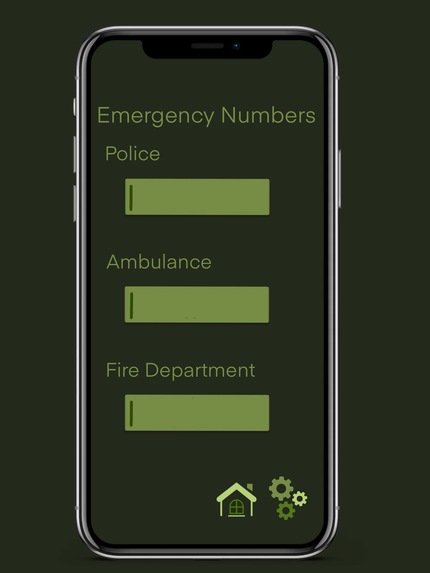
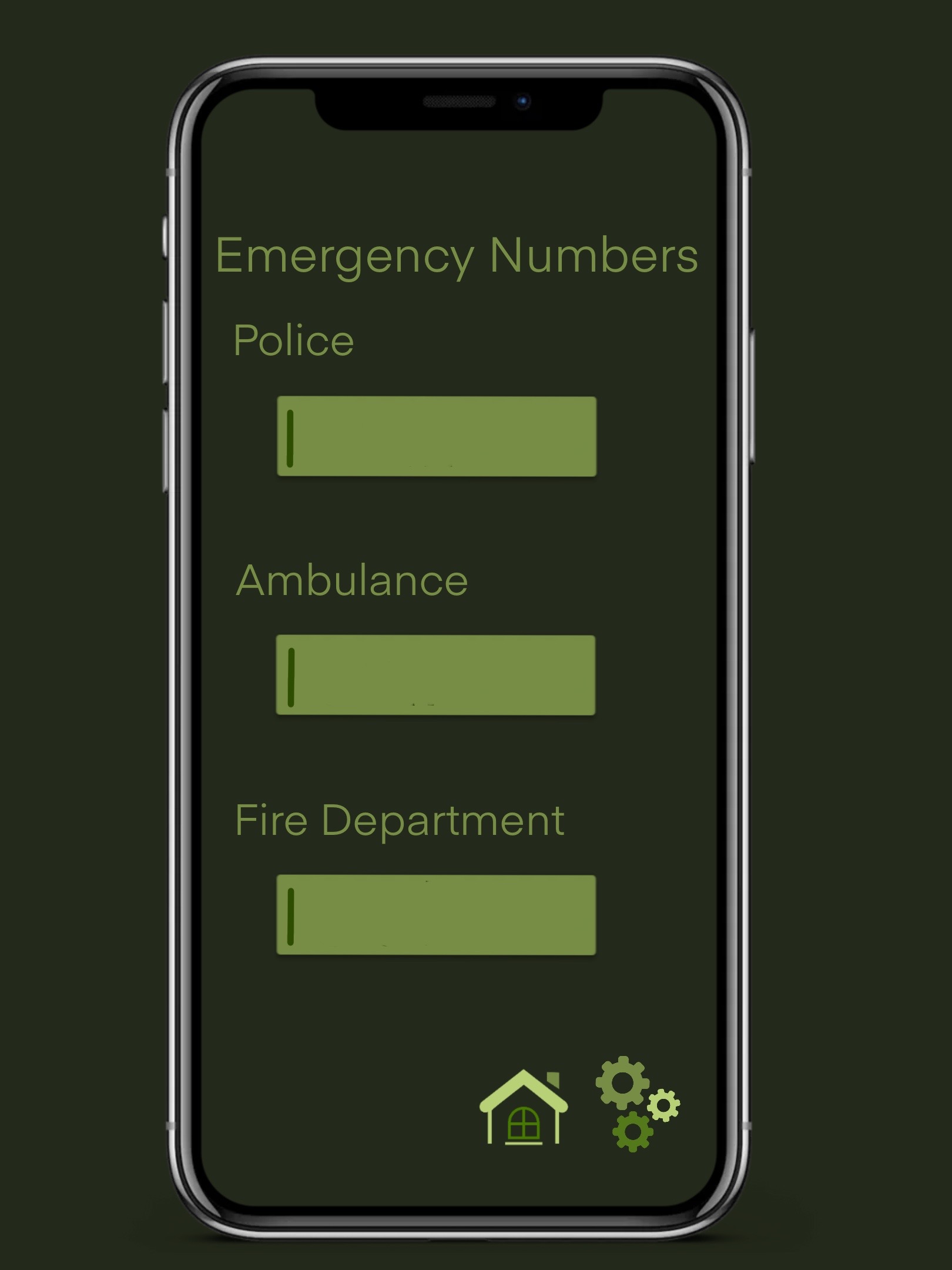
Initial design for emergency number edit
-
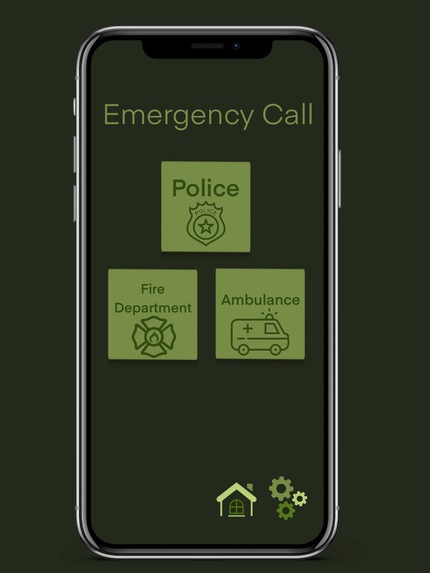
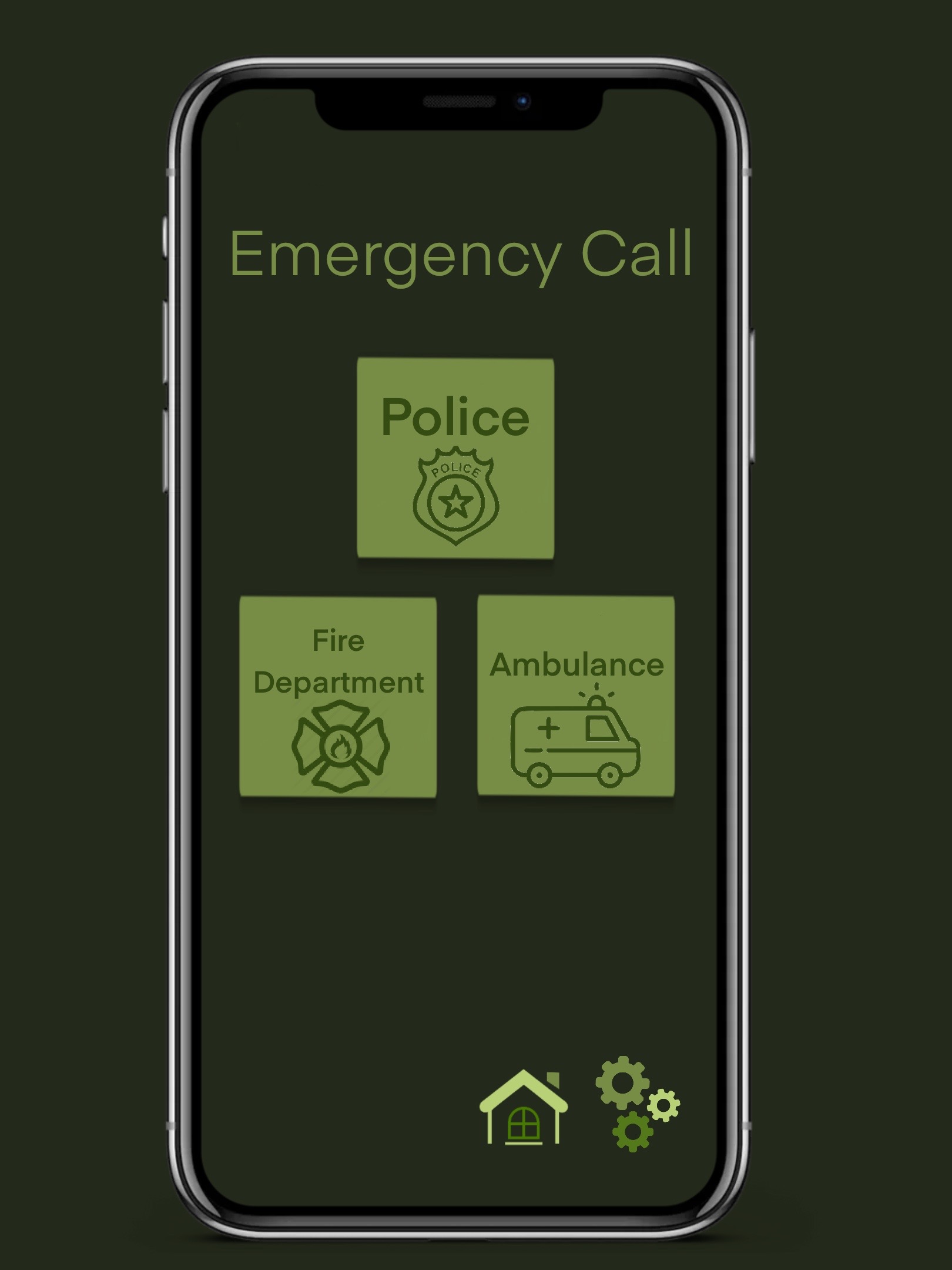
Initial design for emergency calls
-
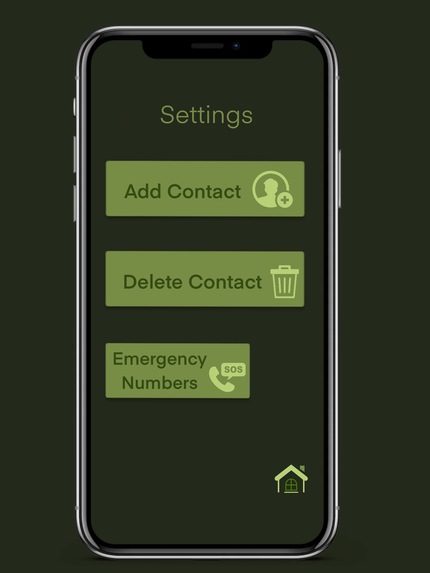
Initial settings design




Inspiration
The crime rate is still very high nowadays. Kidnappings, rapes, robberies, molestations, ... Children and women, who often travel alone, are particularly often affected.
My app should help to be safer on the road and in an emergency to quickly call acquaintances or the emergency services. And if the Uber should be suspicious, you can quickly send your location to friends and family.
What it does
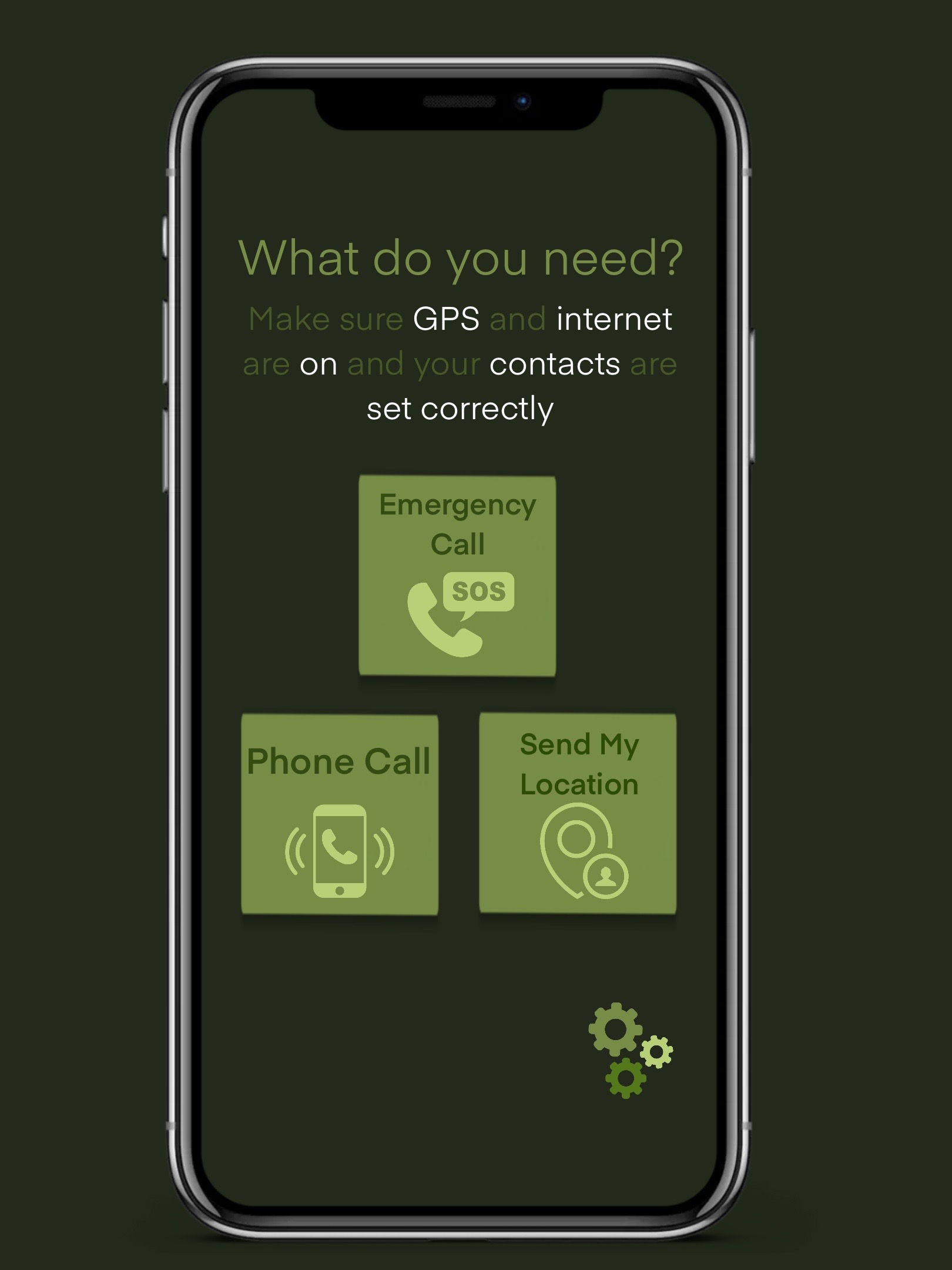
The app has 3 main functions:
- Call contact
- Send location
- Emergency call
To call a contact, first set up to 4 numbers in the settings that belong to people you can call in case of emergency. Then you can easily select one of them without having to search for it in a stack of other contacts.
To make an emergency call, you must first set up the emergency numbers in the settings. Since each country has its own numbers, each user has to set them up individually.
If you choose to send your location, you have the option to send your coordinates to all saved contacts via SMS as soon as you click on the button. Since the app is meant to be available to everyone, I didn't choose to send via WhatsApp or any other messenger because:
- not everyone always has access to the internet when they are away from home and.
- not everyone uses the same messenger. But everyone already has the SMS messenger built in.
Design
Before I started with the implementation, I first planned the UI. The app logo was created with the Stable Diffusion AI.
Since this is a project for the track social justice, I had to make sure that as many people as possible are able to use the app comfortably In general, I kept the design very simple. This ensures that the user, even in stressful situations, quickly finds the right function and is not confused by complicated design.
I will also attach some photos of the planning so that it conveys the idea better.
Color palette
I chose a warm dark green as the color base and and created a palette through lighter gradations. Green is considered calming. For an app that is probably only opened in stressful situations, gaudy colors like red and yellow would only be counterproductive.
To make other elements stand out from the background, I intentionally did not include other colors in the palette, but only used gradations of the chosen green. This way, even color-blind people can handle the app well, since the design is based more on contrast, than on color.
Buttons, text, icons, etc.
To ensure that older people, people with poor eyesight and illiterate people can also benefit from the app, I have tried to use as little text as possible. Icons were used for this purpose. The remaining text was written relatively large and in a plain font.
Implementation
For the implementation I used the language dart and the framework flutter.
The link to the implementation can be found attached or here: link
While programming, I often had to change the initial design, because it makes my code unnecessarily more complicated, but not more efficient, or because I don't know how to implement it with my current knowledge.
Challenges I ran into
The first challenge was to get into the world of app programming and to learn flutter and dart. I have never programmed an app before, so I had to learn it especially for this hackathon. However, already having advanced experience in OOP and Java helped me a lot.
Forced by lack of time and some problems with importing packages into flutter, I was not able to implement the function to call and send SMS. When clicking on the corresponding buttons, it is not possible to make a call or send the location. Instead, a snack bar appears with a corresponding error message.
Accomplishments that I'm proud of
I am pleased that I was able to programme a relatively functional app in such a short time.
What we learned
Especially how apps are programmed with Flutter, but also a lot about app design and the many aspects that have to be considered (colour, font style, font size, etc.).
What's next for Safer
I will search for a solution to make the app fully work. To make the app usable for the open public, the storage of contacts and numbers must be adjusted so that they do not have to be re-entered every time the app is reopened (e.g. with databases) I will continue to practise with Flutter and expand or improve the app functions with the new knowledge.
Built With
- dart
- flutter
- vscode


Log in or sign up for Devpost to join the conversation.