-
-
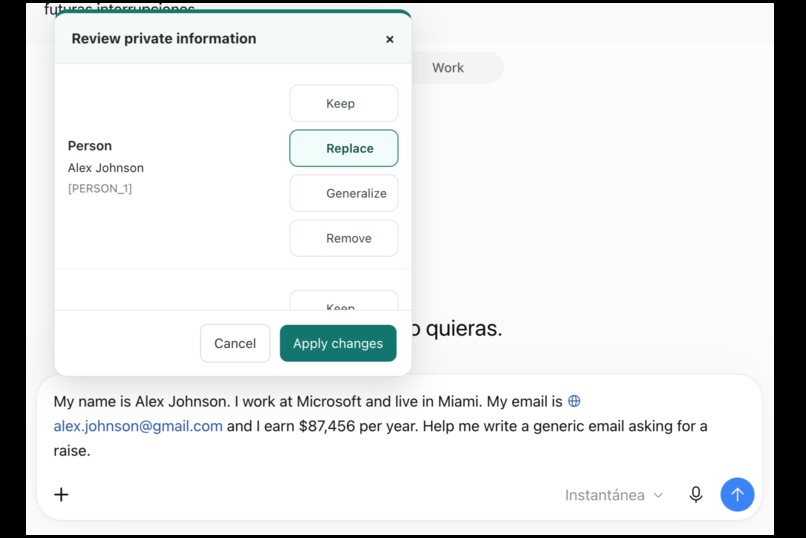
Manual data protection
-
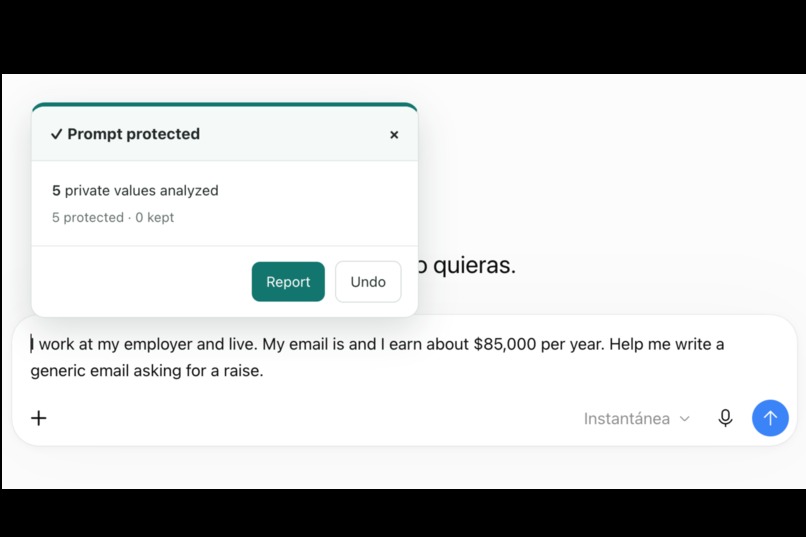
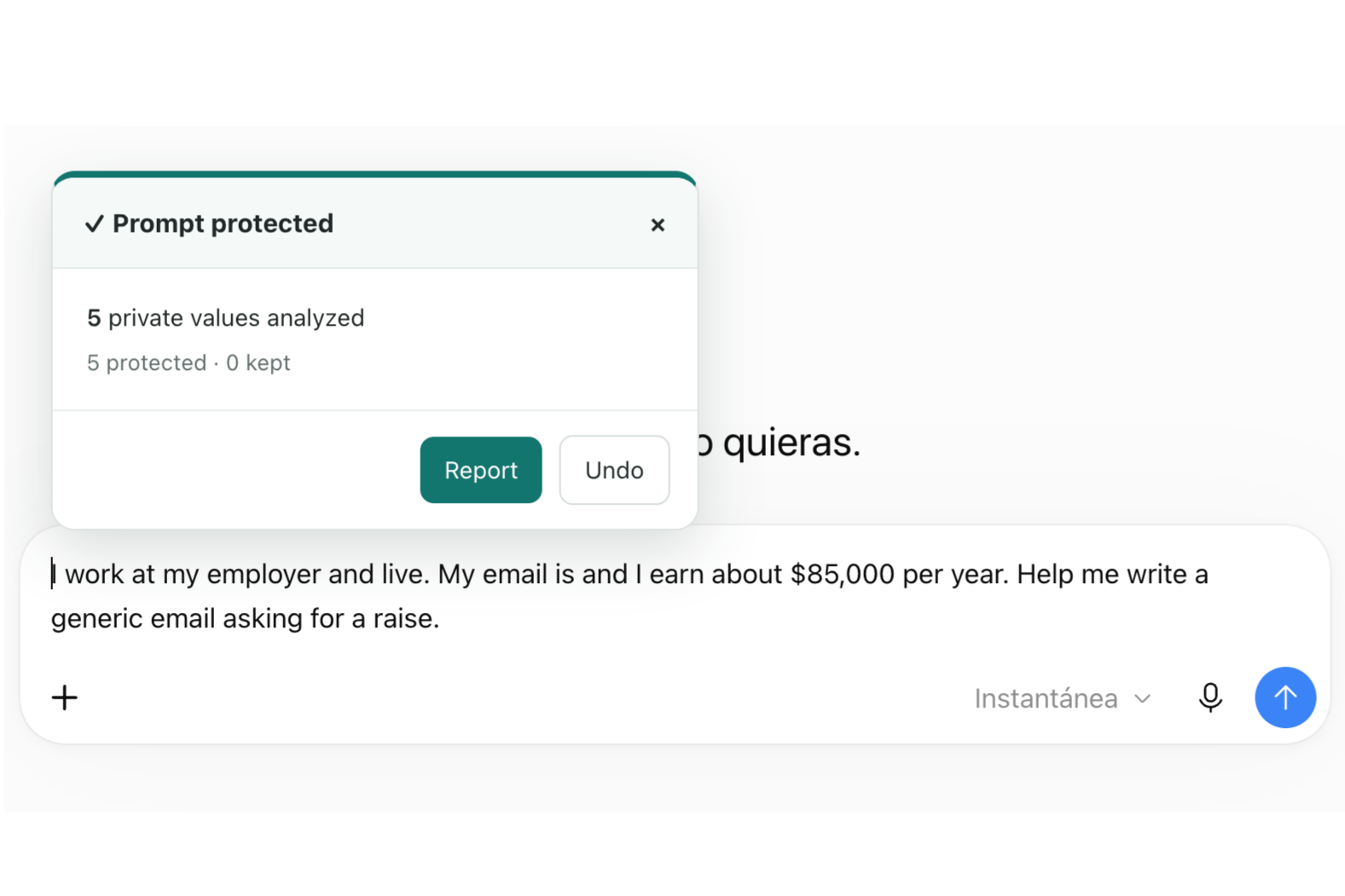
Prompt has been protected
-
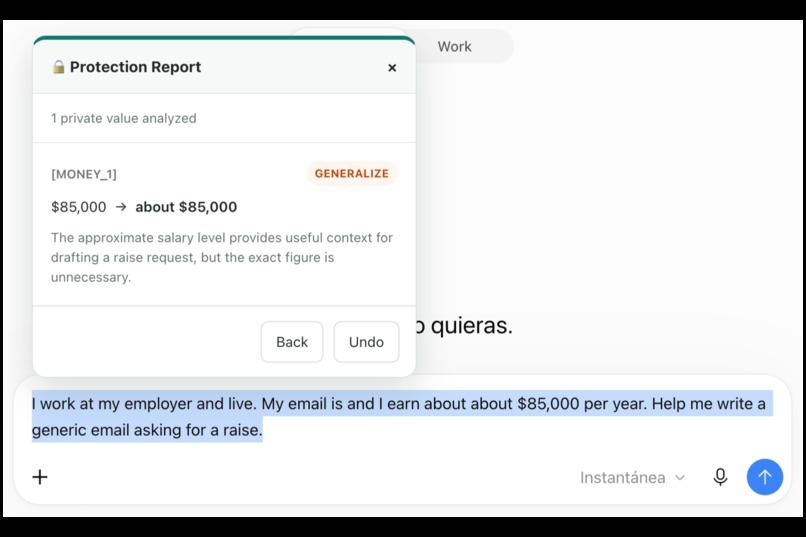
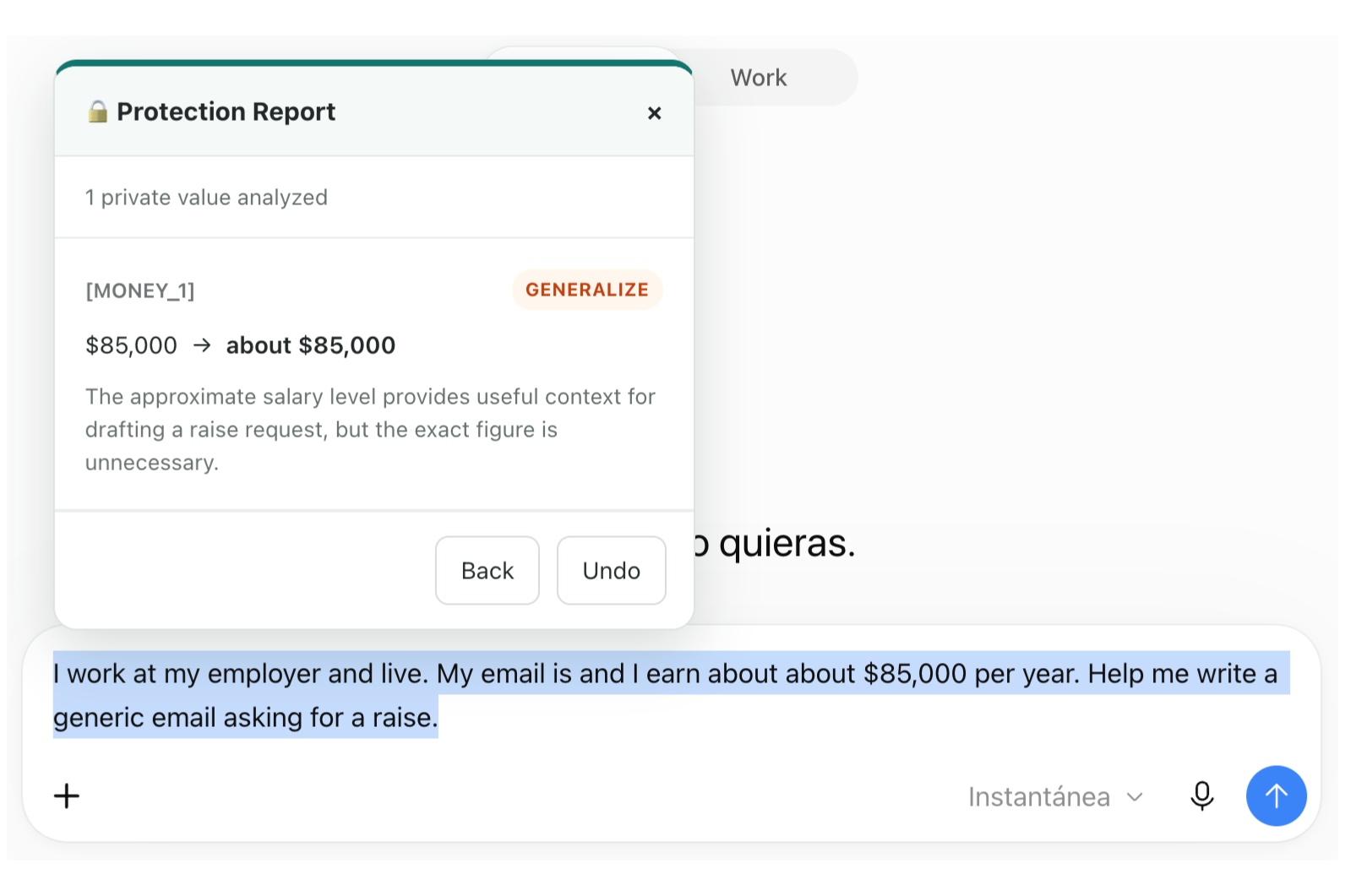
Prompt protection report
-
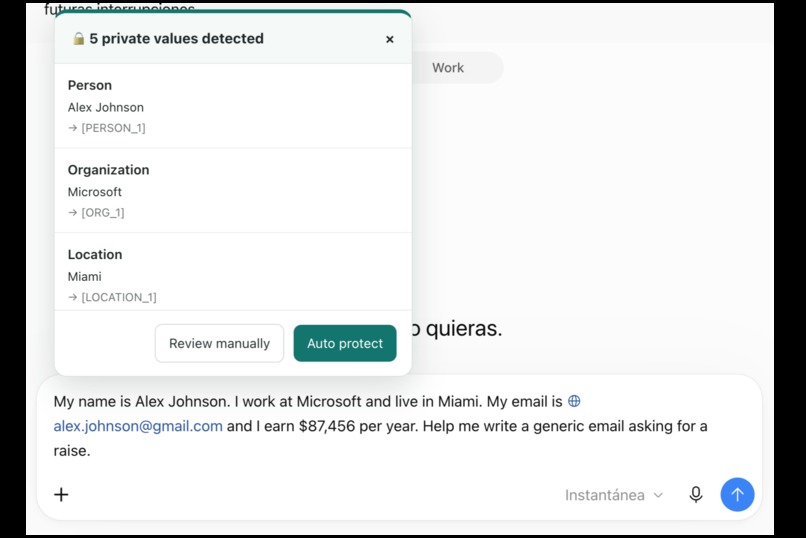
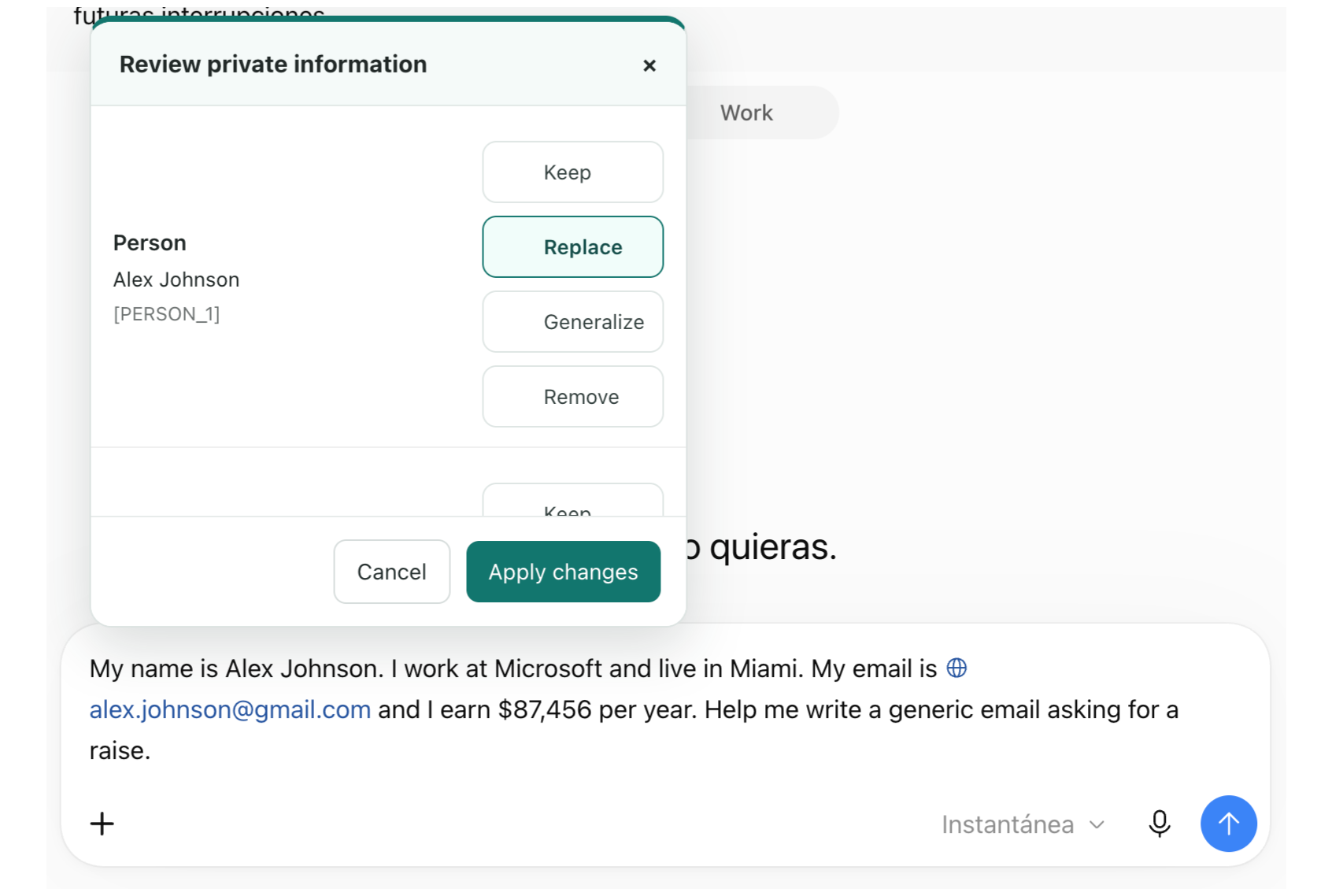
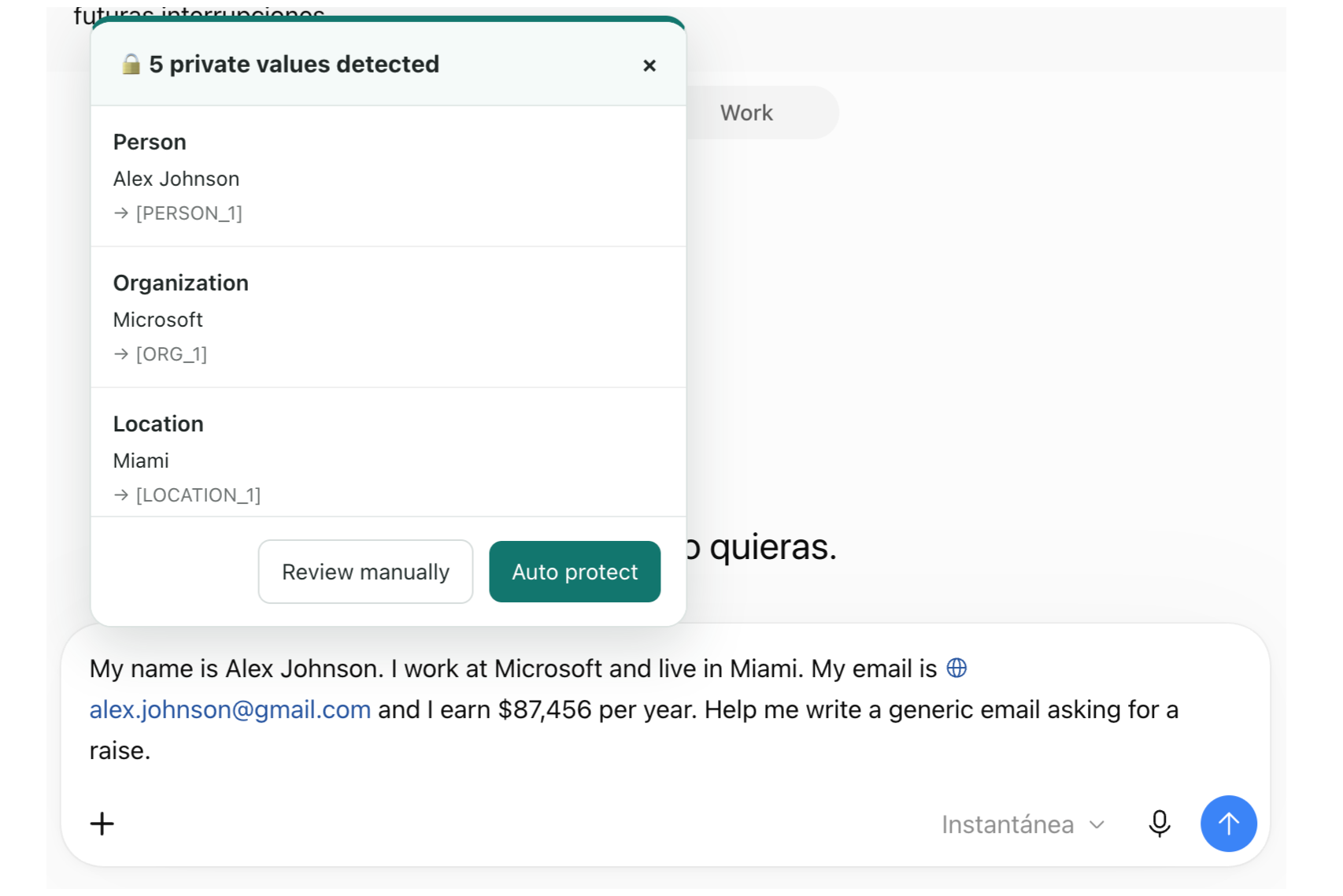
Sensible data detected panel
-
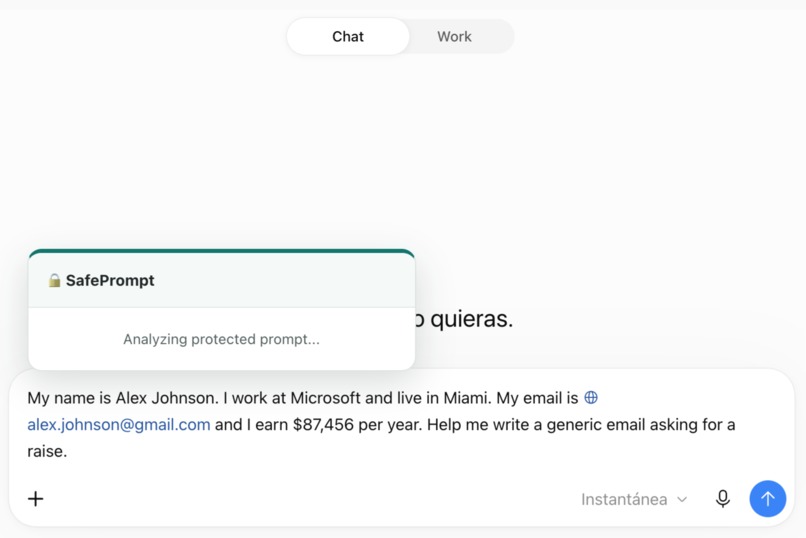
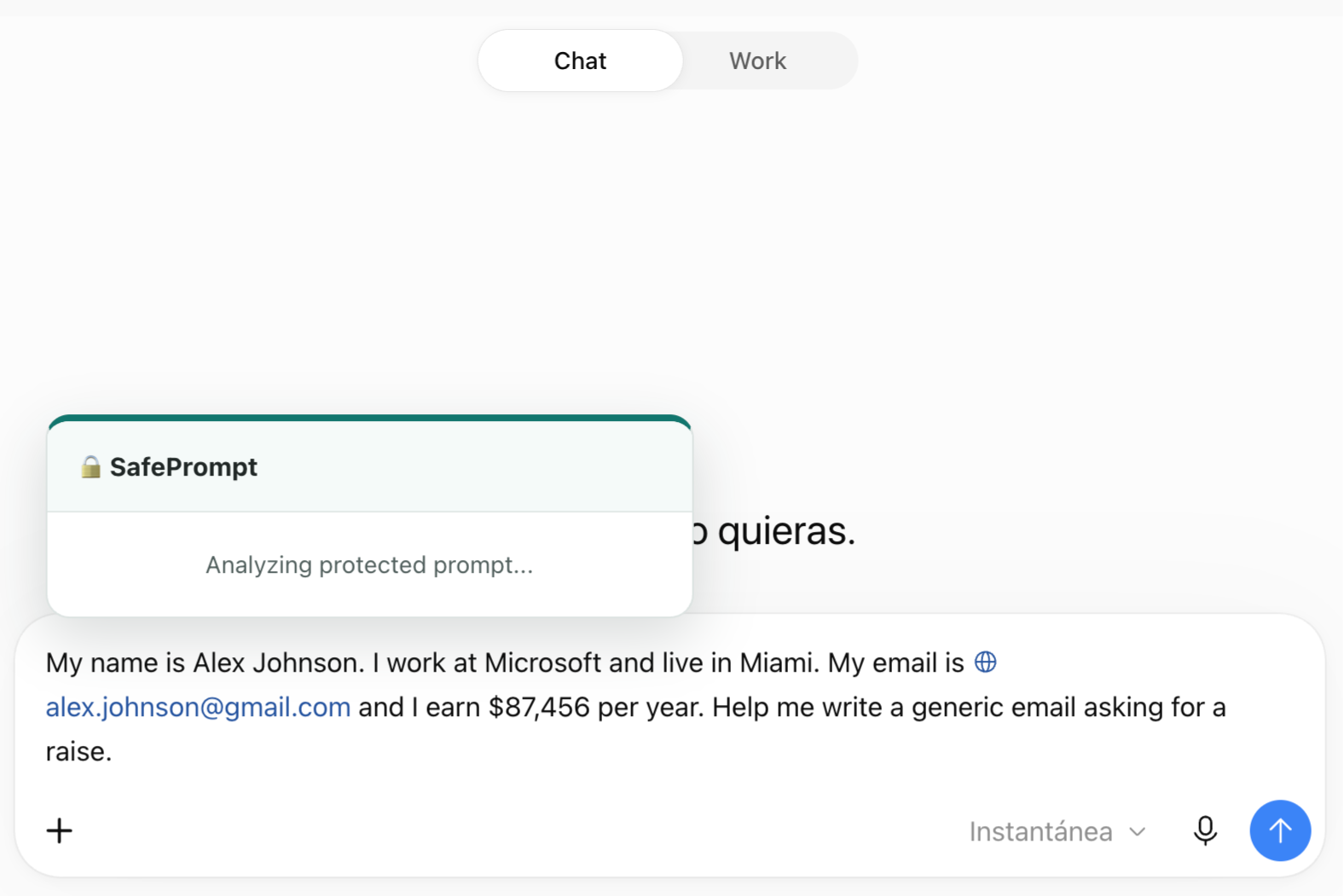
Loading prompt autoreview
-
SafePrompt logo
Inspiration
AI tools are becoming part of how we study, work, and solve everyday problems. However, it is very easy to include personal information in a prompt without thinking about whether that information is actually necessary.
A name, email address, company, location, or financial information may be included just to provide context. In many cases, the AI needs that context, but it does not need the real identity or exact value behind it.
That is where SafePrompt started. I wanted to create a privacy layer that works before personal information reaches an AI service, while keeping the original purpose of the prompt.
The main idea became simple: AI needs context, not your identity.
What it does
SafePrompt is a Chrome extension that detects potentially private information while the user is writing a prompt.
Before anything is analyzed by an external AI, SafePrompt detects sensitive values locally and replaces them with anonymous tokens.
For example:
My name is Alex Johnson and I work at Microsoft. Help me write a generic request for a promotion.
becomes locally:
My name is [PERSON_1] and I work at [ORG_1]. Help me write a generic request for a promotion.
Only the tokenized version is sent to Gemini. The model never receives the values behind [PERSON_1] or [ORG_1].
Gemini then analyzes the context and decides what should happen to each token:
- KEEP when the exact value is necessary.
- REPLACE when the context matters but the real identity does not.
- GENERALIZE when the information is useful but its exact precision is unnecessary.
- REMOVE when the information is not needed at all.
Those decisions are applied locally. In the example above, the person's name can be removed while Microsoft can become "my employer."
The user can use Auto protect or review every detected value manually. SafePrompt also provides a protection report explaining what changed and why, a local replacement reference, and an option to undo the transformation.
How I built it
SafePrompt is built as a Chrome extension using Manifest V3 and JavaScript.
I divided the privacy pipeline into local processing and contextual AI analysis.
The first step happens entirely on the user's device. Regular expressions detect structured information such as email addresses, phone numbers, SSNs, credit card numbers, and monetary values. A local Named Entity Recognition model using Transformers.js detects people, organizations, and locations.
Every detected value is then replaced with a numbered token such as [PERSON_1], [EMAIL_1], or [ORG_1]. The mapping between these tokens and the original values stays locally on the device.
The tokenized prompt is sent to the Google Gemini API. Gemini only has to determine how important each anonymous token is to the user's request. It does not need to know the original value to make that decision.
Once Gemini returns its decisions, SafePrompt applies them locally and reconstructs the protected prompt. I also built contextual replacements, value generalization, post-processing, manual review, protection reports, undo functionality, and fallback behavior if the AI analysis is unavailable.
Challenges I ran into
The biggest challenge was realizing that detecting private information was only the first part of the problem.
The same information can be necessary in one prompt and unnecessary in another.
For example:
What reviews does Florida International University have?
Here, the organization needs to remain because it is the subject of the question.
But:
I work at Microsoft. Help me write a generic request for a promotion.
does not require Microsoft specifically. Replacing it with "my employer" keeps the useful context without sharing the real organization.
Another challenge was making the transformed prompts sound natural. Simply deleting a detected value could produce something like:
Please send the document to before Friday.
I added local post-processing so the result becomes:
Please send the document before Friday.
I also had to deal with asynchronous communication between the extension and Gemini, API rate limits, different browser input elements, and preventing SafePrompt from detecting its own programmatic changes as new user input.
Accomplishments that I'm proud of
The part I am most proud of is that Gemini can make useful privacy decisions without ever seeing the original private values.
SafePrompt does not simply remove everything that looks sensitive. It tries to preserve what makes the prompt useful while minimizing what is exposed.
I am also proud that the user stays in control. Auto protect can handle the process automatically, but every detected value can also be reviewed manually. The protection report shows what happened and why, and Undo restores the original prompt immediately.
Another important accomplishment was getting the complete pipeline working inside a browser extension: local detection, tokenization, AI analysis, contextual transformation, post-processing, reporting, and recovery from errors all work together before the prompt is sent.
What I learned
The main thing I learned is that prompt privacy is not only an entity detection problem. It is also a context problem.
Knowing that something is an email address or an organization does not tell me whether it should be removed. The purpose of the prompt matters.
I also learned that AI can help make privacy decisions without having direct access to private information. Separating local detection from contextual AI analysis allowed me to use Gemini's reasoning while keeping the original sensitive values on the user's device.
Building SafePrompt also gave me a better understanding of browser extension architecture, local NLP models, asynchronous APIs, prompt design, and the practical problems involved in modifying text without changing what the user is trying to say.
What's next for SafePrompt
The current version is a working prototype, but there are several directions I would like to explore next.
One priority is improving local detection, including more entity types and better recognition of information that does not follow a predictable format. I would also like to give users more control over their privacy preferences, such as choosing which categories should always be protected.
For a production version, I would move external API communication behind a secure backend instead of using an API key in the extension build. I would also test SafePrompt across more AI platforms and browser environments.
Longer term, I see SafePrompt becoming a privacy layer that works across different AI tools rather than being tied to a specific model or website.
The goal would remain the same: keep the context that makes AI useful, without sharing personal information that does not need to be there.
Built With
- chrome
- css
- google-ai
- google-gemini
- html
- hugging-face
- javascript
- npm
- transformers

Log in or sign up for Devpost to join the conversation.