-
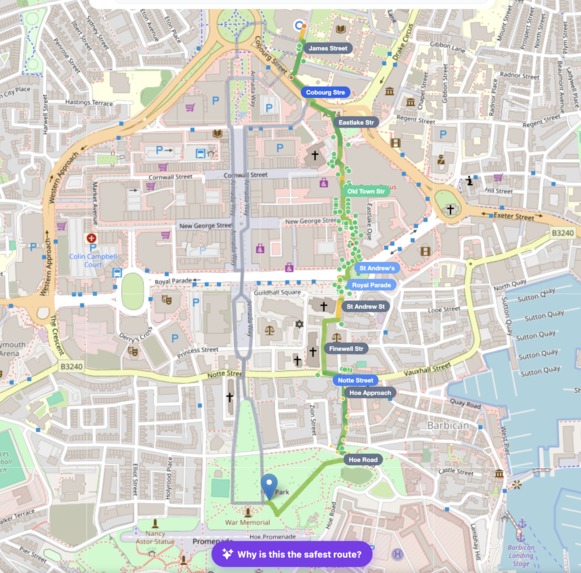
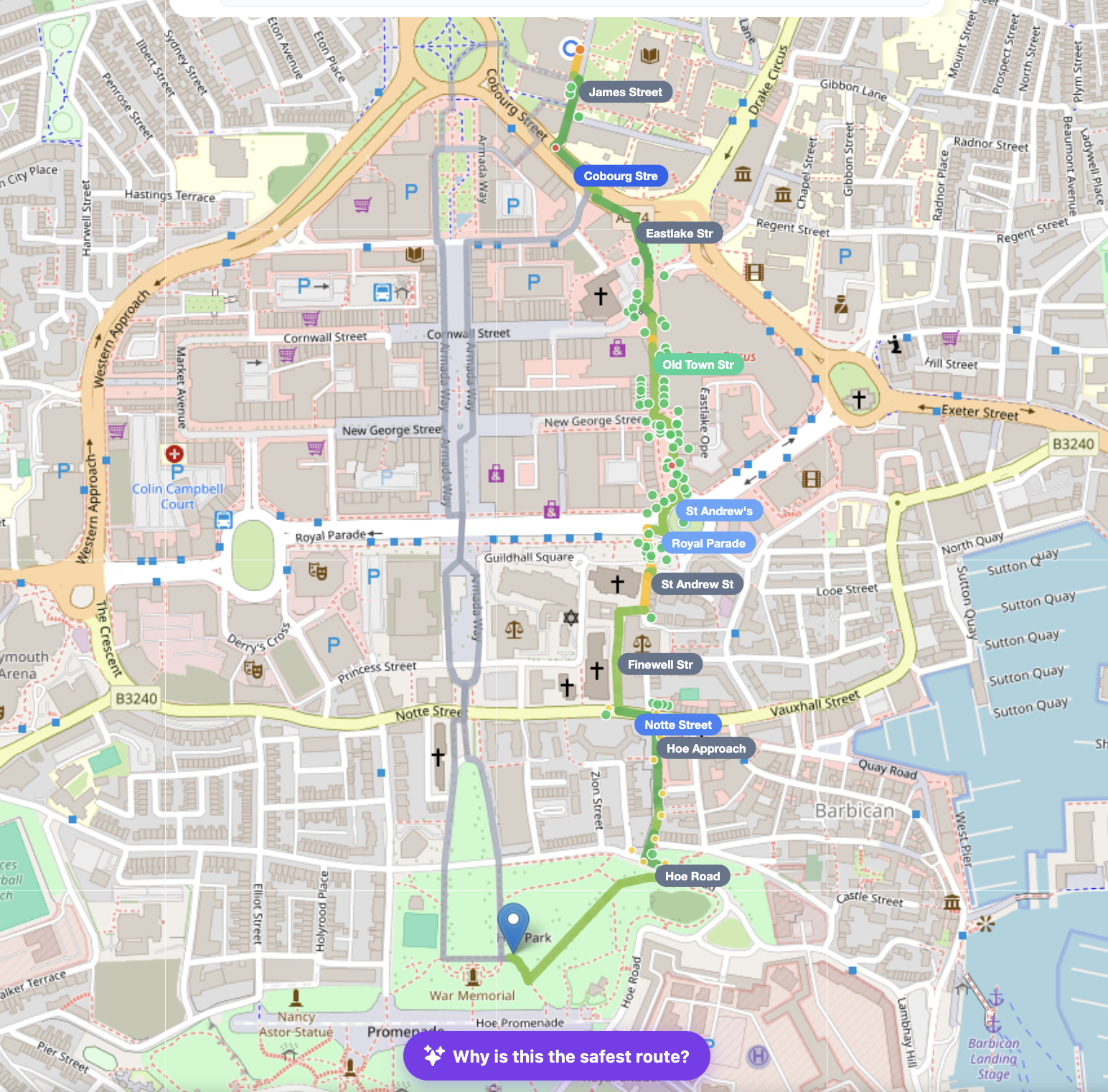
All the parameters are pinned on the map and if user clicks on the cards in dashboard it would highlight that parameter on the map.
-
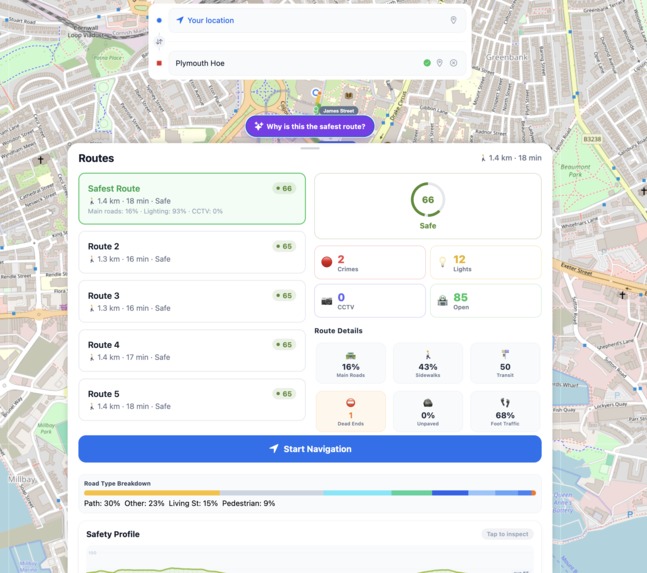
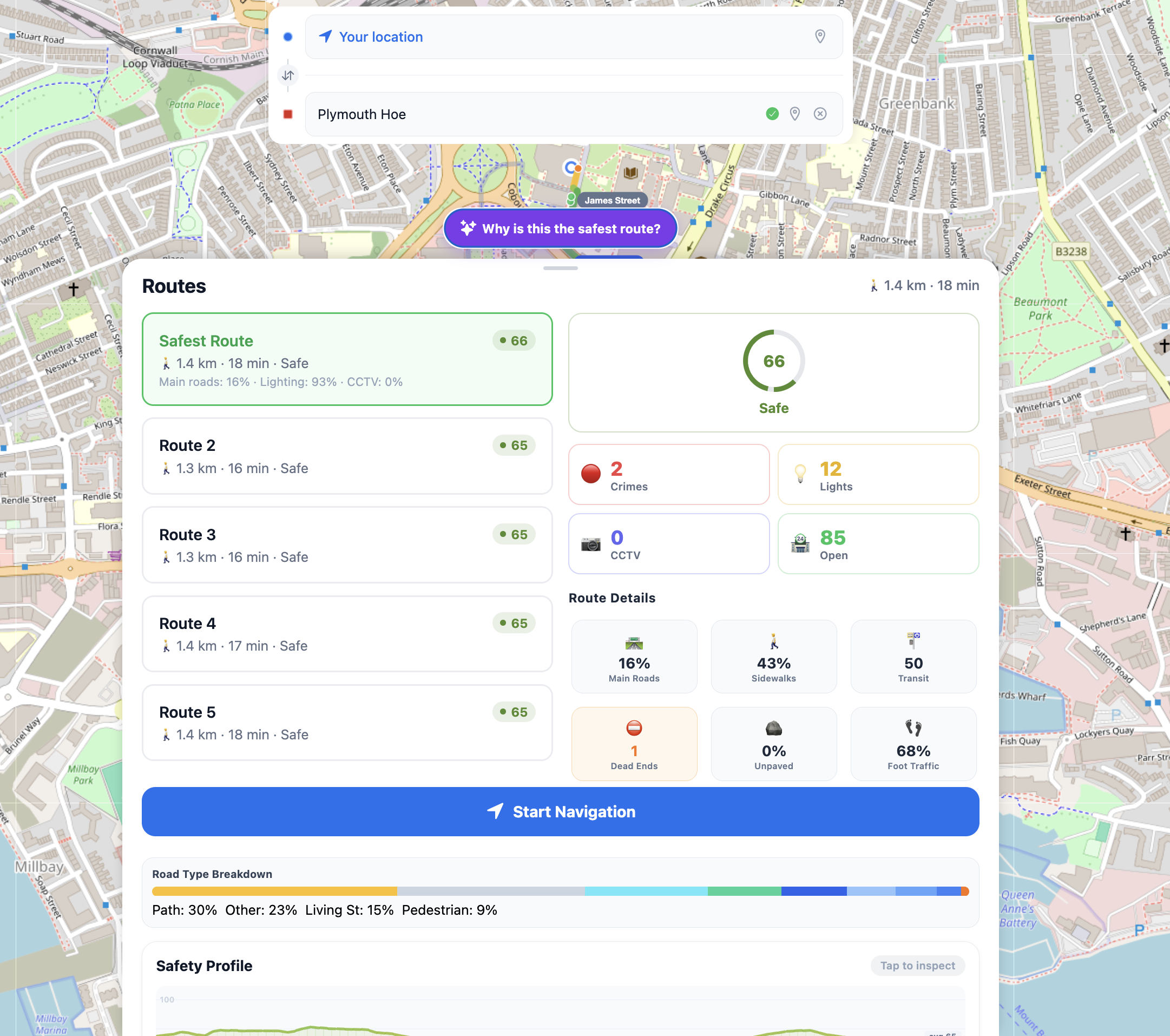
Dashboard overview provides an insight of all the parameters we considered to determine the safety of a route.
-
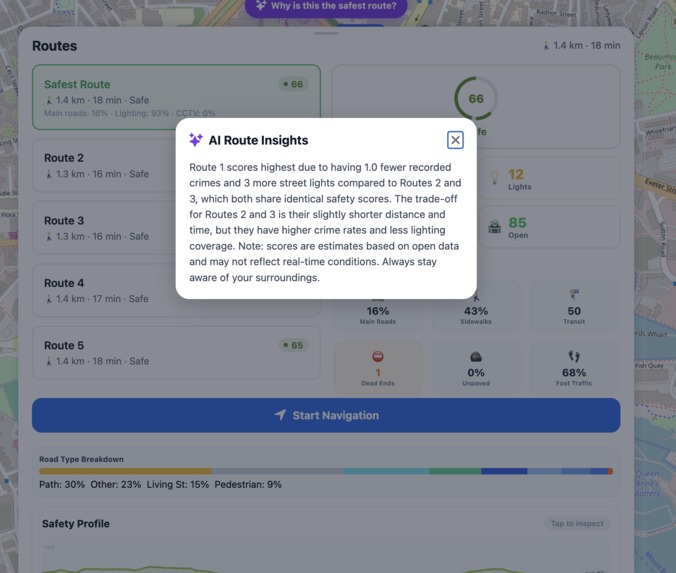
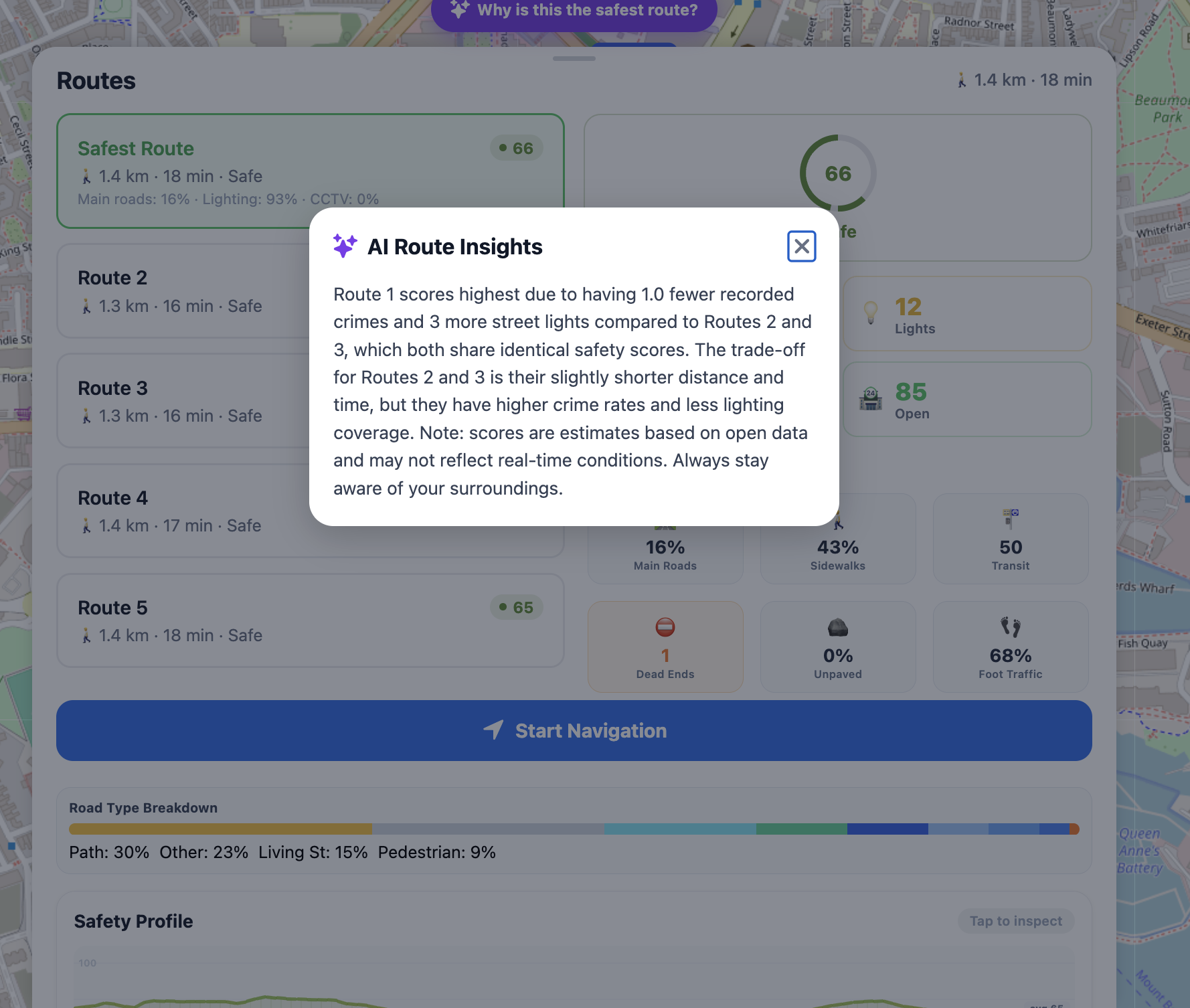
AI explainer for clarity of how the score was calculated
-
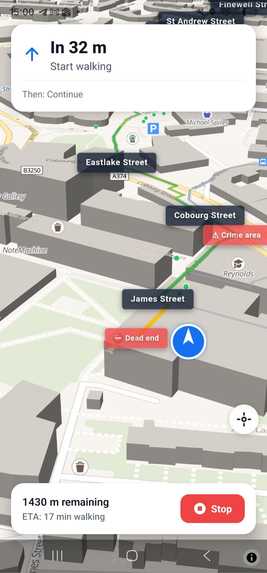
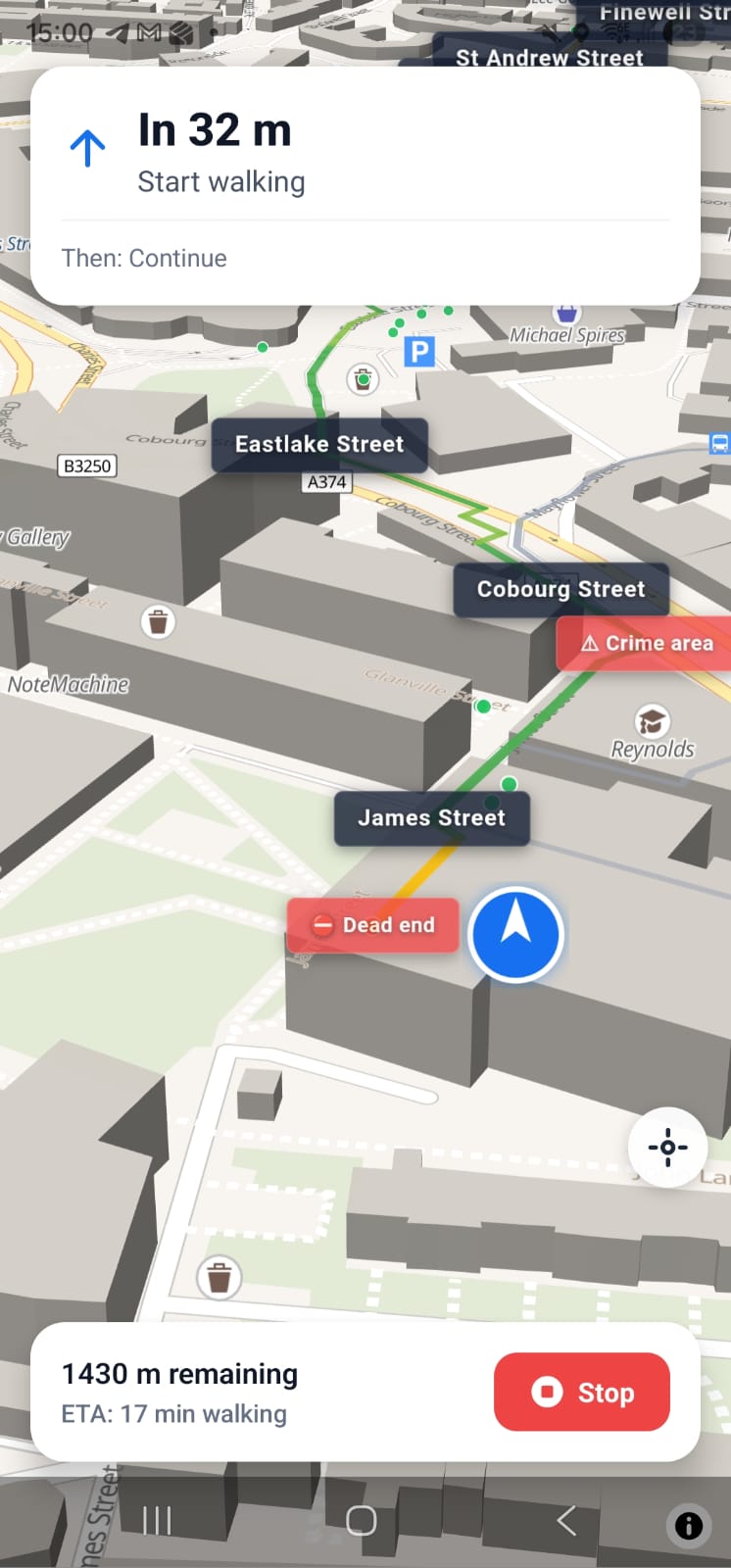
3D phone navigation, currently running only on android since I haven't paid for IOS signing secret.
Inspiration
When walking back to the house us women/men, take well lit routes, busier areas and take other safety measures into consideration when walking at night to make sure we avoid getting into trouble as much as possible. However current navigation tools don't make that easier since they are optimised for finding the shortest path and not the safest.
What it does
SafeNight takes past two month crimes, lightning of the road (light-posts), type of the road(path, residential), open shops, stores, offices and etc from multipul APIs into consideration to alter the Google Maps pathfinding resulting in the safest route from A to B at night. SafeNight provides simple interface, overviews and choices of different routes with AI assistance for better accessibility and being more user friendly.
How we built it
We have used many tools & APIs and most important ones being: Open AI API Google Maps Platform Google Maps Places & Javascript Open Street Maps UK Police API Ordinent Survey Api
framework: Expo SDK 54 (managed + custom dev client) UI runtime: React Native router: Expo Router v6 language: TypeScript
Mapping & Location react-native-maps, native MapView for Android/iOS (Google Maps backed, API key configured in app.config.js) Google Maps JS API expo-location, device GPS for current location Platform-split map components, we have separate implementations for phone and web.
We created the connections first to get the location then implemented basic search through google maps API, implemented the pathfinding. Used api's to gather the data. Created a algorythm that takes the numbers and outputs a score from 1 to 100. We then, showed those data on the map via little dots with different colours representing different data. After that we implemented road tags. Once we had all the data needed we create a segment function which then calls the api functions for segments of the code(50-100meters). Then we use the data in the segment to cacluate the overall score of the route. The route then uses a smart offsetting function that would check the path with walking ETA & driving ETA, take the crime lightning and rode type into consideration and if the driving eta is close enough to the driving distance in walking eta, it would offset the walking path and select the driving path for an optimal safe and busy route. Using Open AI API then we summarise how we calculated the final score for clarity. We also colour coded everything for extra clarity
Challenges we ran into
We many chalanges with the APIs went around a lot of google api restrictions such as pathfinding and other issues but by staying up the night and being consistent we sorted them all out.
Accomplishments that we're proud of
This is an app that I will be using for my own daily life. So I am quite happy about it.
What we learned
Use of many APIs, managing AI agents, first time using react expo.
What's next for SafeNight
Self reporting, proper backend, user fead data, instead of only relying on the API datas.
Built With
- android
- api-key-configured-in-app.config.js)-google-maps-js-api-expo-location
- device-gps-for-current-location-platform-split-map-components
- expo.io
- google-maps
- ios
- native-mapview-for-android/ios-(google-maps-backed
- open-ai
- openstreetsapi
- ordinent-survey-api
- react
- typescript
- uk-police

Log in or sign up for Devpost to join the conversation.