-
-
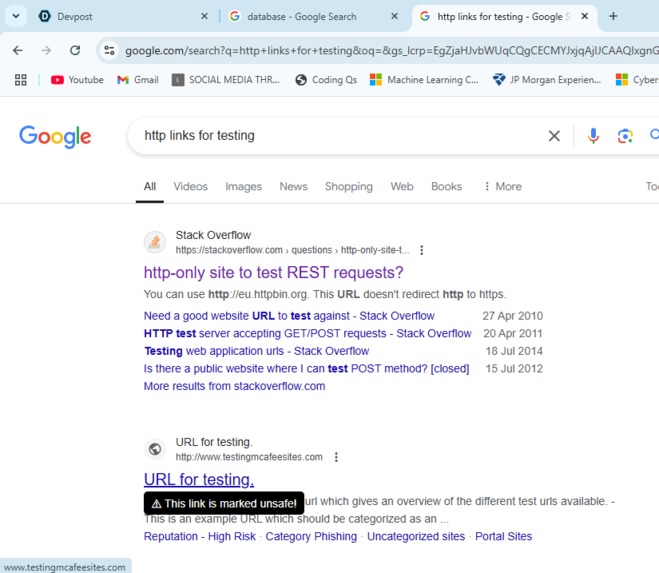
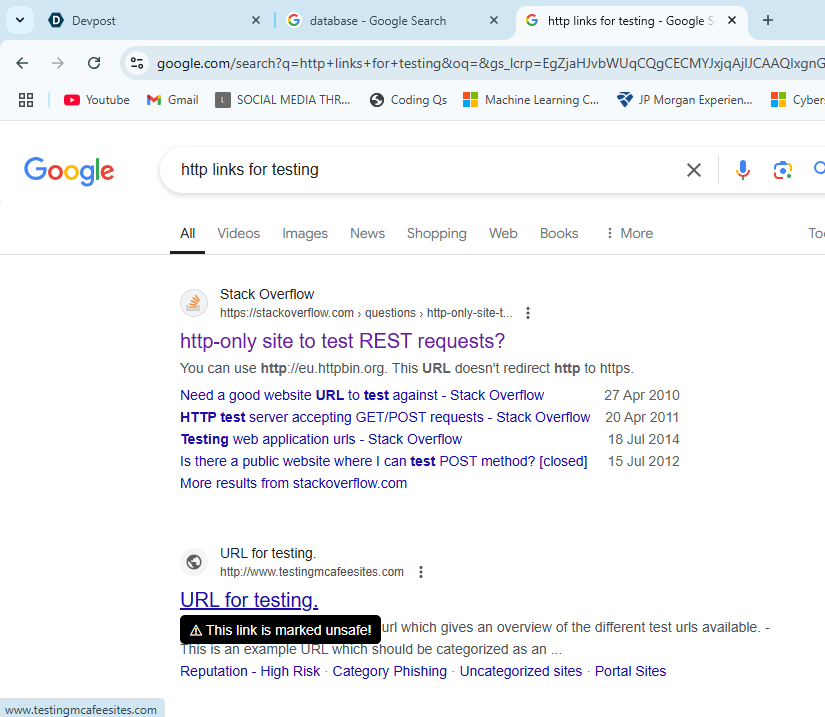
Testing the extension in google search.
-
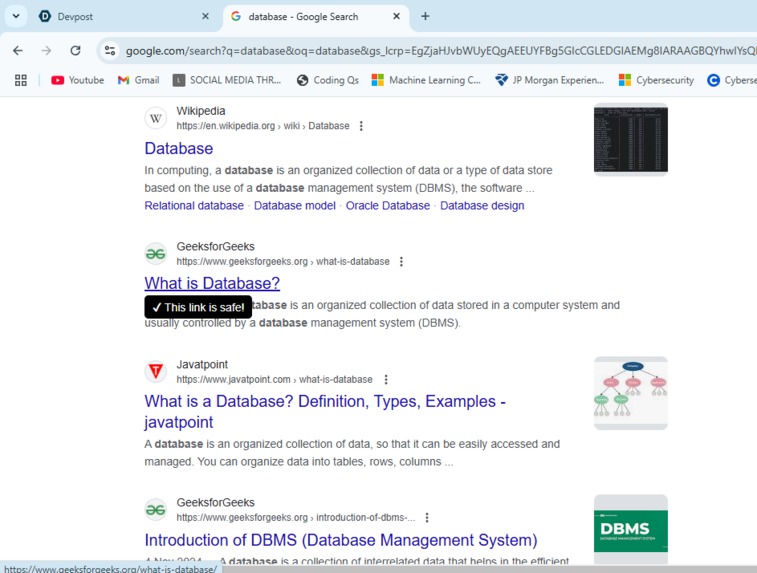
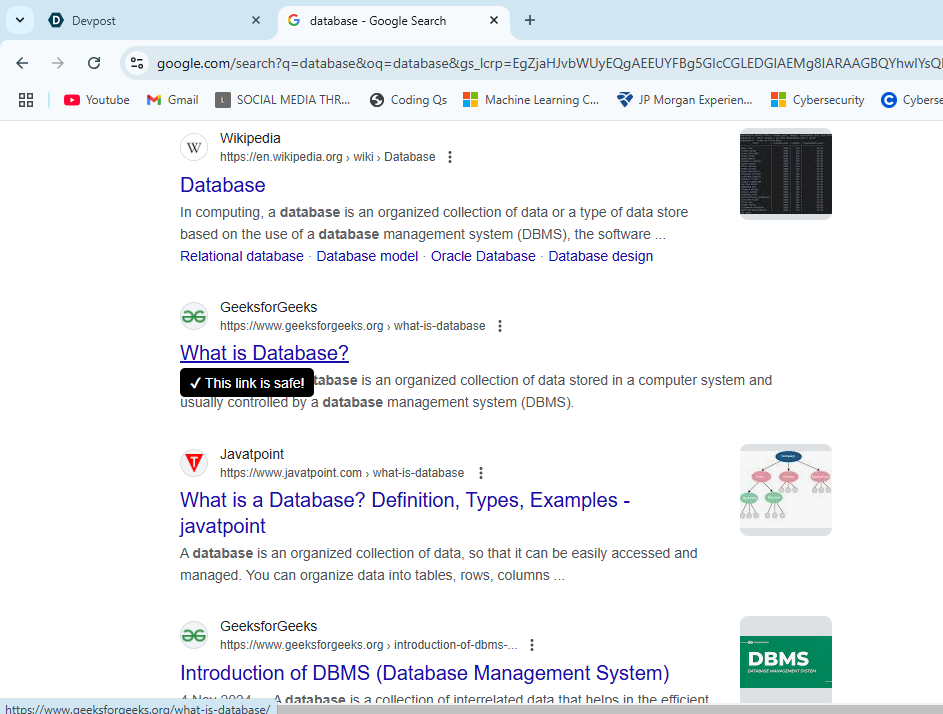
Testing the extension in google search.
-
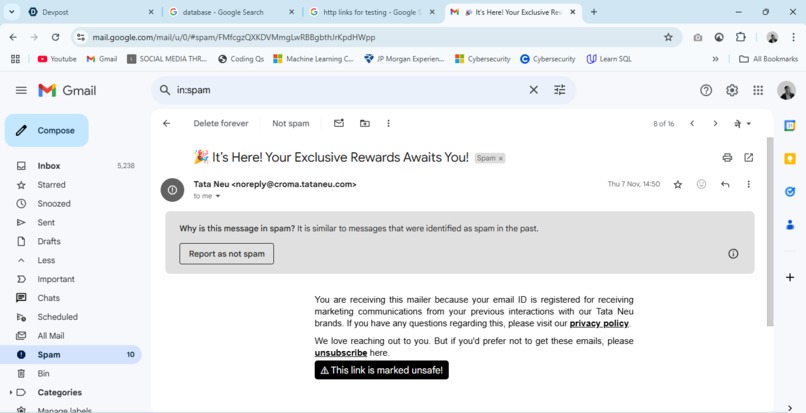
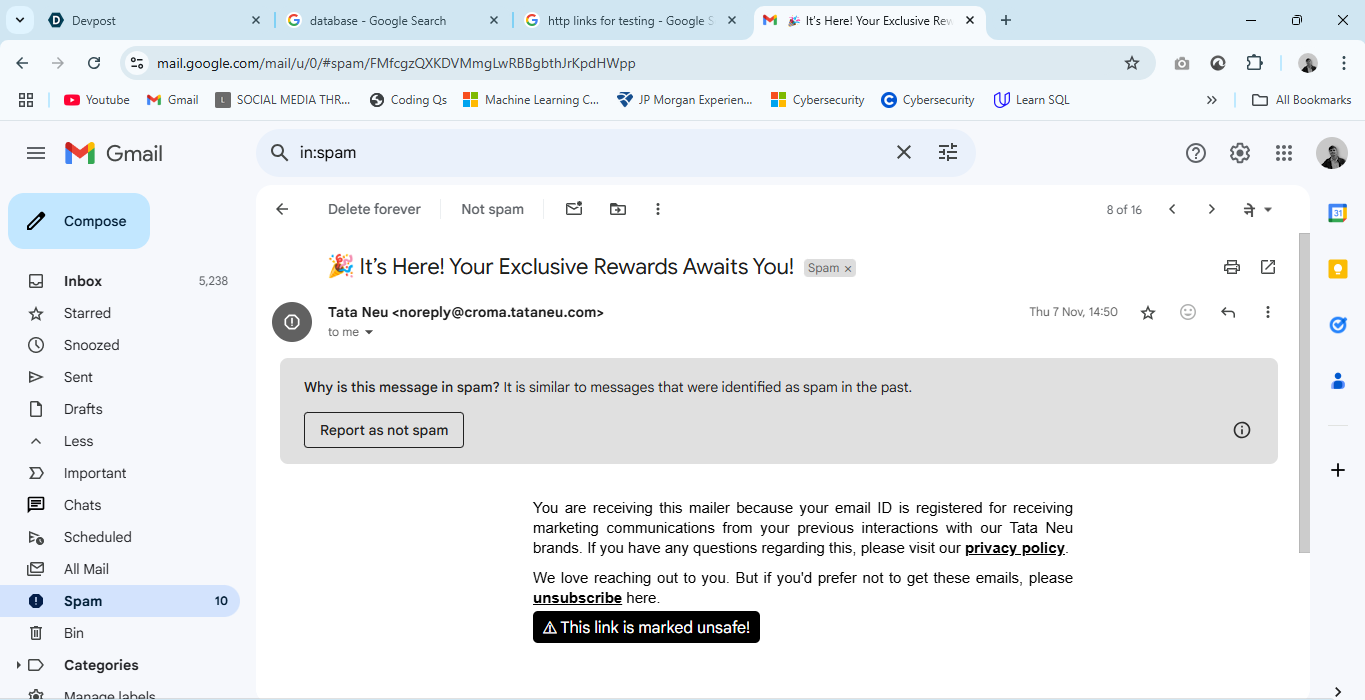
Testing the extension in Gmail.
-
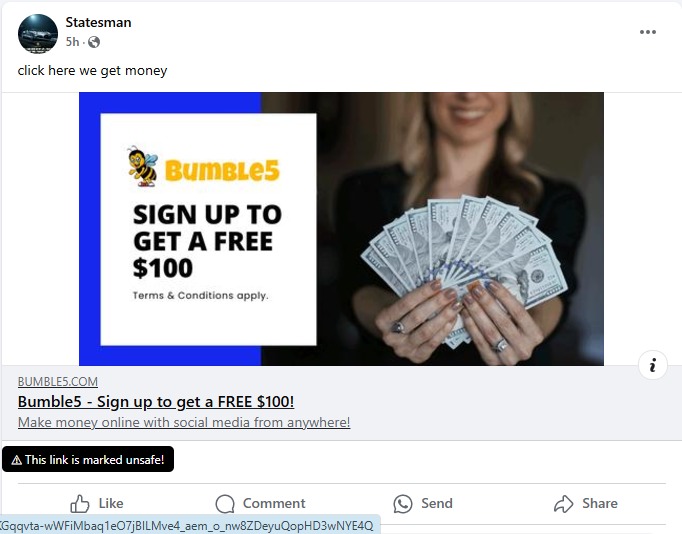
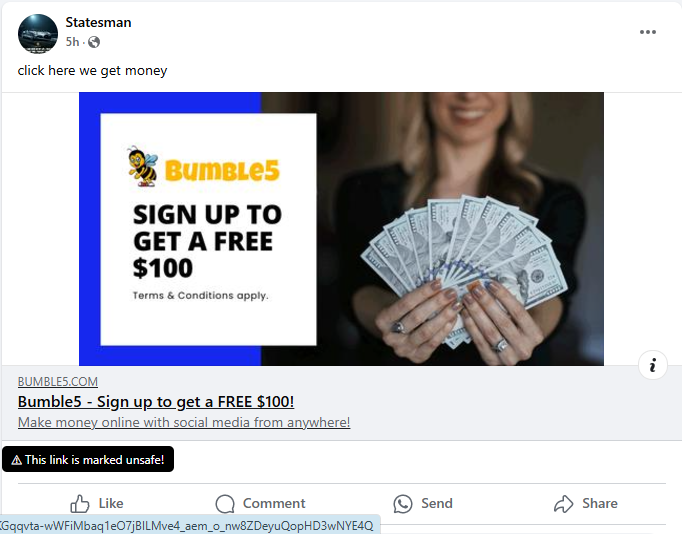
Testing the extension for Illicit Ads on Facebook.
-

Testing the extension for Legit Ads on Facebook.
-

-
-

-
-
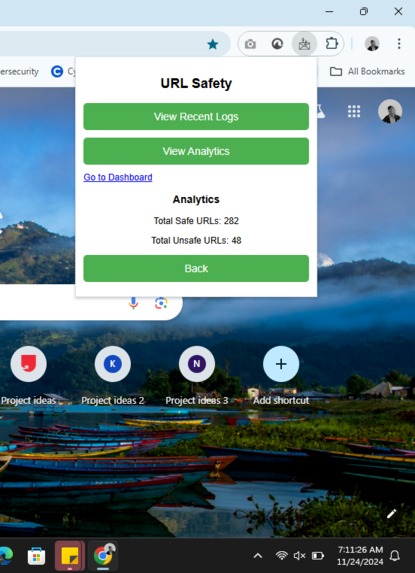
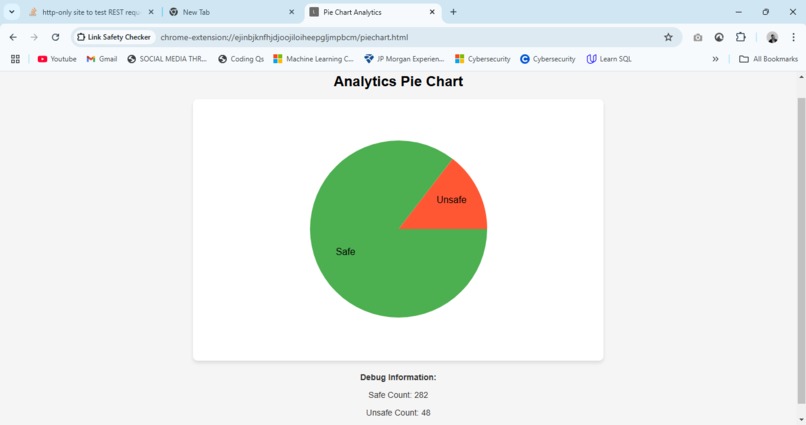
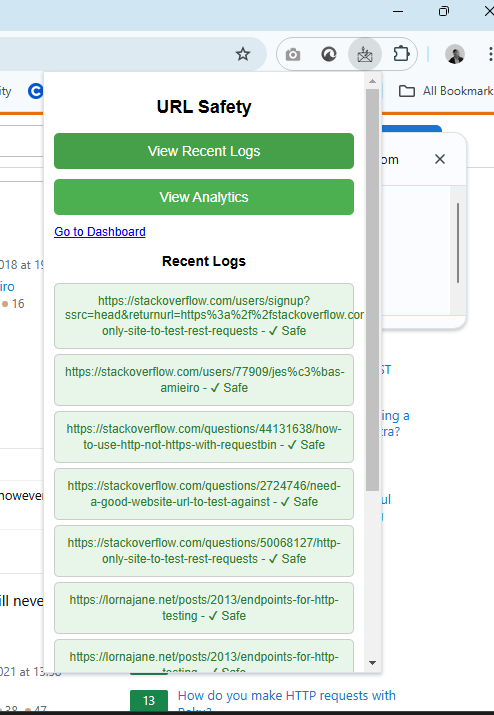
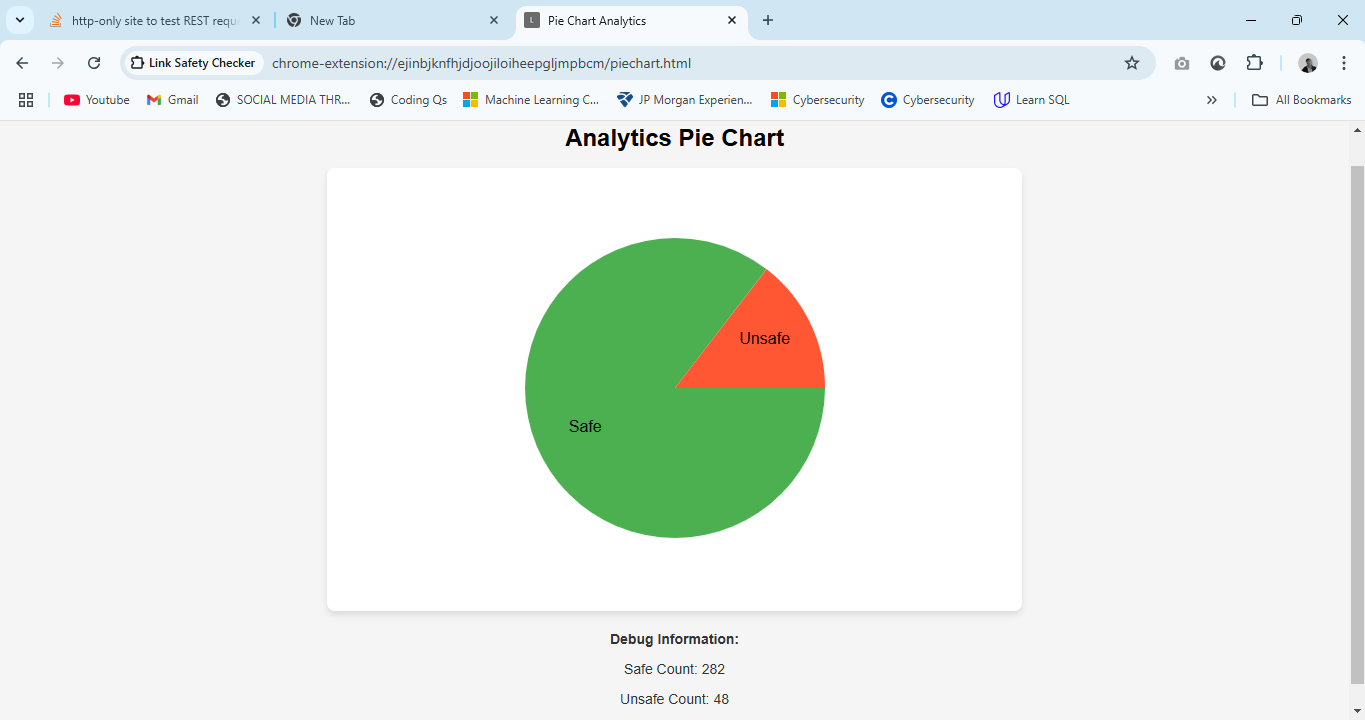
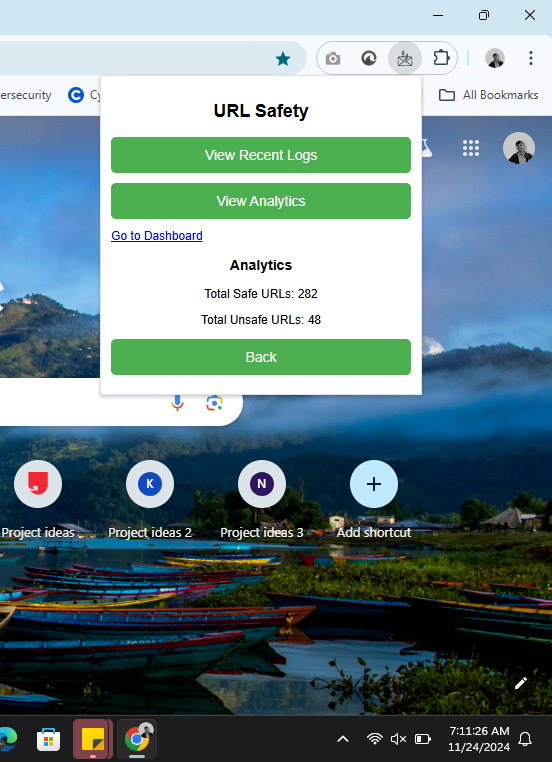
Analytics of URL Detected
-
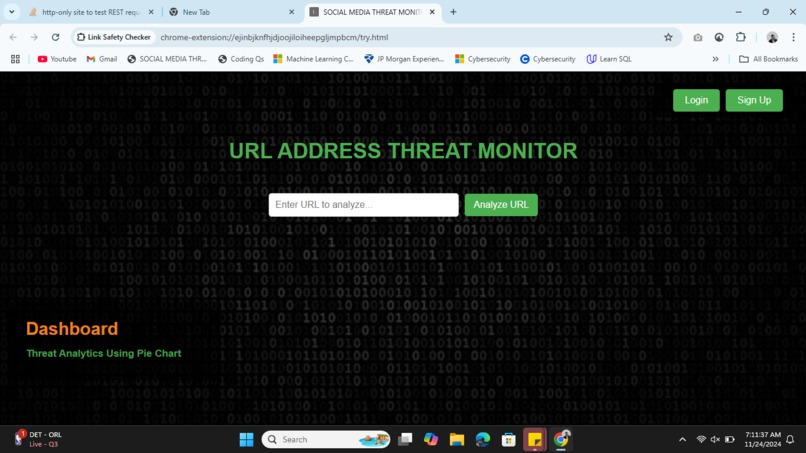
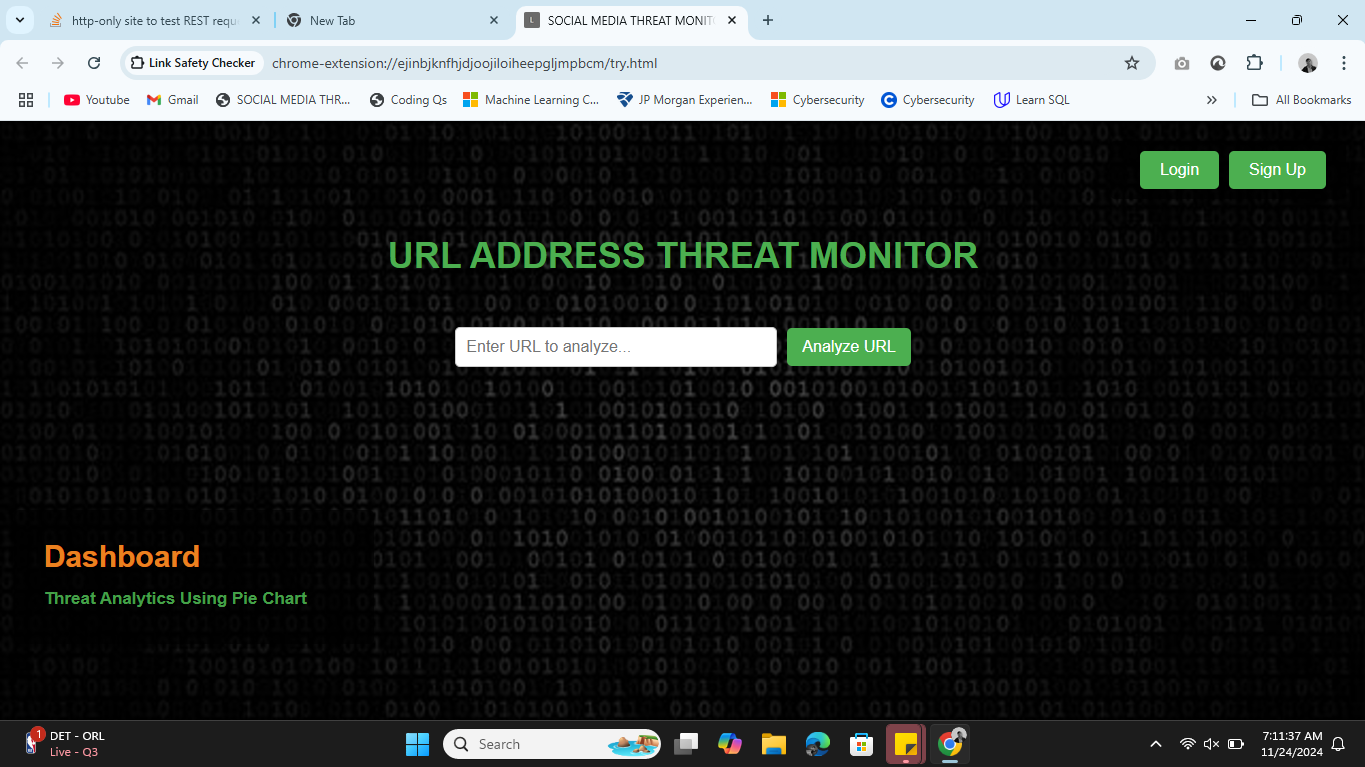
Search enable URL Safety Detector

Inspiration
The inspiration for SafeLinkHover came from our own experiences navigating the web, where we've all been exposed to malicious links – whether it’s through social media, emails, or other websites. We realized that while there are many tools for scanning URLs for safety, most of them require users to manually check links or visit external sites. We wanted to build something that was simple, efficient, and could immediately notify users if a link they’re about to click is safe or potentially dangerous. We wanted to create a tool that would provide peace of mind in an unobtrusive way while browsing. So, SafeLinkHover was born, a browser extension that checks URLs instantly as you hover over them.
What it does
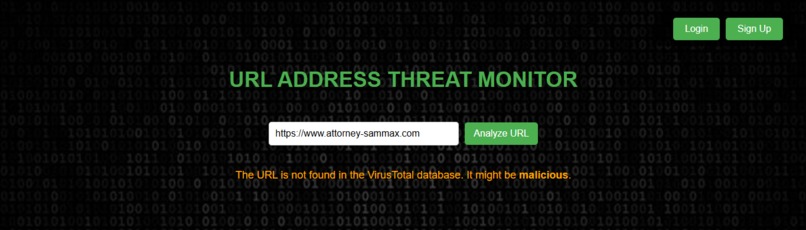
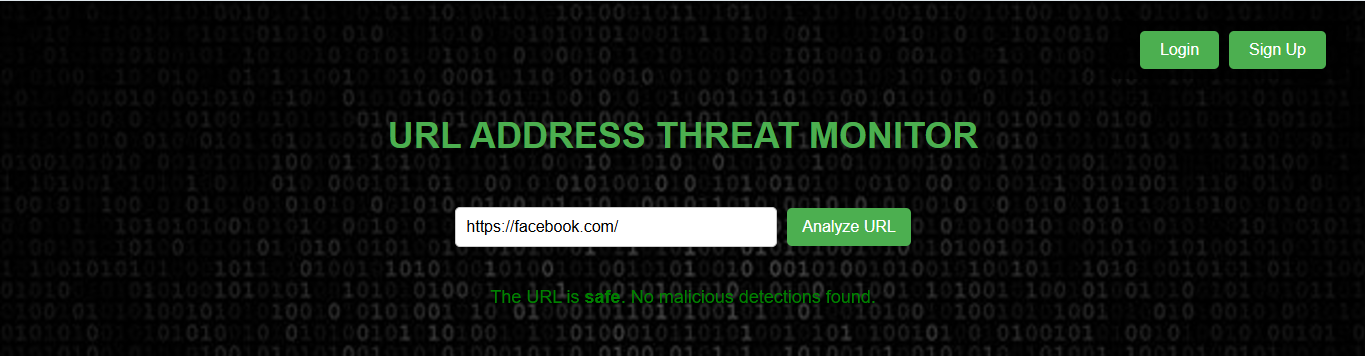
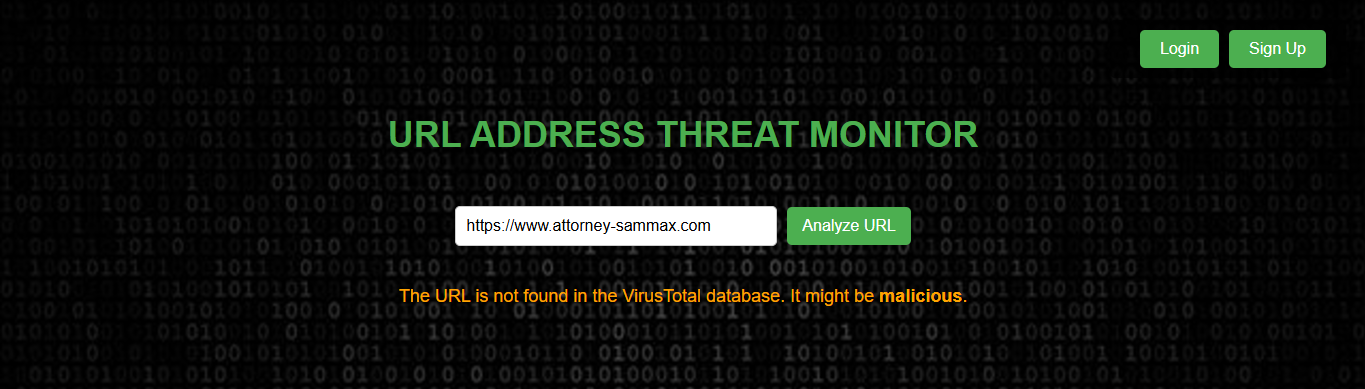
SafeLinkHover is a browser extension that scans URLs in real time to ensure they're safe to click. When a user hovers their cursor over any link, the extension sends the URL to the VirusTotal API, which checks it against multiple antivirus engines. The extension then displays a safety message under the link: either “Safe” or “Potential Risk.” It’s simple, effective, and provides immediate feedback to users, so they don’t have to guess whether a link is safe or not.
How we built it
We began by setting up the basic structure of SafeLinkHover using HTML, CSS, and JavaScript for the frontend, aiming to create a simple, lightweight extension that could be easily activated with a single button. The core functionality centers around real-time URL scanning. When a user hovers over any link on a webpage, the extension automatically sends the URL to the VirusTotal API for analysis. The results are then displayed instantly, providing users with immediate feedback about whether the link is safe or potentially risky. If the URL is safe, a "Safe" message is shown; if it poses a potential risk, a "Potential Risk" warning is displayed below the link.
To ensure compatibility across different browsers, we focused on making the extension work smoothly on both Chrome and Firefox. While the initial version worked well in Chrome, we encountered some challenges with Firefox’s permissions system, which required us to tweak the code for full compatibility. After resolving these issues, the extension worked seamlessly across both browsers. Performance was another critical consideration, so we focused on keeping the extension lightweight and fast. We optimized the code to minimize the number of requests sent to the VirusTotal API, ensuring that the safety checks were performed without noticeable delays during browsing. The user interface was designed to be minimalistic, with the safety status displayed unobtrusively below the hovered link
Challenges we ran into
One of the biggest challenges we faced was dealing with the VirusTotal API limits. The API has rate limits, so we had to figure out how to throttle the requests and avoid sending too many too quickly. This took a bit of time and experimentation to make sure the extension didn’t overwhelm the system while still working efficiently. We also ran into issues with cross-browser compatibility. Initially, the extension worked great in Chrome, but we had some hiccups when trying to make it work in Firefox. The permissions and API interactions weren’t behaving the same way, which required us to tweak the code. After some debugging and testing, we got it working in both browsers.
Accomplishments that we're proud of
We’re really proud of how quickly we were able to turn the idea into a functioning product. The extension works seamlessly, delivering fast, real-time safety checks without interfering with the user’s browsing experience. We’re especially proud of how we integrated the VirusTotal API to check URLs efficiently and display the results instantly.
What we learned
Building SafeLinkHover was a great learning experience. We got hands-on experience with browser extension development, which was something none of us had done before. We learned about the different APIs a browser extension can interact with and how to make those integrations smooth. Working with the VirusTotal API taught us a lot about how external services can be used to gather valuable data, and how to handle things like rate limits and request throttling. The biggest takeaway for us was the importance of user experience. We spent a lot of time ensuring the extension didn’t interfere with browsing.
What's next for SafeLinkHover
Looking forward, we have a few ideas for expanding SafeLinkHover. One feature we’re excited about adding is the ability to scan links automatically when a page loads. This would provide even more proactive protection, so users can feel confident that any link on the page has already been checked. We also plan to enhance the safety reports, providing more detailed information about why a link is flagged as dangerous, such as which antivirus engines flagged it and what type of threat it may pose.
Built With
- api
- chrome
- css
- firefox
- github
- html5
- including-url-scanning
- interacting-with-the-virustotal-api
- javascript
- virustotal

Log in or sign up for Devpost to join the conversation.