-
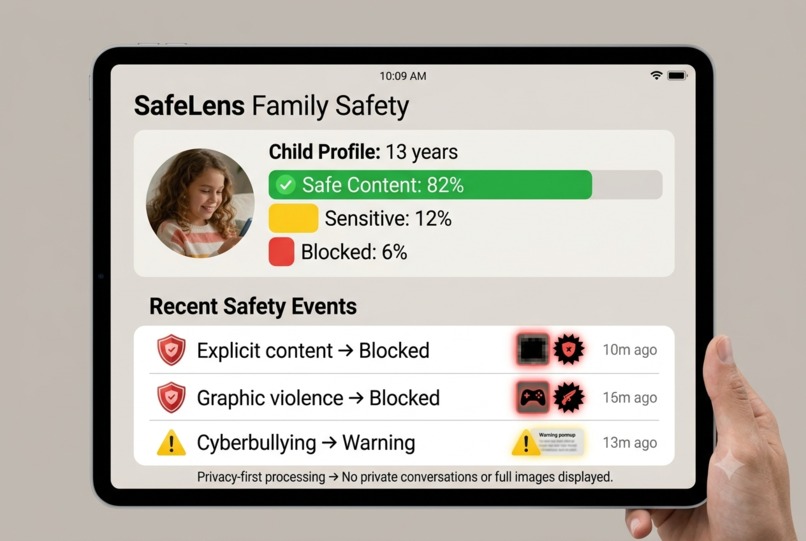
Parent Dashboard
-
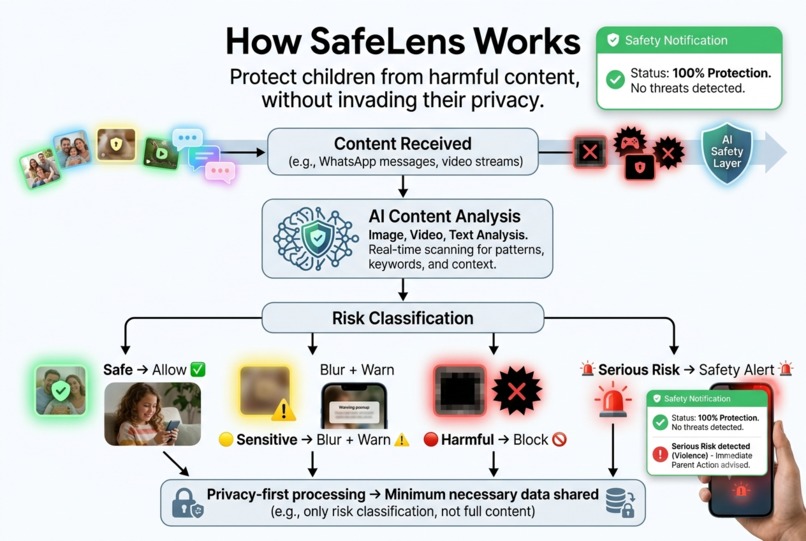
How SafeLens Works
-
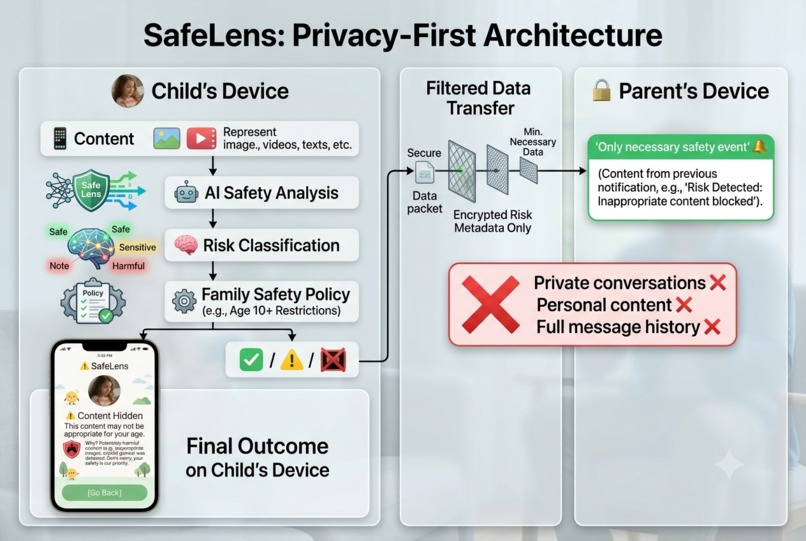
Privacy Architecture
-
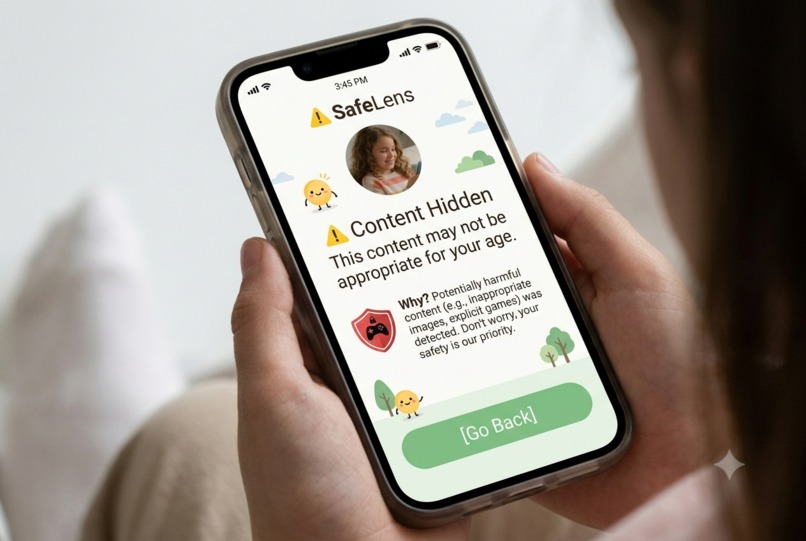
Child-Side Experience
-
Main Concept
-
Inspiration
SafeLens — A Privacy-Preserving AI Agent for Child Digital Content Safety
Inspiration
Children are spending more time than ever on digital platforms such as messaging apps, video platforms, social media, and online communities. While these platforms provide valuable opportunities for communication, entertainment, and learning, they can also expose young users to content that may be inappropriate or harmful.
The problem we identified is not simply that harmful content exists. The bigger problem is that parents cannot realistically monitor everything their children see online.
Traditional parental controls often rely on screen-time limits, website blocking, keyword filters, or restricting access to entire applications. These approaches can be too broad and may not understand the context of individual pieces of content.
This led us to a simple question:
Can we protect children from harmful digital content without turning parental protection into constant surveillance?
That question inspired SafeLens.
Our Idea
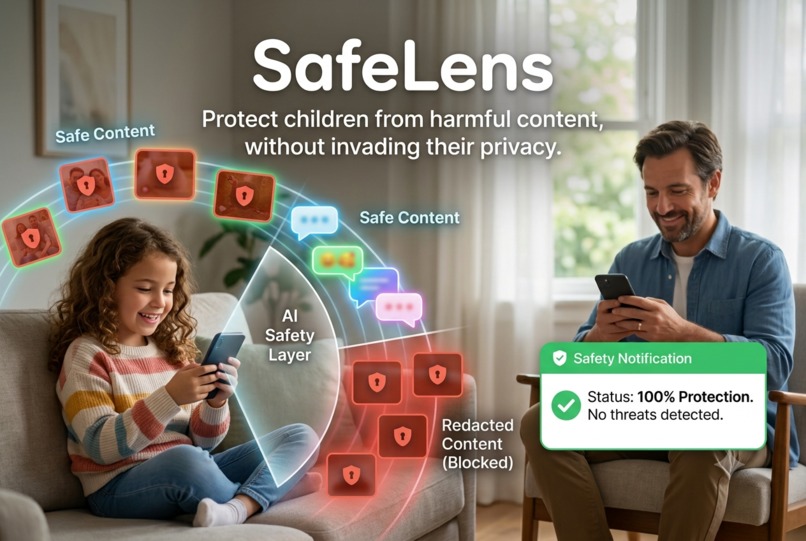
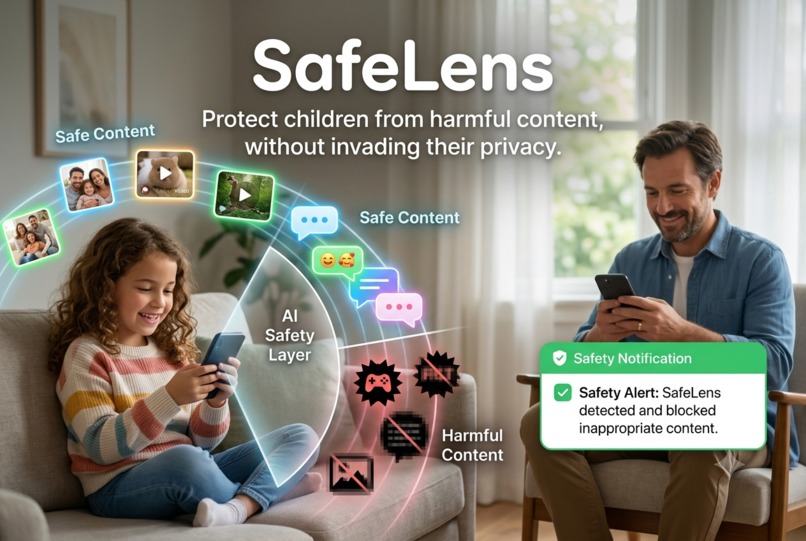
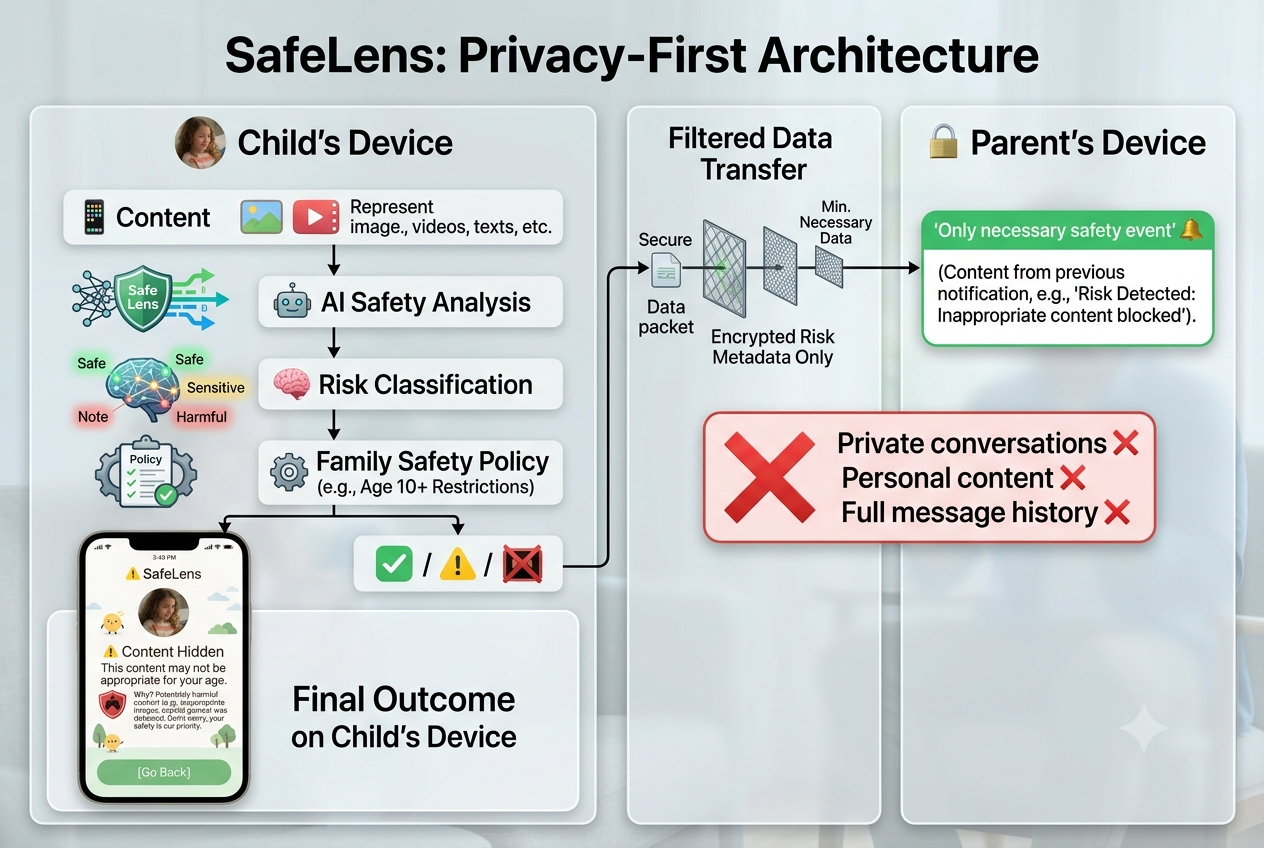
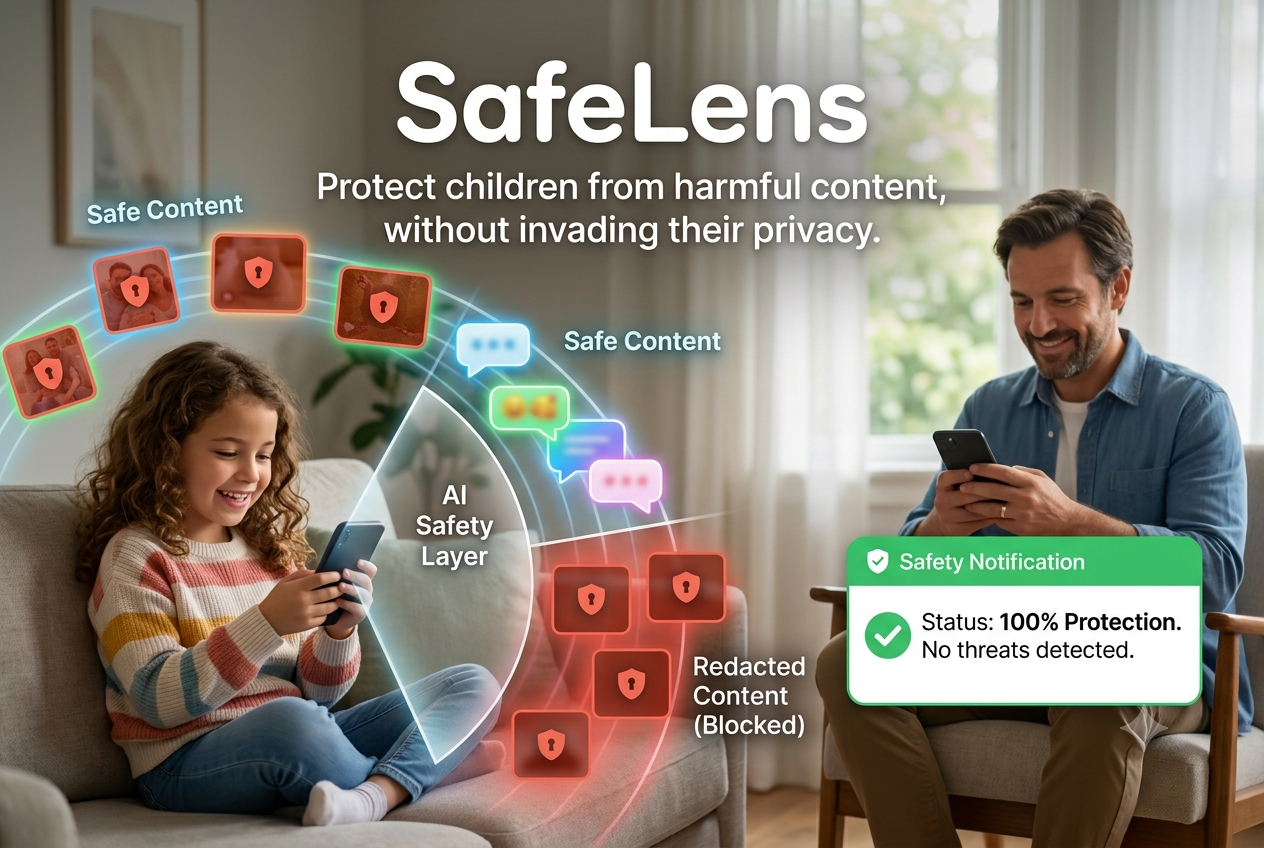
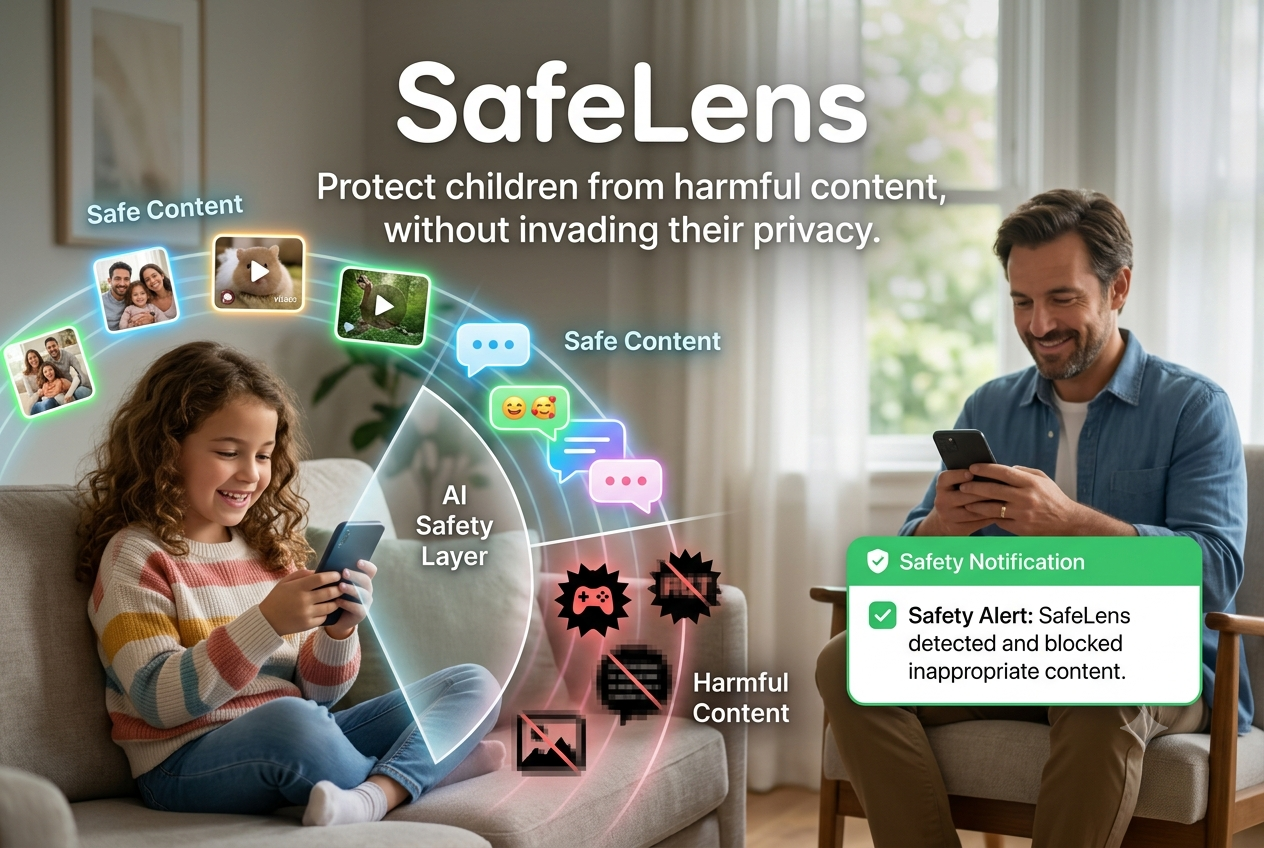
SafeLens is a proposed privacy-preserving AI content safety layer designed to identify potentially harmful digital content and apply age-appropriate safety rules before the content reaches a child.
Instead of treating an entire application as either "safe" or "unsafe", SafeLens focuses on the content itself.
A simplified flow is:
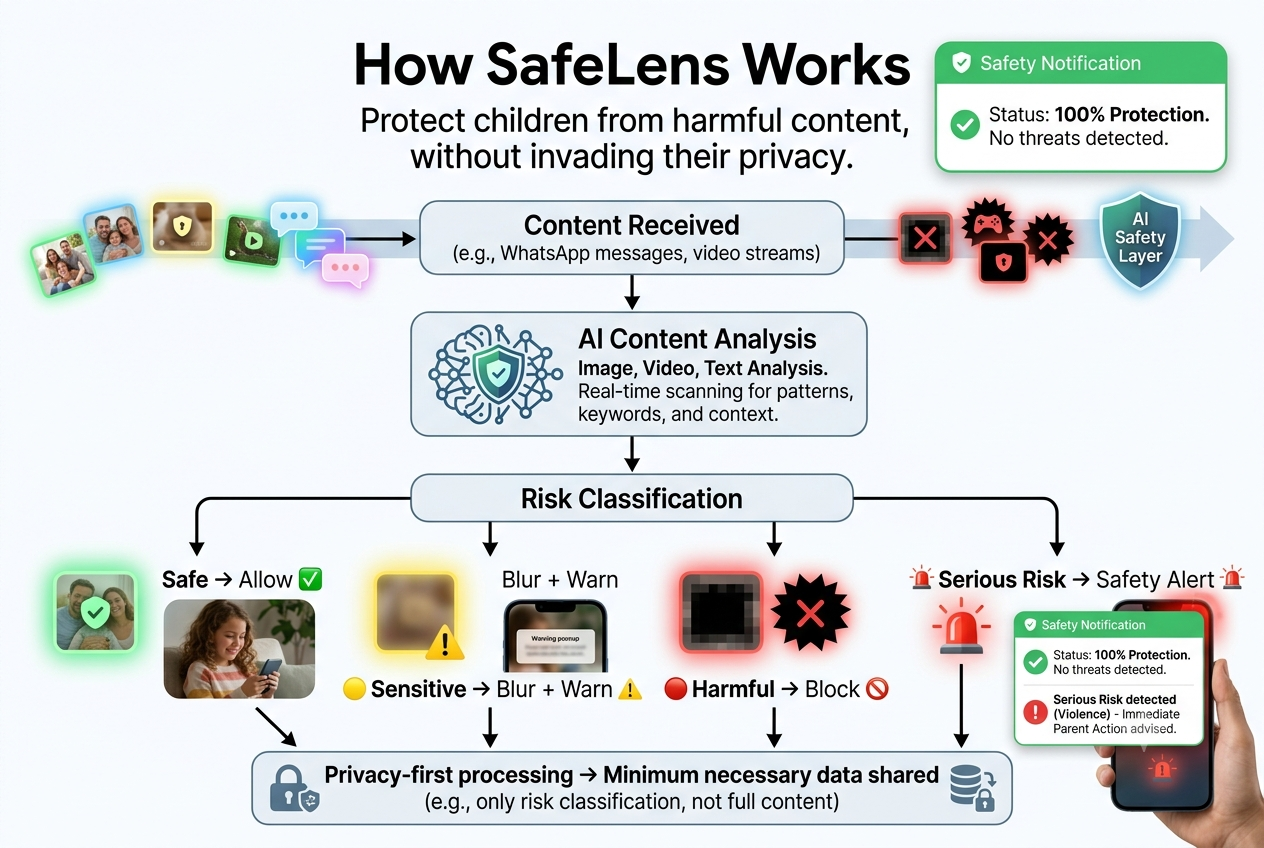
Digital Content → AI Safety Analysis → Risk Classification → Parent Policy → Action
Depending on the result, the system could:
- 🟢 Allow safe content
- 🟡 Warn or blur potentially sensitive content
- 🔴 Block highly inappropriate content
- 🚨 Escalate serious safety concerns according to predefined parental policies
The parent would be able to configure safety preferences based on the child's age and family requirements.
Privacy by Design
One of the most important ideas behind SafeLens is that child safety should not require unrestricted surveillance.
A conventional approach could send a child's messages, images, or other content to a remote server for analysis. We believe this creates another serious problem: privacy.
Therefore, SafeLens is designed around a privacy-first architecture, with analysis performed locally on the device wherever technically feasible.
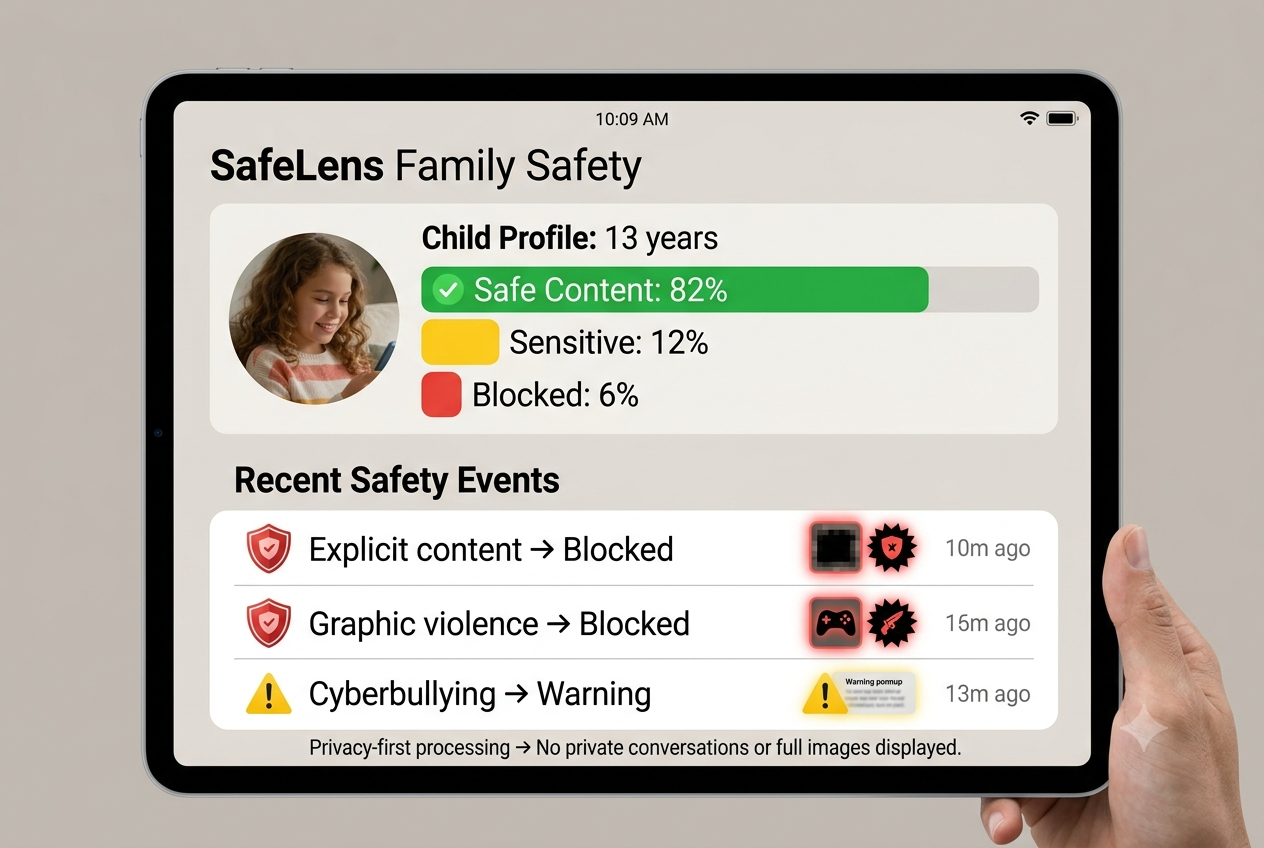
Rather than giving parents unrestricted access to private conversations, the system could provide limited safety information such as:
Safety event detected Category: Explicit Content Action: Blocked
The goal is to provide protection while minimizing unnecessary exposure of the child's private communications.
What Makes SafeLens Different?
We identified three major principles:
1. Content-aware protection
Instead of simply blocking an entire website or application, SafeLens focuses on the individual content and its context.
2. Adaptive parental policies
Different families have different expectations. Parents can configure categories and actions according to the child's age and their own preferences.
3. Protection without unnecessary surveillance
SafeLens aims to separate safety monitoring from content surveillance.
The system should tell a parent that a safety risk occurred without automatically giving them access to every private interaction.
How We Developed the Concept
Since Graphiques is a non-code innovation challenge, our objective was not to build a complete commercial application.
Instead, we developed the concept through a structured innovation process:
- Identified the limitations of conventional parental controls.
- Studied the tension between child safety and digital privacy.
- Defined the primary users and stakeholders.
- Designed the SafeLens content-safety workflow.
- Developed a privacy-first system architecture.
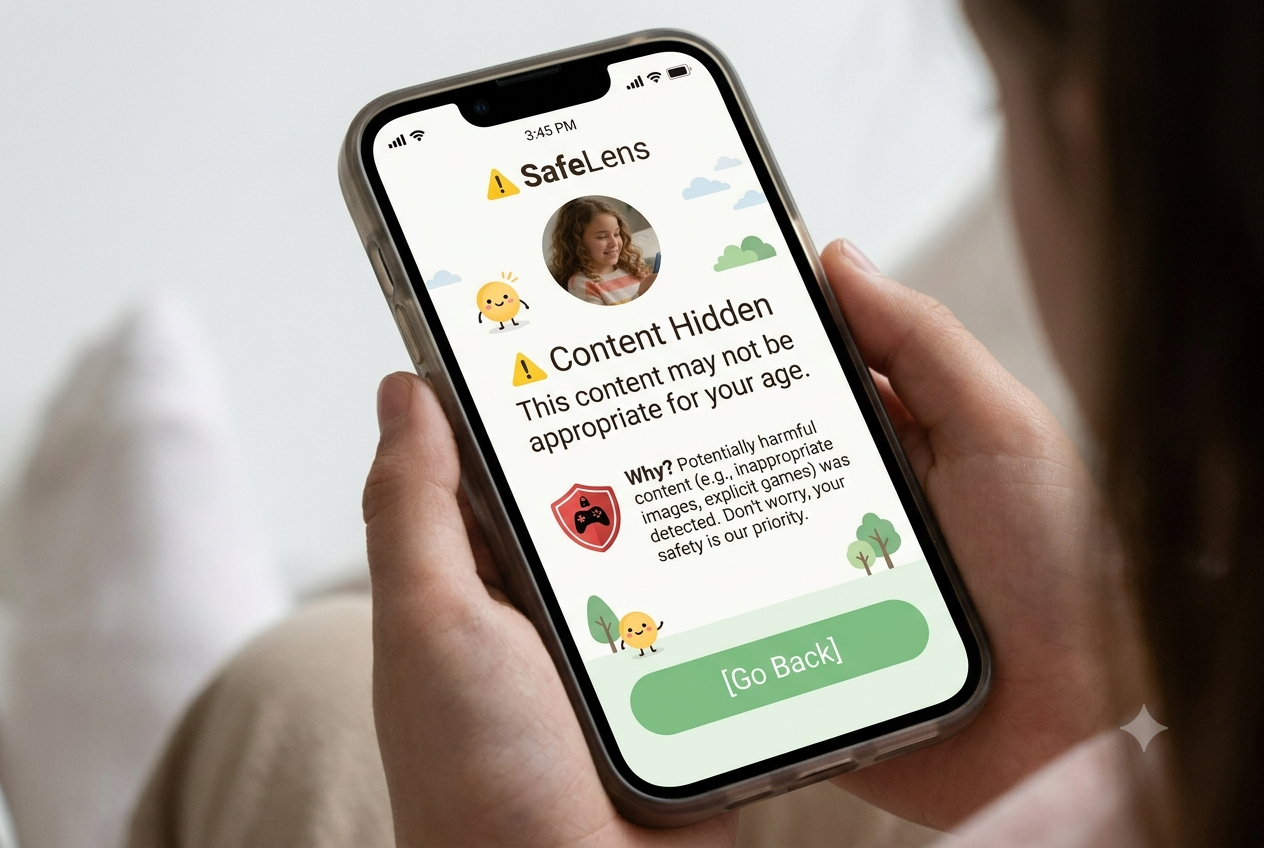
- Designed possible parent and child experiences.
- Considered implementation requirements and potential limitations.
- Developed a roadmap for future prototyping and testing.
The supporting materials demonstrate how SafeLens could operate as a practical product rather than simply being an abstract AI idea.
Example User Journey
Consider a 13-year-old receiving an image through a supported communication platform.
Instead of immediately displaying the content:
1. Content arrives
↓
2. SafeLens evaluates the content
↓
3. The safety engine determines the risk category
↓
4. The parent's predefined policy is applied
For example:
Explicit content → Block
or:
Potentially sensitive content → Blur + Warning
The child receives an appropriate intervention without the parent needing to manually inspect the child's entire conversation.
Challenges We Identified
The biggest challenge is that digital platforms are not designed around a universal external filtering layer.
Different applications have different architectures, privacy models, APIs, operating-system restrictions, and encryption mechanisms. Therefore, claiming that one agent can immediately filter everything across every platform would be unrealistic.
Instead, SafeLens is proposed as a platform-aware safety framework that can initially support environments where appropriate technical integration is available.
Another challenge is false positives and false negatives.
No AI classifier will perfectly understand every piece of content. A harmless discussion could be incorrectly classified as harmful, while subtle harmful content could be missed.
Therefore, SafeLens should use confidence thresholds, configurable policies, user feedback, and continuous evaluation rather than assuming AI decisions are always correct.
What We Learned
The most important lesson from developing SafeLens was that innovation is not always about building more technology.
The difficult part of this problem is finding the right balance between:
Safety ↔ Privacy
Protection ↔ Independence
Automation ↔ Human judgment
Accuracy ↔ Usability
A technically powerful system can still be a poor solution if it creates excessive surveillance or prevents children from developing healthy digital independence.
This shifted our thinking from:
"How can AI monitor everything a child does?"
to:
"How can AI provide meaningful protection while monitoring as little as necessary?"
Future Development
SafeLens could eventually be developed into a real-world system through several stages.
Phase 1 — Research
Conduct interviews and surveys with parents, students, educators, and child-safety professionals to understand real-world concerns.
Phase 2 — Prototype
Create a controlled prototype for selected content categories and evaluate classification accuracy.
Phase 3 — Privacy Testing
Measure how much information can be processed locally and minimize the amount of sensitive information leaving the device.
Phase 4 — Controlled Pilot
Test the system with consenting families under strict privacy and safety guidelines.
Phase 5 — Platform Expansion
Gradually support additional environments through legitimate platform integrations and operating-system capabilities.
Expected Impact
SafeLens aims to create a model of responsible digital protection where children can benefit from the internet without parents having to choose between two extremes:
Complete unrestricted access or Complete surveillance and restriction
The long-term vision is a digital environment where safety systems operate quietly in the background, intervene when necessary, and respect the child's privacy whenever possible.
Conclusion
SafeLens began with a simple observation: parents cannot be everywhere their children are online.
Technology can help, but technology alone is not the solution.
The real innovation is designing a system that understands that a child's safety and a child's privacy are both important.
SafeLens therefore proposes a different approach:
Protect the child, not the surveillance.
SafeLens — Protect children from harmful content, without invading their privacy.
What it does
How we built it
Challenges we ran into
Accomplishments that we're proud of
What we learned
What's next for SafeLens
Built With
- ai
- artificial
- child
- computer
- content
- cybersecurity
- data
- design
- digital
- generative
- human-centered
- intelligence
- language
- learning
- machine
- moderation
- natural
- parental
- privacy
- processing
- responsible
- safety
- ux/ui
- vision
- wellbeing

Log in or sign up for Devpost to join the conversation.