-
-
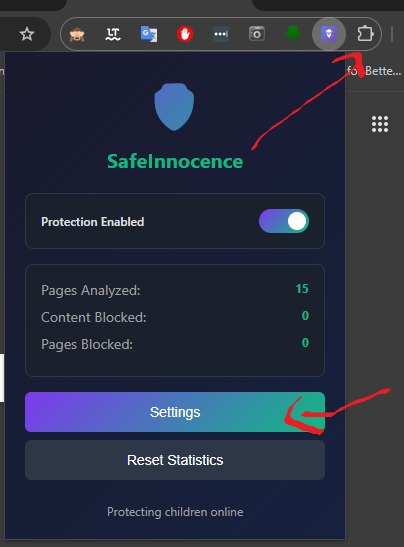
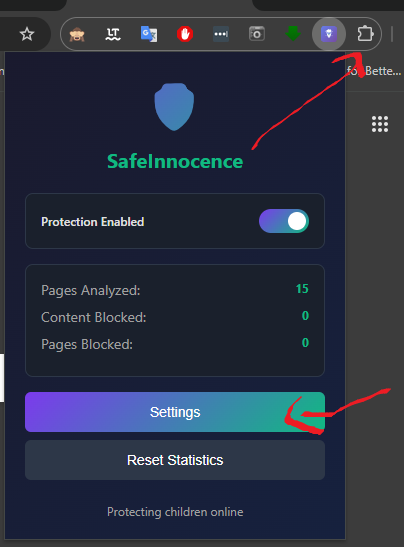
Configuration
-
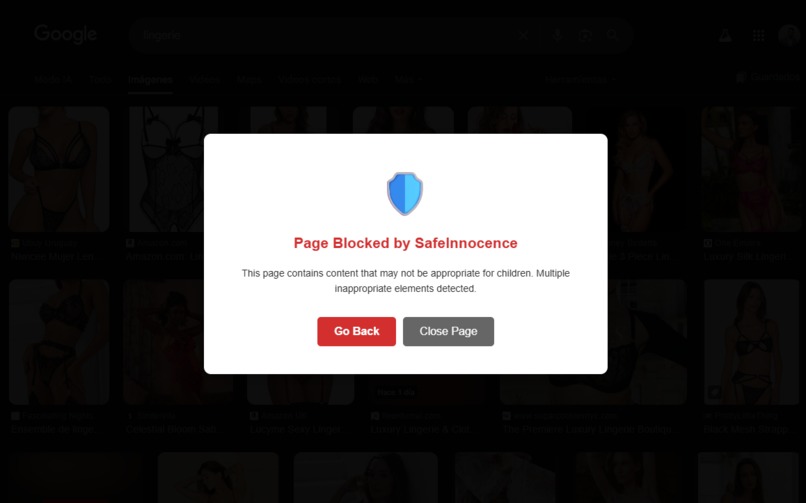
Total content blocking
-

Blocking sexual or inappropriate images
-
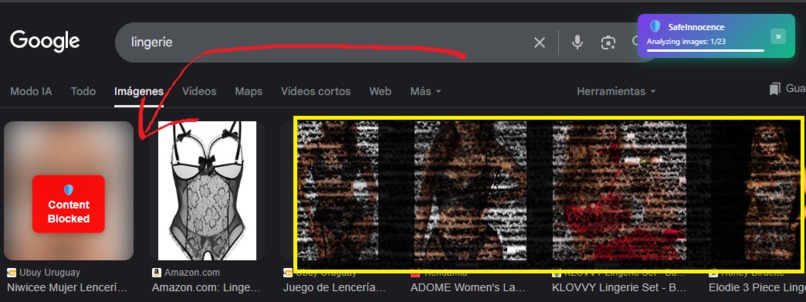
Partial content blocking

Inspiration
The idea for SafeInnocence came from a very personal moment: I accidentally opened a web search in front of my child and some of the results contained images and snippets that were clearly not suitable for kids. That single uncomfortable moment — seeing how easily a child can be exposed to harmful content — sparked the project. I wanted a privacy-first, fast way to protect children in the browser without sending their browsing data to remote servers.
What it does
SafeInnocence is a Chrome extension that protects minors by detecting and mitigating inappropriate content directly on the device. Key behaviors:
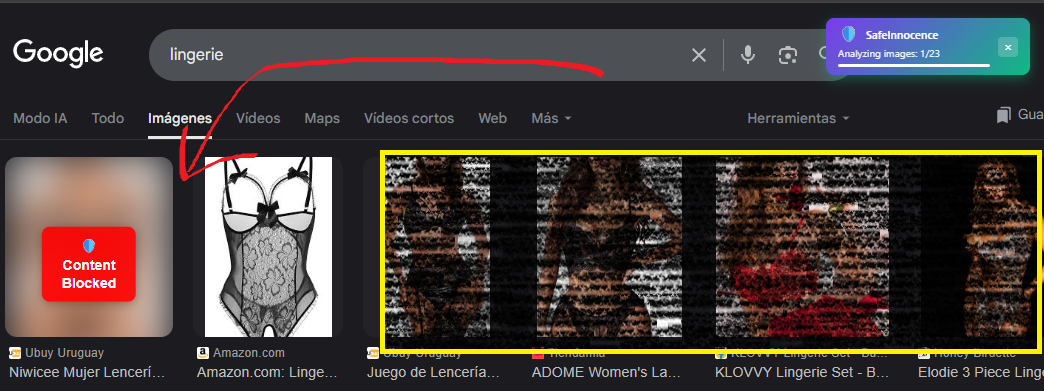
- Image protection: Scans visible images and thumbnails (including video thumbnails) and blurs or disables those flagged as inappropriate.
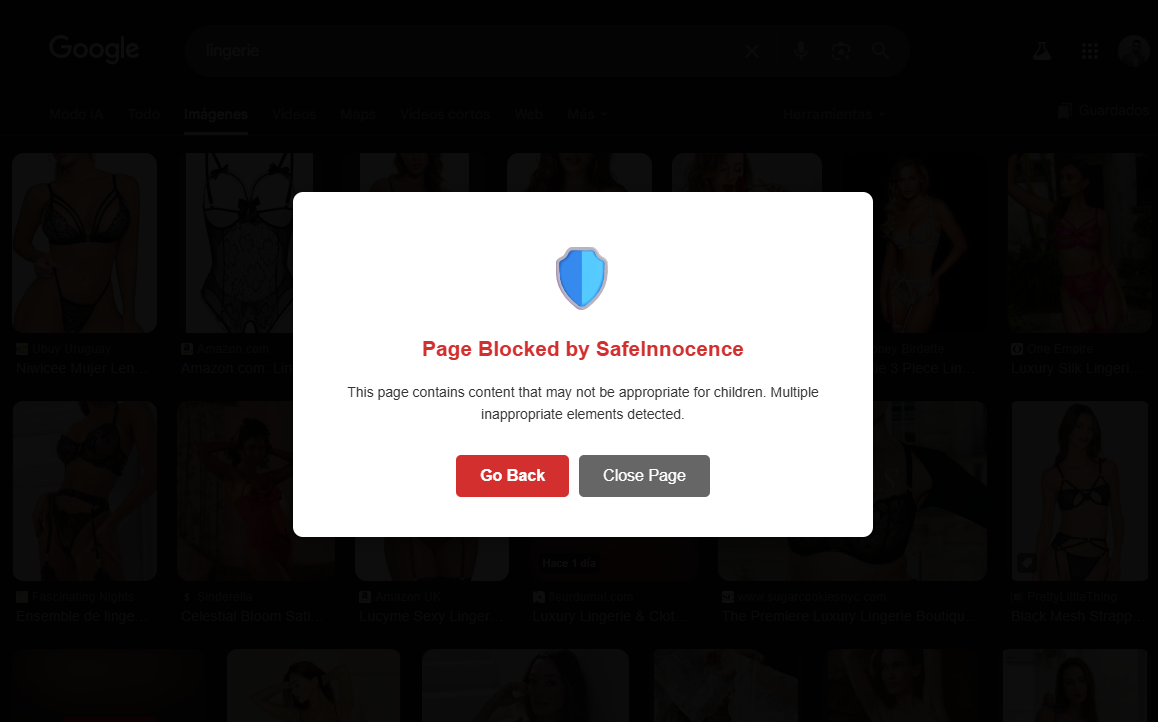
- Page analysis & blocking: Summarizes and analyzes page text for violent, sexual, self-harm, extremist, or other harmful content and can block or warn about an entire page when multiple issues are detected.
- Social comments moderation: On social feeds, the extension analyzes comments and replaces explicitly harmful comments (cyberbullying, hate speech, threats, self-harm encouragement) with a safe notice.
- Privacy-first & offline-friendly: All inference runs client-side (on-device) using Chrome built-in AI models so user content does not leave the browser.
- Usability features: Sensitivity settings (high/medium/low), progress indicator, caching to avoid repeated analysis, and graceful fallbacks for cross-origin or tainted resources.
How we built it
- Core tech: Built as a Manifest V3 Chrome extension using content scripts, a service worker background script, and a small UI popup for settings.
- AI stack: Uses Chrome Built-in AI (Prompt API with Gemini Nano for multimodal prompts + Summarizer API for concise text extraction). The extension sends structured multimodal prompts (text + image bitmaps) to a local LanguageModel session and parses JSON-formatted responses.
- Image handling: We use
createImageBitmap/ OffscreenCanvas where possible and fallback to drawing images into a canvas and converting to blobs. For cross-origin images we attempt a controlledfetchwith anAbortControllertimeout and otherwise skip or apply a conservative UI placeholder. - Performance & UX: Implemented concurrency limits and a queue (
limitConcurrency) to avoid blocking the page, a 15s per-call timeout, 24-hour caching per image URL, and a visible progress indicator for transparency. - Safety UI: Inappropriate images are blurred and disabled; YouTube thumbnails or clickable thumbnails are made non-interactive. For social comments we replace the comment DOM with a stylized notice that includes the reason categories.
- Repository & demo: Public GitHub repo with README, license, and step-by-step instructions; small hosted demo for judges to test (or local
Load unpackedinstructions if preferred).
Challenges we ran into
- Cross-origin images & CORS: Many images are hosted on other origins and drawing them into a canvas can taint it. We implemented fetch-with-timeout fallbacks and conservative skipping behavior to avoid breaking pages.
- False positives / model calibration: Balancing sensitivity to avoid over-blocking while still protecting kids required iterative prompt engineering and thresholds for severity.
- Latency on low-power devices: Running multimodal checks client-side must be efficient; we had to add caching, smaller bitmap sizes, and concurrency limits to keep the UX smooth.
- Dynamic content / infinite scroll: Social platforms load content continuously. We built MutationObservers and scroll-based throttling to analyze only newly added items and avoid re-analysis loops.
- User trust & transparency: Users/caregivers need to understand what was blocked and why; designing clear notices and an easy parental override (PIN) took attention and testing.
Accomplishments that we're proud of
- Fully client-side multimodal protection: SafeInnocence uses on-device analysis (text + image) so no user browsing content is transmitted off-device.
- Robust UX for social platforms: We reliably blur thumbnails and replace harmful comments across several platform structures while keeping pages usable.
- Performance safeguards: Caching, concurrency limits, and per-call timeouts prevent the extension from slowing down browsing, even on modest hardware.
- Clear, testable demo & docs: A public GitHub repo with install instructions and test pages so judges can reproduce behaviors quickly.
- Thoughtful privacy-first design: From the beginning we prioritized not exporting user content — a principle that shaped architecture and the demo.
What we learned
- Prompt engineering matters: Small prompt changes greatly affect whether the model flags content; structured JSON outputs and examples reduce parsing errors.
- Edge cases dominate in real browsing: Cross-origin resources, lazy-loaded assets, and site-specific DOM structures require many pragmatic fallbacks.
- Balancing automation and control: Automatic moderation is powerful, but caregivers want transparent controls (sensitivity sliders, temporary unblocks, audit logs).
- User testing is essential: Real-world testing with parents and guardians surfaced many UX and trust issues we hadn’t considered in lab tests.
What's next for SafeInnocence
- Parental control features: Add PIN-protected overrides, activity logs, and per-site whitelists/blacklists.
- Hybrid mode for mobile & heavy tasks: Offer an optional hybrid fallback that uses a trusted cloud logic only for heavy tasks or optional centralized analytics (opt-in only) to support mobile browsers where Gemini Nano on-device is limited.
- Model calibration & personalization: Allow safe, local personalization so sensitivity and categories can be tuned per household while still keeping data local.
- Accessibility & localization: Improve screen-reader support and add translated UI texts (with Proofreader/Translator APIs) for non-English households.
- Broader platform support: Investigate publishing workflows and Chrome Web Store requirements, and expand testing to Chromium-based mobile browsers and progressive web apps.
- User testing & research: Run caregiver usability studies and iterative A/B tests to refine notices, unblock flows, and minimize false positive impact.


Log in or sign up for Devpost to join the conversation.