-
-
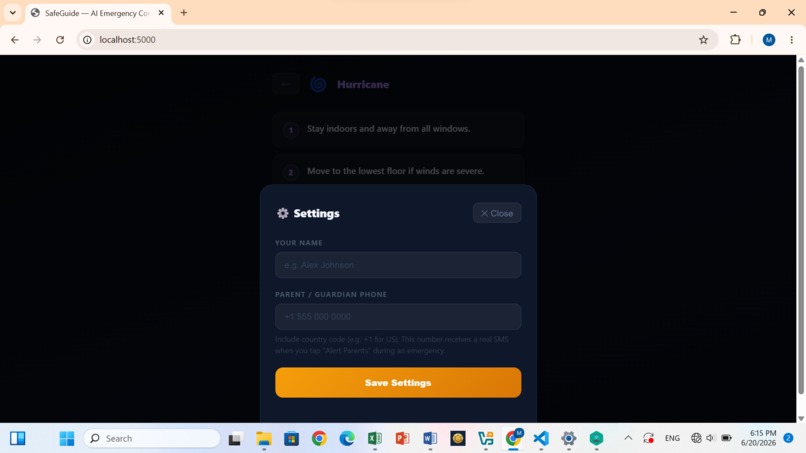
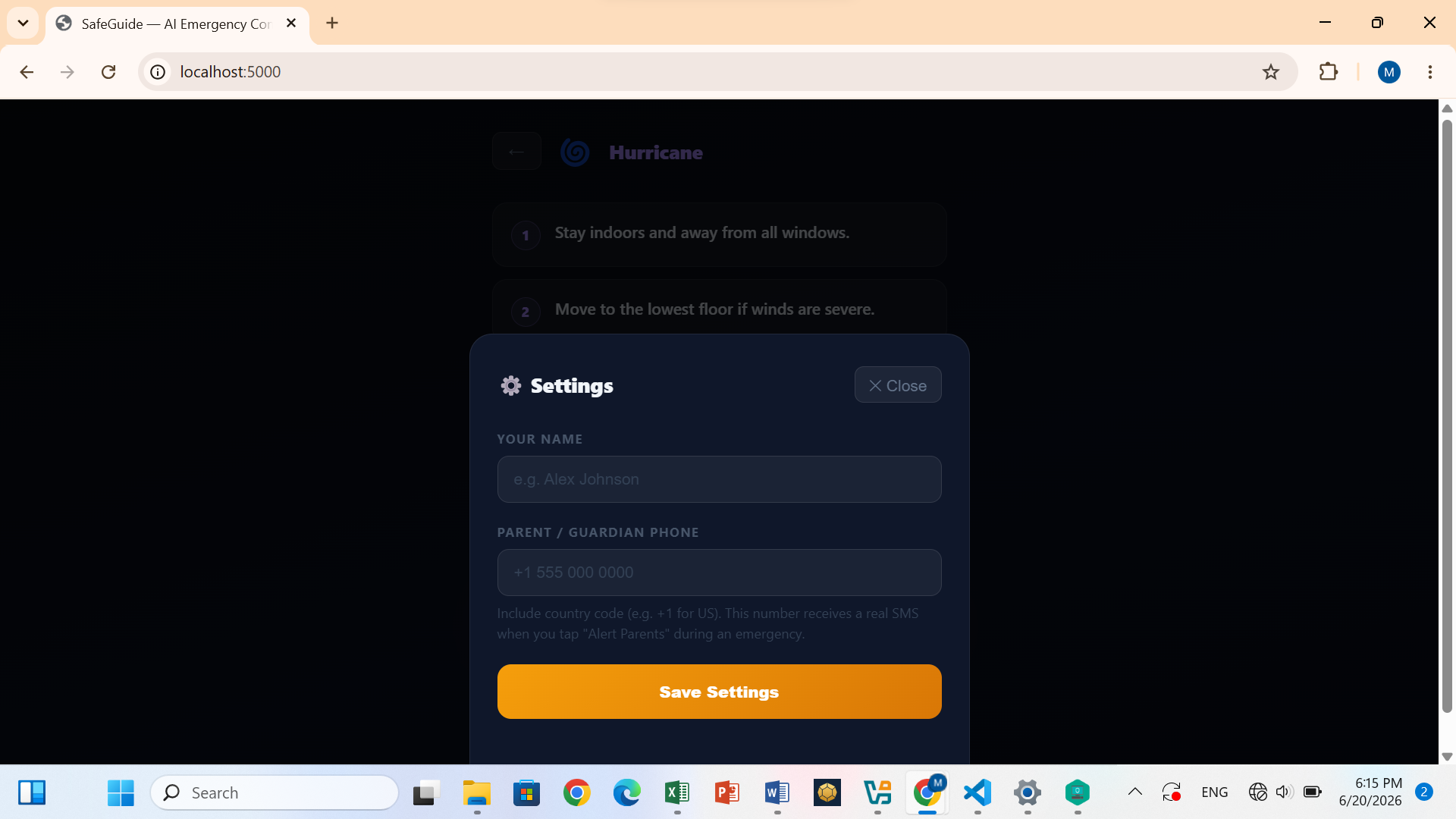
Settings panel with parent phone field for sms
-
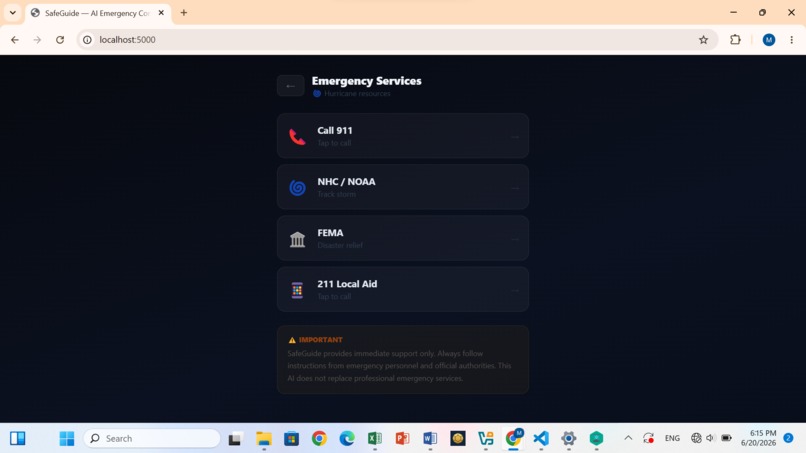
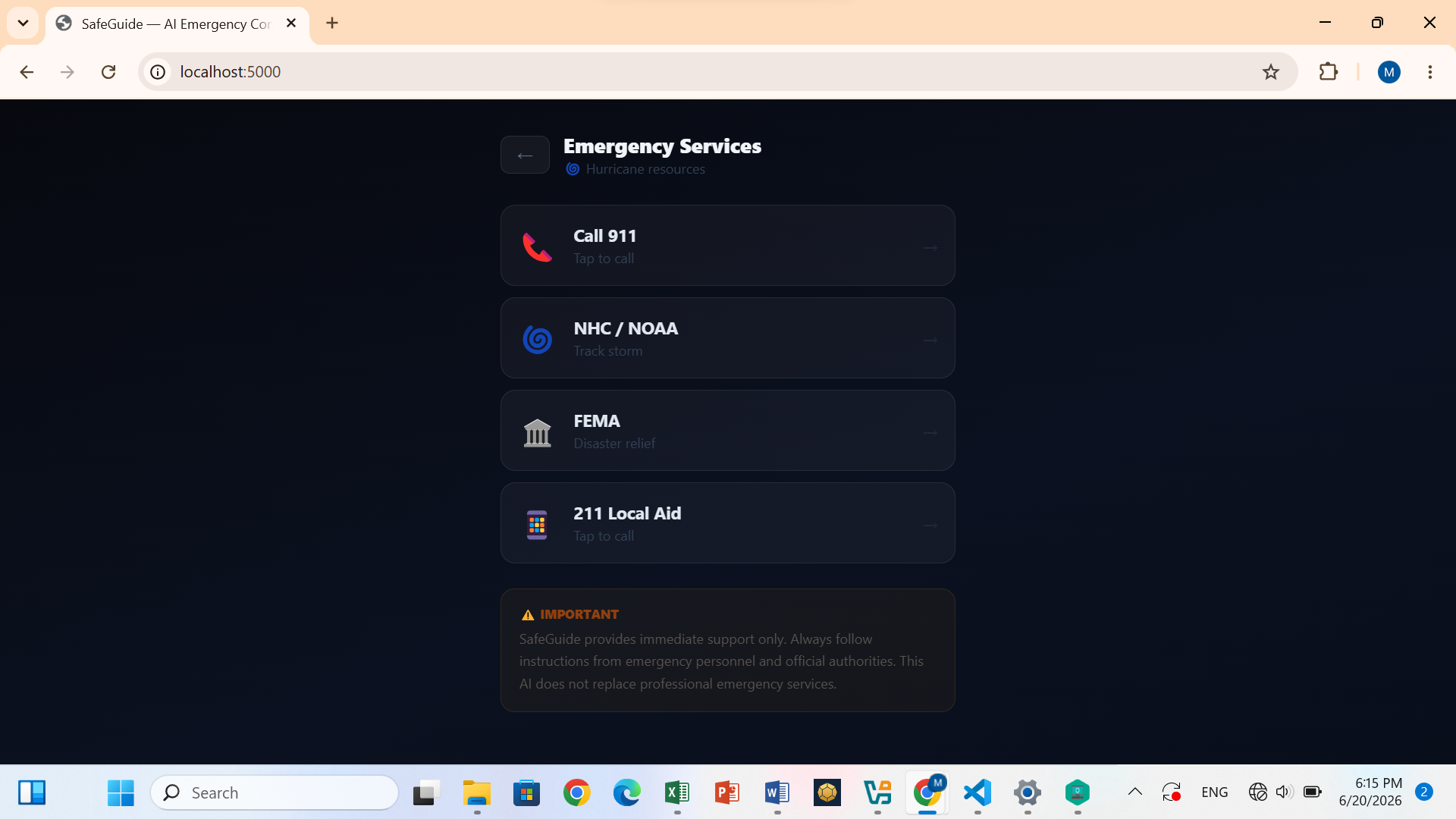
Services screen
-
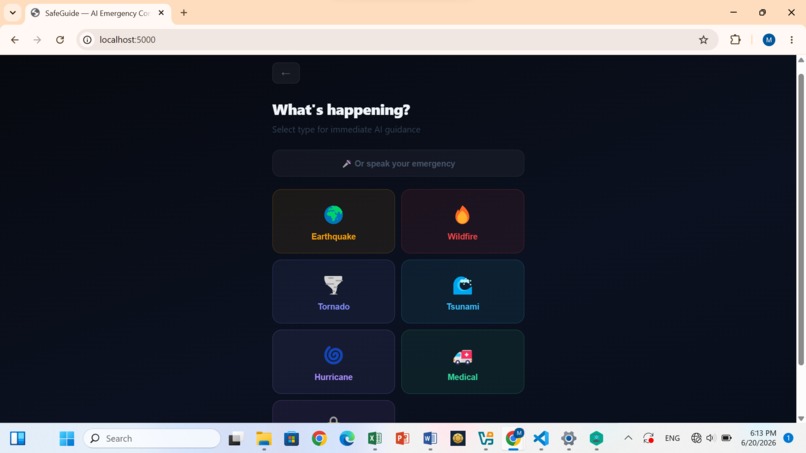
Disaster selection grid
-
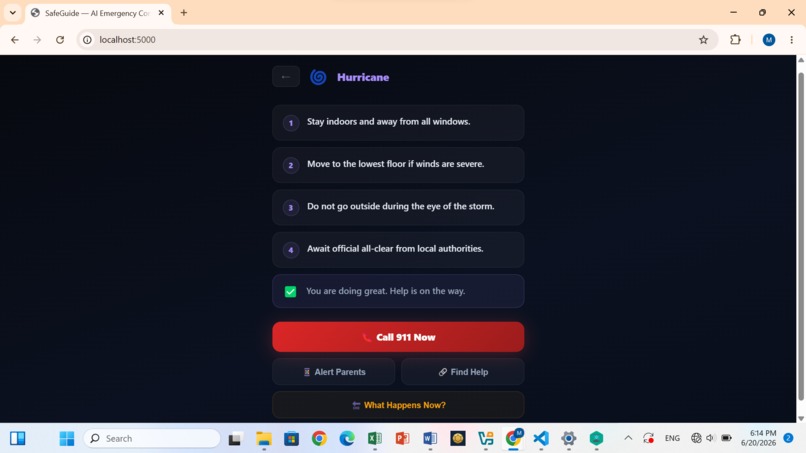
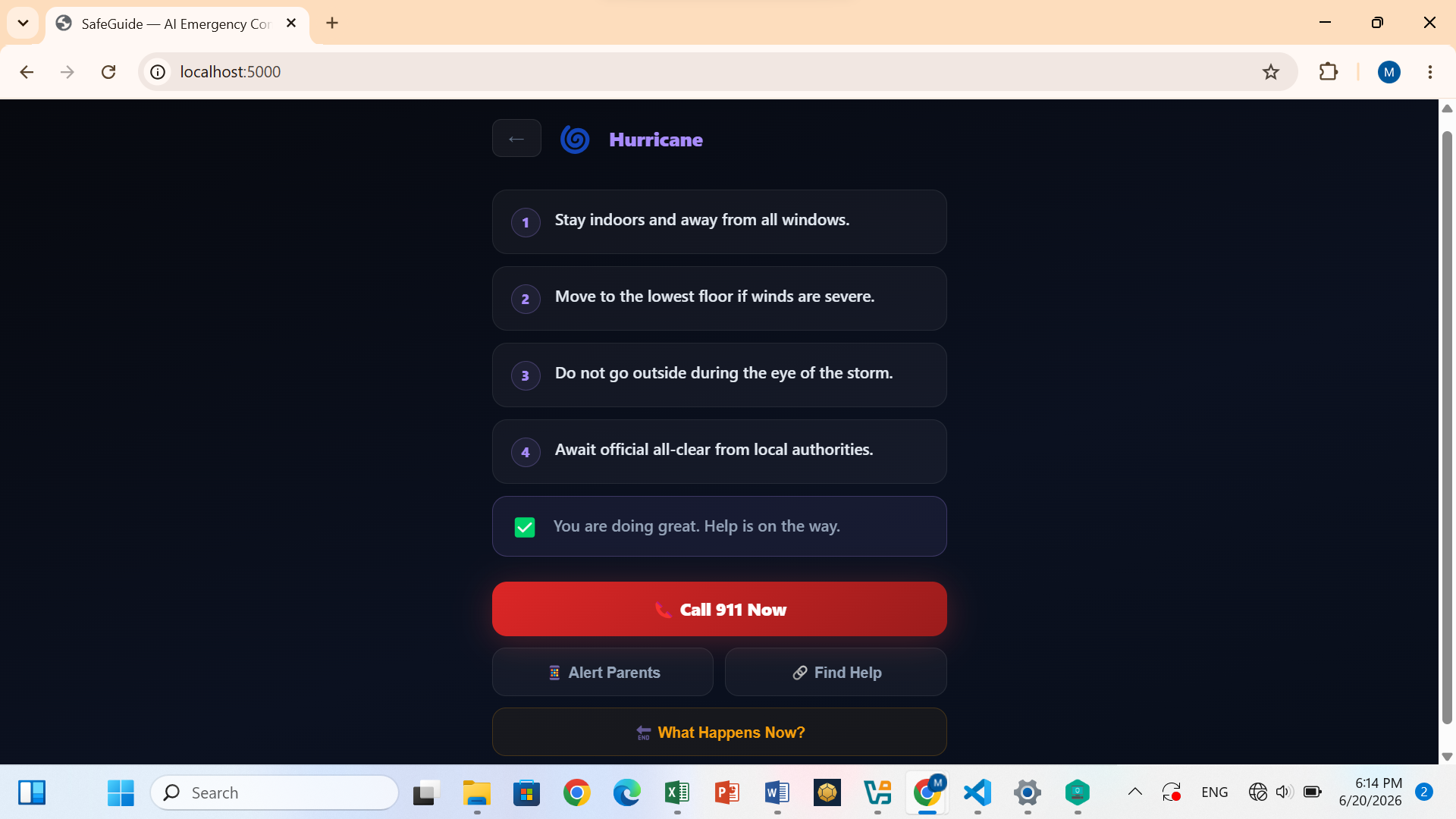
Guidance screen showing emergency management steps
-
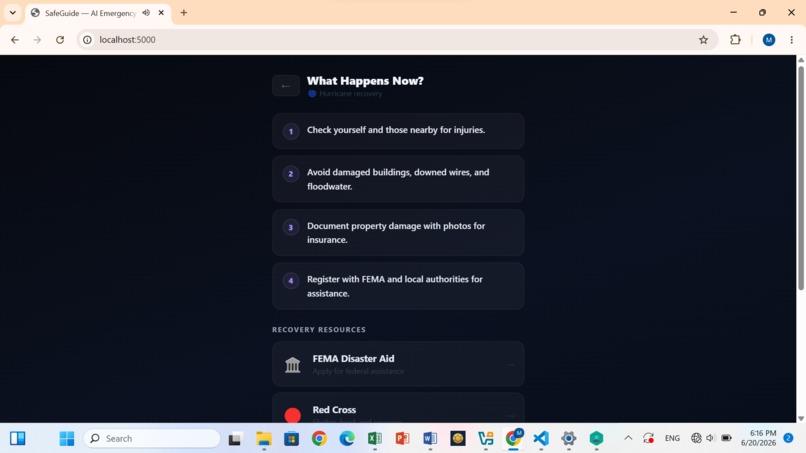
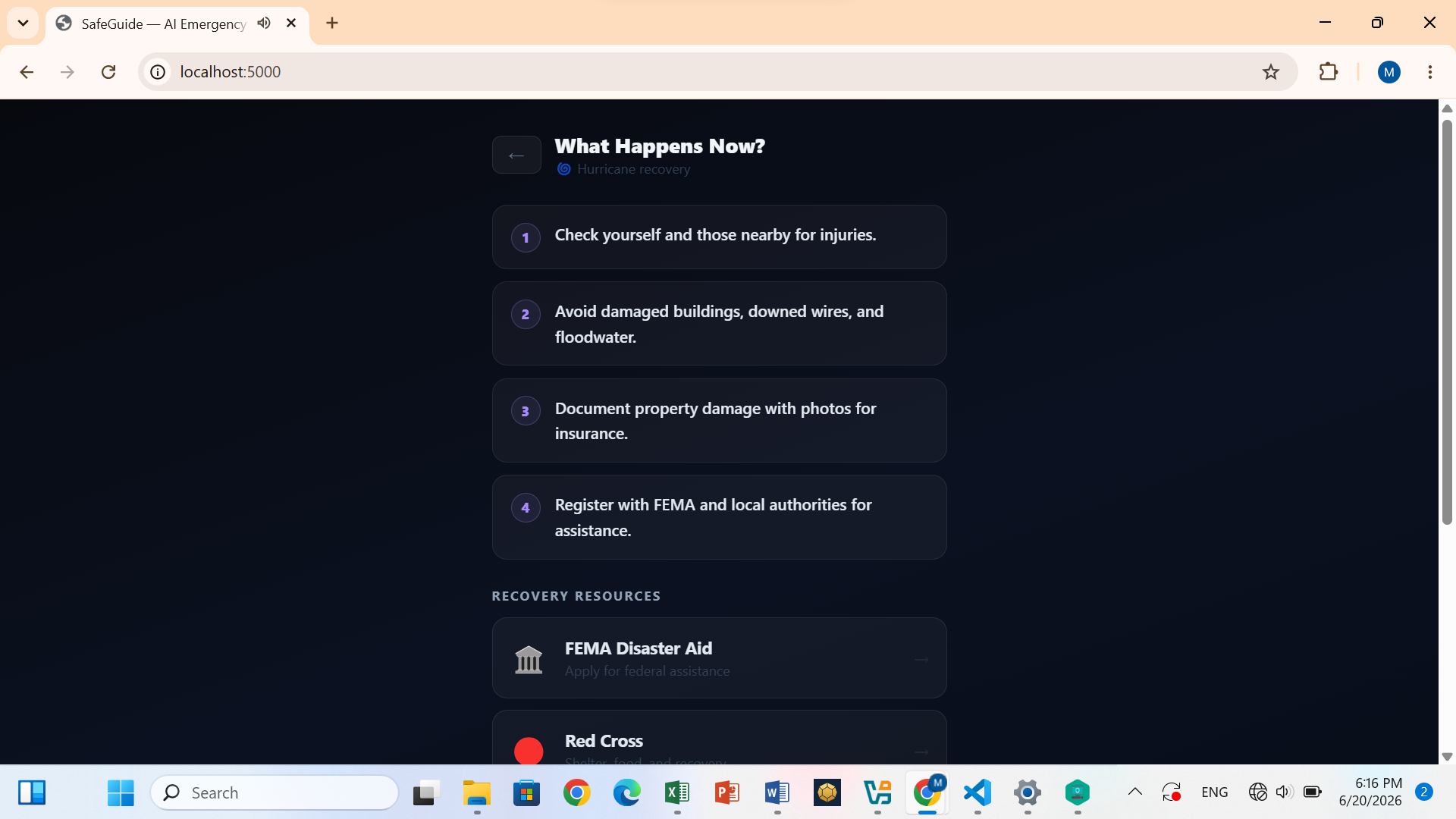
Recovery screen showing post-disaster steps
-
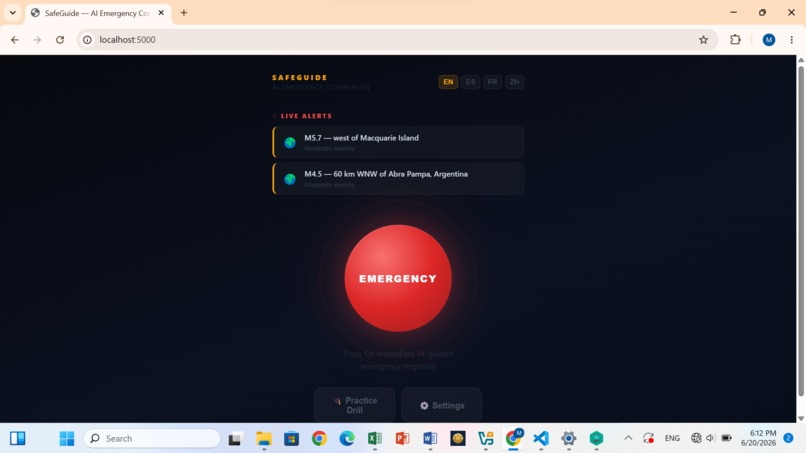
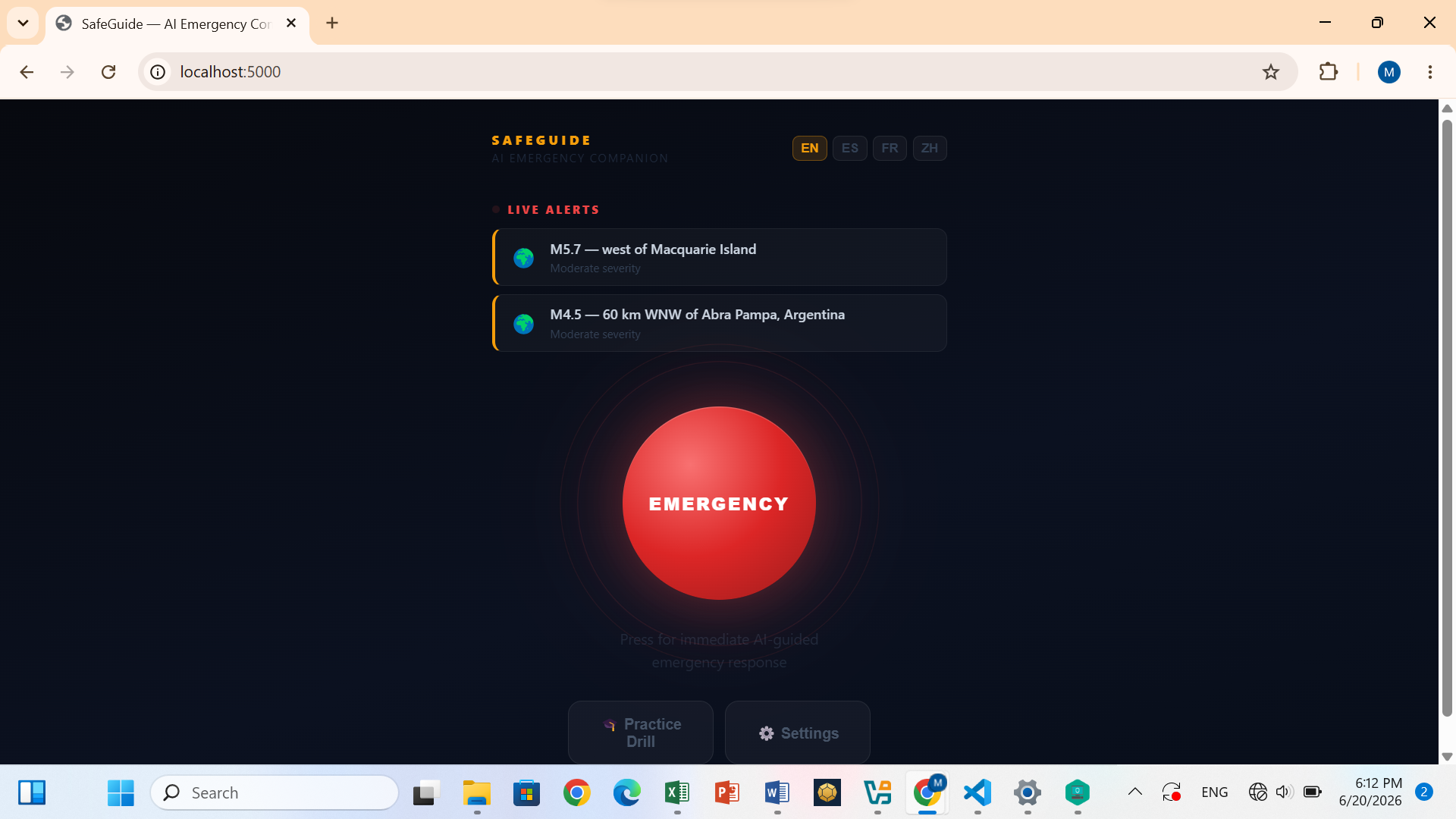
Home screen with live USGS alert

Inspiration
During a disaster, the most dangerous thing isn't always the disaster itself- it's not knowing what to do. I kept thinking about students in schools who have fire drills but nothing for natural disasters like earthquakes, tsunamis, and wildfires. I thought about non-English-speaking families who cant process emergency instructions fast enough. And I thought about parents who have no idea what's happening to their child in those first critical minutes. SafeGuide started from one question: What if there was a calm, clear voice that told you exactly what to do during emergencies?
What it does
SafeGuide is an AI-powered emergency companion for schools and homes. When disaster strikes — earthquake, wildfire, tornado, tsunami, hurricane, medical emergency, or lockdown — users press one button and receive immediate, calm, voice-guided instructions tailored to their situation. The AI speaks the steps aloud one by one, so users can act even when they're too panicked to read. Simultaneously, SafeGuide sends a real SMS to a parent or guardian, connects users to relevant emergency services, and after the crisis passes, walks them through post-disaster recovery. On the home screen, live alerts pulled from the USGS Earthquake feed and NOAA National Weather Service show active disasters in real time. The app supports four languages — English, Spanish, French, and Chinese — and includes a Drill Mode so schools can practice scenarios without triggering a real alert. Every decision the AI makes is a guidance decision only; all critical safety and emergency response decisions remain with human professionals.
How we built it
SafeGuide is built on a Python Flask backend that handles three core functions: Calling the Claude API to generate calm, step-by-step emergency guidance; fetching live disaster alerts from the USGS Earthquake feed and NOAA National Weather Service; and sending real parent SMS notifications through Twilio. The frontend is a single HTML file with JavaScript (no frameworks) designed to work on any device, any browser. Voice guidance uses the Web Speech API, so the app literally speaks the steps aloud. The interface has five screens: a home screen with live alerts, a disaster selector, an AI guidance screen where steps are revealed one by one as the AI speaks with them, an emergency services screen and a post-disaster recovery screen. Everything was built with one constraint: A panicking student should be able to use it in five seconds or less.
Challenges we ran into
The hardest challenge was language switching. My first implementation used React state, which caused a stale closure bug where the speech synthesis would read the steps in the wrong language even after the user switched. I fixed it by moving to plain JavaScript with a module-level variable, which always reflects the current language at the moment speech is triggered. Integrating the NOAA API was also tricky. It requires a custom User-Agent header, or it silently blocks requests, something that took debugging to discover. The biggest non-technical challenge was resisting the urge to add more features. Every time I wanted to add something, I asked whether it would help someone who was scared and needed to act immediately. If the answer wasn't an immediate yes, I cut it.
Accomplishments that we're proud of
We're most proud of building something that genuinely works under pressure. The interface is so simple that a panicking student can navigate it in under five seconds — one button, one tap, immediate voice guidance. Integrating four real-time data sources (USGS, NOAA, Claude, and Twilio) into a single seamless flow in under four days, as high school students, is something we didn't know was possible at the start. We're also proud of the responsible AI architecture: the system is deliberately designed so the AI guides but never decides, and no personal data is stored on any server. The parent SMS feature, sending a real, live text message the moment a student triggers an emergency, felt like the moment SafeGuide became more than a hackathon project.
What we learned
We learned that responsible AI design is the foundation. Every decision we made came from genuinely thinking about who would use the software in the worst moments of their life. Technically, we learned how to integrate multiple real-time APIs (USGS for earthquakes, NOAA for severe weather), build voice input and output with the Web Speech API, and serve a full-stack Flask app. We also learned that the simplest interface is the hardest to build-when someone is in a crisis, every extra tap may cost them.
What's next for SafeGuide
The immediate next step is school deployment. We want to pilot SafeGuide with three local schools, collect real feedback from students and teachers, and refine the drill mode into a full emergency preparedness curriculum tool. On the technical side, we plan to add GPS-based auto-triggering — if the USGS detects a significant earthquake at the user's location, SafeGuide activates automatically without needing the user to press anything. We also want to add a teacher dashboard where staff can see which students have triggered the emergency button and track their status in real time. Longer term, we want to expand language support to cover the 20 most spoken languages globally, partner with FEMA and the Red Cross to keep the resource database current, and explore an offline mode so the app works even when cell towers are down — which is exactly when people need it most.
Built With
- claudeapi
- css
- flask-web-server
- html
- javascript
- noaa-national-weather-service-(nws)
- python
- twilio
- usgs-earthquakeapi
- visual-studio-code
