
The Spark
How SafeGuard initialized
As teens on the internet, we are well aware of the effects of social media on mental health. Social media consistently promotes triggering content, such as mental health disorders, eating disorders and serious topics like suicide, to young viewers. A report from the Center for Countering Digital Hate found that vulnerable teenagers’ accounts were sent 12 times as many self-harm videos as standard accounts (The Times, 2022).
This is what created SafeGuard.
Young viewers and minority groups who are being profited off of with harmful content deserve a shield between them and the exploitative digital landscape, ensuring their online experiences are safe and empowering.
Powered On and Secure
What does SafeGuard do?
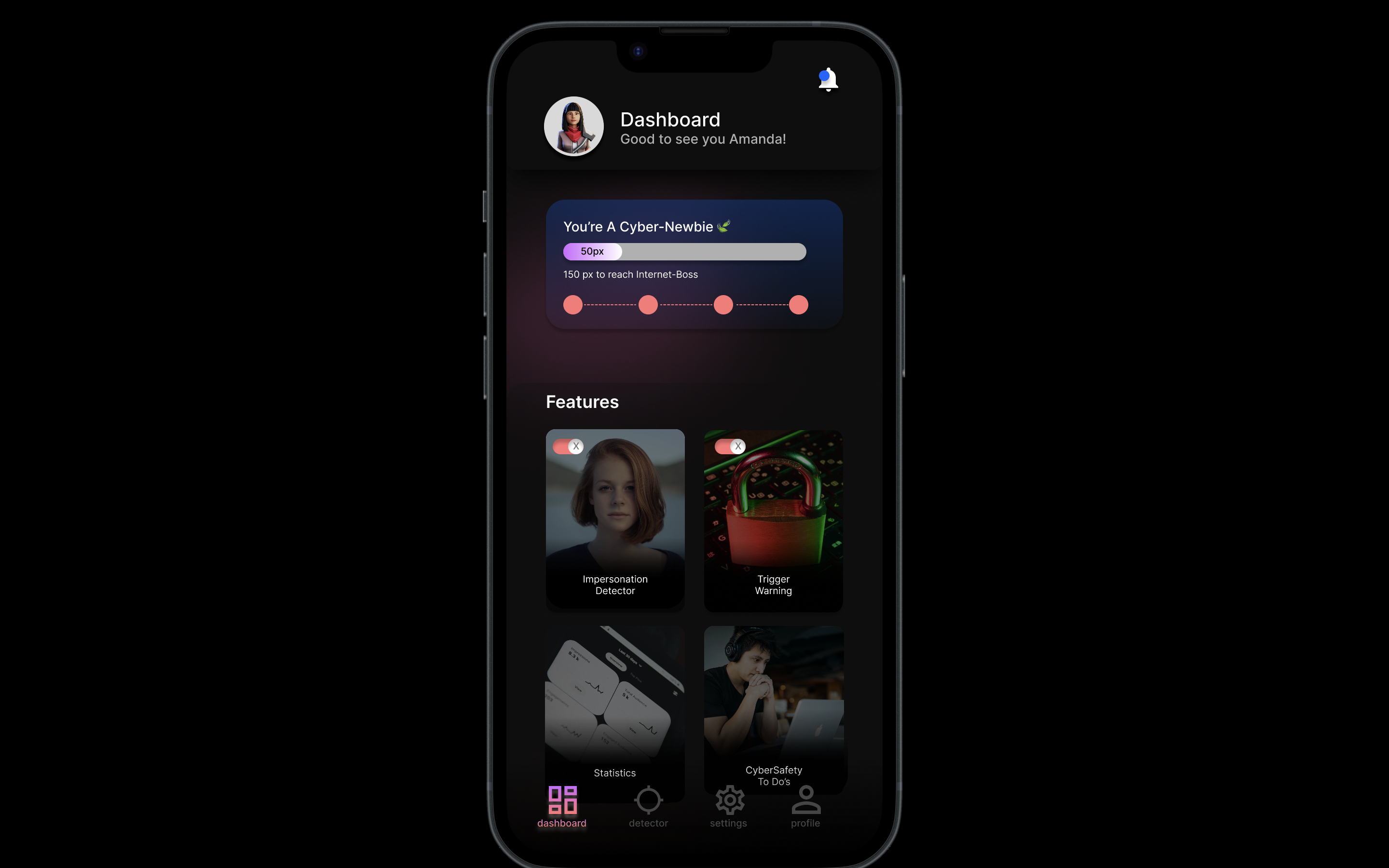
SafeGuard is based around a point system. User can climb up levels by using our features and practicing cyber safety habits.
Let's talk features
⭐ Triggering content detector
Our program possesses the capability to analyze a wide range of multimedia content, including videos and images, and determines if they need to be flagged due to potential triggering or sensitive material. This is our way of standing between our users and harmful or negative content they may be exposed to.
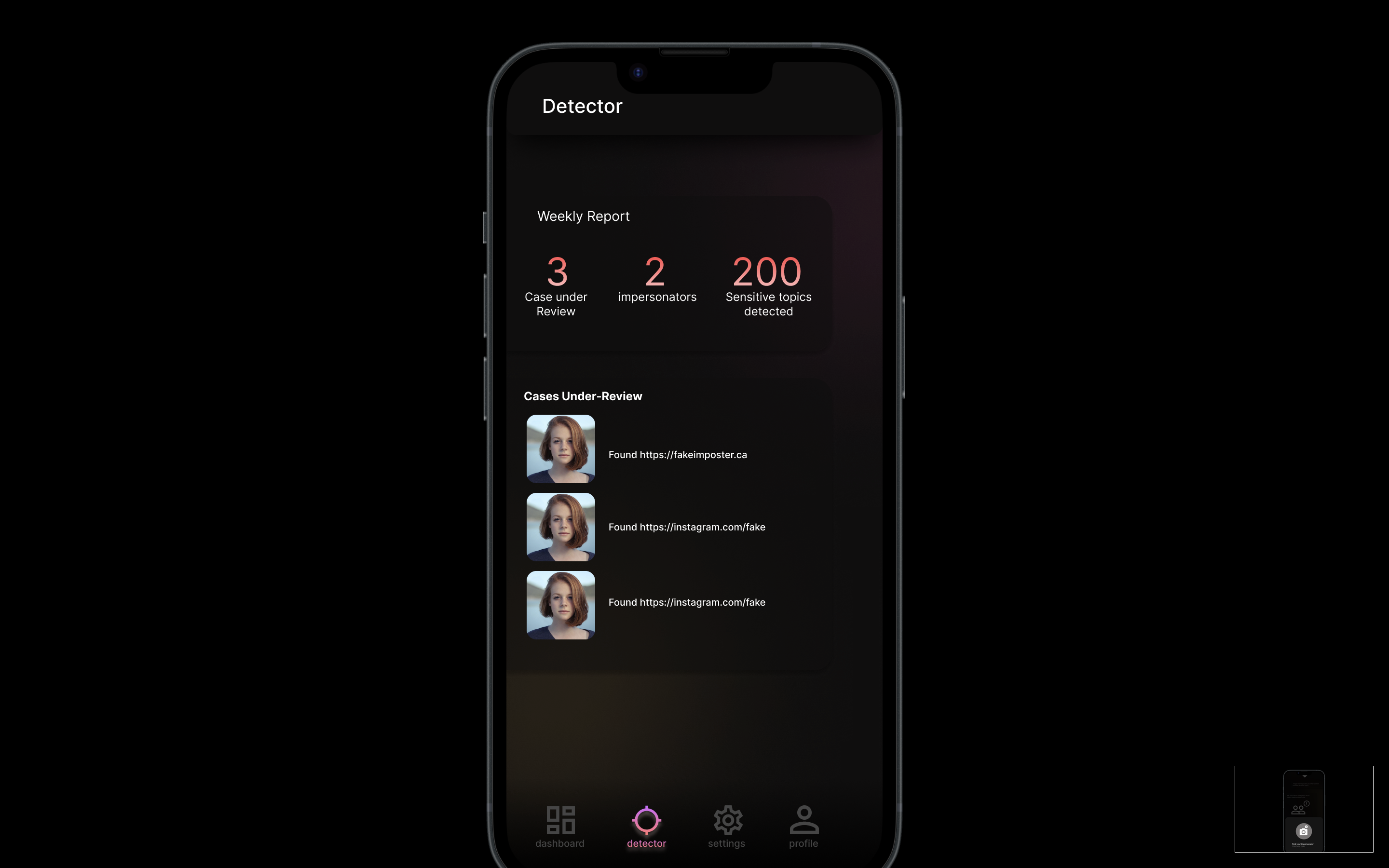
⭐ Impersonation detector
Users may upload and image of themselves for our program to search the web for similar or identical photo's, after which we provide links where those photos are used. This allows those with public, or even private accounts, to protect themselves from impersonation or doxing.
YouTube tutorial, Google Search, Code, Repeat
How we built SafeGuard
The large majority of the technology we used for SafeGuard we went into cold, with no experience.
For the trigger content detector, we used machine learning to build an AI model which we trained to recognize triggering words and sentence, along with positives ones. We then added features to feed media content to our model. This includes uploading images, then recognizing any text on the image and turning it into a string, and uploading video's to be turned into string-formatted transcripts, which can then be fed to our model to flag for negative words.
The Impersonation Detector uses a SerpAPI in conjunction with Google's reverse-image module to search the internet with an image and return links including the image. Our original attempt at this feature used DeepFace to detect identical faces in images, and we later had to scrap that idea and used Google's image search feature to our advantage.
Figma is a prototyping and design tool, which we used to map out the different screens and functions for our mobile application.
The Urge to Break our Laptops
The challenges we ran into
The main challenge we ran into while prototyping was shortening the design process to fit our time constraints. There were many ideas that we had planned for our app that did not make it to the final cut of the prototyping stage as there was not enough time to capture all our ideation into a single Figma file.
To solve this problem, we categorized our ideas and brainstormed how we would turn our idea into reality. Once we began working on our project, we needed to download modules, libraries, and applications to complete our project and this was challenging as it didn't work at first. We later found out about Colab through one of the workshops and this allowed us to download what we needed with ease. Using an API was crucial to finishing the detecting impersonation aspect of our project and it was challenging to find an API that met our needs. After consulting a mentor, we learned more about APIs and which ones we could use for our project. After working on different parts of project, it was difficult to piece together the code afterwards; however we worked around this problem as a team.
The Top of the Hill
What we're proud of!
Throughout our process of creating our prototype, we accomplished many things. Half of our members within our team were first-time hackers. It's astonishing how we all managed to collaborate together to completely prototype, research and develop parts of mobile app within only 36 hours. One of our biggest accomplishments was figuring out how to use SerpApi, we struggled and researched many methods although none of them worked. Towards the end of the day, we consulted one the mentors to help us figure out the issues, with the help of the mentor we able to get the SerpApi to work. We used so much new technology and in the end, managed to connect and pull together all our ideas!
Sunday Morning
What we learned
We learned how to work collaboratively within a group from very diverse background. Our team consisted of two grade 12 high-school students who are planning to pursue an education STEM, one first-year Laurier student studying Computer Science, and a fourth-year UWaterloo student in Bsc. Psychology. We successfully trained an AI model and used an API for the first time!
What's next for SafeGuard
Safeguard's end goal is to take our innovative idea and turn it into a business venture. How we envision continuing our project is we plan to fully develop our Artificial Intelligence (AI) model to detect impersonators and filter out triggering content online. Our future as hackers does not stop with TechNova: all of us wish to continue advancing our programming and design skills way past the end of the program. As one of our goals, we plan to seek mentorships and funding through incubators and accelerator programs to help our seed idea grow into a potential startup.
Built With
- ai
- api
- colab
- deepface
- easyocr
- figma
- github
- google-reverse-search
- machine-learning
- moviepy
- python
- replit
- serpapi
- sklearn
- speech-recognition
- vscode


Log in or sign up for Devpost to join the conversation.