-
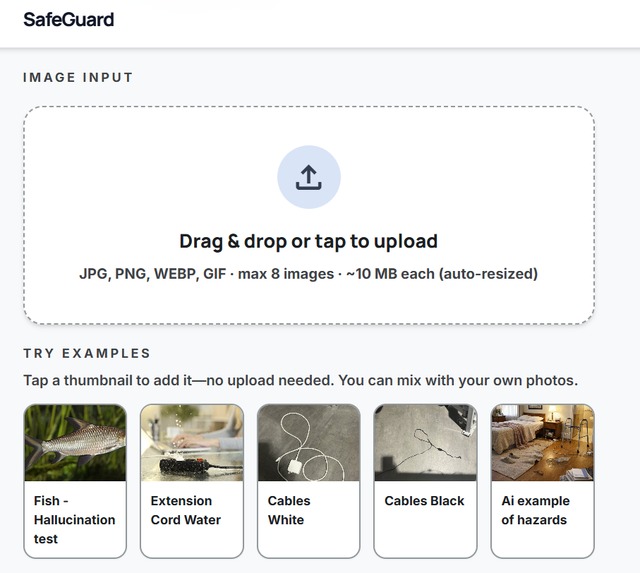
Image upload section
-
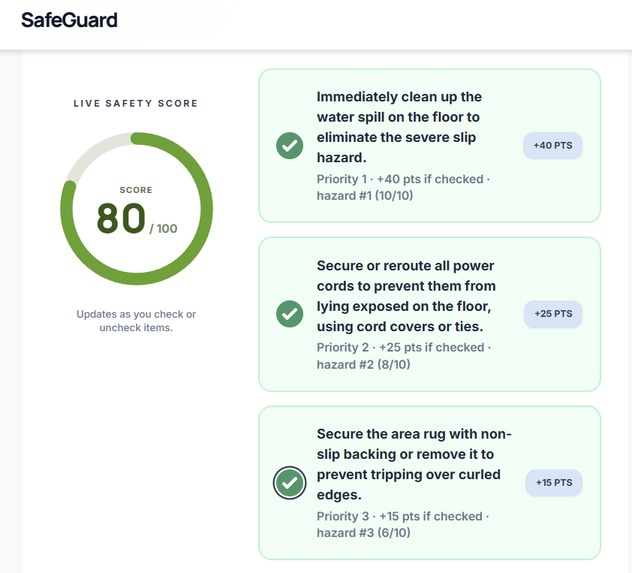
Saftey improvement recommendations
Inspiration Canada's senior population is projected to reach 25% of the total population by 2036. Falls are the leading cause of injury-related hospitalizations among older adults — 1 in 4 Canadians over 65 falls every year, and 90% of those falls happen at home. Most of those falls are preventable. A loose rug, a missing grab bar, poor lighting near the stairs — hazards that are completely fixable once someone points them out. The problem is that professional home safety assessments are expensive, hard to access, and rarely happen until after someone has already been hurt. We were inspired by McMaster's own NSERC-funded sMAP CREATE program, which identifies mobility as the sixth vital sign for aging adults and calls specifically for AI and sensing technologies to address this growing crisis. FallGuard is our answer to that call.
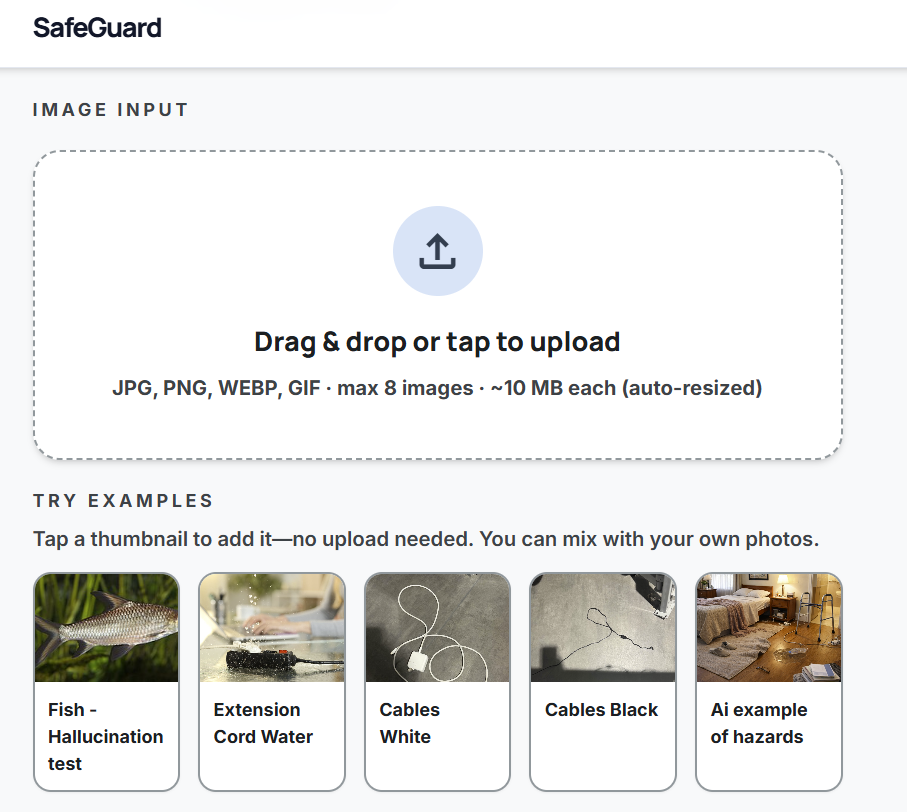
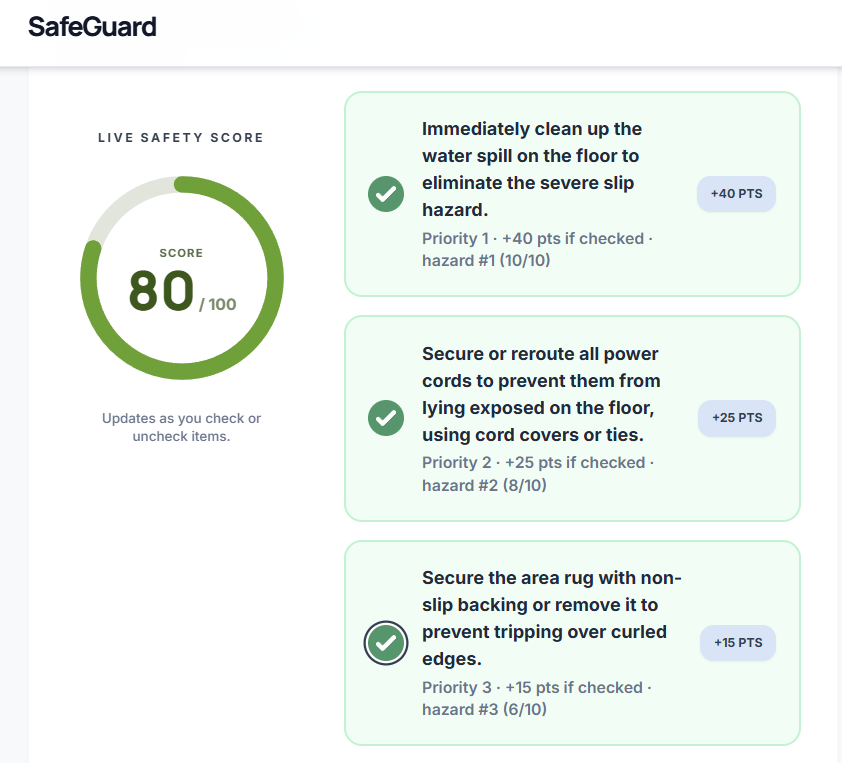
What It Does FallGuard is a web application that lets anyone scan a room in their home using their phone or computer camera. The user uploads a photo of any living space — a bathroom, kitchen, hallway, or bedroom — and within seconds receives a personalized safety report powered by the Gemini API. The report ranks detected hazards by severity (HIGH, MEDIUM, LOW), provides a 0–100 overall risk score for the room, identifies the single most urgent fix, and gives specific actionable recommendations for each hazard found. The entire experience is designed to be accessible to older adults — large text, high contrast, and a simple three-step flow that requires no technical knowledge.
How We Built It FallGuard is built as a responsive web application so it works on any device with zero installation required. The frontend is built in React with a senior-accessible UI — large fonts, high contrast green colour scheme, and a mobile-first layout that supports both drag-and-drop upload and direct camera capture. The backend is a Python Flask server that handles image processing and communicates with the Gemini API. When a user uploads a photo, the image is encoded to base64 and sent to Gemini 1.5 Flash with a carefully engineered system prompt that instructs it to reason about fall hazards the way an occupational therapist would — considering hazard co-occurrence, room-specific risk factors, and senior mobility context. Gemini returns structured JSON containing every detected hazard with its severity, location in the frame, and a specific fix. A weighted risk scoring algorithm then runs on top of that output — HIGH hazards score 30 points, MEDIUM 15, LOW 5 — with room-specific multipliers applied to produce the final 0–100 risk score. The frontend renders the results as a ranked hazard report with colour-coded severity badges and an urgent action callout.
Challenges We Ran Into Getting Gemini to return consistent, parseable JSON was our biggest early challenge. Without careful prompt engineering, the model would occasionally wrap its response in markdown code fences or return slightly different key names across calls, breaking our parser. We solved this by iterating on the system prompt extensively and adding a preprocessing step that strips any markdown formatting before JSON parsing. We also ran into CORS issues connecting the React frontend to the Flask backend during development, and had to carefully configure the deployment environment to ensure the live URL worked reliably for judges. Designing an interface that genuinely works for older adults — not just one that claims to — required several rounds of feedback and adjustment on font sizes, button tap targets, and the overall flow.
Accomplishments That We're Proud Of We are proud that FallGuard produces genuinely useful, specific output — not vague warnings but concrete, actionable fixes like "install a grab bar on the left side of the shower" or "remove the bath mat and replace with non-slip adhesive strips." We are proud of the prompt engineering work that makes Gemini reason like an occupational therapist rather than a generic image describer. We are proud that we shipped a live, deployed web application with a real URL that judges and users can open on any device right now. And we are proud that we built something that addresses a real, growing problem affecting millions of Canadian families — not a demo for its own sake.
What We Learned We learned that prompt engineering is a genuine engineering discipline. The difference between a Gemini prompt that returns useful structured data and one that returns inconsistent free text is significant, and getting it right required careful iteration. We learned how to design for accessibility — building for older adults forced us to question every default assumption about font size, contrast, and interaction complexity. We also learned how to scope a project realistically under time pressure — our strongest decision of the day was committing to one core feature and executing it well rather than building five half-finished features.
What's Next for FallGuard The immediate next step is adding a multi-room assessment feature — allowing users to scan every room in their home and receive a whole-home safety score with a prioritized fix list. After that, we want to add a caregiver sharing feature so adult children can remotely assess a parent's home and receive the safety report by email. Longer term, FallGuard could integrate with wearable health data to combine environmental risk with personal health indicators — creating a truly holistic fall prevention tool. We also want to explore partnerships with occupational therapy clinics and home care agencies who could use FallGuard as a first-pass screening tool before scheduling in-person assessments. Given that falls cost the Canadian healthcare system over $2 billion annually, even a small reduction in fall incidence through tools like FallGuard represents meaningful impact at scale.
Built With
- css
- geminiapi
- google-stitch
- html
- javascript
- tailwind
- vercel


Log in or sign up for Devpost to join the conversation.