Inspiration
Almost everyone in India gets messages like “Your KYC has expired, click here,” “Your electricity will be cut tonight,” or “Share the OTP to stop this transaction.” Most people already know scams exist. Scammers succeed by creating pressure, such as a deadline, a threat from an “official,” or a friendly stranger who builds trust for weeks, so people act before they think.
The people most at risk are often the least able to check: older adults, first-time smartphone users, and people who read Hindi more comfortably than English. The tools that exist either give a black-box “safe / unsafe” answer that teaches nothing, or ask you to upload private conversations to a server. We wanted a tool that explains why a message is risky, works in the languages people actually use, and never sees anyone’s messages.
What it does
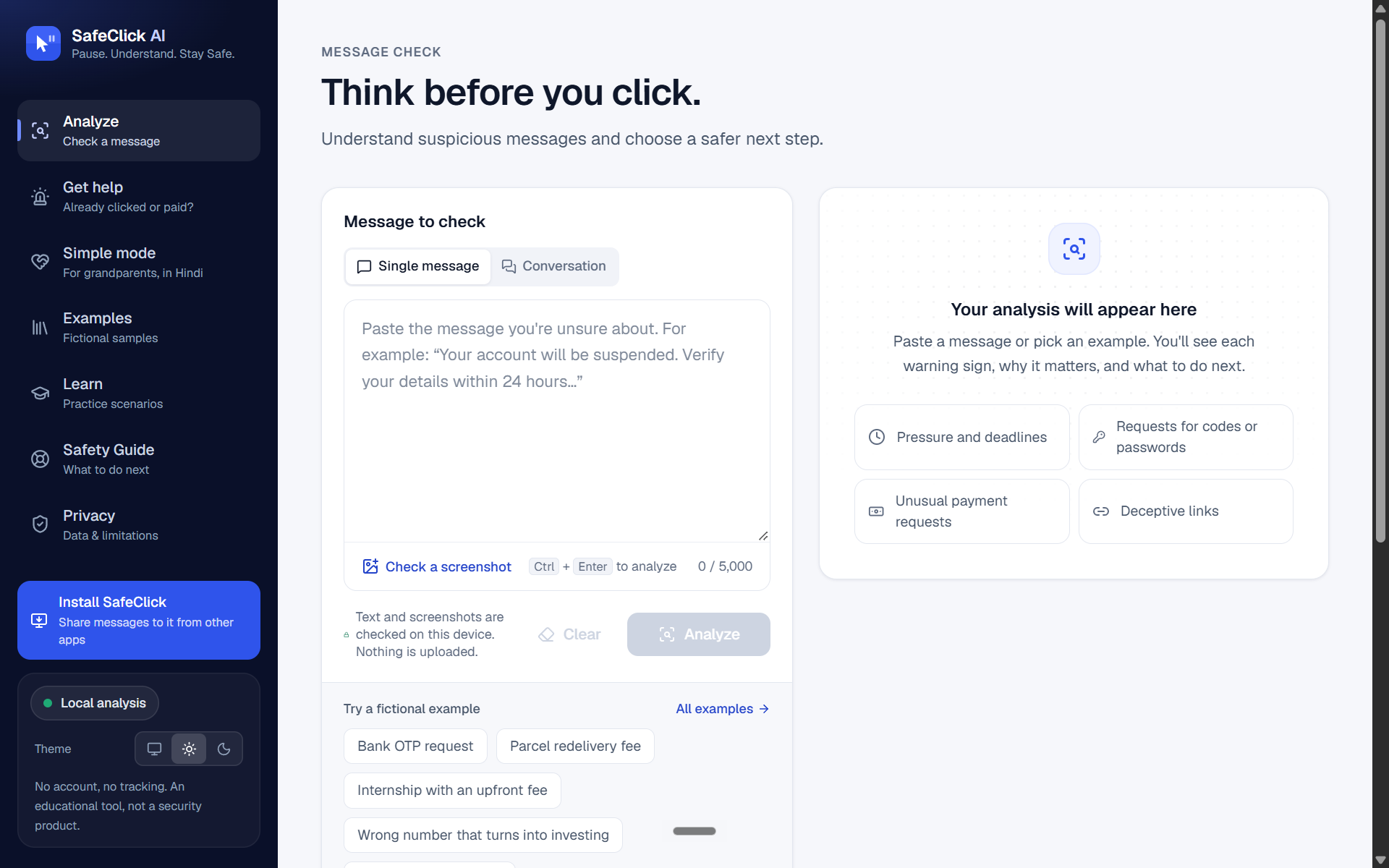
Checks a message, a screenshot or a whole chat. Screenshots are read on the device with OCR. Explains every warning. Risky phrases are highlighted. Tap one to see which warning sign it matches, why it matters and what to do instead. Conversation mode. Detects the trust-then-request pattern behind romance and investment (“pig-butchering”) scams: friendly messages first, then a request for money. India pack. Covers UPI PIN and QR tricks, KYC/PAN/Aadhaar updates, 401 call-forwarding codes, “digital arrest,” and courier and electricity threats, in English, Hinglish and Hindi. Link X-ray. Splits each link into parts, shows the real domain, and names look-alike characters, for example a Cyrillic "о" posing as a Latin “o”. It never opens links. Simple mode. A Hindi-first screen for people who aren’t comfortable with apps: Three big buttons.
- A full-colour answer with three plain steps.
- Read-aloud.
- One-tap calling of a trusted contact.
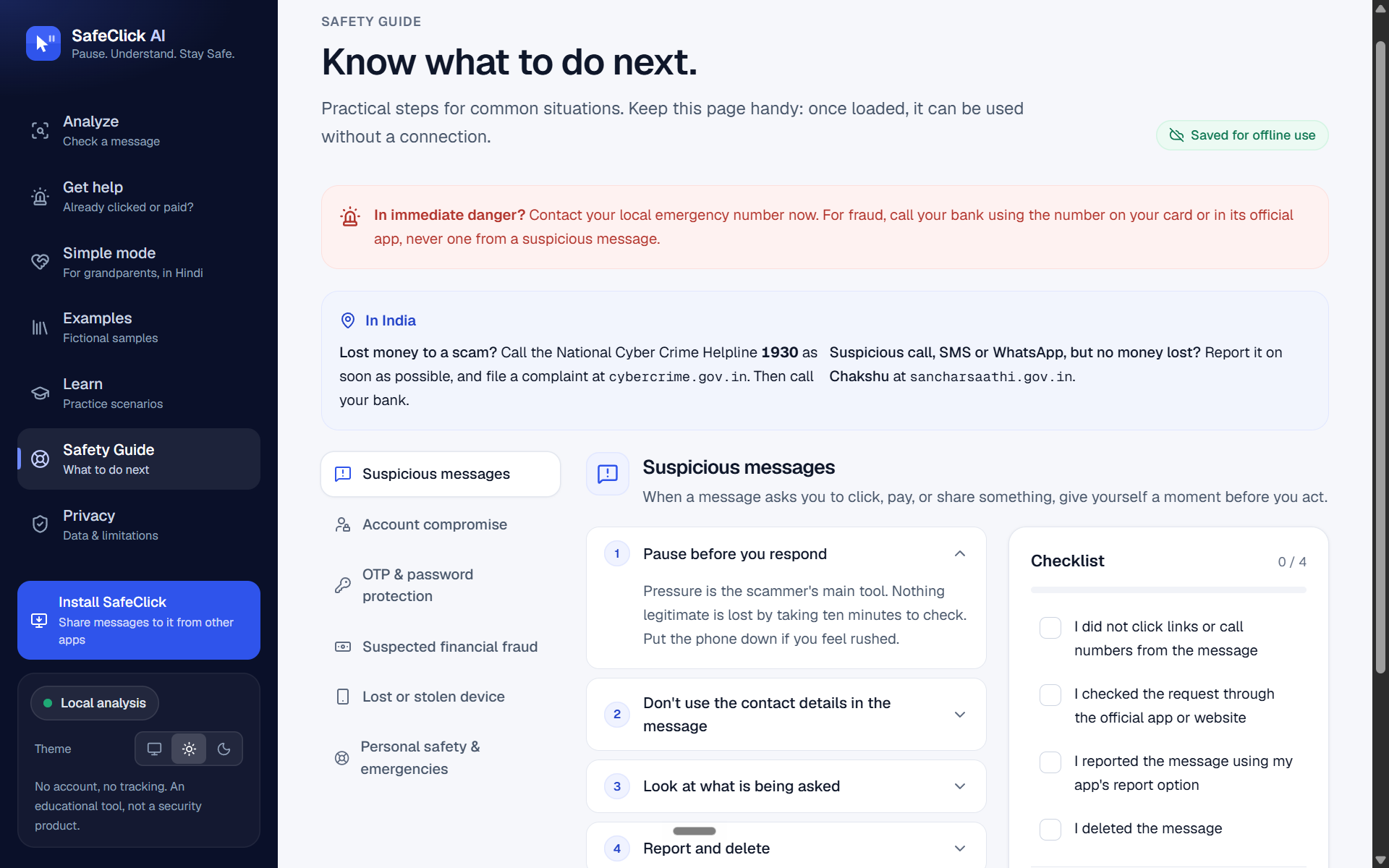
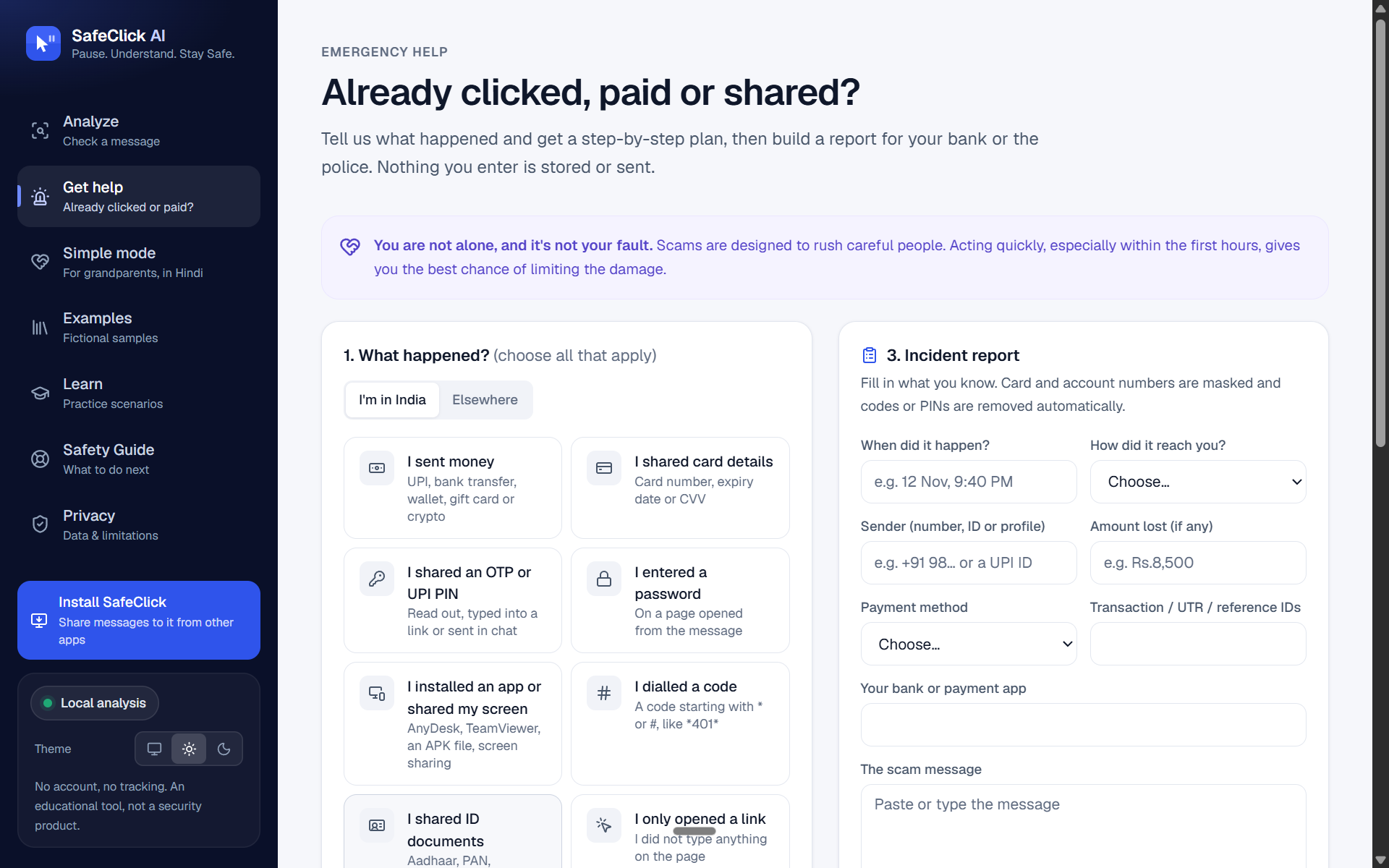
- It never says “safe.” Warn family. Creates a warning card in Hindi or English to share on WhatsApp. Emergency mode. For anyone who has already paid or shared details: a step-by-step plan that puts India’s 1930 cyber-fraud helpline first, plus an incident report with IDs and codes masked. Installable and offline. It’s a PWA with an Android share target, so you can share a WhatsApp message straight into SafeClick. The safety guide works without internet.
How we built it
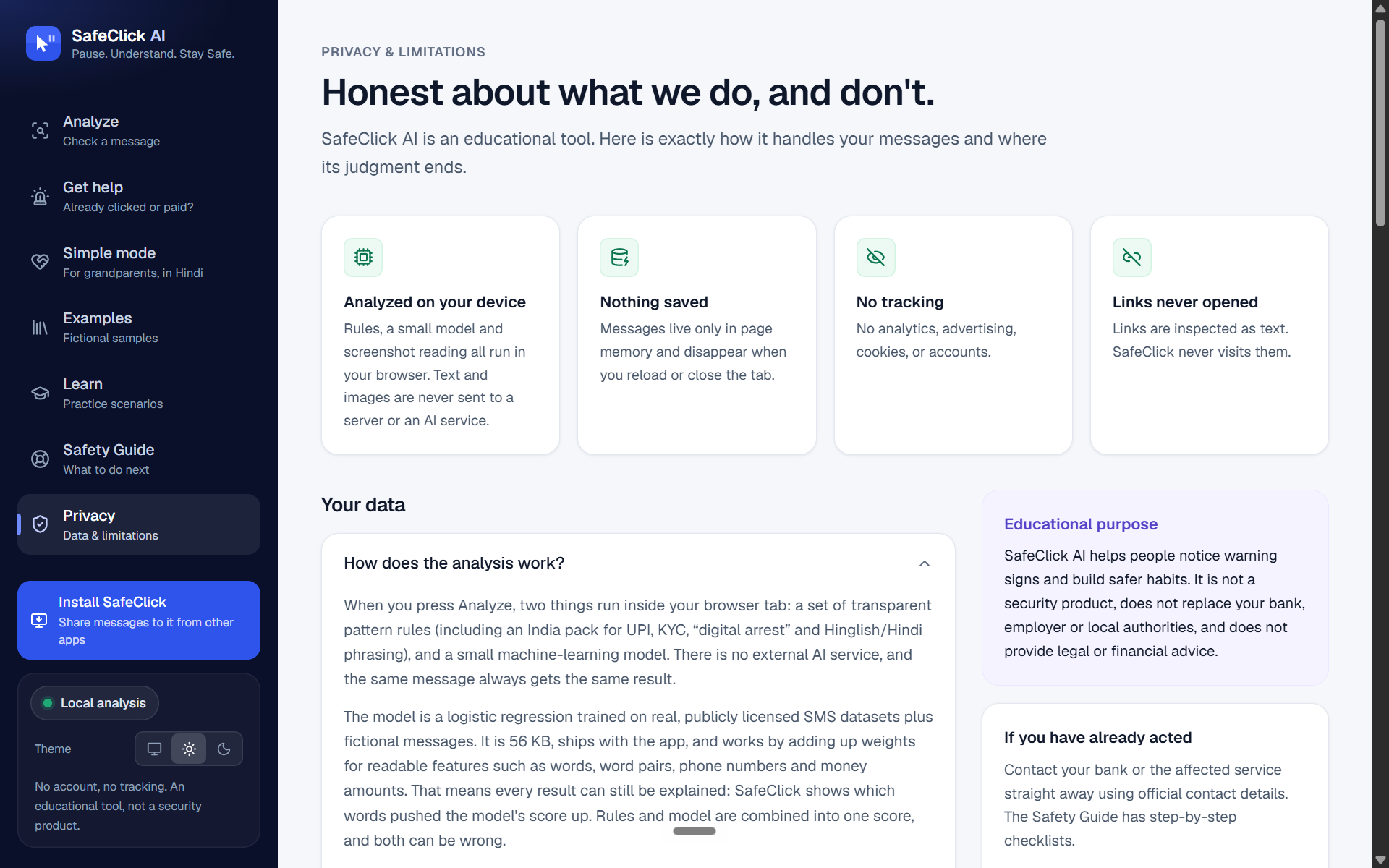
App: Next.js 16, React 19, TypeScript (strict) and Tailwind CSS v4. Analysis engine: explainable rules grouped into warning-sign families, with diminishing returns and combination bonuses. A 56 KB logistic-regression model, trained on public SMS datasets, runs in the browser and shows which words raised its score. On-device OCR: tesseract.js (WebAssembly), self-hosted, so nothing loads from a CDN. Privacy enforced in code: The Content-Security-Policy (connect-src 'self') blocks the page from sending data anywhere else. There is no analytics, no accounts and no server-side analysis. Automated tests verify that no request leaves the device during analysis. Honest evaluation: We committed the evaluation plan to GitHub before running it. We used three public CC BY 4.0 datasets with a held-out test set, removed near-duplicates, and added an independent Hinglish set. We report 95% confidence intervals. Quality: 260 unit tests and 42 browser tests (desktop and mobile). An automated WCAG 2.1 AA accessibility audit with zero violations. GitHub Actions CI. Deployment: Vercel.
Challenges we ran into
Our first accuracy numbers were too good to be true. Many scam texts are near-copies of the same template, so similar messages appeared in both training and test data. We added a pre-registered near-duplicate filter. The honest score dropped, and then we earned it back with real improvements. Genuine bank alerts look like scams. Real messages from banks also contain “OTP” and “account,” and our model flagged them. We added genuine Indian bank alerts to the training data, documented the change in the plan, and re-measured. OCR without the cloud. Getting Tesseract to run fully offline under a strict security policy meant self-hosting its WebAssembly files and turning off its hidden browser cache. Designing for people who find apps hard. We had to cut a lot to get Simple mode to one decision per screen: large buttons, plain Hindi, and no jargon. Some calls were deliberate, like never using the word “safe,” because a low score is not a guarantee. Hindi and Hinglish. People write the same scam in English, in Hindi (Devanagari) and in mixed Hinglish (“aapka account block ho jayega”), so the rules had to handle all three.
Accomplishments that we're proud of
85% of never-seen real-world scams caught, up from 14% in our first version, with 0.3% false alarms, measured with a plan we published before testing. Zero bytes of message data leave the device. Simple mode, which makes scam checking possible for people who would never use a normal app. Zero automated accessibility violations on every page, in light and dark mode. A live app anyone can try: https://safeclick-ai-mu.vercel.app
What we learned
Explaining why a message is risky helps people more than a score. Writing the evaluation plan before testing keeps you honest, and it caught a mistake that would have inflated our results. For the people scammers target most, language and simplicity matter as much as accuracy. Privacy is stronger when the browser enforces it than when you only promise it.
What's next for SafeClick-AI
An Android app on the Play Store. More Indian languages: Tamil, Telugu, Bengali and Marathi. A new test set of real messages collected with permission, plus pilots with community groups. Checking voice messages and call transcripts.
Built With
- axe-core
- github-actions
- logistic-regression
- machine-learning
- nextjs
- playwright
- pwa
- react
- service-worker
- tailwindcss
- tesseract.js
- typescript
- vercel
- vitest
- webassembly
