Safe Circle
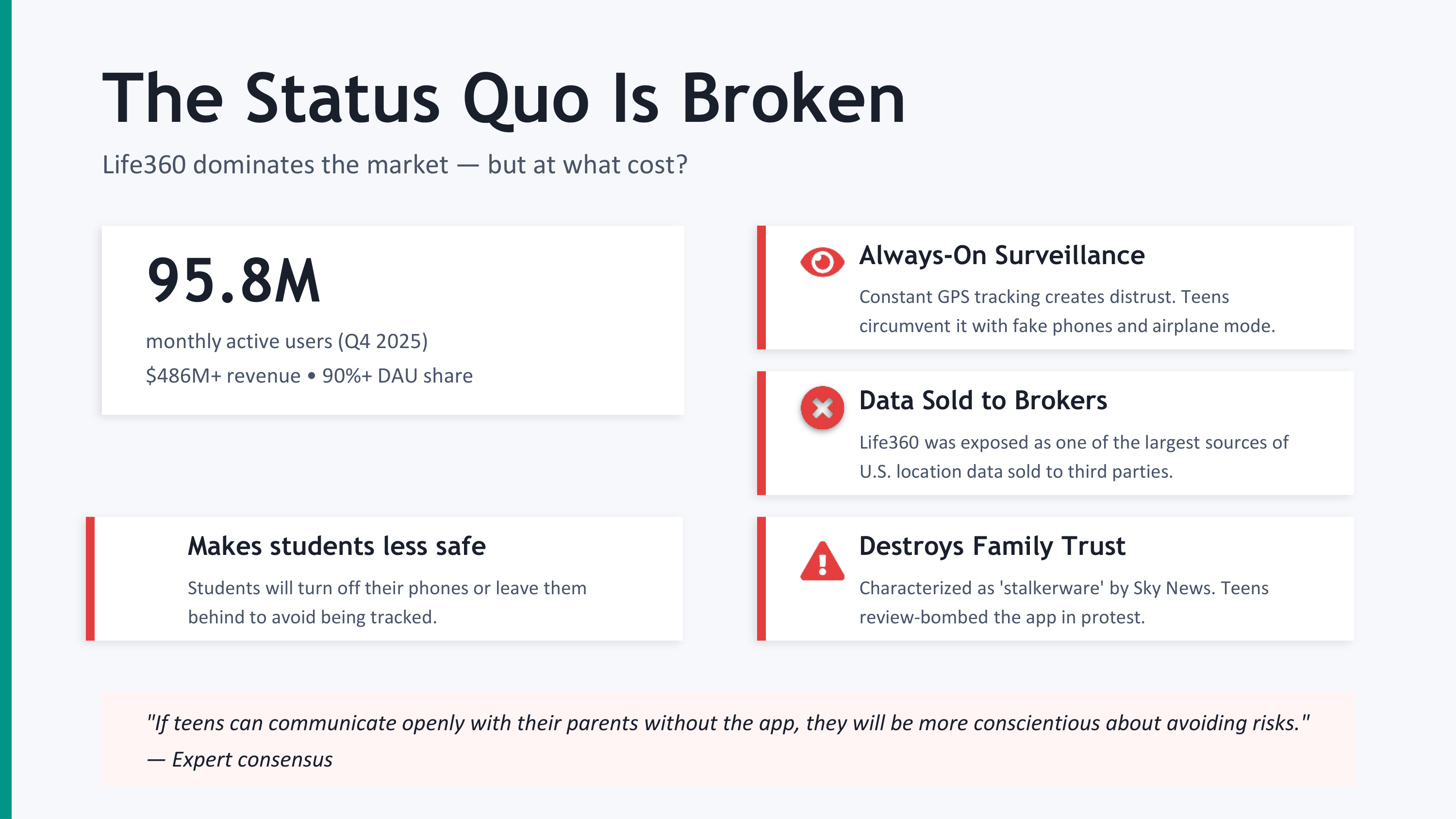
▎ A privacy-first personal safety network for the people who actually need one — not a tracking app, not a surveillance tool, but a digital safety net for the moments that matter most.
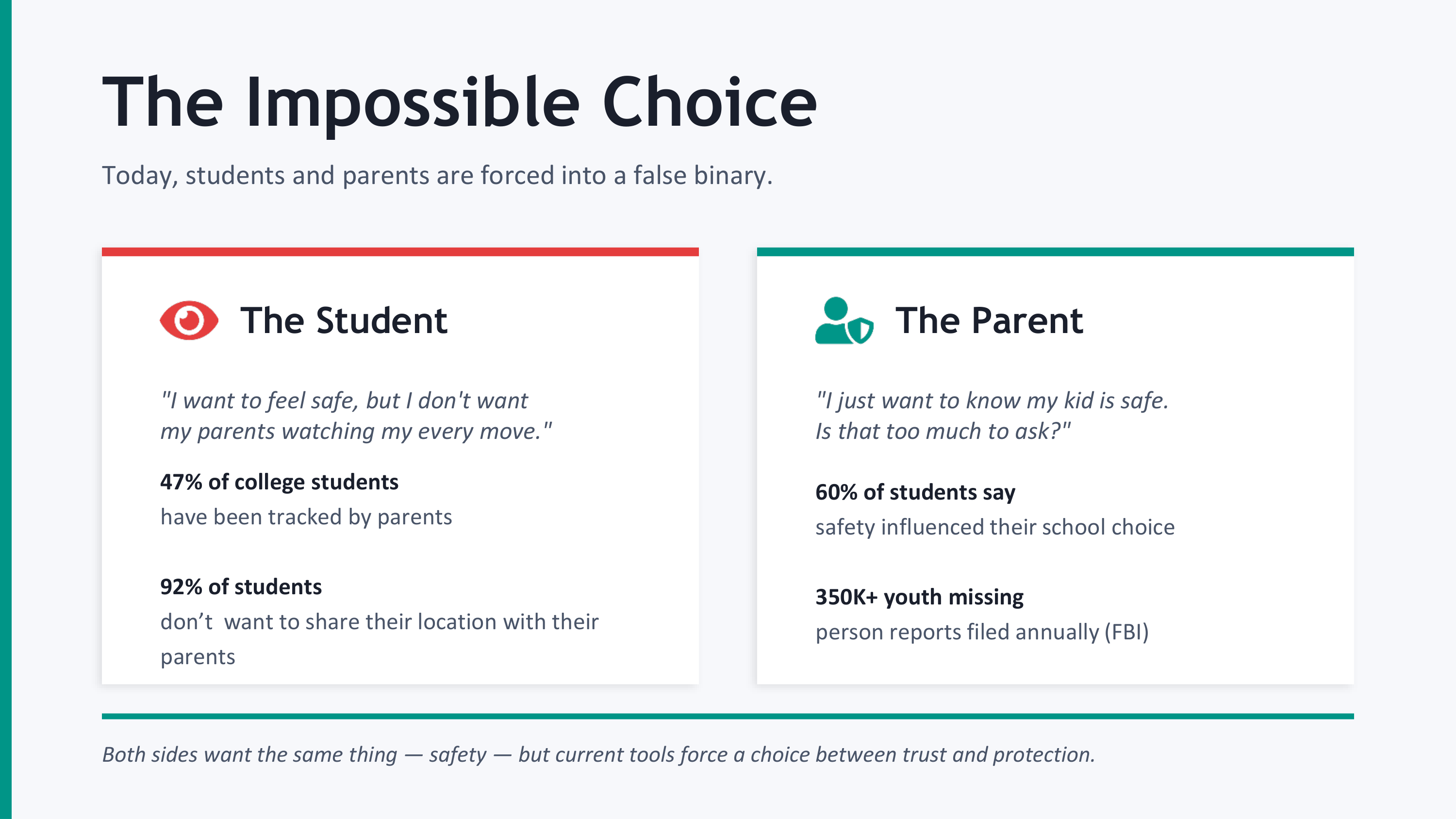
--- The Inspiration Every college campus has the same conversation. It happens late on a Wednesday in someone's dorm, or at 1am on a walk home from the library. Someone says: "Text me when you get home."
It's such a small sentence. Six words. But buried inside it is a whole ecosystem of fear and care — the worry of a friend who knows your route, the anxiety of a parent three states away, the quiet vigilance we've all learned to carry
just for moving through the world.
I built Safe Circle because "text me when you get home" shouldn't have to be a manual process. Because the people who care about you shouldn't have to choose between giving you space and knowing you're okay. And because the apps that
exist today — the ones that demand 24/7 location surveillance from the people you love — get the trade-off completely wrong.
I wanted to build something that felt like a friend tapping on your shoulder, not a parent reading your diary.
What Safe Circle Actually Does
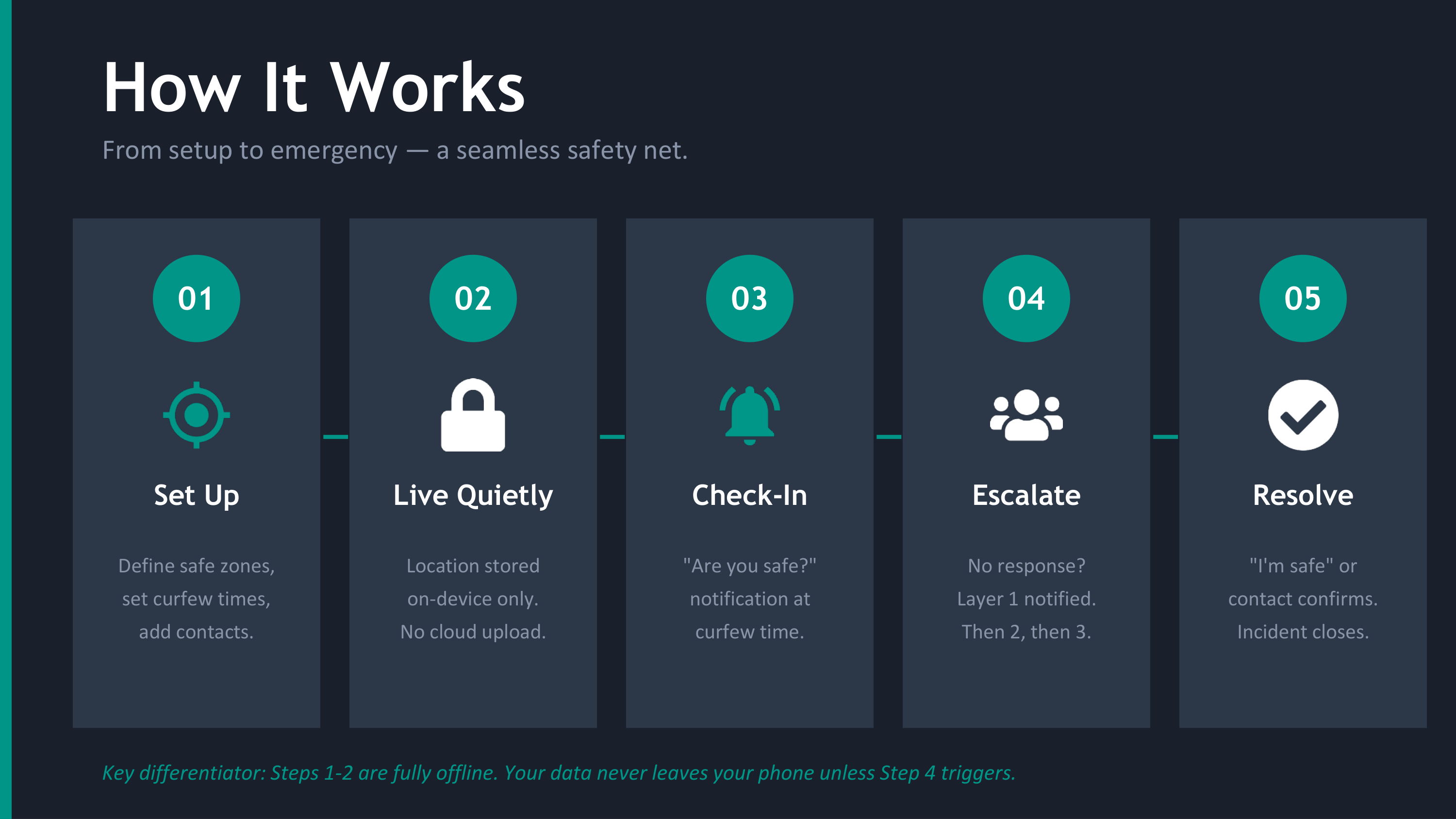
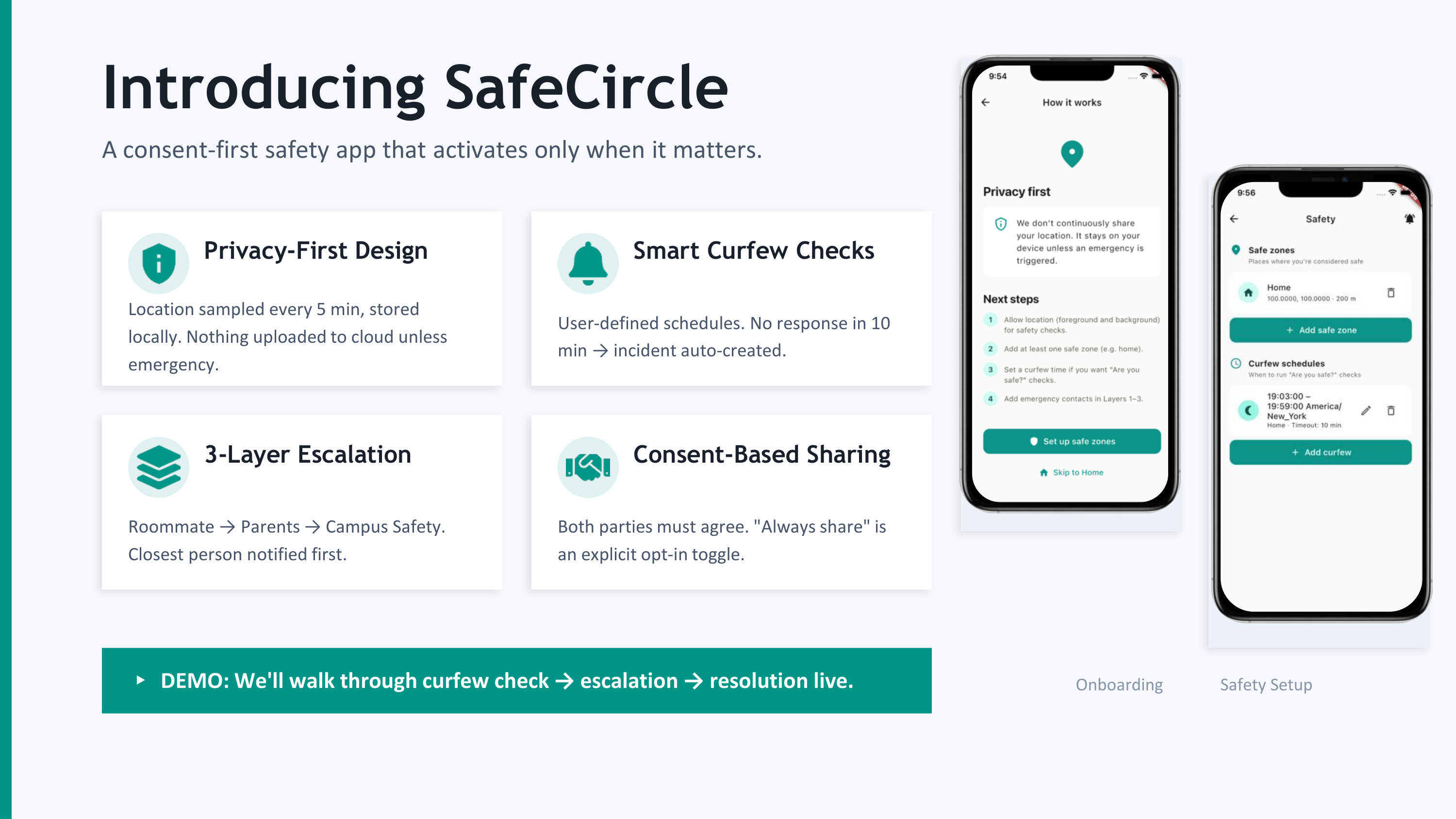
Safe Circle is a Flutter app backed by Supabase that runs scheduled safety checks during the times you're most vulnerable. You set up safe zones (home, your dorm, work), pick a curfew window ("between 11pm and 6am, check on me"), and
the app does the rest.
Here's the core loop:
- You're home by curfew? The app sees you're inside a safe zone via on-device GPS. Nothing happens. Nobody is notified. Your location never leaves your phone.
- You're not home? A push notification asks: "Are you safe?" Two buttons: I'm safe or I need help.
- No response within your timeout window? An incident is created. Your Layer 1 contacts (closest friends) are notified.
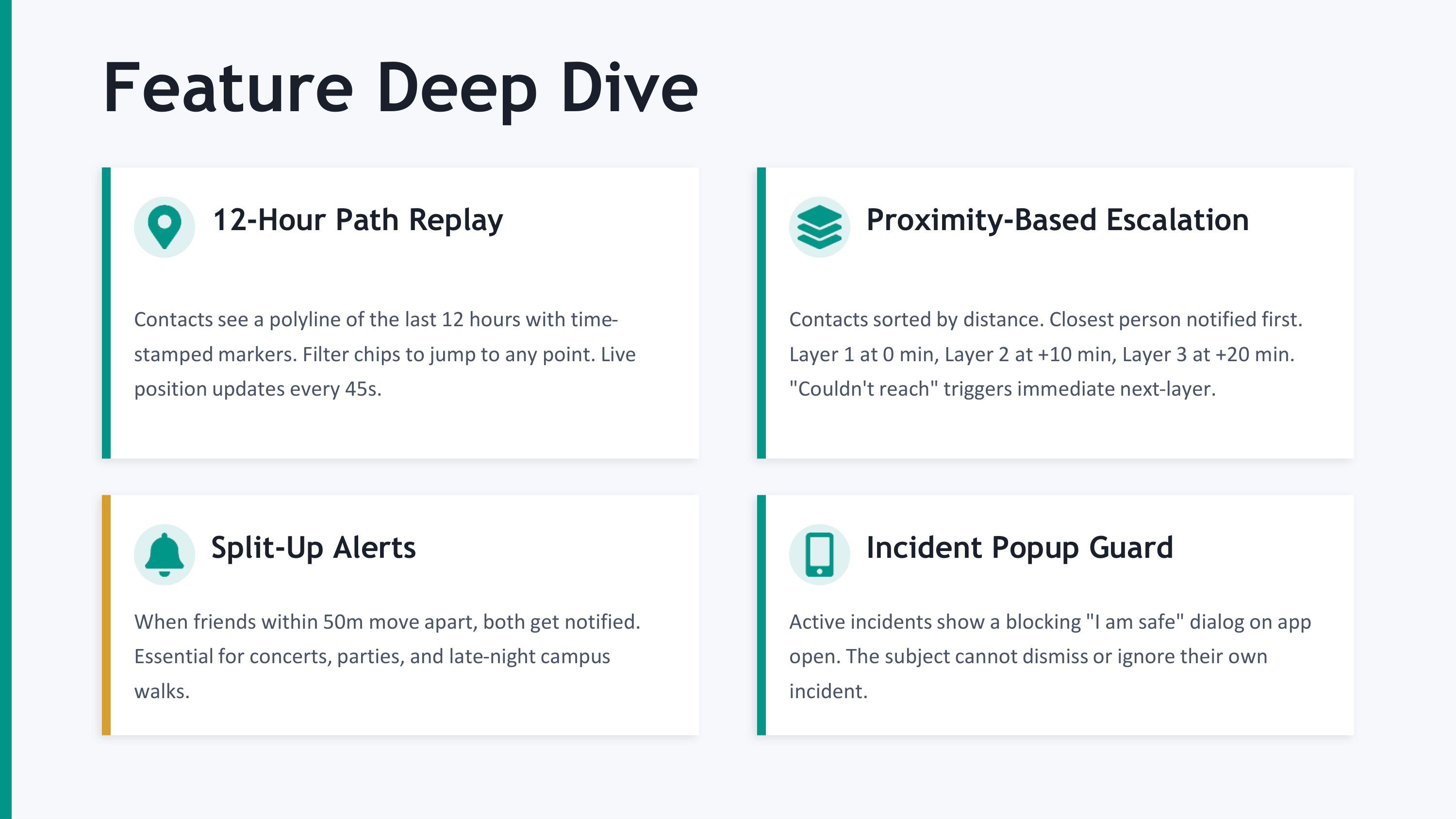
- Still no response 10 minutes later? Layer 2 is escalated. Your last known location, the time of escalation, and any context the app has are all surfaced.
- 20 minutes in? Layer 3 — family, emergency contacts. The full alert.
The escalation isn't naive. Within each tier, contacts are sorted closest first using the haversine formula on the great-circle sphere:
$$ d = 2R \cdot \arcsin\sqrt{\sin^2!\left(\frac{\Delta\varphi}{2}\right) + \cos\varphi_1\cos\varphi_2 \sin^2!\left(\frac{\Delta\lambda}{2}\right)} $$
So if your roommate is two blocks away and your aunt is in Seattle, your roommate gets the alert first. The math actually matters here — when somebody is in trouble, you want the person who can physically show up to know first.
How I Built It
Safe Circle isn't a hackathon prototype with mocked-out edges. It's a real production system. Here's the honest stack:
Frontend
- Flutter with Riverpod for state, go_router for navigation
- Drift (SQLite) for a 12-hour rolling on-device location history — so when an incident fires, we can attach the path the user actually took, but we never store more than 12 hours, ever
- google_maps_flutter + Google Places API for safe-zone selection (autocomplete + reverse geocode)
- WorkManager for background curfew checks on Android, iOS Background Modes (location + remote-notification) for iOS
Backend (Supabase)
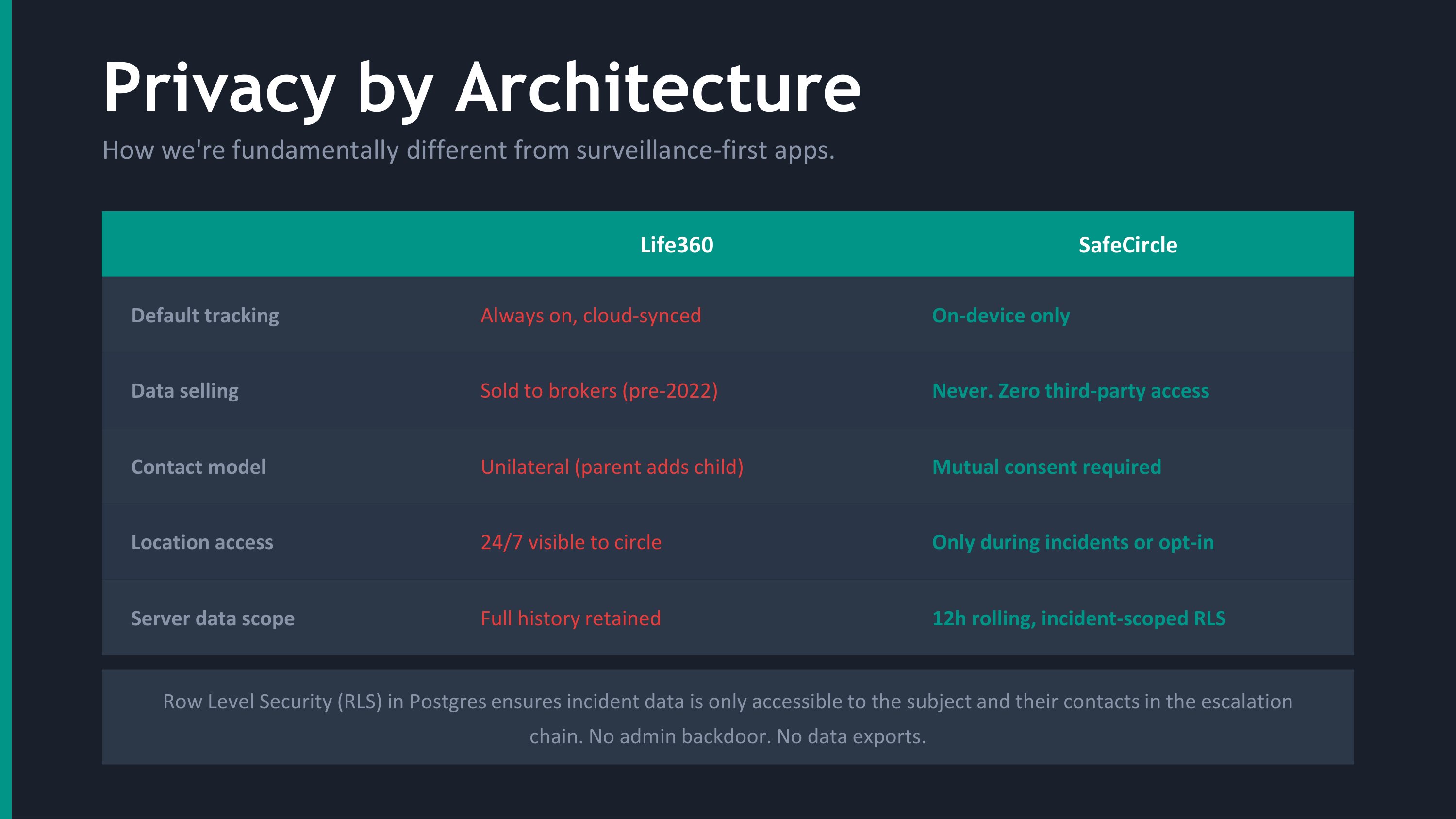
- Postgres with row-level security on every table — so even with the anon key compromised, a user can't read another user's safe zones, locations, or incidents
- Edge Functions in Deno/TypeScript for escalation logic — stateless, idempotent, CORS-restricted
- pg_cron + pg_net running every 2 minutes server-side to expire pending safety checks (so escalation happens even if the user's phone is dead — especially if their phone is dead)
- Vault for storing the secrets cron uses to invoke Edge Functions, so nothing is exposed in pg_cron logs
- Realtime subscriptions so contacts see incidents the moment they're escalated, no polling
The privacy architecture
This is the part I'm most proud of. The whole system is designed around a single invariant:
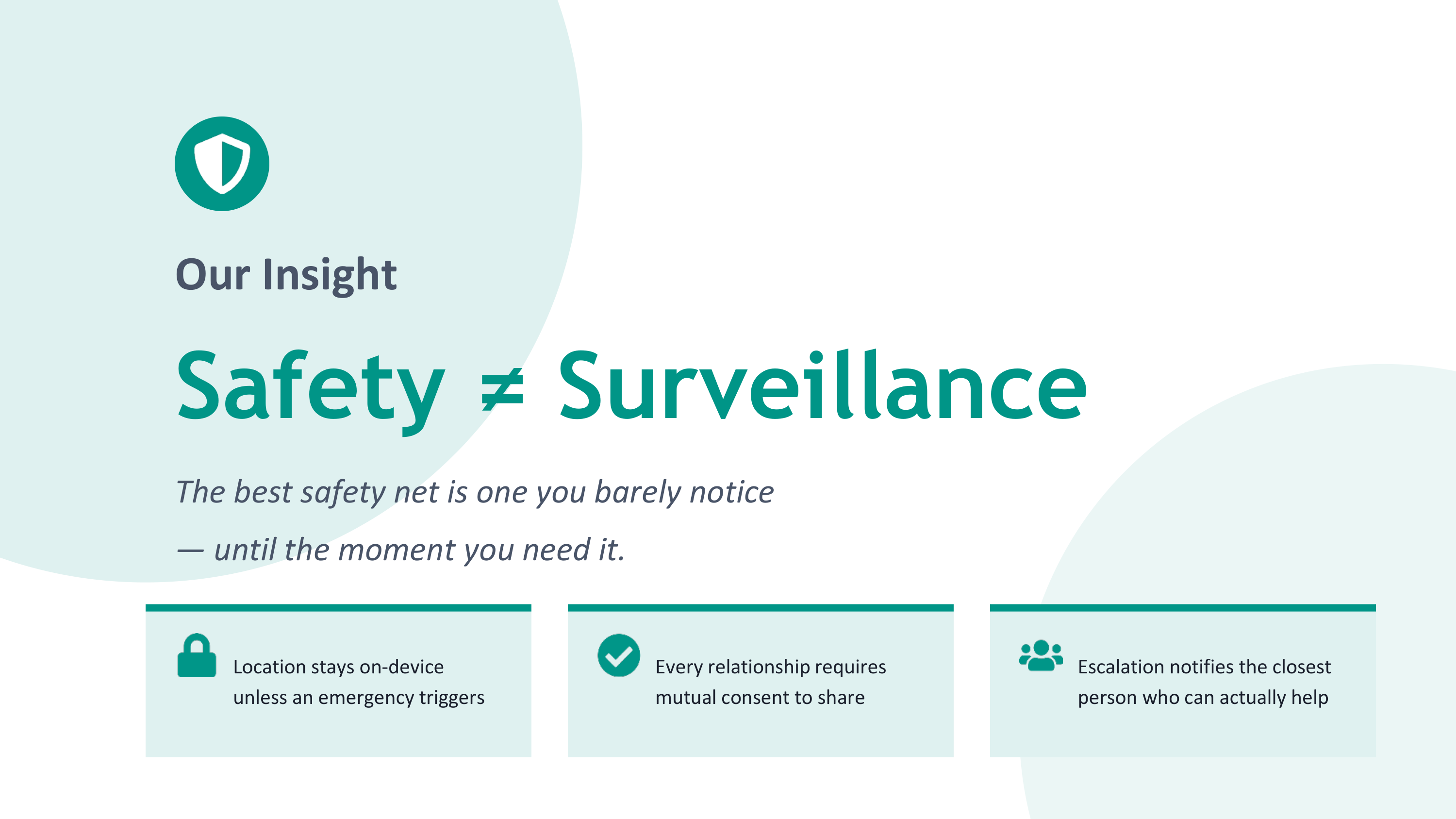
▎ Your real-time location never leaves your device unless an incident is active.
We don't run a "share my location with friends" pipeline. We run a pipeline where your location is evaluated locally against your safe zones, and only the boolean result ("is in safe zone: true/false") matters until something goes
wrong. If everything is fine, nothing is uploaded. If you're in trouble, your last known location is attached to an incident — once, with consent baked into the curfew you set up yourself.
That asymmetry — fully private when everything is okay, fully transparent when something is wrong — was the entire design north star.
The Math Behind the Timing
The hardest design decision was: how long do you wait before escalating?
Too short, and you're alerting friends every time someone falls asleep. Too long, and you're useless in a real emergency. The default Safe Circle uses is a 5-minute response timeout + 10-minute layer escalation interval.
If we model "user fails to respond" as a Poisson process with rate $\lambda$ (false negatives) and "user is actually in trouble" as a base rate $p$, the expected time until every contact is alerted in a true emergency is:
$$ E[T_{\text{full alert}}] = T_{\text{timeout}} + 2 \cdot T_{\text{escalation}} = 5 + 20 = 25 \text{ minutes} $$
That's the worst case. In a real emergency, Layer 1 is alerted within 5 minutes of you missing curfew — fast enough that someone close can act, slow enough that you're not crying wolf every time you fall asleep watching a movie.
Challenges We Ran Into
- The cron problem
Supabase's pg_cron runs in the database, but Edge Functions live in Deno isolates. To call one from the other, you need pg_net — and pg_net needs the function URL and the service-role key, which must not be sitting in plaintext anywhere in your migrations. I learned about Supabase's vault extension, which stores secrets encrypted at rest, and rebuilt the cron job to fetch credentials at runtime:
SELECT net.http_post( url := (SELECT decrypted_secret FROM vault.decrypted_secrets WHERE name = 'project_url') || '/functions/v1/expire-pending-safety-checks', headers := jsonb_build_object('Authorization', 'Bearer ' || (SELECT decrypted_secret FROM vault.decrypted_secrets WHERE name = 'anon_key')) );
This was hours of debugging because the failure mode was silent. The cron ran. The HTTP request fired. But authentication failed and nothing escalated. I only caught it by adding structured logging on the Edge Function side and watching live.
- Idempotency on a race condition
What happens if pg_cron fires twice in the same window because the previous run was slow? Without protection, you'd get duplicate incidents and contacts double-alerted. The fix was an idempotency guard:
// Don't create another incident if one already exists for this safety check const existing = await supabase .from('incidents') .select('id') .eq('subject_id', userId) .eq('trigger', 'curfew_timeout') .gte('created_at', new Date(Date.now() - 30*60*1000).toISOString()) .maybeSingle();
if (existing.data) return; // already handled
Boring engineering — but the kind of thing that determines whether the app feels reliable or chaotic in practice.
- The Android background problem
Android aggressively kills background processes. Doze mode, App Standby, OEM-specific battery optimizations — each one a different way for your safety app to silently stop working. I had to chain three layers of defense: WorkManager
periodic tasks, foreground service permissions, and a server-side cron fallback that runs regardless of whether the phone is awake. That last one is what makes Safe Circle trustworthy: even if the phone is dead, the server escalates.
- The privacy trade-off in escalation
"Closest first" requires knowing where your contacts are. But contacts haven't opted into location sharing! The solution was: contacts only have a location stored if they themselves have an active incident or are in always-share mode.
Otherwise the system falls back to the user-defined manual_priority ordering. Privacy preserved by default, optimized when context allows.
- Production deployment from a Windows machine, alone
I'm one person. iOS builds require macOS. I had no Mac. So I architected the deployment around GitHub Actions: Android builds on Ubuntu, iOS builds on macOS runners, both triggered by tags. I generated the production keystore, base64'd
it into a GitHub Secret, and now the entire pipeline runs without me touching a build machine. The icon set — 15 iOS sizes, 5 Android densities, monochrome notification icons — I generated from the master logo using System.Drawing in
PowerShell because installing a Mac toolchain on Windows wasn't an option.
What I Learned
I learned that privacy is a system property, not a feature. You can't bolt it on. The decision to keep location on-device had to be made on day one, because every single subsequent design decision (where data lives, what cron jobs see, how RLS is structured) flows from it.
I learned that the boring parts are where trust lives. Idempotency. Retry logic. Graceful failure when the network is gone. None of these will ever appear in a screenshot. But if Safe Circle is going to be trusted with the moment
someone is genuinely scared, the boring parts have to be perfect.
I learned that deadlines reveal architecture. When the only person who can fix a problem at 2am is you, you stop building things you don't fully understand. I rewrote the escalation function three times. Each time it got smaller and
easier to reason about. The final version is 200 lines. I can hold the whole thing in my head.
I learned how to read a failing pg_cron log at 1am. I learned what an aps-environment entitlement actually does. I learned that flutter_dotenv reads from the asset bundle and not the file system, which is a fact that costs you about
three hours the first time you discover it.
I learned what it feels like to ship.
What I'm Proud Of
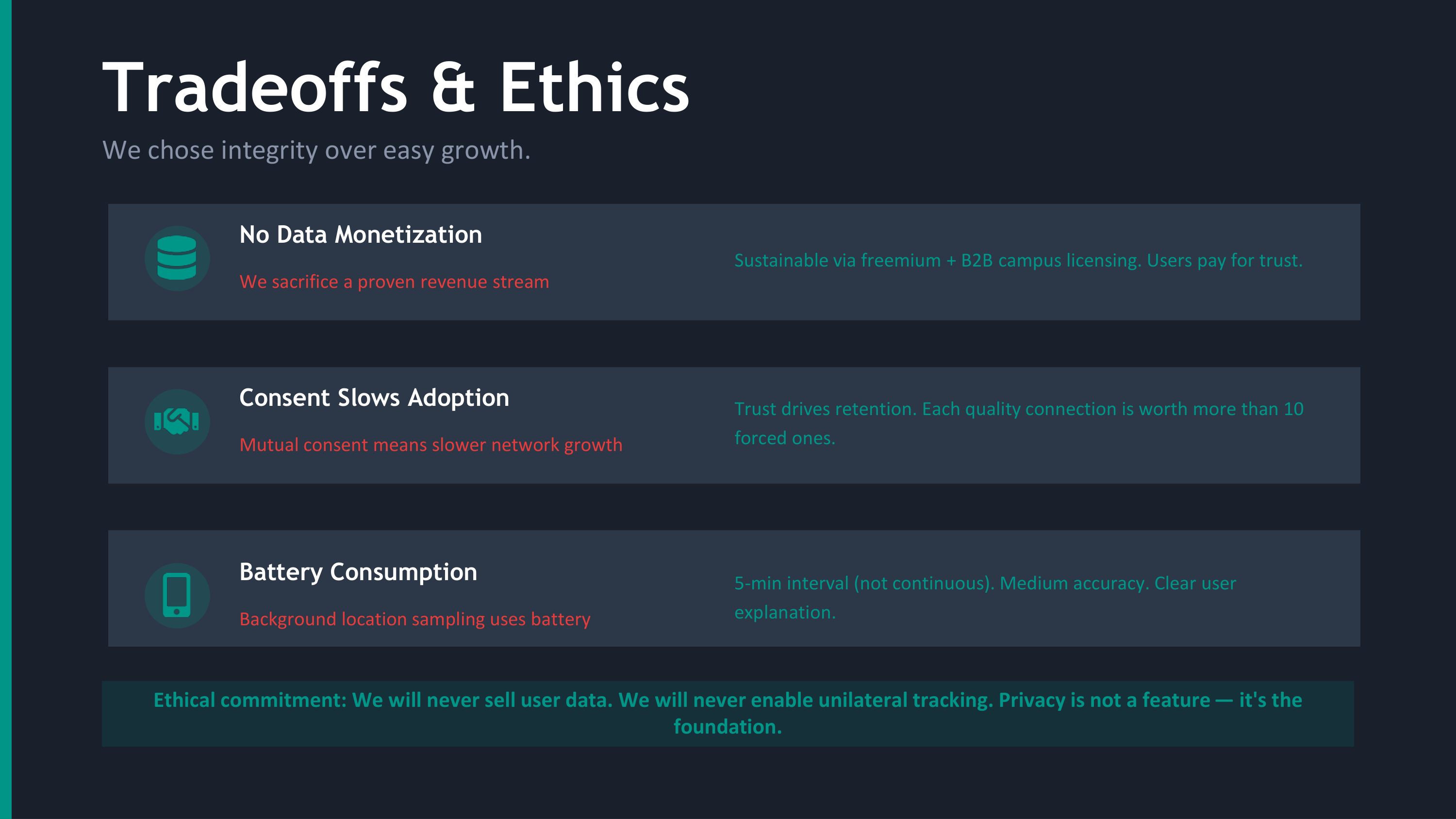
- The privacy architecture. It's structurally impossible for Safe Circle to leak your location while you're safe. Not "we promise we won't" — can't.
- The escalation algorithm. Closest-first using haversine, with a fallback when location data isn't available. Real signal beats arbitrary ordering, every time.
- The server-side dead-phone fallback. The escalation does not depend on the user's device being online. This is what separates a safety app from a notification app.
- A production-ready deployment pipeline. Signed Android builds. iOS pipeline ready. Edge Functions deployed. pg_cron live. RLS verified. The thing actually works.
- Doing it solo, on Windows, in a constrained timeframe, without compromising the design.
What's Next for Safe Circle
- Apple Health integration — heart rate spike detection during a missed safety check could be a strong secondary signal
- Group mode — for friend groups walking home together, automatic split-up alerts when one person diverges from the path the group is taking
- Audio/video evidence locker — encrypted, on-device-only, automatically attached to incidents and only released to contacts the user has authorized
- Apple Watch / Wear OS — the safety check on your wrist is faster than digging out your phone
- A community trust layer — anonymous neighborhood signals so the system can know "this route at this time has had three incidents this week" without ever identifying who reported them
Safe Circle started as six words: "text me when you get home."
The goal was to build the smallest possible system that could honor those six words — automatically, privately, and reliably enough that someone you love could actually rely on it.
I think we built it. And I'd like nothing more than for nobody to ever need it.
But for the moments when somebody does, Safe Circle will be there.
Built With
- dart
- sql
- supabase

Log in or sign up for Devpost to join the conversation.