Inspiration
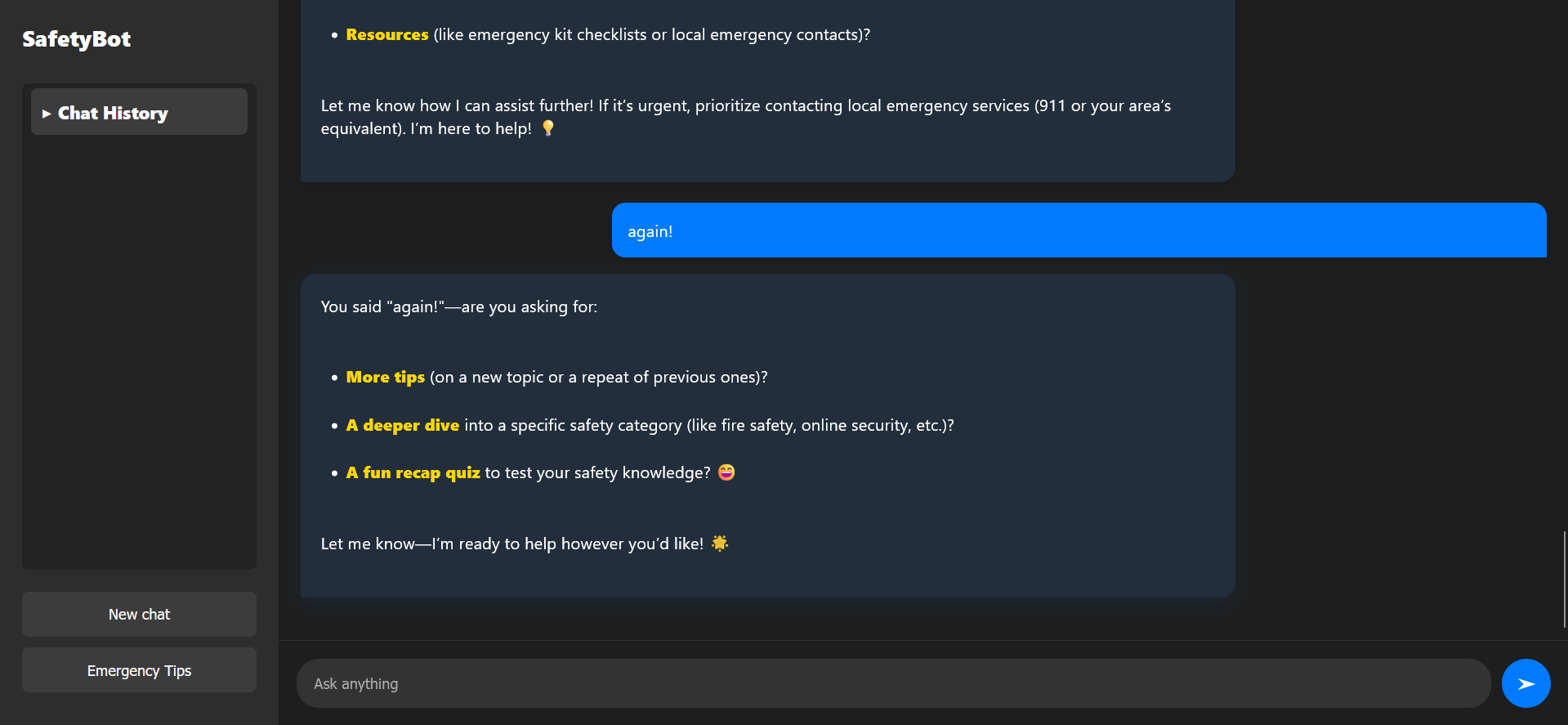
The inspiration for SafeBot came from seeing how everyday hazards and emergencies can catch people off guard, especially in urban environments. We wanted to create a tool that not only helps users report hazards but also empowers them with quick, actionable safety tips and emergency guidance—all in a friendly, conversational format.
What it does
SafeBot is an AI-powered web assistant that allows users to:
- Report hazards (like potholes, fires, or gas leaks) quickly.
- Get instant, context-aware safety advice and emergency tips.
- Access a sidebar chat history for easy reference to past conversations.
- View curated emergency tips in a visually appealing Markdown format.
- Reveal the AI's reasoning for transparency and trust.
How we built it
We built SafeBot using:
- Flask for the backend web server and routing.
- OpenAI/Nebius API for natural language understanding and response generation.
- SQLite for storing hazard reports and chat histories.
- HTML/CSS/JavaScript for the frontend, with a modern chat UI.
- Marked.js to render Markdown in bot replies, making tips and instructions easy to read.
- python-dotenv for secure environment variable management.
Challenges we ran into
- Markdown Rendering: Ensuring that AI-generated Markdown was rendered safely and beautifully in the chat UI.
- Session Management: Keeping chat histories organized per user session.
- Styling Reasoning Sections: Making the AI's internal reasoning both accessible and visually distinct without cluttering the chat.
- API Integration: Handling API errors gracefully and maintaining a smooth user experience even when the backend is slow or unavailable.
Accomplishments that we're proud of
- Creating a seamless, modern chat experience that feels intuitive and helpful.
- Successfully integrating Markdown rendering for rich, readable safety tips.
- Building a transparent AI assistant that shows its reasoning process.
- Making the app easy to extend with new tips, hazards, or features.
What we learned
- How to combine AI APIs with traditional web frameworks for real-world utility.
- The importance of UI/UX in making safety information accessible and engaging.
- Techniques for securely managing API keys and user sessions.
- How to handle and display structured content (like Markdown) in a dynamic chat interface.
What's next for SafeBot
- Mobile Optimization: Making the UI fully responsive for mobile users.
- Localization: Adding support for multiple languages.
- User Accounts: Allowing users to save and sync their chat histories across devices.
- Real-Time Alerts: Integrating with local emergency services for live hazard updates.
- More Safety Content: Expanding the database of tips and adding multimedia (images, videos) for better guidance.
SafeBot is just getting started—our goal is to make safety information accessible, actionable, and always at your fingertips!


Log in or sign up for Devpost to join the conversation.