-
-
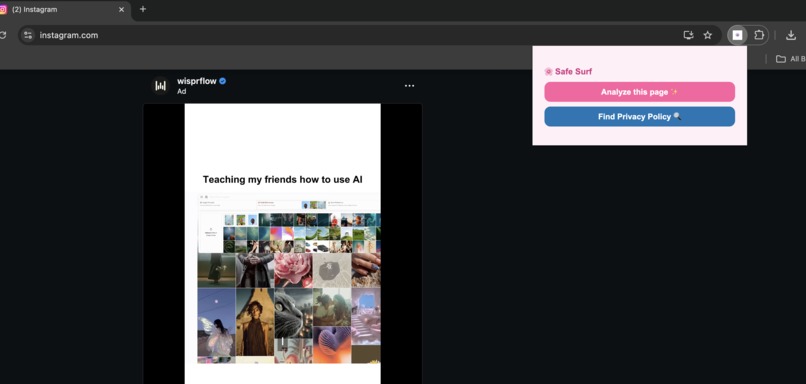
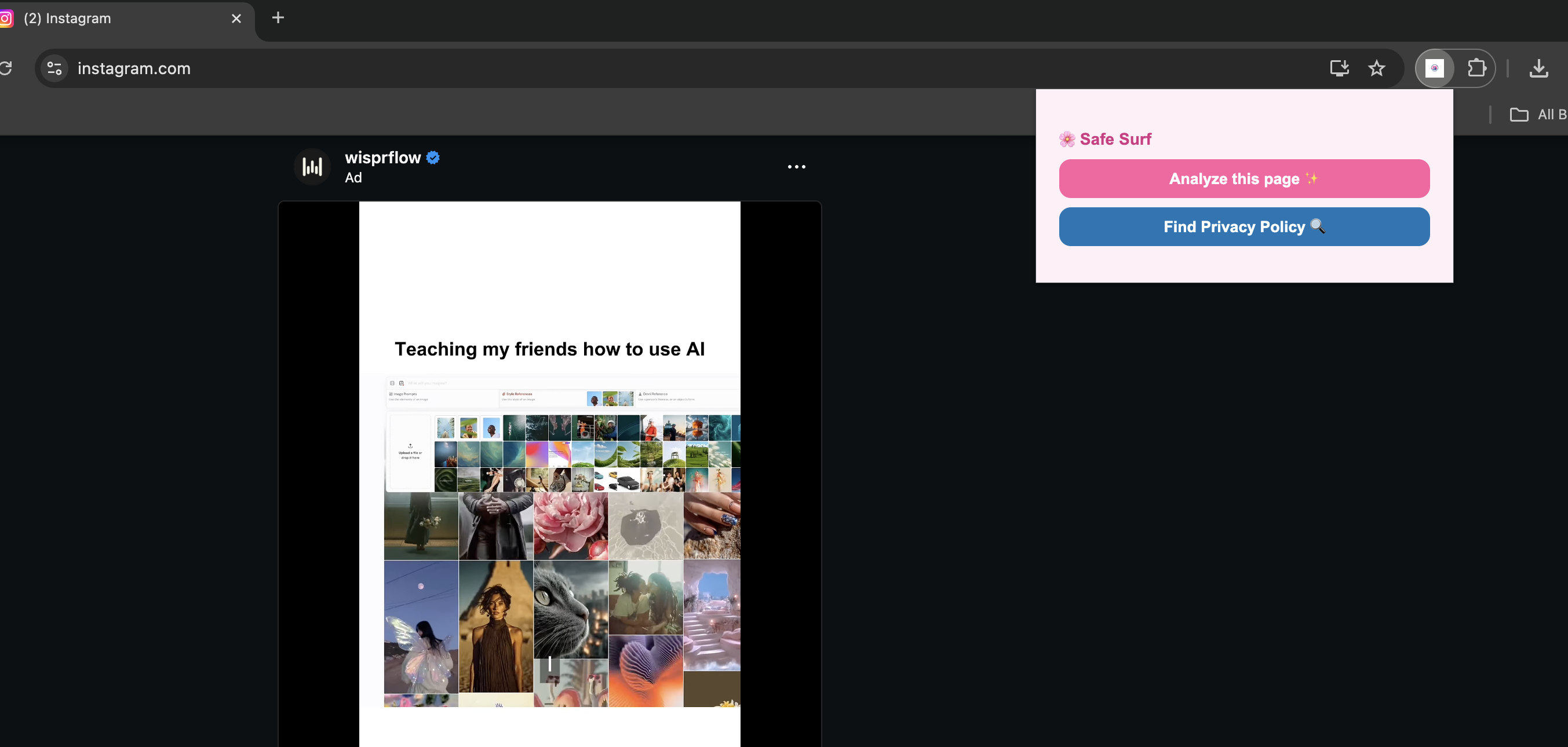
Safe Surf extension analyzing a website's privacy policy
-
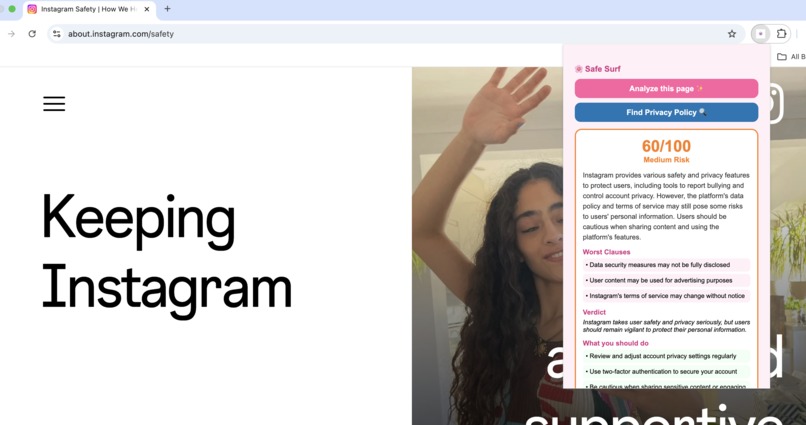
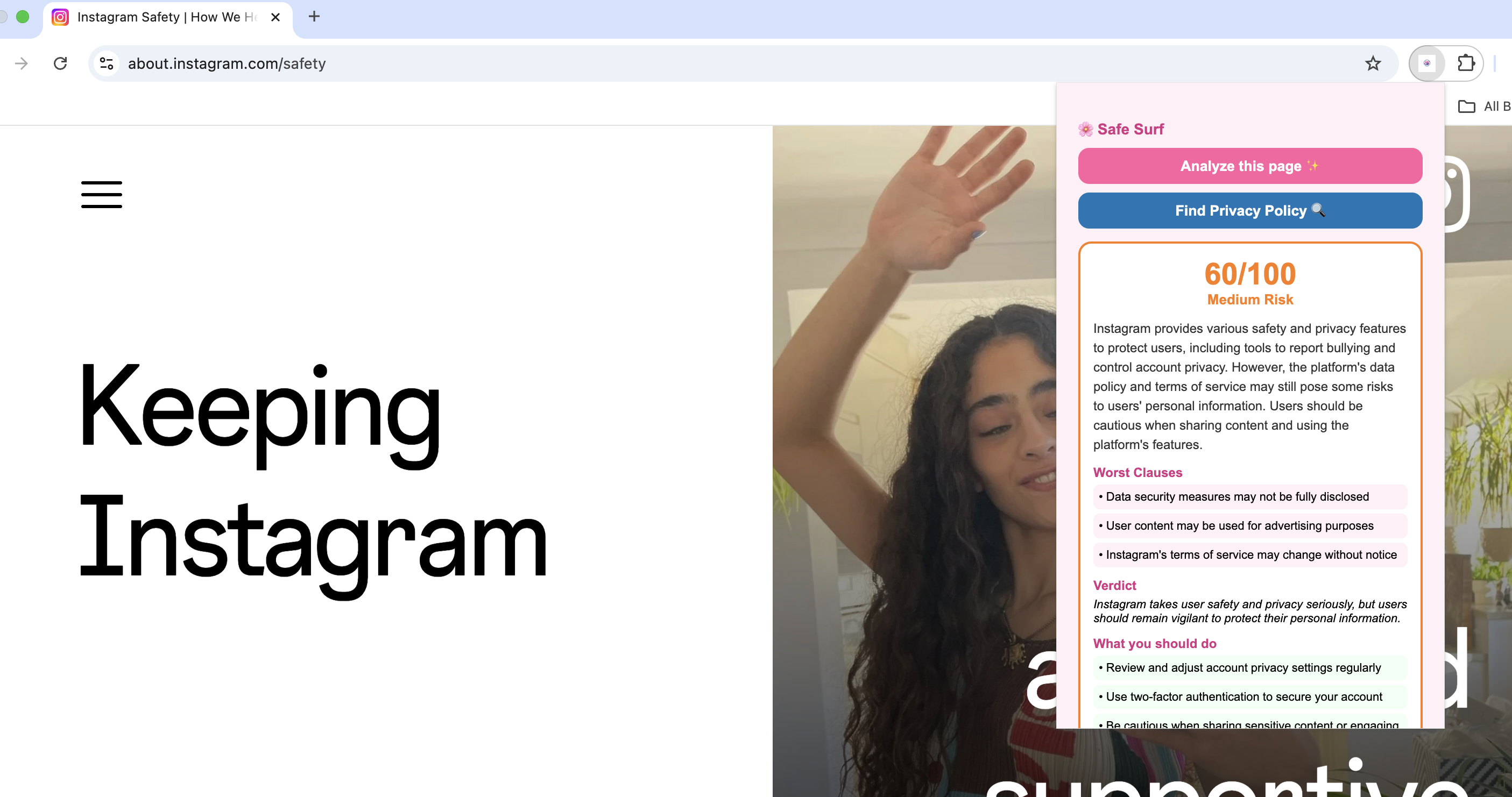
Safe Surf giving Instagram Medium Risk Score
Safe Surf 🏄
Inspiration
Almost every website has a privacy policy that users are expected to accept before proceeding. These agreements are written in complex legal language and are extremely long, pushing most people to click "agree" without reading. As Queen's University students, we sign up for a new app, platform, or service almost every week, course tools, food delivery apps, student portals, social media and each one comes with a privacy policy that nobody reads. We started asking ourselves: what are we actually agreeing to?
When we looked into it, we found that the average privacy policy is over 2,500 words long and written deliberately in complex legal language. Studies show that fewer than 1% of users read them before clicking accept.
We were frustrated not just as individuals, but as computer science students who understood exactly what was happening behind the scenes. Companies were sharing our location data, selling our browsing habits to advertisers, and retaining our personal information indefinitely. We were especially motivated by how vulnerable people around us, including older family members, are to online data misuse and scams. We wanted to build something that gave the power back to the user especially the power of knowledge so they could actually understand what is going on with their data. Safe Surf was born from the belief that privacy should not require a law degree to understand.
What It Does
Safe Surf is a Chrome extension that works on any webpage. Here is what happens when you use it:
- You click the Safe Surf extension icon near your browser toolbar and click "Find Privacy Policy", which automatically navigates you to that site's terms and conditions page no hunting required.
- You click "Analyze this page" in the Safe Surf popup.
- Safe Surf extracts all the visible text from the page and sends it to our backend.
- Our AI engine analyzes the text and returns a structured risk report in seconds.
- You see a clear 0–100 risk score, a risk level (Low, Medium, High, or Critical), a plain English summary, the three worst clauses found in the policy, a one-sentence verdict, and recommended actions you can take.
Safe Surf makes the whole process completely frictionless just click two buttons and immediately know whether to trust a website with your data.
How We Built It
Safe Surf has two main components: a Chrome Extension frontend and a Python Flask backend.
Chrome Extension (Frontend)
Built using Manifest V3, the extension consists of a content script
(content.js) that extracts visible text from any webpage using
document.body.innerText, a popup interface (popup.html and popup.js)
that displays results to the user, and a manifest file that handles permissions
and configuration. When the user clicks analyze, popup.js sends the extracted
text along with the page URL to our Flask backend via a fetch() POST request
and dynamically renders the returned JSON into a clean, color-coded interface.
The UI updates in real time showing "Analyzing..." while waiting and
color-coding the risk level green, orange, red, or dark red depending on the
score returned.
Flask Backend (AI Engine)
The backend is a lightweight Python Flask server with a single REST endpoint
at POST /analyze. It receives the page text, forwards it to the Groq API
running the Llama 3.3 70B model, and prompts it to return a structured JSON
response containing the risk score, risk level, summary, worst clauses, verdict,
and recommended actions. CORS is enabled to allow communication between the
extension and the local server. The AI is prompted carefully to return only
valid JSON so the response can be parsed and sent directly back to the extension
without additional processing.
Challenges
Building Safe Surf in a hackathon environment came with several real challenges that pushed us to make smart decisions quickly.
AI API Billing Issues. Our original plan was to use OpenAI's GPT-4 for the AI analysis. However, we ran into billing restrictions that prevented us from making API calls entirely. We pivoted quickly to the Groq API, which offers a completely free tier with generous rate limits. This required rewriting our backend integration and adjusting our prompts to work with the Llama 3.3 model.
Inconsistent AI Responses. The AI sometimes returned markdown-formatted text instead of clean JSON, which broke our response parsing. We fixed this by adding a strict system prompt that instructs the model to return only JSON, combined with a cleanup function in our backend that strips any markdown code fences before parsing.
Inconsistent Scoring. Analyzing the same page twice could give slightly different risk scores because AI models have built-in randomness a characteristic called temperature-based non-determinism. We plan to anchor the score to a rule-based detection layer so results are always consistent and fully explainable.
Emoji Rendering in Chrome Extensions. Our popup was displaying garbled
characters instead of emojis. After debugging, we discovered that Chrome
extensions require an explicit UTF-8 charset declaration in the HTML head tag.
Adding a single <meta charset="UTF-8"> line resolved the issue entirely.
Model Deprecation. Midway through development, our chosen Groq model
(llama3-70b-8192) was decommissioned by the provider with no warning. We
quickly identified the replacement model (llama-3.3-70b-versatile) from the
Groq documentation and updated our backend with minimal disruption.
What We Learned
- How to build and deploy a Chrome Extension using Manifest V3
- How to connect a browser extension to a local Flask backend using
fetch() - How to integrate the Groq SDK and prompt an LLM to return structured JSON reliably
- How to use a content script to extract text from any active webpage
- How to dynamically update a popup UI based on live API responses
- How to handle real-world API issues like billing restrictions, model deprecation, and inconsistent outputs under time pressure
What's Next for Safe Surf
Safe Surf is just the beginning. In the future, we want to add automatic privacy policy detection so the extension finds and analyzes policies without the user navigating to them manually, a cross-site dashboard showing a user's overall privacy risk profile, real-time alerts when a site's privacy policy changes, and a Queen's Student Mode that specifically flags risks around student IDs, OSAP information, and academic data. Our goal is simple: make the internet transparent, one privacy policy at a time.

Log in or sign up for Devpost to join the conversation.