-
-
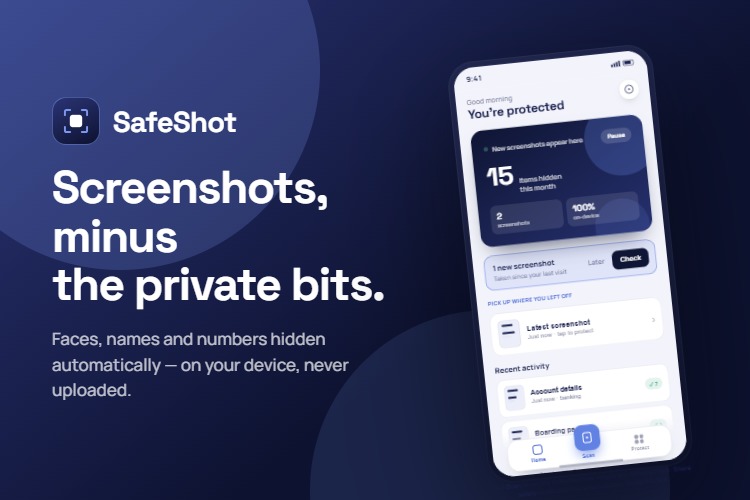
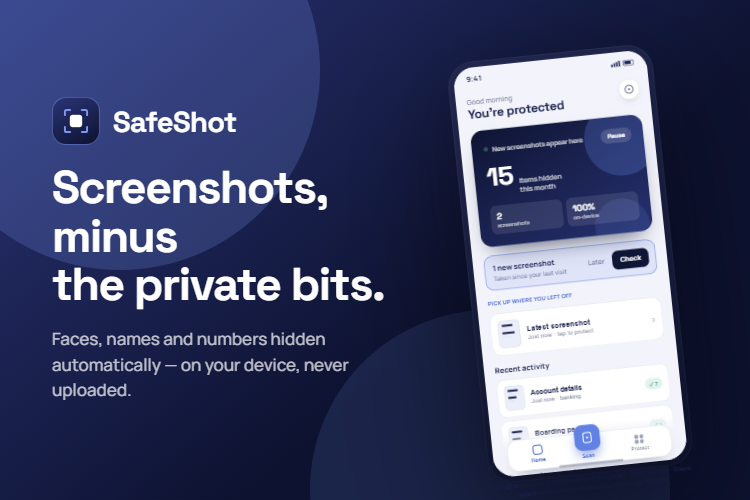
Screenshots, minus the private bits. Faces, names and numbers hidden automatically - on your device, never uploaded
-
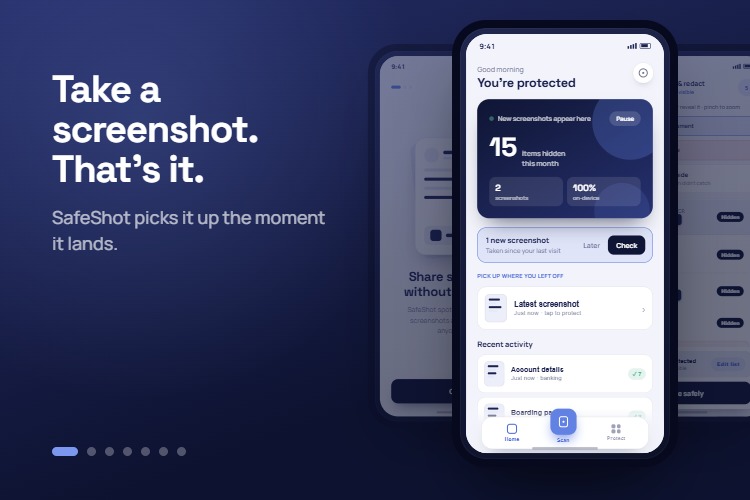
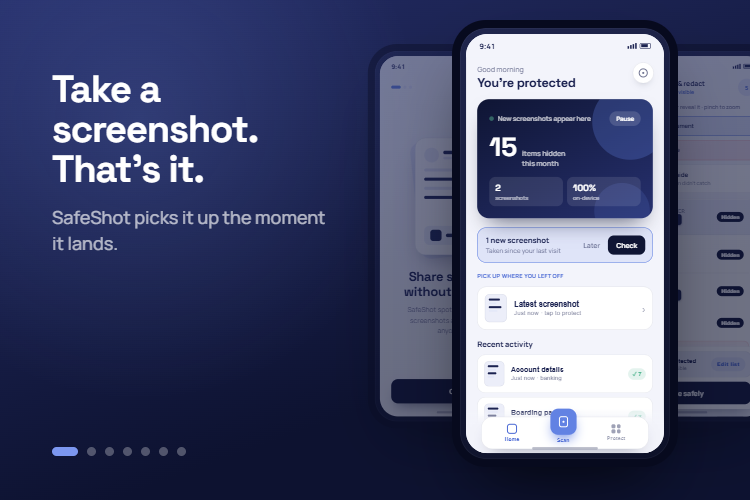
Take a screenshot, That's it. SafeShot picks it up the moment it lands
-
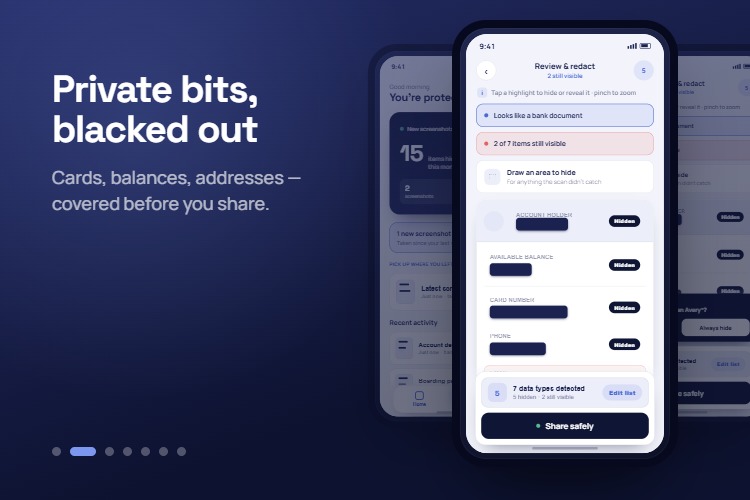
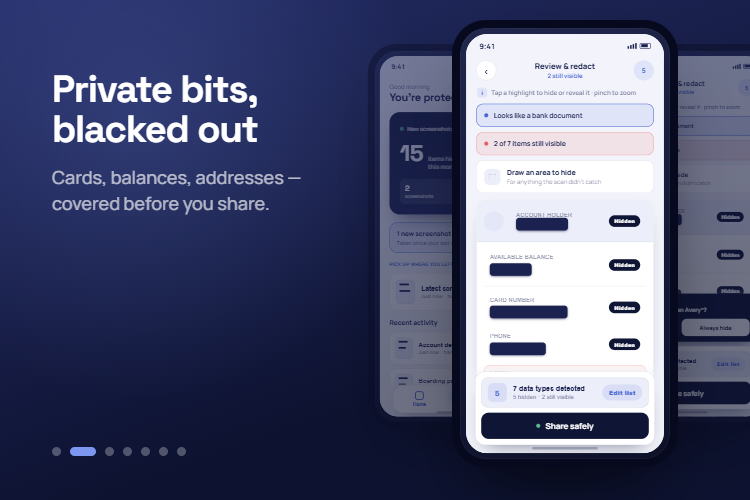
Private bits blacked out. Cards, balances, addresses - covered before you share
-
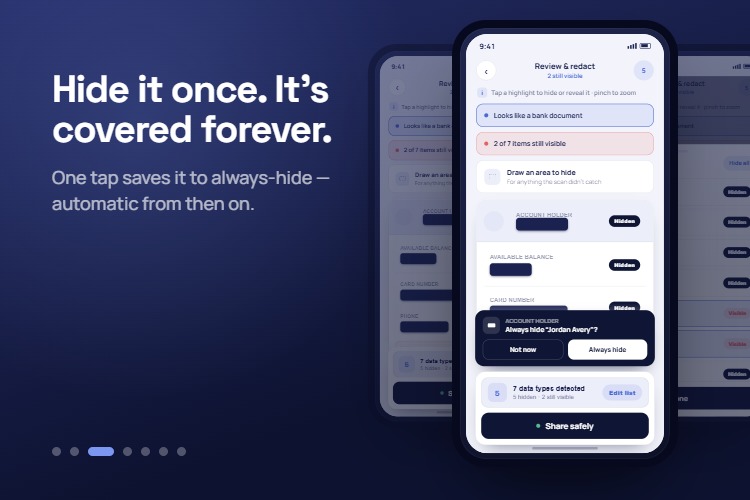
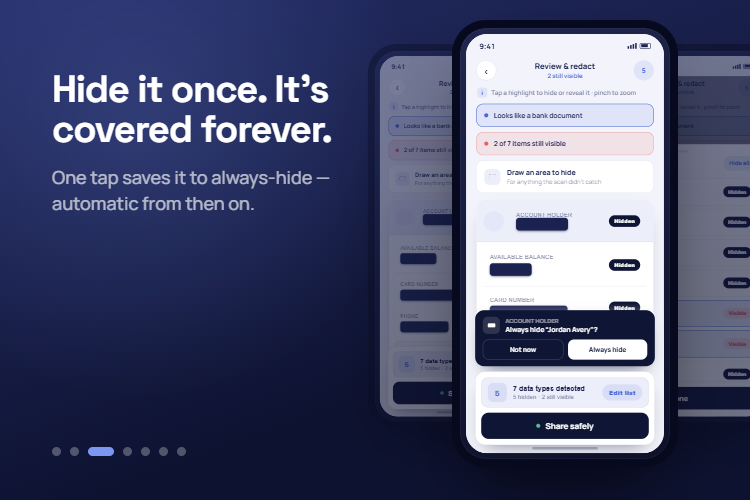
Hide it once. It's covered forever
-
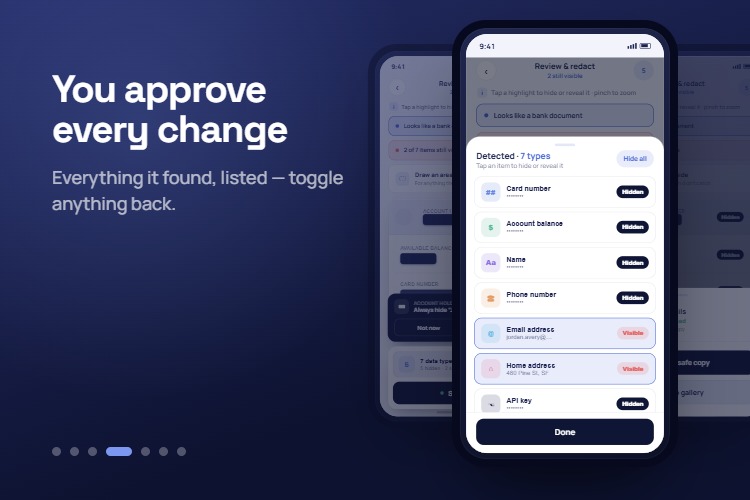
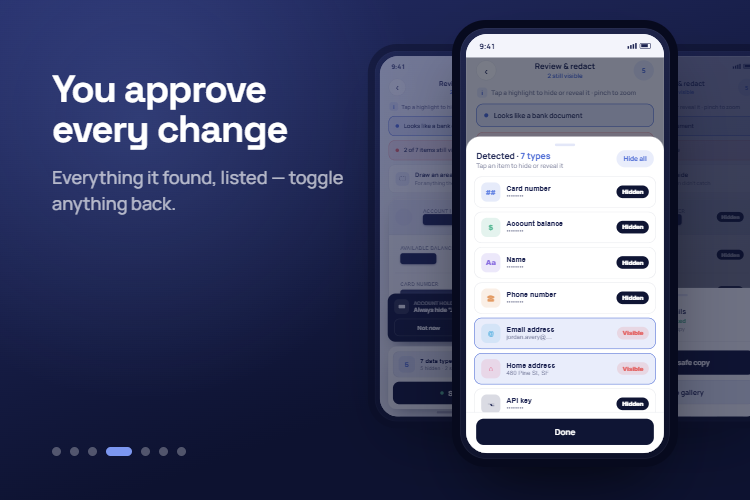
You approve every change
-
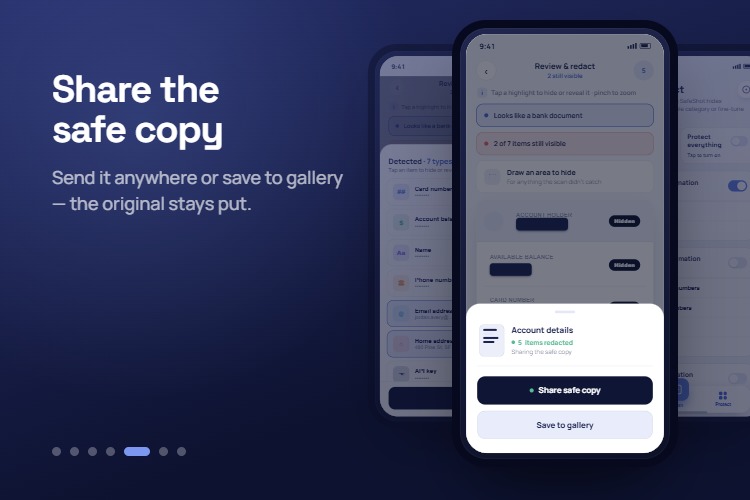
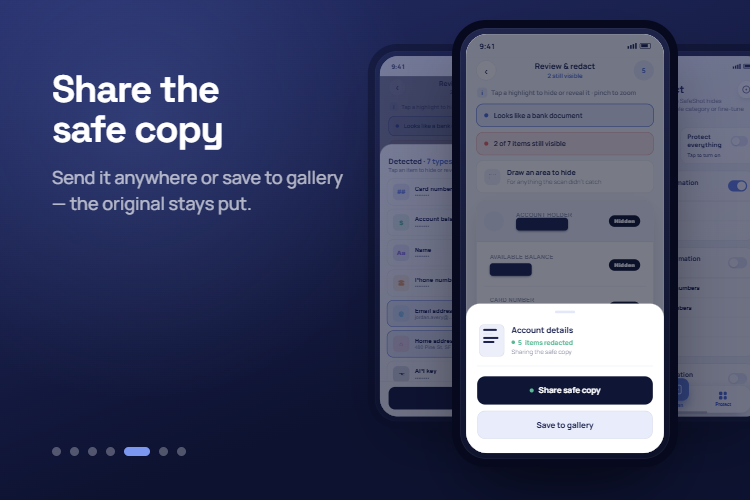
Share the safe copy - the original stays put
-
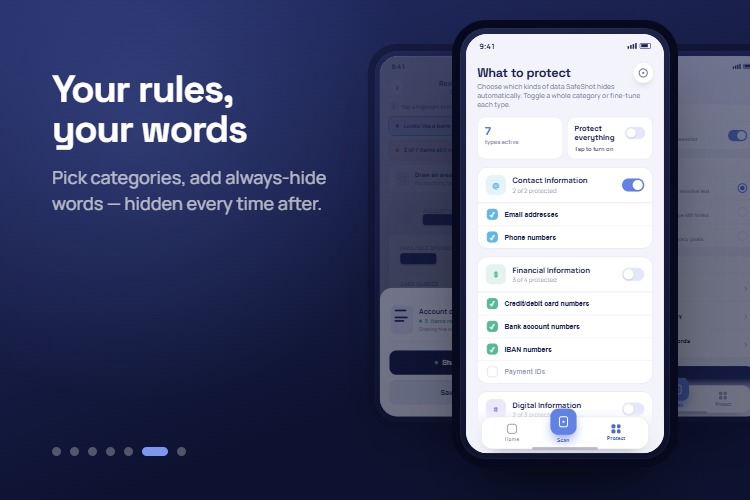
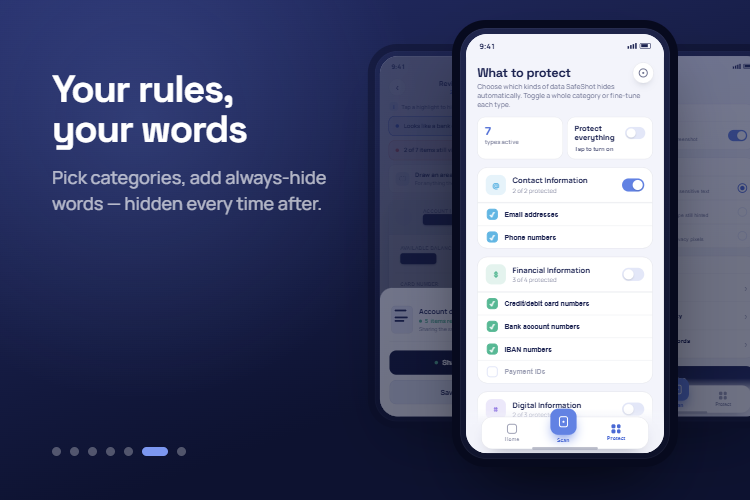
Your rules, your words. Pick categories, add always-hide words - hidden every time after
-
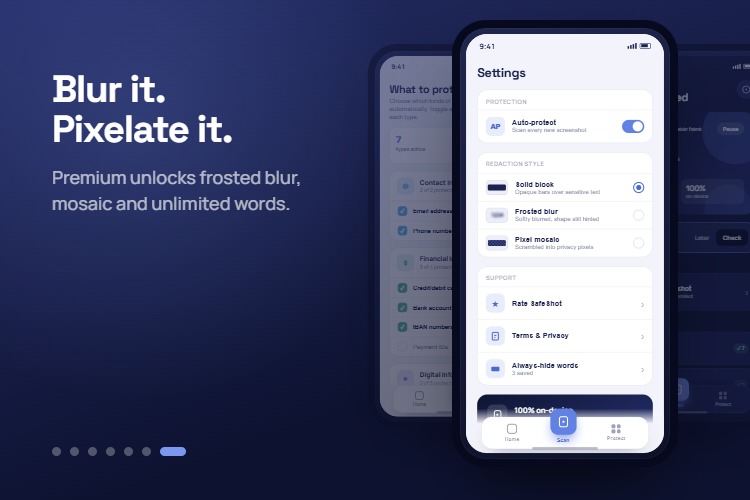
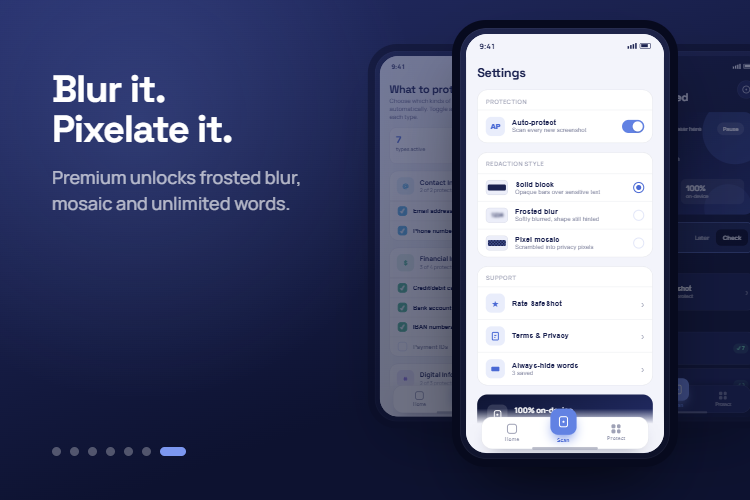
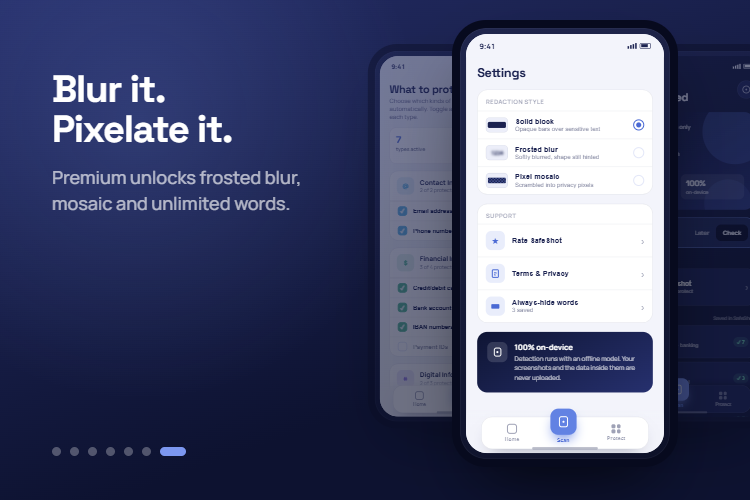
Blur it. Pixelate it. Premium unlocks frosted blur, mosaic, unlimited words and all future upgrades of premium version
-
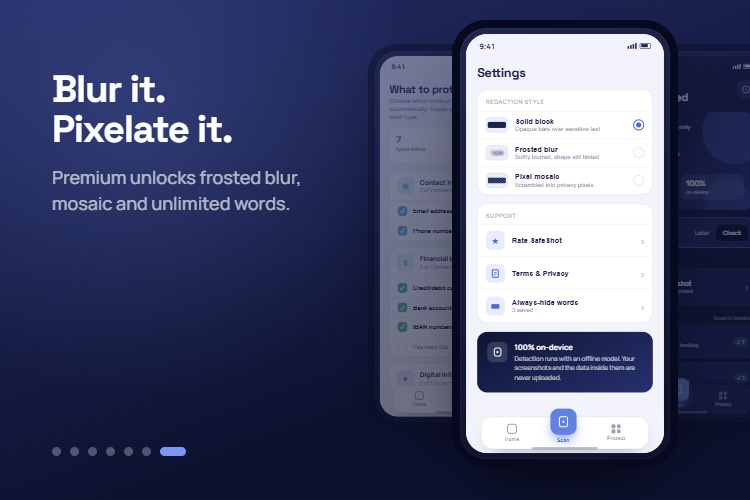
Blur it. Pixelate it. Premium unlocks frosted blur, mosaic, unlimited words and every future Premium update, included
Inspiration
Every time I take a screenshot to share something — a payment confirmation, a booking, a boarding pass — I'm handing over more than I meant to. The account number under the highlighted balance. The address in the corner of a booking. The API key still visible in a config screenshot I meant to send for debugging help. I'd crop what I noticed and forget the rest ships with it.
The existing fix is a photo editor and a blur brush, and the blur brush only covers what you already spotted. Spotting it was never the hard part. I wanted something that reads the screenshot first, tells me what's actually in it, and only then lets me decide what to hide — entirely on the device, because a "privacy" tool that phones your screenshots to a server isn't privacy, it's a different kind of exposure.
What it does
SafeShot scans a screenshot on-device — card numbers, IBANs, bank accounts, addresses, ID and passport numbers, API keys, emails, phone numbers, and faces — lists everything it found and lets you cover it before you share. Nothing is uploaded, the model runs locally and the app works in aeroplane mode. Free covers detection and solid-block redaction; SafeShot Premium unlocks automatic face blur, two additional redaction styles, and unlimited saved always-hide words.
How I built it
The detection layer runs Google ML Kit's on-device text and face recognizers, then a set of purpose-built regex detectors — one per data category rather than one clever pattern trying to cover everything, because a single regex that handles both a 16-digit card and a labelled account number inevitably breaks one of them the moment you fix the other. Each pattern was iterated against real screenshots — bank slips, config files, ID cards — rather than synthetic test strings, since OCR output has its own texture that synthetic text doesn't.
The redaction layer burns the mask into the exported pixels rather than overlaying it, so the hidden values genuinely can't be recovered from the shared file — the on-screen preview and the file someone receives have to be the same image.
Monetization is RevenueCat end to end: a soft paywall (scanning and basic redaction stay free forever — no functionality is held hostage), a yearly subscription and a lifetime non-consumable, and a promo-code system built directly on RevenueCat's identity model rather than a custom backend.
Challenges I ran into
The URI that only worked while the app was open. Recent-activity thumbnails loaded perfectly during a session and then failed after a restart, with the app reporting the image "not on device" even though it plainly was. The cause took several wrong turns to find: Android's photo picker hands out a display name synthesized from its own internal ID, not the file's real name, so every name-based lookup was searching for a string that never existed in MediaStore. The fix was matching on content instead of metadata — SHA-1 fingerprinting the first 256KB of a file, filtered first by exact size — which is durable across restarts because it doesn't depend on any name at all.
OCR reads "AI" as "Al." Once always-hide words shipped, a saved word wasn't matching consistently in a screenshot — sometimes it hid, sometimes it didn't, with no visible pattern. Capital I and lowercase l render as the identical glyph in most sans-serif fonts, so ML Kit was reading "OpenAI" as "OpenAl" roughly at random depending on the source image. The fix folds visually confusable glyphs before comparing — but only when the character sits next to an uppercase letter, which is specifically where OCR actually makes this mistake. Folding unconditionally seemed simpler at first, until testing it against a paragraph of ordinary text showed it also matching inside words like "artifical" and "personal" — over-correcting a rare failure into a much more common one.
Making the paywall honest by default. Firebase Analytics collects the Android Advertising ID automatically unless you explicitly turn it off — a default I hadn't gone looking for, since SafeShot has no ads and nothing in the product needs that identifier. Leaving it on would have quietly contradicted the app's own privacy policy. Disabling it in the manifest was one line; noticing it needed disabling was the actual work.
Accomplishments that I'm proud of
The on-device claim is actually true, not just marketed. Every network call the app makes was audited by hand — RevenueCat for entitlements, Firebase for analytics and crash reports, nothing else. No screenshot, and no value found inside one, ever leaves the phone. That's a specific, checkable promise, not a slogan.
A monetization system with no backend. Purchases, restore, and a full promo-code giveaway mechanism — including abuse detection for a shared code — run entirely on RevenueCat's own identity model. There's no server to run, no secret key to protect, and nothing that can leak because it was never built.
Getting restore right for an app with no accounts. With no sign-in, the only recovery path for a lost purchase is the Google account itself. Verifying that a lifetime purchase survives a full uninstall/reinstall cycle — and understanding exactly why a test subscription appeared not to, when it had simply expired under Play's accelerated test-subscription timing — meant actually proving the restore path rather than assuming RevenueCat's defaults were correct for a no-auth app.
A free tier that isn't a trial. Detection, unlimited scanning, and solid-block redaction never expire and never nag. What's paywalled is specific and named, not a countdown on the whole app.
What I learned
The hardest bugs weren't in the sensitive-data detection, which is the part that sounds hard. They were in the boring layers underneath it — identifying the same file twice, matching a word a user actually meant, keeping a permission-light footprint honest — the places where a wrong assumption fails silently instead of throwing an error. Building a privacy tool sharpened that instinct: the app's entire pitch rests on "nothing leaves your device," which means every dependency and every default has to be checked, not assumed, because the cost of being wrong about even one of them is the whole premise.
What's next for Safe Shot
An app lock. A biometric prompt before SafeShot opens, since the redaction history and always-hide list are themselves a small map of what someone considers sensitive.
Batch mode. Scanning and redacting several screenshots in one pass, for the common case of clearing out a week's worth of messages before sharing a folder.
Auto-delete history. An optional retention window so the on-device scan log doesn't accumulate indefinitely for users who'd rather it didn't.
Wider language support. The detectors and UI are structured to localize; only English ships today.
A public release. SafeShot is in closed testing on Google Play now — getting it to a stable production listing is the immediate next step, not a someday one.
Built With
- coroutines
- crashlytics
- datastore
- facedetection
- firebase
- firebase-analytics
- jetpack-compose
- koin
- kotlin
- material-3
- mlkit
- playbilling
- revenuecat
- room
- textdetection

