-
-
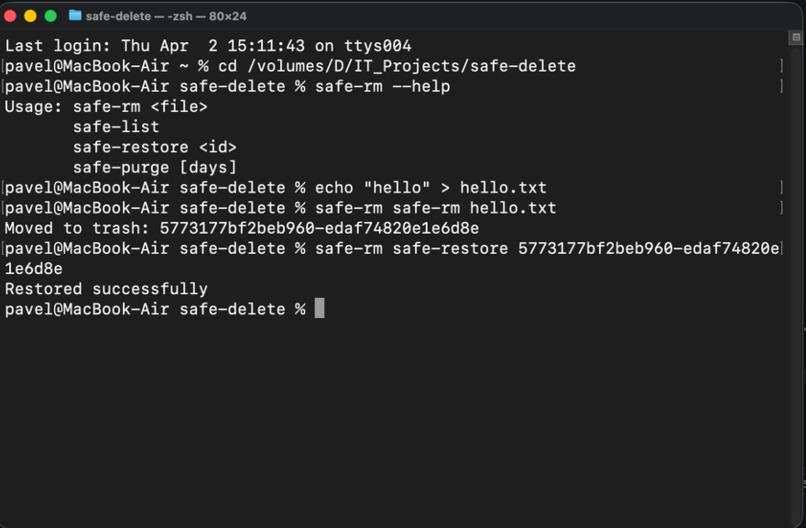
Safe-Delete - a tiny add-on to macOS terminal that modifies raw 'rm'
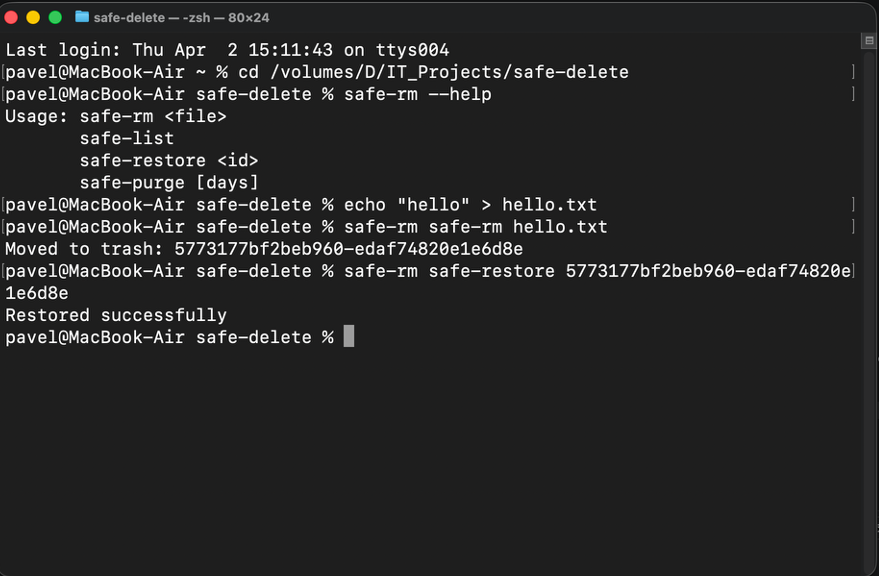
Safe-Delete
A safe replacement for rm that moves files to a local trash instead of deleting them permanently.
Built with modern C++17 using only standard libraries.
How It Works
Safe‑Delete keeps things simple on purpose. When you “delete” a file, it doesn’t destroy it. It moves a verified copy into a private trash folder under your home directory:
~/.safe-trash/<unique-id>/
Inside that folder you’ll see:
- the original file or directory (same name as before)
- a small
meta.txtfile with info like original path, time, size, and permissions
The Flow for each command
safe-rm: copies the file/dir into~/.safe-trash, checks the copy exists, then removes the originalsafe-list: reads allmeta.txtfiles and prints a simple tablesafe-restore: moves an item back to its original path (asks you if there’s more than one match)safe-purge: deletes old entries (or everything if you confirm)
Why this Design
It’s boring on purpose: no cloud, no GUI, no system Trash tricks. Everything is just files and folders you can inspect. That makes it easy to trust, easy to debug, and easy to extend later.
Rarity & Originality
This project is intentionally simple today, but it provides unique, out‑of‑the‑box additions that almost none operating system offers by default. Its originality is in being a local‑first, developer‑friendly safety layer that you can inspect and control — no system Trash quirks, no cloud, no magic.
How to Build
From the project root:
git clone https://github.com/PavloICSA/safe-delete.git
cd safe-delete
cmake -B build
cmake --build build
Setup for Daily Use (Terminal Everywhere)
Right now you can run the binary with a full path, like:
/path/to/safe-delete/safe-rm file.txt
That works from any folder. To make it even smoother, choose one of these options:
Option A: Add to PATH (recommended)
Add this line to your ~/.zshrc:
export PATH="/path/to/safe-delete:$PATH"
Then reload your shell:
source ~/.zshrc
Now you can run:
safe-rm file.txt
from anywhere.
Option B: Alias rm to safe-rm (extra safety)
If you want protection by default, add this after the PATH line:
alias rm='safe-rm'
Now any rm you type in your Terminal will use Safe-Delete instead.
Quick check
Open a new Terminal window and run:
which safe-rm
If it prints the path to your project, you're all set.


Log in or sign up for Devpost to join the conversation.